Releasing v2.0 of an API is a major milestone, but it often brings a chaotic aftermath: breaking changes, confused developers, and documentation drift.
Commonly, teams find themselves in a fragmented state: v1.0 notes live in legacy Google Docs, v1.5 specs are in Confluence, and the actual v2.0 schema exists only in code or a local Postman collection. This documentation fragmentation forces developers to waste time cross-referencing files rather than integrating features.
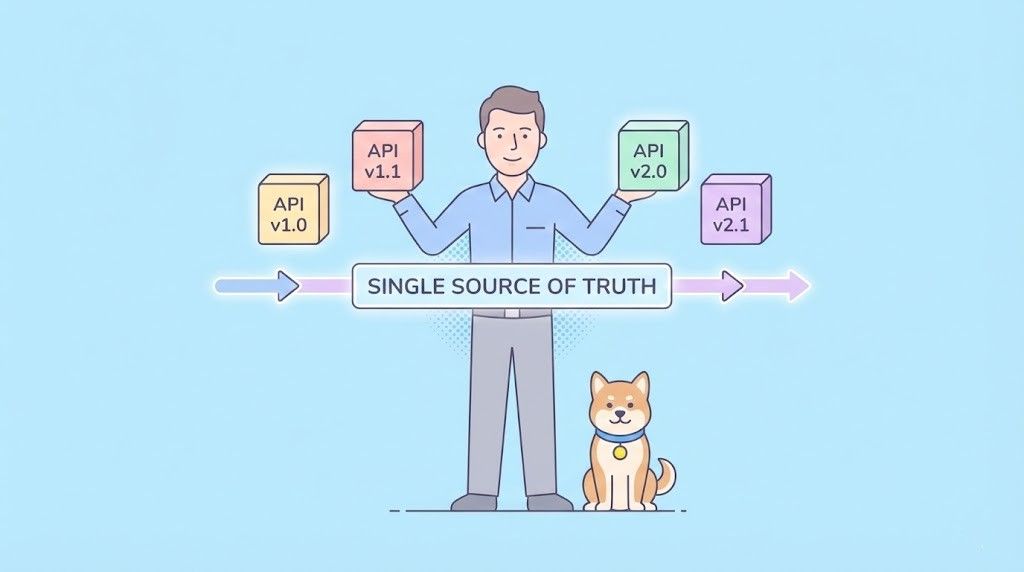
Effective API governance requires a single source of truth. This guide explores why versioning and changelogs become unmanageable in traditional workflows and how to centralize them using Apidog—a schema-first platform designed to handle the entire API lifecycle.
The High Cost of Documentation Chaos
Before discussing tools, it is crucial to understand the technical debt created by poor version management. When versioned docs and changelogs are not synchronized, businesses face tangible costs:
- Integration Friction: If a developer cannot instantly locate the documentation for the specific version they are using, integration slows down.
- Support Overload: Ambiguity generates support tickets. When docs don't explicitly highlight breaking changes, your engineering team becomes the manual documentation service.
- Version Drift: Without a centralized system, the "documented" API often lags behind the "deployed" API, leading to implementation bugs that are hard to trace.
The solution is not more discipline—it is better tooling. You need a system where the API definition, the documentation, and the changelog live in the same ecosystem.
Why Apidog is the Ideal Hub for Version Control
Apidog is not just a documentation generator; it is an integrated workspace for API design, debugging, testing, and documentation. Unlike static file-based approaches (like maintaining separate Swagger files), Apidog treats versioning as a dynamic layer over your API assets.
With Apidog, you can:
- Manage multiple API versions within a single project.
- Share endpoints across versions to prevent redundancy.
- Write integrated Changelogs using robust Markdown.
- Publish unified documentation where users can switch versions instantly.
Here is how to implement this workflow.
Step 1: Mastering API Versioning without Duplication

The biggest pain point in versioning is maintenance. If v1.0 and v2.0 share 90% of their endpoints, copying and pasting the entire specification is inefficient and error-prone.
Apidog solves this with intelligent endpoint sharing.
1. Define Your Versions
Instead of creating new folders or repositories, you create distinct API versions (e.g., v1.0, v1.1, v2.0) directly within the Apidog project settings.
2. Associate and Reuse Endpoints
When you design an endpoint, you assign it to a specific version. Crucially, an endpoint can belong to multiple versions.
- Unchanged Endpoints: If
GET /usersis the same in v1 and v2, you simply tag it for both. Any update to the description automatically reflects in both versions. - Divergent Endpoints: If
POST /ordersrequires a new payload in v2, you can fork the endpoint or create a version-specific definition, keeping the history clear.
This "inheritance" model ensures that you only maintain the differences, significantly reducing the workload for technical writers and developers.
Step 2: Contextualizing Changes with an Integrated Changelog
A versioned document tells a developer what the API does today. A changelog tells them how it evolved and why changes occurred.
Maintaining a separate CHANGELOG.md in a GitHub repository often leads to desynchronization. In Apidog, the changelog is part of the documentation site structure.
Using Markdown for Rich Narratives:
Apidog includes a powerful Markdown editor tailored for technical documentation. You can create a dedicated "Changelog" section that supports:
- Syntax Highlighting: For code snippets and migration examples.
- Direct Asset Linking: You can link directly to the relevant API endpoints within the changelog. When a user reads "Added
POST /webhooks," they can click the link to jump immediately to that endpoint's debugger.
Best Practice: Structured Changelog Format
For maximum readability, structure your Apidog changelog entries consistently:
- New: Added endpoints, parameters, or schemas.
- Changed: Modifications to existing logic (highlighting breaking changes).
- Deprecated: Features marked for removal in future versions.
- Fixed: Bug patches and stability improvements.
Step 3: Publishing a Unified Developer Portal
The final piece of the puzzle is the consumption experience. You should not force developers to visit one URL for v1 docs and another for v2.
Apidog allows you to publish a Unified Documentation Site.
The Developer Experience:
Once published, your documentation site handles the complexity automatically:
- Version Selector: A dropdown menu appears in the navigation bar, allowing users to switch contexts (e.g., from v1.0 to v2.0) instantly.
- Isolated Views: When a user selects v1.0, they only see endpoints and schemas relevant to that version. Deprecated v1 features are visible, while v2-exclusive features are hidden, preventing confusion.
- Interactive "Try It Out": Users can execute live API calls against the specific version selected, using the correct schemas and environments defined in Apidog.
Summary: The Workflow for Scalable APIs
Managing API documentation should not be a burden. By centralizing your versioning strategy in Apidog, you transform a scattered collection of files into a professional Developer Portal.
The Optimized Workflow:
- Design your API in Apidog.
- Tag endpoints to specific versions, reusing stable components.
- Document updates in a linked, Markdown-based changelog.
- Publish a single site that serves every version of your API.
This approach ensures that as your API scales, your documentation remains a reliable asset rather than a source of technical debt.