As developers increasingly rely on AI coding agents to streamline workflows, tools that enhance these agents become essential. Vercel agent-skills offers a straightforward way to equip agents like Claude with specialized knowledge in React, Next.js, and deployment processes. This collection of skills provides packaged instructions and automation scripts, enabling agents to handle complex tasks more effectively.
Vercel agent-skills follows the Agent Skills specification, which standardizes how skills integrate into AI agents. You access these skills through a simple installation process, and agents invoke them automatically based on user queries. Consequently, you gain domain-specific guidance without manual configuration. Developers often overlook small enhancements like these, yet they lead to significant improvements in productivity.
What Are Vercel Agent-Skills and Why Do They Matter?
Vercel agent-skills represents a repository from Vercel Labs that contains pre-built skills for AI coding agents. These skills extend the agent's capabilities by providing detailed instructions and optional scripts. For instance, agents use these to apply best practices in React and Next.js development, ensure UI/UX compliance, and deploy projects directly from conversations.
You benefit from Vercel agent-skills when working on web applications, as they address common pain points like performance optimization and accessibility. Traditional coding relies on manual checks, but AI agents equipped with these skills automate reviews and suggestions. Therefore, teams save time and reduce errors. Additionally, the skills support seamless integration with Vercel's ecosystem, making deployments faster.
The repository structures each skill with a core SKILL.md file, which contains human-readable instructions. Scripts in a dedicated folder handle automation, while references provide extra documentation. This organization ensures clarity and ease of extension. Developers customize skills if needed, but the out-of-the-box versions cover most use cases.
In a technical context, Vercel agent-skills aligns with the growing trend of agentic AI, where agents perform actions beyond text generation. You leverage this for tasks like code reviews or live deployments. However, success depends on understanding the agent's compatibility – skills work best with agents supporting the Agent Skills spec, such as Claude or Claude Desktop.
Preparing Your Environment for Vercel Agent-Skills
You start by setting up your development environment. Ensure you have Node.js installed, as the installation uses npx. Download the latest Node.js version from the official site if necessary. Next, verify your AI agent setup; for Claude, install the desktop app or access it via the web interface.
Once prepared, you install Vercel agent-skills with a single command. Run npx add-skill vercel-labs/agent-skills in your terminal. This command fetches the repository and makes skills available to your agent. No further setup occurs, as agents detect skills automatically.
After installation, test the setup by querying your agent. For example, ask "Review this React component for performance issues." The agent recognizes the intent and invokes the react-best-practices skill. If issues arise, check your agent's documentation for skill integration details. Sometimes, restarting the agent resolves detection problems.
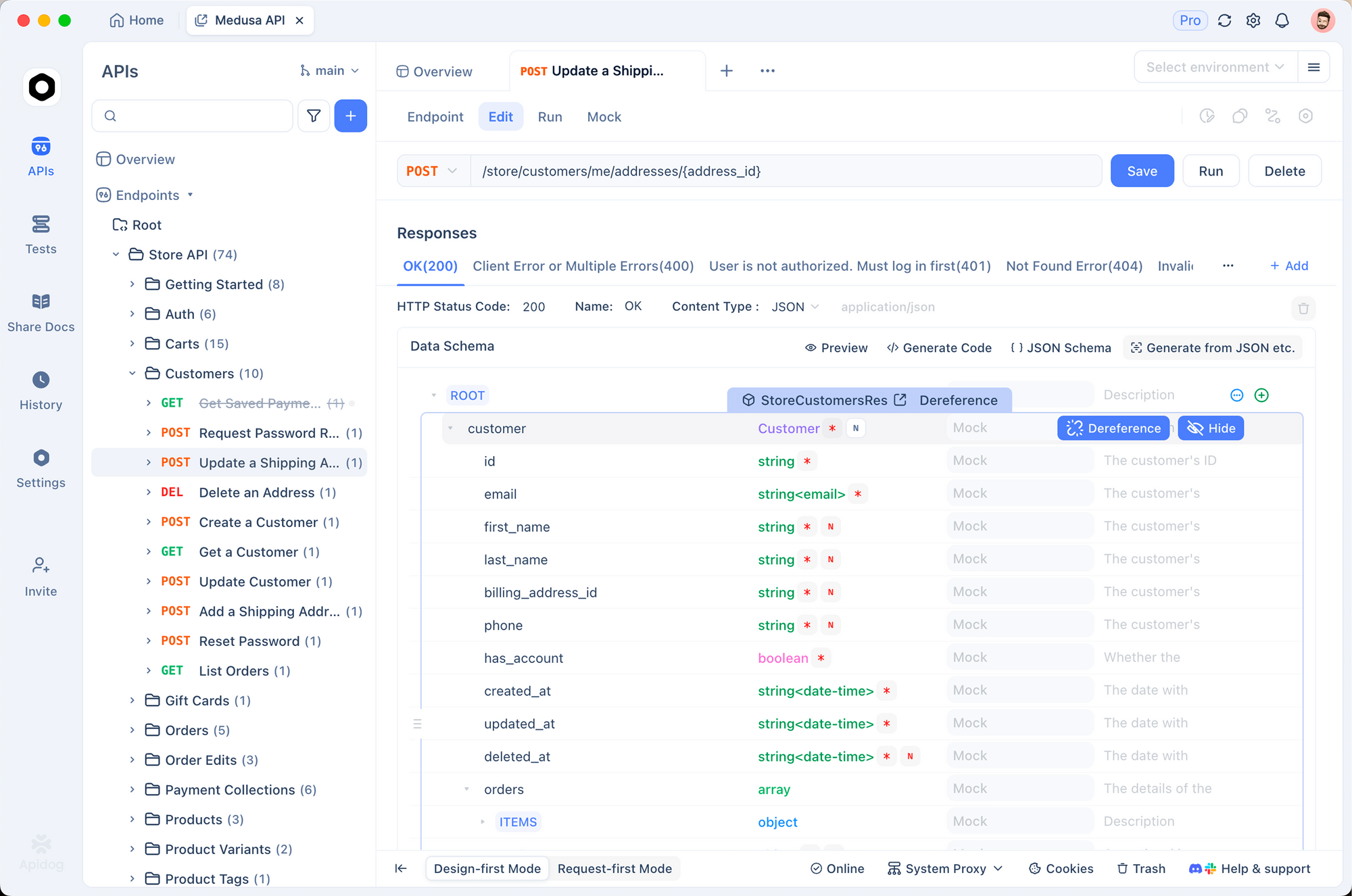
You also consider integrating complementary tools. Apidog, for instance, enhances API-related workflows. Since Next.js often involves APIs, you use Apidog to design and test endpoints before deploying with Vercel agent-skills. This combination ensures robust applications.
Installing and Configuring Vercel Agent-Skills Step by Step
You execute the installation command as follows: Open your terminal and type npx add-skill vercel-labs/agent-skills. The process downloads the skills and integrates them. Expect it to complete in seconds, depending on your connection.
Post-installation, no configuration files appear in your project. Skills reside globally or within the agent's scope. Therefore, they apply across projects. If you work in a team, each member installs independently.
For advanced users, you explore the repository on GitHub. Clone it with git clone https://github.com/vercel-labs/agent-skills.git to inspect contents. This step allows customization, such as modifying SKILL.md for specific needs. However, stick to originals for standard use.
Troubleshooting involves checking npx version. Update npm if errors occur. Additionally, ensure your agent enables skill usage in settings. Claude, for example, supports this natively.
Exploring the React Best Practices Skill in Depth
The react-best-practices skill delivers over 40 rules for optimizing React and Next.js code. You categorize these into eight impact levels, from critical to low. Agents apply them during code writing or reviews.
For example, agents eliminate waterfalls – a critical issue where sequential data fetching slows performance. The skill instructs agents to use parallel fetching techniques, like Promise.all in hooks. You see this in action when querying "Optimize this Next.js page for data fetching."
Additionally, the skill addresses bundle size. Agents suggest code splitting with dynamic imports, reducing initial load times. In practice, you provide code snippets to the agent, and it returns optimized versions with explanations.
Server-side performance rules focus on SSR and SSG. Agents recommend getStaticProps over client-side fetching for static data. This ensures faster TTFB. Client-side fetching guidelines cover useSWR or React Query for caching.
Re-render optimization prevents unnecessary updates. Agents advocate memoization with React.memo and useMemo. Rendering performance emphasizes virtualization for lists, using libraries like react-window.
JavaScript micro-optimizations include avoiding closures in loops. Low-impact but cumulative, these refine code. You invoke the skill with phrases like "Check for re-render issues."
To illustrate, consider a sample component:
function MyComponent({ data }) {
  return <div>{data.map(item => <p key={item.id}>{item.name}</p>)}</div>;
}
The agent suggests adding memoization if data changes frequently.
This skill transforms how you develop, shifting from manual audits to AI-assisted precision. Consequently, projects scale better.
Mastering Web Design Guidelines with Vercel Agent-Skills
The web-design-guidelines skill encompasses over 100 rules for accessibility, performance, and UX. Agents use it to audit UI code comprehensively.
Accessibility rules enforce ARIA attributes and semantic HTML. For instance, agents ensure buttons have proper roles. Focus states require visible outlines for keyboard navigation.
Forms receive special attention. Agents validate labels, error messages, and autocomplete attributes. Animation guidelines respect prefers-reduced-motion, preventing motion sickness.
Typography rules cover font sizes and line heights for readability. Images need alt text and lazy loading. Performance optimizations include avoiding layout thrashing and using virtualization.
Navigation and state management ensure consistent experiences. Dark mode support adapts styles. Touch interactions account for larger targets on mobile.
Locale and i18n rules handle RTL support and date formatting. You trigger this skill with "Audit my UI for accessibility."
An example query: "Review this form for UX issues."
<form>
  <input type="text" placeholder="Name">
  <button>Submit</button>
</form>
The agent recommends adding labels and ARIA attributes.
By incorporating these guidelines, you build inclusive applications. This skill bridges the gap between code and user experience.
Deploying Projects Seamlessly with Vercel-Deploy-Claimable
The vercel-deploy-claimable skill enables deployments from conversations. Agents package projects and upload to Vercel, returning preview and claim URLs.
You prepare by ensuring a Vercel account. The skill detects frameworks from package.json, supporting over 40 types. It excludes node_modules and .git for clean uploads.
In use, query "Deploy my app." The agent processes the current directory, creates a tarball, and deploys. Output includes:
- Preview URL: https://example.vercel.app
- Claim URL: https://vercel.com/claim-deployment?code=...
Claiming transfers ownership. This feature suits collaborative environments.
For static sites, it handles HTML directly. Automation scripts manage the process, making it hands-off.
Integrate with Apidog by testing APIs pre-deployment. Design endpoints in Apidog, then deploy via the skill. This workflow accelerates iterations.
Integrating Vercel Agent-Skills with AI Agents
You pair skills with agents like Claude. Agents detect intents and apply skills. For custom agents, implement the Agent Skills spec.
Examples:
- "Deploy and give me the link" → vercel-deploy-claimable
- "Help me optimize this Next.js page" → react-best-practices
Monitor agent logs for skill invocation. If not triggering, refine queries to match skill descriptions.
Extend by creating custom skills. Follow the structure: SKILL.md with instructions, scripts for automation.
Best Practices for Maximizing Vercel Agent-Skills
You adopt a query-driven approach. Phrase questions clearly to invoke skills. Combine skills, like reviewing code then deploying.
Version control integrates well. Commit changes before deploying. Use branches for experiments.
Security considerations: Skills handle deployments securely via Vercel APIs. Avoid sensitive data in queries.
Performance tuning: Skills optimize code, but measure impacts with tools like Lighthouse.
Conclusion
You now understand how to use Vercel agent-skills effectively. From installation to deployment, these tools empower AI agents. Incorporate Apidog for API excellence, and watch productivity soar.