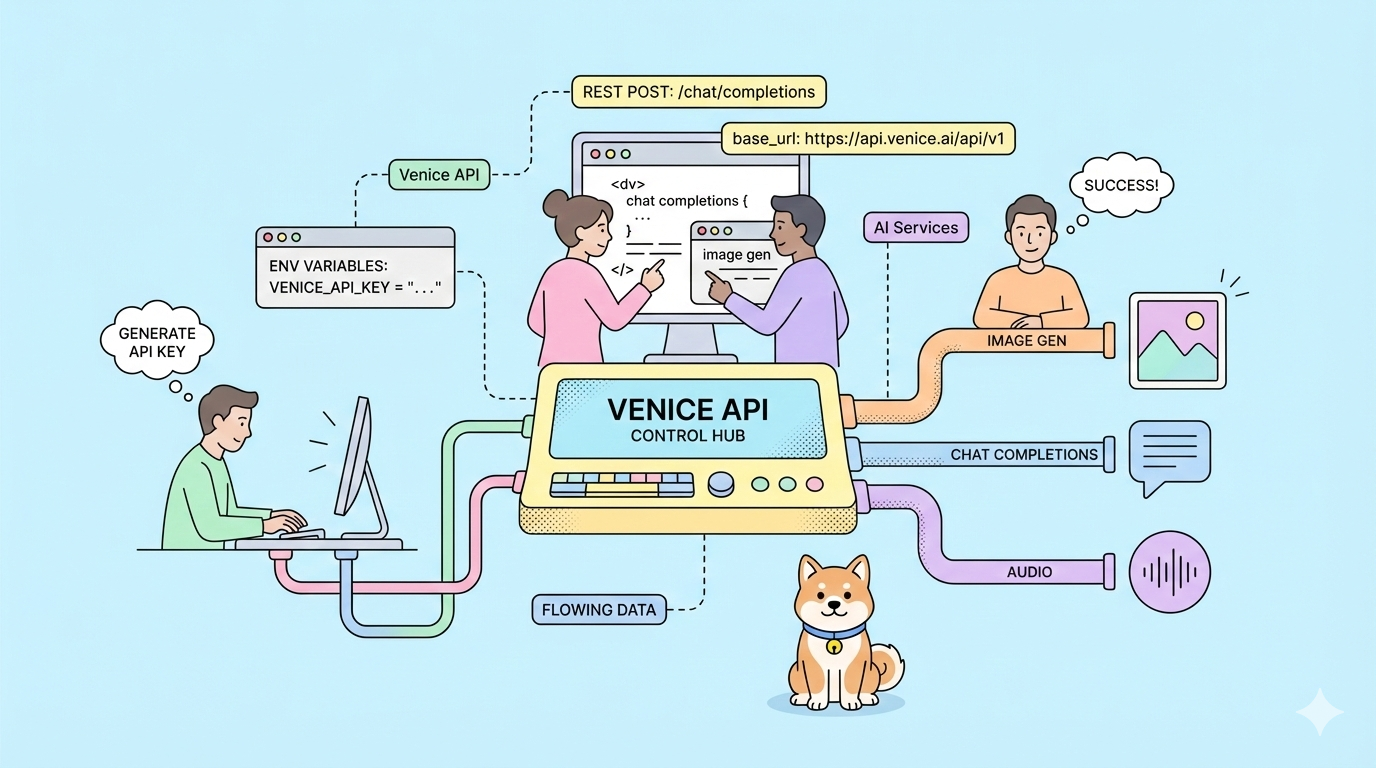
What if you could switch AI providers without rewriting a single line of code? Venice API offers exactly that, OpenAI-compatible endpoints with zero data retention, uncensored model options, and privacy-first architecture you control.
Most AI APIs force you into vendor-specific SDKs, retain your data for model training, and charge premium rates for basic features. You rewrite your application when switching providers. Your prompts train competitor models. Your costs scale unpredictably.
Venice API eliminates these friction points. It mirrors OpenAI's API structure exactly, change the base URL and your existing code works immediately. Your data stays private. You choose from multiple payment models including crypto staking and pay-as-you-go USD credits.
Want an integrated, All-in-One platform for your Developer Team to work together with maximum productivity?
Apidog delivers all your demands, and replaces Postman at a much more affordable price!
Generating Your Venice API Key
1. Navigate to venice.ai/settings/api.
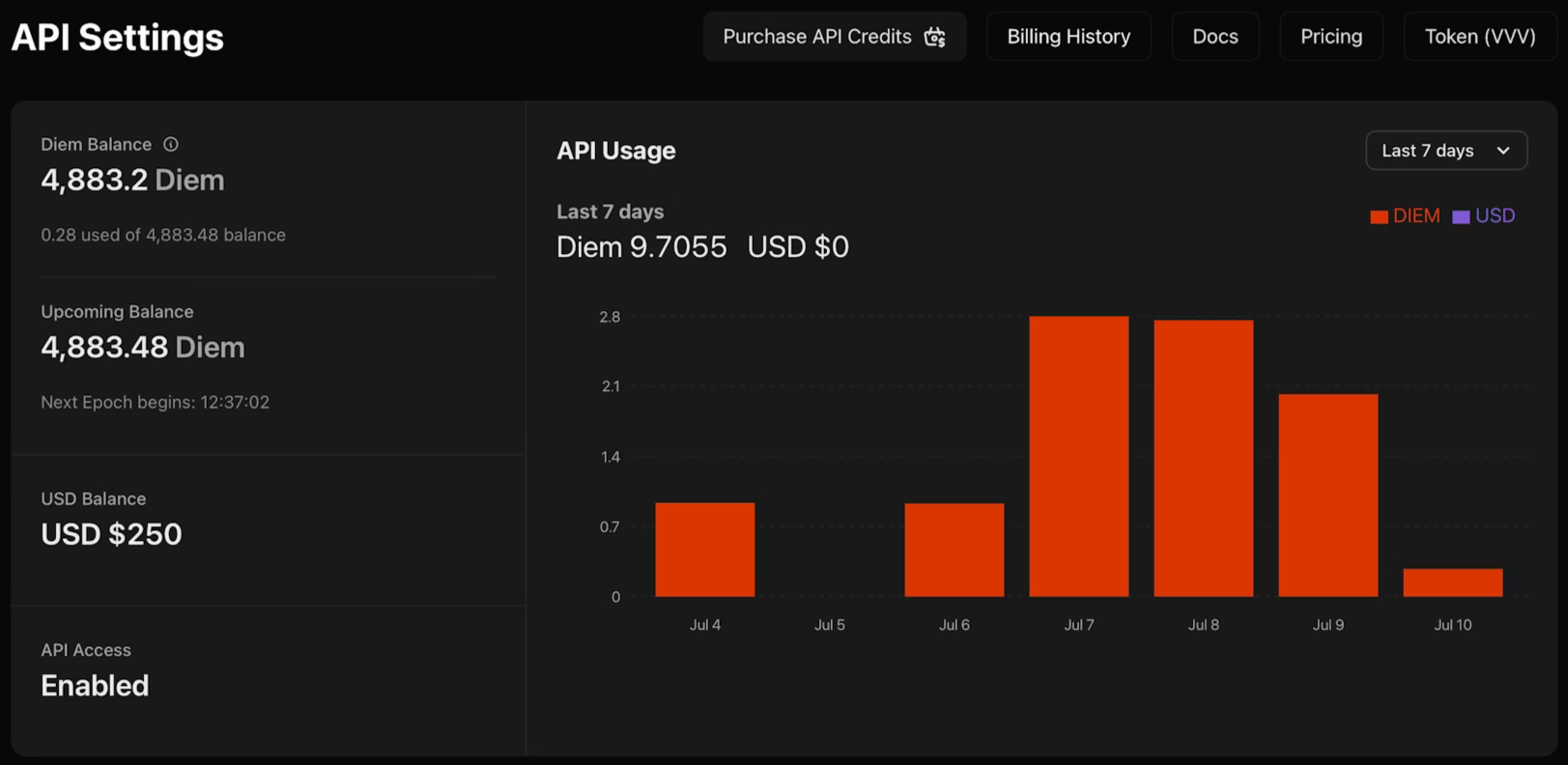
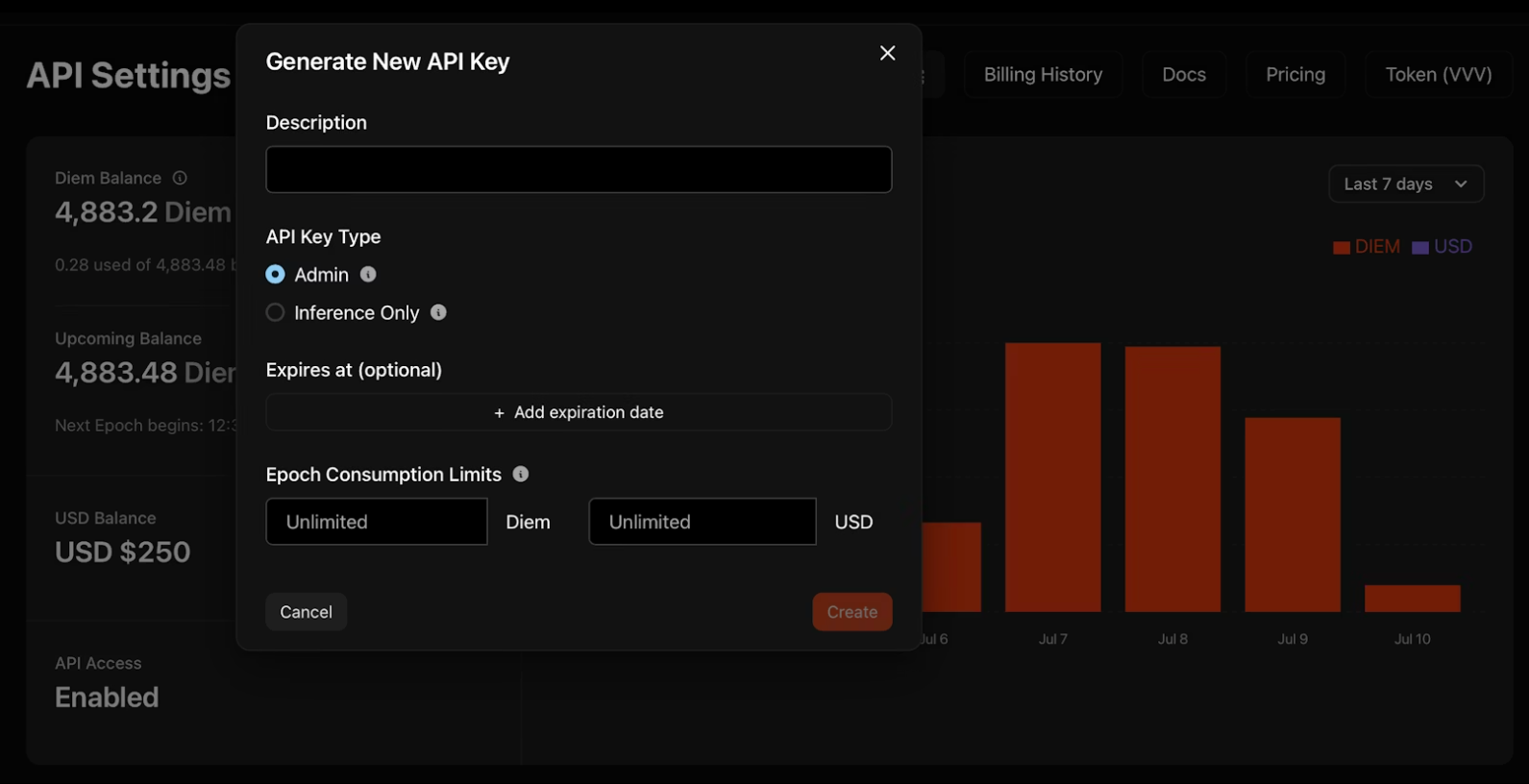
2. Click "Generate New API Key" and configure your credentials:
- Description: Name your key for organization
- Type: Admin keys manage other keys programmatically; Inference-only keys run models exclusively
- Expiration: Optional date when the key deactivates automatically
- Consumption Limits: Daily Diem or USD caps to control spend
3. Copy your key immediately. Venice displays it once! Store it in environment variables, never in code repositories.
export VENICE_API_KEY="your-key-here"
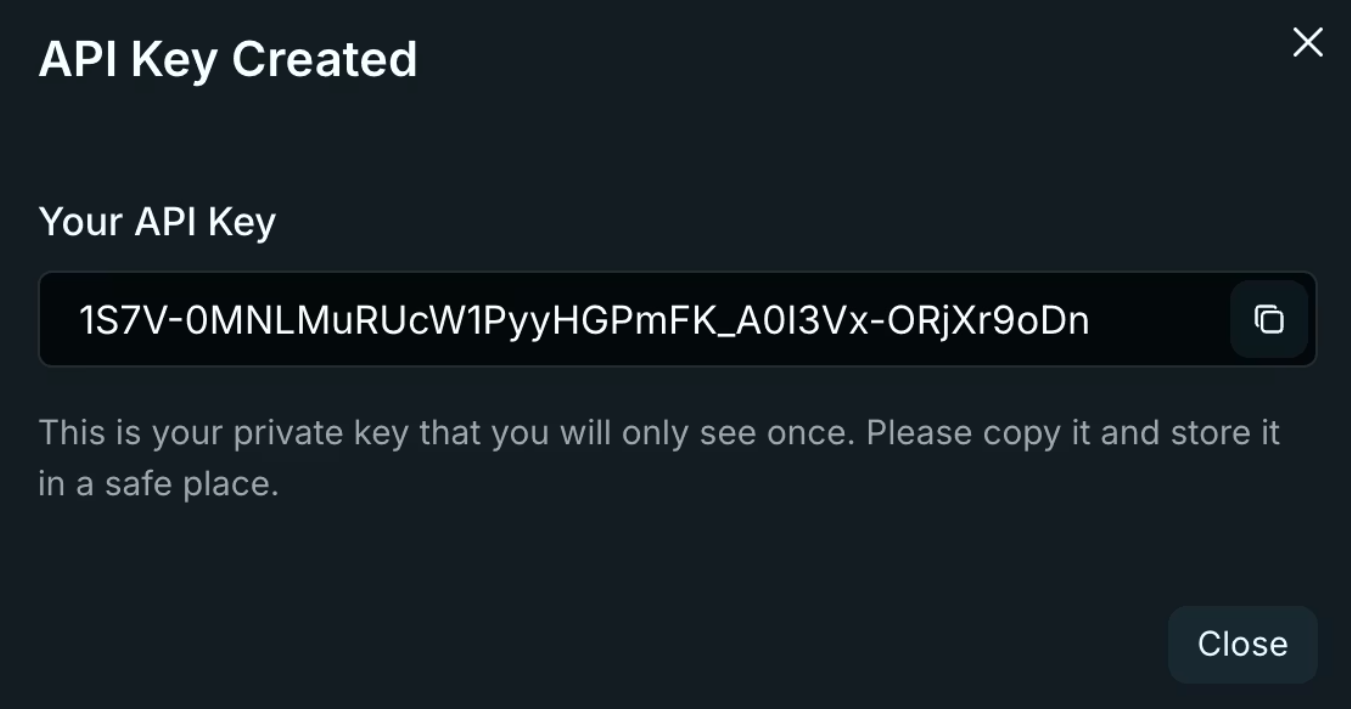
Key Security Considerations
Admin keys provide broad access to your Venice account. Treat them like root credentials—use them for key rotation scripts and team management, never in application code. Inference-only keys restrict operations to model execution, limiting exposure if leaked. Rotate keys quarterly using the dashboard's activity logs to identify stale credentials.
Authentication and Base Configuration of the Venice API
Venice uses standard Bearer token authentication. Every request requires two headers:
Authorization: Bearer $VENICE_API_KEY
Content-Type: application/json
The base URL follows OpenAI's pattern exactly:
import openai
import os

client = openai.OpenAI(
    api_key=os.getenv("VENICE_API_KEY"),
    base_url="https://api.venice.ai/api/v1"
)
This single configuration change routes all your existing OpenAI SDK calls through Venice's infrastructure. No method changes. No parameter rewrites. Your code works immediately.
SDK Compatibility
Venice maintains compatibility with OpenAI's official SDKs across Python, TypeScript, Go, PHP, C#, Java, and Swift. Third-party libraries built on OpenAI's specification also work without modification. Test your existing codebase against Venice by changing only the base URL and API key—if you use standard chat completions, streaming, or function calling, migration takes minutes.
Migrating from OpenAI
Migration requires three changes: base URL, API key, and model name. Replace https://api.openai.com/v1 with https://api.venice.ai/api/v1. Swap your OpenAI API key for your Venice key. Change model identifiers from gpt-4 or gpt-3.5-turbo to Venice equivalents like qwen3-4b.Test thoroughly before production deployment. Verify streaming responses process correctly. Confirm function calling schemas validate. Check image generation parameters match your requirements. Venice's compatibility layer handles most edge cases, but subtle differences exist in error message formatting and rate limit headers.
ProTip: Test all your API endpoints thoroughly with Apidog.
Core Venice API Endpoints and Capabilities
Venice provides nine distinct endpoints covering text, image, audio, and video generation:
Text Generation
/api/v1/chat/completions- Conversational AI with streaming support/api/v1/embeddings/generate- Vector embeddings for RAG applications
Image Processing
/api/v1/image/generate- Text-to-image generation/api/v1/image/upscale- Resolution enhancement/api/v1/image/edit- AI-powered inpainting and modification
Audio
/api/v1/audio/speech- Text-to-speech synthesis/api/v1/audio/transcriptions- Speech-to-text conversion
Video and Characters
/api/v1/video/queue- Text/video-to-video generation/api/v1/characters/list- AI persona management
Each endpoint maintains OpenAI-compatible request/response formats where applicable. You reuse existing parsing logic.
Endpoint Selection Strategy
Match endpoints to your use case complexity. Chat completions handle most text generation needs. Add embeddings for semantic search or RAG pipelines. Use image endpoints for creative workflows or content moderation. Audio endpoints enable accessibility features or voice interfaces. Start with one endpoint, validate your integration, then expand to multimodal workflows.
Working with Streaming Responses
Streaming reduces perceived latency for chat applications. Venice uses Server-Sent Events (SSE) identical to OpenAI's implementation. Process partial content as it arrives rather than waiting for complete responses.Handle stream termination by checking for [DONE] messages. Implement reconnection logic for interrupted streams—store conversation history client-side and retry failed requests. Monitor token usage in stream chunks to track costs in real-time.
Venice API-Specific Parameters
Beyond OpenAI's standard parameters, Venice adds capability controls through the venice_parameters object:
{
  "model": "qwen3-4b",
  "messages": [{"role": "user", "content": "Latest AI developments?"}],
  "venice_parameters": {
    "enable_web_search": "on",
    "enable_web_citations": true,
    "strip_thinking_response": false
  }
}
Web Search Integration
Set enable_web_search to auto, on, or off. Auto lets the model decide when current information improves responses. Force it on for real-time queries about recent events or rapidly changing technologies. Pair with enable_web_citations to return source URLs—essential for research tools and factual verification.
Reasoning Control
Reasoning models like DeepSeek R1 show step-by-step thinking by default. Set strip_thinking_response to true to return only final answers, reducing token consumption. Use disable_thinking to bypass reasoning entirely for simple queries.
Alternative Syntax
Pass parameters via model suffix for concise requests:
model="qwen3-4b:enable_web_search=on&enable_web_citations=true"
Parameter Hierarchy
Venice-specific parameters override defaults but respect explicit settings. If you specify temperature: 0.5 in the root object and enable_web_search: on in venice_parameters, both apply simultaneously. Test parameter combinations in isolation before deploying to production—some parameters interact unpredictably with certain models.
Practical Implementation Examples when Using the Venice API
Basic Chat Completion
curl --request POST \
  --url https://api.venice.ai/api/v1/chat/completions \
  --header "Authorization: Bearer $VENICE_API_KEY" \
  --header "Content-Type: application/json" \
  --data '{
    "model": "qwen3-4b",
    "messages": [{"role": "user", "content": "Explain zero-knowledge proofs"}],
    "stream": true
  }'
Streaming works identically to OpenAI—process SSE chunks as they arrive.
Function Calling
curl --request POST \
  --url https://api.venice.ai/api/v1/chat/completions \
  --header "Authorization: Bearer $VENICE_API_KEY" \
  --header "Content-Type: application/json" \
  --data '{
    "model": "qwen3-4b",
    "messages": [{"role": "user", "content": "Weather in Tokyo?"}],
    "tools": [{
      "type": "function",
      "function": {
        "name": "get_weather",
        "description": "Get weather for location",
        "parameters": {
          "type": "object",
          "properties": {
            "location": {"type": "string"}
          },
          "required": ["location"]
        }
      }
    }]
  }'
Venice models support parallel function calling and schema enforcement like OpenAI's implementation.
Image Generation
curl --request POST \
  --url https://api.venice.ai/api/v1/image/generate \
  --header "Authorization: Bearer $VENICE_API_KEY" \
  --header "Content-Type: application/json" \
  --data '{
    "model": "venice-sd35",
    "prompt": "Cyberpunk cityscape at night, neon reflections",
    "aspect_ratio": "16:9",
    "resolution": "2K",
    "hide_watermark": true
  }'
Available aspect ratios include 1:1, 4:3, 16:9, and 21:9. Resolution options are 1K and 2K.
Image Upscaling
curl --request POST \
  --url https://api.venice.ai/api/v1/image/upscale \
  --header "Authorization: Bearer $VENICE_API_KEY" \
  --header "Content-Type: application/json" \
  --data '{
    "model": "upscale-sd35",
    "image": "base64encodedimage..."
  }'
Vision Analysis
curl --request POST \
  --url https://api.venice.ai/api/v1/chat/completions \
  --header "Authorization: Bearer $VENICE_API_KEY" \
  --header "Content-Type: application/json" \
  --data '{
    "model": "qwen3-vl-235b-a22b",
    "messages": [{
      "role": "user",
      "content": [
        {"type": "text", "text": "What architecture style is this?"},
        {"type": "image_url", "image_url": {"url": "data:image/jpeg;base64,..."}}
      ]
    }]
  }'
Pass images as base64 data URIs or HTTPS URLs. Vision models accept multiple images per message for comparison tasks.
Audio Synthesis
curl --request POST \
  --url https://api.venice.ai/api/v1/audio/speech \
  --header "Authorization: Bearer $VENICE_API_KEY" \
  --header "Content-Type: application/json" \
  --data '{
    "model": "tts-kokoro",
    "input": "Welcome to Venice API",
    "voice": "af_sky",
    "response_format": "mp3"
  }'
Voice options use prefixes: af_ (American female), am_ (American male), and similar patterns for other accents.
Error Handling Patterns
Venice returns standard HTTP status codes. 401 indicates authentication failures—verify your API key and headers. 429 signals rate limiting; implement exponential backoff starting at 1 second. 500 errors suggest temporary infrastructure issues; retry after 5 seconds. Parse error responses for specific messages—Venice includes detailed failure reasons in the response body.
Privacy and Data Architecture of the Venice API
Venice's zero data retention policy operates through technical architecture, not just legal promises. Your browser stores conversation history locally using IndexedDB. Venice servers process prompts on GPUs that see only the current request—no conversation history, no user identity metadata, no API key information.
After generating a response, servers discard the prompt and output immediately. Nothing persists to disk or logs. Your data never trains models. This differs fundamentally from centralized services that retain data for abuse detection and model improvement.
For additional privacy, Venice hosts most models on private infrastructure rather than relying on third-party providers. Uncensored options run on Venice-controlled hardware, ensuring no external filtering or logging.
Data Flow Verification
Audit Venice's privacy claims by monitoring network traffic. API requests go directly to api.venice.ai with TLS encryption. No third-party analytics scripts load in the documentation. Response headers show no caching directives—confirming server-side non-retention. For sensitive applications, implement client-side encryption before sending prompts, though this prevents the model from understanding content.
Pricing and Payment Options of the Venice API
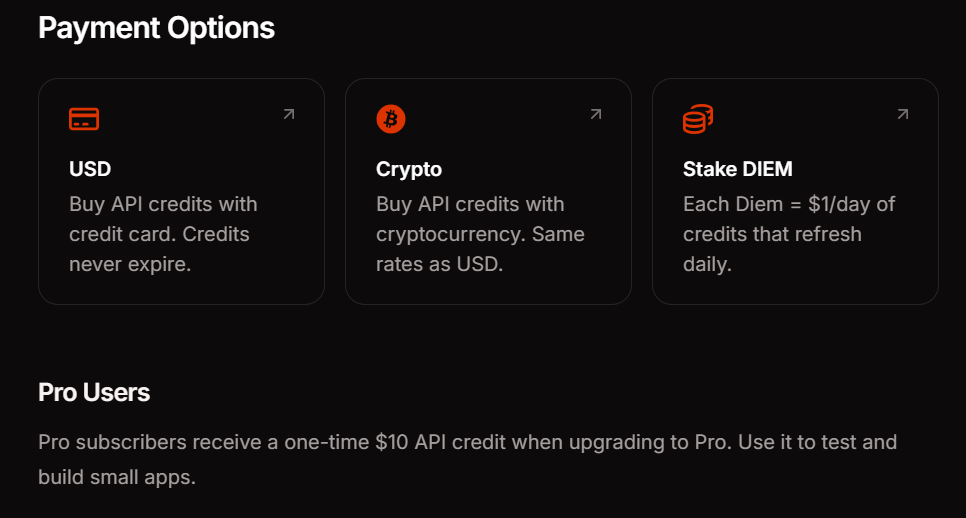
Venice offers three payment methods to match your usage patterns. Pro subscription costs $18 monthly and includes $10 in API credits plus unlimited prompts on consumer features. DIEM staking requires purchasing VVV tokens which provide permanent daily compute allocations—ideal for high-volume applications with predictable traffic. USD pay-as-you-go lets you fund your account with dollars and consume credits as needed, perfect for experimentation and variable workloads.
API access currently remains free during beta. This lets you validate integration patterns and estimate costs before committing to a payment method. Monitor your usage dashboard to track token consumption across endpoints and models.
Model Selection Guidelines
Choose models based on capability requirements and latency constraints. Start with qwen3-4b for prototyping and simple queries—it responds quickly and handles most text generation tasks adequately. Upgrade to larger models like llama-3.3-70b or deepseek-ai-DeepSeek-R1 when you need advanced reasoning, code generation, or complex instruction following.Vision tasks require multimodal models like qwen3-vl-235b-a22b. Audio generation uses specialized speech models. Query the /api/v1/models endpoint programmatically to check real-time availability—Venice rotates models based on demand and infrastructure capacity.
Conclusion
Venice API removes the friction from AI integration. You get OpenAI compatibility without the lock-in, privacy without configuration complexity, and flexible pricing without surprise bills. The drop-in replacement approach means you can evaluate Venice alongside your current provider without rewriting application code.
When building API integrations—whether testing Venice endpoints, debugging authentication flows, or managing multiple provider configurations—use Apidog to streamline your workflow. It handles visual API testing, documentation generation, and team collaboration so you can focus on shipping features.