TL;DR
AWS EMR (Elastic MapReduce) APIs manage big data clusters running Hadoop, Spark, Hive, and Presto. You create clusters, submit jobs as steps, auto-scale based on workload, and terminate when done. Authentication uses AWS IAM. For testing, use Apidog to validate cluster configurations, test job submissions against the API structure, and document your data pipelines.
Introduction
AWS EMR is the managed Hadoop/Spark service on AWS. It processes petabytes of data for analytics, machine learning, and ETL pipelines. Instead of managing your own Hadoop cluster, you let AWS handle the infrastructure.
EMR runs on EC2 instances in a cluster. You specify:
- Instance types (master, core, task nodes)
- Applications (Spark, Hadoop, Hive, Presto, HBase)
- Bootstrap actions (setup scripts)
- Steps (jobs to run)
The EMR API lets you automate all of this. You can create clusters programmatically, submit jobs, monitor progress, and integrate with other AWS services.
Test AWS APIs with Apidog - free
By the end of this guide, you’ll be able to:
- Create and configure EMR clusters via API
- Submit jobs as steps
- Manage auto-scaling
- Monitor cluster health and job progress
- Optimize costs with instance fleets and spot instances
Authentication with AWS
EMR uses standard AWS authentication with IAM.
AWS SDK approach (recommended)
import { EMRClient, RunJobFlowCommand } from '@aws-sdk/client-emr'

const client = new EMRClient({
  region: 'us-east-1',
  credentials: {
    accessKeyId: process.env.AWS_ACCESS_KEY_ID,
    secretAccessKey: process.env.AWS_SECRET_ACCESS_KEY
  }
})
Direct API with SigV4
EMR requires AWS Signature Version 4. Use SDKs or tools like boto3, AWS CLI, or generate signatures manually.
aws emr list-clusters --region us-east-1
IAM permissions
Minimum policy for EMR management:
{
  "Version": "2012-10-17",
  "Statement": [
    {
      "Effect": "Allow",
      "Action": [
        "elasticmapreduce:*",
        "ec2:Describe*",
        "s3:GetObject",
        "s3:PutObject",
        "s3:DeleteObject",
        "s3:ListBucket"
      ],
      "Resource": "*"
    }
  ]
}
Creating a cluster
Basic cluster creation
aws emr create-cluster \
  --name "My Spark Cluster" \
  --release-label emr-7.0.0 \
  --applications Name=Spark Name=Hadoop \
  --instance-type m5.xlarge \
  --instance-count 3 \
  --service-role EMR_DefaultRole \
  --job-flow-role EMR_EC2_DefaultRole
Via API (RunJobFlow)
{
  "Name": "Data Processing Cluster",
  "ReleaseLabel": "emr-7.0.0",
  "Applications": [
    { "Name": "Spark" },
    { "Name": "Hadoop" },
    { "Name": "Hive" }
  ],
  "Instances": {
    "MasterInstanceType": "m5.xlarge",
    "SlaveInstanceType": "m5.xlarge",
    "InstanceCount": 3,
    "KeepJobFlowAliveWhenNoSteps": true,
    "TerminationProtected": false
  },
  "Steps": [],
  "ServiceRole": "EMR_DefaultRole",
  "JobFlowRole": "EMR_EC2_DefaultRole",
  "LogUri": "s3://my-bucket/emr-logs/",
  "Tags": [
    { "Key": "Environment", "Value": "Production" }
  ]
}
Response:
{
  "JobFlowId": "j-ABC123DEF456"
}
Instance groups vs instance fleets
Instance groups: Fixed instance types per group (master, core, task).
Instance fleets: Multiple instance types/options per group. EMR chooses based on availability and price.
{
  "Instances": {
    "InstanceFleets": [
      {
        "Name": "MasterFleet",
        "InstanceFleetType": "MASTER",
        "TargetOnDemandCapacity": 1,
        "InstanceTypeConfigs": [
          {
            "InstanceType": "m5.xlarge"
          },
          {
            "InstanceType": "m4.xlarge"
          }
        ]
      },
      {
        "Name": "CoreFleet",
        "InstanceFleetType": "CORE",
        "TargetOnDemandCapacity": 2,
        "TargetSpotCapacity": 4,
        "InstanceTypeConfigs": [
          {
            "InstanceType": "m5.2xlarge"
          },
          {
            "InstanceType": "m4.2xlarge"
          }
        ],
        "LaunchSpecifications": {
          "SpotSpecification": {
            "TimeoutDurationMinutes": 60,
            "TimeoutAction": "SWITCH_TO_ON_DEMAND"
          }
        }
      }
    ]
  }
}
Submitting jobs as steps
EMR executes jobs as “steps” in sequence.
Add a Spark step
aws emr add-steps \
  --cluster-id j-ABC123DEF456 \
  --steps '[
    {
      "Name": "Process Data",
      "ActionOnFailure": "CONTINUE",
      "HadoopJarStep": {
        "Jar": "command-runner.jar",
        "Args": [
          "spark-submit",
          "--deploy-mode",
          "cluster",
          "--class",
          "com.example.DataProcessor",
          "s3://my-bucket/jars/processor.jar",
          "s3://my-bucket/input/",
          "s3://my-bucket/output/"
        ]
      }
    }
  ]'
Via API (AddJobFlowSteps)
{
  "JobFlowId": "j-ABC123DEF456",
  "Steps": [
    {
      "Name": "Spark ETL Job",
      "ActionOnFailure": "CONTINUE",
      "HadoopJarStep": {
        "Jar": "command-runner.jar",
        "Args": [
          "spark-submit",
          "--executor-memory",
          "4g",
          "--executor-cores",
          "2",
          "s3://my-bucket/scripts/process.py",
          "--input",
          "s3://my-bucket/input/",
          "--output",
          "s3://my-bucket/output/"
        ]
      }
    }
  ]
}
ActionOnFailure options
TERMINATE_CLUSTER: Stop cluster on failureCANCEL_AND_WAIT: Cancel remaining steps, keep cluster runningCONTINUE: Continue with next step
Hive step
{
  "Name": "Hive Query",
  "HadoopJarStep": {
    "Jar": "command-runner.jar",
    "Args": [
      "hive-script",
      "--run-hive-script",
      "--args",
      "-f",
      "s3://my-bucket/scripts/transform.q"
    ]
  }
}
Auto-scaling
EMR can add/remove task nodes based on load.
Create auto-scaling policy
aws emr put-auto-scaling-policy \
  --cluster-id j-ABC123DEF456 \
  --instance-group-id ig-ABC123 \
  --auto-scaling-policy '{
    "Constraints": {
      "MinCapacity": 2,
      "MaxCapacity": 10
    },
    "Rules": [
      {
        "Name": "ScaleOut",
        "Description": "Add nodes when memory is high",
        "Action": {
          "SimpleScalingPolicyConfiguration": {
            "AdjustmentType": "CHANGE_IN_CAPACITY",
            "ScalingAdjustment": 2,
            "CoolDown": 300
          }
        },
        "Trigger": {
          "CloudWatchAlarmDefinition": {
            "ComparisonOperator": "GREATER_THAN",
            "EvaluationPeriods": 3,
            "MetricName": "MemoryAvailableMB",
            "Namespace": "AWS/ElasticMapReduce",
            "Period": 300,
            "Threshold": 2000,
            "Statistic": "AVERAGE"
          }
        }
      }
    ]
  }'
Metrics for scaling
MemoryAvailableMB: Free memoryMemoryTotalMB: Total memoryHDFSUtilization: HDFS space usedAppsRunning: YARN applications runningAppsPending: YARN applications waiting
Monitoring and logging
List clusters
aws emr list-clusters --states RUNNING
Describe cluster
aws emr describe-cluster --cluster-id j-ABC123DEF456
Response includes:
{
  "Cluster": {
    "Id": "j-ABC123DEF456",
    "Name": "My Cluster",
    "Status": {
      "State": "RUNNING",
      "StateChangeReason": {},
      "Timeline": {
        "CreationDateTime": "2026-03-24T10:00:00.000Z"
      }
    },
    "Applications": [
      { "Name": "Spark", "Version": "3.5.0" }
    ],
    "InstanceCollectionType": "INSTANCE_GROUP",
    "LogUri": "s3://my-bucket/emr-logs/",
    "MasterPublicDnsName": "ec2-12-34-56-78.compute-1.amazonaws.com"
  }
}
List steps
aws emr list-steps --cluster-id j-ABC123DEF456
Step status
{
  "Id": "s-ABC123",
  "Name": "Process Data",
  "Status": {
    "State": "COMPLETED",
    "Timeline": {
      "StartDateTime": "2026-03-24T10:05:00.000Z",
      "EndDateTime": "2026-03-24T11:30:00.000Z"
    }
  }
}
CloudWatch integration
EMR publishes metrics to CloudWatch:
JobsFailedJobsRunningMemoryAvailableMBMemoryTotalMBHDFSUtilization
Cost optimization
Use spot instances
Task nodes are perfect for spot instances. If they’re terminated, the job continues on remaining nodes.
{
  "Name": "TaskGroup",
  "InstanceRole": "TASK",
  "InstanceType": "m5.2xlarge",
  "InstanceCount": 4,
  "Market": "SPOT",
  "BidPrice": "0.10"
}
Transient clusters
Create clusters, run jobs, terminate automatically:
{
  "KeepJobFlowAliveWhenNoSteps": false,
  "Steps": [
    { ... step 1 ... },
    { ... step 2 ... }
  ]
}
Cluster terminates after all steps complete.
Instance fleets with multiple options
Let EMR choose the cheapest available:
{
  "InstanceTypeConfigs": [
    {
      "InstanceType": "m5.2xlarge",
      "BidPrice": "0.15"
    },
    {
      "InstanceType": "m4.2xlarge",
      "BidPrice": "0.12"
    },
    {
      "InstanceType": "c5.2xlarge",
      "BidPrice": "0.10"
    }
  ]
}
Testing with Apidog
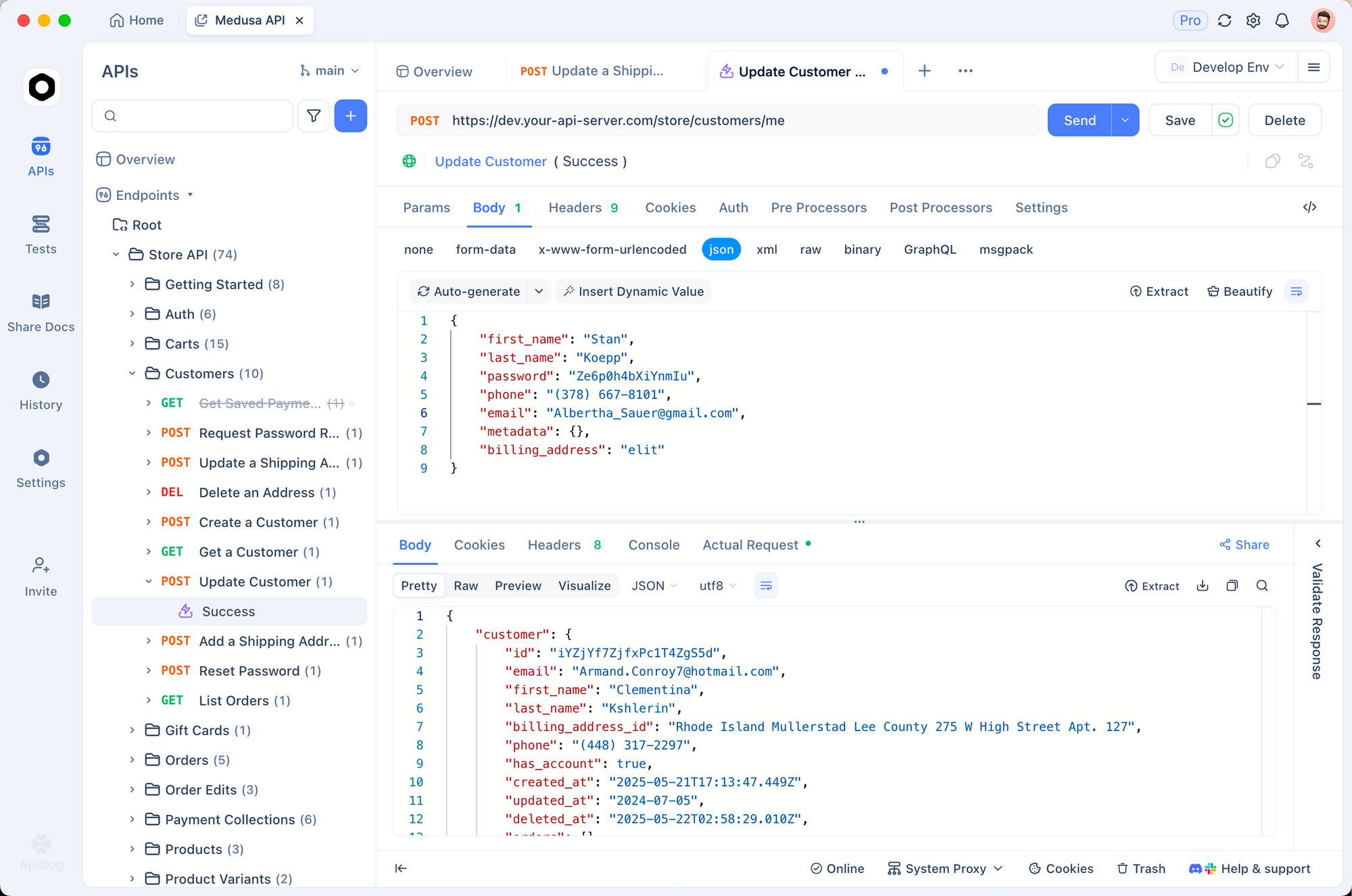
EMR clusters are expensive. Test configurations carefully.
1. Validate cluster configurations
Save cluster templates in Apidog:
pm.test('Cluster has required applications', () => {
  const config = pm.request.body.toJSON()
  const apps = config.Applications.map(a => a.Name)
  pm.expect(apps).to.include('Spark')
})

pm.test('Instance types are valid', () => {
  const config = pm.request.body.toJSON()
  const types = ['m5.xlarge', 'm5.2xlarge', 'm4.xlarge']
  pm.expect(types).to.include(config.Instances.MasterInstanceType)
})
2. Test step definitions
pm.test('Spark step has valid args', () => {
  const step = pm.request.body.toJSON().Steps[0]
  const args = step.HadoopJarStep.Args
  pm.expect(args[0]).to.eql('spark-submit')
  pm.expect(args).to.include('--deploy-mode')
})
3. Environment variables
AWS_REGION: us-east-1
EMR_SERVICE_ROLE: EMR_DefaultRole
EMR_EC2_ROLE: EMR_EC2_DefaultRole
S3_LOG_BUCKET: my-emr-logs
S3_SCRIPTS_BUCKET: my-emr-scripts
Test AWS APIs with Apidog - free
Common errors and fixes
ValidationError: ServiceRole is not valid
Cause: IAM role doesn’t exist or isn’t configured for EMR.
Fix: Create service role in IAM console or use AWS default: EMR_DefaultRole_V2.
Failed to provision EC2 instances
Cause: Instance type unavailable in your AZ, or service limits hit.
Fix:
- Use instance fleets with multiple instance types
- Request limit increase
- Try different instance types
Step failed with Application exit code 1
Cause: The actual Spark/Hadoop job failed.
Fix: Check logs in S3 (LogUri path). Look at stderr and stdout for the step.
Cluster stuck in STARTING state
Cause: Bootstrap actions failing, or permissions issue.
Fix: Check EC2 instance console output. Verify S3 access for bootstrap scripts.
Alternatives and comparisons
| Feature | AWS EMR | Google Dataproc | Azure HDInsight | Databricks |
|---|---|---|---|---|
| Managed Hadoop/Spark | ✓ | ✓ | ✓ | Spark only |
| AWS integration | Excellent | Limited | Limited | Good |
| Serverless option | EMR Serverless | Dataproc Serverless | Limited | ✓ |
| Cost | Spot support | Preemptible VMs | Spot instances | Good |
| ML support | EMR Studio | Vertex AI | Synapse | MLflow built-in |
EMR has the deepest AWS integration. Databricks has better Spark tooling. Dataproc is cheaper for GCP users.
Real-world use cases
Data lake ETL. A retail company processes daily sales data. EMR clusters ingest CSV files from S3, transform with Spark, and write Parquet to the data lake. Clusters run for 2 hours daily and terminate.
Log analytics. A SaaS company processes application logs. Spark reads logs from S3, aggregates metrics, and writes to a data warehouse. Auto-scaling adds task nodes during peak log volume.
Machine learning pipeline. A data science team trains models on EMR. Spark reads features from S3, trains models with MLlib, and exports to SageMaker for serving.
Wrapping up
Here’s what you’ve learned:
- Create clusters with RunJobFlow API
- Submit jobs as steps
- Use auto-scaling for cost efficiency
- Monitor with CloudWatch
- Optimize costs with spot instances and transient clusters
Your next steps:
- Set up IAM roles for EMR
- Create a test cluster
- Submit a simple Spark job
- Review logs in S3
- Implement cost-saving strategies
Test AWS APIs with Apidog - free
FAQ
What’s the difference between master, core, and task nodes?
- Master: Runs cluster manager (YARN ResourceManager, HDFS NameNode)
- Core: Runs data processing and stores HDFS data
- Task: Runs data processing only, no HDFS data (good for spot instances)
How do I SSH into the master node?
aws emr ssh --cluster-id j-ABC123DEF456 --key-pair-file my-key.pem
Can I run Jupyter notebooks on EMR?Yes. Use EMR Studio or enable JupyterHub application. Or use EMR Notebooks (managed Jupyter).
What’s EMR Serverless?A serverless option where you submit Spark/Hive jobs without managing clusters. Pay per job run. Good for sporadic workloads.
How do I read from DynamoDB?Use the DynamoDB connector:
spark-submit --conf spark.hadoop.dynamodb.servicename=dynamodb \
  --conf spark.hadoop.dynamodb.input.tableName=MyTable \
  --conf spark.hadoop.dynamodb.output.tableName=MyTable \
  --conf spark.hadoop.dynamodb.region=us-east-1 \
  my-job.jar
What release label should I use?Latest stable (emr-7.x for Spark 3.x). Use consistent versions across environments. Check application compatibility in release notes.
How do I troubleshoot failed steps?
- Check step status:
aws emr describe-step - View logs in S3:
s3://your-log-bucket/logs/j-ABC123/steps/s-DEF123/ - SSH to master and check
/mnt/var/log/