The question of unit test vs integration test vs system test sometimes confuses even experienced developers. These three testing levels form the foundation of software quality, yet teams often misuse them, creating test suites that are either too shallow or impossibly expensive to maintain. Understanding where each fits in your testing strategy isn’t academic, but it directly impacts how fast you can ship and how confident you can be in your releases.
This guide will clarify the scope, purpose, and timing of each testing level, showing you how they work together in the testing pyramid, and also provide practical examples that you can apply immediately. While you’re developing microservices, monoliths, or APIs, it is essential to understand unit tests vs integration tests vs system tests.
What is Unit Testing?
Unit testing validates the smallest testable parts of your application—individual functions, methods, or classes—in complete isolation. The goal is to prove that each unit behaves correctly according to its specification.
Scope and Example
A unit test examines one piece of logic without dependencies. Here’s a simple example:
// Function under test
function calculateDiscount(price, discountPercent) {
  if (discountPercent < 0 || discountPercent > 100) {
    throw new Error('Invalid discount percentage');
  }
  return price * (discountPercent / 100);
}

// Unit test
describe('calculateDiscount', () => {
  it('calculates 20% discount correctly', () => {
    expect(calculateDiscount(100, 20)).toBe(20);
  });

  it('throws error for negative discount', () => {
    expect(() => calculateDiscount(100, -5)).toThrow();
  });
});
Notice the test provides inputs and verifies outputs directly—no database, API, or UI involved.
Pros and Cons
Pros:
- Fast execution (milliseconds)
- Precise failure location
- Encourages modular design
- Easy to maintain
- Runs on every code commit
Cons:
- Doesn’t catch integration bugs
- Mocks can hide real issues
- High initial writing cost
- Can’t test user workflows
What is Integration Testing?
Integration testing verifies that multiple components work together correctly. It focuses on the interfaces between units—API endpoints, database connections, message queues, and service interactions.
Scope and Example
Here’s an integration test for a user registration endpoint that touches the database:
// Integration test for POST /api/users
describe('User Registration API', () => {
  it('creates user and stores in database', async () => {
    const userData = {
      name: 'Test User',
      email: 'test@example.com',
      password: 'ValidPass123'
    };

    // Act: Call the actual API
    const response = await axios.post('http://localhost:3000/api/users', userData);

    // Assert: Check response AND database
    expect(response.status).toBe(201);
    expect(response.data).toHaveProperty('userId');

    // Verify database state
    const userInDb = await db.users.findByEmail('test@example.com');
    expect(userInDb).toBeTruthy();
    expect(userInDb.name).toBe('Test User');
  });
});
This test proves that the API, business logic, and database integration work together.
Pros and Cons
Pros:
- Catches interface mismatches
- Validates real component interaction
- Tests actual data flow
- More realistic than unit tests
Cons:
- Slower than unit tests (seconds)
- Harder to debug failures
- Requires test infrastructure
- Flaky due to timing issues
What is System Testing?
System testing validates the complete, integrated system against business requirements. It treats the application as a black box, testing end-to-end workflows from the user perspective.
Scope and Example
A system test for an e-commerce purchase workflow:
// System test: Complete purchase flow
describe('E-commerce Purchase System', () => {
  it('allows user to browse, add to cart, and checkout', async () => {
    // Step 1: User registration
    const user = await api.register('shopper@example.com', 'password');

    // Step 2: Browse products
    const products = await api.searchProducts('laptop');
    expect(products.length).toBeGreaterThan(0);

    // Step 3: Add to cart
    await api.addToCart(user.token, products[0].id, 1);

    // Step 4: Checkout
    const order = await api.checkout(user.token, {
      shippingAddress: '123 Main St',
      paymentMethod: 'visa'
    });

    // Oracle: Verify complete order
    expect(order.status).toBe('confirmed');
    expect(order.total).toBeGreaterThan(0);

    // Verify side effects
    const inventory = await api.getInventory(products[0].id);
    expect(inventory.stock).toBe(initialStock - 1);
  });
});
This spans multiple APIs, databases, and external services (payment gateway).
Pros and Cons
Pros:
- Tests real user workflows
- Validates business requirements
- Catches integration issues across layers
- Provides release confidence
Cons:
- Very slow (minutes)
- Complex setup and maintenance
- Brittle—fails easily with UI changes
- Hard to isolate failure root cause
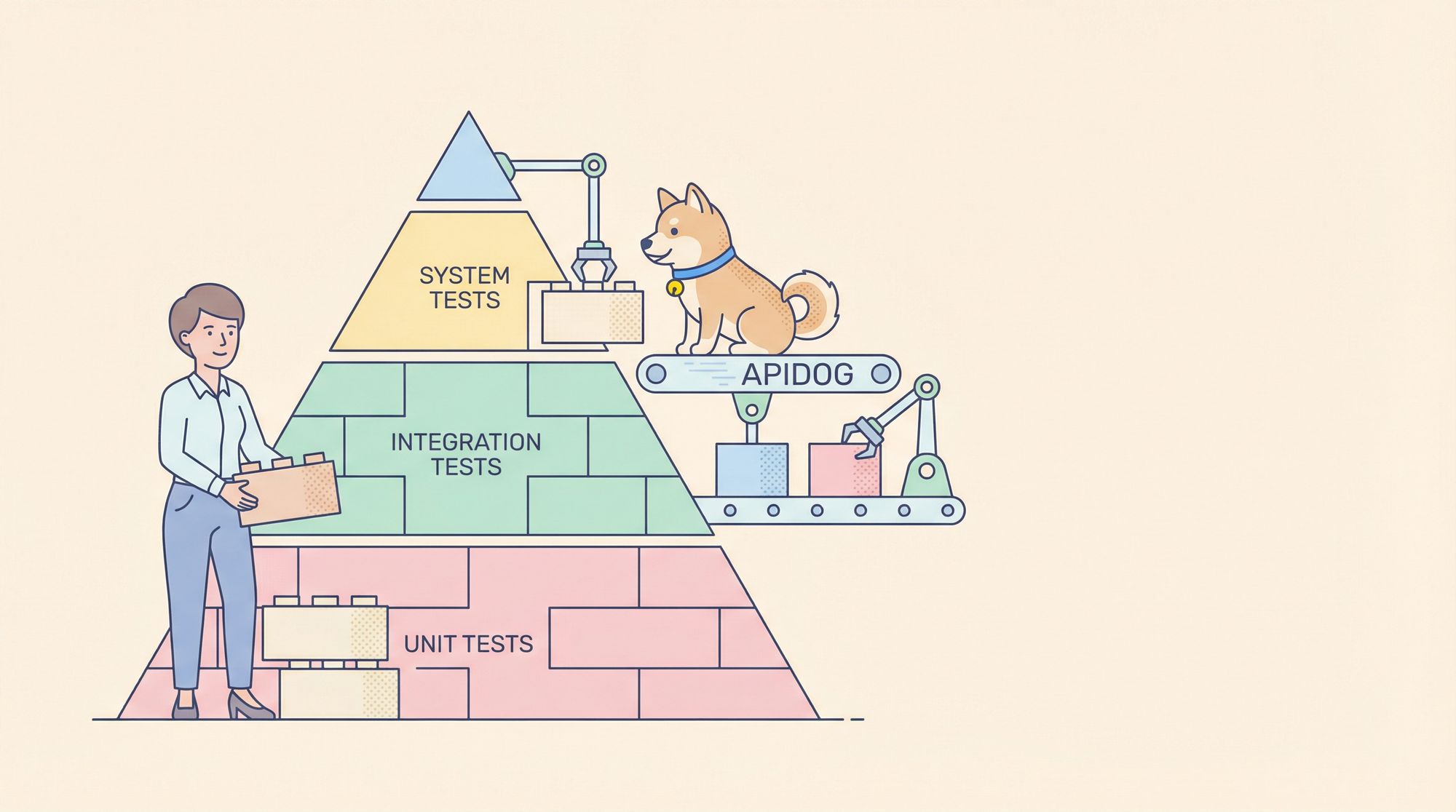
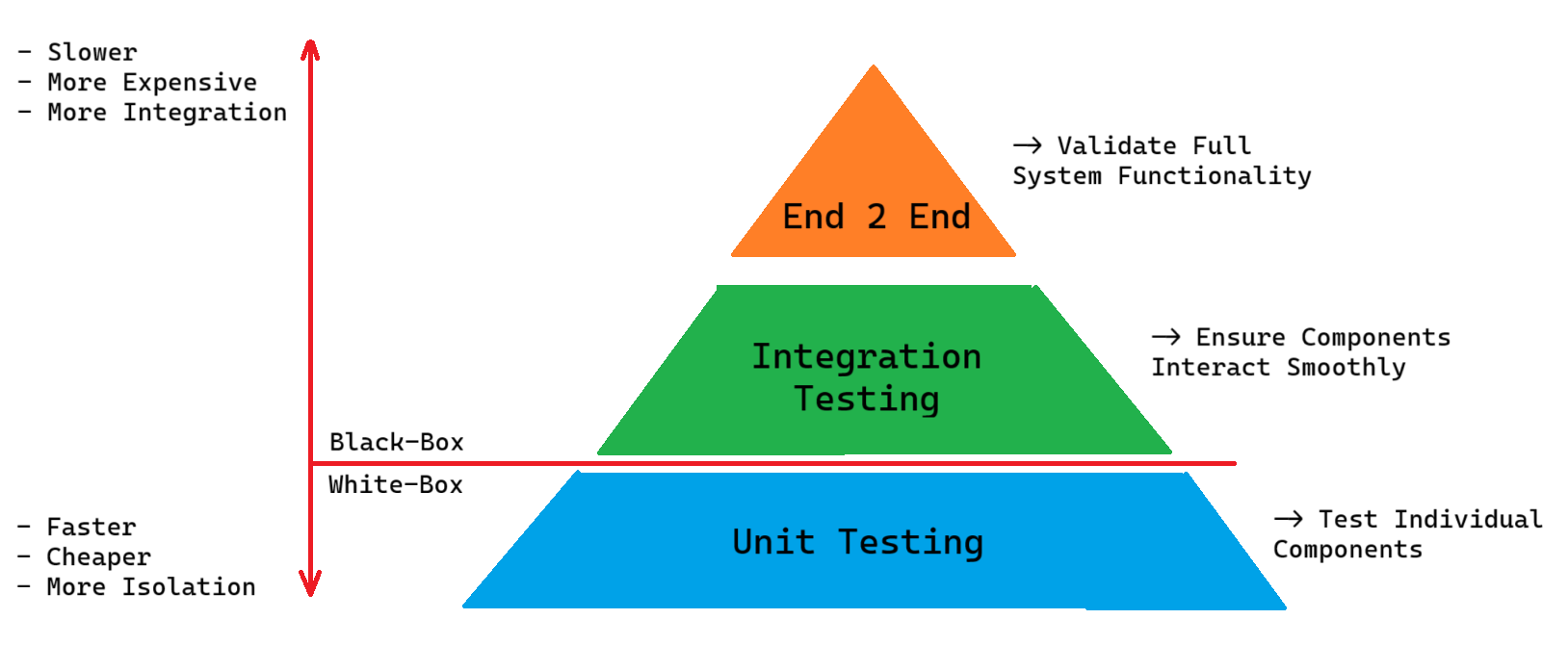
The Software Testing Pyramid: Relationship Between the Three
The testing pyramid visualizes how unit test vs integration test vs system test should be distributed:
        System Tests (10%)
            ▲
    Integration Tests (30%)
            ▲
    Unit Tests (60%)
Bottom Layer (Unit Tests): Largest volume, fastest execution, run constantly
Middle Layer (Integration Tests): Moderate volume, validate critical integrations
Top Layer (System Tests): Smallest volume, test core business workflows
This shape ensures fast feedback while maintaining confidence. Invert the pyramid (many system tests, few unit tests) and your test suite becomes slow, fragile, and expensive.
When to Perform Each Test: Lifecycle Integration
| Development Phase | Primary Test Type | Frequency | Execution Time |
|---|---|---|---|
| Code writing | Unit tests | On every save | < 1 second |
| Pull request | Unit + Integration | Pre-commit | 1-5 minutes |
| Pre-merge | Integration + Selected System | On PR approval | 5-15 minutes |
| Nightly build | Full suite (all types) | Daily | 30-60 minutes |
| Pre-release | System tests + Smoke tests | Before deploy | 15-30 minutes |
| Production | Smoke tests + Monitoring | Continuous | Real-time |
Getting unit test vs integration test vs system test timing right prevents bottlenecks while ensuring quality gates are meaningful.
Comparison Table: Choosing the Right Test
| Factor | Unit Test | Integration Test | System Test |
|---|---|---|---|
| Speed | ⚡⚡⚡ Very Fast | ⚡⚡ Moderate | ⚡ Slow |
| Isolation | High | Medium | Low |
| Debuggability | Easy | Moderate | Hard |
| Confidence | Low | Medium | High |
| Maintenance | Low | Medium | High |
| When to Write | Before/during coding | After units work | After integration |
| Who Writes | Developers | Developers + QA | QA + Developers |
Practical Example: Testing an API Endpoint
Let’s see unit test vs integration test vs system test in action for a POST /api/users endpoint:
Unit Test (Testing Validation Logic)
// Test only the validation function
describe('validateUser', () => {
  it('rejects invalid email', () => {
    const result = validateUser({ email: 'invalid' });
    expect(result.isValid).toBe(false);
    expect(result.errors).toContain('Invalid email format');
  });
});
Integration Test (Testing API + Database)
// Test API layer with real database
describe('POST /api/users integration', () => {
  it('creates user in database', async () => {
    const response = await request(app)
      .post('/api/users')
      .send({ name: 'Test', email: 'test@example.com' });

    expect(response.status).toBe(201);

    // Oracle: Verify database
    const user = await db.users.findByEmail('test@example.com');
    expect(user.name).toBe('Test');
  });
});
System Test (Testing Complete Workflow)
// Test registration → login → profile update
describe('User management system', () => {
  it('allows complete user lifecycle', async () => {
    // Register
    const reg = await api.post('/api/users', userData);
    expect(reg.status).toBe(201);

    // Login
    const login = await api.post('/api/auth/login', credentials);
    expect(login.data.token).toBeTruthy();

    // Update profile
    const update = await api.put('/api/users/me', updates, {
      headers: { Authorization: `Bearer ${login.data.token}` }
    });
    expect(update.status).toBe(200);

    // Verify final state
    const profile = await api.get('/api/users/me', {
      headers: { Authorization: `Bearer ${login.data.token}` }
    });
    expect(profile.data.name).toBe(updates.name);
  });
});
How Apidog Helps Dev Teams with API Testing
Understanding unit test vs integration test vs system test is crucial, but implementing them for APIs can be tedious. Apidog automates the heavy lifting, especially for integration and system testing.
Automatic Test Oracle Generation
For integration tests, Apidog creates test oracles directly from your OpenAPI spec:
# From your API spec, Apidog generates:
Test: POST /api/users
Oracle 1: Status must be 201
Oracle 2: Response must match User schema
Oracle 3: Location header must exist
Oracle 4: Response time < 500ms
Oracle 5: Database query returns created user
This eliminates manual oracle definition and keeps tests in sync with your API contract.
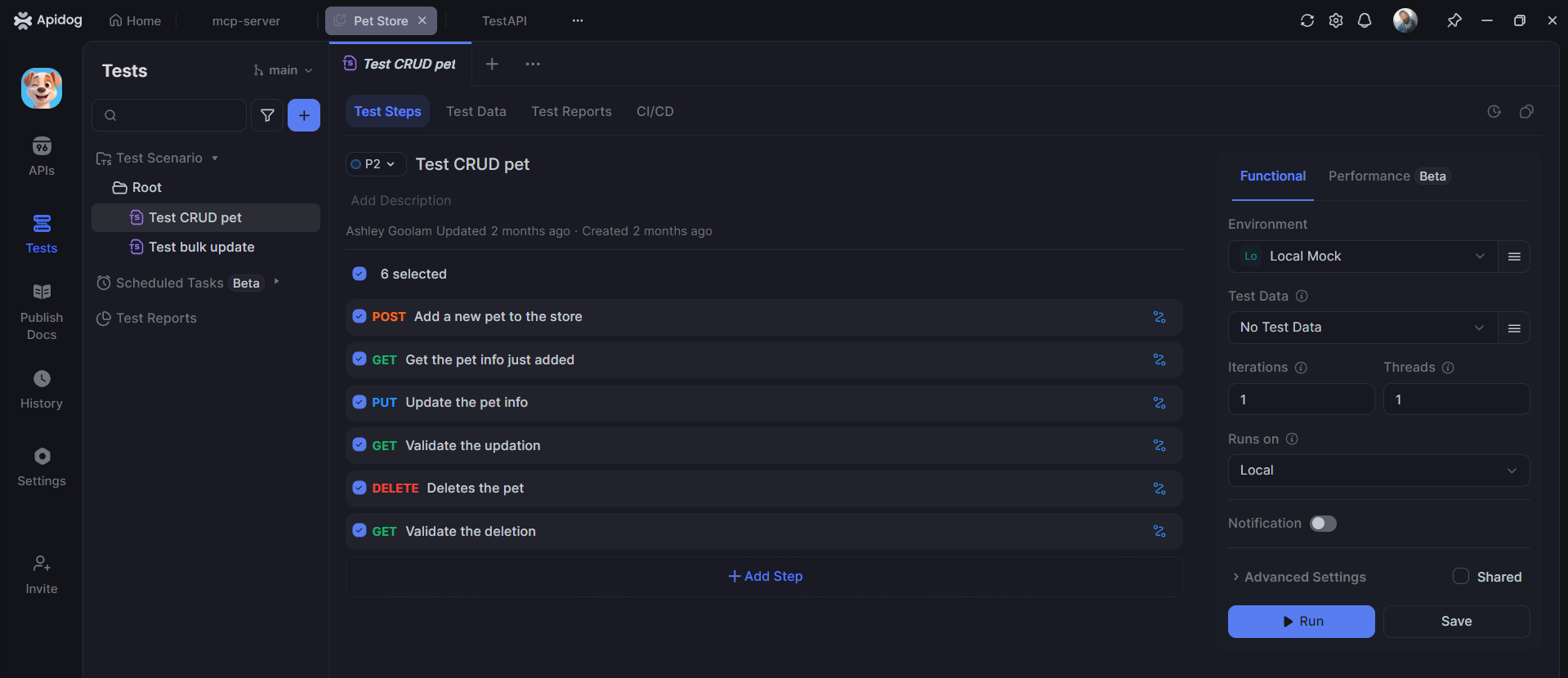
Visual Test Builder for System Tests
System testing complex workflows becomes visual in Apidog:
Test: Complete User Onboarding
1. POST /api/users (create)
2. POST /api/auth/verify (email verification)
3. POST /api/auth/login (authenticate)
4. GET /api/dashboard (load data)
5. POST /api/preferences (set preferences)

Assertions at each step + final state validation
You build this by dragging and dropping API calls, with Apidog handling authentication, data chaining, and assertions automatically.
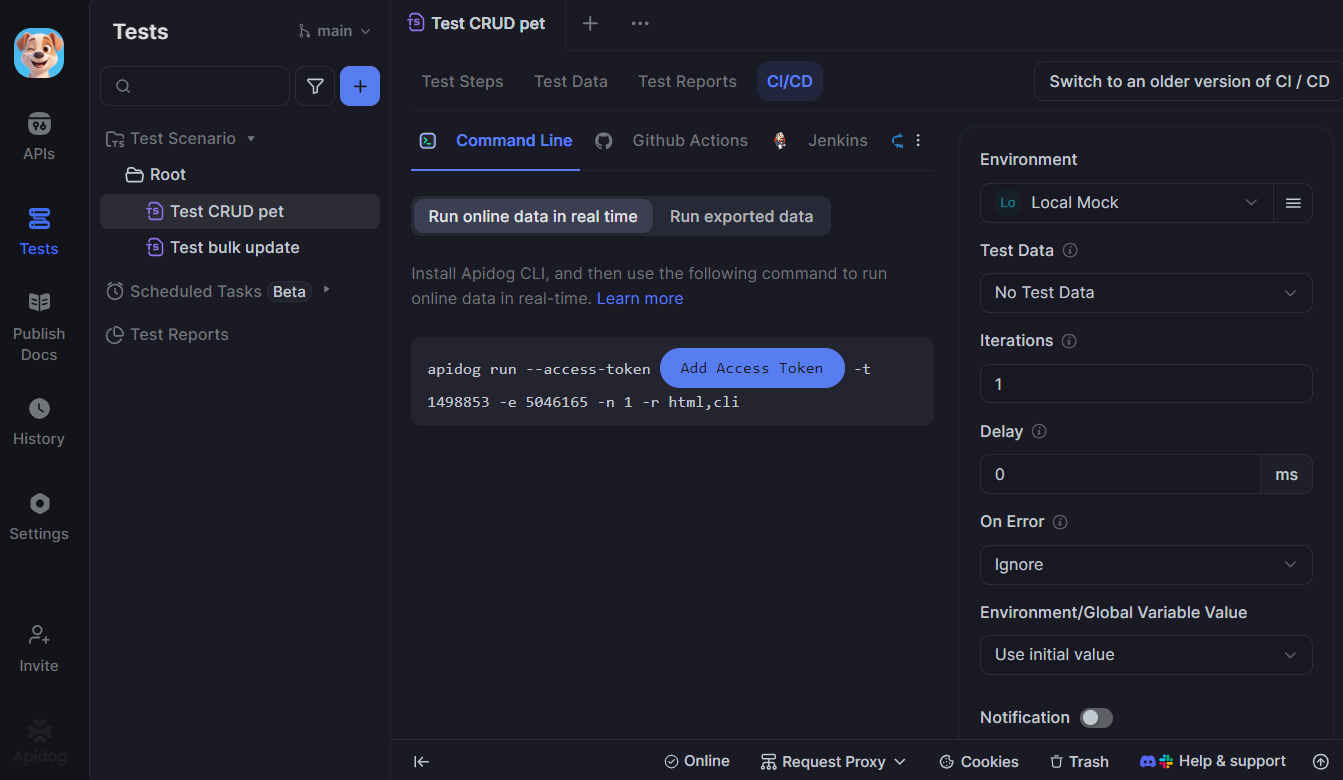
CI/CD Integration for Continuous Testing
Apidog runs your unit test vs integration test vs system test hierarchy in CI/CD:
# GitHub Actions pipeline
- name: Run Unit Tests
  run: npm test:unit

- name: Run Apidog Integration Tests
  run: apidog run --tags "@integration"

- name: Run Apidog System Tests
  run: apidog run --tags "@system"
This ensures each test type runs at the appropriate stage with results posted directly to Slack or email.
Test Coverage Visibility
Apidog shows which APIs have unit, integration, and system test coverage:
| Endpoint | Unit | Integration | System | Coverage |
|---|---|---|---|---|
| POST /users | ✅ | ✅ | ✅ | 100% |
| GET /users/:id | ✅ | ✅ | ❌ | 67% |
| DELETE /users | ❌ | ✅ | ✅ | 67% |
This visibility helps teams fill testing gaps strategically.
Frequently Asked Questions
Q1: Should I write unit tests for API endpoints?
Ans: API endpoints orchestrate logic—they should have integration tests. The business logic inside endpoints should be unit-tested separately.
Q2: How many integration tests are enough?
Ans: Cover all critical paths and error scenarios. A good rule: if a bug in the integration would reach production, write a test for it.
Q3: Are system tests worth the maintenance cost?
Ans: Yes, but only for core business workflows. Limit system tests to the 10-20% of features that generate 80% of business value.
Q4: Can Apidog generate unit tests?
Ans: No. Unit tests require knowledge of internal code structure. Apidog excels at integration and system tests where it can observe API behavior from the outside.
Q5: Which test type should I prioritize for a new project?
Ans: Start with unit tests (foundation), add integration tests as components connect, then add system tests for critical user journeys. This pyramid approach prevents technical debt.
Conclusion
The unit test vs integration test vs system test decision isn’t about choosing one over another—it’s about applying each at the right time and proportion. Unit tests give you speed and precision for development. Integration tests catch connection problems that units miss. System tests provide confidence that the whole product works for users.
Master this hierarchy and your test suite becomes a strategic asset rather than a maintenance burden. Start by auditing your current test distribution. Are you inverted with too many slow, brittle system tests? Shift focus downward. Are you missing critical integration coverage? Fill those gaps.
Modern tools like Apidog make the integration and system layers far more manageable by automating test creation and execution. This lets you maintain the testing pyramid shape without slowing development velocity. Quality becomes a natural outcome of your process, not a separate phase that delays releases.
Remember: the goal isn’t to test everything—it’s to test the right things at the right level. When unit test vs integration test vs system test is clear in your strategy, shipping becomes predictable, confidence grows, and your team spends less time firefighting and more time building value.