Replit AI has become a go-to platform for rapid code development and deployment, thanks to its cloud IDE, Ghostwriter AI assistant, and straightforward deployment. But as engineering teams and API developers demand more power, flexibility, and integration with modern workflows, new AI development tools are emerging that go far beyond code completion.
If you need more than an AI code assistant—think robust API design, testing, and documentation—it's essential to choose tools that fit your full-stack workflow.
💡 Pro Tip: As you evaluate AI code assistants and IDEs, don’t overlook the importance of API development in your stack. Apidog provides an all-in-one suite for API design, mocking, testing, debugging, and documentation. Whether you’re pairing an AI assistant like Cursor or Copilot with your backend, Apidog ensures your APIs are reliable, well-documented, and production-ready—making it an essential complement to any AI-driven workflow.
Why Look Beyond Replit AI?
While Replit AI is a solid entry point for students and solo developers, its capabilities can feel limited for professional teams, especially those working on complex API-driven systems, large codebases, or requiring advanced workflow integrations. In 2026, a new wave of AI-powered IDEs and coding tools can help developers:
- Accelerate feature delivery and bug fixes
- Integrate seamlessly with existing codebases and CI/CD pipelines
- Support API-first development with robust testing and documentation
- Enhance team collaboration and code quality
Below, you'll find the most promising Replit AI alternatives—each suited to different development needs, including detailed notes for API-focused teams.
Top 10 Replit AI Alternatives for Modern Development
1. Cursor — AI-Driven IDE for Productive Coding

Cursor is an advanced IDE built on Visual Studio Code, supercharged with GPT-4 for deep code understanding. Its AI integration goes far beyond code completion, making it a favorite among professional developers.
Key Features:
- AI-aware code suggestions and context-sensitive explanations
- Automated refactoring, bug detection, and code analysis
- Built-in chat acting as an experienced developer assistant
Why consider Cursor over Replit AI?
- Superior codebase awareness
- Seamless integration with modern dev workflows
- More granular AI support for complex backend and API projects
2. Codeium — Free, Fast AI Coding Assistant

Codeium offers intelligent autocomplete and code suggestions across 70+ languages at no cost for individual users. It integrates with popular IDEs including VS Code, JetBrains, and Jupyter.
Key Features:
- Real-time, accurate code completion
- Lightweight and highly performant, even on large projects
- No subscription required for individuals
When to use Codeium:
- For quick prototyping and test automation
- When budget constraints preclude paid AI tools
3. Emergent — AI-Powered Full-Stack Vibe Coding Platform
Emergent is an AI-powered full stack vibe coding platform that turns natural language prompts into fully working web and mobile applications. Instead of writing code or assembling apps from visual components, users simply describe what they want in natural language and the system generates the frontend, backend, database structure, and logic automatically.
Key Features:
- AI-powered full-stack app generation from natural language prompts
- Voice-based app development that converts spoken instructions into working features
- Automatic frontend, backend, and database generation in a single workflow
- Built-in testing, iteration, and deployment inside the platform
- Production-ready architecture suitable for scalable applications
Why consider Emergent over Replit AI?
- No coding required to build full-stack applications
- Generates complete software projects instead of just assisting with code
- Faster for building MVPs, internal tools, and SaaS products
- Accessible for both non-technical users and developers
4. GitHub Copilot — Mature AI Pair Programming

GitHub Copilot is widely adopted for its deep integration with GitHub repositories and workflows. Now featuring Copilot Chat, it supports everything from code suggestions to documentation generation.
Key Features:
- Contextual code generation and explanations
- Pull request and code review integration
- Copilot Chat in VS Code and GitHub CLI
Best for:
- Teams collaborating via GitHub
- Automated test and documentation suggestion
5. Cody by Sourcegraph — AI for Large Codebases
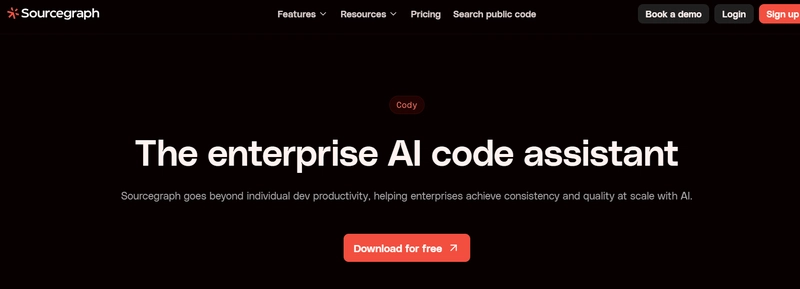
Cody is tailored for teams managing massive, enterprise-scale repositories. It leverages Sourcegraph's code search to provide context-aware AI assistance.
Key Features:
- Understands monorepos and interconnected services
- Refactors, documents, and navigates large codebases
- Optimized for API-first architectures
Recommended for:
- Enterprises with extensive code and API libraries
- Teams needing advanced onboarding and code navigation
6. Ghostwriter (Standalone) — Replit AI without the IDE

Ghostwriter is now available as a paid standalone AI assistant, bringing Replit's code generation to any browser-based editor.
Key Features:
- Natural language to code
- Inline explanations and suggestions
- Flexible use outside the Replit IDE
When to choose this:
- If you value Ghostwriter’s AI but need to integrate with other tools or environments
7. Tabnine — Privacy-First AI Coding Assistant

Tabnine is designed for teams with strict security or compliance requirements. It offers on-premises deployment and uses only permissive open-source training data.
Key Features:
- Fast, context-aware autocomplete
- Full privacy with on-prem deployment
- Rich IDE integration
Why it matters for API teams:
- Ensures sensitive business logic and API schemas stay internal
- Meets data governance requirements
8. Amazon CodeWhisperer — AI for AWS and Cloud-Native Development

CodeWhisperer is optimized for AWS services and SDKs, helping you build, secure, and deploy cloud-native APIs efficiently.
Key Features:
- Real-time code suggestions for AWS development
- Security vulnerability scanning
- Generates IAM policies, Lambda functions, and infrastructure code
Best for:
- Teams building API-based AWS services
- Accelerating cloud integration and deployment pipelines
9. Bloop — AI-Powered Codebase Search & Understanding

Bloop is not a code generator, but an AI search tool for quickly understanding and navigating codebases.
Key Features:
- Natural language codebase queries
- Deep understanding of code structure and documentation
- Supports both GitHub and local repositories
Use Bloop to:
- Onboard new team members to API projects
- Rapidly find and reuse internal API endpoints or logic
10. Builder.ai — No-Code App Generation with AI

Builder.ai empowers non-developers to create full-stack apps using drag-and-drop interfaces combined with AI-driven code generation.
Key Features:
- Converts simple prompts into working apps
- Supports web, mobile, and backend development
- Optional dev team support for customization
When to consider Builder.ai:
- For MVPs, prototypes, or when speed is more important than full control
- When business teams need to launch API-powered apps rapidly
How Apidog Complements AI Coding Assistants
While these Replit AI alternatives excel at code generation and smart IDE assistance, robust API development requires dedicated tools. Apidog fills this gap by providing:
- Visual API design and modeling
- Instant mock servers for rapid frontend/backend collaboration
- Automated API testing and debugging
- Consistent API documentation for internal and external consumers
Whether you use Cursor, Copilot, or any tool above, Apidog integrates seamlessly into your workflow—ensuring your APIs are as reliable and maintainable as your code.
Final Thoughts: Choosing the Right AI Tool for Your Workflow
Replit AI remains a solid choice for simple, browser-based development. But in 2026, developers and teams have a wealth of options that deliver deeper code intelligence, stronger collaboration, and better support for modern API-driven applications.
Quick Comparison: Best AI Alternatives by Use Case
| Use Case | Best Alternative |
|---|---|
| Deep AI integration in IDE | Cursor |
| Fast, free code autocomplete | Codeium |
| GitHub & team collaboration | Copilot |
| Learning & code research | Phind |
| Enterprise codebase navigation | Cody |
| Privacy-first environments | Tabnine |
| AWS cloud/API development | CodeWhisperer |
| Code search & onboarding | Bloop |
| No-code app building | Builder.ai |
Adopting the right mix of AI-powered development and API management tools like Apidog can help your team move from idea to production faster—without sacrificing code or API quality.