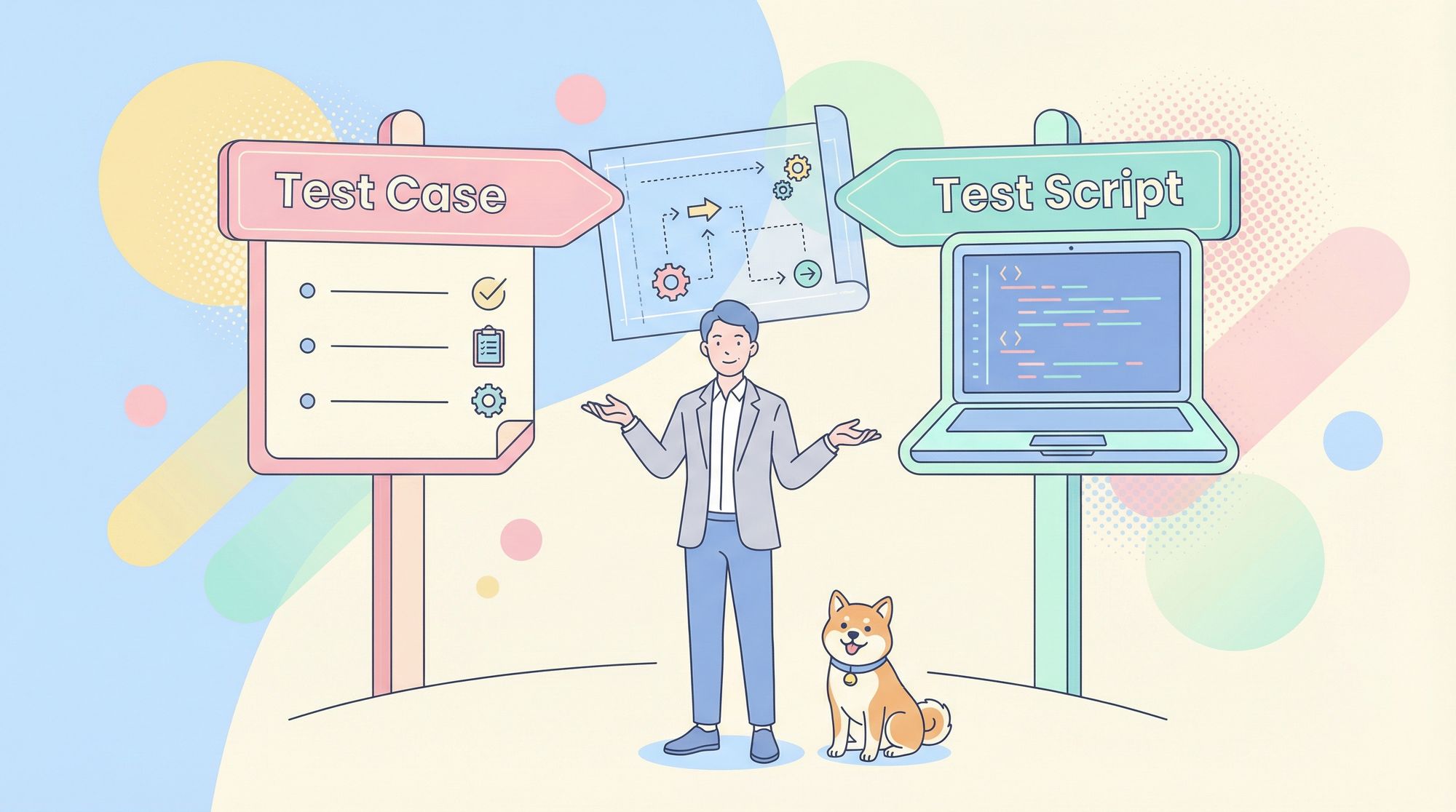
If you have ever sat in a test planning meeting and heard someone say, "Let's write a test script for this feature", while another person chimed in and said, “I’ll have the test case ready by tomorrow,” you might have wondered if they were actually talking about the exact same thing. These terms get thrown around interchangeably, and mixing them up would definitely lead to confusion, mismatched expectations, and test coverage gaps that only show up after release.
Therefore, understanding test case vs test script isn't academic fluff—it’s a practical distinction that affects how you design tests, who executes them, and how you maintain them over time. This guide will clarify the difference, show you when to use a particular approach, and give you best practices that will make your testing effort more effective and less chaotic.
What is a Test Case?
A test case is a set of conditions or variables under which a tester determines whether a system under test satisfies requirements. Think of it as a recipe: it tells you the ingredients (preconditions), the steps (actions), and what the final dish should look like (expected results). Test cases are human-focused documents designed to be read, understood, and executed by people.
A well-written test case answers these questions:
- What specific requirement are we testing?
- What conditions must exist before we start?
- What exact actions do we perform?
- What data do we use?
- How do we know if the test passed or failed?
Test cases live in test management tools like Apidog, TestRail, Excel sheets, or even Confluence pages. They prioritize clarity and completeness over technical precision because their audience includes manual testers, business analysts, and product owners who may not read code.
For example, a test case for a login feature might look like this:
Test Case ID: TC_Login_001
Objective: Verify valid user can log in with correct credentials
Preconditions: User account exists; user is on login page
Steps:
- Enter username: test@example.com
- Enter password: ValidPass123
- Click Login button
Expected Result: User redirects to dashboard; welcome message displays username
Notice the focus on human readability and explicit detail. Anyone can execute this test case, even if they didn’t write it.

What is a Test Script?
A test script is an automated set of instructions written in a programming language that executes test steps without human intervention. If a test case is a recipe, a test script is a kitchen robot programmed to follow that recipe perfectly every time, at machine speed.
Test scripts are code. They use frameworks like Selenium, Playwright, or Cypress to interact with applications through APIs, browsers, or mobile interfaces. Their audience is technical—automation engineers and developers who maintain the suite. Scripts focus on precision, reusability, and integration with CI/CD pipelines.
The same login scenario as a test script (using Playwright):
test('valid user login', async ({ page }) => {
  await page.goto('/login');
  await page.locator('#username').fill('test@example.com');
  await page.locator('#password').fill('ValidPass123');
  await page.locator('button[type="submit"]').click();
  await expect(page).toHaveURL('/dashboard');
  await expect(page.locator('#welcome-msg')).toContainText('test@example.com');
});
The script performs the same validation but does it programmatically, runs in milliseconds, and integrates directly into your automated test suite.

Test Case Vs Test Script: The Key Differences
Understanding test case vs test script means recognizing they serve different masters. Here's how they compare across critical dimensions:
| Aspect | Test Case | Test Script |
|---|---|---|
| Format | Human-readable document (text) | Machine-readable code (JavaScript, Python, etc.) |
| Audience | Manual testers, BAs, product owners | Automation engineers, developers |
| Execution | Manual, step-by-step by a person | Automated, executed by frameworks |
| Speed | Slower, limited by human pace | Extremely fast, runs in seconds |
| Maintenance | Simple text updates, but many copies | Code refactoring, version control |
| Initial Cost | Low creation time, high execution time | High creation time, low execution time |
| Flexibility | Tester can adapt on-the-fly | Rigid; code must be updated for changes |
| Best For | Exploratory, UX, ad-hoc testing | Regression, smoke, data-driven testing |
The core insight from test case vs test script is this: test cases define what to test, while test scripts define how to test it automatically. The former focuses on coverage and clarity; the latter on execution speed and repeatability.
When to Use Test Cases vs Test Scripts
Choosing between manual test cases and automated scripts isn’t about preference—it’s about context. Use this guidance to make the right call:
Use Test Cases When:
- The feature changes frequently (automation would break constantly)
- You’re testing user experience, visual design, or subjective quality
- The test requires complex human judgment that’s hard to codify
- You need quick, one-time validation of a new feature
- Your team lacks automation skills or infrastructure
Use Test Scripts When:
- The test must run repeatedly across releases (regression suite)
- You need fast feedback on core functionality (CI/CD pipelines)
- Data-driven testing with hundreds of input combinations is required
- The test steps are stable and unlikely to change
- You have the technical resources to maintain automation code
Most mature teams use both. They maintain a library of manual test cases for exploratory and UX testing while building an automated regression suite from the most critical and stable test cases.
Best Practices for Writing Test Cases and Test Scripts
Whether you’re documenting a manual test or coding an automated script, these principles strengthen both:
For Test Cases:
- Be Explicit, Not Assumptive: Write steps so a new team member could execute them without asking questions. “Click the Submit button” beats “Submit the form.”
- One Test, One Purpose: Each test case should validate a single requirement or scenario. Combined tests hide failures and complicate debugging.
- Include Real Data: Instead of “valid username,” use “test.user@company.com.” Real data removes ambiguity and speeds execution.
- Link to Requirements: Every test case must trace back to a requirement, user story, or acceptance criterion. This ensures coverage and helps with impact analysis when requirements change.
For Test Scripts:
- Follow the Page Object Model: Separate test logic from UI locators. When the login button’s ID changes, you update one page object, not fifty scripts.
- Make Tests Independent: Each script should set up its own data and clean up after itself. Shared state creates flaky tests that fail randomly.
- Use Descriptive Names: A test named
test_login_001tells you nothing. Name ittest_valid_user_redirects_to_dashboard_after_login. - Implement Smart Waits: Never use fixed sleep timers. Use framework waits that pause until elements are ready. This eliminates race conditions and speeds execution.
How Apidog Helps Generate Test Cases Automatically
One of the biggest bottlenecks in testing is the manual effort required to write comprehensive test cases. This is where Apidog changes the game.
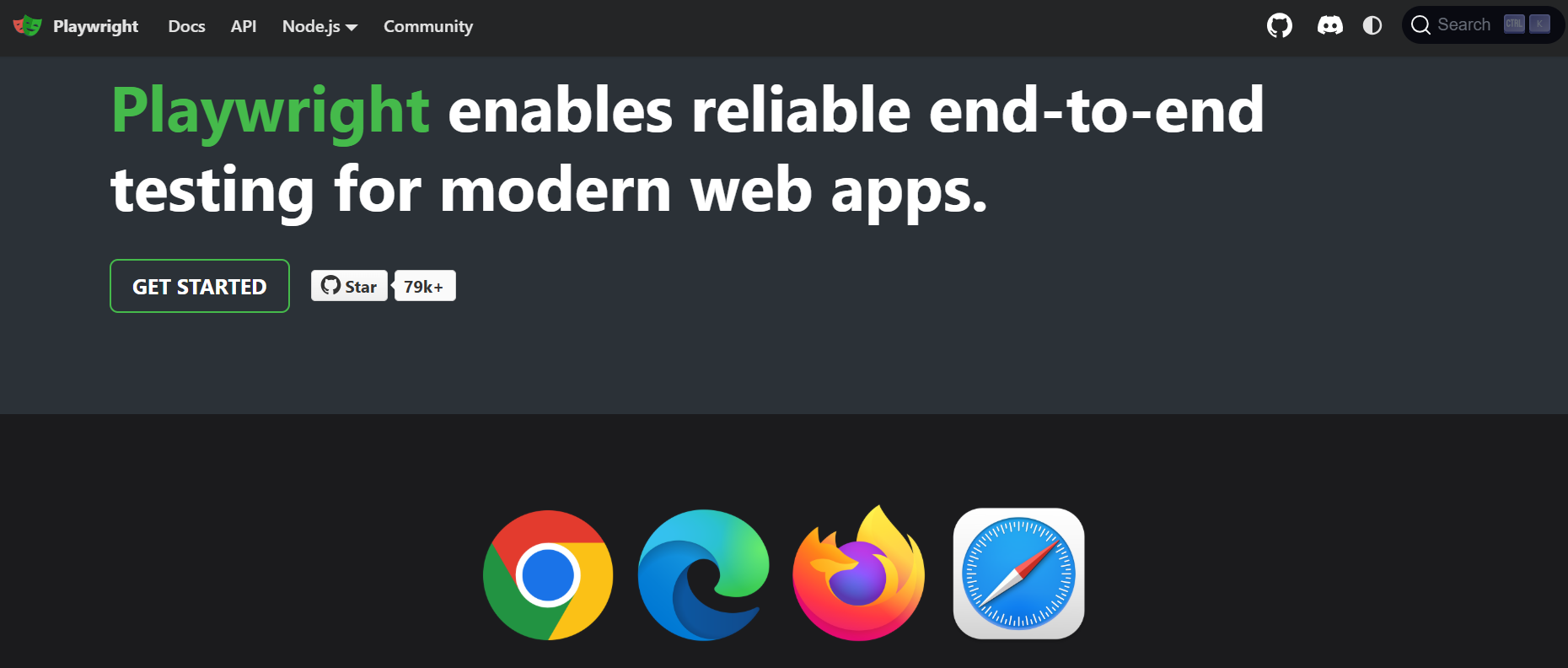
Apidog uses AI to analyze your API documentation and automatically generate test cases—not scripts—for every endpoint. It creates positive path tests, negative tests with invalid data, boundary value tests, and security tests based on your specification. Each generated test case includes preconditions, exact input data, expected HTTP status codes, and response validation points.
For example, when you import an OpenAPI spec for a payment API, Apidog instantly produces test cases for:
- Successful payment with valid card
- Payment failure with expired card
- Payment failure with insufficient funds
- Invalid amount (negative, zero, exceeding limit)
- Missing required fields
This automation doesn’t replace human judgment—it accelerates the foundation. Your team reviews the generated test cases, refines them for business logic, and prioritizes them for execution. What used to take days now takes hours, and coverage gaps shrink because the AI systematically checks what humans might overlook.
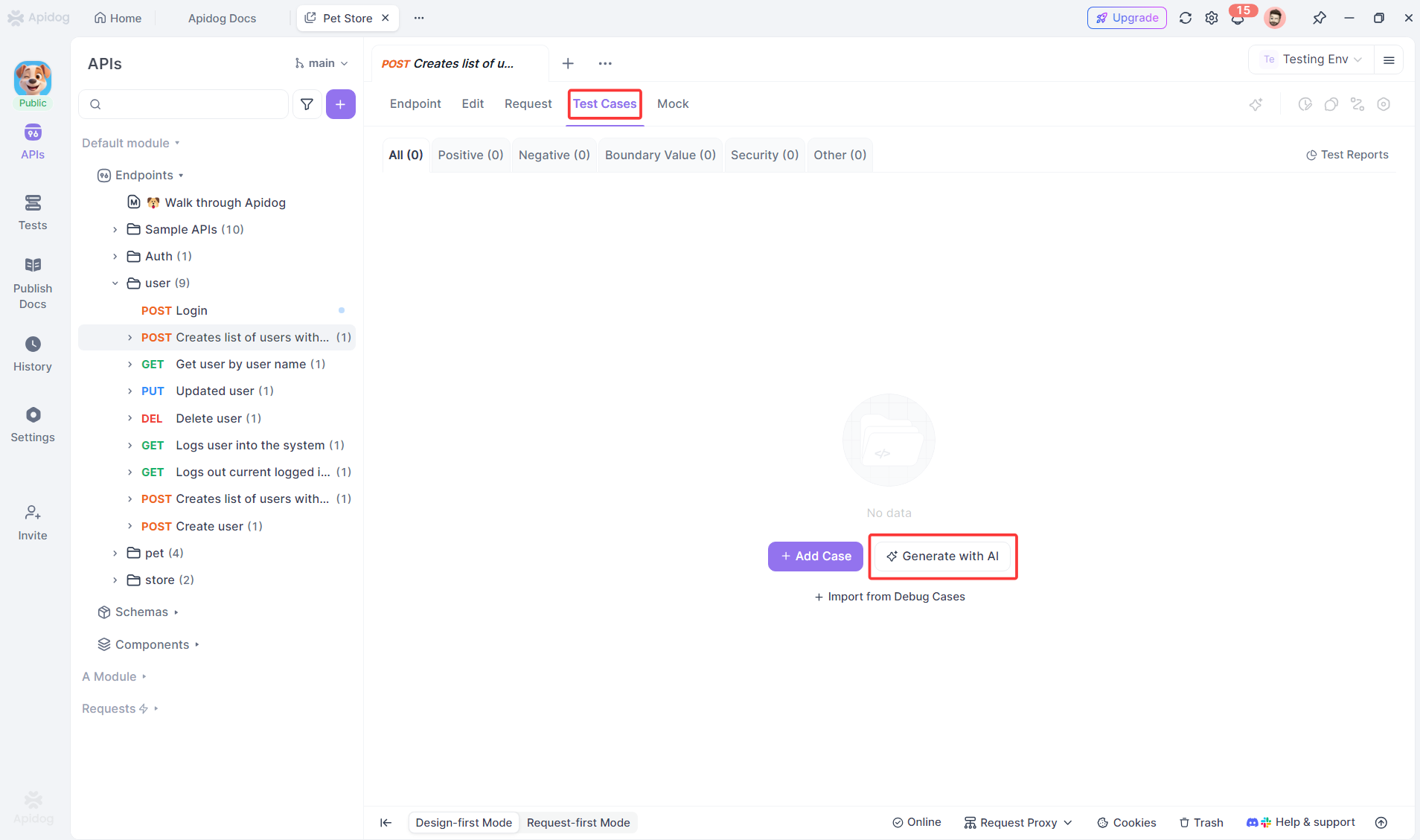
When you’re ready to automate, these well-specified test cases convert cleanly into test scripts. The clear steps and expected results serve as a perfect blueprint for your automation framework, whether you use Postman, RestAssured, or Playwright.
Frequently Asked Questions
Q1: Can a test case become a test script directly?
Ans: Yes, but not automatically. A well-written test case provides the blueprint for a test script—the steps, data, and expected results translate directly into code. However, you must add technical details like locators, setup/teardown logic, and assertions. Think of test cases as the requirements document for your automation.
Q2: Is one approach better than the other in the Test Case Vs Test Script debate?
Ans: No, they serve different purposes. Manual test cases excel at exploratory, UX, and ad-hoc testing where human judgment matters. Test scripts dominate for repetitive regression testing where speed and consistency are critical. Mature teams use both strategically, not religiously.
Q3: How do we maintain traceability between test cases and test scripts?
Ans: Use a test management tool that links manual and automated tests to the same requirement ID. In your script code, include comments referencing the test case ID (e.g., // Automation for TC_Login_001). When requirements change, query your system for both manual and automated linked tests to assess impact.
Q4: Should junior testers write test scripts?
Ans: Not initially. Start them with manual test case authoring to build domain knowledge and testing fundamentals. Once they understand JavaScript or Python basics, pair them with senior automation engineers to co-write scripts. Jumping straight to scripting without testing fundamentals creates brittle, ineffective automation.
Q5: How does Apidog handle complex business logic in test case generation?
Ans: Apidog generates comprehensive baseline test cases based on API contracts, but it doesn’t understand your unique business rules out of the box. You review and enhance its output by adding conditional logic, chained API calls, and business-specific validations. The AI gives you 80% coverage instantly; your expertise provides the final 20% that matters most.
Conclusion
The test case vs test script distinction isn't about choosing sides—it's about using the right tool for the job. Test cases bring clarity, coverage, and human judgment to your quality effort. Test scripts bring speed, repeatability, and integration into your delivery pipeline.
Your goal should be a balanced strategy: write clear, traceable test cases for coverage and exploration; automate the most critical and stable ones into maintainable scripts. And wherever possible, use intelligent tools like Apidog to accelerate the creation of both.
Quality happens when you make deliberate choices about how you test, not just what you test. Understanding the difference between a test case and a test script is the first step toward those deliberate, effective choices.