Let's picture a software testing effort spiral into chaos; test cases written after development finishes, environments that don’t match production and bugs being discovered by customers instead of testers. You’ve witnessed what happens when teams ignore the Software Testing Life Cycle. Testing isn’t just something you tack onto the end of a sprint. But rather, it is a structured process that runs parallel to development, and when you follow it properly, releases become predictable and defects surface early. Essentially you and your team would have just prevented massive firefighting.
This guide breaks down the Software Testing Life Cycle into practical phases you can implement immediately. Whether you’re building a testing practice from scratch or refining an existing process, you’ll learn what to do at each stage, when to do it, and how modern tools like Apidog can eliminate bottlenecks that traditionally slow teams down.
What is the Software Testing Life Cycle?
The Software Testing Life Cycle (STLC) is a systematic sequence of activities performed during the testing process to ensure software quality. Unlike ad-hoc testing, STLC provides a clear roadmap: what to test, how to test it, who should test, and when testing should happen.
STLC begins the moment requirements are defined and continues until the product is released—and even beyond into maintenance. Each phase has specific entry and exit criteria, deliverables, and objectives. This structure prevents the all-too-common scenario where testing is rushed, incomplete, or misaligned with business goals.
The value of following a disciplined Software Testing Life Cycle is measurable: fewer escaped defects, faster regression cycles, clearer team responsibilities, and test artifacts that serve as living documentation for your product.
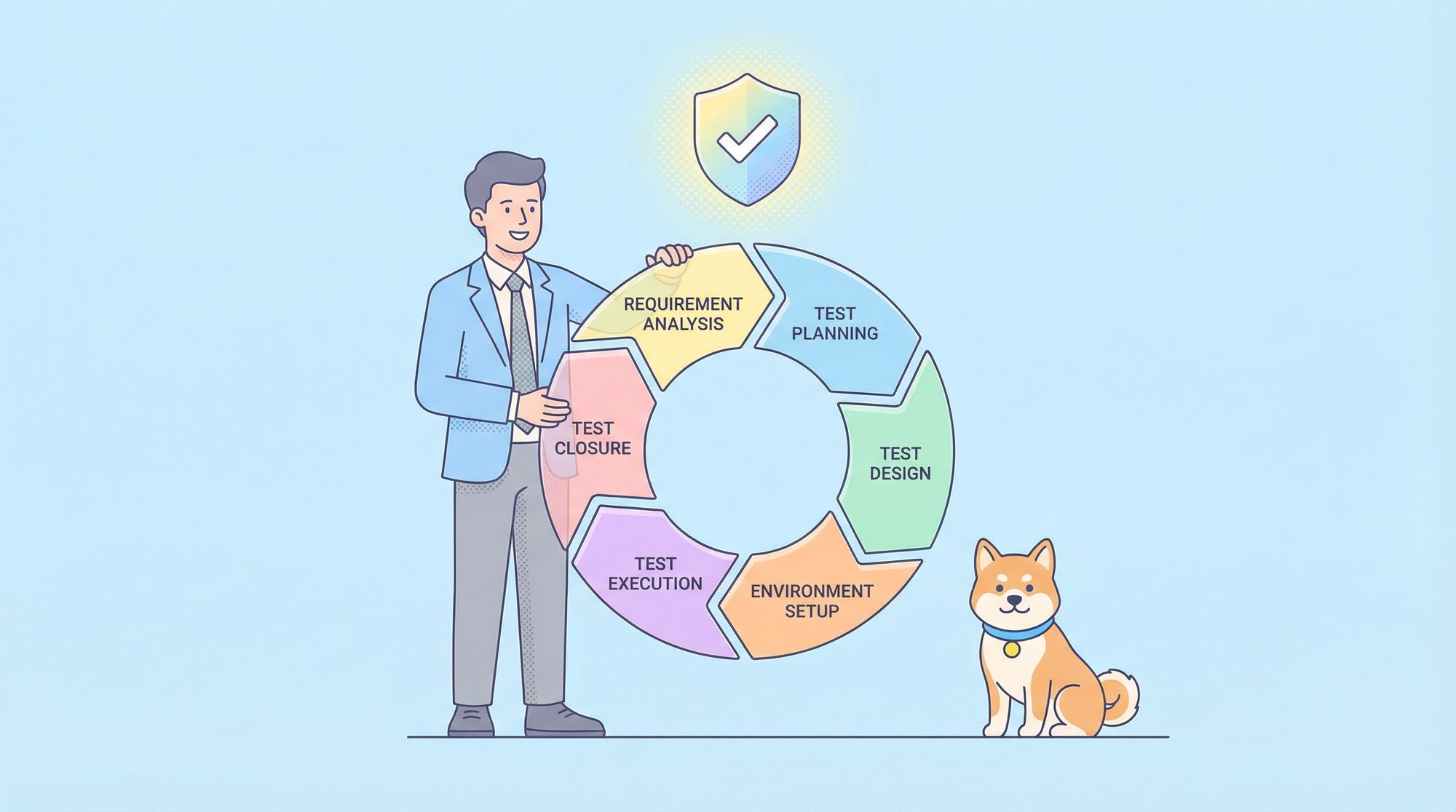
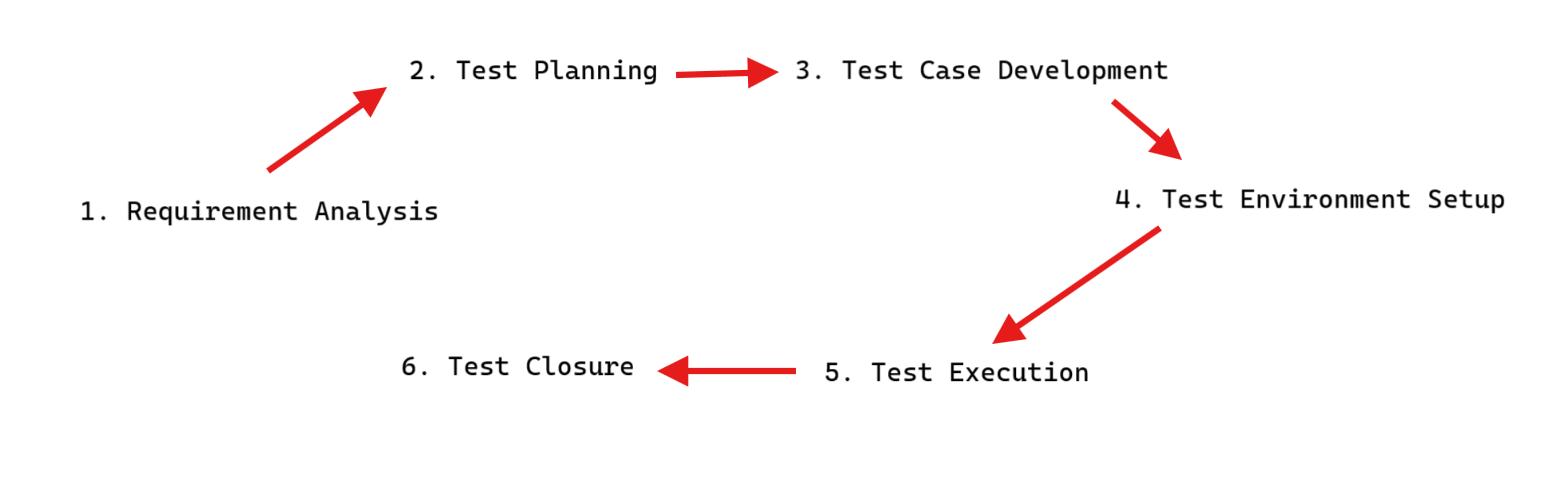
The Six Phases of the Software Testing Life Cycle
While organizations customize STLC to their context, six core phases form the universal foundation. Let’s walk through each one.
Phase 1: Requirement Analysis
Testing starts here, not after code is written. In Requirement Analysis, the testing team reviews business requirements, functional specifications, and user stories to identify what’s testable.
Key Activities:
- Review requirement documents for clarity and testability
- Identify gaps or ambiguous acceptance criteria
- Prioritize requirements by business risk
- Define the scope of testing (what’s in, what’s out)
Deliverables: Requirement Traceability Matrix (RTM) linking each requirement to test cases
Entry Criteria: Approved business requirements document (BRD) or user story backlog
Exit Criteria: All requirements reviewed, RTM created, test scope approved
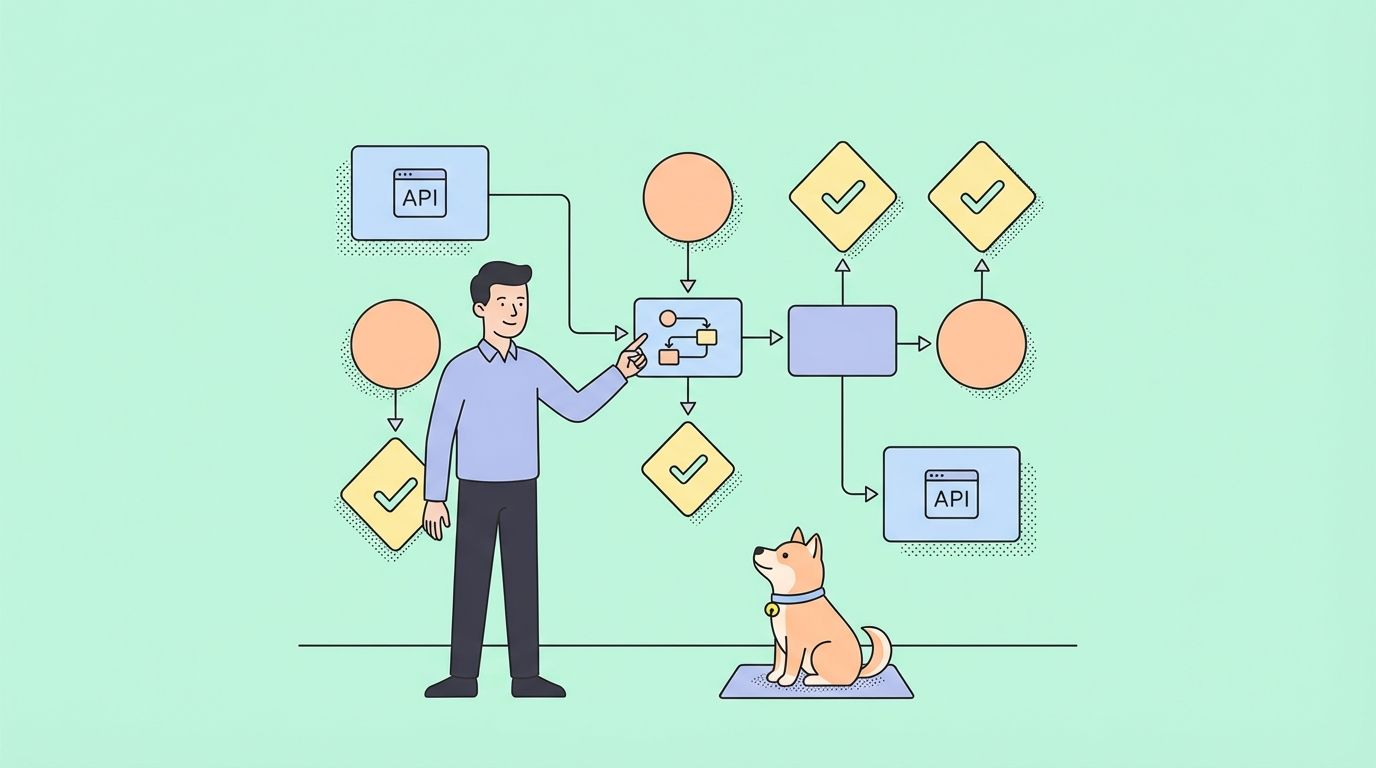
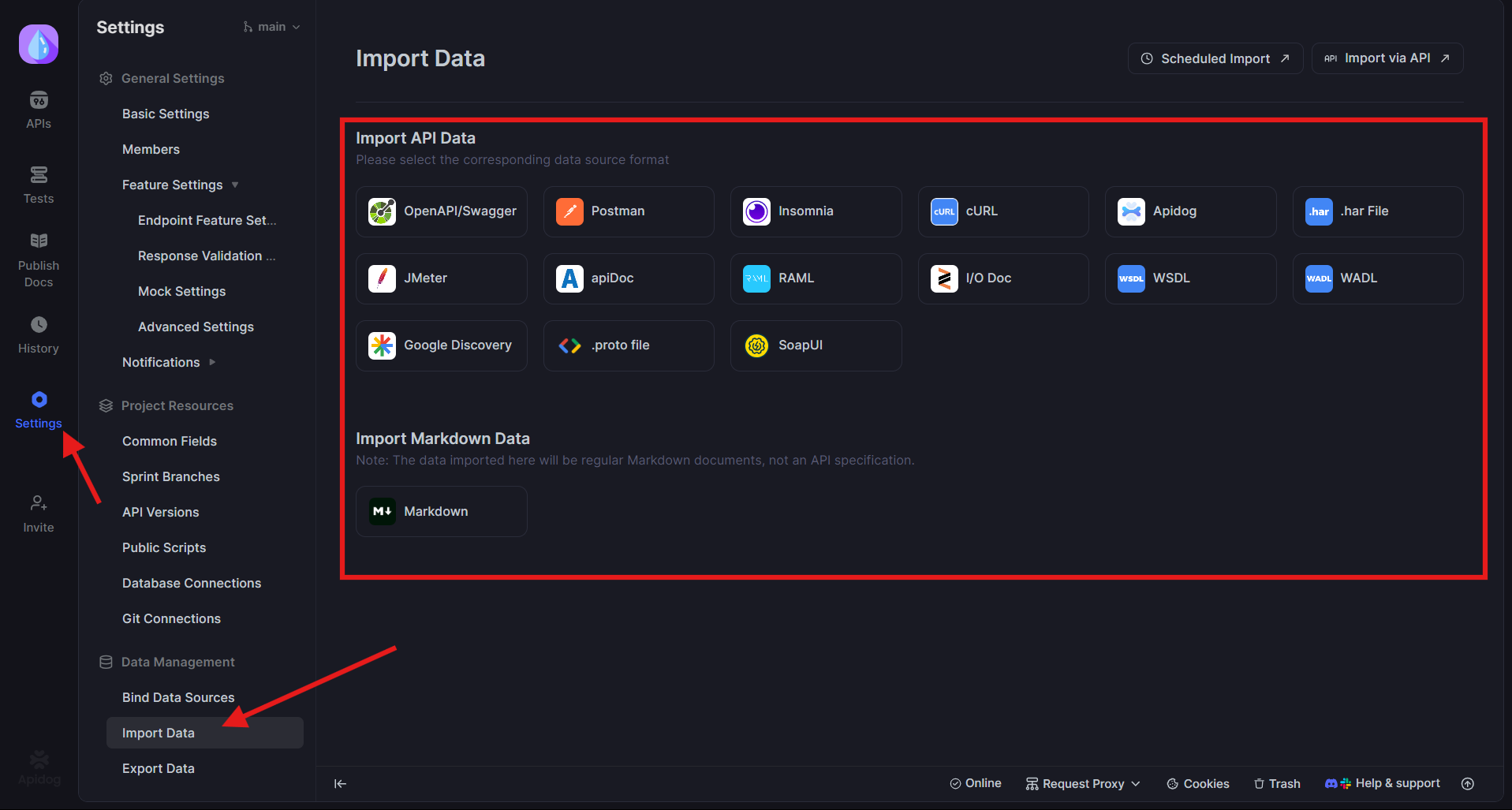
This is where Apidog first adds value. If your requirements include API specifications, Apidog imports OpenAPI or Swagger files and automatically generates API test cases. During requirement review, you can validate that API contracts are complete and testable, identifying missing endpoints or unclear response codes before development begins.
Phase 2: Test Planning
Test Planning is your strategy document. It answers how you’ll test, what resources you need, and when testing activities will occur.
Key Activities:
- Define test objectives and success criteria
- Select testing types (functional, performance, security)
- Estimate effort and schedule
- Assign roles and responsibilities
- Choose tools and frameworks
- Identify test environment needs
Deliverables: Test Plan document, Tool evaluation report, Resource allocation plan
Entry Criteria: Completed Requirement Analysis, approved test scope
Exit Criteria: Test Plan reviewed and signed off by stakeholders
The test plan sets expectations. If you’re planning API testing, Apidog can be specified here as the primary tool for test case generation and execution, reducing manual effort estimates by up to 70%.
Phase 3: Test Case Development
This is where testing theory becomes executable reality. In Test Case Development, you write detailed test cases and scripts based on requirements and test plan.
Key Activities:
- Write test cases with preconditions, steps, data, and expected results
- Design test scenarios for positive, negative, and edge cases
- Create test data and identify test dependencies
- Prepare test automation scripts where applicable
- Peer review test cases for coverage and clarity
Deliverables: Test cases, Test data sets, Automation scripts, Test case review report
Entry Criteria: Approved Test Plan, stable requirements
Exit Criteria: All test cases reviewed and approved, RTM updated
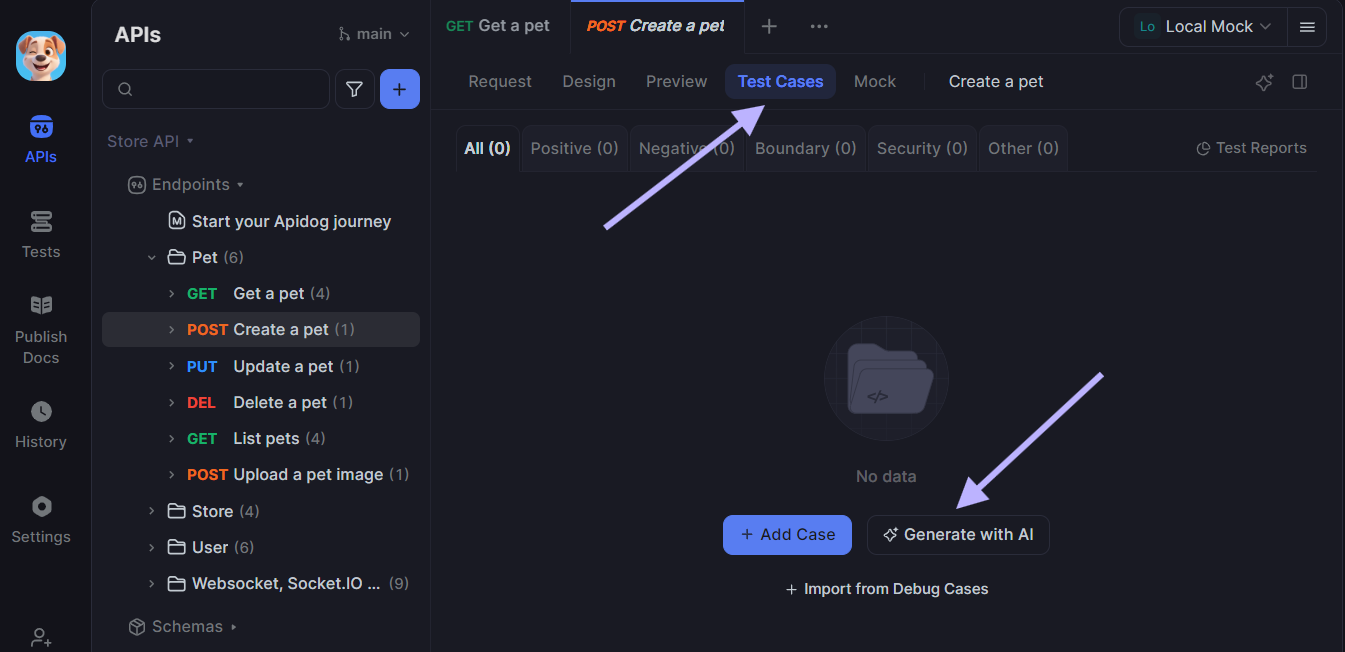
This is Apidog’s strongest phase. For API testing, Apidog automates the heavy lifting:
# Example: Apidog generates this test case automatically from API spec
Test Case: POST /api/users - Create User
Preconditions: Database initialized, no existing user with test@example.com
Test Data:
  - email: "test@example.com"
  - password: "ValidPass123"
  - role: "customer"
Steps:
  1. Send POST request to /api/users with JSON body
  2. Include valid authentication token in header
Expected Results:
  - Status code: 201 Created
  - Response contains userId and matches schema
  - Database contains new user record
Postconditions: Delete test user from database
Apidog generates dozens of such test cases instantly—positive, negative, boundary, and security scenarios. Your team reviews and refines them rather than writing from scratch, accelerating this phase dramatically.

Phase 4: Test Environment Setup
Testing in an environment that doesn’t mirror production is wishful thinking. This phase ensures your test bed is ready.
Key Activities:
- Configure hardware, software, and network settings
- Install test data and baseline configurations
- Set up monitoring and logging
- Perform smoke tests to validate environment stability
Deliverables: Test environment configuration document, Smoke test results
Entry Criteria: Test environment hardware provisioned
Exit Criteria: Environment matches production specifications, smoke tests pass
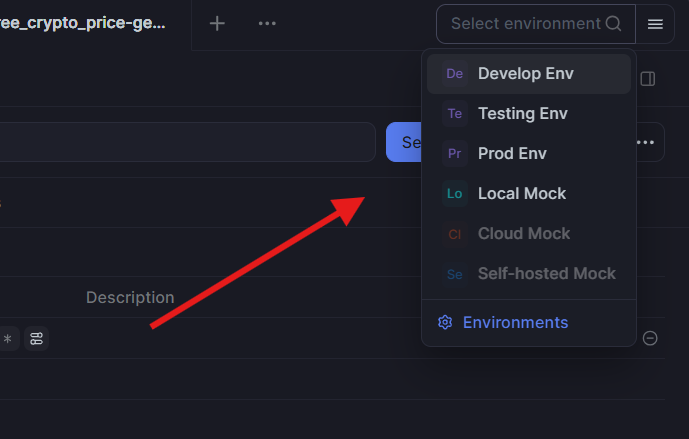
For API testing, Apidog helps by allowing you to define multiple environments (dev, staging, production) and switch between them seamlessly. Test cases remain the same; only the base URL and credentials change.
Phase 5: Test Execution
This is where testing happens. You run test cases, log defects, and track progress against your plan.
Key Activities:
- Execute manual test cases
- Run automated test suites
- Report defects with clear reproduction steps
- Retest fixes and perform regression testing
- Update test status and RTM
Deliverables: Test execution reports, Defect reports, Updated RTM, Test metrics
Entry Criteria: Test cases approved, environment ready, build deployed
Exit Criteria: All test cases executed (or consciously deferred), critical defects fixed, exit criteria met
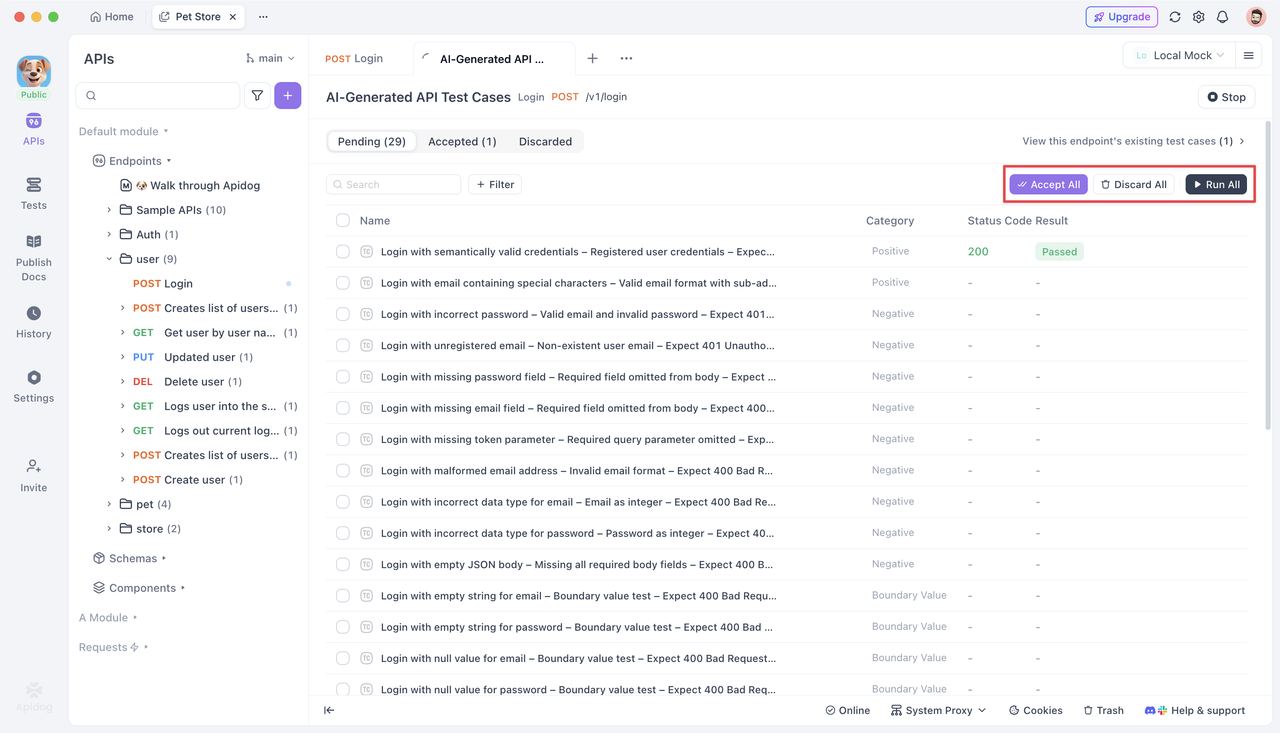
Apidog shines here by executing API test cases automatically and providing real-time dashboards. You can run hundreds of API tests in parallel, view pass/fail status instantly, and drill into failure details including request/response payloads. Integration with CI/CD means tests run on every build, providing continuous feedback.
Phase 6: Test Cycle Closure
Testing doesn’t just stop. You formally close the cycle, document lessons learned, and prepare for the next release.
Key Activities:
- Evaluate test coverage and defect metrics
- Conduct retrospective on testing process
- Archive test artifacts and environment snapshots
- Create test summary report for stakeholders
- Identify process improvements
Deliverables: Test Summary Report, Lessons Learned document, Process improvement recommendations
Entry Criteria: Test execution complete, all critical defects resolved
Exit Criteria: Test summary report approved, knowledge transferred to maintenance team
Entry and Exit Criteria: The Gates of STLC
Every phase needs clear entry and exit criteria to prevent chaos. Entry criteria are the preconditions that must be satisfied before a phase begins. Exit criteria are the deliverables and conditions required to complete a phase.
| Phase | Entry Criteria | Exit Criteria |
|---|---|---|
| Requirement Analysis | Business requirements document available, stakeholders identified | RTM created, requirements reviewed, scope approved |
| Test Planning | Requirement Analysis complete, test scope defined | Test Plan approved, resources allocated |
| Test Case Development | Approved Test Plan, stable requirements | All test cases reviewed and approved |
| Test Environment Setup | Hardware/software provisioned, network access granted | Environment matches production, smoke tests pass |
| Test Execution | Approved test cases, stable environment, build deployed | All tests executed, defect reports delivered |
| Test Cycle Closure | Test execution complete, metrics collected | Test Summary Report approved, retrospective conducted |
Skipping entry criteria leads to rework. Skipping exit criteria leads to quality gaps. Treat these as non-negotiable quality gates.
How Apidog Integrates Across the Software Testing Life Cycle
Apidog isn’t just a tool for one phase—it supports multiple stages of the Software Testing Life Cycle:
- Requirement Analysis: Import API specs to validate completeness and testability. Identify missing endpoints or unclear response schemas before development.
- Test Case Development: Automatically generate comprehensive API test cases, including positive, negative, boundary, and security scenarios. Reduce manual test design effort by 70%.
- Test Execution: Run automated API tests in parallel, integrate with CI/CD, and get real-time dashboards. Execute thousands of tests in minutes instead of hours.
- Test Environment Setup: Define environment configurations (dev, staging, prod) and switch contexts seamlessly within the same test suite.
- Test Cycle Closure: Export execution reports and metrics for your test summary report. Track API test coverage and defect trends over time.
By automating the most time-consuming aspects of API testing, Apidog lets your team focus on strategic testing activities—requirement analysis, risk assessment, and exploratory testing—while maintaining comprehensive API coverage.
Best Practices for Implementing STLC in Agile Teams
Traditional STLC can feel heavyweight for Agile, but the principles adapt well:
- Embed testing in sprints: Perform Requirement Analysis and Test Planning during sprint planning. Develop test cases alongside user stories.
- Automate early: Use tools like Apidog to generate API tests as soon as specs are defined. Run them in CI/CD from day one.
- Define “Done” to include testing: A story isn’t complete until test cases are written, executed, and passing.
- Keep documentation lean: Use tools that generate reports automatically. Focus on value, not documentation for its own sake.
- Conduct mini-retrospectives: After each sprint, discuss what worked in your testing process and what didn’t.
Frequently Asked Questions
Q1: How long should each STLC phase take relative to development?
Ans: As a rule of thumb, allocate 30-40% of project time to testing activities. Requirement Analysis runs parallel to requirements gathering, Test Planning takes 5-10% of total timeline, Test Case Development takes 15-20%, Environment Setup 5%, Test Execution 10-15%, and Closure 2-3%. In Agile, these phases are compressed into sprints.
Q2: Can STLC work in a DevOps environment with continuous deployment?
Ans: Absolutely. In DevOps, STLC phases become continuous activities. Requirement Analysis happens at story creation, Test Planning is baked into the pipeline definition, and Test Execution runs on every commit. The cycle time shrinks from weeks to hours, but the same principles apply.
Q3: What if we don’t have time for a formal Test Planning phase?
Ans: Skipping Test Planning is false economy. Even a one-page plan defining objectives, scope, and tool choices prevents misalignment. In time-constrained projects, time-box planning to 2-4 hours but don’t eliminate it. The cost of rework from unclear testing strategy far exceeds the planning time saved.
Q4: How does Apidog handle test data management across STLC phases?
Ans: Apidog lets you define test data sets at the project level and reference them across test cases. During Test Case Development, you create data profiles (valid user, invalid user, admin user). During Test Execution, you select which profile to use, and Apidog injects the appropriate data. This separation of data from test logic improves maintainability.
Q5: Should we create separate test cases for functional and non-functional testing?
Ans: Yes. Functional test cases verify correctness: “Does the API return the right data?” Non-functional test cases verify quality: “Does the API return data within 200ms under load?” Apidog helps here by generating both types from the same API spec—functional tests validate responses, while performance tests use the same endpoints to measure speed and scalability.
Conclusion
The Software Testing Life Cycle isn’t bureaucratic overhead—it’s the framework that transforms testing from chaotic firefighting into predictable quality assurance. By following the six phases with clear entry and exit criteria, you create test artifacts that serve your team today and future teams tomorrow.
Modern tools like Apidog remove the tedious manual work that traditionally bogs down STLC, especially in API testing. Automated test generation, parallel execution, and integrated reporting let you focus on strategic quality decisions rather than paperwork.
Start implementing STLC in your next sprint. Map your current activities to these six phases and identify one gap to close. Over time, the discipline compounds into faster releases, fewer production defects, and a testing practice that scales with your product. Quality isn’t an accident—it’s the result of following a proven life cycle.