TL;DR / Quick Answer
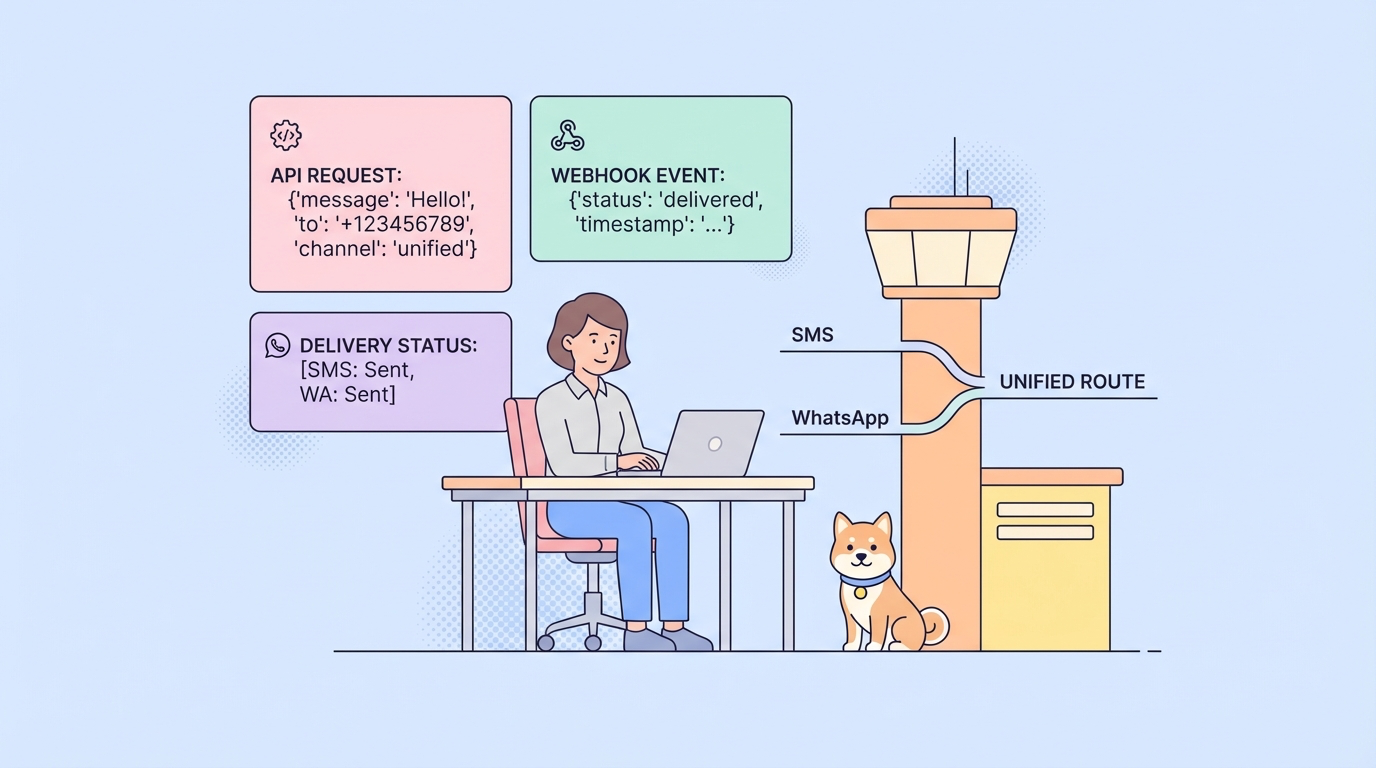
The Sent.dm API gives you one integration point for business messaging across SMS and WhatsApp. If you pair Sent with Apidog, you can store your credentials in environments, test requests without writing throwaway scripts, validate webhook payloads, and document your messaging workflow in one place.
Introduction
Most messaging projects slow down in the same place: the API itself is not hard, but the operational details pile up fast. You need API keys, a sender identity, template IDs, webhook security, channel rules, and a clean way to test all of it without sending real messages blindly.
That is exactly why Sent.dm is interesting. Sent positions itself as a unified messaging API for SMS and app-based channels like WhatsApp, with routing and delivery logic handled behind a single developer-facing interface. Based on Sent's public docs reviewed on March 26, 2026, the platform includes account verification, channel setup, template-based sending, contacts, webhook events, and a dashboard playground for testing.
x-api-key and x-sender-id, build test scenarios around message creation and webhook handling, and share the finished collection with your team. Download Apidog free to follow along with this tutorial.What the Sent.dm API Solves
Sent.dm is built for teams that want to reach users on more than one messaging channel without maintaining separate integrations for each provider. Instead of wiring together SMS APIs, WhatsApp onboarding, channel-specific payload formats, and delivery monitoring on your own, Sent abstracts that complexity into one platform.
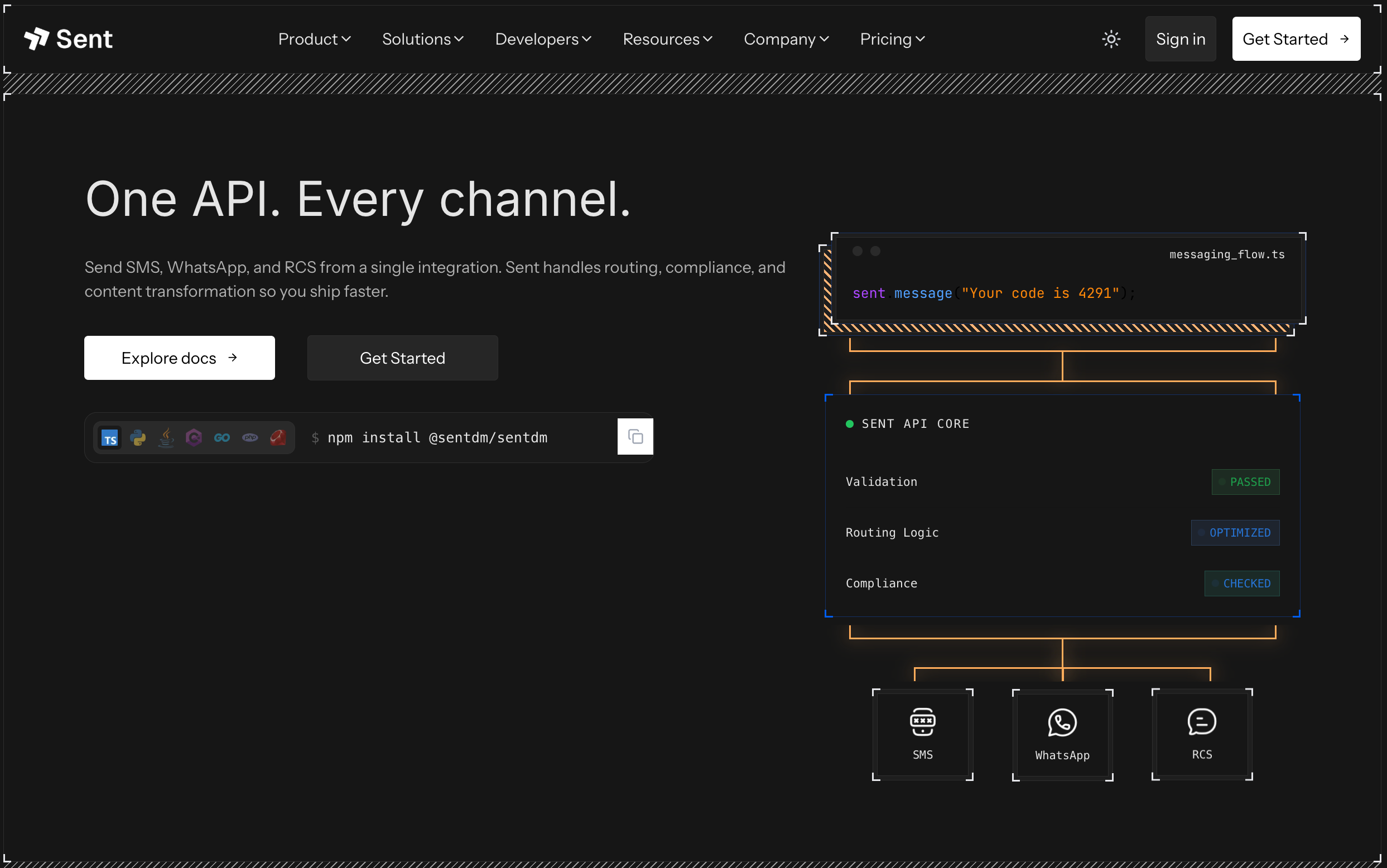
From the official docs, the product story is straightforward:
- One API base URL for messaging workflows
- Header-based authentication with
x-api-key - A sender identity model using
x-sender-id - Template-driven outbound messaging
- Contacts and audience management
- Webhooks for delivery and template events
- Intelligent routing and failover concepts in the platform layer
That combination matters because messaging systems are rarely just "send text and move on." You also need:
- A consistent payload structure
- A safe way to reuse templates
- Event tracking for delivered, failed, or queued messages
- A testing workflow that keeps secrets out of frontend code
- Documentation your developers and QA teammates can actually use
Here is the bigger challenge in practice:
Application -> Message API -> Channel Rules -> Delivery Events -> Retry / Status LogicIf every part lives in a different tool, debugging becomes slow. One of the easiest ways to keep that from happening is to model the whole flow in an API platform like Apidog from day one.
How the Sent.dm API Works
Sent's public docs describe the platform as an intelligent middleware layer between your app and downstream messaging channels. The promise is simple: your app sends one request, and Sent chooses the best delivery path based on routing logic, recipient context, and channel availability.
For developers, the most important parts are the setup sequence and the credentials model.
1. Account and compliance setup
The official getting started flow begins with account creation, KYC verification, and business setup. That is not optional housekeeping. Messaging products touch compliance rules, sender reputation, and regional restrictions, so Sent makes account verification part of the onboarding path.
2. Channel setup
Sent's docs walk you through choosing a phone number and connecting WhatsApp Business. The docs recommend using the same number for SMS and WhatsApp so your brand identity stays consistent across channels.
3. Templates
Templates are a core part of the workflow. In the getting-started guide, Sent has you create a template before sending your first API request. That is a good signal that template-based messaging is not an edge case here. It is part of the default path.
4. API credentials
The docs show two credentials:
x-sender-id: YOUR_SENDER_ID
x-api-key: YOUR_API_KEY
The v3 API reference highlights x-api-key as the required authentication header. The getting-started examples also include x-sender-id for message requests. When you implement this in production, verify the exact header requirements against your current workspace and endpoint version in the Sent dashboard, because the docs surface both a v3 reference view and v2 message examples.
5. Message request
The getting-started guide shows a request to:
POST https://api.sent.dm/v2/messages/phonewith a JSON payload shaped like this:
{
 "phoneNumber": "RECIPIENT_PHONE_NUMBER",
 "templateId": "TEMPLATE_ID"
}
That tells you something important about the first implementation target: the fastest path is not building a giant omnichannel orchestration service. It is setting up template-based sends correctly, then expanding the workflow once you can observe request and delivery behavior reliably.
Send Your First Sent.dm API Request
Let's build the first request in a way that is easy to test and easy to maintain.
cURL example
curl -X POST "https://api.sent.dm/v2/messages/phone" \
 -H "x-sender-id: YOUR_SENDER_ID" \
 -H "x-api-key: YOUR_API_KEY" \
 -H "Content-Type: application/json" \
 -d '{
 "phoneNumber": "RECIPIENT_PHONE_NUMBER",
 "templateId": "TEMPLATE_ID"
 }'
JavaScript example
const response = await fetch("https://api.sent.dm/v2/messages/phone", {
 method: "POST",
 headers: {
 "x-sender-id": process.env.SENT_SENDER_ID,
 "x-api-key": process.env.SENT_API_KEY,
 "Content-Type": "application/json"
 },
 body: JSON.stringify({
 phoneNumber: process.env.TEST_PHONE_NUMBER,
 templateId: process.env.SENT_TEMPLATE_ID
 })
});

if (!response.ok) {
 throw new Error(`Sent request failed: ${response.status}`);
}

const data = await response.json();
console.log(data);
Python example
import os
import requests

response = requests.post(
 "https://api.sent.dm/v2/messages/phone",
 headers={
 "x-sender-id": os.environ["SENT_SENDER_ID"],
 "x-api-key": os.environ["SENT_API_KEY"],
 "Content-Type": "application/json",
 },
 json={
 "phoneNumber": os.environ["TEST_PHONE_NUMBER"],
 "templateId": os.environ["SENT_TEMPLATE_ID"],
 },
 timeout=30,
)

response.raise_for_status()
print(response.json())
According to the getting-started docs, a successful response returns HTTP 200 and a messageId. That messageId is the value you want to capture in Apidog tests, application logs, support workflows, and webhook reconciliation.
Test the Sent.dm API in Apidog
This is where Apidog becomes more than a request runner. Messaging APIs are easier to work with when the request, variables, test assertions, docs, and team handoff all live together.
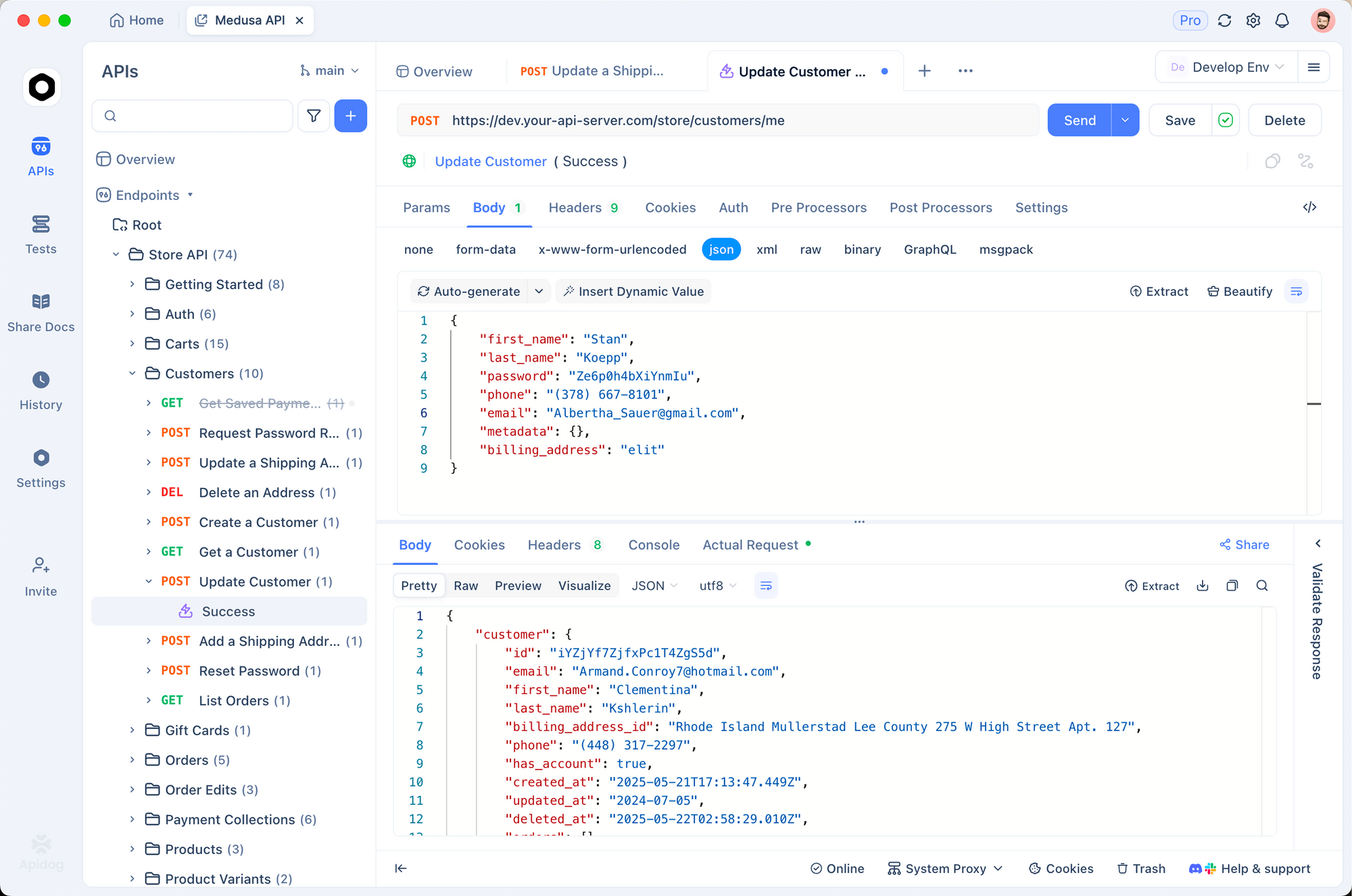
Step 1: Create a Sent environment
In Apidog, create an environment with variables like:
base_url = https://api.sent.dm
sender_id = YOUR_SENDER_ID
api_key = YOUR_API_KEY
template_id = YOUR_TEMPLATE_ID
test_phone = RECIPIENT_PHONE_NUMBER
Using environment variables gives you three immediate benefits:
- You avoid hardcoding production secrets in examples.
- You can switch between sandbox, staging, and live accounts faster.
- Teammates can reuse the same collection with their own secure values.
Step 2: Build the request once
Create a new request in Apidog:
- x-sender-id: {{sender_id}} - x-api-key: {{api_key}} - Content-Type: application/json
- Method:
POST - URL:
{{base_url}}/v2/messages/phone - Headers:
- Body:
{
 "phoneNumber": "{{test_phone}}",
 "templateId": "{{template_id}}"
}
This is already better than one-off terminal tests because your team can inspect the exact payload shape, authentication model, and expected response in one place.
Step 3: Add assertions
In Apidog, add tests that validate the success path.
Example checks:
pm.test("Status is 200", function () {
 pm.response.to.have.status(200);
});

pm.test("Response contains a messageId", function () {
 const json = pm.response.json();
 pm.expect(json.messageId).to.exist;
});
These checks help you catch subtle mistakes fast. If the request stops returning a message ID after an API change, credential rotation, or template issue, you see it right away.
Step 4: Turn it into a scenario
Apidog becomes even more useful when you move from a single request to a workflow:
- Send a message
- Store the returned
messageId - Query downstream status if your setup exposes that flow
- Compare message events received through webhooks
That is the right level of API testing for messaging systems because one successful POST does not mean your business flow is healthy. You also care about approvals, delivery, retries, and event consistency.
Step 5: Add webhook examples to the same collection
After your send request works, add saved examples for the webhook events your team expects to receive. That gives you a single collection covering outbound requests and inbound event handling.
For example, you can save a webhook payload example and document fields such as:
{
 "field": "message.status",
 "messageId": "msg_123",
 "status": "delivered",
 "channel": "whatsapp"
}
This pays off quickly. Backend engineers can compare live payloads against the saved example, QA can validate event handling logic, and support teams can understand what message states mean without digging through logs.
Step 6: Publish internal docs
If your team has backend engineers, QA, support, and product stakeholders touching the same messaging flow, Apidog's documentation layer saves time. Instead of sharing a loose set of cURL snippets in chat, you can publish a clean internal reference that includes:
- Required headers
- Example payloads
- Error responses
- Webhook event examples
- Environment notes
That is a much stronger handoff than "run this script and tell me what happened."
Handle Templates, Contacts, and Webhooks the Right Way
Getting the first request to return 200 is just the start. The real production work begins after that.
Templates
Sent's onboarding flow strongly emphasizes templates, especially for WhatsApp-related messaging. That means your API implementation should treat templates as versioned content, not just IDs copied into a file once and forgotten.
A practical pattern is:
- Keep template IDs in environment variables or config
- Label each template by purpose, locale, and approval status
- Separate test templates from live campaign templates
- Document which templates map to which user journeys
Apidog helps here because you can create example requests for each approved template and keep them alongside your broader API collection.
Contacts
The Sent docs surface contacts as a first-class feature area. Even if your application already stores users internally, contact objects in a messaging platform are useful for audience-level operations, template targeting, and communication history.
If you build contact sync logic, document these rules early:
- Which system is the source of truth
- How phone numbers are normalized
- How opt-in or consent state is stored
- What happens when a contact changes channels
Those are not details to clean up later. They affect deliverability and compliance from the beginning.
Webhooks
Sent's webhook documentation is one of the most important parts of the platform for real production use. The docs describe HMAC-SHA256 signature verification with headers including:
x-webhook-signaturex-webhook-idx-webhook-timestamp
The docs also describe the signature format as v1,{base64_signature} and recommend replay protection with a five-minute timestamp window.
That gives you a clean production checklist:
- Read the raw request body
- Verify the signature before parsing
- Reject stale timestamps
- Process events idempotently
- Acknowledge fast and move heavy work to background jobs
Here is a compact Express example:
import crypto from "crypto";
import express from "express";

const app = express();

app.post("/webhooks/sent", express.raw({ type: "*/*" }), (req, res) => {
 const signature = req.header("x-webhook-signature");
 const webhookId = req.header("x-webhook-id");
 const timestamp = req.header("x-webhook-timestamp");
 const secret = process.env.SENT_WEBHOOK_SECRET;
 const rawBody = req.body.toString("utf8");

 const signedContent = `${webhookId}.${timestamp}.${rawBody}`;
 const expected = crypto
 .createHmac("sha256", Buffer.from(secret.replace(/^whsec_/, ""), "base64"))
 .update(signedContent)
 .digest("base64");

 if (signature !== `v1,${expected}`) {
 return res.status(401).send("Unauthorized");
 }

 const event = JSON.parse(rawBody);
 console.log("Received webhook event:", event.field);

 return res.sendStatus(200);
});
Use Apidog to store webhook sample payloads and document expected events. That makes it easier for frontend, backend, and QA teams to align around the same message lifecycle.
Why Apidog Fits This Workflow
Sent.dm gives you the messaging layer. Apidog gives you the workflow layer around that messaging layer.
Here is the practical difference:
| Task | Sent.dm | Apidog |
|---|---|---|
| Send SMS and WhatsApp messages | Yes | No, but it tests the API that does |
| Manage templates and sender setup | Yes | Documents and validates related requests |
| Test authenticated requests | Basic through playground | Strong request builder, environments, assertions, scenarios |
| Share API docs with team | Platform docs | Team-facing collections and generated docs |
| Debug request and response flow | Partial | Better for repeatable inspection and collaboration |
| Build end-to-end test scenarios | Messaging-focused | Better for multi-step API workflow testing |
If your team is evaluating Sent for application messaging, Apidog covers the layer Sent is not trying to be: collaborative API design, testing, debugging, mock planning, and documentation in one workspace.
That is useful in at least three situations:
- You are onboarding multiple developers and need a shareable request collection
- You want QA to validate messaging APIs without writing custom scripts
- You need a repeatable place to test version changes, new templates, or webhook payloads
Download Apidog free to test Sent.dm requests, store messaging environments securely, and turn your first successful API call into a reusable team workflow.
Advanced Tips and Common Mistakes
Once the basic flow works, these practices make the integration more reliable.
Best practices
- Keep credentials server-side only. Sent's docs explicitly warn against exposing API keys in client-side code.
- Track
messageIdin your application logs and support tools. - Separate staging and production templates.
- Verify every webhook before processing it.
- Use Apidog environments to isolate live credentials from test credentials.
Common mistakes to avoid
- Treating a
200response as the final delivery result instead of the start of the event lifecycle - Hardcoding template IDs in multiple services
- Ignoring sender identity setup until late in the rollout
- Forgetting to normalize phone numbers consistently
- Testing with real credentials in ad hoc scripts no one else can inspect
Troubleshooting pointers
If a request is not working, check these in order:
- Is the
x-api-keyvalid and active? - Does the endpoint you are calling match the version shown in your Sent workspace?
- Is
x-sender-idrequired for that request path? - Is the template approved and available for the chosen channel?
- Are you sending to a phone number in the correct format?
Apidog helps here because you can compare a failing request to a known-good saved request in seconds.
Sent.dm Alternatives and Comparisons
If you are evaluating Sent.dm, you are probably also looking at direct-provider integrations, broader communications platforms, or a familiar API client like Postman for day-to-day testing. The main difference is control versus simplicity, and the testing layer matters as much as the delivery layer.
| Option | Strength | Tradeoff |
|---|---|---|
| Direct SMS + WhatsApp providers | Fine-grained control | More integration and maintenance work |
| Twilio-style communications stack | Broad ecosystem | More moving parts for multi-channel orchestration |
| Sent.dm | Unified messaging workflow with channel abstraction | You depend on Sent's platform conventions and docs structure |
| Sent.dm + Postman | Familiar request testing flow | Documentation, design, and broader workflow collaboration stay more fragmented |
| Sent.dm + Apidog | Unified messaging plus strong API testing, documentation, and collaboration workflow | Two tools instead of one |
For teams that care about developer speed, the best setup is often not "pick one tool for everything." It is pairing the delivery platform with a strong API collaboration layer. If you already use Postman, the strongest reason to look at Apidog here is not basic request sending. It is having environments, saved docs, assertions, mock planning, and team handoff in one workspace.
Conclusion
Sent.dm is a useful messaging API for teams that want one platform for SMS and WhatsApp instead of separate channel integrations. The biggest win is not just that you can send a message. It is that you can test and build around templates, sender identity, contacts, and webhooks in a more structured way.
If you want to move faster, start by building the first Sent request in Apidog, add assertions for messageId, then document your webhook contract in the same workspace. That gives you a cleaner path from prototype to production than relying on scattered scripts and tribal knowledge.
FAQ
What is the Sent.dm API used for?
The Sent.dm API is used for business messaging across channels like SMS and WhatsApp through a single integration. Based on the official docs, it supports sender setup, templates, contacts, and webhook-based event handling.
Does Sent.dm support WhatsApp and SMS in one API?
Yes. Sent positions the platform as a unified messaging API that abstracts channel-specific complexity behind one developer integration. The onboarding docs also recommend using the same phone number across SMS and WhatsApp.
Which headers do I need for Sent.dm API requests?
The public docs show x-api-key as the core authentication header, and the getting-started message examples also use x-sender-id. Check the exact endpoint version in your Sent account before production rollout because the docs surface both v3 and v2 references.
Do I need templates before sending messages with Sent.dm?
For the getting-started flow, yes. Sent's onboarding guide walks you through creating a template and then sending the first message with a templateId.
How do I test the Sent.dm API without writing custom scripts?
Apidog is a good fit for this. You can store your Sent credentials as environment variables, save message requests, add assertions, build multi-step scenarios, document webhook payloads, and publish internal API documentation for the rest of your team.
How should I secure Sent.dm webhooks?
Verify the HMAC signature, validate the timestamp, and process events idempotently. Sent's docs describe headers such as x-webhook-signature, x-webhook-id, and x-webhook-timestamp for verification.
Is Sent.dm enough on its own for team API workflows?
It covers the messaging platform itself, but most teams still need a collaborative API tool for testing, documentation, and repeated validation. That is where Apidog adds value.