You've built an incredible API. It's powerful, well-designed, and ready to change how your users interact with your data. But there's a catch: you can't send your users to a third-party documentation site. Maybe you're in a regulated industry like healthcare or finance. Maybe your API is for internal use only behind your company's firewall. Or maybe you just want complete control over your data and infrastructure.
This is where self-hosted API documentation tools shine. They give you the power to create beautiful, interactive documentation while keeping everything on your own servers. You control the data, the security, and the deployment.
The good news? You have fantastic options. The bad news? Choosing can be overwhelming. That's why we've put together this comprehensive guide to the top 10 self-hosted API documentation tools available today.
Now, let's dive into our curated list, starting with a tool that's redefining the all-in-one approach to API development.
The Self-Hosting Advantage: Why It Matters
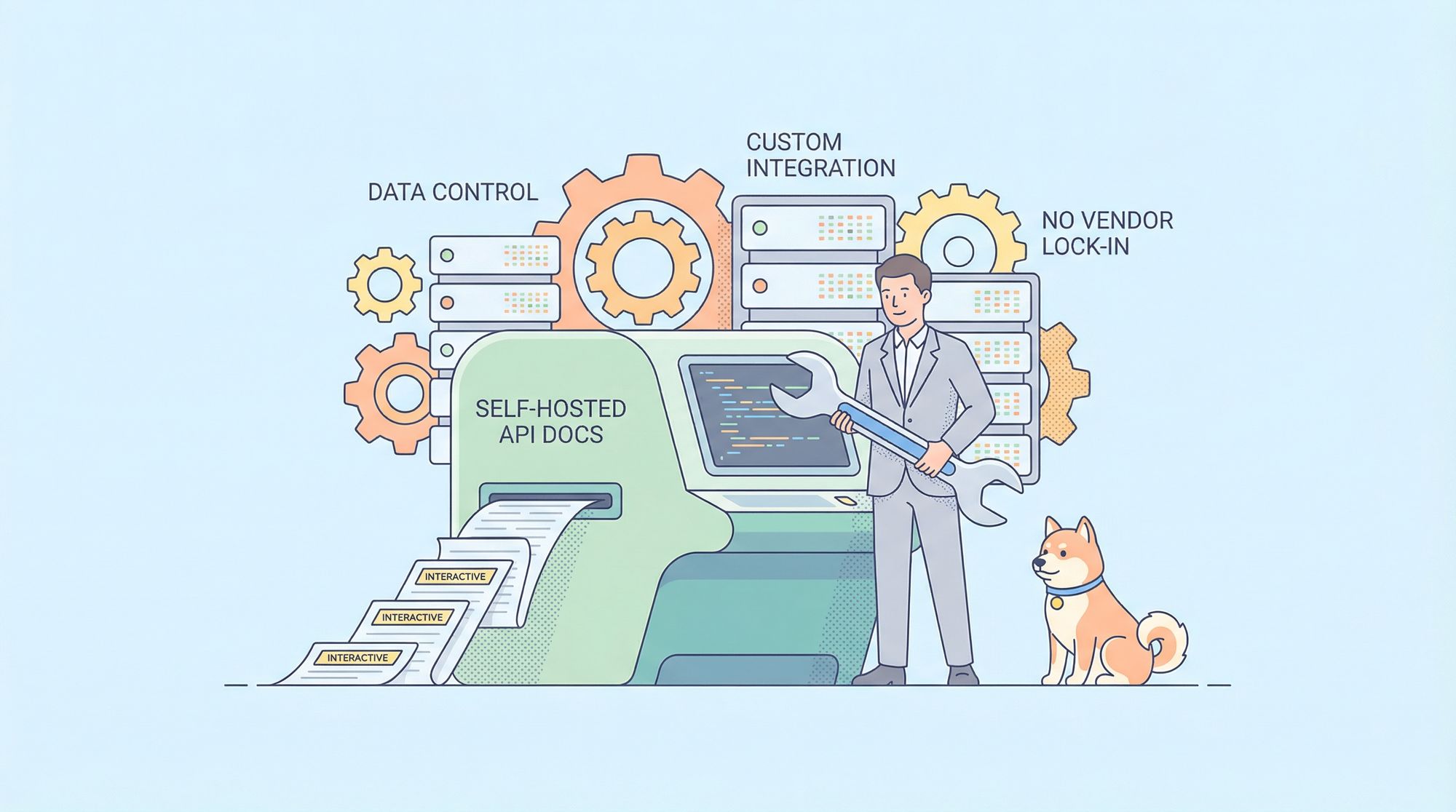
Choosing a self-hosted tool gives you:
- Complete Data Control: Your API specs and documentation never leave your network.
- Custom Integration: You can integrate with internal auth systems, style guides, and deployment pipelines.
- No Vendor Lock-in: You control the deployment and can migrate if needed.
- Offline Access: Documentation is available even if your internet connection isn't.
Why Choose a Self-Hosted API Documentation Tool?
Before we jump into the list, let’s talk about why self-hosted documentation tools matter.
More Control, Less Risk
Self-hosting means:
- Your API specs stay on your servers
- You control data access
- You meet internal compliance requirements
For industries like finance, healthcare, and government, this is often non-negotiable.
Better Customization
When you self-host:
- You customize branding
- You integrate with internal systems
- You control update schedules
In contrast, cloud-only tools limit flexibility.
Long-Term Cost Efficiency
At scale, per-seat SaaS pricing adds up fast.
Self-hosted tools often provide predictable infrastructure-based costs, which enterprises prefer.
What Makes a Great Self-Hosted API Documentation Tool?
As we evaluate the top tools, we’ll focus on:
- OpenAPI / Swagger support
- Ease of collaboration
- Versioning and change management
- Security and access control
- Developer experience
- Self-hosting readiness
1. Apidog: The All-in-One API Development Platform with Self-Hosting Power
Let's start with the elephant in the room: Apidog is often thought of as a cloud-based API platform. But here's the secret many don't know: Apidog offers powerful self-hosting capabilities that bring its entire feature set inside your infrastructure.
Why Apidog Stands Out
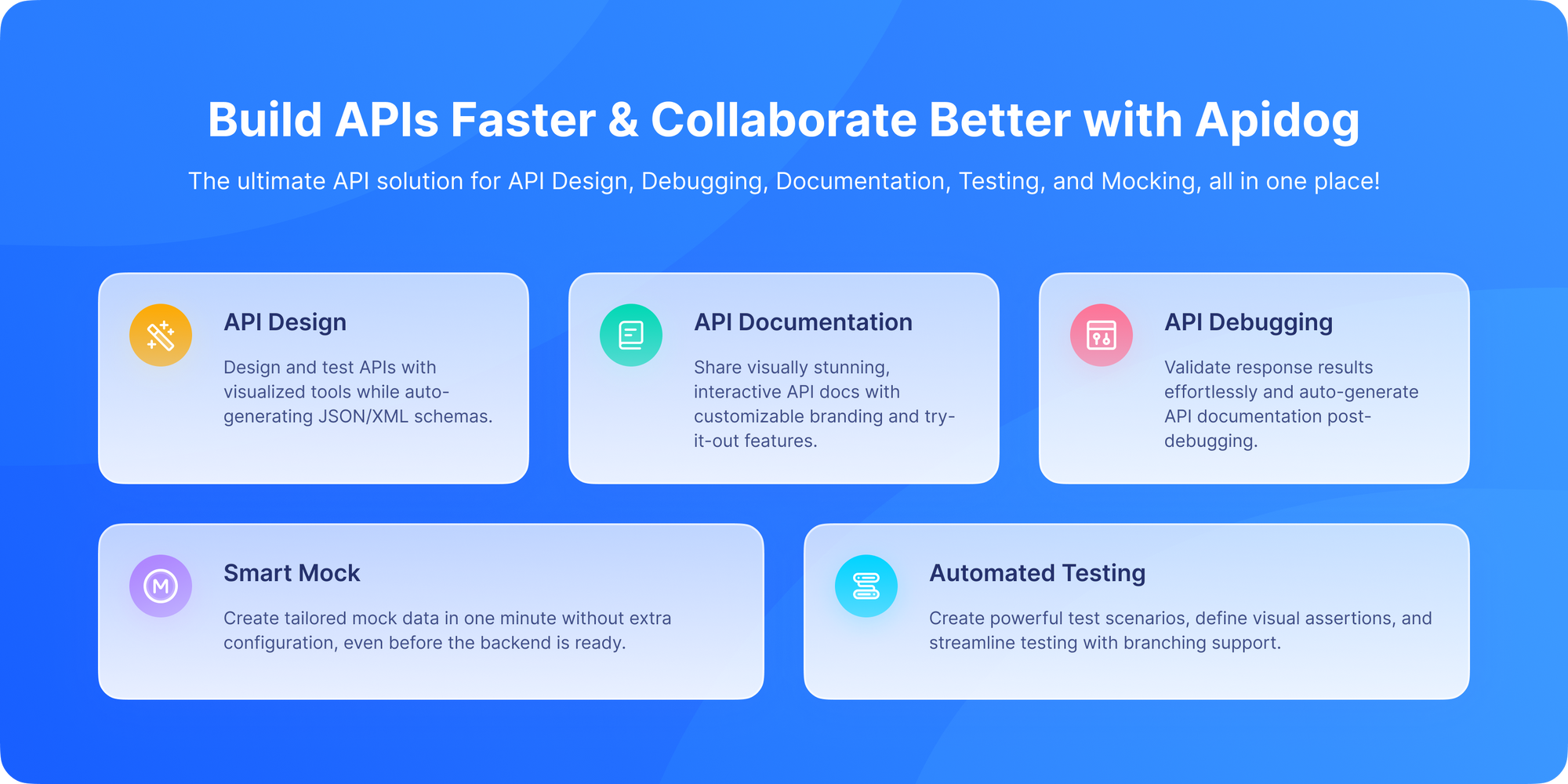
Apidog isn't just a documentation generator; it's a comprehensive API lifecycle platform. When you self-host Apidog, you get everything in one package:
- API Design: Visually design your APIs with a GUI editor that automatically creates OpenAPI specs.
- Interactive Documentation: Generate beautiful, always-accurate docs from your designs.
- Powerful Testing: A built-in testing suite rivals tools like Postman.
- Instant Mock Servers: Generate mock APIs the moment you design an endpoint.
- Team Collaboration: Real-time collaboration features built for teams.
Self-Hosting Apidog

The self-hosting option for Apidog gives enterprises the best of both worlds: the incredible productivity of the Apidog platform with the security and control of on-premise deployment. You can deploy it on your own servers, behind your firewall, with your own authentication system. This is perfect for organizations with strict data sovereignty requirements or those who want to deeply integrate API documentation into their internal developer portal.
2. Swagger UI: The Industry Standard
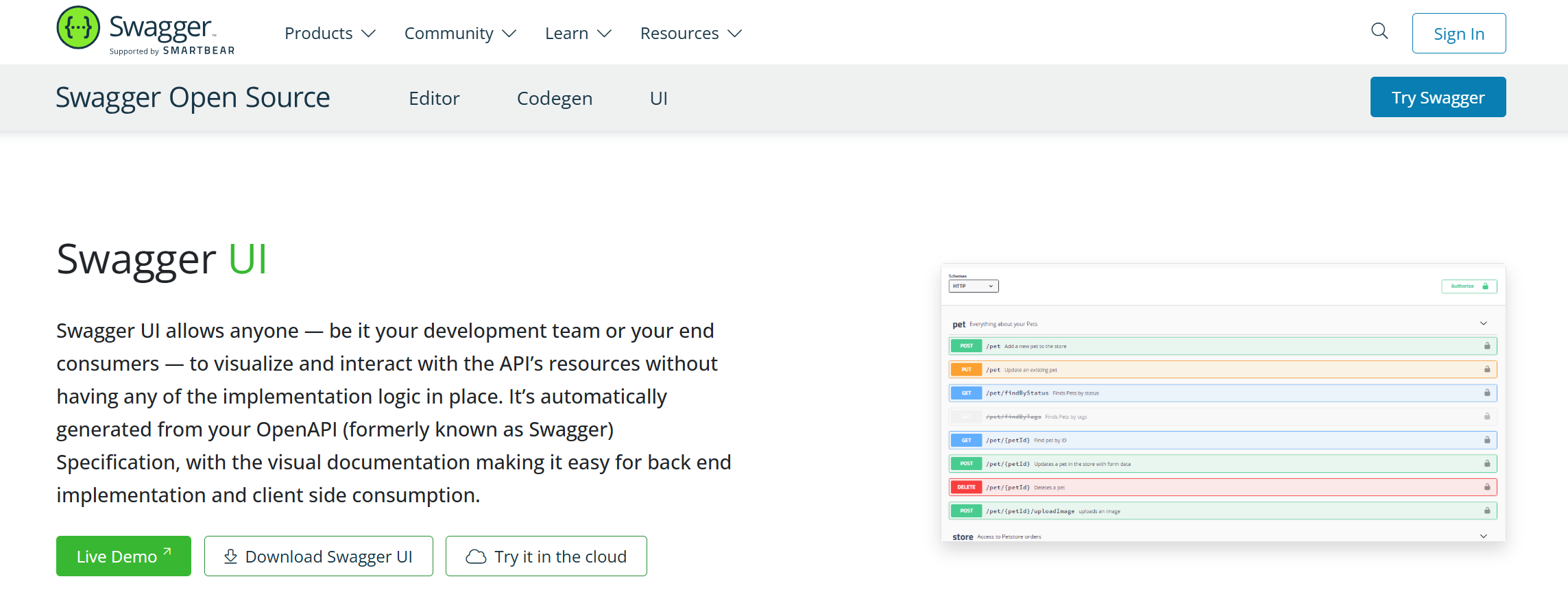
If API documentation had a king, Swagger UI would wear the crown. It's the most widely recognized tool in the space, and it's completely open-source and self-hostable.
The Swagger UI Approach
Swagger UI takes an OpenAPI Specification (OAS) file (in YAML or JSON) and turns it into beautiful, interactive documentation. The "Try it out" feature lets users execute real API calls directly from the documentation a game-changer for developer experience.
How to Self-Host: It's remarkably simple. You can serve the Swagger UI dist files from any web server, or integrate it into your existing application. Many frameworks have plugins that make this even easier.
Pros:
- Ubiquitous developers already know how to use it.
- Highly customizable through themes and plugins.
- Excellent community support and extensive documentation.
Cons:
- Requires you to maintain the OpenAPI spec separately.
- Primarily a documentation viewer, not a design or testing tool.
Best for: Teams that already have a well-maintained OpenAPI spec and want the most recognizable documentation interface.
3. Redoc: The Beautiful, Zero-Configuration Alternative
If you want documentation that looks amazing out of the box with minimal setup, Redoc is your tool. It's an open-source tool focused on creating gorgeous, responsive API documentation from OpenAPI specs.
Why Developers Love Redoc
Redoc prioritizes readability and simplicity. Its three-panel design is intuitive: navigation on the left, documentation in the center, and code samples on the right. It doesn't have the interactive "Try it out" feature by default (though there's a commercial version, Redocly, that adds it), which some teams actually prefer for cleaner, more readable docs.
Self-Hosting: Like Swagger UI, you can host the Redoc bundle on any static file server. It's a single HTML file that loads your OpenAPI spec, making deployment incredibly simple.
Strengths
- Elegant UI
- OpenAPI-based
- Easy static hosting
Trade-Offs
- Read-only focus
- No collaboration tools
- No API lifecycle support
Best for: Teams that prioritize beautiful, readable documentation over interactive testing features and want minimal setup overhead.
4. Slate: The Three-Pane Documentation Powerhouse
Remember the beautiful, multi-pane documentation of Stripe or PayPal? That's the Slate style. It's an open-source tool that creates elegant, three-panel documentation with the table of contents on the left, content in the middle, and code samples on the right.
Pros
- Simple
- Beautiful default theme
- Fully self-hosted
Cons
- No API lifecycle support
- Manual updates required
- No collaboration features
The Slate Difference
Unlike Swagger UI and Redoc, which generate docs from OpenAPI specs, Slate uses Markdown files. You write your documentation in Markdown, and Slate compiles it into a beautiful static site. This gives you incredible flexibility in how you structure and write your content.
Self-Hosting: Slate generates static HTML, CSS, and JavaScript files that you can host anywhere GitHub Pages, S3, or your own web server.
Best for: Teams who want full control over their documentation content and narrative flow, not just auto-generated endpoint lists, and who don't mind writing in Markdown.
5. Docusaurus: The Documentation Site Builder

Docusaurus is a project from Facebook (Meta) that's become incredibly popular for building entire documentation websites. While it's a general-purpose documentation tool, it has excellent API documentation capabilities through plugins.
More Than Just API Docs
Docusaurus lets you create a complete documentation portal. You can have your API reference, user guides, tutorials, and blog all in one consistent, searchable site. The docusaurus-plugin-openapi plugin can automatically generate API reference pages from your OpenAPI spec.
Why Teams Like It
- Fully self-hosted
- Markdown-based
- Git-friendly
Why It’s Not Ideal Alone
- Manual API spec integration
- No interactivity by default
- No built-in API testing
Self-Hosting: Docusaurus builds static sites, making self-hosting straightforward on any web server.
Best for: Teams that need a comprehensive documentation site that includes but isn't limited to API documentation.
6. ReadMe: The Commercial Powerhouse (With On-Premise)
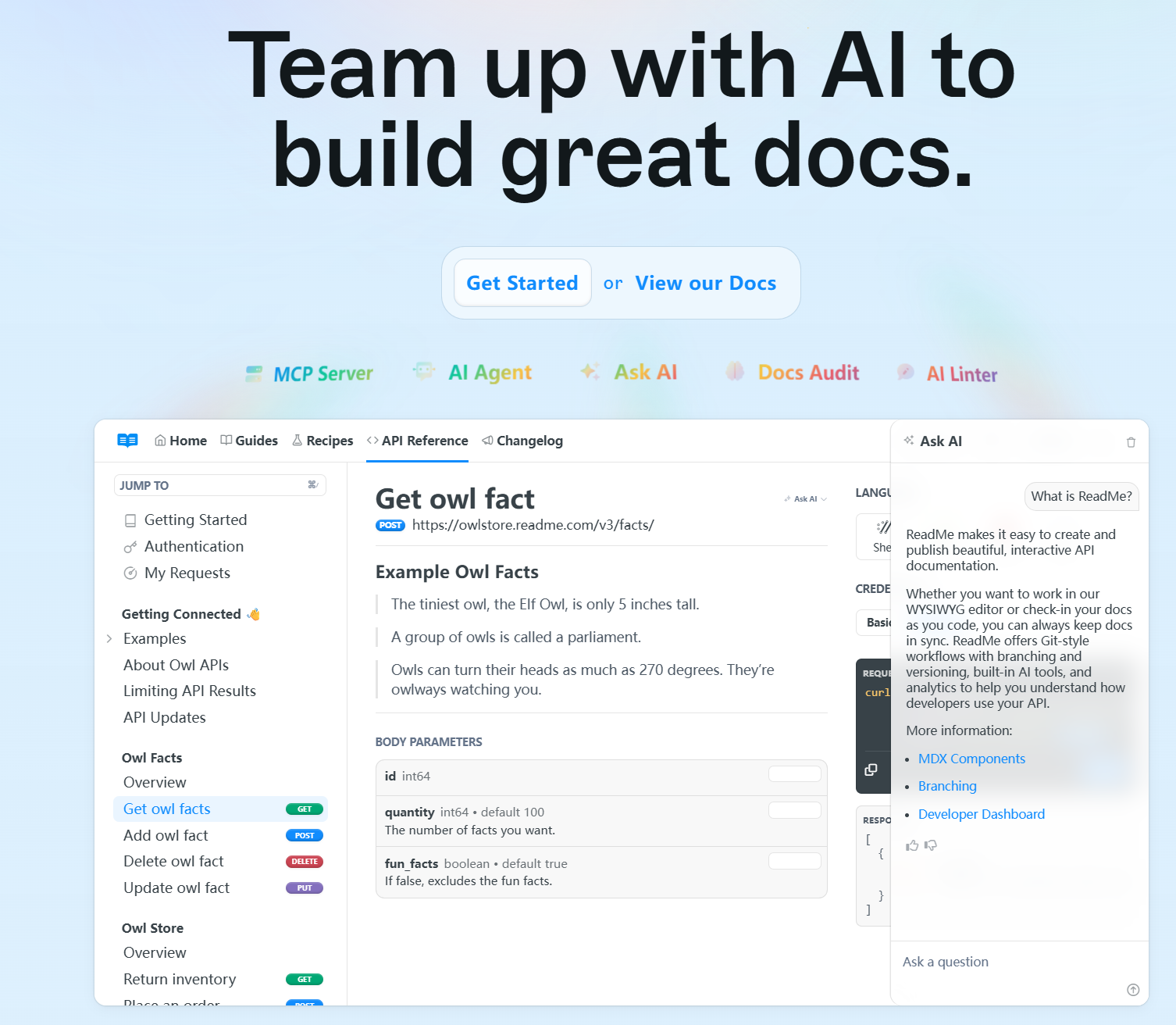
ReadMe is one of the most popular commercial API documentation platforms. What many don't realize is that ReadMe offers an Enterprise plan with on-premise deployment. This brings their polished, feature-rich platform inside your firewall.
The ReadMe Advantage
ReadMe excels at creating developer hubs. It includes features like API logs (so you can see how users are interacting with your API), changelogs, and robust customization. Their "Magic" mode can even read your OpenAPI spec and auto-write descriptive documentation.
Self-Hosting Note: This is a commercial offering, not open-source. You're licensing the software for on-premise deployment.
Best for: Enterprise teams with budget for a premium, feature-complete solution that needs to stay on-premise.
7. Stoplight Elements: The Modular Approach
Stoplight Elements is a collection of web components for API documentation. It's part of the Stoplight platform but can be used independently. You can mix and match components to build exactly the documentation experience you want.
Component-Based Flexibility
Want just the API reference viewer? Use the elements-api component. Want to add a "Try it" console? Add the elements-try-it component. This modular approach is unique and powerful.
Self-Hosting: The components are distributed via npm, so you can include them in your own frontend build process and host the resulting application yourself.
Best for: Teams that want to embed API documentation into existing applications or portals with maximum flexibility.
8. Widdershins & Shins: The Static Site Combo
This is a two-tool combo: Widdershins converts your OpenAPI spec into Markdown, and Shins converts that Markdown into a Slate-like static website. It's a more DIY approach but offers excellent control.
The Pipeline Approach
This approach gives you the best of both worlds: you can edit the generated Markdown (for narrative content) while keeping the auto-generated endpoint details. The resulting documentation looks similar to Slate's beautiful three-panel layout.
Self-Hosting: Generates static files for easy hosting.
Best for: Developers who want Slate-style docs but with automatic generation from OpenAPI specs.
9. DocFX: The .NET Ecosystem Specialist
DocFX is Microsoft's open-source documentation generator, particularly popular in the .NET ecosystem. While it can document any language, it has special features for .NET assemblies and projects.
Beyond API Docs
DocFX can generate documentation from source code comments, OpenAPI specs, and Markdown files, combining them into a unified site. It's incredibly powerful for teams documenting entire software stacks.
Self-Hosting: Generates static sites for easy deployment.
Best for: .NET teams or polyglot teams already using Microsoft's documentation toolchain.
10. Mintlify: The Modern, Developer-Focused Builder
Mintlify is a newer entrant that's gaining popularity for its beautiful design and developer experience. While primarily a cloud product, they offer options for companies that need more control over their data and hosting.
The Mintlify Approach
Mintlify focuses on fast, beautiful documentation with smart search and AI-assisted writing. Their React components can also be used to build custom documentation sites.
Self-Hosting: Contact their team for enterprise deployment options.
Best for: Teams that want modern, design-focused documentation with minimal configuration.
Choosing a documentation tool is often part of a larger infrastructure decision;the broader API solutions landscapegives context for where documentation fits within the full API development lifecycle.
Conclusion: Your Documentation, Your Rules
The world of self-hosted API documentation is rich and varied. From the industry-standard Swagger UI to the beautiful simplicity of Redoc, from the narrative power of Slate to the comprehensive platform approach of Apidog's self-hosting option, you have incredible tools at your disposal.
The best choice depends on your specific needs, but one thing is clear: you no longer have to choose between beautiful, functional documentation and keeping your data secure on your own infrastructure. You can have both.
Remember, great documentation isn't just a nice-to-have it's what turns your API from a technical artifact into a product developers love to use. Choose your tools wisely, and build documentation that empowers your users.
Ready to explore a comprehensive, self-hostable API platform? Check out Apidog's self-hosting documentation to see how you can bring their powerful all-in-one toolset inside your firewall.