TL;DR
Scrapling MCP brings powerful, undetected web scraping capabilities directly into your OpenClaw environment. By installing the scrapling python package and adding a simple JSON configuration to your OpenClaw settings, you can empower your AI agent to browse the web, bypass anti-bot protections like Cloudflare Turnstile, and extract structured data automatically. This guide covers the complete installation process, configuration steps, and how to leverage Apidog to manage the scraped data.
Introduction
Have you ever tried to get your AI agent to read a website, only to be blocked by a "Verify you are human" captcha? It's a frustrating roadblock that stops automation in its tracks. As AI agents like OpenClaw become central to our development workflows, their inability to access protected web content limits their potential.

This is where Scrapling MCP changes the game. Scrapling is an undetectable web scraping framework that handles everything from simple requests to complex, JavaScript-heavy sites protected by Cloudflare. By integrating it as a Model Context Protocol (MCP) server in OpenClaw, you give your agent the ability to browse the web just like a human user, bypassing anti-bot systems effortlessly.
In this guide, we will walk you through exactly how to set up Scrapling MCP in OpenClaw. You will learn how to install the necessary tools, configure your environment, and start scraping data in minutes. Plus, we'll show you how to take that scraped data, specifically API documentation and import it into Apidog to generate ready-to-use API tests and documentation instantly.
By the end of this tutorial, your OpenClaw agent won't just be coding; it will be actively researching and interacting with the live web.
The Problem: Why AI Agents Struggle with Web Scraping
AI agents are brilliant at processing information, but they are often terrible at getting it. Traditional fetching tools used by agents (like curl or standard HTTP libraries) scream "I am a bot" to modern web servers.
The Anti-Bot Barrier
Most modern websites use sophisticated anti-bot protections.
- Cloudflare Turnstile: Checks for human-like mouse movements and browser fingerprints.
- TLS Fingerprinting: Identifies non-browser clients based on the SSL/TLS handshake.
- Dynamic Content: Many sites load content via JavaScript, which standard fetchers can't execute.
When OpenClaw tries to access these sites using standard tools, it gets a 403 Forbidden error or a captcha page. This breaks your workflow and forces you to manually copy-paste content into the chat context—a tedious and unscalable process.
The Context Window Limitation
Even if an agent can access a page, it often retrieves the entire raw HTML. Dumping 5MB of HTML into an LLM's context window is inefficient, expensive, and often confuses the model. You need a way to extract only the relevant content before the AI processes it.
What is Scrapling MCP?
Scrapling is a Python-based web scraping framework designed to be undetectable. The Scrapling MCP Server wraps this powerful engine into a protocol that OpenClaw understands.
When you install Scrapling MCP, you give OpenClaw a set of specialized tools:
- Stealth Browsing: Mimics real browser headers, TLS fingerprints, and behavior.
- Headless Browser Control: Uses Playwright and Camoufox to render JavaScript and interact with pages.
- Smart Extraction: Allows the AI to select specific elements using CSS selectors or XPath, reducing noise.
- Turnstile Bypass: Automatically handles "Verify you are human" checks without user intervention.
Think of it as giving OpenClaw a remote-controlled, invisible web browser that can read anything you can read.
Step-by-Step Guide: Setting Up Scrapling in OpenClaw
Setting up Scrapling MCP in OpenClaw is straightforward. We will install the Python package and then configure OpenClaw to talk to it.
Prerequisites
- Python 3.10+: Ensure you have a recent version of Python installed.
- OpenClaw: You should have the OpenClaw application installed and running.
- Terminal Access: You'll need to run a few commands in your terminal.
Step 1: Install Scrapling
First, we need to install the Scrapling package with its AI dependencies. Open your terminal and run:
pip install "scrapling[ai]"
This installs the core framework and the MCP server components. Next, install the browser binaries required for rendering dynamic pages:
scrapling install
This command downloads the necessary browser engines (Chromium and Firefox) that Scrapling uses to mimic real users.
Step 2: Locate Your OpenClaw Configuration
OpenClaw uses a JSON configuration file to manage its MCP servers. You need to find this file.
- macOS:
~/Library/Application Support/OpenClaw/openclaw_config.json - Windows:
%APPDATA%\OpenClaw\openclaw_config.json - Linux:
~/.config/OpenClaw/openclaw_config.json
Note: If the file doesn't exist, you can create it.
Step 3: Add the Scrapling Server Configuration
Open the configuration file in your favorite text editor. You need to add ScraplingServer to the mcpServers object.
Here is the configuration block:
{
  "mcpServers": {
    "ScraplingServer": {
      "command": "python",
      "args": [
        "-m",
        "scrapling.mcp_server"
      ]
    }
  }
}
Pro Tip: If you are using a virtual environment (highly recommended), use the absolute path to your Python executable instead of just python. You can find this path by running which python (macOS/Linux) or where python (Windows) inside your activated environment.
Example with absolute path:
{
  "mcpServers": {
    "ScraplingServer": {
      "command": "/Users/username/my-env/bin/python",
      "args": [
        "-m",
        "scrapling.mcp_server"
      ]
    }
  }
}
Step 4: Restart OpenClaw
Save the configuration file and restart OpenClaw. When it loads, you should see a new "ScraplingServer" indicator or toolset available in your context menu.
Step 5: Verify the Installation
To test if it's working, ask OpenClaw to fetch a protected site:
"OpenClaw, please fetch the pricing page of https://example.com using Scrapling and summarize the plans."
If configured correctly, OpenClaw will use the scrapling_fetch tool, bypass any potential blocks, and return a clean summary.
Advanced Techniques & Best Practices
Once you have the basics running, you can optimize your scraping workflow for better results and lower costs.
1. Use Smart Selectors to Save Context
Don't ask OpenClaw to "read the page." That fetches everything. Instead, be specific:
"Fetch the text inside the .pricing-table class on https://example.com."Scrapling allows you to pass CSS selectors. This extracts only the relevant data, keeping your token usage low and the AI's focus high.
2. Enable Stealth Mode for Tough Sites
For sites with aggressive anti-bot measures, explicitly ask OpenClaw to use "stealth mode". Scrapling has different fetching strategies:
- Basic: Fast, HTTP-based (good for static sites).
- Stealth: Uses a headless browser with fingerprinting (good for Cloudflare).
- Interactive: Can click buttons or scroll before fetching (good for infinite scroll pages).
3. Handle Pagination Automatically
You can create a loop in OpenClaw to handle pagination. Ask it to:
"Scrape the first 5 pages of the blog. Look for the 'Next' button selector .pagination-next and follow it."
Scrapling's persistent session handling ensures cookies and state are maintained across these requests.
Integrating Scraped Data with Apidog
One of the most powerful use cases for this setup is reverse-engineering API documentation. Often, you'll encounter internal APIs or undocumented endpoints while researching a third-party service.
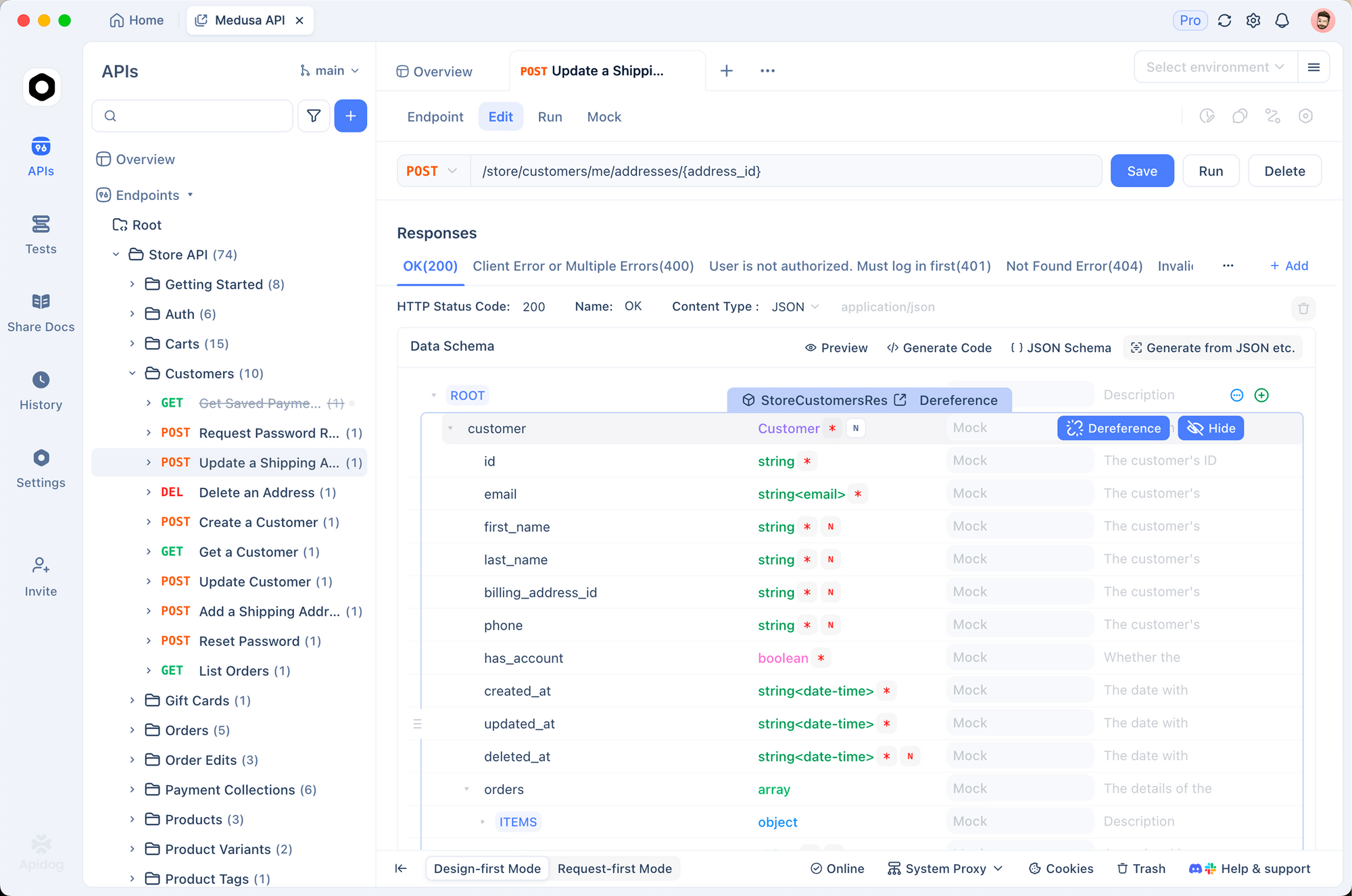
Here is how you can turn scraped data into functional API tests using Apidog:
Scrape the Docs: Ask OpenClaw to scrape a documentation page or a raw API response.
"Scrapling, fetch the JSON response from https://api.example.com/v1/products and the documentation at https://example.com/docs."
Generate OpenAPI Spec: Ask OpenClaw to convert that scraped text into an OpenAPI (Swagger) specification.
"Based on the scraped response, generate an OpenAPI 3.0 spec YAML."
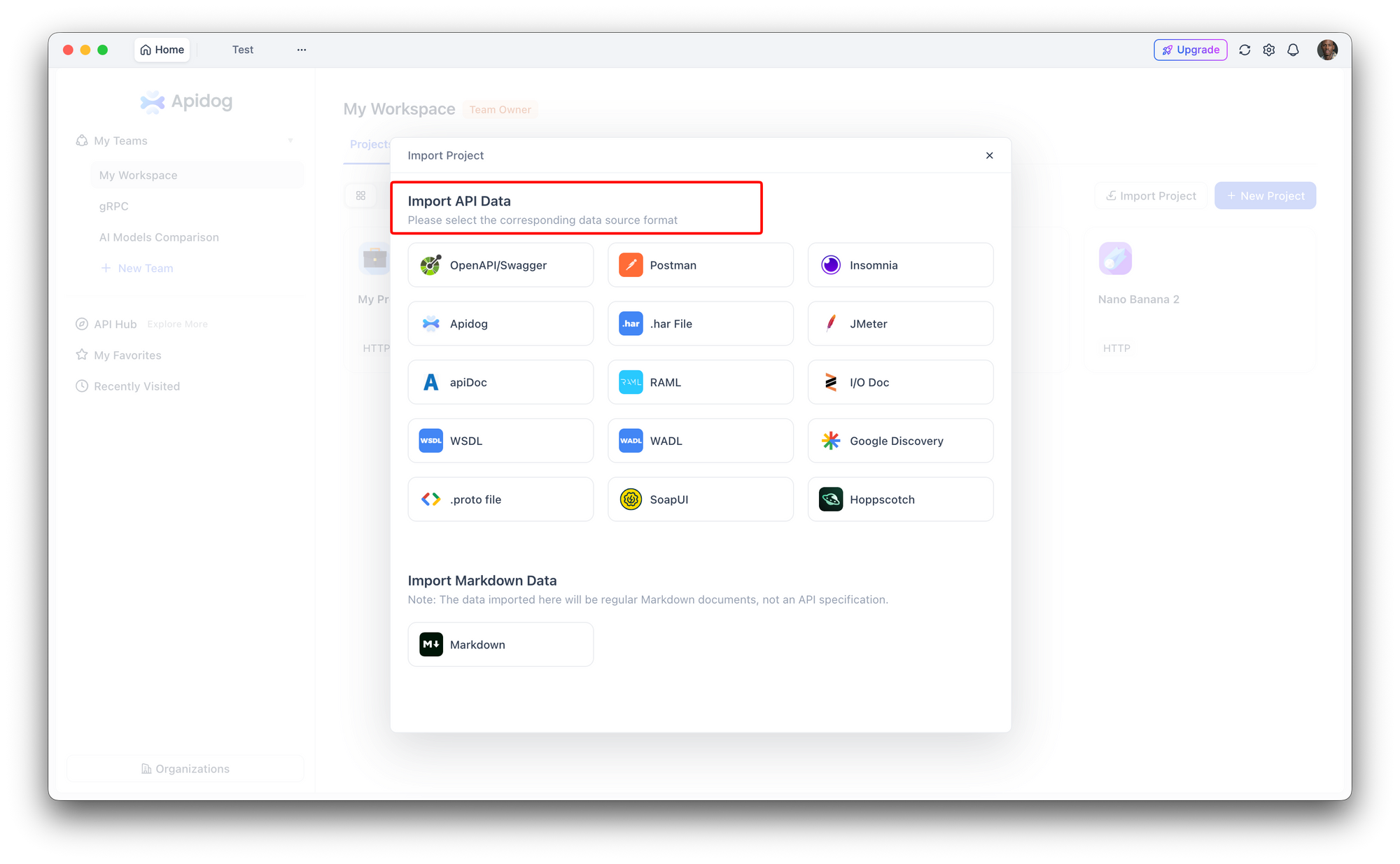
Import to Apidog:
- Open Apidog.
- Go to Import Project.
- Paste the YAML generated by OpenClaw.
Why do this?
Once the data is in Apidog, you get:
- Auto-Generated Tests: Apidog automatically creates test cases for the endpoints.
- Mock Servers: You can instantly simulate the API for your frontend team.
- Documentation: You get beautiful, interactive documentation that is better than the original scraped page.
This workflow turns "reading docs" into "having a runnable test suite" in minutes.
Real-World Use Cases
Competitor Price Monitoring
Set up a daily task in OpenClaw to scrape your top 5 competitors' pricing pages. Use Scrapling to extract the specific price elements and format them into a markdown table. This gives you an automated market intelligence report without paying for expensive monitoring tools.
Aggregating Developer News
Use Scrapling to fetch the "Show HN" section of HackerNews or the "Trending" page of GitHub. Since these pages change frequently and contain dynamic elements, Scrapling's browser-based fetching ensures you never miss a post. You can then ask OpenClaw to summarize the top 3 tools of the day.
Automating QA for Your Own Site
If you have a staging environment behind a basic auth or a firewall, you can configure Scrapling (via OpenClaw) to access it. Ask OpenClaw to "Verify that the 'Sign Up' button on the staging homepage is visible and contains the correct text." This acts as a semantic smoke test for your UI.
Conclusion
Integrating Scrapling MCP into OpenClaw transforms your AI from a passive text processor into an active web agent. You no longer have to fear 403 errors, captchas, or dynamic JavaScript content. By following the steps in this guide, you've unlocked the ability to automate research, monitor competitors, and extract data from virtually any corner of the web.
The combination of OpenClaw's reasoning capabilities, Scrapling's stealth access, and Apidog's API lifecycle management creates a powerhouse workflow for modern developers.
Ready to supercharge your API workflow? Download Apidog for free and start turning your scraped data into actionable tests today.
FAQ
Q: Is Scrapling free to use?
A: Yes, Scrapling is an open-source Python library. You can use it freely, though you are responsible for the infrastructure (your local machine) running the browser instances.
Q: Does this work on Windows?
A: Absolutely. Scrapling works on macOS, Windows, and Linux. Just ensure you have Python installed and use the correct path in your JSON config.
Q: Can Scrapling bypass all captchas?
A: Scrapling is highly effective against Cloudflare Turnstile and similar passive checks. However, "interactive" captchas (like selecting traffic lights) may still require manual intervention or specialized solver services.
Q: How does this compare to the standard fetch tool?
A: Standard fetch tools are easily blocked and cannot render JavaScript. Scrapling uses a real browser engine (headless Chrome/Firefox), making it indistinguishable from a human user to most servers.