Software development moves fast, especially in agile and continuous delivery environments. Teams release frequent builds, apply quick fixes, and ship incremental updates. In this context, sanity testing plays a critical role in ensuring that recent changes have not broken the core functionality of an application.
This article provides a detailed, practical guide to sanity testing, explaining what it is, when to use it, how it fits into the testing lifecycle, and how modern tools like Apidog can support sanity testing for API-driven systems.
What Is Sanity Testing?
Sanity testing is a focused type of software testing performed after minor code changes, bug fixes, or configuration updates. Its purpose is to quickly verify that specific functionalities still work as expected and that the build is stable enough for further testing.
Unlike exhaustive testing approaches, sanity testing is narrow, shallow, and targeted. It validates only the impacted areas rather than the entire system.
In simple terms:
Sanity testing answers the question: “Does this small change behave correctly, or did it break something critical?”
Sanity Testing vs Smoke Testing
Sanity testing is often confused with smoke testing. While they are related, they serve different purposes.
| Aspect | Sanity Testing | Smoke Testing |
|---|---|---|
| Scope | Narrow and focused | Broad and shallow |
| Trigger | After minor changes or bug fixes | After a new build |
| Purpose | Verify correctness of specific features | Verify build stability |
| Depth | Deeper than smoke testing | Very basic |
| Execution | Usually manual, sometimes automated | Often automated |
Smoke testing checks whether the build is testable. Sanity testing checks whether recent changes make sense.
When Should You Perform Sanity Testing?
Sanity testing is typically executed in the following scenarios:
- After a bug fix is applied
- After a minor enhancement or feature tweak
- After configuration or environment changes
- Before running regression testing
- During continuous integration pipelines to quickly validate patches
It is especially valuable when time is limited and teams need quick feedback before proceeding further.
The Sanity Testing Process
Sanity testing does not follow a heavy, formal process, but it still benefits from structure.
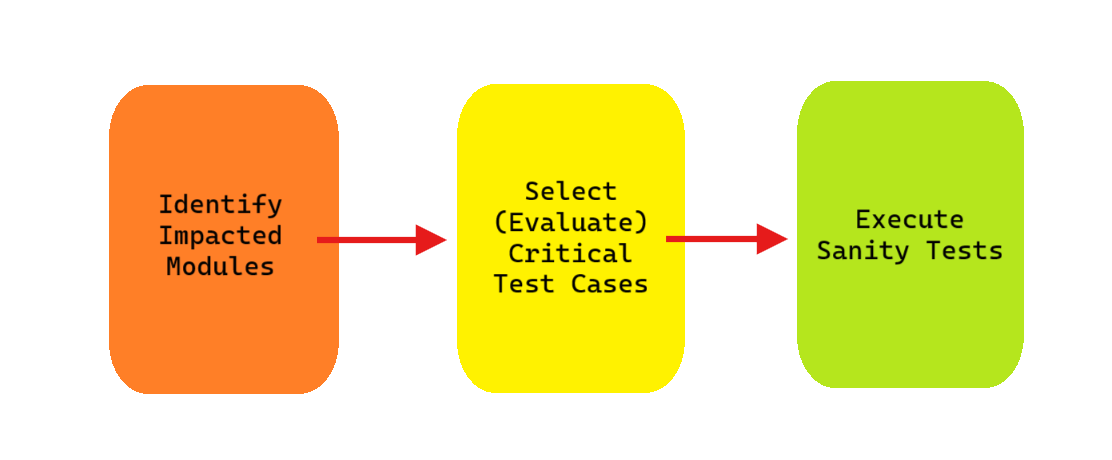
Step-by-Step Sanity Testing Workflow
- Identify impacted modules
Focus only on areas affected by the recent change. - Select (Evaluate) critical test cases
Choose tests that validate core logic and expected outcomes. - Execute sanity tests
Perform manual or automated checks.
Analyze results
- If sanity tests pass → proceed with deeper testing
- If sanity tests fail → reject the build and fix issues immediately
Example Workflow
Code Change → Build Generated → Sanity Testing
           → Pass → Regression / System Testing
           → Fail → Fix & Rebuild
Key Attributes of Sanity Testing
Sanity testing has several defining characteristics:
- Focused: Targets only impacted functionality
- Quick: Executed in minutes or hours, not days
- Non-exhaustive: Does not aim for full coverage
- Change-driven: Triggered by specific modifications
- Often manual: Though automation is possible for APIs and CI/CD
These attributes make sanity testing ideal for fast-moving development cycles.
Example of Sanity Testing (Functional Perspective)
Imagine a login bug fix where password validation logic was corrected.
Sanity Test Cases Might Include:
✓ Valid username + valid password → login succeeds
✓ Valid username + invalid password → error message shown
✓ Locked account → access denied
You would not test unrelated features such as user profile editing or payment processing during sanity testing.
Sanity Testing for APIs
In modern applications, APIs are often the most critical integration points. Sanity testing APIs ensures that recent backend changes did not break request/response behavior.
Example: Sanity Test for an API Endpoint
POST /api/login
Content-Type: application/json

{
  "username": "test_user",
  "password": "valid_password"
}
Expected Response:
{
  "status": "success",
  "token": "eyJhbGciOiJIUzI1NiIsInR5cCI6IkpXVCJ9..."
}
If this response changes unexpectedly after a fix, sanity testing will catch it early.
Advantages of Sanity Testing
Sanity testing offers several practical benefits:
- Saves time by avoiding unnecessary full regression cycles
- Provides fast feedback to developers
- Reduces risk of deploying unstable builds
- Improves confidence in minor releases
- Fits naturally into agile and DevOps workflows
Limitations of Sanity Testing
Despite its value, sanity testing has limitations:
- Does not provide full coverage
- May miss hidden or indirect defects
- Relies heavily on tester judgment
- Cannot replace regression or system testing
For this reason, sanity testing should be viewed as a gatekeeper, not a final quality guarantee.
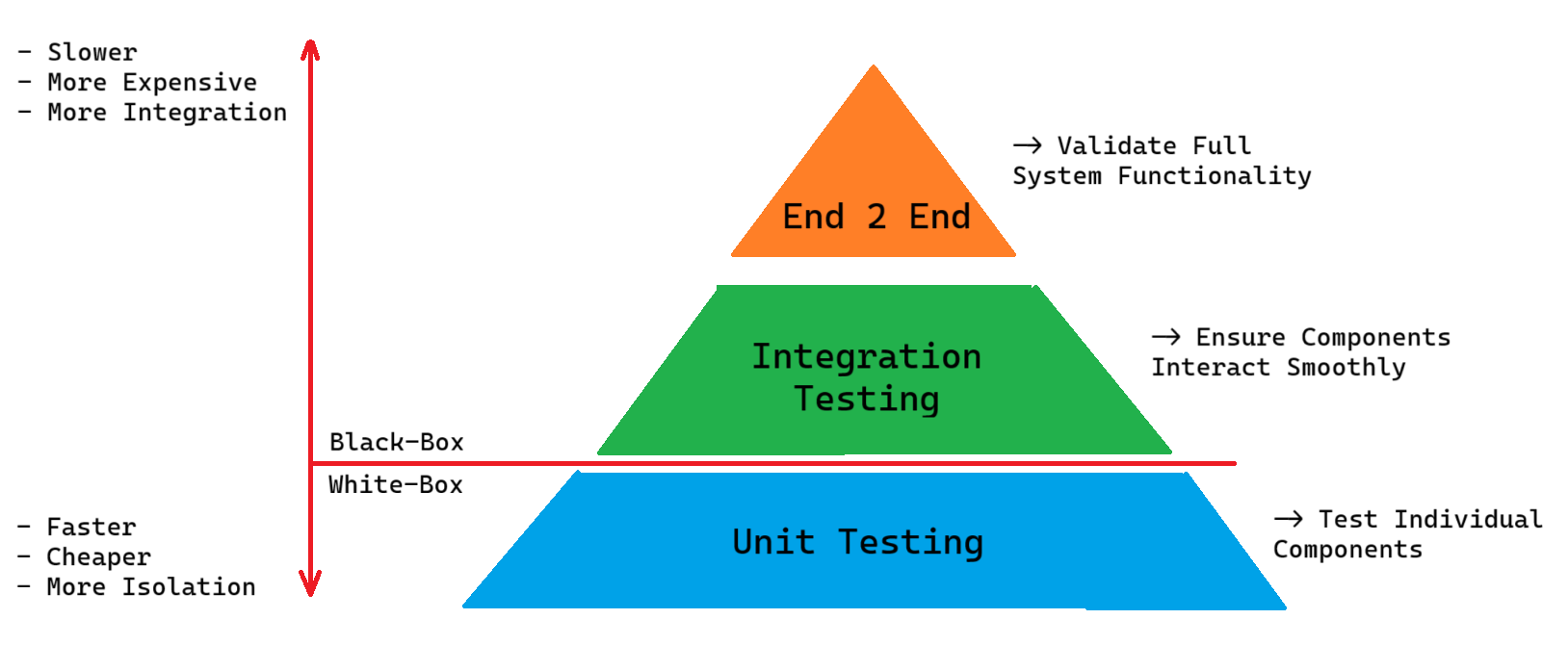
Where Sanity Testing Fits in the Test Pyramid
Sanity testing typically sits above smoke testing and below regression testing.
	System / E2E Tests
	-------------------------
	Regression Tests
	-------------------------
	Sanity Testing
	-------------------------
	Smoke Testing
	-------------------------
	Unit Tests
This positioning allows teams to filter unstable builds early without investing excessive testing effort.
How Apidog Helps with Sanity Testing for APIs
For teams building API-driven systems, sanity testing often revolves around verifying endpoint behavior after changes. Apidog is particularly effective in this context.
How Apidog Supports Sanity Testing
- Quick API validation: Instantly run sanity checks against endpoints after changes
- Reusable test cases: Save and reuse critical sanity test scenarios
- Environment switching: Validate changes across dev, staging, and production-like setups
- Automated execution: Integrate API sanity tests into CI/CD pipelines
- Clear assertions: Validate status codes, response schemas, and business logic
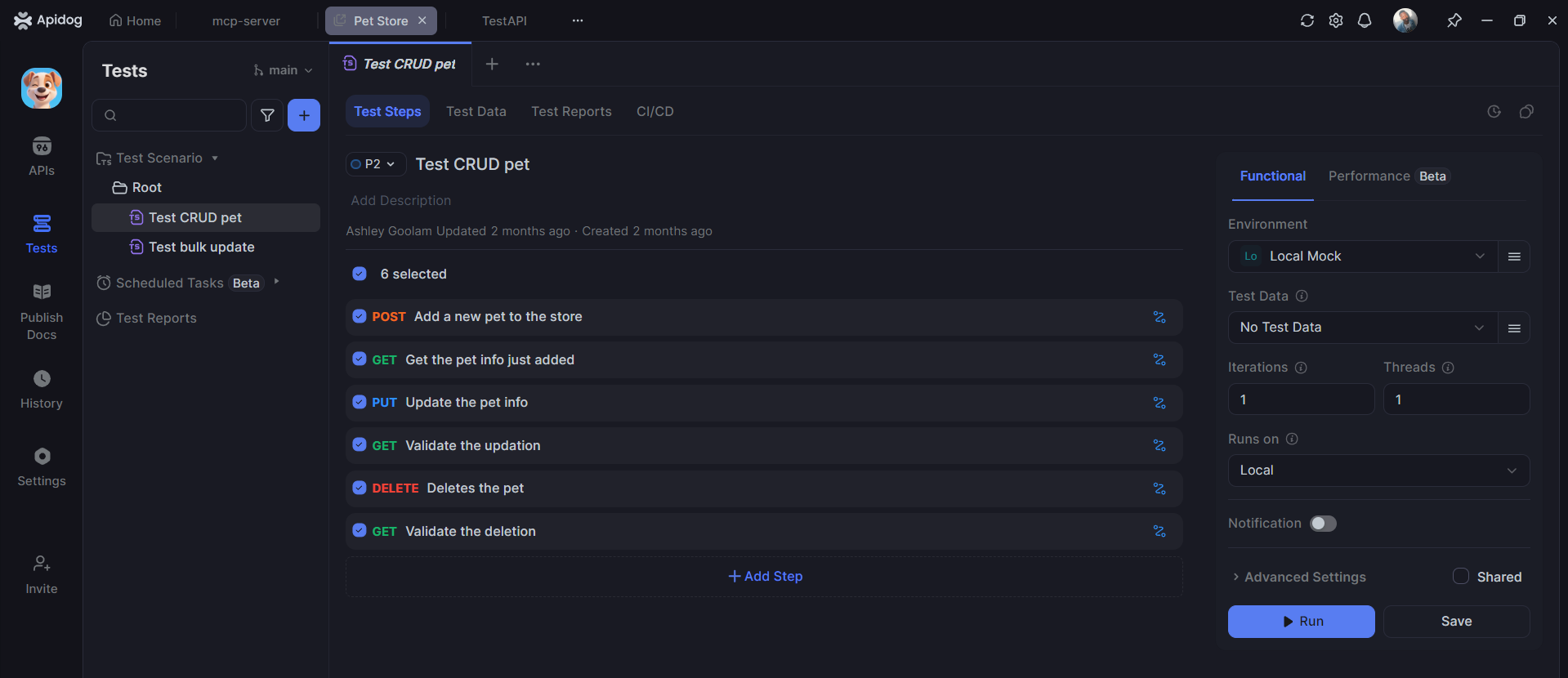
Example: API Sanity Check in Apidog
{
  "assertions": [
    "statusCode == 200",
    "response.body.token != null"
  ]
}
This makes Apidog an ideal tool for ensuring APIs remain stable after incremental updates, without running full test suites.
Best Practices for Effective Sanity Testing
To get the most value from sanity testing:
- Focus only on recent changes
- Keep test cases simple and repeatable
- Maintain a small sanity test suite
- Automate API sanity tests where possible
- Combine sanity testing with smoke and regression testing
- Run sanity tests early in CI/CD pipelines
Frequently Asked Questions
Q1. Is sanity testing manual or automated?
Sanity testing is traditionally manual, but it can be automated—especially for APIs and backend services using tools like Apidog.
Q2. How is sanity testing different from regression testing?
Sanity testing is narrow and quick, focusing on recent changes. Regression testing is broader and ensures existing functionality remains unaffected.
Q3. Who performs sanity testing?
Usually QA engineers or developers, depending on team structure and release urgency.
Q4. Can sanity testing replace regression testing?
No. Sanity testing is a preliminary check, not a replacement for comprehensive regression testing.
Q5. Is sanity testing required for every release?
It is highly recommended for minor updates and hotfixes, especially in agile and DevOps environments.
Conclusion
Sanity testing is a lightweight yet powerful testing technique that ensures recent changes behave correctly without wasting time on full test cycles. By focusing on impacted areas, it provides rapid feedback, reduces risk, and improves release confidence.
In API-centric architectures, sanity testing becomes even more valuable. Tools like Apidog help teams execute reliable, repeatable sanity tests for API endpoints—making it easier to catch issues early and keep development moving fast without sacrificing quality.