In today's digital landscape, seamless and secure authentication is more important than ever. But what is SAML 2.0, and why do IT and API professionals rely on it to enable modern single sign-on (SSO)? In this comprehensive guide, we'll break down what SAML 2.0 is, how it works, its architecture and real-world examples, and how tools like Apidog can help API developers integrate SAML 2.0 into their workflows.
What is SAML 2.0? A Clear Definition
SAML 2.0 stands for Security Assertion Markup Language version 2.0. It is an open standard developed by OASIS (Organization for the Advancement of Structured Information Standards) that enables secure, XML-based exchange of authentication and authorization data between parties—primarily between an identity provider (IdP) and a service provider (SP).
At its core, SAML 2.0 allows users to access multiple web applications with a single login, a process known as single sign-on (SSO). Instead of requiring users to manage separate usernames and passwords for every service, SAML 2.0 delegates authentication to a trusted identity provider, which then sends a secure assertion to the target application, confirming the user's identity.
Why Does SAML 2.0 Matter?
SAML 2.0 is essential for organizations that want to:
- Enhance security by centralizing authentication and reducing password sprawl.
- Improve user experience through frictionless SSO across multiple applications.
- Simplify IT management by reducing help desk tickets related to password resets.
- Support regulatory compliance with standardized, auditable authentication flows.
Whether you're building SaaS platforms, enterprise portals, or integrating with third-party APIs, SAML 2.0 is considered the gold standard for federated identity management.
How Does SAML 2.0 Work? A Step-by-Step Overview
1. Key Components of SAML 2.0
To fully understand what SAML 2.0 is, it's crucial to know its main components:
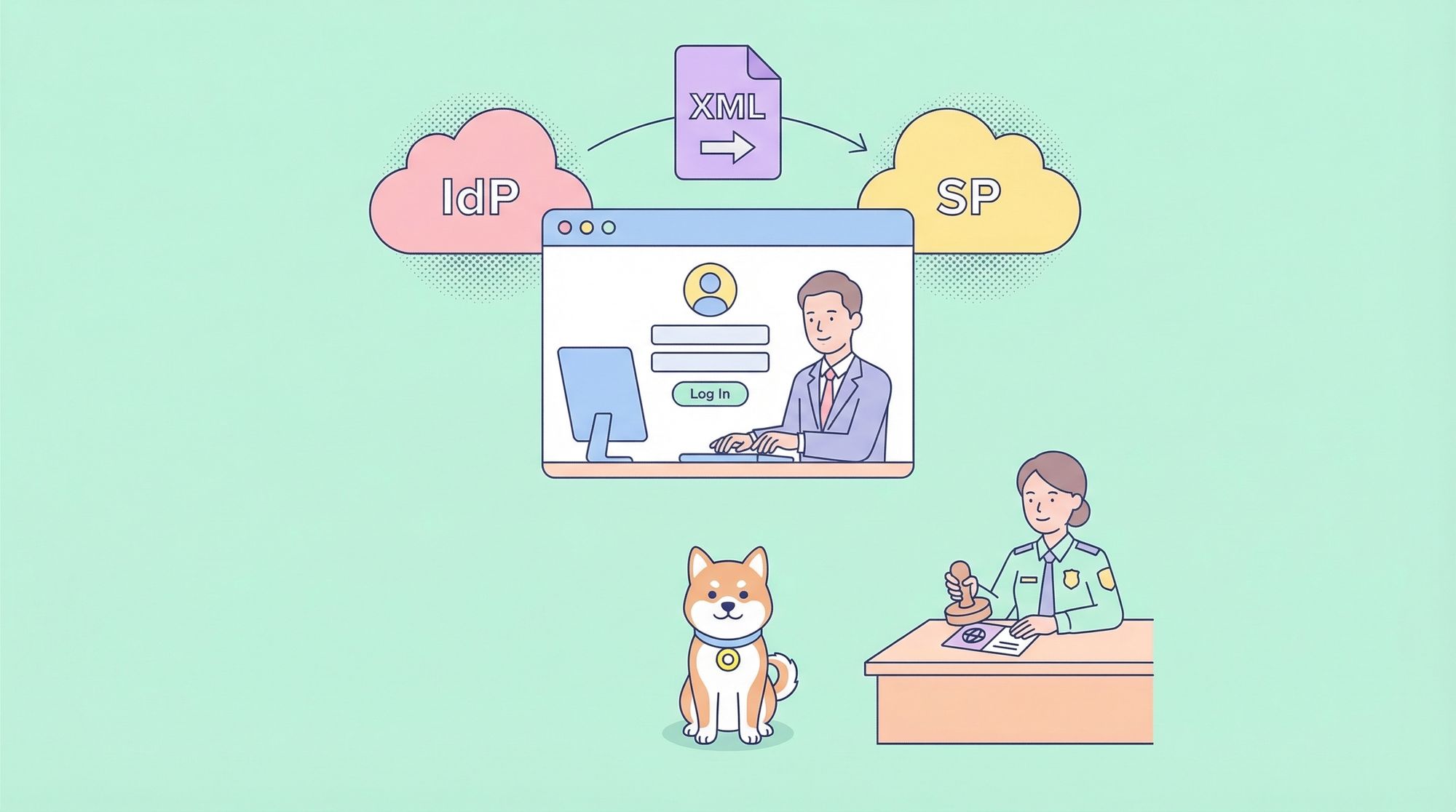
- Identity Provider (IdP): Authenticates the user and issues SAML assertions.
- Service Provider (SP): The application or service the user wants to access.
- User (Principal): The end user who requests access.
- SAML Assertions: XML documents that contain authentication statements about the user.
- Bindings and Protocols: Define how SAML messages are transported (e.g., via HTTP POST or Redirect).
2. The SAML 2.0 Authentication Flow
Here’s what happens during a typical SAML 2.0 SSO session:
- User attempts to access a Service Provider (SP): For example, your company’s expense management tool.
- SP redirects the user to the Identity Provider (IdP): The SP sends an authentication request.
- User authenticates with the IdP: This could be via username/password, 2FA, or another method.
- IdP generates a SAML Assertion: This assertion includes information like the user's identity and attributes.
- Assertion is sent to the SP: Usually via the user's browser (HTTP POST).
- SP validates the assertion: If valid, the user is granted access without needing to log in again.
Diagram:
User --> SP --> IdP --> User --> SP
(Each arrow represents the SAML 2.0 message exchange.)
Deep Dive: SAML 2.0 Assertions and Protocols
What is a SAML Assertion?
A SAML assertion is an XML document that securely communicates authentication, attribute, and authorization information. There are three main types:
- Authentication Assertion: Confirms that the user has been authenticated.
- Attribute Assertion: Shares user attributes (e.g., email, role).
- Authorization Decision Assertion: Specifies if the user is authorized for an action.
Sample SAML 2.0 Assertion (XML):
    john.doe@example.com


      admin
SAML 2.0 Bindings and Protocols
- Binding: Defines how SAML messages are transmitted (e.g., HTTP Redirect, HTTP POST, SOAP).
- Protocol: Specifies the message patterns (e.g., authentication request and response).
SAML 2.0 vs. SAML 1.1: What’s New?
If you’re wondering what makes SAML 2.0 different, here are the key improvements over SAML 1.1:
- Enhanced interoperability: SAML 2.0 is widely supported and standardized.
- Single Logout (SLO): Users can log out from all connected services in a single action.
- Improved attribute sharing: More flexible exchange of user attributes.
- Stronger security features: Support for advanced encryption and signing.
Real-World Applications of SAML 2.0
SAML 2.0 in Enterprise SSO
Large organizations use SAML 2.0 to provide SSO across dozens—or even hundreds—of internal and cloud applications. For example, logging into a corporate dashboard automatically gives access to HR portals, CRM, and project management tools, all thanks to SAML 2.0.
SAML 2.0 in SaaS Integrations
Many SaaS providers (like Salesforce, Google Workspace, and Microsoft 365) support SAML 2.0 as a way for enterprises to integrate their own identity providers, ensuring that user identities remain under organizational control.
SAML 2.0 in API Security and Development
While SAML 2.0 is primarily used for browser-based SSO, understanding SAML 2.0 is critical for API developers building backend integrations, especially when working with federated authentication requirements.
Tip: Tools like Apidog make it easier to document, test, and mock APIs that interact with SAML 2.0 flows. When designing APIs that must accept or validate SAML assertions, Apidog's schema-driven approach ensures consistency and clarity.
Implementing SAML 2.0 in Your Systems
Steps for Integrating SAML 2.0
1. Choose an Identity Provider (IdP): Options include Okta, Azure AD, Auth0, and others.
2. Configure SAML 2.0 on your Service Provider (SP): Register metadata, set up endpoints, and handle SAML assertions.
3. Map user attributes: Decide which user data you’ll pass in the assertion.
4. Test and validate the flow: Use tools and sandboxes to ensure secure, reliable authentication.
Pro Tip: Apidog can help you design and document your authentication APIs, including endpoints that interact with SAML 2.0, making collaboration between developers and security teams seamless.
SAML 2.0 Security Considerations
Why is SAML 2.0 Considered Secure?
- Token-based: Credentials are never shared with the SP; only assertions are.
- Digital signatures: Assertions are cryptographically signed to prevent tampering.
- Encryption: Sensitive data within assertions can be encrypted.
- Short-lived assertions: Reduces the risk of replay attacks.
Common SAML 2.0 Vulnerabilities
Misconfigurations—such as not validating signatures or using outdated libraries—can expose systems. Always:
- Validate all incoming SAML assertions.
- Keep SAML libraries up to date.
- Limit assertion lifetime.
SAML 2.0 and Modern Authentication Trends
With the rise of OAuth 2.0 and OpenID Connect, some wonder if SAML 2.0 is obsolete. The answer is no—while those protocols are popular for mobile and API-first applications, SAML 2.0 remains dominant in enterprise SSO and B2B integrations due to its robust attribute handling and mature ecosystem.
Apidog Insight: When documenting APIs that bridge SAML 2.0 and newer protocols, Apidog’s import/export and mocking features streamline the process, helping teams maintain clear, up-to-date API contracts.
Practical Example: SAML 2.0 in Action
Scenario: SSO for a Company Intranet
1. User navigates to the intranet (SP).
2. SP redirects user to Okta (IdP) via a SAML 2.0 authentication request.
3. User logs into Okta.
4. Okta issues a SAML assertion, which is sent back to the intranet SP.
5. SP validates the assertion, creates a session, and grants access.
This SAML 2.0 flow can be documented and tested using Apidog, ensuring every endpoint and exchange is clearly defined for both internal and external developers.
Summary: What is SAML 2.0 and Why Should You Care?
To recap, SAML 2.0 is a secure, XML-based standard for federated authentication and single sign-on. It enables organizations to streamline user access, enhance security, and simplify identity management across countless applications. For API developers, understanding SAML 2.0 is vital for building secure, interoperable systems.
Next steps:
- Explore your organization’s current authentication architecture—does it leverage SAML 2.0?
- Use Apidog to document, mock, and test your API endpoints that interact with SAML 2.0 flows.
- Stay updated with SAML 2.0 best practices to maintain robust security and compliance.
Frequently Asked Questions about SAML 2.0
Q: Is SAML 2.0 only for web applications?
A: While SAML 2.0 is most common in browser-based SSO, it can also be used in some API and mobile scenarios, especially in legacy enterprise environments.
Q: How does SAML 2.0 compare to OAuth 2.0?
A: SAML 2.0 is focused on authentication and providing identity assertions, whereas OAuth 2.0 is centered around authorization and delegated access.
Q: Can Apidog help with SAML 2.0 integration?
A: Yes! Apidog simplifies designing, documenting, and testing APIs that interact with SAML 2.0, making collaboration and compliance easier.