If you're asking, “Do I need a Mac Mini to run OpenClaw (Moltbot/Clawdbot)?”, the practical answer is no for most developers.
A Mac Mini is useful in specific cases—especially when your workflow depends on macOS-native automation, Apple-specific tooling, or tight local desktop integration. But OpenClaw itself is not inherently “Mac Mini only.” It can run on Linux servers, cloud VMs, containers, and hybrid setups.
The better question is: which runtime topology gives you the best reliability, latency, and cost for your agent workloads?
Why this question keeps coming up in the community
Recent discussion around OpenClaw, its rename history (Moltbot/Clawdbot), and rapid OSS adoption has made infrastructure decisions a hot topic. On Dev.to and Hacker News, the same concerns repeat:
- Should I run everything locally for privacy?
- Is cloud cheaper than buying dedicated hardware?
- How do I keep agent “heartbeats” cheap and reliable?
- What’s the secure way to run tool calls and code execution?
Those are all architecture questions, not brand questions.
The “Mac Mini requirement” myth usually comes from people conflating:
- Core orchestrator runtime (can run almost anywhere)
- macOS-bound tool integrations (require Apple environment)
- Model inference strategy (local vs remote)
Once you separate these, deployment choices become straightforward.
OpenClaw runtime model (what actually needs compute)
Most OpenClaw-style stacks have four moving pieces:
Agent orchestrator service
Maintains state, task loops, retries, and tool dispatch.
Memory + data store
Short-term context, vector index, event logs, task history.
Tool execution layer
Shell commands, browser automation, API calls, external connectors.
LLM access path
Local inference, hosted model APIs, or mixed routing.
A Mac Mini only becomes necessary when item #3 needs native macOS APIs, or when you choose local Apple-specific inference optimizations.
When a Mac Mini is a good choice
A Mac Mini is a strong choice if you need one or more of these:
1) macOS-native automation
If your agent controls Mac apps (Mail, Calendar, Notes, iMessage automation, AppleScript bridges), you need a macOS host.
2) Low-noise always-on desktop node
Mac Minis are compact, quiet, and power-efficient for home-lab 24/7 agents.
3) Local-first personal workflows
If your priority is keeping personal context and desktop actions local, a Mini is practical.
4) Unified edge agent + UI testing station
You can colocate browser/tool execution and local model caching on one box.
When a Mac Mini is unnecessary
You can skip it if your stack is mostly API-driven:
- OpenClaw orchestrator in Docker on Linux
- Hosted LLM endpoints (OpenAI/Anthropic/local gateway)
- External SaaS tools via API
- Sandboxed execution in containers or microVMs
For team environments, Linux cloud instances are often simpler to scale, monitor, and secure.
Reference deployment patterns
Pattern A: Cloud-first (recommended for teams)
Components
- Orchestrator: Kubernetes/VM
- Store: Postgres + Redis + optional vector DB
- Tool runners: isolated worker pool
- LLM: hosted APIs
Pros
- Scales horizontally
- Easier observability and CI/CD
- Centralized security controls
Cons
- API latency variance
- Ongoing cloud spend
- External model data path concerns
Pattern B: Single-node local (power user setup)
Components
- OpenClaw services via Docker Compose
- Local DB + cache
- Optional local model runtime
Pros
- Privacy and low recurring cost
- Fast iterative development
- Works offline for parts of stack
Cons
- Single point of failure
- Harder team collaboration
- Resource contention under load
Pattern C: Hybrid (common sweet spot)
Components
- Orchestrator in cloud
- Sensitive tool execution local (Mac Mini or secure edge node)
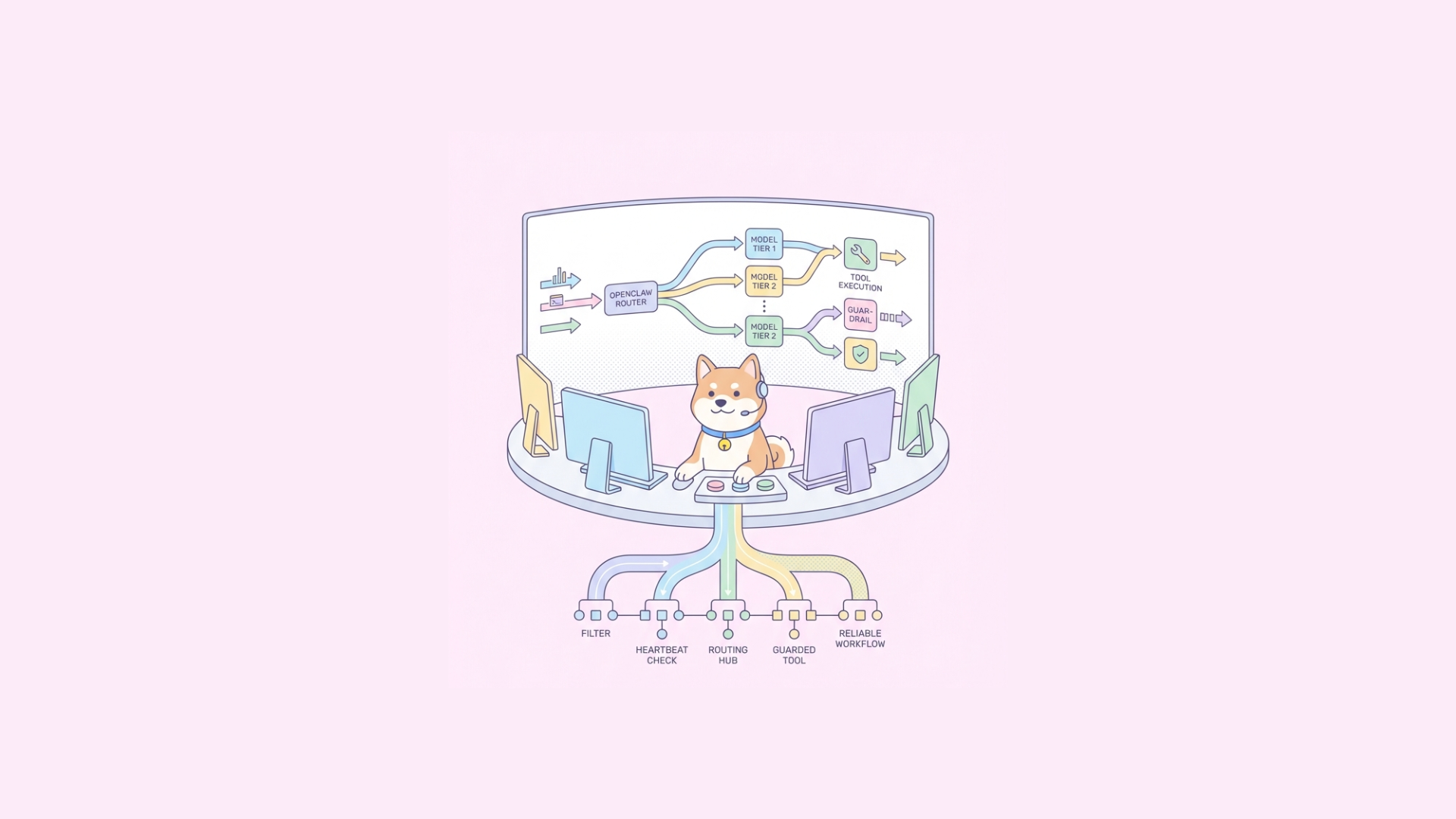
- Model routing by policy (cheap model first, stronger fallback)
Pros
- Good privacy/latency balance
- Better uptime than fully local
- Cost-optimized inference paths
Cons
- More routing complexity
- Needs careful auth/network policy
Heartbeat architecture: cheap checks first, model only when needed
A strong trend in the OpenClaw community is heartbeat optimization: run low-cost deterministic checks before invoking an LLM.
Practical heartbeat pipeline
- Static liveness checks: process, queue depth, stale lock detection
- Rule-based health checks: regex/state-machine validations
- Lightweight classifier (optional): tiny model or heuristic scorer
- Escalate to full LLM reasoning only on ambiguous states
This cuts cost and avoids token burn on routine health decisions.
Example pseudo-flow:
bash if queue_lag > threshold or worker_dead: action="restart-worker" elif output_schema_invalid: action="retry-last-step" else action="no-op"
if action == "unknown": action=$(call_reasoning_model)
This is where architecture matters more than hardware brand.
Security: do not run tool calls unsandboxed
As OpenClaw deployments mature, sandboxing is non-negotiable. Whether you use container isolation, microVMs, or dedicated sandbox systems, isolate untrusted execution.
Minimum controls:
- No host root mounts
- Egress allow-list by default
- Short-lived credentials for tools
- Per-task filesystem isolation
- Full audit log of command + input + output
If your reason for buying a Mac Mini is “it feels safer locally,” remember: local is not automatically secure. Isolation design matters more.
API contract discipline for OpenClaw toolchains
OpenClaw agents fail most often at boundaries: malformed tool payloads, drifted schemas, and silent integration changes.
Define tool APIs with OpenAPI and enforce response schemas. This is where Apidog fits naturally into the workflow.
With Apidog, you can:
- Design tool endpoints in a schema-first OpenAPI flow
- Generate mock endpoints so agents can be tested before tools are live
- Build automated test scenarios for retries, timeouts, and schema validation
- Share interactive docs so backend, QA, and agent engineers stay aligned
That reduces “agent hallucination” symptoms that are really contract failures.
Example: reliability test matrix for an OpenClaw tool API
Use scenario-based API tests, not just happy-path checks.
yaml scenarios:
name: tool_success request: valid_payload expect: status: 200 body.schema: ToolResult body.result.status: success
name: transient_timeout request: valid_payload_with_slow_dependency expect: status: 504 retryable: true
name: schema_drift_detection request: valid_payload mock_response: missing_required_field expect: assertion: fail_contract
name: auth_expired request: expired_token expect: status: 401 body.error_code: TOKEN_EXPIRED
In Apidog, these can be run continuously in CI/CD as quality gates before deployment.
Hardware sizing guide (pragmatic baseline)
If you’re deciding between “buy Mac Mini” vs “reuse server/cloud,” size from workload shape.
Orchestrator-only node
- 4 vCPU, 8–16 GB RAM
- SSD preferred
- Suitable for API-heavy agents with hosted LLMs
Orchestrator + moderate tool execution
- 8 vCPU, 16–32 GB RAM
- Fast local disk for temp artifacts
- Better for browser tasks and parallel jobs
Local inference-heavy
- RAM and accelerator constraints dominate
- Quantized models can help, but concurrency drops quickly
- Consider model routing before scaling hardware
Don’t overbuy hardware before measuring:
- tokens/task
- average task latency
- tool error rate
- retry amplification factor
- queue lag under burst
Debugging checklist: “OpenClaw feels slow/unreliable”
- Separate model latency from tool latency in traces.
- Check retry storms caused by schema mismatch.
- Add idempotency keys to mutating tool calls.
- Cap parallelism per dependency (avoid thundering herds).
- Implement circuit breakers for flaky external APIs.
- Fallback to cheap heartbeat logic before LLM escalation.
- Use mock environments to reproduce deterministic failures.
If your team documents APIs manually, migrate to auto-generated docs from source schemas. Drift between docs and implementation is a major root cause of agent errors.
Decision framework: should you buy a Mac Mini?
Answer these in order:
- Do you need macOS-native automation now?
- If yes, Mac Mini is justified.
- Are you inference-local by policy/privacy?
- If yes, evaluate Mini vs Linux workstation by cost/perf.
- Is this team production infrastructure?
- If yes, cloud/hybrid usually wins operationally.
- Do you already have stable Linux capacity?
- If yes, start there first.
For most developers and teams building API-centric OpenClaw systems, the best first move is:
- Run orchestrator + stores in cloud or existing Linux infra
- Keep tool contracts strict with OpenAPI
- Add isolated runners for risky tasks
- Optimize heartbeat logic before scaling hardware
Final answer
You don’t need a Mac Mini to run OpenClaw (Moltbot/Clawdbot). You need the right architecture for your workload.
Choose Mac Mini when macOS integration is a hard requirement. Otherwise, prioritize portability, observability, schema discipline, and sandboxed execution.
If you’re building production-grade OpenClaw APIs, standardize your contracts and tests early. Apidog helps you do that in one workspace: design, debug, test, mock, and document without context switching.
Try it free—no credit card required.