Working with APIs can be messy. You're juggling endpoints, authentication tokens, JSON payloads, and testing scenarios. Doing this in a terminal with curl or writing one-off scripts quickly becomes unsustainable. What you need is a proper toolkit a digital workshop designed specifically for crafting, testing, and managing your API interactions.
The right tool doesn't just make you faster; it makes you better. It helps you catch bugs earlier, document your work, and collaborate effectively with your team. But with so many options out there, how do you choose?
Whether you're a solo developer, part of a startup, or in a large enterprise, this guide will walk you through the top 10 tools that can transform your REST API workflow from chaotic to streamlined.
In this guide, we‘ll break down the top 10 tools to manage REST requests, explain what they’re good at, and help you choose the right one for your workflow.
Now, let's explore the landscape and find the perfect tool (or tools) for your needs.
Why Managing REST Requests Is More Important Than Ever
REST APIs are the backbone of modern software. They power:
- Web applications
- Mobile apps
- SaaS platforms
- Microservices
- Third-party integrations
- Internal tools
As APIs grow, so do the challenges:
- Keeping requests organized
- Handling authentication across environments
- Sharing requests with teammates
- Replaying requests reliably
- Tracking changes over time
- Avoiding duplicate or outdated requests
This is exactly why REST request management tools exist to bring structure, clarity, and efficiency to API development.
What Makes a Great Rest API Management Tool?
Before we dive into the list, let's establish what we're looking for. A top-tier REST API client should excel in several areas:
- Intuitive Interface: Making requests should be visual and straightforward, not a coding exercise.
- Testing & Automation: The ability to write tests, create suites, and run them automatically.
- Team Collaboration: Features for sharing collections, documenting APIs, and working together.
- Environment Management: Easily switch between development, staging, and production settings.
- Additional Features: Bonus points for mocking, monitoring, and API design capabilities.
With these criteria in mind, let's count them down.
1. Apidog: The All-in-One API Platform
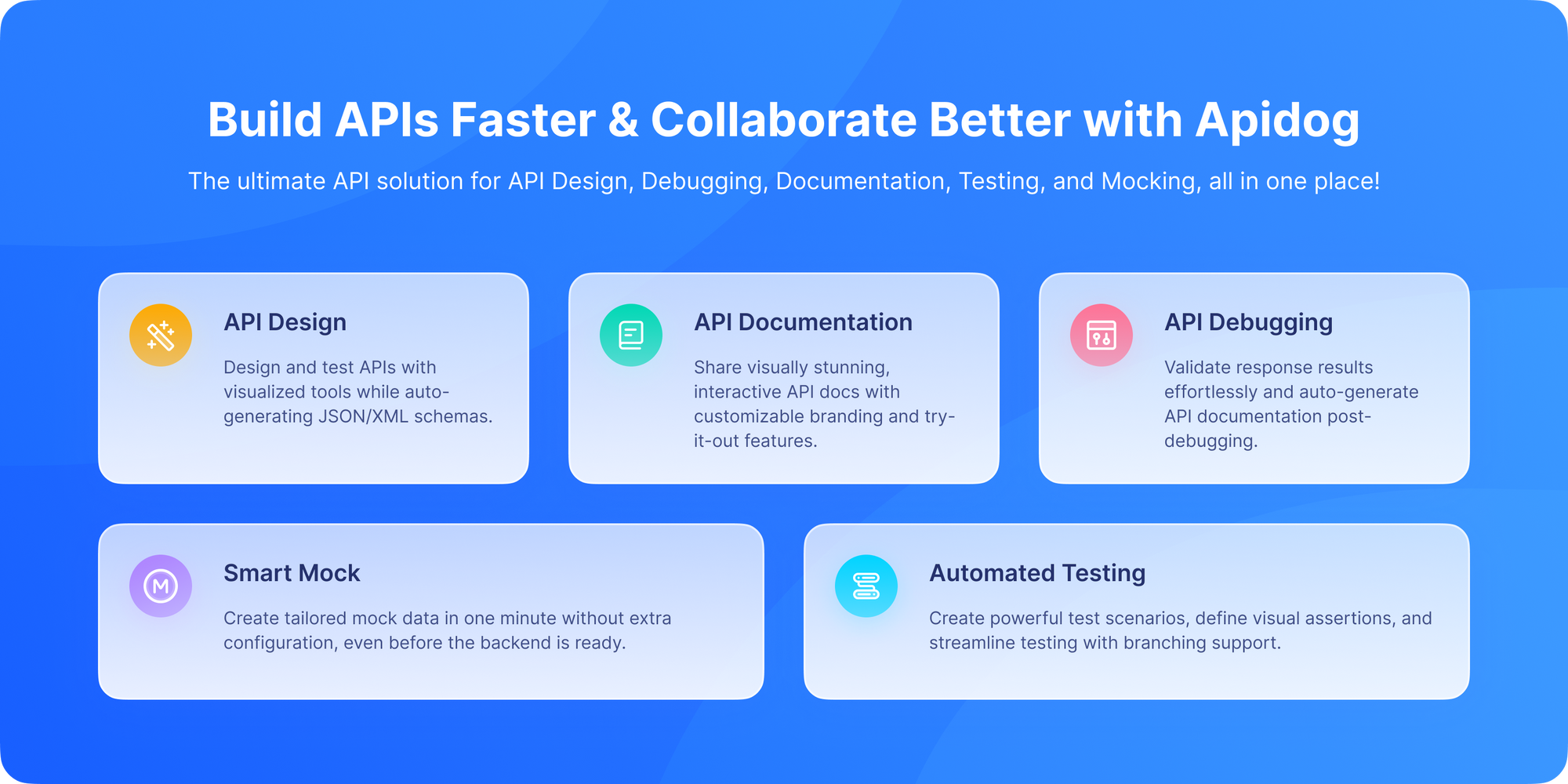
Best for: Teams adopting an API-first approach who want design, testing, mocking, and documentation in one seamless interface.
Apidog represents the next evolution of API tools. Instead of being just a client, it's a unified platform for the entire API lifecycle, built for modern collaborative workflows.
Pros:
- Unified Workflow: Design your API, mock it instantly, test the implementation, and publish documentation all in the same tool without context switching. This is its killer feature.
- Design-First Friendly: Excellent visual tools for designing APIs before writing code, promoting better contracts.
- Instant Mocking: Generate a working mock server from your API design with one click, enabling parallel frontend/backend development.
- Powerful, Integrated Testing: Combines robust testing capabilities (like Postman) with the design and mocking features.
- Team-Centric: Built from the ground up for collaboration with shared workspaces and clear role management.
Cons:
- Newer Player: While growing rapidly, it doesn't have the decade-long ecosystem of Postman.
- Learning a New Platform: Teams deeply invested in another tool's workflow face a migration cost.
Verdict: Apidog is the most compelling tool on this list for teams that want to break down silos and streamline their entire API process. It’s not just a client; it’s a platform for building better APIs, faster. Download Apidog for free to experience this integrated approach.
2. Postman: The Industry Titan
Best for: Teams of all sizes that need collaboration, documentation, and a massive ecosystem.
Postman is the most widely recognized API platform. It grew from a simple Chrome extension to a full-fledged platform used by millions. It defines the category for many people.
Pros:
- Unbeaten Ecosystem: The largest community, tons of public collections, and extensive integrations.
- Comprehensive Collaboration: Excellent workspaces, team libraries, and role-based access control.
- Full Lifecycle Tools: API monitoring, basic design features, and public/private documentation hosting.
- Powerful Testing & Automation: JavaScript-based pre-request and test scripts with a robust sandbox.
Cons:
- Can Feel Bloated: The constant push towards its platform and paid features can clutter the experience.
- Resource Intensive: The Electron app can be slow and consume significant memory.
- Pricing: Advanced team and enterprise features are expensive.
Verdict: Postman is the safe, powerful, and complete choice. If you need a tool that does everything and has an answer for every problem, Postman is it. Its main challenge is newer, more focused competitors.
3. Insomnia: The Developer's Workbench
Best for: Individual developers and small teams who want a powerful, free, and focused experience.
Insomnia is a popular cross-platform REST client that hits a sweet spot between power and simplicity. It’s beloved for its clean design and plugin ecosystem.
Pros:
- Excellent UI/UX: Intuitive and pleasant to use daily. Organizing requests with folders and workspaces is easy.
- Plugin Support: Extend functionality with plugins for code generation, templating, etc.
- Good Core Features: Solid environment variables, basic testing, and GraphQL support.
- Free Core Version: The core features are completely free and very capable.
Cons:
- Advanced Features Locked: Team sync, advanced mocking, and CI/CD features require a paid plan.
- Can feel siloed: Less emphasis on the full API lifecycle (design, documentation) compared to some newer platforms.
Verdict: Insomnia is a fantastic, reliable daily driver for developers who primarily need a superb client for sending requests and basic testing.
4. Hoppscotch: The Lightweight Contender
Best for: Developers who want a fast, no-fuss, browser-based tool.
Formerly known as Postwoman, Hoppscotch is a sleek, open-source API client that runs in your browser. It prides itself on being lightweight and fast.
Pros:
- Zero Installation: Just open a tab and go. Perfect for quick checks or working on a restricted machine.
- Clean & Simple: The interface is minimal and focused on making requests.
- Progressive Web App (PWA): Can be installed to work offline.
Cons:
- Limited Advanced Features: Lacks the depth in testing automation, mocking, and team features of more comprehensive tools.
- Browser Limitations: Handling some authentication flows or very large requests can be trickier in a browser sandbox.
Verdict: Hoppscotch is the perfect "second screen" tool incredibly handy for a quick API call when you don't want to switch contexts to a dedicated app.
5. cURL: The Veteran Warrior
Best for: Quick one-offs, debugging, and scripting.
Let's start with the foundation. cURL (Client URL) is the venerable command-line tool and library that powers much of the internet's data transfer. It's not a GUI tool, but it's in a category of its own.
Pros:
- Ubiquitous: Available on virtually every system. It's the universal translator for HTTP.
- Powerful & Scriptable: Perfect for embedding in shell scripts, CI/CD pipelines, and automation.
- Transparent: You see the raw HTTP request and response, which is great for learning and deep debugging.
Cons:
- No GUI: Not user-friendly for exploratory work or complex requests.
- Manual Everything: You must manually write headers, format JSON, and handle authentication strings.
Verdict: cURL is an essential tool in every developer's arsenal, but it's the "engine" rather than the "car." You use it for specific, automated tasks, not for your day-to-day API exploration.
6. HTTPie: cURL's User-Friendly Cousin
Best for: Developers who love the terminal but want a better experience.
HTTPie (pronounced "aitch-tee-tee-pie") is a modern command-line HTTP client built for the API era. It aims to make CLI interaction with web services as human-friendly as possible.
Pros:
- Intuitive Syntax: Commands read almost like English.
http POST example.com/api name=John email=john@example.com - Beautiful Output: Syntax-highlighted JSON, organized headers, and sensible defaults.
- Great for APIs: Built-in JSON support, session persistence, and easy authentication.
Cons:
- Still CLI-based: Not ideal for those who prefer visual tools or complex team workflows.
Verdict: If you live in the terminal and work with JSON APIs daily, HTTPie is a massive upgrade over cURL for interactive use.
7. Paw: The macOS Native
Best for: macOS developers who appreciate deep system integration and a polished native experience.
Paw is a full-featured HTTP client built exclusively for macOS. It's known for its beautiful interface and powerful dynamic value system.
Pros:
- Mac-Native Excellence: Feels like a true macOS citizen with great performance and integration.
- Dynamic Value Engine: An incredibly powerful system for generating values (timestamps, hashes, JWTs) and chaining requests.
- Great Code Generation: Generate client code in many languages from your requests.
Cons:
- macOS Only: No Windows or Linux version.
- Commercial License: It's a paid application, though with a free trial.
Verdict: If you're on a Mac and want a premium, native tool with deep capabilities for complex request chaining, Paw is hard to beat.
8. Thunder Client (VS Code Extension)
Thunder Client integrates REST request management directly into VS Code.
Why It’s Useful
- No context switching
- Lightweight
- Supports collections and environments
Limitations
- Basic compared to full platforms
- Limited documentation and sharing
Ideal for developers who prefer everything inside their editor.
9. Advanced REST Client (ARC)
ARC is a Chrome-based REST client with modern UI features.
Key Features
- Request history
- Collections
- Environment variables
Downsides
- Browser dependency
- Less active development compared to newer tools
Still usable, but less popular today.
10. SoapUI (ReadyAPI): The Enterprise Powerhouse
Best for: Large organizations, QA engineers, and performance testing complex API suites.
SoapUI is the heavyweight champion of API testing. Its open-source version is powerful, but its commercial sibling, ReadyAPI, is a behemoth designed for enterprise-scale functional, security, and performance testing.
Pros:
- Unmatched Testing Depth: The gold standard for data-driven testing, complex assertions, and load testing.
- Service Virtualization (Mocking): Create incredibly sophisticated mock services.
- CI/CD Integration: Built for integration into enterprise DevOps pipelines.
Cons:
- Steep Learning Curve: The interface is complex and can be overwhelming.
- Heavyweight: It's a large desktop application, not a light tool.
- Cost: ReadyAPI is a significant enterprise investment.
Verdict: SoapUI/ReadyAPI is the tool you bring in for serious, comprehensive API testing at an enterprise level. It's overkill for simple CRUD API exploration.
Comparison: REST Request Management at a Glance
| Tool | Best For | Collaboration | Ease of Use |
|---|---|---|---|
| Apidog | End-to-end REST request management | ⭐⭐⭐⭐⭐ | ⭐⭐⭐⭐⭐ |
| Postman | General-purpose API testing | ⭐⭐⭐⭐ | ⭐⭐⭐⭐ |
| Insomnia | Lightweight REST testing | ⭐⭐ | ⭐⭐⭐⭐ |
| Hoppscotch | Quick browser testing | ⭐⭐ | ⭐⭐⭐⭐ |
| cURL | Automation & scripting | ❌ | ⭐⭐ |
| HTTPie | CLI users | ❌ | ⭐⭐⭐ |
| Paw | macOS users | ⭐⭐ | ⭐⭐⭐⭐ |
| Thunder Client | VS Code workflows | ⭐⭐ | ⭐⭐⭐ |
| ARC | Browser-based clients | ⭐⭐ | ⭐⭐⭐ |
| SoapUI | Heavy API testing | ⭐⭐⭐ | ⭐⭐ |
Why Apidog Is the Best Choice for Managing REST Requests
While many tools can send REST requests, Apidog excels at managing them over time.
Apidog gives you:
- Structured collections
- Clear API ownership
- Environment-aware requests
- Version control
- Team collaboration
- Auto-generated documentation
Instead of juggling multiple tools, Apidog keeps everything in one place.
Final Thoughts: The Right Tool for YOUR Job
REST APIs aren’t going away and neither is the need to manage them properly.
While there are many tools available, the best choice depends on how serious you are about structure, collaboration, and long-term maintainability.
If you’re looking for a tool that goes beyond basic request sending and helps you design, manage, and share REST requests effectively, Apidog stands out as the most complete solution.
Download Apidog for free and take control of your REST request workflow today.
The best tool is the one that fits seamlessly into your workflow and solves your specific problems. The great news is that most of these tools have free tiers or trials. The best way to choose is to pick 2-3 that sound right and take them for a spin. Your future, more efficient API-building self will thank you.