
Have you ever encountered the error message No module named 'requests' while working with Python? If so, you’re not alone. This error is quite common, especially when dealing with APIs. But don’t worry, we’ve got you covered. In this blog post, we’ll dive deep into this issue and provide you with a step-by-step guide to resolve it.
Understanding the Error
First things first, let’s understand what this error means. Python is telling us that it can’t find the requests module. This module is a go-to tool for making HTTP requests in Python. It abstracts the complexities of making requests behind a beautiful, simple API, allowing you to send HTTP/1.1 requests.
Why Does This Error Occur?
The error No module named 'requests' typically occurs when Python can’t locate the requests library in your system’s Python environment. This could be because the library isn’t installed, or Python is looking in the wrong place.
How to Fix the Error
Now, let’s get to the fun part - fixing the error. Here are the steps:
Check if Requests is Installed: The first step is to check if the requests library is installed. You can do this by running pip show requests in your terminal. If it’s installed, you’ll see information about the library. If not, you’ll see no output.
Install Requests: If the requests library isn’t installed, you can install it by running pip install requests in your terminal.
Check Python Environment: If the requests library is installed but you’re still seeing the error, Python might be using a different environment. You can check your Python environment by running which python in your terminal.
Use a Virtual Environment: To ensure Python is using the correct environment, you can create a virtual environment using venv. This isolates your Python environment and ensures it’s using the correct libraries.
Using Apidog to Test Your Python Request
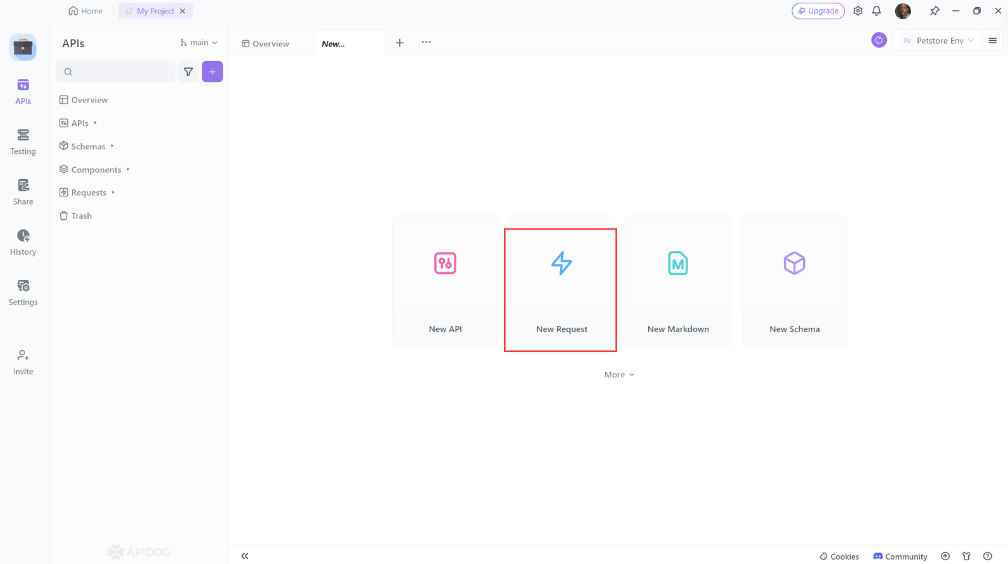
Apidog is a robust API testing tool that enables you to generate and store API requests, categorize them into collections, and collaborate with your team. Here's a guide on using Apidog to test your GET request:
- Open Apidog and create a new request.
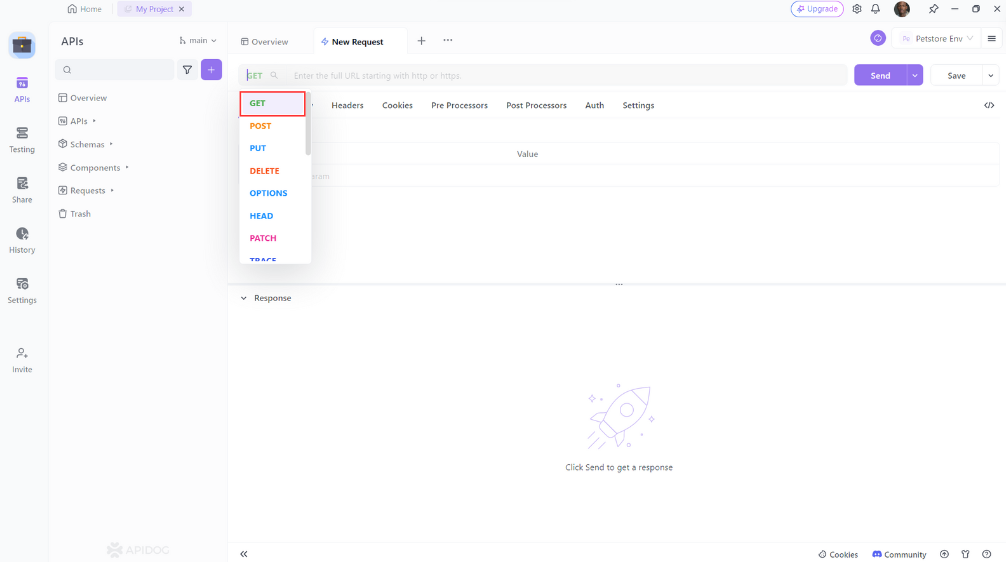
2. Set the request method to GET.
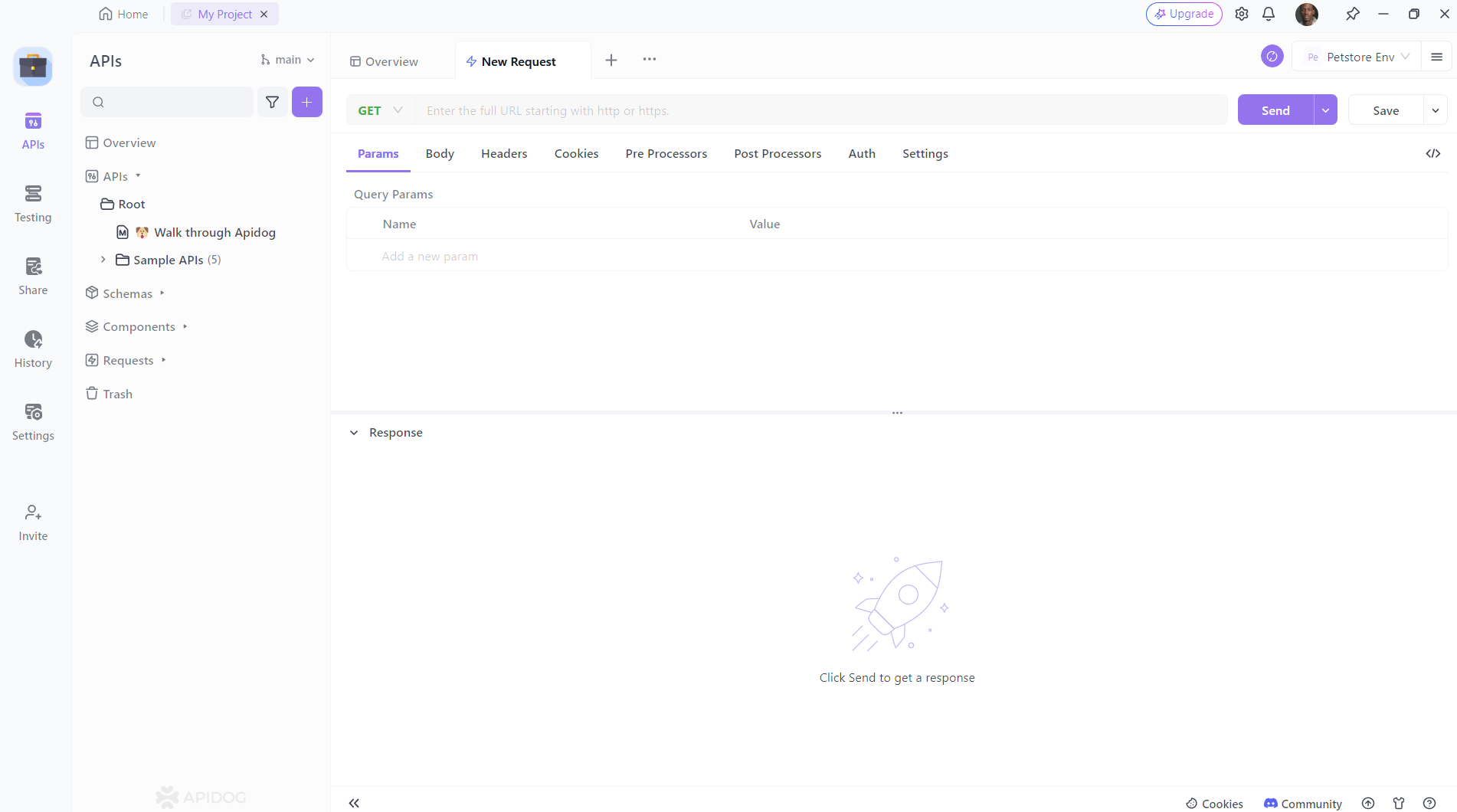
3. Enter the URL of the resource you wish to update. You can also add any additional headers or parameters you want to include, and then click the 'Send' button to send the request
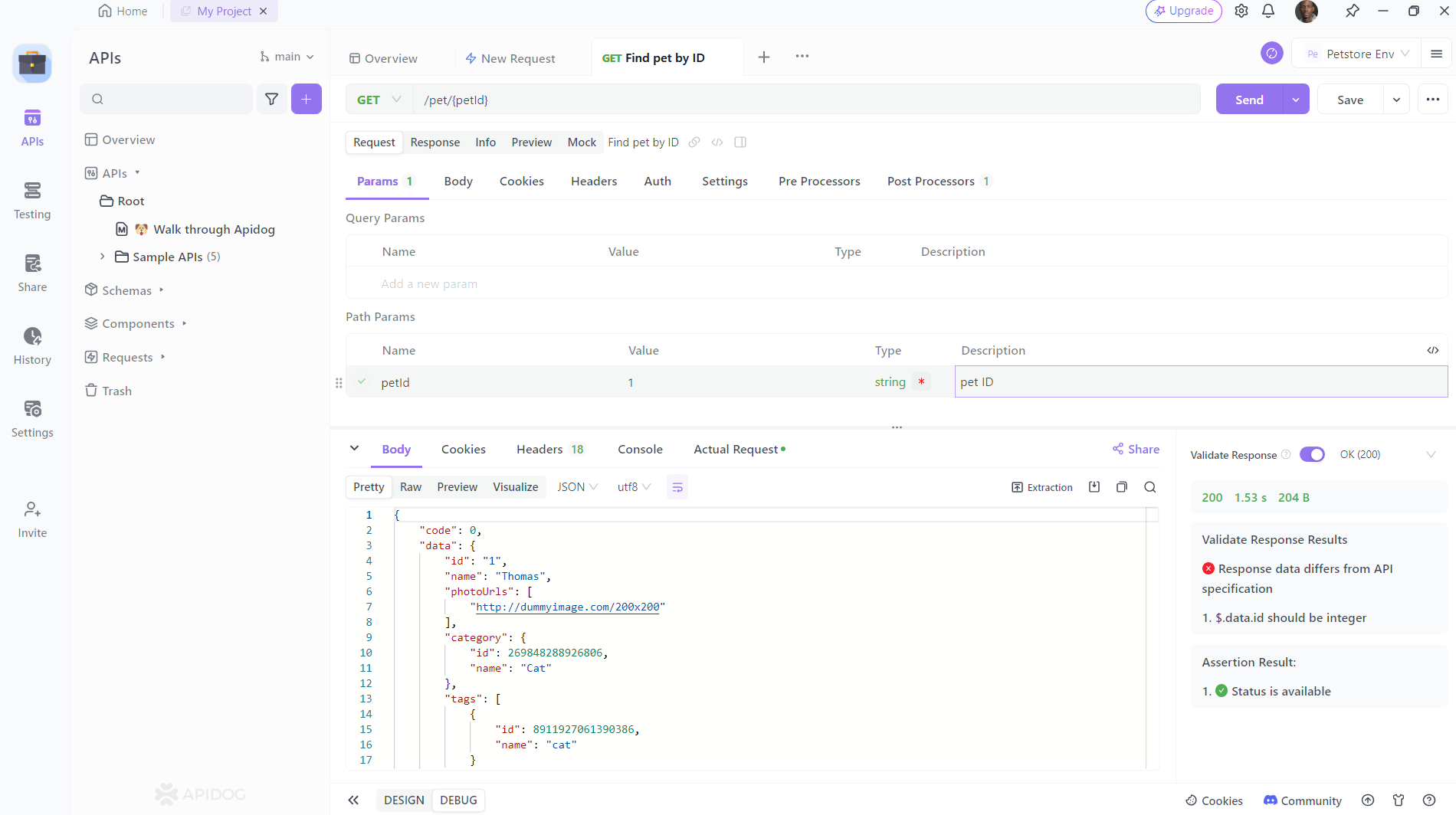
4. Confirm that the response matches your expectations.
If your project also reads configuration files, you may hit the same package-naming mismatch with PyYAML, where the install name differs from the import name, and the fix follows exactly the same pattern.
Conclusion
And there you have it! By following these steps, you should be able to resolve the No module named 'requests' error in Python. Remember, the requests library is a powerful tool for working with APIs in Python, so it’s worth getting familiar with it.