OpenClaw (previously Moltbot and often referenced as Clawdbot in community threads) has grown fast because it focuses on practical agent workflows, not just chatbot demos. As adoption expands, the top engineering question is straightforward:
Which AI models can OpenClaw actually run reliably in production?
That question appears repeatedly in community posts and discussions around:
- heartbeat-style gating (“cheap checks first, models only when needed”),
- self-hosting and cloud portability,
- secure tool execution with sandboxing,
- and tradeoffs versus lightweight alternatives like Nanobot.
If you are designing APIs around OpenClaw, model support is not only about compatibility. It directly affects latency, cost, tool reliability, and failure handling.
This guide breaks down model support from an implementation perspective and shows how to validate your integration using Apidog’s API design, testing, and mocking features.
OpenClaw model support: practical categories
OpenClaw generally supports models through provider adapters rather than one hardcoded backend. In practice, you can think in four categories.
1) OpenAI-compatible chat/completions APIs
Many OpenClaw deployments use an OpenAI-compatible interface first, because it standardizes:
- chat message format,
- function/tool calling payloads,
- streaming token events,
- usage metadata (prompt/completion tokens).
This includes both hosted providers and self-hosted gateways exposing OpenAI-style endpoints.
Engineering implication: if your provider is OpenAI-compatible but differs in tool-call JSON shape, you may need a normalization layer before OpenClaw’s planner/executor stages.
2) Anthropic-style message APIs
OpenClaw can be wired to Anthropic-style models via adapter modules that map roles, content blocks, and tool-use semantics into OpenClaw’s internal agent protocol.
Tradeoff: Anthropic-style structured outputs are often robust for long-context reasoning, but your token accounting and streaming semantics may differ from OpenAI-compatible providers.
3) Local/self-hosted models (Ollama, vLLM, llama.cpp bridges)
For privacy, cost control, or on-prem compliance, teams commonly connect OpenClaw to local model runtimes.
Common patterns:
- Ollama for quick local serving,
- vLLM for high-throughput GPU serving,
- llama.cpp-based adapters for constrained environments.
Tradeoff: local deployments give control and predictable data residency, but tool-calling quality varies heavily by model family and quantization level.
4) Embedding and reranker models
OpenClaw’s “model support” often includes non-generative models too:
- embedding APIs for retrieval,
- rerankers for context ordering,
- lightweight classifiers for pre-routing (heartbeat checks).
This is central to the “cheap checks first” approach: don’t invoke expensive reasoning models unless confidence thresholds require escalation.
The capability matrix that actually matters
When people ask “does OpenClaw support model X?”, the real question is whether model X supports the agent behaviors you need.
Evaluate each model against this matrix:
Tool/function calling reliability
Can it emit valid schema-constrained calls repeatedly?
Structured output conformance
Does it follow JSON schema without brittle prompt hacks?
Latency profile under concurrency
P95/P99 matter more than single-run averages.
Context-window behavior
Large context is useful only if retrieval and truncation policy are stable.
Cost per successful task
Measure cost-to-completion, not cost-per-token in isolation.
Safety and refusal patterns
Over-refusal can break automation; under-refusal can create risk.
Streaming + cancellation support
Important for UX and preventing wasted tokens on stale requests.
OpenClaw can connect to many models, but your production tier should include only models that pass these capability gates.
A reference routing architecture for OpenClaw
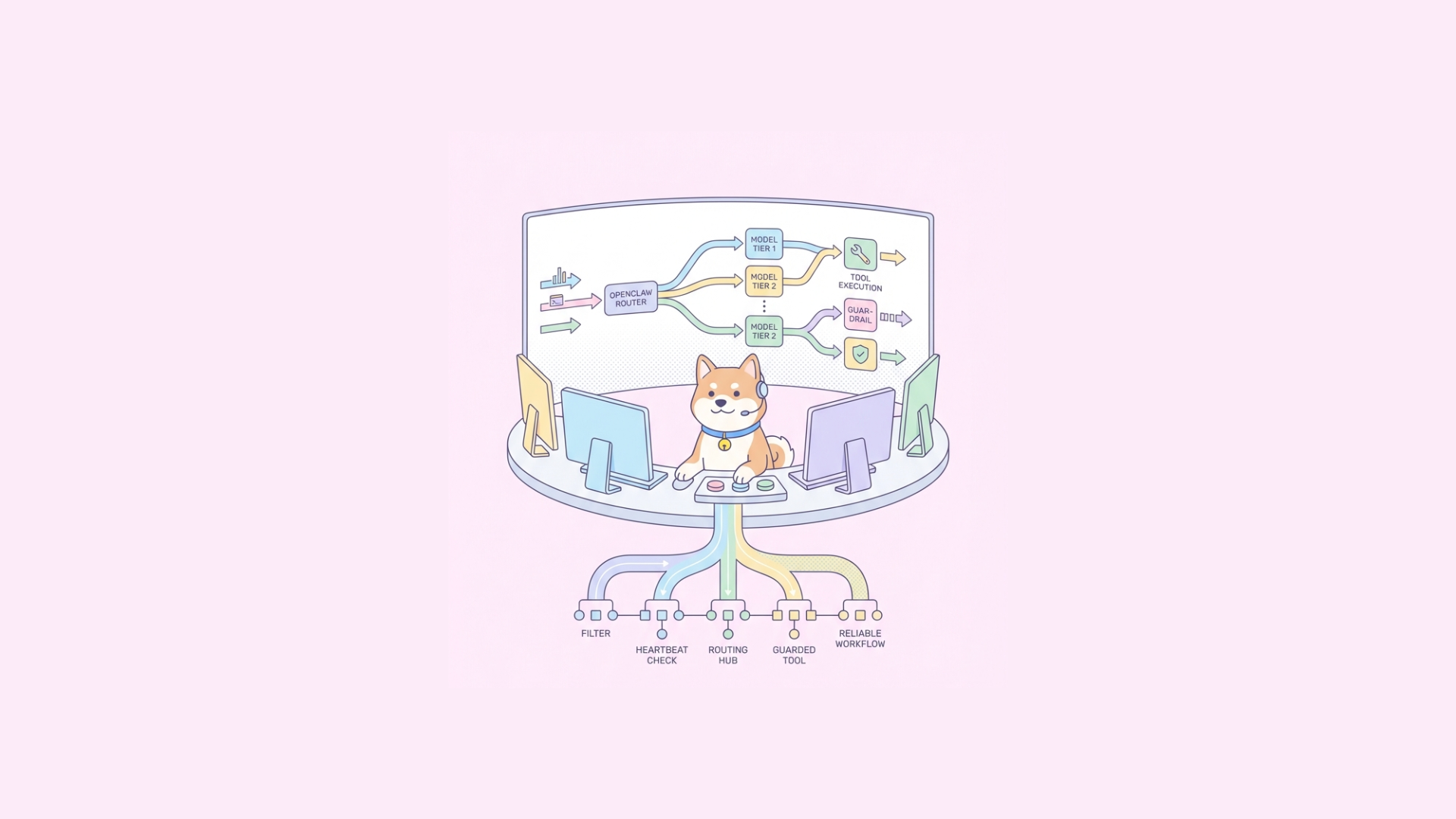
A robust OpenClaw stack usually implements tiered model routing:
- Tier 0: rules/heartbeat checks (regex, keyword, intent classifier)
- Tier 1: cheap small model for classification/extraction
- Tier 2: medium model for tool planning
- Tier 3: high-capability model for hard reasoning or recovery
This aligns with the heartbeat post trend: short-circuit early when possible.
Example routing policy (pseudo-config)
yaml router: stages: - name: heartbeat type: deterministic checks: - spam_filter - known_intent_map on_match: return_or_route
- name: fast_classifier
  model: local-small-instruct
  max_tokens: 128
  timeout_ms: 900
  on_low_confidence: escalate

- name: planner
  model: hosted-mid-toolcall
  require_tool_schema: true
  timeout_ms: 3500
  on_tool_schema_error: retry_once_then_escalate

- name: reasoning_fallback
  model: premium-large-reasoner
  max_tokens: 1200
  timeout_ms: 9000
This policy reduces spend while preserving quality for difficult requests.
Tool calling: where model support usually fails
Most OpenClaw incidents aren’t caused by token limits. They’re caused by inconsistent tool invocation.
Typical failure modes:
- model emits partial JSON,
- wrong tool name casing,
- hallucinates arguments not in schema,
- calls tools in loops without state progress,
- retries with stale context after tool errors.
Hardening strategy
Strict schema validation before execution
Reject malformed tool calls immediately.
Argument repair layer (bounded)
Minor fixes (type coercion, enum normalization), but no silent semantic rewrites.
Execution budget guardrails
Limit tool-call depth and retry count.
Idempotency keys for side-effect tools
Prevent duplicate writes on retry storms.
Model-specific prompt adapters
Keep a compatibility template per provider family.
Security and sandboxing in model-connected agents
Community interest in secure sandboxes (like nono) reflects a core OpenClaw reality: once tools execute code or shell commands, model quality is only half the problem.
You need isolation layers:
- network egress policy,
- filesystem scoping,
- CPU/memory/time limits,
- syscall constraints,
- secret scoping per tool.
For OpenClaw, model support should be evaluated with security context:
- Does this model overproduce risky commands?
- Does it recover safely from denied operations?
- Does it leak internal prompt/sandbox metadata?
If your model performs well on QA prompts but fails sandbox policy tests, it is not production-ready.
Observability: validating model support over time
A model that works today may degrade after provider updates, quantization changes, or prompt-template drift.
Track these metrics per model/provider route:
- tool-call success rate,
- schema validation failure rate,
- retry amplification factor,
- task completion latency (P50/P95/P99),
- cost per completed workflow,
- escalation rate to higher tiers,
- safety-policy violation count.
Use canary routing for model updates:
- 5% traffic to candidate model,
- compare completion quality and error budgets,
- auto-rollback on threshold breach.
Testing OpenClaw model integrations with Apidog
OpenClaw deployments are API-heavy: router APIs, tool APIs, embeddings APIs, execution logs, and callbacks. This is where Apidog is useful beyond simple request testing.
1) Design your integration contract first
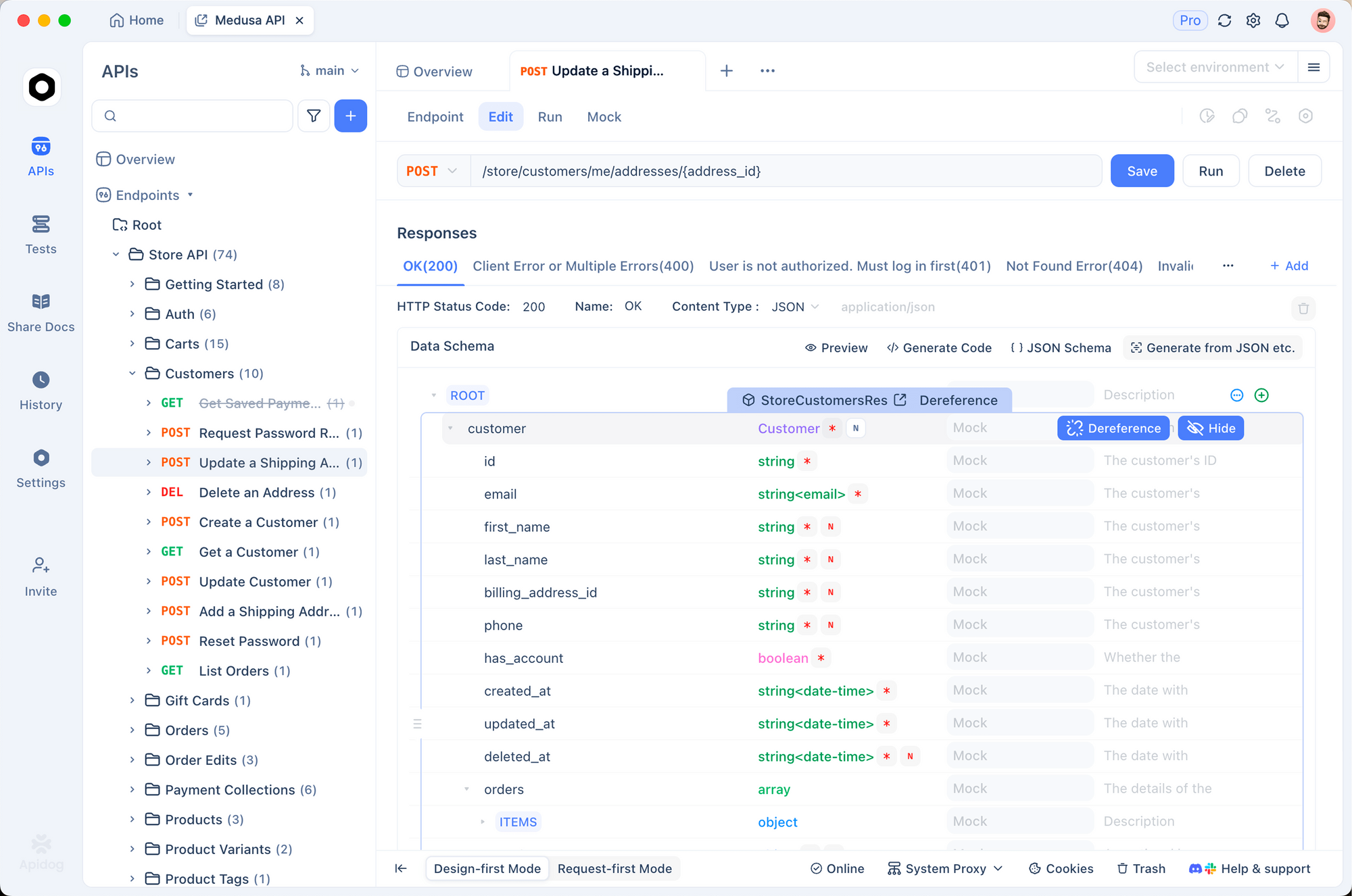
Use Apidog’s schema-first OpenAPI workflow to define:
/v1/agent/run/v1/agent/events(stream metadata)/v1/tools/{toolName}/invoke/v1/router/decision
Clear schemas make model adapter bugs visible early.
2) Build regression scenarios for tool calling
With Apidog automated testing and visual assertions, create scenario suites:
- valid tool call,
- malformed tool payload,
- timeout + retry path,
- fallback model escalation,
- sandbox-denied action.
Run these in CI/CD as quality gates before model or prompt changes ship.
3) Mock providers to isolate routing logic
Use Apidog smart mock to simulate model providers:
- delayed streaming chunks,
- invalid JSON tool response,
- rate-limit (429) bursts,
- intermittent 5xx errors.
This lets you harden OpenClaw’s router/executor behavior without burning inference budget.
4) Publish internal docs for cross-team alignment
OpenClaw projects usually involve backend, QA, platform, and security teams. Apidog’s auto-generated interactive docs help align everyone on request/response contracts and failure semantics.
Common model strategy patterns for OpenClaw teams
Pattern A: Local-first, cloud fallback
- Local mid-size model handles routine tasks.
- Cloud premium model handles long-tail complexity.
Best for: privacy-sensitive workloads with occasional hard queries.
Pattern B: Cloud-first with strict budget router
- Hosted models only, but aggressive heartbeat filtering.
- Cost guardrails and dynamic downgrade when budget is near threshold.
Best for: teams optimizing operational simplicity.
Pattern C: Domain-specialized split
- One model for extraction/classification,
- another for planning,
- another for response synthesis.
Best for: high-volume pipelines where each stage has different quality constraints.
Edge cases teams underestimate
- Tokenizer mismatch across providers causes broken truncation logic.
- Function-call token inflation increases hidden cost in tool-heavy flows.
- Streaming parser drift breaks when providers alter delta formats.
- Model updates without version pinning silently regress behavior.
- Cross-region failover changes latency enough to trigger timeout cascades.
Address these with explicit provider version pinning, integration tests, and timeout budgets tied to P95 data, not intuition.
So, what models does OpenClaw support?
The accurate engineering answer is:
OpenClaw supports multiple model families through adapters, including OpenAI-compatible APIs, Anthropic-style APIs, and local/self-hosted runtimes—plus embeddings/rerankers used in retrieval and routing.
But support is not binary. Production support depends on whether a given model reliably satisfies your requirements for:
- tool calling,
- schema adherence,
- latency under load,
- safety behavior,
- and cost-to-completion.
If you treat model onboarding as an API contract problem, you can evaluate providers objectively and avoid most agent reliability failures.
A practical next step is to define your OpenClaw contracts in Apidog, add scenario-based regression tests for routing and tool execution, then gate model promotions in CI/CD. That gives you repeatable evidence for which models OpenClaw truly supports in your environment.
If you want to implement this workflow quickly, try it free in Apidog and build your OpenClaw compatibility test suite in one shared workspace.