If you’ve followed the Moltbot → Clawdbot → OpenClaw rename cycle, you’re probably asking the same practical question as everyone else:
“What do I need to pay for, and which keys are required to make OpenClaw work reliably?”
This guide gives you a technical answer, not marketing copy. We’ll break this down by architecture, feature surface, cost model, and operational risk.
The short answer
OpenClaw is usually an orchestrator, not a single hosted model. In most setups, you need:
- At least one LLM provider API key (for reasoning/chat/tool-use)
- Optional embedding provider key (if you run semantic memory/retrieval)
- Optional reranker key (if your RAG stack uses reranking)
- Optional web/search API key (for browsing tools)
- Optional speech keys (STT/TTS for voice workflows)
- Optional observability key (LangSmith, Helicone, OpenTelemetry backend, etc.)
- Cloud/runtime subscription only if you deploy managed infra (e.g., DigitalOcean droplets, managed DB, object storage)
You do not always need all of these.
A minimal install can run with one LLM key and local storage.
Why this is confusing in the OpenClaw community
Community posts around OpenClaw (heartbeats, rename turbulence, production tutorials, sandboxing) reflect one core reality:
- People install OpenClaw expecting a monolithic SaaS.
- But OpenClaw often behaves like a control plane for multiple external services.
So your “subscription footprint” depends on which features you switch on.
A useful mental model:
- OpenClaw core: routing, tool orchestration, memory abstractions, agent loops
- Your providers: models, vectors, search, telemetry, storage
- Your infra: compute + secrets + networking + persistence
Credential matrix: feature → key/subscription
| OpenClaw capability | Usually required | Typical examples |
|---|---|---|
| Chat/reasoning | LLM API key | OpenAI, Anthropic, Groq, local gateway |
| Tool-calling agent | LLM key with tool/function support | Same as above |
| Long-term semantic memory | Embedding key + vector DB credentials | OpenAI/Cohere embeddings + Pinecone/Weaviate/pgvector |
| Search/browse tool | Search API key | Tavily, SerpAPI, custom crawler backend |
| Code execution / sandbox | Sandbox service token | self-hosted container runtime, secure sandbox tools |
| Voice input/output | STT/TTS keys | Deepgram, ElevenLabs, cloud speech APIs |
| Tracing/monitoring | Observability token | LangSmith, Helicone, OTLP collector auth |
| Team features | Hosted OpenClaw/org subscription (if applicable) | project/org seats, hosted control plane |
If you only need “chat + simple tools,” one model key is enough.
Minimal, practical setups
1) Local dev starter (lowest cost)
- 1 LLM key
- Local SQLite/Postgres
- No embeddings, no reranker
- No hosted tracing
Use this to verify orchestration logic and prompt behavior.
2) RAG-ready staging
- LLM key
- Embedding key
- Vector DB credentials
- Optional reranker key
- Optional search API key
Use this for quality testing on retrieval-heavy workloads.
3) Production agent stack
- Primary + fallback LLM keys
- Embedding + vector DB credentials
- Search/browse key
- Observability token
- Sandbox execution token/runtime
- Cloud infra subscription (compute, DB, object storage, secrets)
Use this when uptime and safety matter.
Architecture tradeoffs that drive subscription count
Tradeoff 1: Single provider vs multi-provider routing
- Single provider: simpler auth, easier billing
- Multi-provider: better resilience and pricing arbitrage, more key management complexity
If you implement model failover (e.g., premium model for complex tasks, cheaper model for heartbeats), you’ll likely maintain multiple keys.
Tradeoff 2: Hosted vector DB vs pgvector self-hosted
- Hosted vector DB: fast to launch, additional bill and API token
- Self-hosted pgvector: fewer vendor keys, more ops overhead
Tradeoff 3: Managed observability vs DIY logs
- Managed tracing: faster root-cause analysis, extra token/cost
- DIY: lower direct cost, higher debugging time
In agent systems, debugging time is usually the hidden cost center. Don’t optimize this away too early.
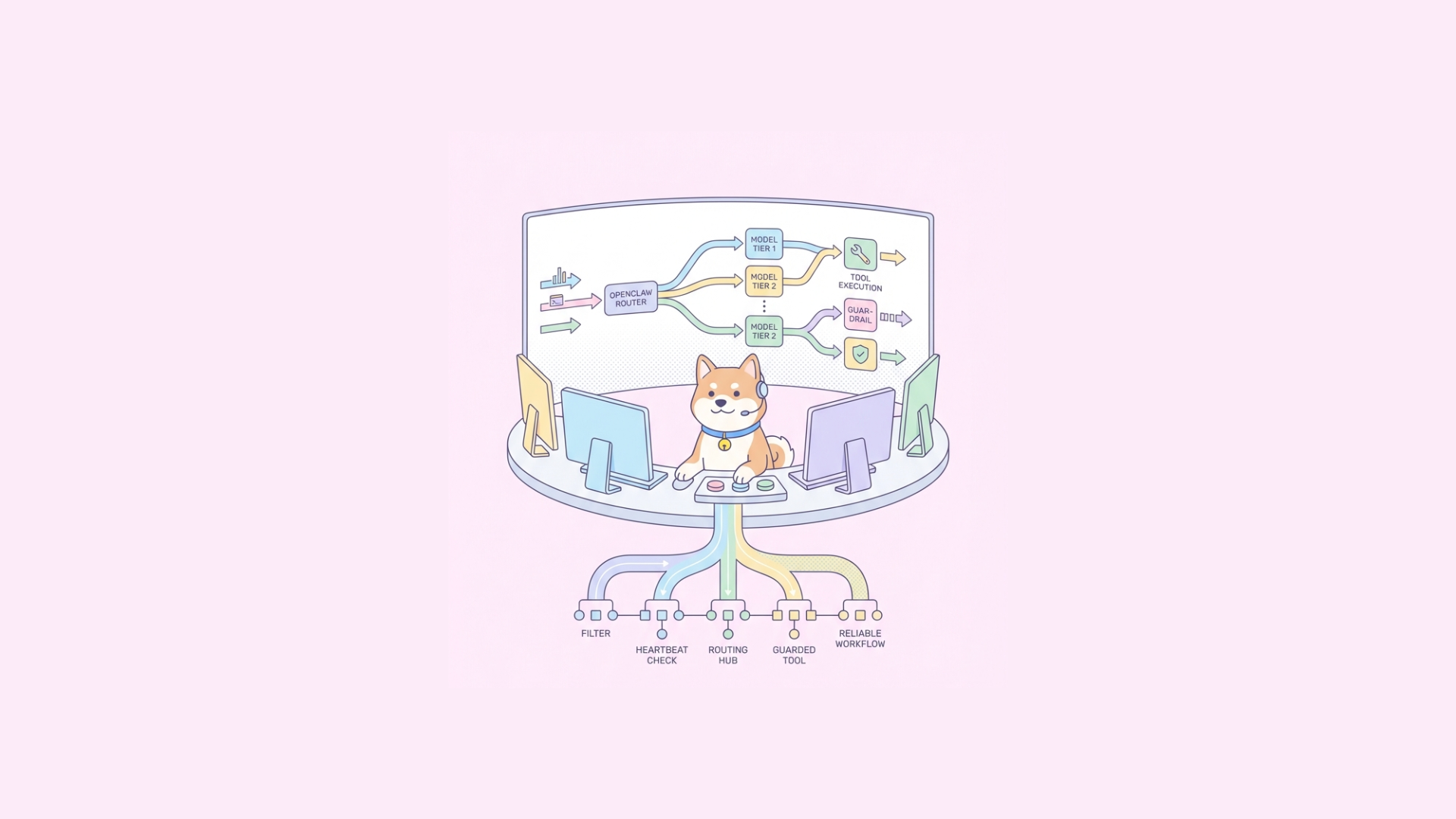
Cost control pattern: “cheap checks first, models only when needed”
A pattern discussed in the community is heartbeat gating: run low-cost checks before expensive model calls.
Practical implementation:
- Validate freshness/state with deterministic checks
- Run rule-based guardrails
- Call cheap model tier
- Escalate to premium model only when confidence drops
This directly changes your key strategy:
- Keep separate keys/projects per tier
- Add budget caps per provider
- Route by intent class and confidence score
Recommended environment variable layout
Use explicit, namespaced variables so rotation and incident response are easy.
Core model routing
OPENCLAW_LLM_PRIMARY_PROVIDER=openai OPENCLAW_LLM_PRIMARY_KEY=... OPENCLAW_LLM_FALLBACK_PROVIDER=anthropic OPENCLAW_LLM_FALLBACK_KEY=...Retrieval
OPENCLAW_EMBED_PROVIDER=openai OPENCLAW_EMBED_KEY=... VECTOR_DB_URL=... VECTOR_DB_API_KEY=...Tooling
SEARCH_API_KEY=... SANDBOX_API_TOKEN=...Observability
LANGSMITH_API_KEY=... OTEL_EXPORTER_OTLP_ENDPOINT=... OTEL_EXPORTER_OTLP_HEADERS=authorization=Bearer ...Security
OPENCLAW_ENCRYPTION_KEY=...Tips:
- Never reuse one key across dev/staging/prod
- Rotate quarterly at minimum
- Scope tokens to least privilege
- Keep provider-specific rate-limit dashboards bookmarked
Security and sandboxing: subscriptions you’ll regret skipping
If your OpenClaw agents execute code, browse the web, or touch filesystem/network tools, include a sandbox layer. The community focus on secure sandboxes is justified.
At minimum:
- Network egress controls
- Ephemeral execution environments
- Resource quotas (CPU, memory, runtime)
- Command allow/deny policies
- File mount restrictions
This may introduce another service/token, but it reduces catastrophic risk.
Testing your key setup with Apidog
Once you wire keys, you need repeatable API validation. This is where Apidog fits naturally.
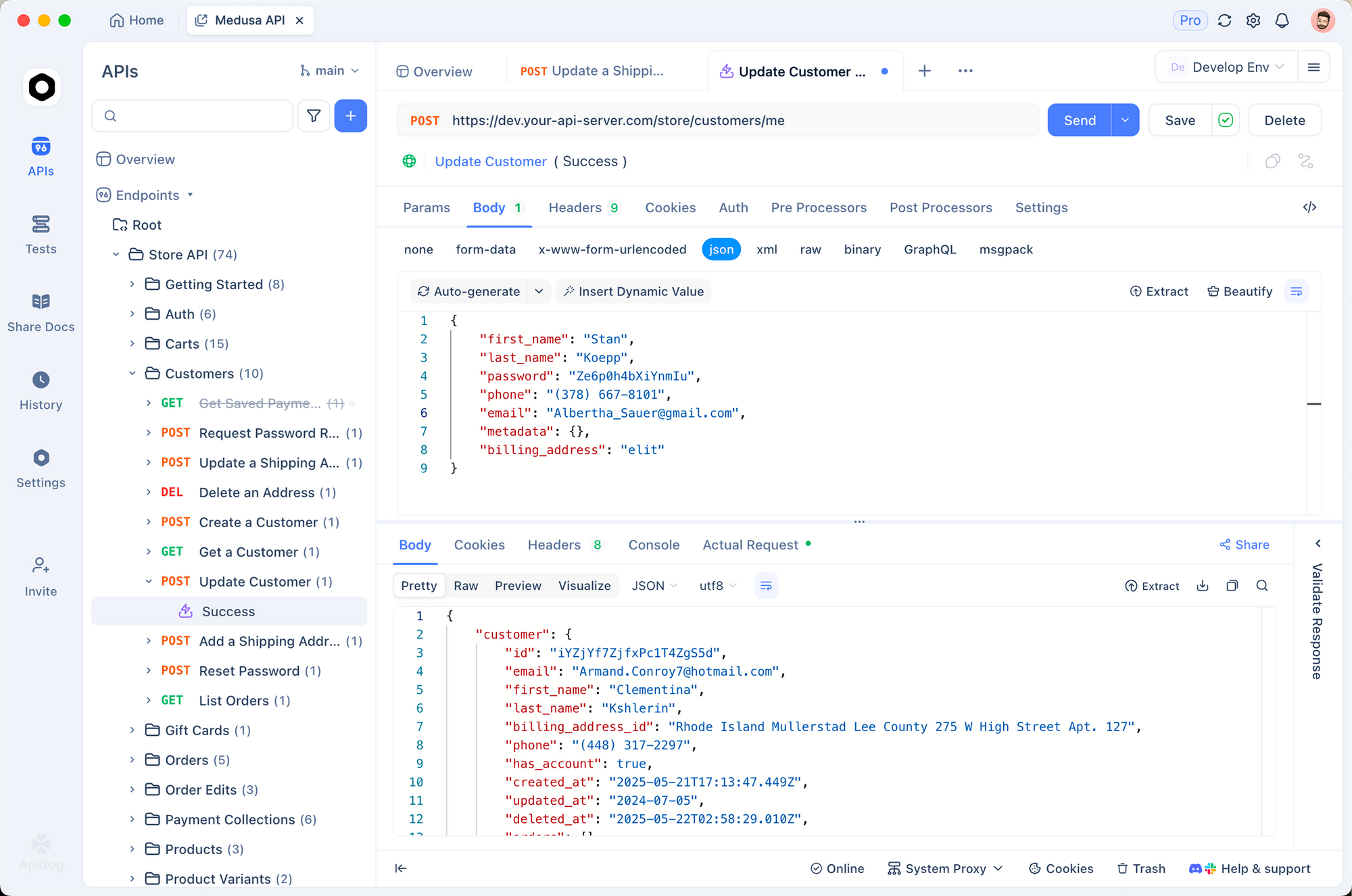
Use Apidog to:
- Define your OpenClaw gateway APIs in an OpenAPI spec
- Run automated testing across environments (dev/staging/prod)
- Add visual assertions for response structure, tool outputs, and error envelopes
- Mock provider failures with smart mock to test fallback logic
- Publish interactive docs for your internal team
If you’re moving fast, this prevents key/config drift from silently breaking production.
Example test cases you should automate
- Missing key path: verify 401/500 handling and clear error messaging
- Rate-limit path: simulate provider 429 and confirm fallback routing
- Budget guard path: reject expensive model usage once threshold is hit
- Sandbox denial path: ensure blocked tool calls fail safely
- RAG degradation path: embedding/vector outage should degrade gracefully
In Apidog, you can group these as scenario suites and run them in CI/CD as release gates.
Debugging checklist when “OpenClaw is broken”
Most outages are credentials or quotas, not orchestration bugs.
Check in this order:
- Key presence: env vars loaded in runtime container?
- Key scope: token has access to required model endpoints?
- Rate limits/quota: provider dashboard showing throttling?
- Wrong endpoint region: model/key tied to different region?
- Clock skew / auth headers: signed requests failing due to time drift?
- Fallback disabled: config typo preventing secondary provider usage?
- Vector index mismatch: embedding model changed but index not rebuilt?
Add structured error codes in your gateway so logs distinguish auth, quota, routing, and tool errors.
Decision framework: what you actually need today
Use this quick matrix:
- Personal/local experimentation → one LLM key
- Knowledge assistant with docs → LLM + embeddings + vector DB
- Web-aware assistant → add search key
- Voice agent → add STT/TTS keys
- Team production system → add observability + sandbox + multi-provider failover
Avoid premature vendor sprawl. Add subscriptions only when a feature is live and tested.
Common mistakes
Buying every subscription up front
- Leads to complexity and idle spend.
Using one key across all environments
- Makes incident containment painful.
No fallback model strategy
- Single-provider outages become app outages.
Skipping tracing
- You can’t optimize what you can’t observe.
No contract tests on your gateway
- Silent schema drift breaks clients.
Final answer
For most developers, the minimum to run OpenClaw is:
- One LLM API key
For most production teams, the realistic baseline is:
- Primary + fallback LLM keys
- Embedding + vector DB credentials
- Optional search key (if browsing/RAG enhancement is needed)
- Observability token
- Sandbox/runtime controls
- Cloud subscription for deployment infrastructure
Treat OpenClaw like an orchestration layer. Your key strategy should mirror your architecture, not hype cycles.