
TL;DR
Cursor costs $20/month. Windsurf costs $15/month. Five open source alternatives now match 80% of the functionality for free, including agentic coding, multi-file edits, and bring-your-own-model flexibility. This guide covers the best ones, what each is actually good at, and how to pick.
Introduction
A year ago, "open source coding assistant" meant a code-completion plugin that suggested the next line. Today it means a full agentic coding environment that can read your codebase, write tests, run terminal commands, and iterate on its own output.
The gap between paid tools and free alternatives has closed dramatically. Cursor remains the gold standard for agentic coding, but at $20/month per developer, it adds up fast for teams. Windsurf at $15/month is a strong alternative. GitHub Copilot at $10/month has the widest adoption. All three are proprietary. You can't audit the code, you can't self-host, and you're locked into their model choices.
The open source tools in this article give you model flexibility, full auditability, and zero subscription fees. The tradeoff is setup time and, in some cases, a rougher user experience.
Why open source coding assistants are viable in 2026
Three things changed.
Model access: OpenAI, Anthropic, and Google all offer API access to their frontier models. An open source tool with good UX can deliver the same underlying model as Cursor; it just doesn't come with the proprietary wrapper. Tools like Continue.dev and Cline let you plug in Claude 3.5 Sonnet, GPT-4o, or Gemini 1.5 Pro directly.
Local models: Ollama made it trivial to run Qwen2.5-Coder, DeepSeek-Coder-V2, and Code Llama locally. For sensitive codebases where you can't send code to an external API, local models are now genuinely usable for coding tasks.
Agent architecture: Claude's tool-use API and GPT-4o's function calling standardized how coding agents work. Open source frameworks can replicate the same read-file/write-file/run-terminal loop that powers Cursor's agent mode.
The 5 best open source coding assistants
1. Continue.dev
What it is: a VS Code and JetBrains extension that adds a chat sidebar, inline edits, and codebase-aware Q&A. The most mature open source option.
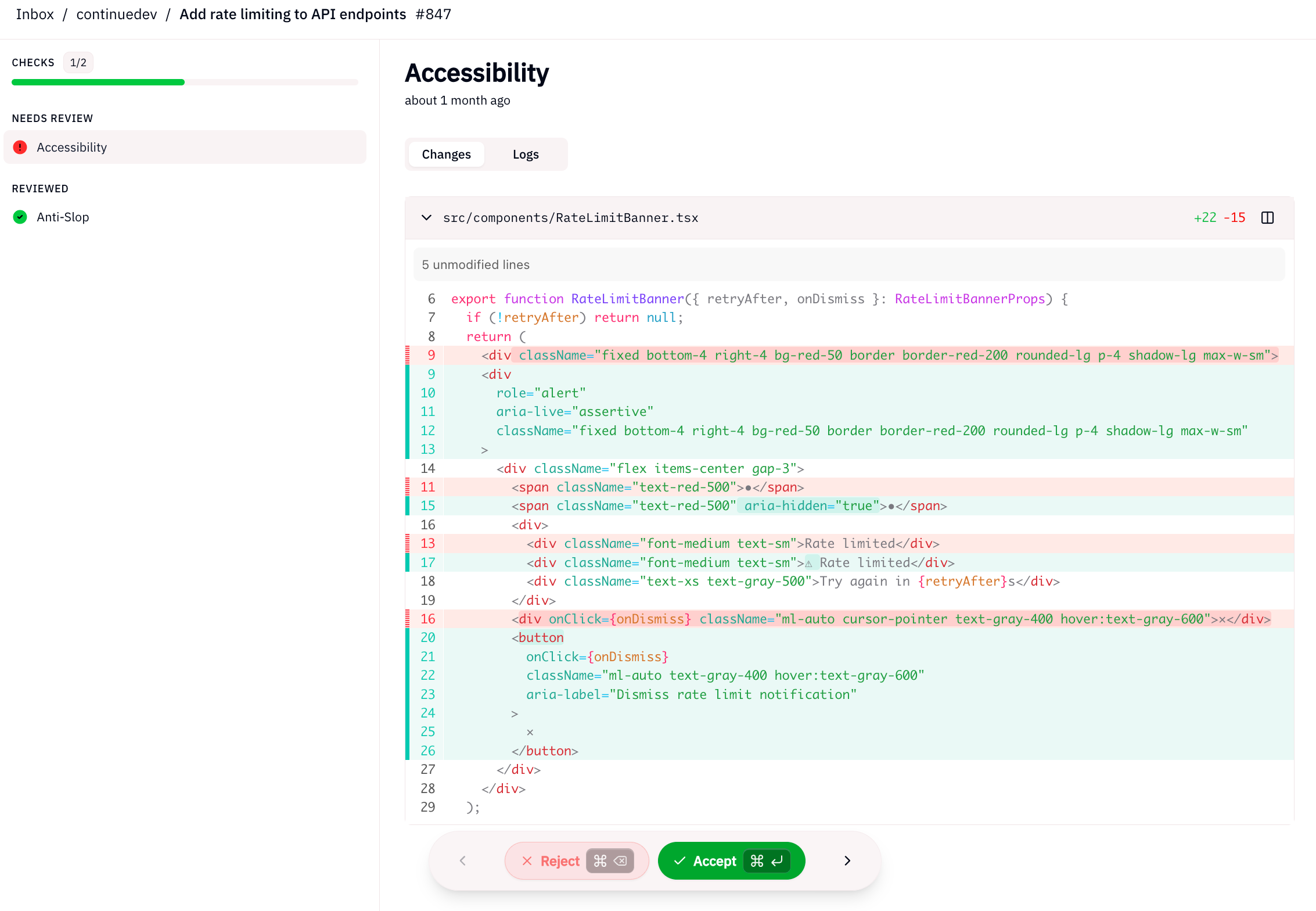
Best for: developers who want a Cursor-like experience in VS Code without leaving their existing setup. Great for teams that want to control which model they use.
Setup: install from VS Code marketplace, add your API key (OpenAI, Anthropic, Gemini, or local Ollama). No account required.
What it can do:- Context-aware chat with full codebase indexing - Inline edits via Ctrl+I- @codebase search across the entire repo - Custom slash commands and context providers - Works with 20+ model providers
Limitations: no built-in terminal execution or autonomous agent loop. It's an assistant, not an agent. You approve every change manually.
Cost: free. Self-host or use your own API keys.
| Cursor | Continue.dev | |
|---|---|---|
| Price | $20/mo | Free |
| VS Code support | Yes | Yes |
| JetBrains support | No | Yes |
| Model flexibility | Limited | Full |
| Agent mode | Yes | Partial |
| Best for | Full agentic coding | Assisted editing with model control |
2. Aider
What it is: a terminal-based coding agent that uses git as its primary interface. You describe what you want, Aider reads the relevant files, makes changes, and commits them.
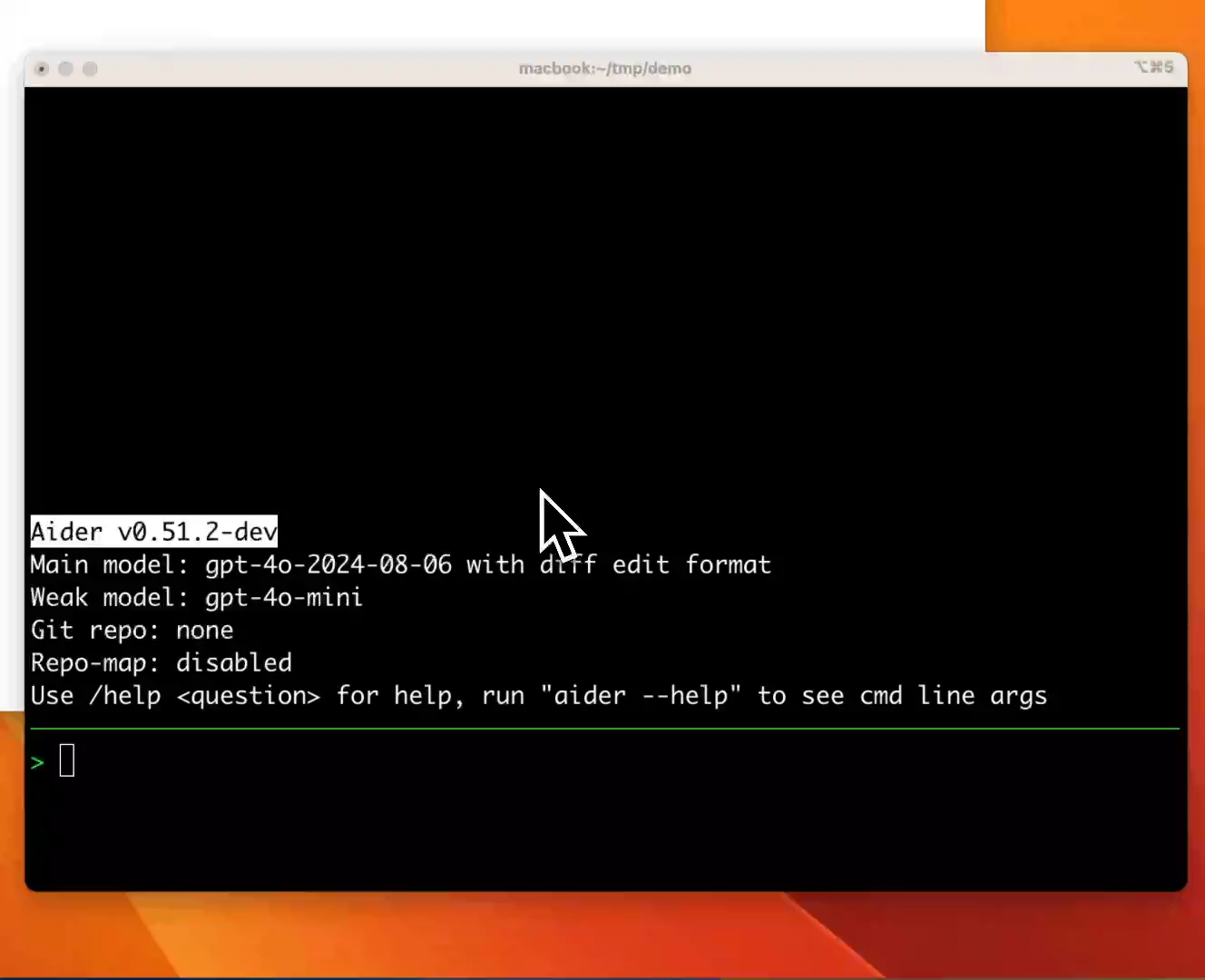
Best for: backend engineers who live in the terminal and want an autonomous coding agent they can run in a CI pipeline or on a remote server.
Setup: pip install aider-chat, then aider --model claude-3-5-sonnet-20241022 from your project root.
What it can do:- Autonomous multi-file edits with git commits - Works with Claude, GPT-4o, Gemini, and local models - --yes flag for fully automated operation - Reads repo map to understand codebase structure - Voice input support - Built-in benchmark suite (aider-bench)
Limitations: terminal-only. No IDE integration. The lack of a visual diff view makes reviewing larger changes awkward.
Cost: free. Pay-per-use for the underlying model API.
Practical example: you can run Aider in a GitHub Actions workflow to automatically fix failing tests:
- name: Run Aider to fix tests
  run: |
    aider --model gpt-4o \
          --message "Fix the failing tests in test_api.py" \
          --yes \
          --no-git
3. Cline
What it is: a VS Code extension that runs a full agent loop with tool use. Cline can read files, write files, run terminal commands, browse the web, and use your browser. It's the closest open source equivalent to Cursor's full agent mode.
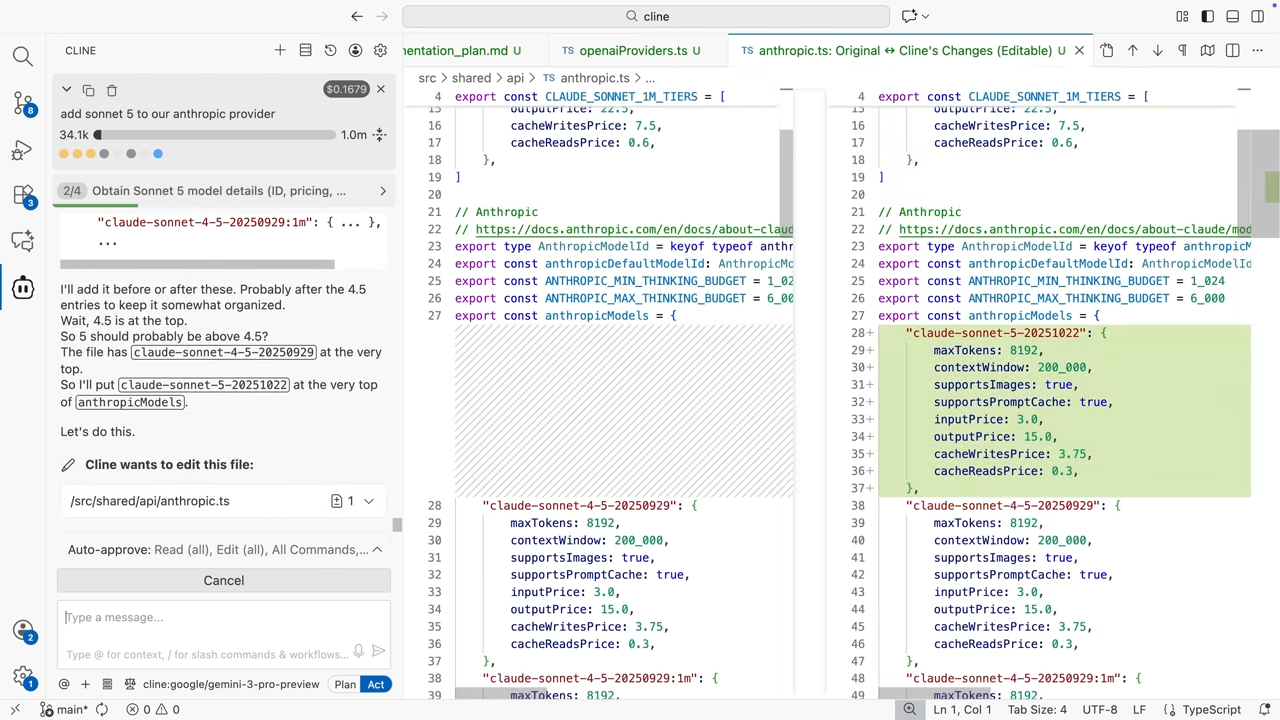
Best for: developers who want autonomous, multi-step coding tasks handled end-to-end inside VS Code.
Setup: install from VS Code marketplace, add your API key, and start a new task.
What it can do:- Full agentic loop: read, write, execute, browse - Approval mode: you approve each action before it runs (or set to auto-approve) - Model flexibility: Claude, GPT-4o, Gemini, Bedrock, Vertex, local Ollama - Cost tracking per task (useful when using expensive frontier models) - Custom system prompt injection
Limitations: can get expensive with frontier models on long tasks because the agent loop sends the full context on every step. Watch your costs.
Cost: free. Pay your model provider directly.
4. Modo
What it is: a new open source project that appeared in April 2026 as an explicit alternative to Cursor, Kiro, and Windsurf. It's a full IDE built on VS Code's core with AI coding built in.
Best for: developers who want a dedicated AI-first IDE without the subscription. Still early-stage, but the trajectory is promising.
Setup: clone from GitHub (github.com/mohshomis/modo), run npm install && npm run build.
What it can do:- Full VS Code extension ecosystem compatibility - Built-in AI chat and inline completions - Model agnostic - Open source: full codebase auditable and self-hostable
Limitations: newer project, less battle-tested than Continue or Cline. Expect rough edges. Not yet on VS Code Marketplace (manual install required).
Cost: free.
5. Void editor
What it is: an open source VS Code fork that adds native AI capabilities without needing extensions. The project aims to be the "open source Cursor."
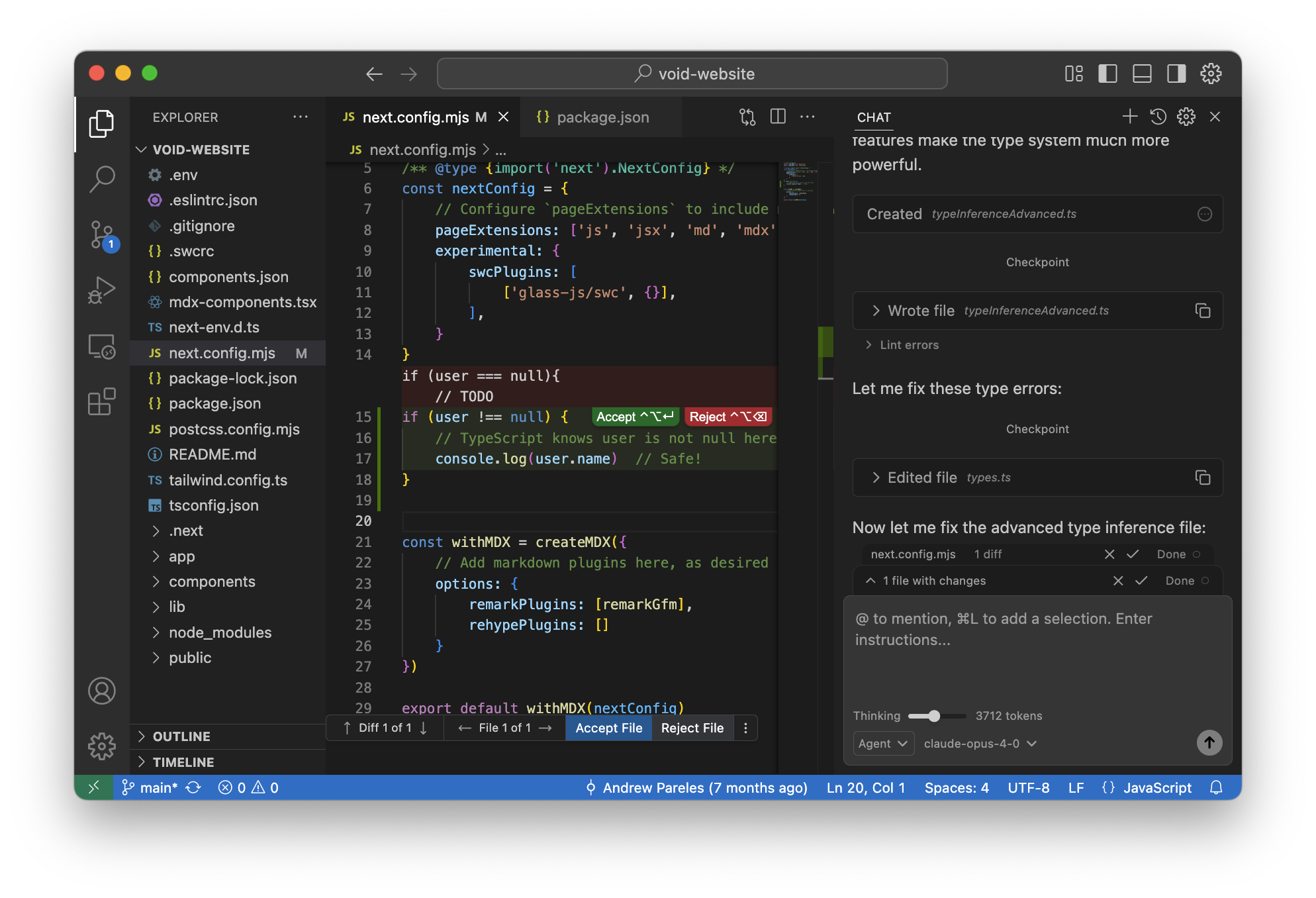
Best for: developers who want the full Cursor UX without the subscription and are comfortable with a fork rather than an extension.
Setup: download from voideditor.com, open your project, configure your model.
What it can do:- Native codebase chat and indexing - Inline diff editing - Checkpoint system (undo full AI edit sessions) - Local model support via Ollama - Full VS Code extension compatibility
Limitations: fork-based projects lag behind VS Code updates. Some extensions have compatibility issues.
Cost: free.
Comparison table
| Tool | IDE support | Model flexibility | Agent mode | Best for | Cost |
|---|---|---|---|---|---|
| Continue.dev | VS Code, JetBrains | Full (20+ providers) | Partial | Assisted editing, team model control | Free |
| Aider | Terminal | Full | Full (terminal agent) | Backend engineers, CI/CD automation | Free |
| Cline | VS Code | Full (Claude, GPT, Gemini, local) | Full | Autonomous multi-step tasks in VS Code | Free |
| Modo | VS Code-based IDE | Full | In development | AI-first IDE without subscription | Free |
| Void editor | VS Code fork | Full | Partial | Cursor-like UX, open source | Free |
How to pick the right one
You use VS Code and want Cursor's chat features without paying: start with Continue.dev. It's the most polished and has the largest community.
You're a backend developer who works in the terminal: Aider. It's purpose-built for this workflow and integrates with git natively. See [internal: how-to-build-tiny-llm-from-scratch] if you're also building AI-powered backends.
You want a fully autonomous agent that can run multi-file tasks end-to-end: Cline. It's the most capable open source agent and the closest to Cursor's agent mode.
You want a dedicated AI IDE without extensions: try Void editor. Watch Modo for when it matures.
You need full code privacy (no external API calls): any of these with Ollama as the model backend. Qwen2.5-Coder-32B runs well on a machine with 24GB+ VRAM and produces production-quality code on most tasks.
You're evaluating for a team: Continue.dev and Cline both support shared configuration via version-controlled config files, making them easier to standardize across a team. See [internal: rest-api-best-practices] for setting up consistent API testing alongside your coding setup.
How Apidog fits with AI coding workflows
AI coding assistants generate code fast. That's the point. What they don't do is verify that the APIs the code calls actually work.
When Cline or Continue.dev writes you a REST client, it can look correct syntactically while being wrong semantically. Wrong endpoint paths, missing auth headers, incorrect JSON schema, handling only the success case. These bugs don't surface until you run the code against a live server.
Apidog Test Scenarios catch them before that. After an AI assistant generates API client code:
- Import the generated endpoint into Apidog (paste the URL + method, or import from the code's OpenAPI spec if it generates one)
- Create a Test Scenario that chains the happy path: authenticate, make the primary request, assert on the response structure
- Add negative cases: expired token, malformed body, rate limit response
- Use Smart Mock to simulate the third-party API if you don't have a staging environment
This is how you get the speed of AI code generation without shipping untested integrations. The [internal: open-source-coding-assistants-2026] and [internal: claude-code] articles cover the agent side; Apidog covers the verification side.
A concrete example: you ask Cline to write a GitHub API client. It generates a GitHubClient class with methods for creating issues, listing PRs, and fetching repo metadata. In Apidog:
{
  "scenario": "GitHub API client verification",
  "steps": [
    {
      "name": "Create issue",
      "method": "POST",
      "url": "https://api.github.com/repos/{owner}/{repo}/issues",
      "headers": {"Authorization": "Bearer {{token}}"},
      "body": {"title": "Test issue", "body": "Created by test scenario"},
      "assertions": [
        {"field": "status", "operator": "equals", "value": 201},
        {"field": "response.number", "operator": "exists"}
      ]
    },
    {
      "name": "List issues (verify created issue appears)",
      "method": "GET",
      "url": "https://api.github.com/repos/{owner}/{repo}/issues",
      "assertions": [
        {"field": "response[0].number", "operator": "equals", "value": "{{steps[0].response.number}}"}
      ]
    }
  ]
}
This takes five minutes to set up and catches the most common AI code generation errors: wrong HTTP method, missing required fields, unhandled pagination. See [internal: how-ai-agent-memory-works] for testing stateful agent APIs, which add another layer of complexity.
Conclusion
The open source coding assistant ecosystem is legitimately good in 2026. You don't need a Cursor subscription to get agentic coding, codebase-aware chat, and multi-file edits. Continue.dev, Aider, and Cline each cover different workflows, and Modo/Void are worth watching.
The missing piece is testing. AI-generated code is fast to write and easy to get wrong. Pair your open source coding assistant with Apidog to verify the API integrations it produces.
FAQ
Is Continue.dev as good as Cursor?For chat and inline edits, it's close. For autonomous agent tasks (write a full feature end-to-end without approval), Cursor's agent mode is still ahead. The gap narrows if you configure Continue.dev with Claude 3.5 Sonnet or GPT-4o.
Can I use open source coding assistants with local models only?Yes. All five tools in this article support Ollama, which lets you run models like Qwen2.5-Coder, DeepSeek-Coder-V2, or Code Llama locally. Code quality with local models is lower than frontier models on complex tasks, but good enough for boilerplate and refactoring.
How do I pick a model for open source coding assistants?Claude 3.5 Sonnet handles complex, multi-step tasks best. GPT-4o is strong on code generation and has the best function-calling support. DeepSeek-Coder-V2 is the strongest open-weight model for code tasks and runs locally. Start with Claude or GPT-4o if cost isn't a concern; DeepSeek if you need privacy or volume.
Is Aider safe to use with --yes mode?Use it with caution. --yes mode auto-approves every file change and commit. Run it in a branch, never on main, and review the git diff before merging. It's useful for automated tasks in CI but not for interactive development where you want to review changes.
What's Kiro? The HN post mentioned it alongside Cursor and Windsurf.Kiro is an AI IDE from AWS, announced in 2025. It's built on VS Code, like Cursor, but with tight AWS integration. It's not open source. Modo's GitHub README specifically names it as one of the tools it aims to replace.
Can teams share configuration for these tools?Yes. Continue.dev reads from .continue/config.json in your repo root, which can be committed to version control. Cline stores settings in VS Code's settings.json. Aider reads from .aider.conf.yml. All three can be standardized across a team with a shared config file.
Do these tools work offline?With local models via Ollama: yes, fully offline. With API-based models (Claude, GPT-4o): no, they require an internet connection. Void editor and Modo can be configured for offline local-model use.