TL;DR
NPM supply chain attacks surged to over 3,000 malicious packages in 2024 alone, and the March 2026 Axios compromise proved even top-10 packages aren’t safe. This guide covers every layer of defense API developers need: lockfile enforcement, postinstall script blocking, provenance verification, behavioral analysis tools, and architectural choices that shrink your attack surface.
Introduction
The Axios supply chain attack on March 31, 2026, wasn’t the first npm compromise. It won’t be the last. But with 83 million weekly downloads and a cross-platform RAT deployed through a single hijacked maintainer account, it was the loudest wake-up call the JavaScript ecosystem has received.
Here’s what makes this different from the usual “update your dependencies” advice: the Axios attack bypassed every traditional defense. The malicious code wasn’t in Axios itself. It was injected through a phantom dependency that triggered a postinstall hook. Lockfiles didn’t help if you ran npm install during the attack window. Version pinning didn’t help if you hadn’t pinned yet.
API developers are especially exposed. Your testing scripts, CI/CD pipelines, mock servers, and HTTP clients all pull from npm. A single compromised package in your toolchain can leak API keys, database credentials, and cloud tokens from your development machine.
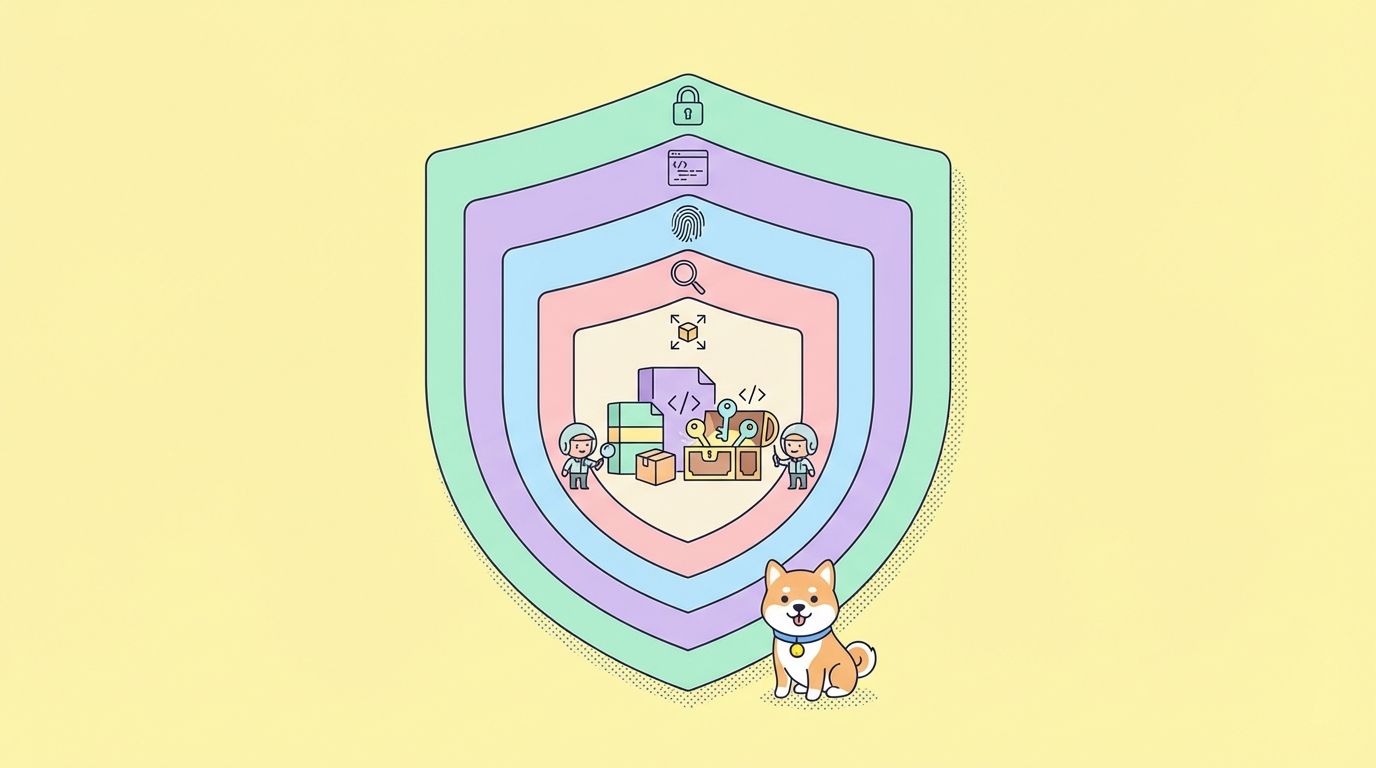
This guide covers seven layers of protection, from basic lockfile hygiene to advanced behavioral analysis.
Layer 1: lockfile enforcement
Why lockfiles matter
A lockfile records the exact version of every package and transitive dependency at the time of installation. Without a lockfile, npm install resolves the latest version matching your semver range. If your package.json says "axios": "^1.14.0" and a malicious 1.14.1 exists on the registry, you get the malicious version.
The rules
Always commit your lockfile. Whether it’s package-lock.json (npm), yarn.lock (Yarn), pnpm-lock.yaml (pnpm), or bun.lock (Bun), it belongs in version control.
Use frozen installs in CI/CD. Never run npm install in automated environments. Use the frozen lockfile equivalent:
# npm
npm ci

# yarn
yarn install --frozen-lockfile

# pnpm
pnpm install --frozen-lockfile

# bun
bun install --frozen-lockfile
npm ci deletes node_modules and installs strictly from the lockfile. If the lockfile doesn’t match package.json, it fails. This prevents resolution surprises.
Review lockfile diffs in pull requests. When a PR modifies package-lock.json, check what changed. New dependencies, version bumps, and registry URL changes all deserve scrutiny. Automated tools like Socket.dev can flag suspicious lockfile changes in PR reviews.
The lockfile gap
Lockfiles protect against unexpected version resolution, but they don’t protect against the first install. If you initialize a project or add a new dependency during an attack window, the malicious version gets locked in. This is why lockfiles are Layer 1, not the only layer.
Layer 2: disable postinstall scripts
The primary attack vector
The Axios attack, the ua-parser-js attack, the event-stream attack, and dozens of others all used the same mechanism: a postinstall script that runs arbitrary code during npm install. This hook executes before your application code runs, before you review the package, and before any runtime security tool can intervene.
Block scripts globally
Add to your .npmrc:
ignore-scripts=true
Or set it via the CLI:
npm config set ignore-scripts true
This prevents all lifecycle scripts (preinstall, install, postinstall, prepare) from running during package installation.
Handle packages that need scripts
Some packages require postinstall scripts for native compilation (like bcrypt, sharp, or sqlite3). You have two options:
Option 1: Run scripts selectively after install
npm ci --ignore-scripts
npm rebuild bcrypt sharp
Option 2: Use an allowlist (npm 10+)
Create a .scriptsrc.json that only allows trusted packages to run scripts:
{
  "allowScripts": {
    "bcrypt": true,
    "sharp": true
  }
}
Option 3: Use prebuilt binaries
Many packages that previously needed native compilation now offer prebuilt binaries. sharp, for example, ships prebuilt binaries for most platforms, eliminating the need for postinstall compilation. Check your dependencies; you may need fewer script exceptions than you think.
The PackageGate caveat
In January 2026, researchers disclosed six zero-day vulnerabilities called “PackageGate” affecting npm, pnpm, vlt, and Bun. One finding: Git-based dependencies can carry configuration files that enable code execution even when lifecycle scripts are disabled. If your package.json references Git URLs for dependencies, ignore-scripts alone isn’t enough. Pin those dependencies to specific commit hashes and audit the repository contents.
Layer 3: pin exact versions
Stop using semver ranges
The default behavior of npm install --save adds packages with a caret prefix:
{
  "axios": "^1.14.0"
}
The ^ means “compatible with 1.14.0,” which resolves to the latest 1.x.x version. During the Axios attack, that meant resolving to 1.14.1.
Pin exact versions instead:
{
  "axios": "1.14.0"
}
Configure npm to save exact versions by default:
# .npmrc
save-exact=true
save-prefix=''
Use overrides for transitive dependencies
Your direct dependencies have their own dependencies. If a transitive dependency is compromised, pinning your direct dependency doesn’t help. Use overrides to control transitive resolution:
{
  "overrides": {
    "axios": "1.14.0",
    "plain-crypto-js": "npm:empty-npm-package@1.0.0"
  }
}
For Yarn:
{
  "resolutions": {
    "axios": "1.14.0"
  }
}
For pnpm:
{
  "pnpm": {
    "overrides": {
      "axios": "1.14.0"
    }
  }
}
The trade-off
Exact pinning means you don’t get automatic patch updates. You’ll need to manually bump versions, which creates maintenance overhead. The trade-off is deliberate: you’re choosing controlled updates over automatic ones. For security-sensitive projects, this trade-off is worth it.
Layer 4: verify package provenance
What provenance means
npm provenance attestation links a published package to its source code and build environment using Sigstore signatures logged in a public transparency ledger. When a package is published from a CI/CD pipeline with provenance enabled, the package includes cryptographic proof of:
- Which source repository it was built from
- Which CI/CD system built it
- Which commit triggered the build
How to check provenance
npm audit signatures
This verifies that installed packages have valid provenance attestations. Packages published manually from a developer’s machine won’t have provenance.
The malicious Axios versions lacked OIDC provenance binding and had no corresponding GitHub commits. If automated provenance checking had been standard practice, the attack would have raised flags immediately.
Enable provenance for your own packages
If you publish npm packages, enable provenance in your CI/CD:
# GitHub Actions example
- uses: actions/setup-node@v4
  with:
    node-version: 20
    registry-url: https://registry.npmjs.org
- run: npm publish --provenance
  env:
    NODE_AUTH_TOKEN: ${{ secrets.NPM_TOKEN }}
Add to your .npmrc:
provenance=true
Limitations
Provenance is opt-in. Most npm packages don’t have it yet. And provenance only proves where a package was built. It doesn’t prove the source code is safe. A compromised CI/CD pipeline could publish a malicious package with valid provenance.
Layer 5: use behavioral analysis tools
Beyond vulnerability scanning
Traditional tools like npm audit and Snyk check against databases of known vulnerabilities (CVEs). They catch reported issues but miss zero-day attacks. The Axios compromise wasn’t in any CVE database when it was published.
Behavioral analysis tools examine what packages do, not what’s been reported about them.
Socket.dev
Socket analyzes package behavior during installation and runtime. It flags:
- Network requests during install
- File system access outside the package directory
- Shell command execution
- Environment variable harvesting
- Obfuscated code patterns
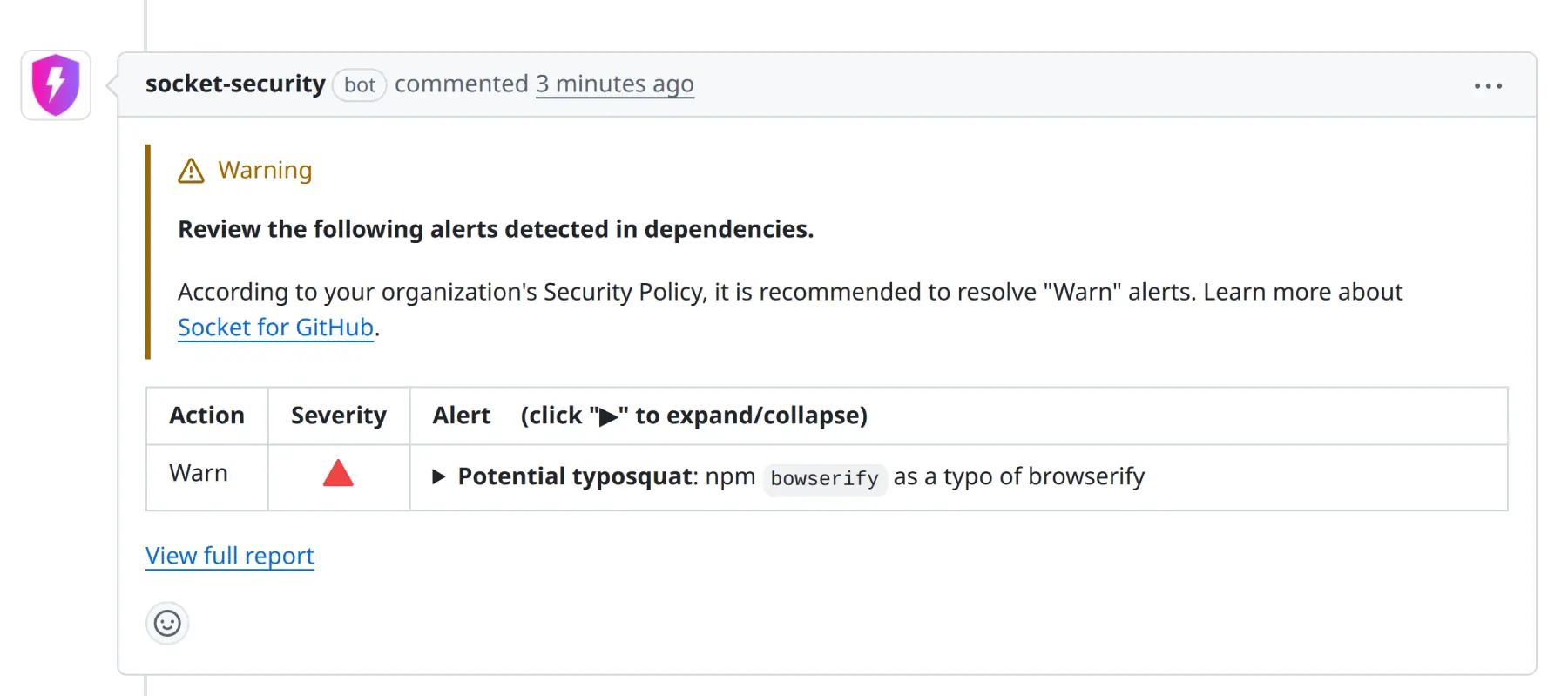
When integrated with GitHub, Socket comments on PRs when new dependencies exhibit suspicious behaviors. The Axios attack’s plain-crypto-js dependency would have triggered multiple Socket alerts: obfuscated code, network requests during postinstall, and file system writes outside the package directory.
# Install Socket CLI
npm install -g @socketsecurity/cli

# Scan your project
socket scan
Snyk
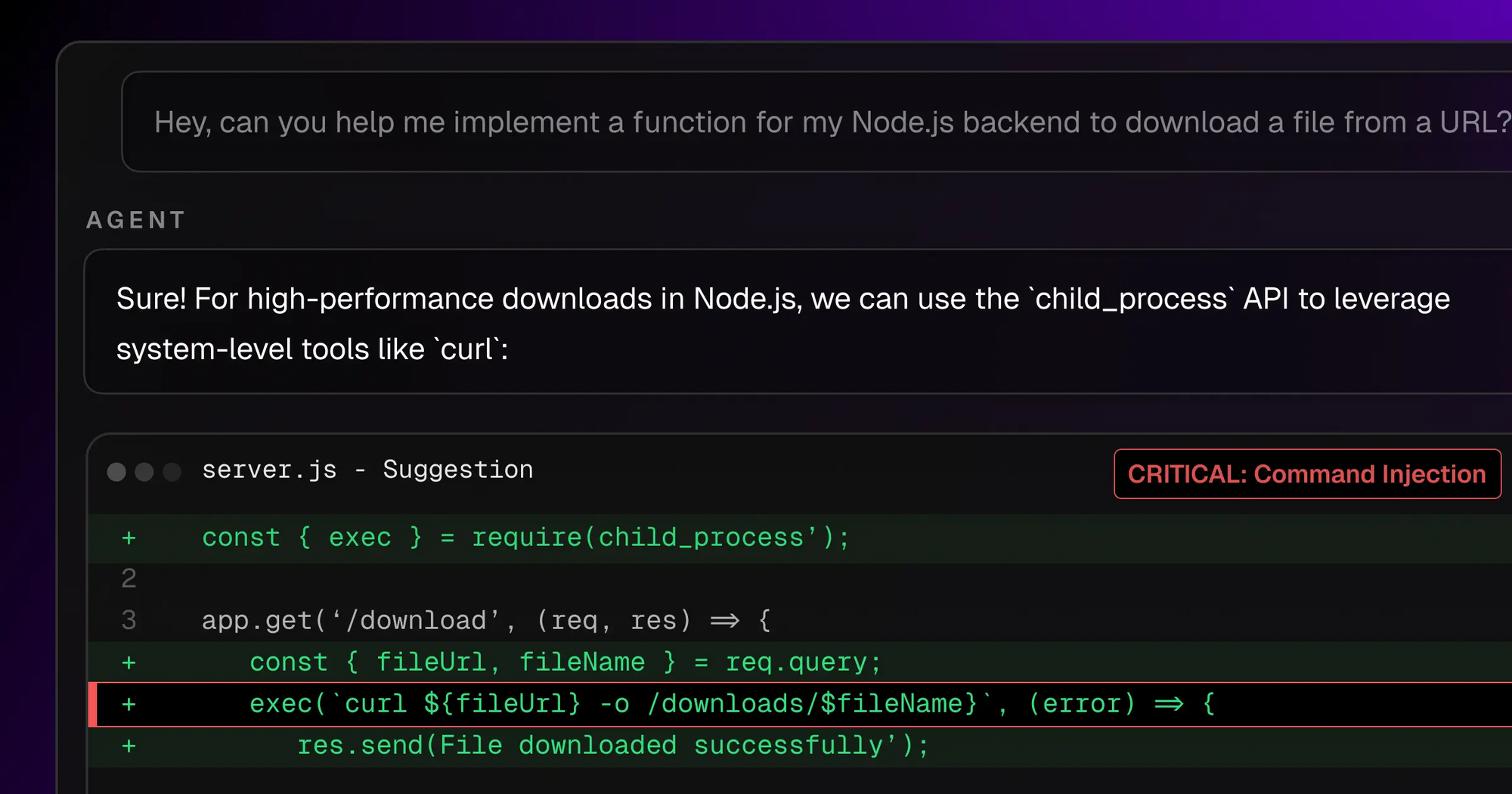
Snyk provides vulnerability management with risk scores, exploit maturity data, and fix guidance. It’s stronger for known vulnerabilities but weaker for zero-day behavioral detection.
# Install Snyk CLI
npm install -g snyk

# Test your project
snyk test
Layered approach
Use both. Socket catches behavioral anomalies that Snyk misses. Snyk catches known vulnerabilities with richer context than Socket provides. Add npm audit as a baseline:
# Baseline
npm audit

# Behavioral analysis
socket scan

# Vulnerability management
snyk test
Run all three in CI/CD as gates. Any critical finding should block the build.
Layer 6: minimize your dependency surface
The deeper question
Every package in your node_modules is a trust decision. The Axios attack compromised a package with 83 million weekly downloads. The average Node.js project has hundreds of transitive dependencies. Each one is a potential attack vector.
The most effective defense is having fewer dependencies to defend.
Audit your dependency tree
# Count your total dependencies
npm ls --all | wc -l

# Check for duplicates
npm ls --all | sort | uniq -c | sort -rn | head -20
Ask these questions for each dependency:
- Does the language or runtime provide this natively? Node.js 18+ includes
fetch,crypto,URL,FormData, and many utilities that previously required packages. - Is this dependency pulling in dozens of transitive dependencies? A single package with 50 sub-dependencies multiplies your attack surface 50x.
- Can you vendor this? For small utility packages, copying the source into your project eliminates the supply chain risk entirely.
Native alternatives for common packages
| Package | Native alternative | Available since |
|---|---|---|
| axios, node-fetch, got | fetch (global) |
Node.js 18 |
| uuid | crypto.randomUUID() |
Node.js 19 |
| dotenv | --env-file flag |
Node.js 20.6 |
| chalk | util.styleText() |
Node.js 21.7 |
| glob | fs.glob() |
Node.js 22 |
| path-to-regexp | Native URL pattern API | Node.js 23 |
For API testing specifically
API testing workflows commonly depend on HTTP client libraries, assertion libraries, test runners, and mock servers. Each dependency is an attack surface.
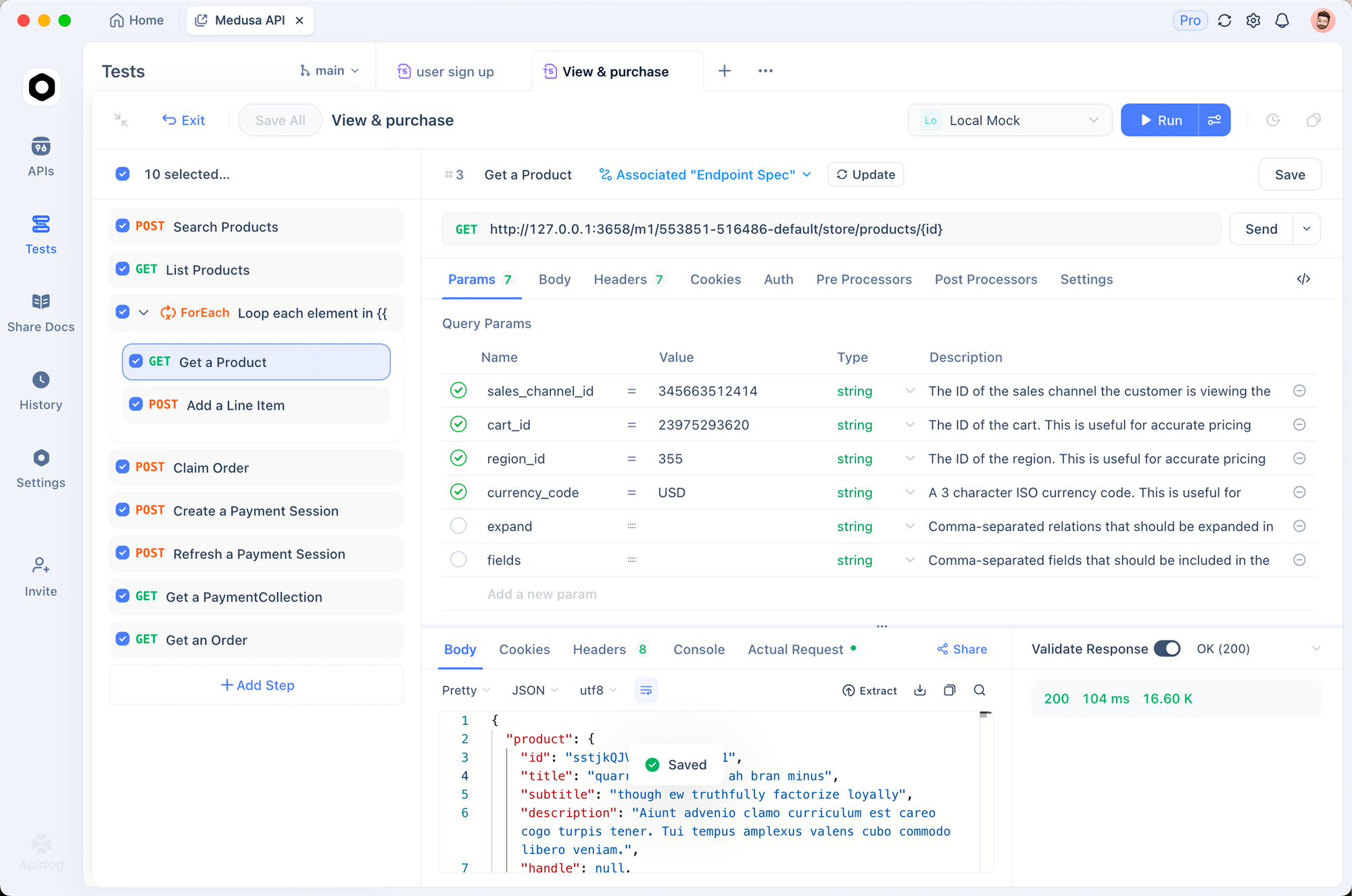
Apidog replaces the entire stack with a single platform:
- HTTP client: Built-in, no npm dependency needed
- Assertions: Visual test builder with built-in assertions
- Test runner: Automated test scenarios with CI/CD integration via Apidog CLI
- Mock server: Smart mock with dynamic responses, no Express or third-party mock libraries
- Documentation: Auto-generated from your API specs
Moving your API testing workflow into Apidog eliminates dozens of npm dependencies from your testing infrastructure. Fewer dependencies means fewer trust decisions and fewer attack vectors.
Try Apidog free to consolidate your API testing stack.
Layer 7: network and runtime monitoring
Block known-bad domains
After any supply chain attack, block the command-and-control infrastructure at the network level:
# Add to /etc/hosts
echo "0.0.0.0 sfrclak.com" | sudo tee -a /etc/hosts
For CI/CD environments, restrict outbound network access to known-good domains. Most build processes only need access to npm registry, your git host, and your deployment targets. Everything else should be blocked by default.
Use StepSecurity Harden-Runner for CI/CD
StepSecurity’s Harden-Runner monitors GitHub Actions workflows in real time. It detected the Axios dropper contacting C2 within 1.1 seconds of npm install starting. The tool provides:
- Outbound network monitoring for GitHub Actions
- Process execution tracking
- File integrity monitoring
- Automatic alerting for anomalous behavior
# GitHub Actions
- uses: step-security/harden-runner@v2
  with:
    egress-policy: audit  # or 'block' for strict mode
Runtime process monitoring
For development machines, consider endpoint detection and response (EDR) tools that flag suspicious child processes spawned by Node.js. The Axios RAT spawned osascript (macOS), cscript (Windows), and python3 (Linux) from within the npm install process. These child process patterns are detectable.
Recommended .npmrc configuration
Here’s a security-hardened .npmrc file combining the layers above:
# Pin exact versions
save-exact=true
save-prefix=

# Disable lifecycle scripts
ignore-scripts=true

# Enable provenance for publishing
provenance=true

# Use the official registry
registry=https://registry.npmjs.org/

# Require 2FA for publishing
auth-type=web

# Audit level threshold
audit-level=moderate
Commit this file to your repository so every team member uses the same security settings.
CI/CD security pipeline example
Here’s a GitHub Actions workflow that enforces all seven layers:
name: Secure Build
on: [push, pull_request]

jobs:
  security-check:
    runs-on: ubuntu-latest
    steps:
      - uses: actions/checkout@v4

      - uses: step-security/harden-runner@v2
        with:
          egress-policy: audit

      - uses: actions/setup-node@v4
        with:
          node-version: 22

      # Layer 1+2: Frozen lockfile, no scripts
      - run: npm ci --ignore-scripts

      # Layer 3: Verify no unexpected versions
      - run: npm ls --all > deps.txt

      # Layer 4: Check provenance
      - run: npm audit signatures

      # Layer 5: Behavioral analysis
      - run: npx socket scan

      # Layer 5: Vulnerability scan
      - run: npx snyk test

      # Layer 1: Baseline audit
      - run: npm audit --audit-level=moderate

      # Rebuild only allowed native deps
      - run: npm rebuild sharp bcrypt
What’s coming next for npm security
Mandatory provenance for popular packages
npm is discussing requiring provenance attestation for packages above a certain download threshold. This would prevent the manual token-based publishing that enabled the Axios attack.
Two-person release approval
Like financial transactions requiring dual authorization, high-download packages may require a second maintainer to approve releases. A single compromised account wouldn’t be enough.
Runtime permission scoping
Deno already restricts what scripts can access (network, file system, environment variables) unless explicitly granted. Node.js is exploring similar permission models. When this ships, postinstall scripts would need explicit permission to make network requests or access the file system.
Package manager convergence
pnpm’s strict isolation model (packages can only access their declared dependencies) prevents many dependency confusion attacks. As npm adopts similar strictness, the attack surface shrinks.
FAQ
What is a supply chain attack in npm?
A supply chain attack in npm targets the software dependency chain instead of your application directly. Attackers compromise package maintainer accounts, inject malicious code into popular packages, or publish typosquat packages with similar names. When you install or update dependencies, the malicious code executes on your machine or in your CI/CD pipeline, stealing credentials, installing backdoors, or exfiltrating data.
Is npm audit enough to protect against supply chain attacks?
No. npm audit checks against a database of known vulnerabilities (CVEs). Zero-day attacks like the Axios compromise aren’t in any CVE database when they happen. You need behavioral analysis tools like Socket.dev that examine what packages do, not what’s been reported about them. Use npm audit as a baseline, not your only defense.
Should I stop using npm entirely?
No. npm remains the largest package ecosystem, and most packages are safe. The goal is reducing your exposure through exact version pinning, lockfile enforcement, script blocking, and dependency minimization. Consider whether each dependency is necessary, and use native alternatives where possible.
How does Apidog help reduce npm supply chain risk?
Apidog provides a built-in HTTP client, test runner, mock server, and documentation generator for API development. This eliminates the need for npm packages like Axios, node-fetch, Jest, Express (for mocks), and other testing dependencies. Fewer npm dependencies means fewer attack vectors in your API development workflow.
What is package provenance in npm?
Package provenance uses Sigstore to cryptographically link a published package to its source repository and CI/CD build environment. It proves where and how a package was built. You can verify provenance with npm audit signatures. Packages published manually from developer machines lack provenance, which is a red flag for high-download packages.
How many npm packages are malicious?
Snyk identified over 3,000 malicious npm packages in 2024. By Q4 2025, Sonatype blocked 120,612 malware attacks in a single quarter across npm, PyPI, and other registries. The number is growing. Most malicious packages are low-download typosquats, but high-profile compromises like Axios prove that popular packages aren’t immune.
What is the PackageGate vulnerability?
PackageGate is a set of six zero-day vulnerabilities disclosed in January 2026 affecting npm, pnpm, vlt, and Bun. One finding shows that Git-based dependencies can carry configuration files enabling code execution even when lifecycle scripts are disabled. This means ignore-scripts alone isn’t enough if your dependencies reference Git repositories. Pin Git dependencies to specific commit hashes.
Key takeaways
- Lockfile enforcement is your foundation, but it won’t protect against the first install during an attack window
- Disable postinstall scripts globally with
ignore-scripts=truein.npmrc - Pin exact versions with
save-exact=trueto prevent semver range surprises - Verify package provenance with
npm audit signaturesto catch manual uploads - Layer Socket.dev (behavioral analysis) on top of Snyk (known vulnerabilities) and
npm audit(baseline) - Reduce your dependency count by using Node.js native APIs and integrated platforms like Apidog
- Monitor CI/CD network egress with StepSecurity Harden-Runner
Every dependency is a trust decision. The fewer dependencies you have, the smaller your attack surface. The more layers of verification you apply, the harder it is for an attacker to slip through. Build your defenses in depth, not in isolation.