TL;DR
Google Nano Banana 2 (officially Gemini 3.1 Flash Image) is Google's latest AI image generation model launched on February 26, 2026. It delivers Pro-quality images at Flash speeds, with improved text rendering, subject consistency for up to 5 characters, and resolution options from 512px to 4K. Available through the Gemini app, Gemini API, AI Studio, and Vertex AI, with free tier limitations and Pro/Ultra subscribers getting Nano Banana Pro access. All images include SynthID watermarks for content verification.
Introduction
Google lauched Nano Banana 2, the successor to the viral AI image generator that captured developer attention in 2025. This latest model promises Pro-quality output at Flash speeds, directly challenging OpenAI's DALL-E, ByteDance's Seedance, and Adobe's Firefly.
For developers and businesses, the question isn't just "what's new", it's "how can I integrate this into my workflow?" Understanding Nano Banana 2's capabilities, API access, and limitations is essential for anyone building applications that generate images programmatically.
Whether you're building a marketing platform, creating automated content tools, or integrating AI image generation into your product, this guide covers everything you need to know about Google's latest AI image model.
What is Nano Banana 2?
Nano Banana 2 is Google's newest AI image generation model, officially named Gemini 3.1 Flash Image. It represents a significant upgrade to the original Nano Banana model that launched in August 2025 and quickly became one of the most discussed AI image generators in the developer community.
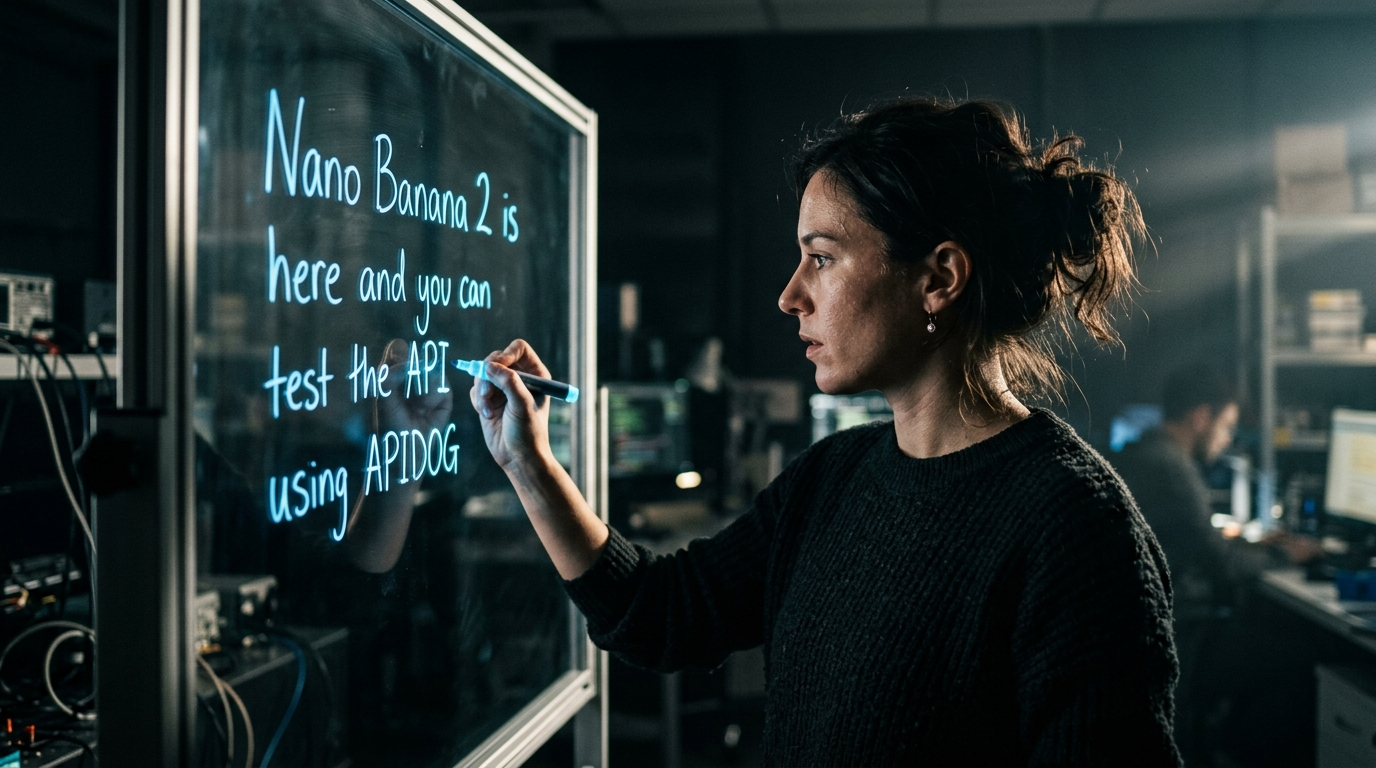
The "Nano Banana" naming originated from Google's internal codename system and became the public moniker that stuck, much to the amusement of the tech community. The name itself went viral on social media, with developers sharing banana-themed AI-generated images as a sort of inside joke.
Why the Name Matters
The Nano Banana branding has become synonymous with accessible, high-quality AI image generation. By retaining the name for the successor model, Google signals continuity while emphasizing that this is an evolution of a proven product rather than a entirely new direction.
The Technology Behind Nano Banana 2
Built on the Gemini 3.1 architecture, Nano Banana 2 leverages advanced world knowledge pulled from Google's massive data repositories. This means the model understands real-world objects, contexts, and relationships better than many competing image generators, resulting in more accurate, contextually appropriate outputs.
The model integrates seamlessly with other Gemini capabilities, allowing for multi-modal workflows where you can combine text generation, image understanding, and image creation in a single pipeline.
Key Features and Capabilities
Nano Banana 2 brings several significant improvements over its predecessor. Let's break down the key capabilities:
1. Speed and Performance
The "Flash" in Gemini 3.1 Flash Image isn't just marketing, generation speeds are noticeably faster than the original Nano Banana. This makes it practical for real-time applications where users expect instant results, such as:
- Live content customization
- Interactive design tools
- E-commerce product visualization
- Social media content creation
2. Advanced World Knowledge
Unlike standalone image generators, Nano Banana 2 taps into Gemini's vast knowledge base. This enables:
- Accurate object rendering: The model understands how real-world objects look, function, and relate to each other
- Current events knowledge: Can incorporate recent events, products, and cultural references when appropriate
- Geographic accuracy: Buildings, landmarks, and locations are rendered correctly
3. Improved Text Rendering
One of the biggest weaknesses of AI image generators has been text rendering, creating readable text within images. Nano Banana 2 significantly improves this capability, making it viable for:
- Marketing mockups and advertisements
- Greeting cards and invitations
- Infographics with labels
- Product designs with typography
- Social media graphics
4. Subject Consistency
For workflows requiring multiple images of the same character or object, Nano Banana 2 offers impressive consistency:
- Character consistency: Maintains resemblance for up to 5 characters in a single workflow
- Object fidelity: Preserves fidelity of up to 14 objects across multiple generations
- Style consistency: Keeps visual style uniform across image sequences
This is particularly valuable for:
- Comic and storyboard creation
- Product catalog generation
- Brand asset development
- Character design iteration
5. Resolution and Aspect Ratios
Nano Banana 2 supports a wide range of output options:
| Resolution | Use Case |
|---|---|
| 512px | Thumbnails, previews, social posts |
| 1024px | Web content, presentations |
| 2048px | Print-ready, high-quality digital |
| 4K | Large format, professional use |
Aspect ratios include standard options (1:1, 4:3, 16:9, 9:16) plus custom configurations.
6. Content Authentication
All images generated with Nano Banana 2 include:
- SynthID watermarks: Google's invisible watermarking technology for AI-generated content
- C2PA Content Credentials: Industry-standard provenance metadata
This addresses growing concerns about AI-generated content authenticity and positions Nano Banana 2 for use cases where provenance matters, such as news, journalism, and regulated industries.
Nano Banana 2 vs Original Nano Banana
If you're already using the original Nano Banana, here's what's new in version 2:
| Feature | Original Nano Banana | Nano Banana 2 |
|---|---|---|
| Generation Speed | Fast | 2x faster |
| Text Rendering | Basic | Significantly improved |
| Character Consistency | 2 characters | 5 characters |
| Object Fidelity | 6 objects | 14 objects |
| Max Resolution | 2048px | 4K |
| World Knowledge | Static training data | Real-time Gemini integration |
| Content Authentication | SynthID only | SynthID + C2PA |
The improvements are substantial enough that if you're on the original model, upgrading to Nano Banana 2 is strongly recommended for most use cases.
How to Access Nano Banana 2
Google has made Nano Banana 2 available through multiple channels, giving developers flexibility in how they integrate it:
1. Gemini App (Consumer)
The easiest way to try Nano Banana 2 is through the Gemini mobile and web apps. Simply update to the latest version and look for the image generation feature.
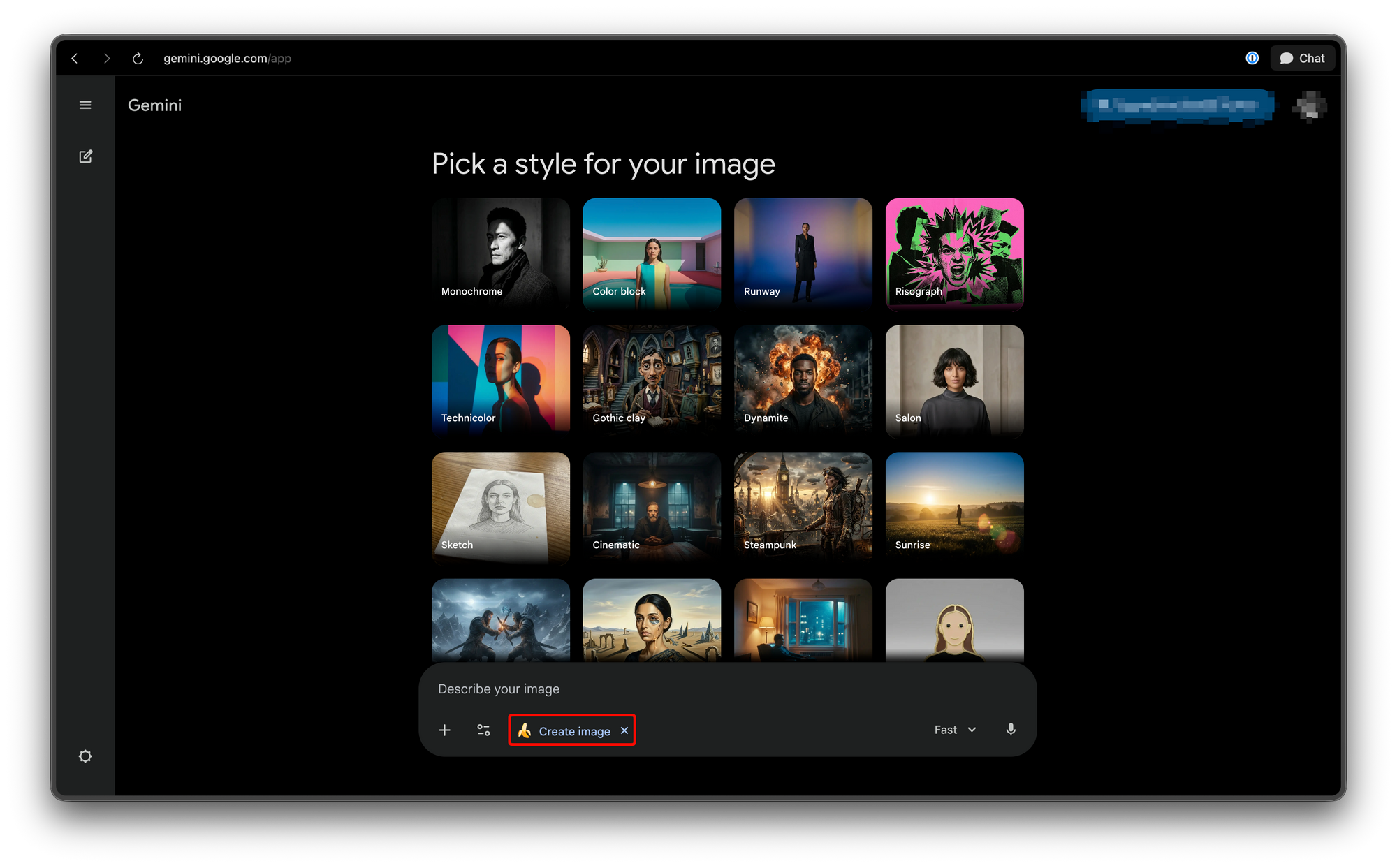
Access: Free (with limitations)
Best for: Quick experiments, casual use, learning the model capabilities
2. Google Search
Nano Banana 2 is integrated directly into Google Search through:
- AI Mode: Conversational image generation within search
- Google Lens: Image generation from visual input
Access: Available to all Google users
Best for: Quick queries, visual research
3. Google AI Studio
For developers wanting to experiment with the API before building integrations:
- Web-based playground
- Easy API key generation
- Usage tracking and limits
- Prompt experimentation tools
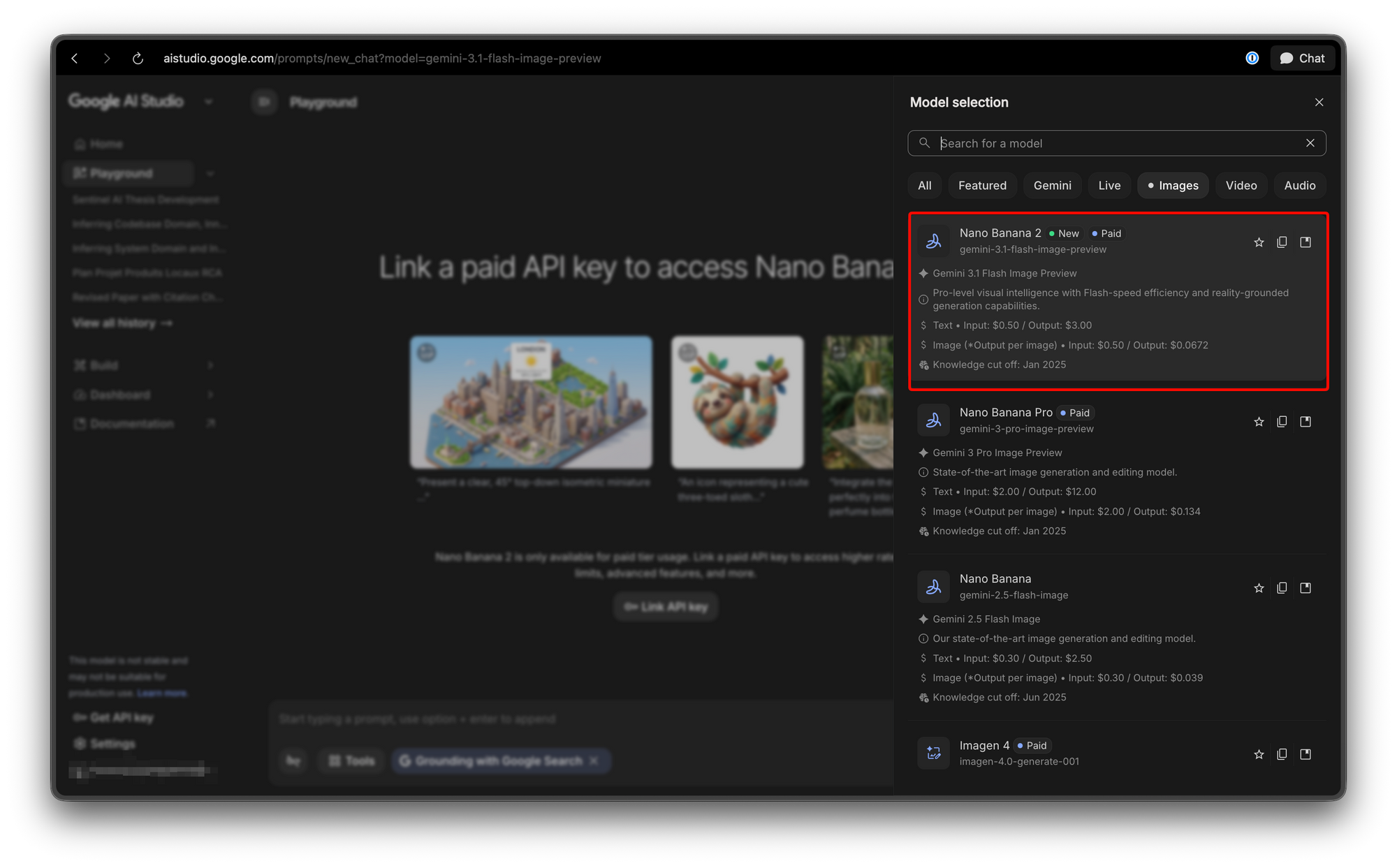
Access: Free tier unavailable, requires Google account
Best for: Prototyping, learning, small projects
4. Gemini API (Programmatic)
The primary integration pathway for applications:
- REST API access
- Streaming responses
- Full parameter control
- Production usage
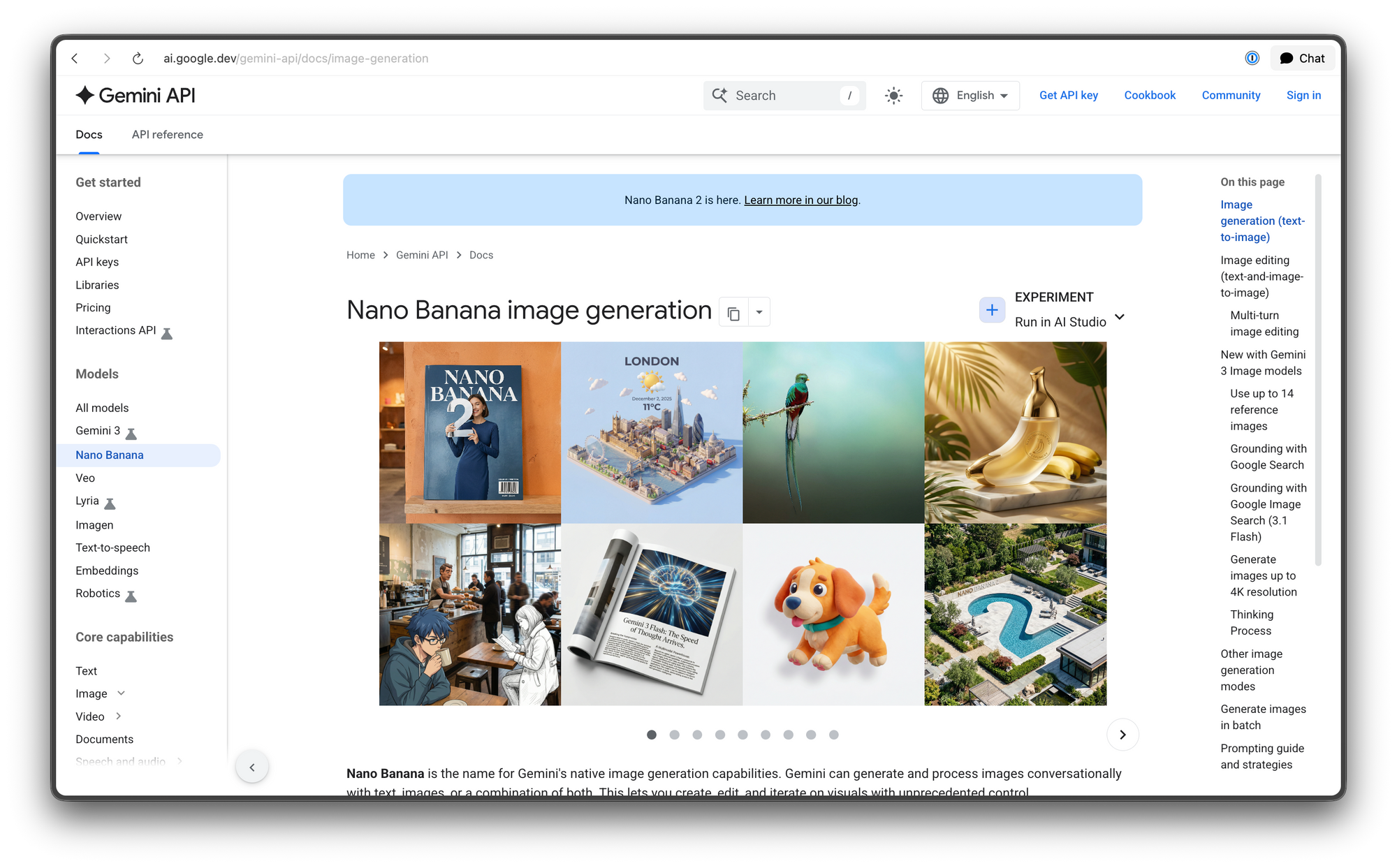
Access: API key required, usage-based pricing
Best for: Application integration, production systems
5. Vertex AI (Enterprise)
For enterprise customers needing advanced features:
- Custom model fine-tuning (future)
- Advanced security and compliance
- Dedicated infrastructure
- Comprehensive analytics
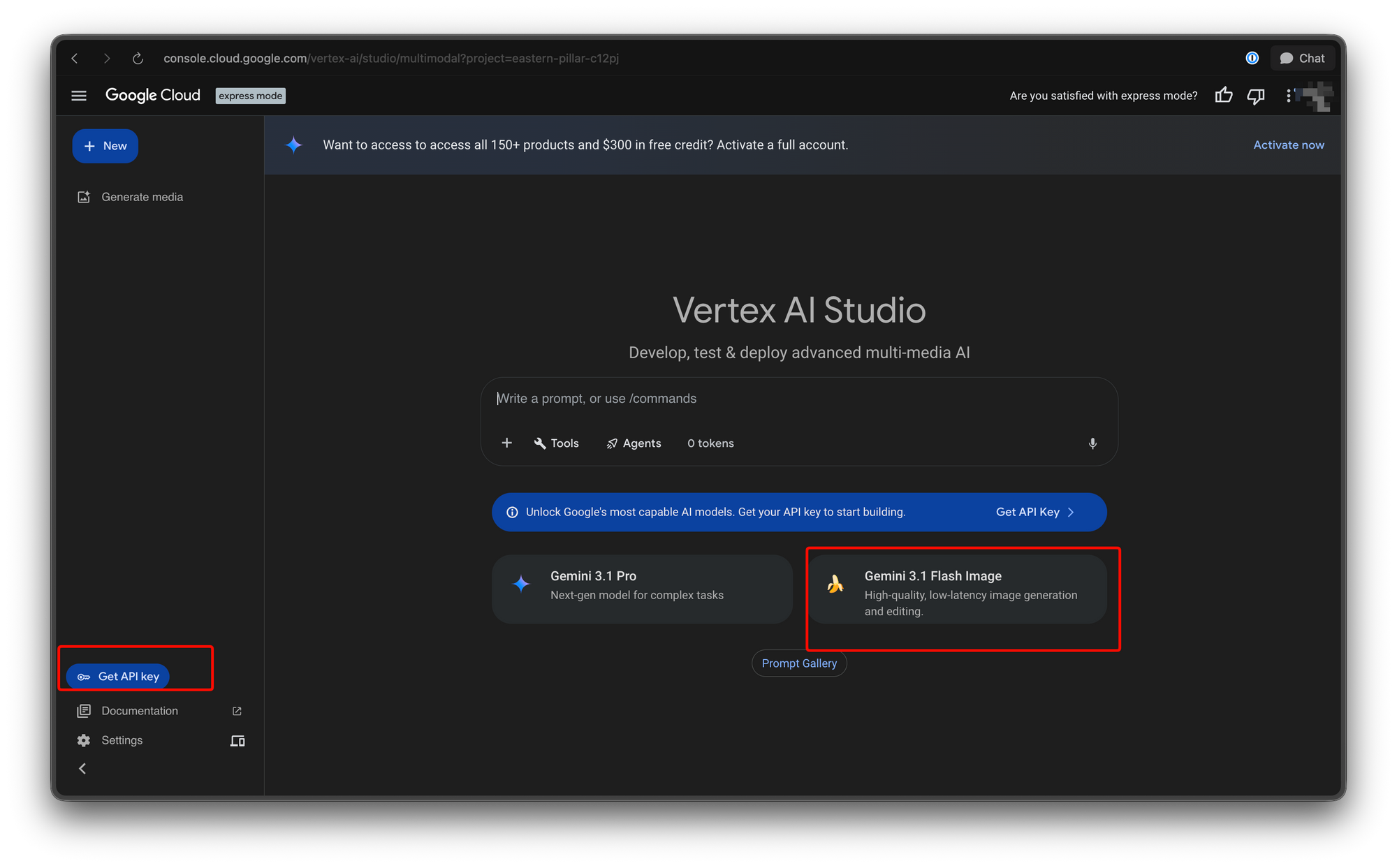
Access: Google Cloud customers
Best for: Enterprise applications, regulated industries
6. Google Antigravity
A newer platform for accessing Google's AI capabilities:
- Simplified access
- Competitive pricing
- Developer-focused features
Access: API key required
Best for: Developers seeking alternatives to Vertex
7. Google Flow
Google's video editing tool now uses Nano Banana 2 as the default image model, enabling:
- AI-powered video generation
- Storyboarding
- Asset creation for video projects
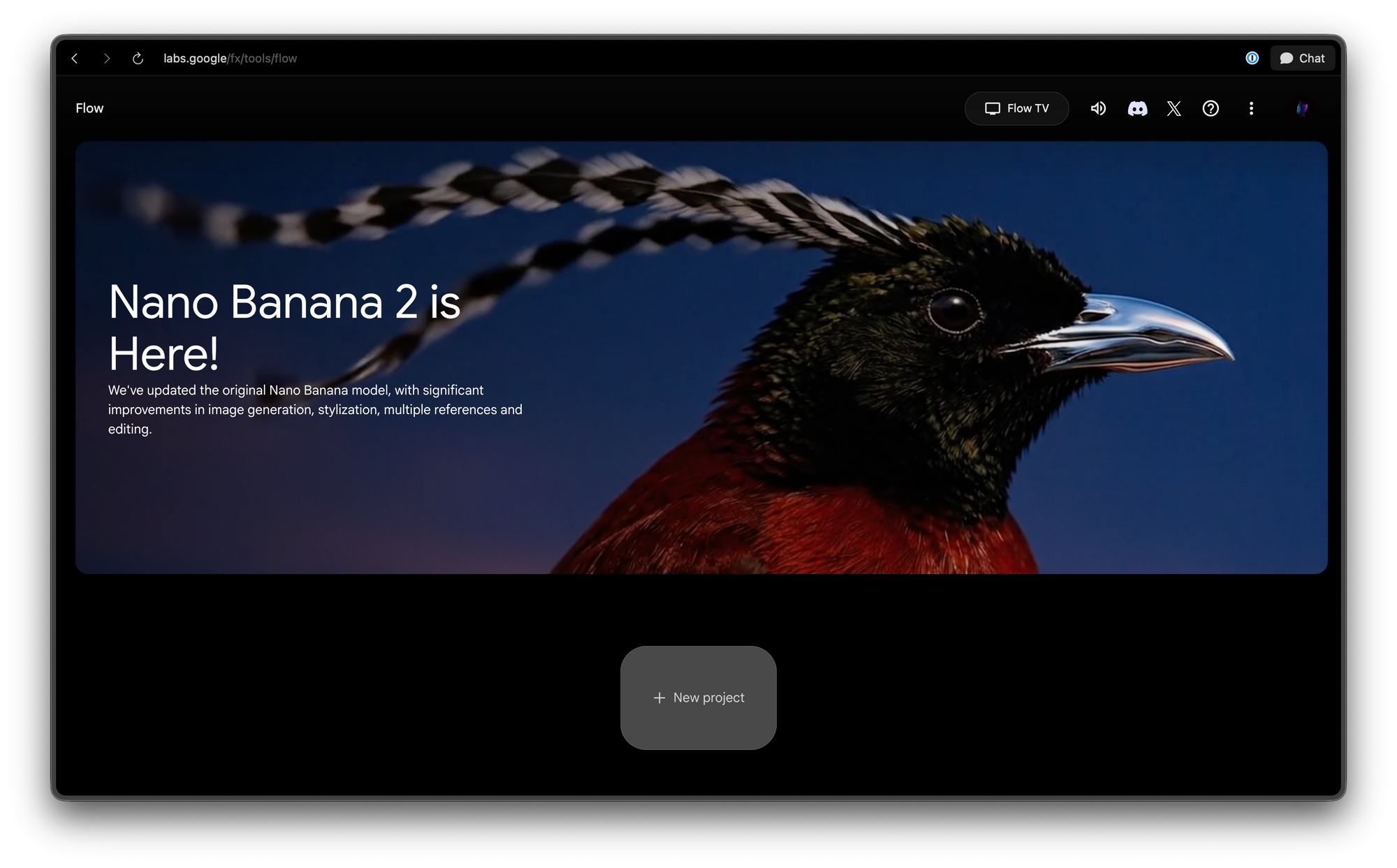
Access: Included with Google subscription
Best for: Video content creators
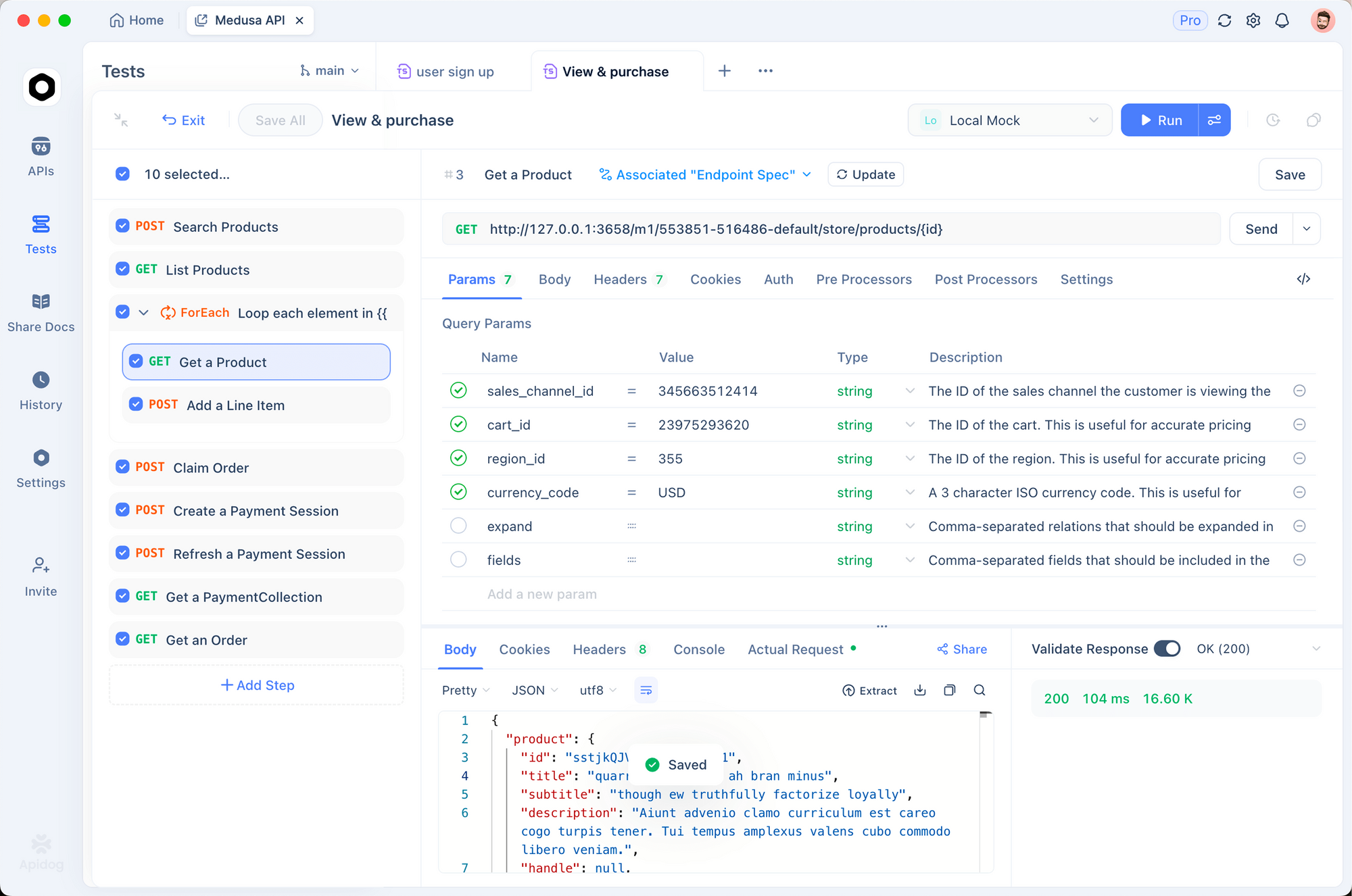
Integrating Nano Banana 2 API with Apidog
For developers building applications that use Nano Banana 2, proper API testing and management is crucial. Here's how to integrate and test the Gemini image generation API using Apidog:
Prerequisites
Before you begin, you'll need:
- A Google Cloud account
- API key from Google AI Studio or Gemini API
- Apidog installed (or use the web version)
Step 1: Set Up Your Apidog Workspace
Create a new workspace for your image generation project:
# Open Apidog and create a new workspace
# Name: "Nano Banana 2 Integration"
# Description: "Gemini image generation API testing"
Step 2: Configure Environment Variables
Store your API key securely using Apidog's environment variables:
Environment: Development
Variable: GEMINI_API_KEY
Value: your_api_key_here
Pro Tip: Never hardcode API keys in your requests. Use Apidog's environment variables to keep your credentials secure.
Step 3: Create Your First Image Generation Request
Here's how to structure a basic image generation request in Apidog:
Endpoint: https://generativelanguage.googleapis.com/v1beta/models/gemini-2.0-flash-exp-image-generation:predict
Method: POST
Headers:
Authorization: Bearer {{GEMINI_API_KEY}}
Content-Type: application/json
Request Body:
{
  "prompt": "A modern minimalist office workspace with a banana-shaped desk lamp, 4k quality, natural lighting",
  "number_of_images": 1,
  "aspect_ratio": "16:9",
  "resolution": "1024x1024",
  "negative_prompt": "blurry, low quality, distorted",
  "safety_filter_level": "block_medium_and_above"
}
Step 4: Test the Request
Click "Send" in Apidog to test your request. You should receive a response containing:
{
  "predictions": [
    {
      "image": {
        "mimeType": "image/png",
        "data": "base64_encoded_image_data..."
      },
      "generated_image_id": "img_abc123",
      "metadata": {
        "prompt": "A modern minimalist office workspace...",
        "seed": 12345,
        "finish_reason": "SUCCESS"
      }
    }
  ],
  "metadata": {
    "model_version": "gemini-3.1-flash-image-v2",
    "processing_time_ms": 1250,
    "content_authenticity": {
      "synthID": "enabled",
      "c2pa": "enabled"
    }
  }
}
Step 5: Build Automated Test Suites
Create automated tests in Apidog to ensure your image generation pipeline works reliably:
// Apidog test script
pm.test("Successful image generation", function() {
    var jsonData = pm.response.json();
    pm.expect(jsonData.predictions).to.have.property('image');
    pm.expect(jsonData.predictions[0].metadata.finish_reason).to.eql('SUCCESS');
});

pm.test("Content authenticity verified", function() {
    var jsonData = pm.response.json();
    pm.expect(jsonData.metadata.content_authenticity.synthID).to.eql('enabled');
});

pm.test("Response time under 3 seconds", function() {
    pm.expect(pm.response.responseTime).to.be.below(3000);
});
Advanced: Character Consistency Workflow
For projects requiring consistent characters across multiple images, here's how to structure your workflow:
// Step 1: Generate base character
var baseRequest = {
    "prompt": "A friendly robot character, cute style, front view, white and blue color scheme",
    "seed": 12345  // Note the seed for reproducibility
};

// Step 2: Generate variations using same seed
var variationRequest = {
    "prompt": "Same robot character, sitting pose, simple background",
    "seed": 12345  // Same seed maintains consistency
};

// Step 3: Verify character matches
pm.test("Character consistency maintained", function() {
    var baseResponse = pm.globals.get("base_character_response");
    var variationResponse = pm.response.json();
    // Compare object metadata to verify consistency
});
Advanced: Error Handling
Handle common API errors gracefully:
// Test for rate limiting
pm.test("Handle rate limiting", function() {
    if (pm.response.code === 429) {
        var jsonData = pm.response.json();
        console.log("Rate limited. Retry after: " + jsonData.retryDelay);
    }
});

// Test for content policy violations
pm.test("Content policy handling", function() {
    if (pm.response.code === 400) {
        var jsonData = pm.response.json();
        pm.expect(jsonData.error.details[0].reason).to.include('SAFETY');
    }
});
Pricing and Access Tiers
Understanding Nano Banana 2's pricing structure is essential for budgeting your AI image generation projects:
Free Tier
Limitations:
- Limited generations per day (exact number varies)
- Lower priority during peak times
- No access to advanced features
- Basic resolution options only
Best for: Learning, experimentation, low-volume use
Google AI Pro ($19.99/month)
Includes:
- Substantial generation quota
- Priority processing
- Access to Nano Banana Pro (higher fidelity)
- Higher resolution options
- Commercial usage rights
Best for: Freelancers, small teams, production applications
Google AI Ultra ($49.99/month)
Includes:
- Generous or unlimited generations
- Highest priority processing
- Access to all model variants
- 4K resolution
- API access with higher rate limits
- Enterprise support
Best for: Teams, agencies, high-volume applications
API-Based Pricing
For programmatic access beyond subscription tiers:
- Pay-per-generation pricing available
- Volume discounts for enterprise
- Vertex AI offers custom pricing
Pro Tip: When building production applications, monitor your API usage carefully. Apidog's analytics features can help track generation counts and identify optimization opportunities.
Real-World Use Cases
Nano Banana 2's capabilities open up numerous practical applications:
1. E-Commerce Product Visualization
Generate product images from descriptions or CAD files:
- Create multiple product variations instantly
- Generate lifestyle images showing products in use
- Produce seasonal and promotional imagery
2. Marketing Content Creation
Streamline marketing workflows:
- Generate ad creative variations at scale
- Create social media content from text descriptions
- Produce A/B testing variants quickly
3. Game and Entertainment Assets
Game developers can leverage:
- Character design iteration
- Environment concept art
- Asset variation generation
- Storyboard creation
4. Publishing and Journalism
News organizations can:
- Generate illustrative images for articles
- Create data visualizations
- Produce historical reconstructions (with appropriate disclaimers)
5. Design Prototyping
UX/UI designers benefit from:
- Rapid wireframe visualization
- Mood board generation
- Layout concept exploration
- Icon and illustration creation
Conclusion
Google Nano Banana 2 represents a significant step forward in accessible AI image generation. With its combination of speed, quality, and integration options, it's become a compelling choice for developers and businesses looking to add image generation capabilities to their applications.
Key takeaways:
- Faster generation with Pro-quality output makes real-time applications viable
- Improved text rendering opens up new use cases previously unsuitable for AI image generation
- Subject consistency enables multi-image workflows for storytelling and branding
- Multiple access channels from consumer apps to enterprise APIs suit various integration needs
- Content authentication addresses authenticity concerns for regulated industries
For developers integrating Nano Banana 2, using a tool like Apidog for API testing and management ensures reliable, maintainable integrations. The ability to create test suites, manage environment variables, and automate workflows is essential for production deployments.
As AI image generation continues to evolve, staying current with model updates and best practices will help you build applications that leverage these capabilities effectively.