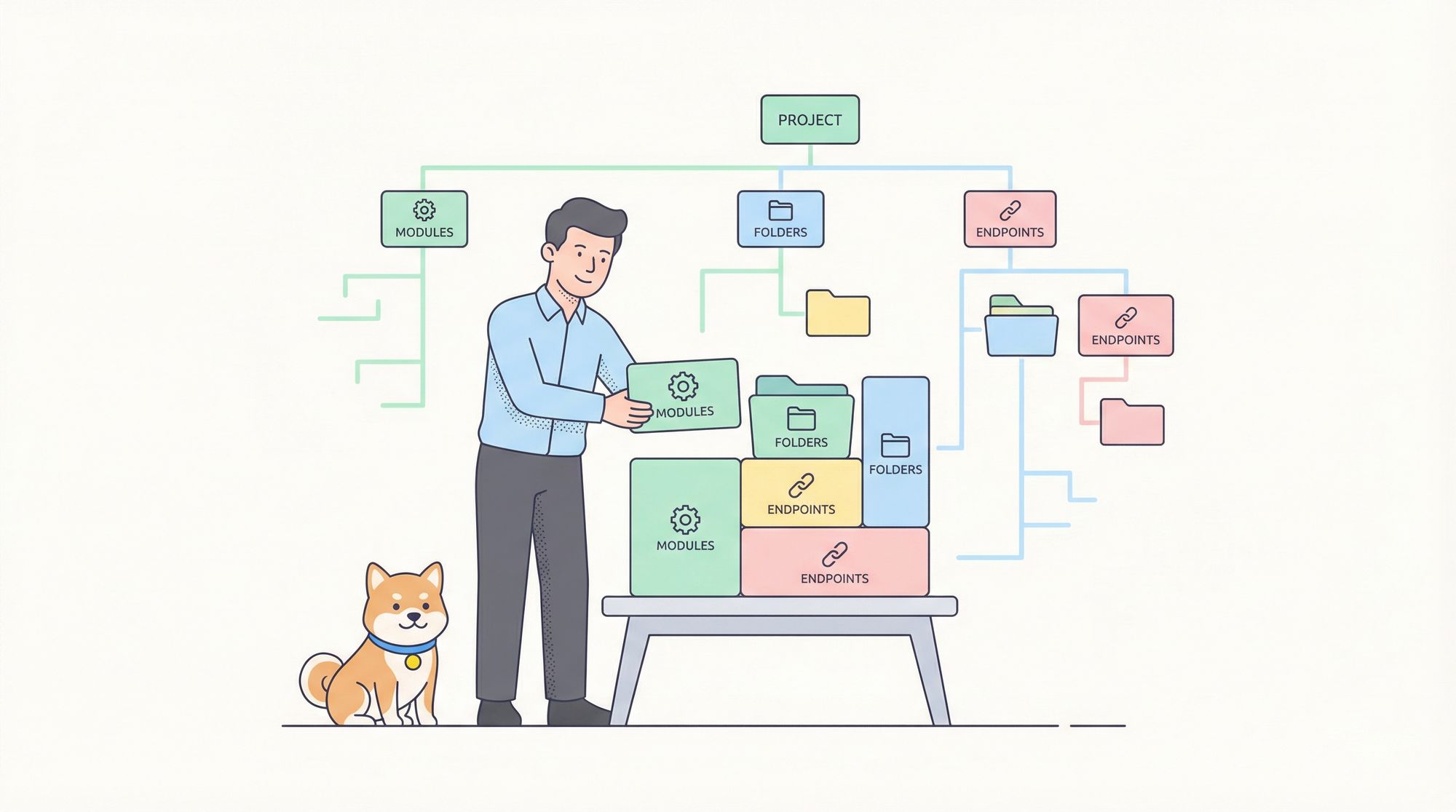
In an Apidog project, endpoints are managed in a hierarchical structure of Module → Folder → Endpoints.
- Modules represent independent OpenAPI files, usually grouped by business domain or service.
- Folders organize endpoints by feature or function within a module.
- Endpoints are the actual OpenAPI specifications or API definitions.
Understanding this structure is key to organize your APIs efficiently.
Here's a simple hierarchy example:
Apidog Project
│
├── Module: User Service (divided by business domain or service)
│  │
│  ├── Folder: User Authentication (feature category)
│  │ │
│  │ ├── Endpoint: POST /login (Login)
│  │ └── Endpoint: POST /register (Register)
│  │
│  └── Folder: User Info
│    │
│    └── Endpoint: GET /users/{id} (Get User Info)
│
└── Module: Order Service
    │
    ├── Folder: Order Management
    │ │
    │ ├── Endpoint: POST /orders (Create Order)
    │ └── Endpoint: GET /orders/{id} (Get Order Details)
    │
    └── Folder: Payment
      │
      └── Endpoint: POST /payment/submit (Submit Payment)
Understanding Modules in Apidog
After understanding the project hierarchy, the next question is: Does every project need modules? When should you create a new one?
When you create a new project, Apidog automatically generates a default module. If your project only contains a single backend service or a small set of endpoints, this default module is usually sufficient. However, if you need to manage multiple distinct API services, you can create a separate module for each one.
For example, a project backend may include services like User, Product, Order, and Logistics—each responsible for a specific domain and often deployed on different service URLs. In this case, it's recommended to create individual modules for these services to manage their endpoints independently.
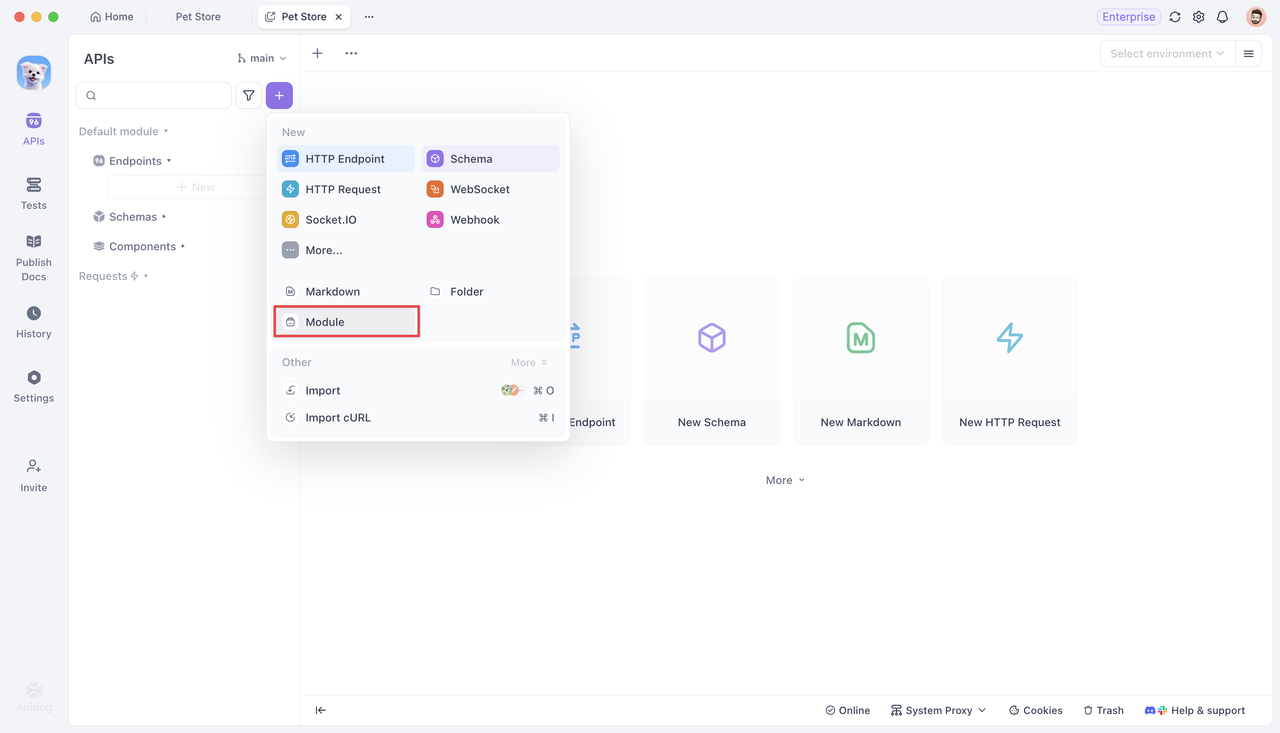
You can create a module by clicking the + button above the folder tree and selecting Module.
Once created, it appears in the left-hand project tree alongside others, with its own space for folders and endpoints. You can freely add endpoints and folders within each module.
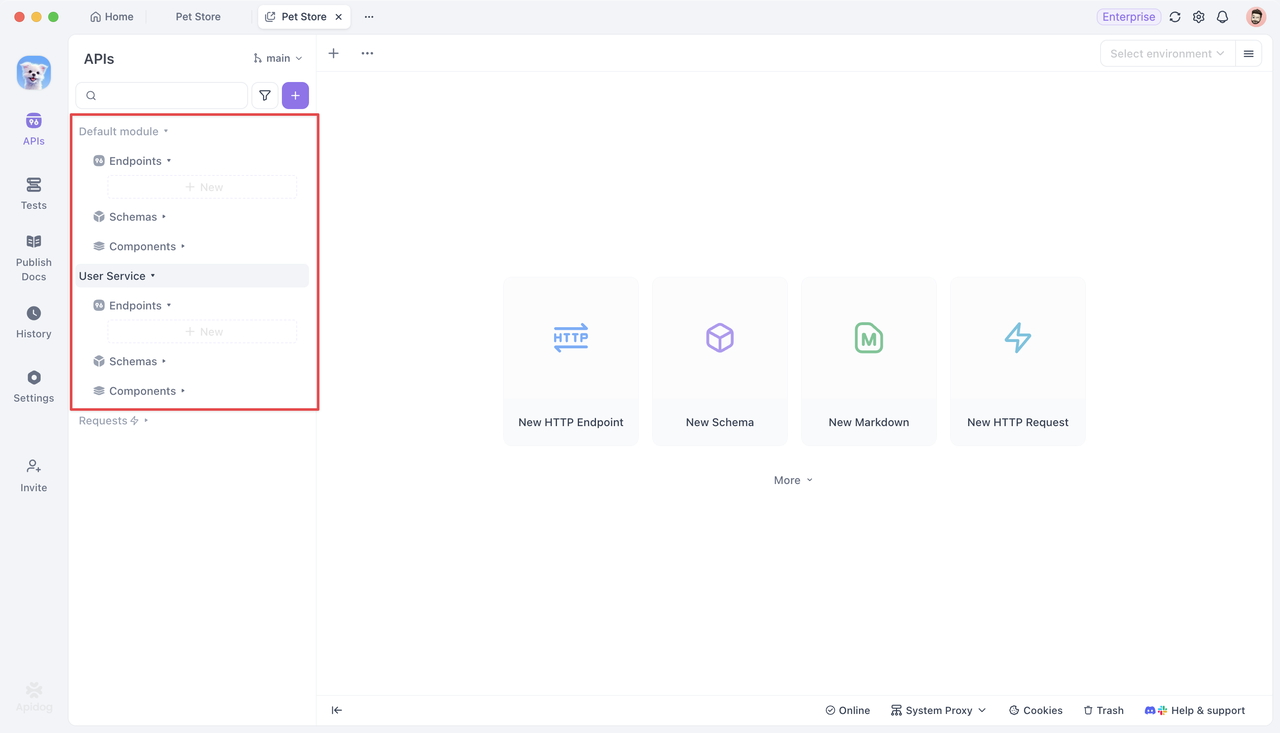
Modules are independent from one another, each with its own endpoints, schemas, components, and module variables. However, schemas can be referenced across modules. In addition, project-level settings such as environment variables, database connections, and common scripts are accessible to all modules.
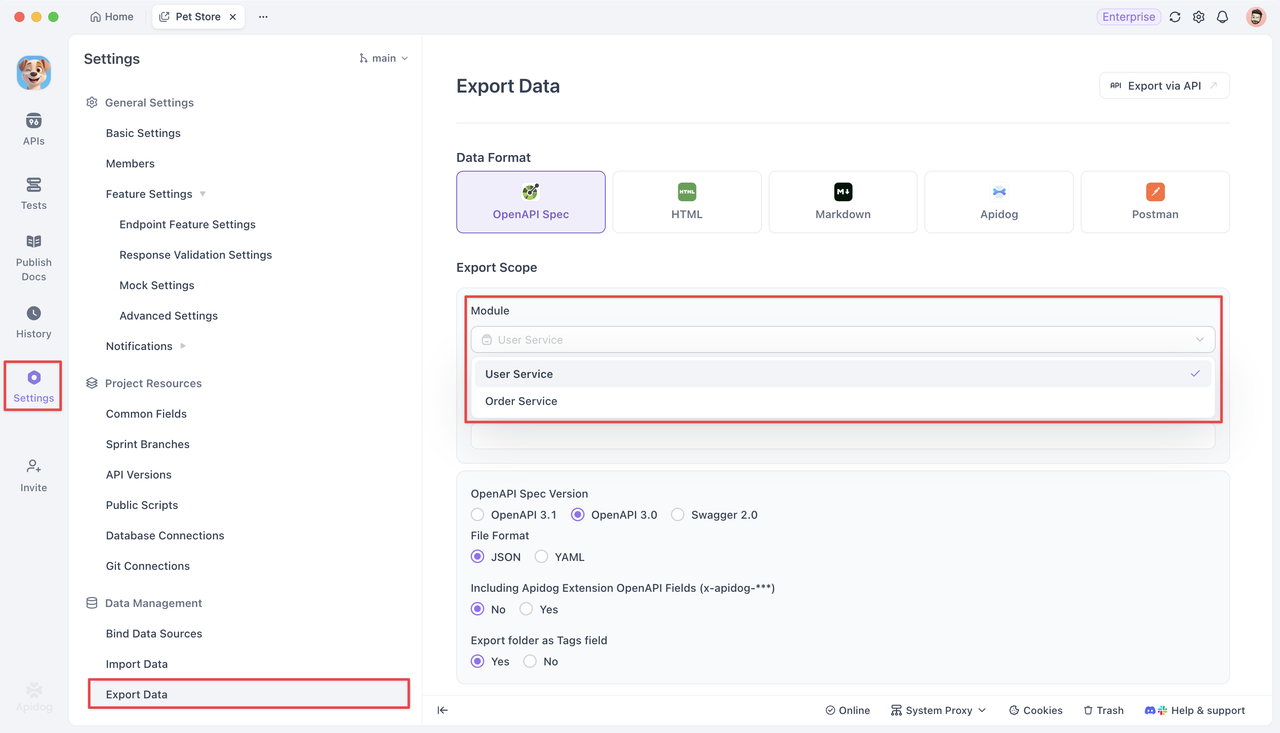
Each module corresponds to a complete OpenAPI specification file. When exporting your project, the OpenAPI files are generated per module.
Understanding Folders within a Module
After creating your modules, the next step is to plan how to structure the endpoints within them.
Every module starts with a root folder that holds all subfolders and endpoints.
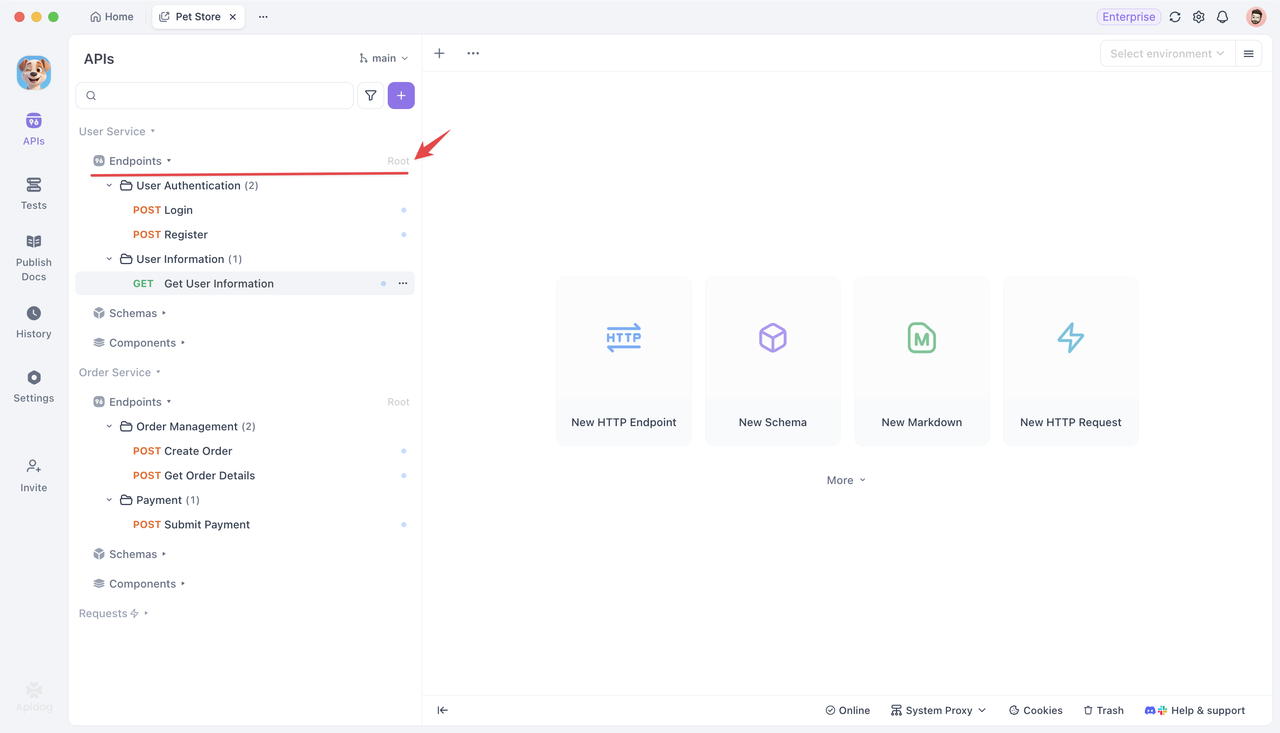
You can create folders directly under the root or nest them within other existing folders.
When designing the folder structure, consider how complex the module is. For a module with only a few endpoints, a simple single-level folder organized by function is usually enough. But for more complex modules, it's better to create well-structured, multi-level folders to keep everything organized and easy to navigate.
For example, in a User Service module, you might have top-level folders such as:
- User Authentication (for login, registration, password reset endpoints)
- User Info
- Access Control
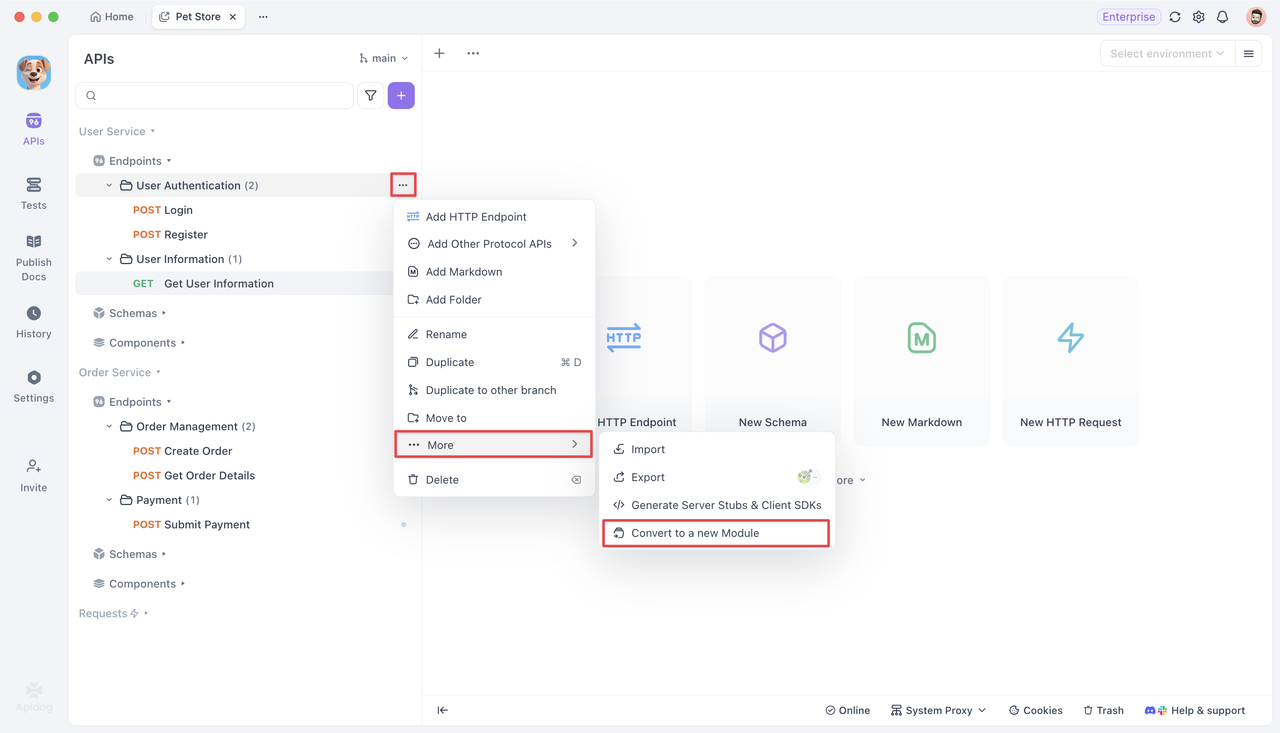
If one folder becomes too large or logically independent, you can convert it into a standalone module.
Click the ... icon next to the folder name and select ...More > Convert to a new Module. This helps keep your project structure well-organized as it scales.
Environment Management & Configuration for a Module
Besides structured endpoints, each module typically corresponds to a different service address or deployment environment. You can configure these easily in Environment Management.
In environment management settings, each module's Base URL can be configured separately. For example, in a Test Environment:
- User Service →
http://user-service:8001 - Order Service →
http://order-service:8002
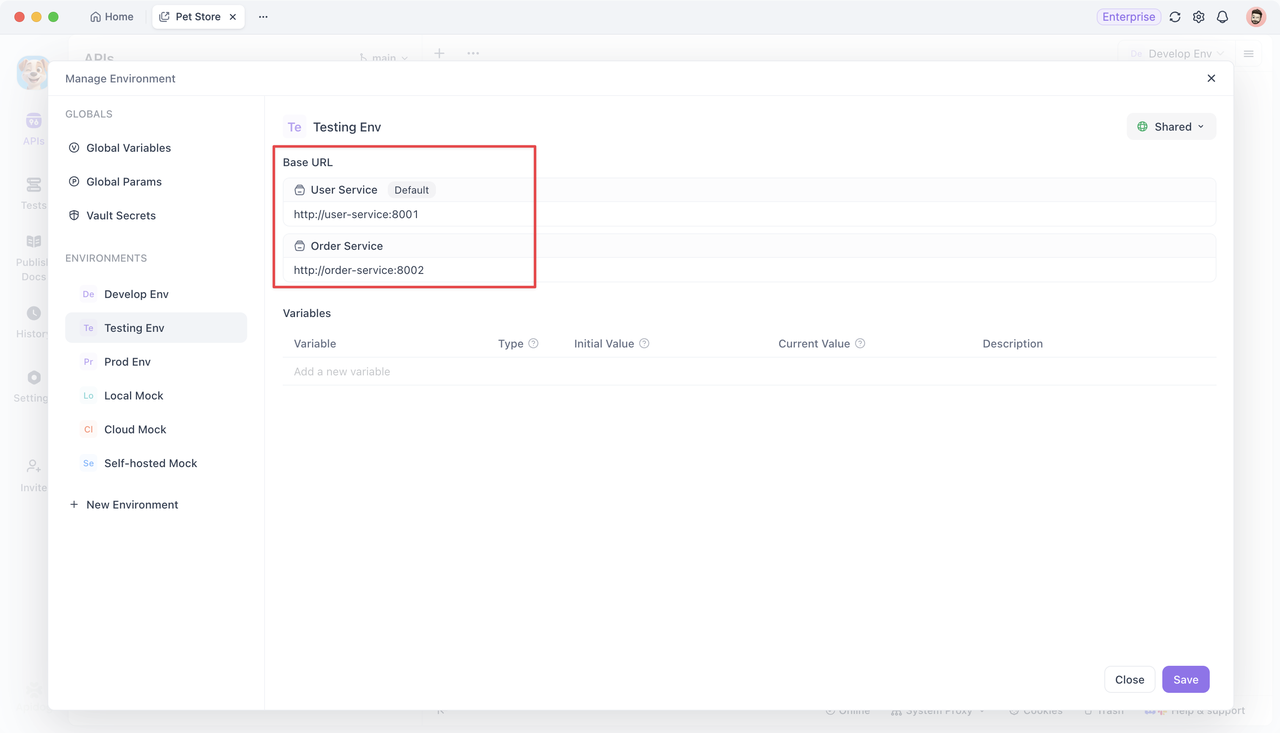
When switching environments, Apidog automatically updates each module's base URL. For instance, when switching development environment to testing one, the base URL of the user service module will change from http://localhost:8001 to http://user-service:8001, and the base URL of the order service module will change from http://localhost:8002 to http://order-service:8002.
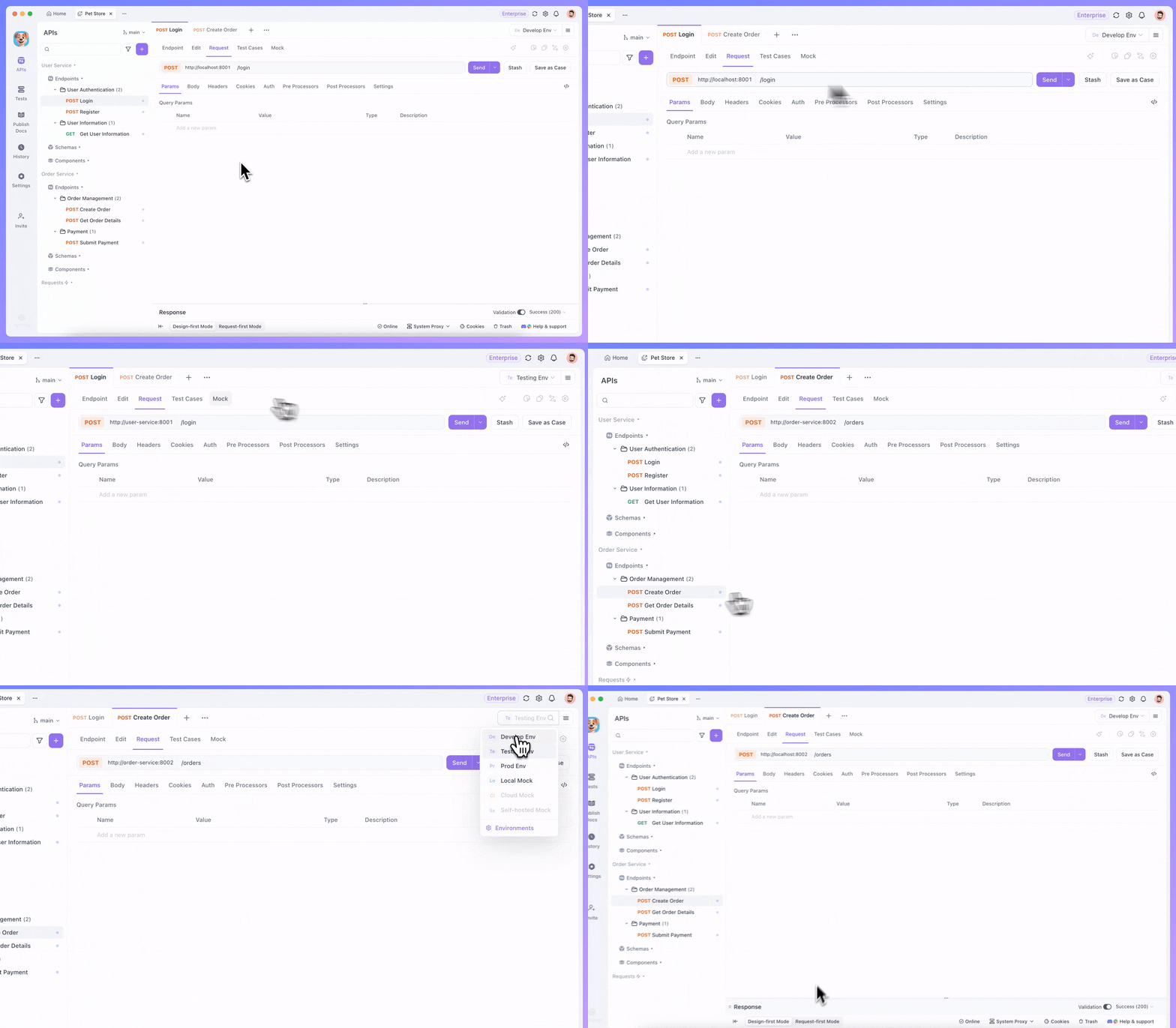
Environment variables are shared across all modules and work best for storing settings that differ between environments. In contrast, module variables are unique to each module — for example, their own API keys or tokens — and can be used in any endpoint within that module.
Managing and Reusing Schemas
Efficient schema management helps avoid duplication and ensures consistency across modules.
Each module has its own schema management section, where you can define and maintain business-related data structures. These schemas can be reused within the module or referenced by others.
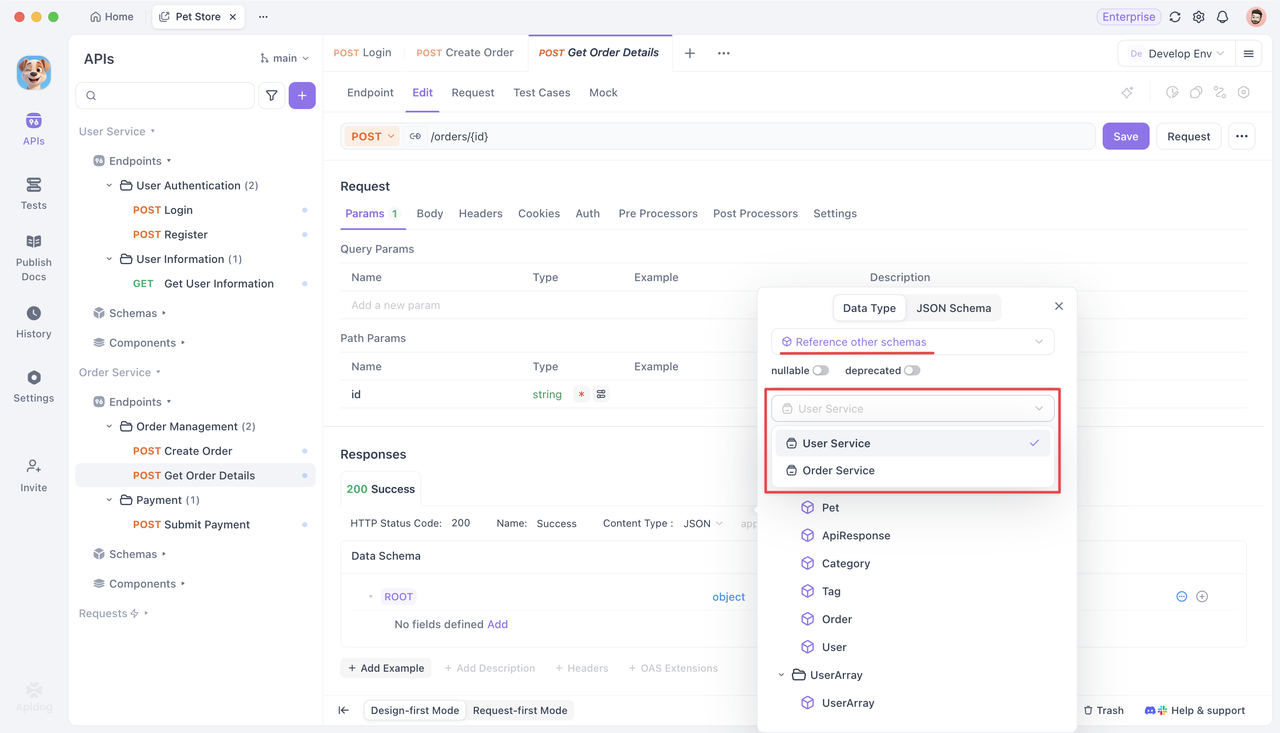
For example, the User Service module defines user-related schemas. The Order Service module defines order-related schemas. If the Order Service needs to reference user info, it can simply reuse the User Service's schema—no need to recreate it.
From Postman to Apidog: Organizing Imported Collections & Endpoints
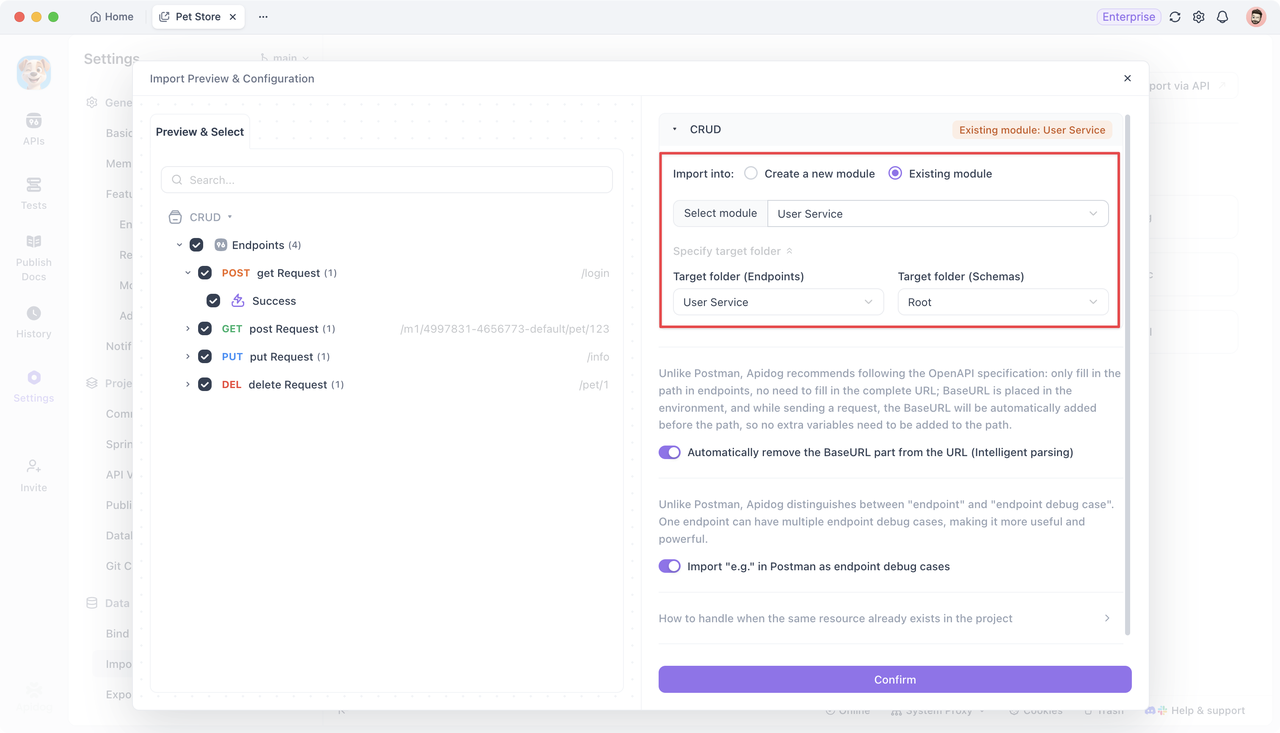
If your team previously used Postman, you can easily migrate existing collections and endpoints to Apidog.
During import:
- Each Postman Collection becomes a Module.
- Folder structures are automatically mapped.
- Endpoints and schemas are preserved.
This lets you keep your familiar API structure while taking advantage of Apidog's modular system.
Conclusion
By defining clear modules, organizing folders, and reusing schemas, you can keep your Apidog projects clean, scalable, and easy to collaborate on.
Apidog's modular design helps teams work faster, avoid confusion, and manage complex APIs more efficiently — from design to documentation to testing.