TL;DR
VibeVoice is Microsoft’s open-source voice AI family with three models: VibeVoice-1.5B for text-to-speech (up to 90 minutes, 4 speakers), VibeVoice-Realtime-0.5B for streaming TTS, and VibeVoice-ASR for speech recognition (60-minute audio, 50+ languages, 7.77% WER). All models are MIT-licensed and run locally. This guide covers installation, usage, and API integration.
Introduction
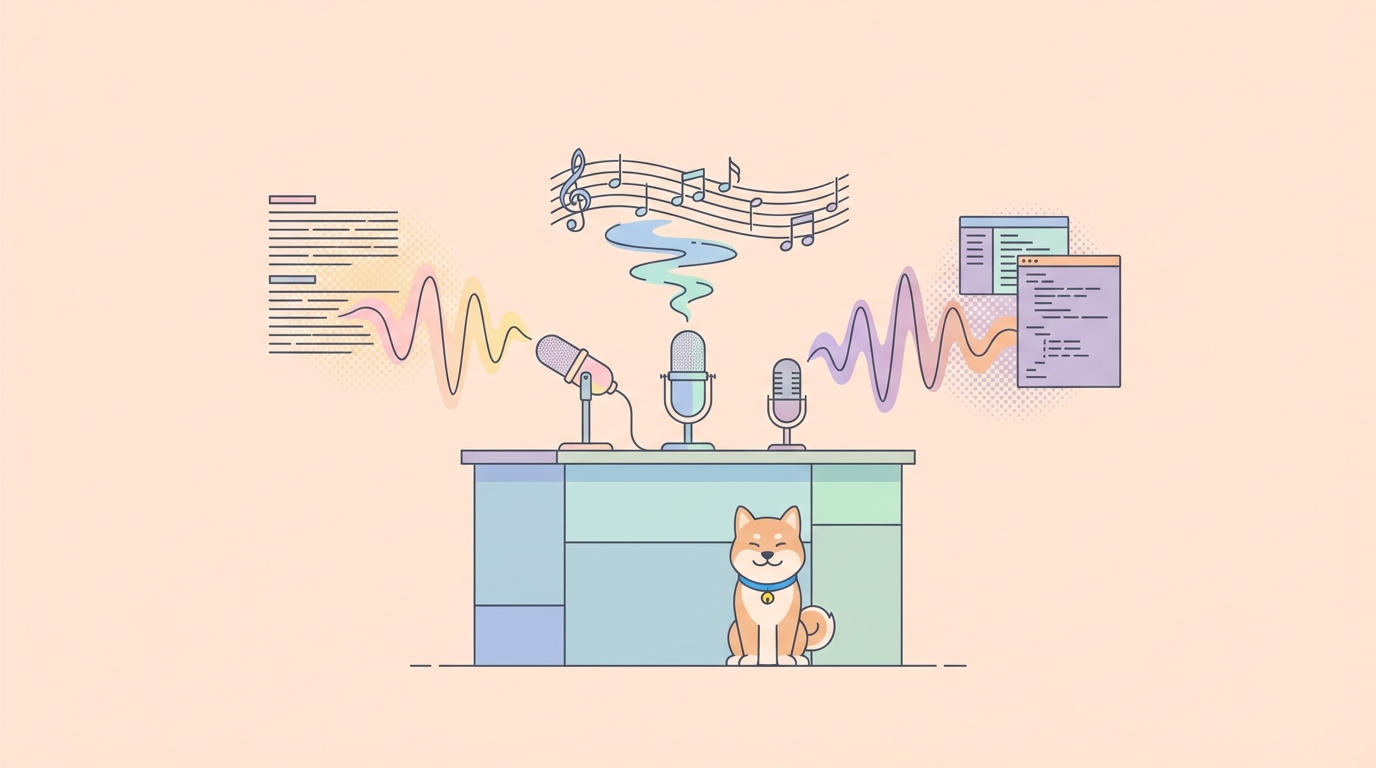
Microsoft released VibeVoice as an open-source voice AI framework in early 2026. It includes models for both speech synthesis (text-to-speech) and speech recognition (automatic speech recognition), all running locally on your hardware with no cloud dependency.
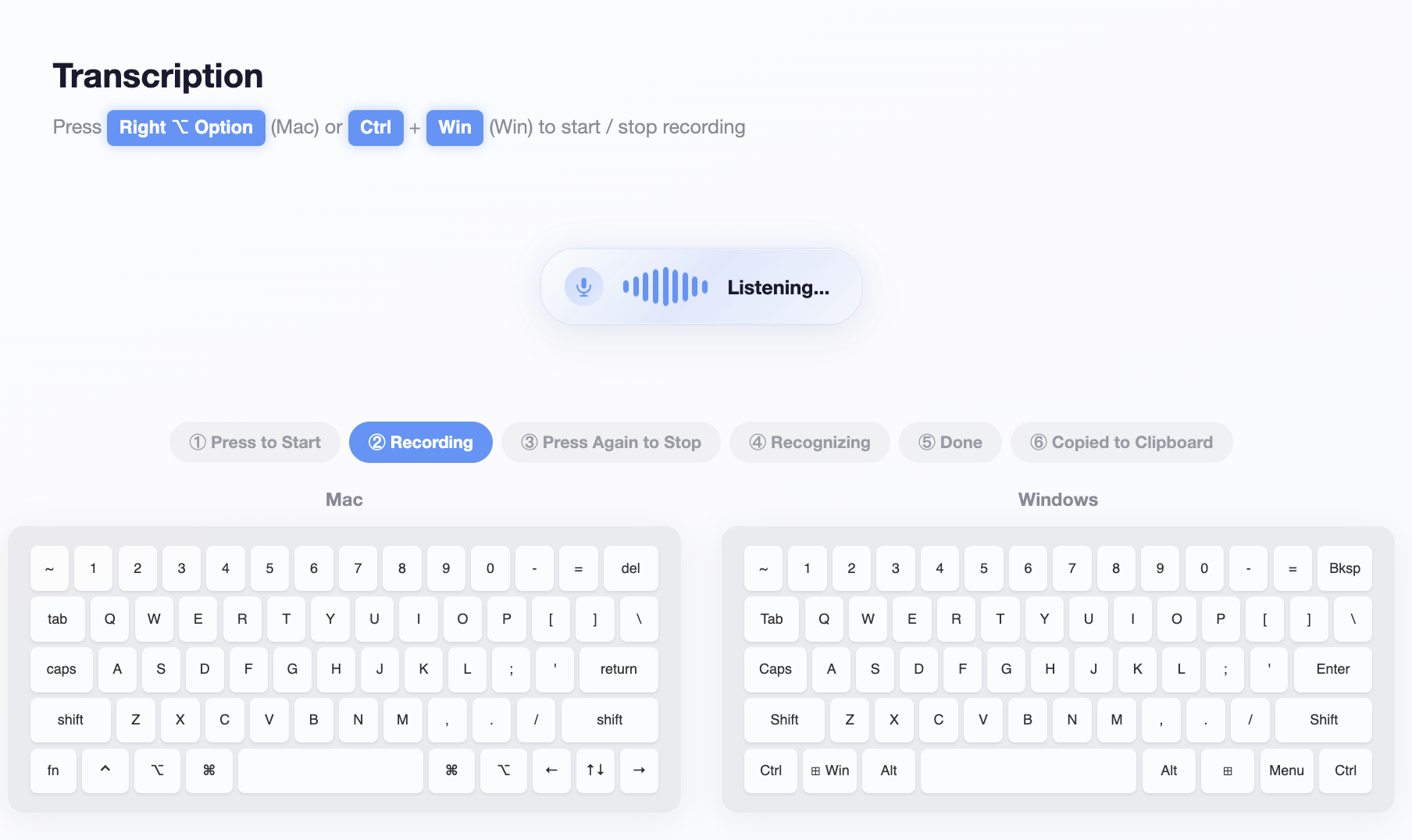
The framework has three models:
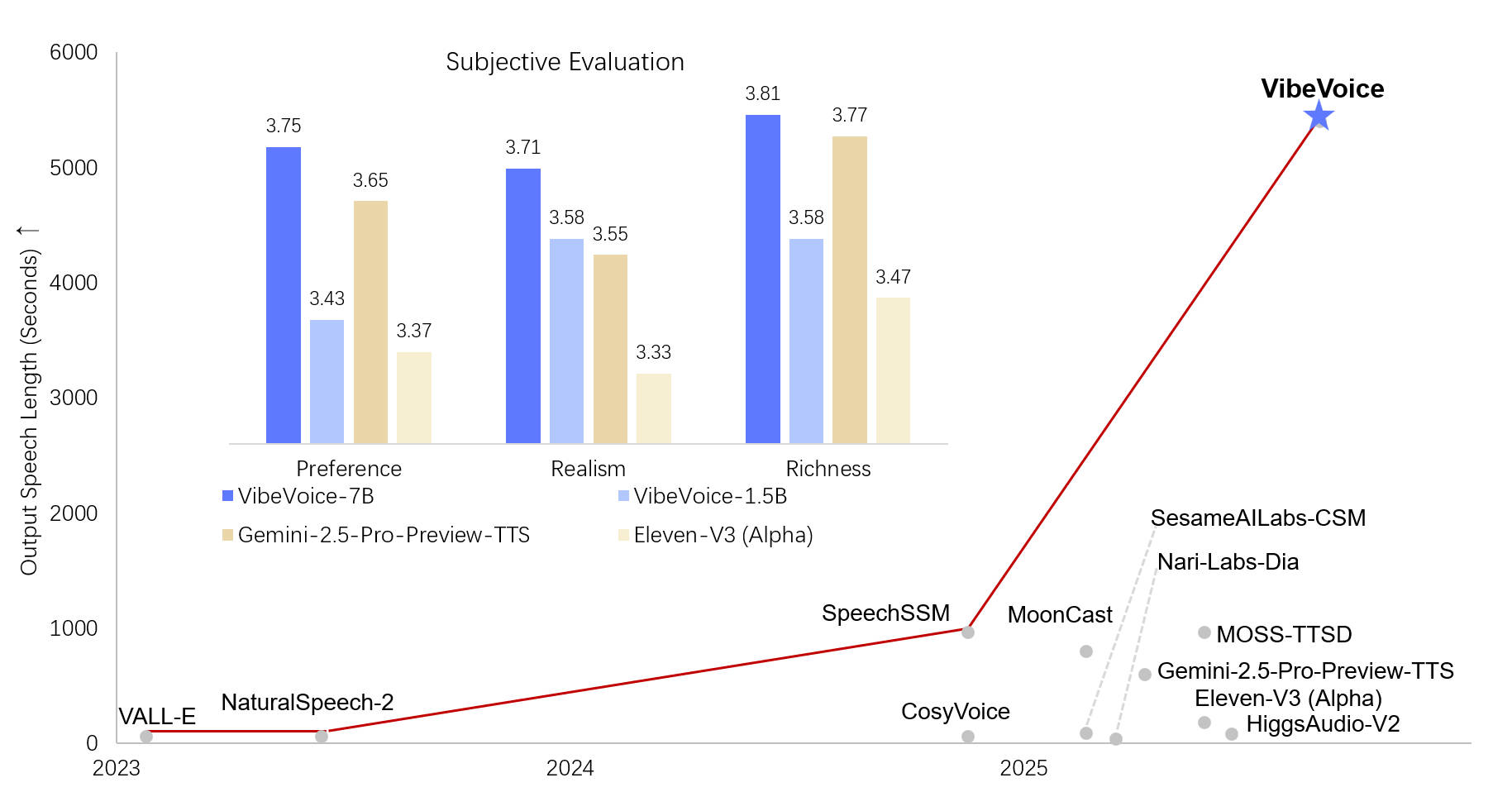
- VibeVoice-1.5B generates expressive, multi-speaker conversational audio from text scripts. It can synthesize up to 90 minutes of speech with 4 distinct speakers in a single pass.
- VibeVoice-Realtime-0.5B is a lightweight streaming variant that produces audio with ~300ms first-chunk latency.
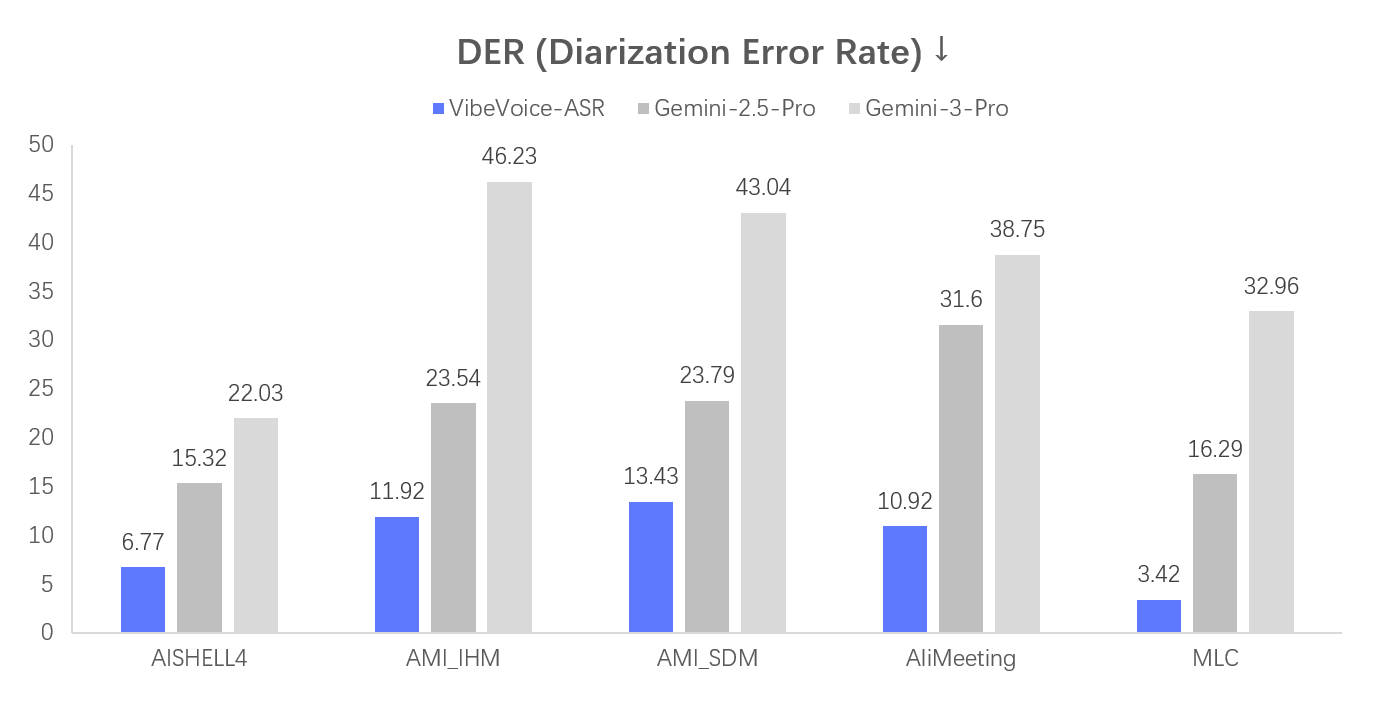
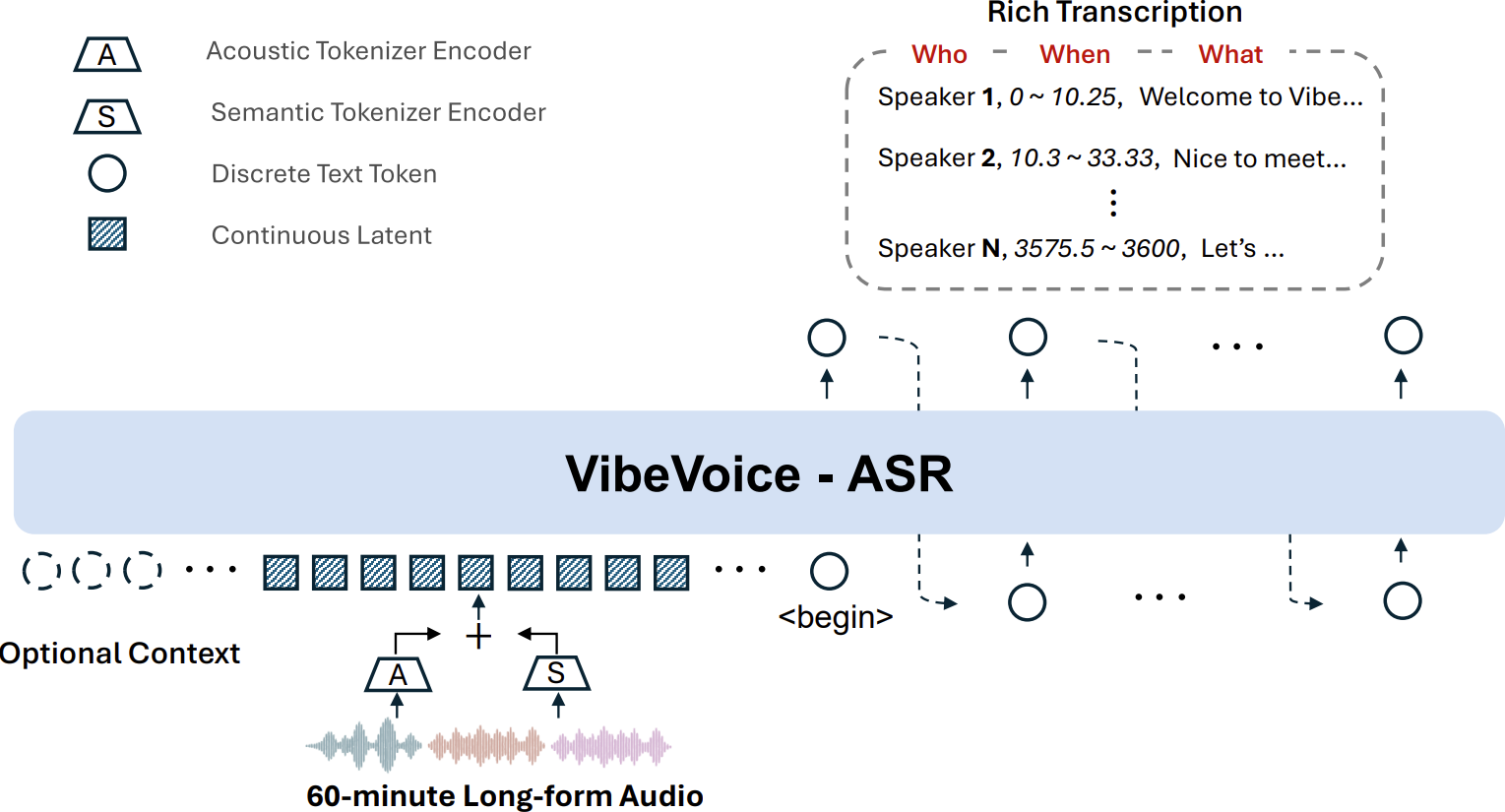
- VibeVoice-ASR transcribes up to 60 minutes of continuous audio with speaker identification, timestamps, and structured output across 50+ languages.
The TTS models caused controversy after release. Microsoft temporarily disabled the main GitHub repository when they discovered voice cloning misuse. The community forked the code, and Microsoft later re-enabled the repo with added safeguards: an audible AI disclaimer embedded in generated audio and imperceptible watermarking for provenance verification.
VibeVoice-ASR is now available on Azure AI Foundry for cloud deployment. The TTS models remain research-focused with an MIT license.
This guide walks through installation, text-to-speech generation, speech recognition, API integration, and how to test voice AI endpoints with Apidog.
How VibeVoice works: architecture overview
The tokenizer breakthrough
VibeVoice’s core advancement is its continuous speech tokenizers operating at an ultra-low frame rate of 7.5 Hz. For comparison, most speech models process audio at 50-100 Hz. This 7-13x reduction in frame rate means the model handles long sequences (90 minutes of audio) without running out of context.
The system uses two tokenizers:
- Acoustic Tokenizer: A sigma-VAE variant with ~340M parameters in a mirror-symmetric encoder-decoder. It downsamples 3,200x from 24kHz input audio.
- Semantic Tokenizer: Mirrors the acoustic tokenizer’s architecture but is trained with an ASR proxy task to capture linguistic meaning.
Next-token diffusion
The model combines an LLM backbone (Qwen2.5-1.5B) with a lightweight diffusion head (~123M parameters). The LLM handles textual context and dialogue flow. The diffusion head generates high-fidelity acoustic details using DDPM (Denoising Diffusion Probabilistic Models) with Classifier-Free Guidance.
Total parameter count: 3B (including tokenizers and diffusion head).
Training approach
VibeVoice uses curriculum learning, progressively training on longer sequences: 4K, 16K, 32K, then 64K tokens. The pre-trained tokenizers stay frozen during this phase; only the LLM and diffusion head parameters update. This lets the model learn to handle increasingly long audio without forgetting short-form capabilities.
VibeVoice model specifications
| Model | Parameters | Purpose | Max length | Languages | License |
|---|---|---|---|---|---|
| VibeVoice-1.5B | 3B (total) | Text-to-speech | 90 minutes | English, Chinese | MIT |
| VibeVoice-Realtime-0.5B | ~0.5B | Streaming TTS | Long-form | English, Chinese | MIT |
| VibeVoice-ASR | ~9B | Speech recognition | 60 minutes | 50+ languages | MIT |
VibeVoice-1.5B (TTS)
| Specification | Value |
|---|---|
| LLM base | Qwen2.5-1.5B |
| Context length | 64K tokens |
| Max speakers | 4 simultaneous |
| Audio output | 24kHz WAV mono |
| Tensor type | BF16 |
| Format | Safetensors |
| HuggingFace downloads | 62,630/month |
| Community forks | 12 fine-tuned variants |
VibeVoice-ASR
| Specification | Value |
|---|---|
| Architecture base | Qwen2.5 |
| Parameters | ~9B |
| Audio processing | Up to 60 minutes single pass |
| Frame rate | 7.5 Hz |
| Average WER | 7.77% (across 8 English datasets) |
| LibriSpeech Clean WER | 2.20% |
| TED-LIUM WER | 2.57% |
| Languages | 50+ |
| Output | Structured (Who + When + What) |
| Supported audio | WAV, FLAC, MP3 at 16kHz+ |
Installation and setup
Prerequisites
- Python 3.8+
- NVIDIA GPU with CUDA support
- Minimum 7-8 GB VRAM for TTS models
- Minimum 24 GB VRAM for ASR model (A100/H100 recommended)
- 32 GB RAM minimum (64 GB recommended for ASR)
- CUDA 11.8+ (CUDA 12.0+ recommended)
Install VibeVoice TTS
# Clone the repository
git clone https://github.com/microsoft/VibeVoice.git
cd VibeVoice

# Install dependencies
pip install -r requirements.txt
Models download automatically from HuggingFace on first run. You can also pre-download them:
from huggingface_hub import snapshot_download

# Download the 1.5B TTS model
snapshot_download(
    "microsoft/VibeVoice-1.5B",
    local_dir="./models/VibeVoice-1.5B",
    local_dir_use_symlinks=False
)
Install via pip (community package)
pip install vibevoice
Install for ASR
VibeVoice-ASR uses a separate setup:
git clone https://github.com/microsoft/VibeVoice.git
cd VibeVoice
pip install -r requirements-asr.txt
Or deploy through Azure AI Foundry for managed cloud inference.
Generating speech with VibeVoice-1.5B
Single-speaker generation
Create a text file with your script:
Alice: Welcome to the Apidog developer podcast. Today we're covering API testing strategies for 2026.
Run inference:
python VibeVoice \
  --model_path microsoft/VibeVoice-1.5B \
  --txt_path script.txt \
  --speaker_names Alice \
  --cfg_scale 1.5
Output saves as a .wav file in the outputs/ directory.
Multi-speaker podcast generation
VibeVoice handles up to 4 speakers with consistent voice identities throughout the entire recording:
Alice: Welcome back to the show. Today we have two API experts joining us.
Bob: Thanks for having me. I've been working on REST API design patterns for the past five years.
Carol: And I focus on GraphQL performance optimization. Happy to be here.
Alice: Let's start with the debate everyone wants to hear. REST versus GraphQL for microservices.
Bob: REST gives you clear resource boundaries. Each endpoint maps to a specific resource.
Carol: GraphQL gives you flexibility. One endpoint, and the client decides what data it needs.
python VibeVoice \
  --model_path microsoft/VibeVoice-1.5B \
  --txt_path podcast_script.txt \
  --speaker_names Alice Bob Carol \
  --cfg_scale 1.5
The model maintains distinct voice characteristics for each speaker across the full conversation, even at 90-minute lengths.
Voice cloning (zero-shot)
Clone a voice from a reference audio sample:
Audio requirements:
- Format: WAV (mono)
- Sample rate: 24,000 Hz
- Duration: 30-60 seconds of clear speech
Convert existing audio to the right format:
ffmpeg -i source_recording.m4a -ar 24000 -ac 1 reference_voice.wav
Use the Gradio demo interface for voice cloning:
python demo/gradio_demo.py
This launches a web UI at http://127.0.0.1:7860 where you upload your reference audio, select the cloned voice, and generate speech.
Streaming with VibeVoice-Realtime-0.5B
For applications needing low-latency audio output (~300ms first chunk):
python demo/streaming_inference_from_file.py \
  --model_path microsoft/VibeVoice-Realtime-0.5B \
  --txt_path script.txt \
  --speaker_name Alice
The Realtime model is smaller and faster but produces lower fidelity audio than the full 1.5B model. Use it for interactive applications; use the 1.5B for pre-generated content.
Using VibeVoice with Python
Pipeline API
from transformers import pipeline
from huggingface_hub import snapshot_download

# Download model
model_path = snapshot_download("microsoft/VibeVoice-1.5B")

# Load pipeline
pipe = pipeline(
    "text-to-speech",
    model=model_path,
    no_processor=False
)

# Prepare multi-speaker script
script = [
    {"role": "Alice", "content": "How do you handle API versioning?"},
    {"role": "Bob", "content": "We use URL path versioning. v1, v2, and so on."},
]

# Apply chat template
input_data = pipe.processor.apply_chat_template(script)

# Generate audio
generate_kwargs = {
    "cfg_scale": 1.5,
    "n_diffusion_steps": 50,
}

output = pipe(input_data, generate_kwargs=generate_kwargs)
FastAPI wrapper for production
The community built a FastAPI wrapper that exposes VibeVoice as an OpenAI-compatible TTS API:
git clone https://github.com/ncoder-ai/VibeVoice-FastAPI.git
cd VibeVoice-FastAPI
docker compose up
This gives you an API endpoint compatible with OpenAI’s TTS format:
curl -X POST http://localhost:8000/v1/audio/speech \
  -H "Content-Type: application/json" \
  -d '{
    "model": "vibevoice-1.5b",
    "input": "Your API documentation should be a conversation, not a monologue.",
    "voice": "alice"
  }' \
  --output speech.wav
This OpenAI-compatible endpoint means you can test your VibeVoice API integration with Apidog using the same request format you’d use for OpenAI’s TTS API. Import the endpoint, configure your request body, and test voice generation without writing application code.
Using VibeVoice-ASR for speech recognition
Basic transcription
python asr_inference.py \
  --model_path microsoft/VibeVoice-ASR \
  --audio_path meeting_recording.wav
Structured output format
VibeVoice-ASR produces structured transcriptions with three fields per segment:
- Who: Speaker identity (Speaker 1, Speaker 2, etc.)
- When: Start and end timestamps
- What: Transcribed text content
Example output:
{
  "segments": [
    {
      "speaker": "Speaker 1",
      "start": 0.0,
      "end": 4.2,
      "text": "Let's review the API endpoints for the new release."
    },
    {
      "speaker": "Speaker 2",
      "start": 4.5,
      "end": 8.1,
      "text": "I've added three new endpoints for the billing module."
    }
  ]
}
ASR as an MCP server
VibeVoice-ASR can run as an MCP (Model Context Protocol) server, plugging directly into Claude Code, Cursor, and other AI coding tools:
# Install the MCP server
pip install vibevoice-mcp-server

# Run it
vibevoice-mcp serve
This lets your coding agent transcribe meetings, voice notes, or audio recordings as part of its workflow. You dictate requirements, the MCP server transcribes them, and the coding agent processes the text.
When to use VibeVoice-ASR vs Whisper
| Use case | Best choice | Why |
|---|---|---|
| Long meetings (30-60 min) | VibeVoice-ASR | Single-pass 60-min processing, speaker ID |
| Interviews with multiple speakers | VibeVoice-ASR | Built-in diarization |
| Podcasts needing timestamps | VibeVoice-ASR | Structured Who/When/What output |
| Multilingual content (50+ languages) | VibeVoice-ASR | Broader language support |
| Short clips in noisy environments | Whisper | Better noise robustness |
| Edge/mobile deployment | Whisper | Smaller model size, wider device support |
| Non-English languages (specialized) | Whisper | More mature multilingual fine-tuning |
Testing voice AI APIs with Apidog
Whether you’re using the VibeVoice FastAPI wrapper, Azure AI Foundry endpoint, or building your own voice AI API, Apidog helps you test and debug these integrations.
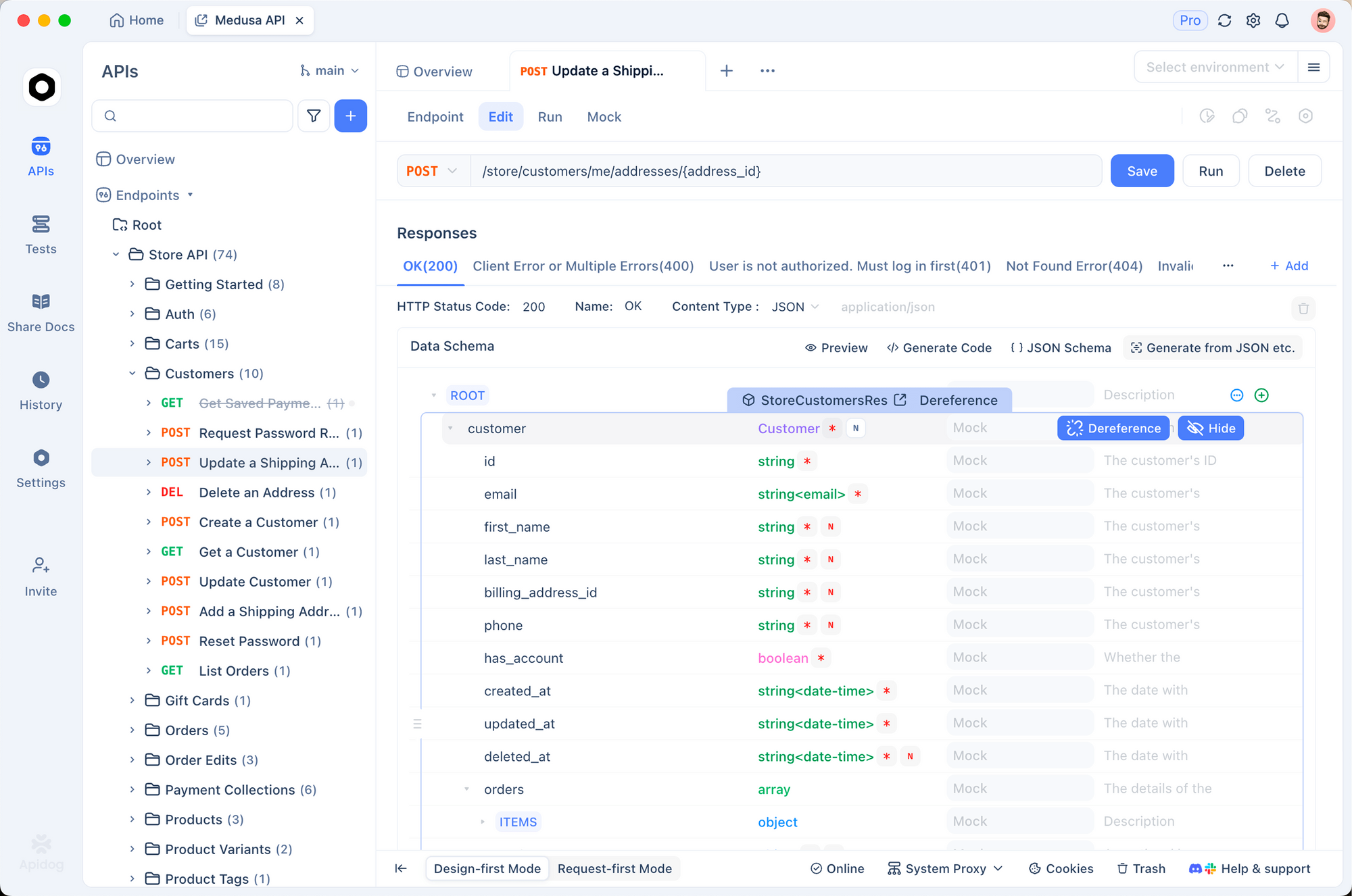
Test the TTS endpoint
- Create a new POST request in Apidog pointing to your VibeVoice FastAPI server
- Set the request body to the OpenAI-compatible format:
{
  "model": "vibevoice-1.5b",
  "input": "Test speech synthesis with proper intonation and pacing.",
  "voice": "alice",
  "response_format": "wav"
}
- Send the request and verify the response headers include
audio/wavcontent type - Save the response as a WAV file to verify audio quality
Test the ASR endpoint
For speech-to-text APIs:
- Set up a POST request with
multipart/form-data - Attach your audio file as a form field
- Verify the structured JSON response includes speaker IDs, timestamps, and transcribed text
Validate audio API contracts
Voice AI APIs handle binary data (audio files) alongside JSON metadata. Apidog’s request builder handles both:
- Binary file uploads for ASR endpoints
- JSON body formatting for TTS endpoints
- Response validation for structured transcription output
- Environment variables to switch between local and cloud endpoints
Download Apidog to test your voice AI integrations before deploying to production.
Safety and responsible use
Microsoft added several safeguards after the initial misuse incidents:
- Audible AI disclaimer: All generated audio includes an automatic “This segment was generated by AI” message
- Imperceptible watermarking: Hidden markers enable third-party verification of VibeVoice-generated content
- Inference logging: Hashed logs detect abuse patterns with quarterly aggregated statistics
- MIT license: Permits commercial use, but Microsoft recommends against production deployment without further testing
What’s allowed
- Research and academic use
- Internal prototyping and testing
- Podcast generation with proper AI disclosure
- Accessibility applications (text-to-speech for visually impaired users)
What’s not allowed
- Voice impersonation without explicit recorded consent
- Deepfakes or presenting AI audio as genuine human recordings
- Real-time voice conversion for live deepfake applications
- Generating non-speech audio (music, sound effects)
Limitations to know about
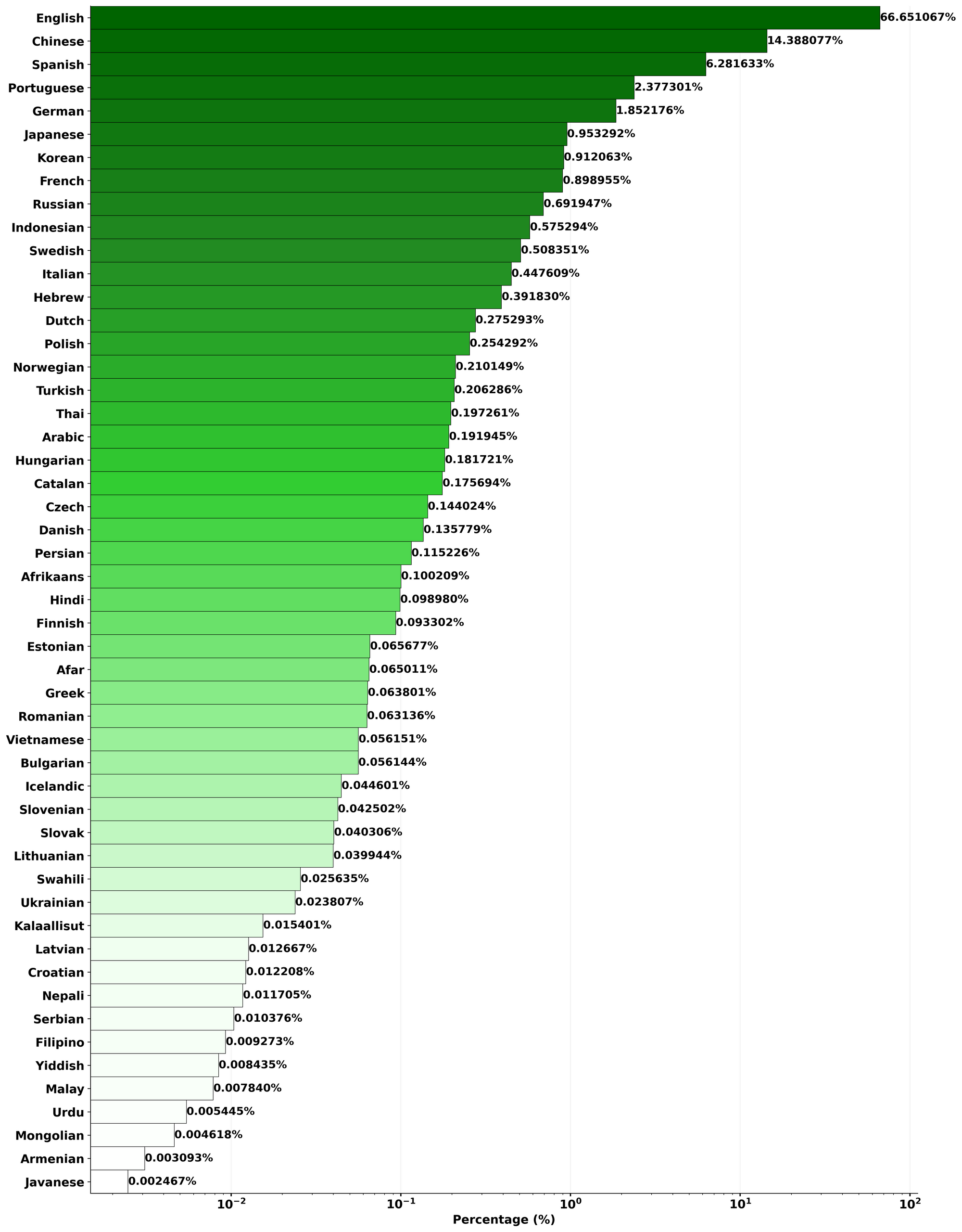
Language support is narrow for TTS. VibeVoice-1.5B supports English and Chinese. Other languages produce unintelligible output. VibeVoice-ASR has broader coverage at 50+ languages.
Hardware requirements are steep for ASR. The ASR model needs 24 GB+ VRAM (A100/H100 class GPUs). The TTS models run on consumer GPUs with 7-8 GB VRAM.
No overlapping speech handling. The TTS model doesn’t model speakers talking over each other. All dialogue is turn-based.
Inherited model biases. Both models inherit biases from their Qwen2.5 base. Outputs can contain unexpected, biased, or inaccurate content.
Research-grade software. This is not production-ready. Expect rough edges in edge cases, error handling, and non-English output.
Deploying VibeVoice-ASR on Azure AI Foundry
For teams that don’t want to manage GPU infrastructure, Microsoft made VibeVoice-ASR available through Azure AI Foundry. This gives you a managed API endpoint without provisioning hardware.
The Azure deployment handles scaling, model updates, and infrastructure maintenance. You get an HTTPS endpoint that accepts audio files and returns structured transcriptions in the same Who/When/What format as the local model.
This is particularly useful for production workloads where you need consistent uptime and SLA guarantees that self-hosted GPU inference can’t provide. Check Azure AI Foundry’s model catalog for current pricing and deployment options.
For testing your Azure-hosted VibeVoice endpoint before integrating it into your application, set up the endpoint URL and authentication headers in Apidog and run test transcriptions against sample audio files.
Community and ecosystem
VibeVoice has an active community:
- 62,630+ monthly HuggingFace downloads for the 1.5B model
- 2,280+ likes on HuggingFace
- 79+ HuggingFace Spaces running the model
- 12 fine-tuned variants from the community
- 4 quantized versions for lower-VRAM deployment
- Community fork at
vibevoice-community/VibeVoicewith active maintenance
Notable community projects:
- VibeVoice-FastAPI: Production REST API wrapper with Docker support
- VibeVoice MCP Server: Integration with AI coding tools via Model Context Protocol
- Apple Silicon support: Community scripts for M-series Mac inference
- Quantized models: GGUF and other formats for reduced VRAM usage
FAQ
Is VibeVoice free to use?
Yes. All three models (TTS 1.5B, Realtime 0.5B, ASR) are MIT-licensed. You can use them for commercial and non-commercial purposes. Azure AI Foundry hosting has separate pricing for managed cloud inference.
Can VibeVoice run on Apple Silicon Macs?
The community has contributed scripts for M-series Mac inference. Check the HuggingFace discussions for the VibeVoice-1.5B model. Performance is slower than CUDA GPUs but functional.
How does VibeVoice compare to ElevenLabs?
VibeVoice runs locally with no API costs and no data leaving your machine. ElevenLabs offers higher quality, more voices, and easier setup, but requires a paid subscription and cloud processing. For privacy-sensitive applications or offline use, VibeVoice wins. For production quality and ease of use, ElevenLabs is ahead.
Why was the GitHub repository temporarily disabled?
Microsoft discovered people using voice cloning for impersonation and deepfakes. They disabled the repo, added safety features (audible disclaimers, watermarking), and re-enabled it. The community fork kept development going during the downtime.
Can I fine-tune VibeVoice on custom voices?
Yes. The community has produced 12 fine-tuned variants on HuggingFace. You need voice samples (30-60 seconds of clear WAV audio at 24kHz mono) and GPU resources for training.
What audio formats does VibeVoice output?
WAV at 24,000 Hz mono. You can convert to MP3, OGG, FLAC, or other formats with ffmpeg after generation.
Can I use VibeVoice-ASR as a Whisper replacement?
For long-form audio with speaker identification, yes. VibeVoice-ASR handles 60-minute recordings in a single pass with built-in diarization. Whisper needs external tools for speaker identification and struggles with recordings over 30 minutes without chunking. For short, noisy clips or edge deployment, Whisper remains the better choice.
Does VibeVoice support real-time voice chat?
VibeVoice-Realtime-0.5B supports streaming text input with ~300ms first-chunk latency. It’s usable for near-real-time applications but isn’t designed for full-duplex voice conversation. For that, look at Azure OpenAI’s GPT-Realtime or similar hosted solutions.