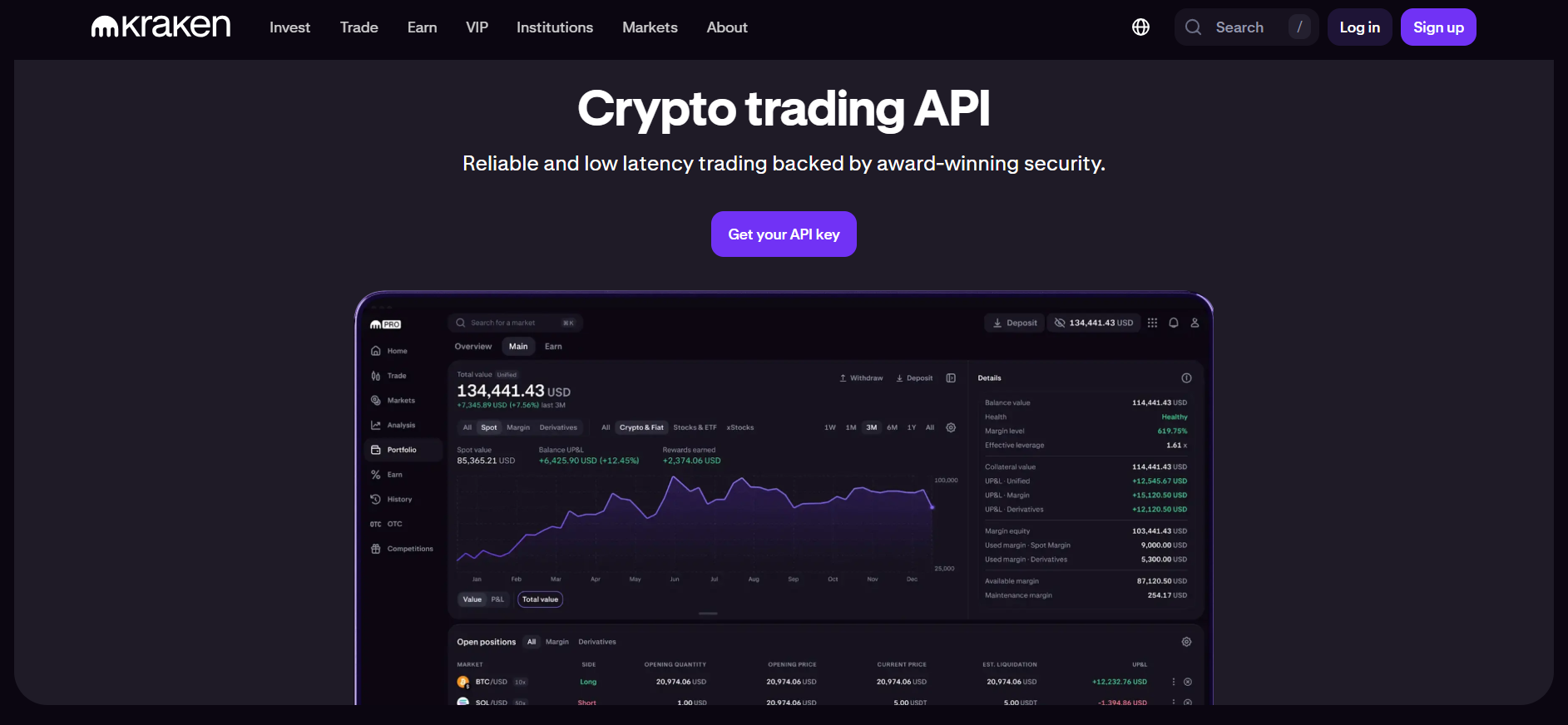
Imagine having access to one of the most liquid cryptocurrency exchanges in the world via a tried-and-true API that manages futures contracts and spot trading. Kraken provides just that, offering WebSocket and REST interfaces to an exchange that was established in 2011 and serves over 10 million users in 190 countries with extensive liquidity in more than 200 trade pairs.
Cryptocurrency trading APIs fall into two categories: those designed for retail convenience and those built for institutional reliability. Many exchanges prioritize mobile apps over API stability, resulting in rate limits that throttle algorithmic strategies and documentation that lags behind feature releases. Kraken eliminates these friction points by offering tiered API access based on trading volume, comprehensive sandbox environments, and dedicated endpoints for high-frequency traders. You build automated strategies that scale from hobbyist scripts to institutional-grade systems.
Table of Contents:
- Understanding Kraken's API Architecture
- Authentication and API Key Setup
- Spot Trading with REST API
- Real-Time Data with WebSocket
- Futures Trading and Advanced Features
- Conclusion
Understanding Kraken's API Architecture
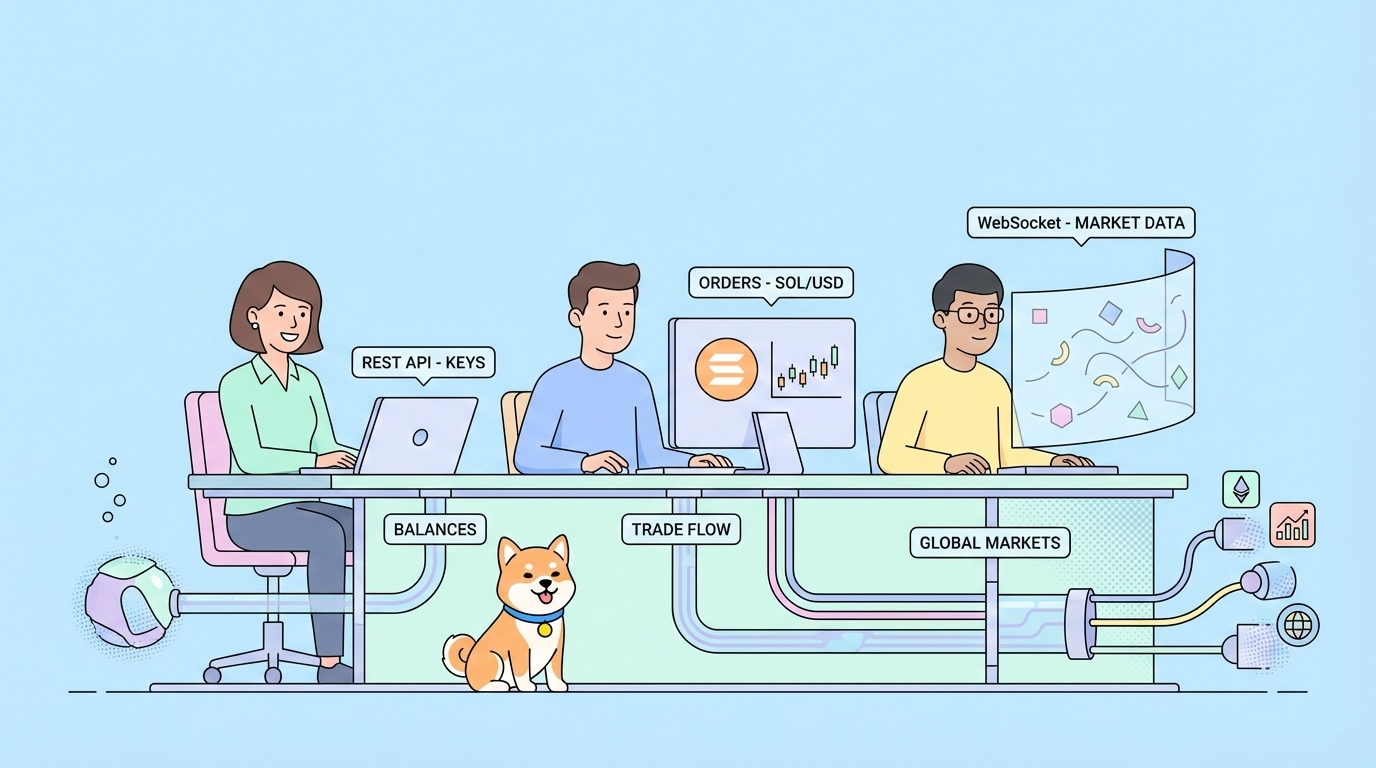
Kraken operates three distinct API ecosystems: Spot REST, Futures REST, and WebSocket. Understanding these architectures helps you choose the right integration path.
Spot REST API
The Spot REST API provides access to Kraken's core exchange functionality. It's organized into public endpoints (market data, ticker information, order book depth) and private endpoints (account balance, order management, funding). All requests use HTTPS with TLS 1.2 or higher.
Base URL: https://api.kraken.com/0
Public endpoints require no authentication. Private endpoints use HMAC-SHA512 request signing with API keys. Response formats vary—some endpoints return arrays where the first element is an error string (legacy design), while newer endpoints use standard JSON objects.
Futures REST API
Kraken Futures operates separately from the spot exchange with its own API infrastructure. It supports perpetual swaps and fixed-maturity futures on cryptocurrencies with up to 50x leverage.
Base URLs:
- Production:
https://futures.kraken.com/api/v3 - Sandbox:
https://demo-futures.kraken.com/api/v3
The Futures API uses different authentication mechanisms and endpoint structures compared to Spot. You need separate API keys generated at futures.kraken.com, distinct from your spot trading credentials.
WebSocket API
Kraken provides real-time data streams through two WebSocket servers:
- Public:
wss://ws.kraken.com— Market data, order books, trades - Private:
wss://ws-auth.kraken.com— Account updates, order status, balance changes
Unlike REST polling, WebSocket connections push data as it becomes available, reducing latency from hundreds of milliseconds to tens of milliseconds. The public server requires no authentication; the private server requires a WebSocket token obtained via REST API.
Rate Limiting
Kraken implements tier-based rate limiting:
- Starter: 60 calls per minute (public), 30 calls per minute (private)
- Intermediate: 125 calls per minute (public), 60 calls per minute (private)
- Pro: 250+ calls per minute based on 30-day trading volume
Exceeding limits results in HTTP 429 errors with Retry-After headers indicating when you can resume requests.
Authentication and API Key Setup
Kraken uses HMAC-SHA512 authentication with nonce-based replay protection. This requires careful implementation to avoid "Invalid nonce" errors common in multi-threaded applications.
Generating API Keys
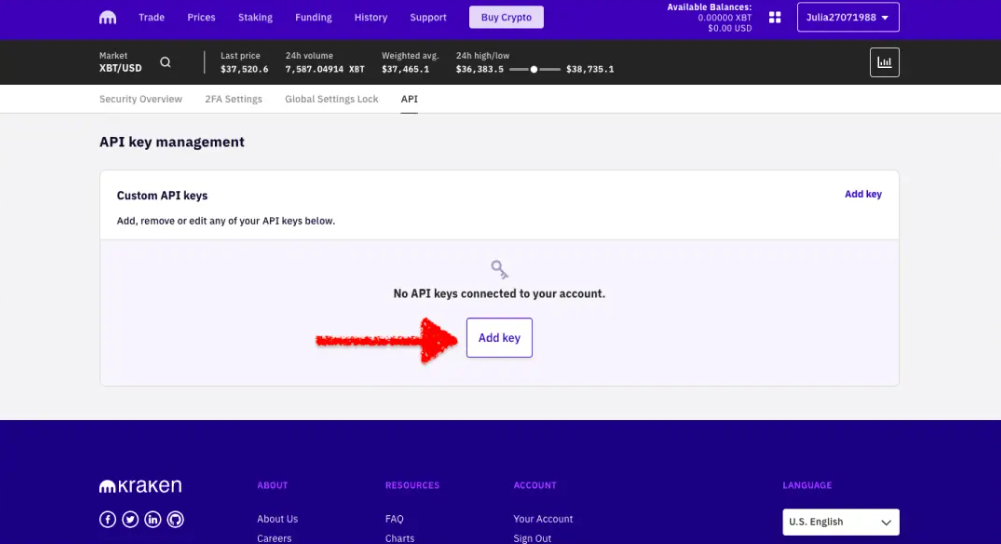
Navigate to Account → Security → API in your Kraken dashboard:
- Click "Generate New Key"
- Select permissions:
- Query: Read account balance, open orders, trade history
- Trade: Place and cancel orders
- Withdraw: Transfer funds (use cautiously)
- Deposit: View deposit addresses and methods
3. Specify IP whitelisting (recommended for production)
4. Store the API Key and Private Key securely—Kraken never displays the Private Key again
For Futures trading, repeat this process at futures.kraken.com/settings/api. The sandbox environment at demo-futures.kraken.com uses separate credentials.
HMAC-SHA512 Signing (Manual Implementation)
If not using an SDK, implement authentication as follows:
import requests
import hmac
import hashlib
import base64
import time
import json

class KrakenAuth:
    def __init__(self, api_key, api_secret):
        self.api_key = api_key
        self.api_secret = base64.b64decode(api_secret)
        self.base_url = "https://api.kraken.com"

    def generate_signature(self, urlpath, data):
        # Nonce must be higher than any previous nonce used
        nonce = str(int(time.time() * 1000))
        data['nonce'] = nonce

        # Create message: nonce + POST data
        message = nonce + json.dumps(data, separators=(',', ':'))

        # Create HMAC-SHA512 signature
        signature = hmac.new(
            self.api_secret,
            urlpath.encode() + hashlib.sha256(message.encode()).digest(),
            hashlib.sha512
        ).hexdigest()

        return {
            'API-Key': self.api_key,
            'API-Sign': signature,
            'Content-Type': 'application/x-www-form-urlencoded'
        }, data

    def private_request(self, method, params=None):
        urlpath = f'/0/private/{method}'
        data = params or {}

        headers, signed_data = self.generate_signature(urlpath, data)

        response = requests.post(
            f"{self.base_url}{urlpath}",
            headers=headers,
            data=signed_data
        )

        return response.json()

# Usage
kraken = KrakenAuth(
    api_key="YOUR_API_KEY",
    api_secret="YOUR_BASE64_ENCODED_PRIVATE_KEY"
)

# Get account balance
balance = kraken.private_request('Balance')
print(balance)
Critical: Nonce Management
Kraken requires strictly increasing nonces per API key. If you have multiple threads or processes using the same key, they will conflict and generate "EAPI:Invalid nonce" errors. Solutions:
- Use different API keys for each trading algorithm or service
- Implement nonce synchronization via Redis or database if sharing keys is unavoidable
- Use microsecond-precision timestamps (multiply Unix time by 1000) to reduce collision probability
Official SDKs
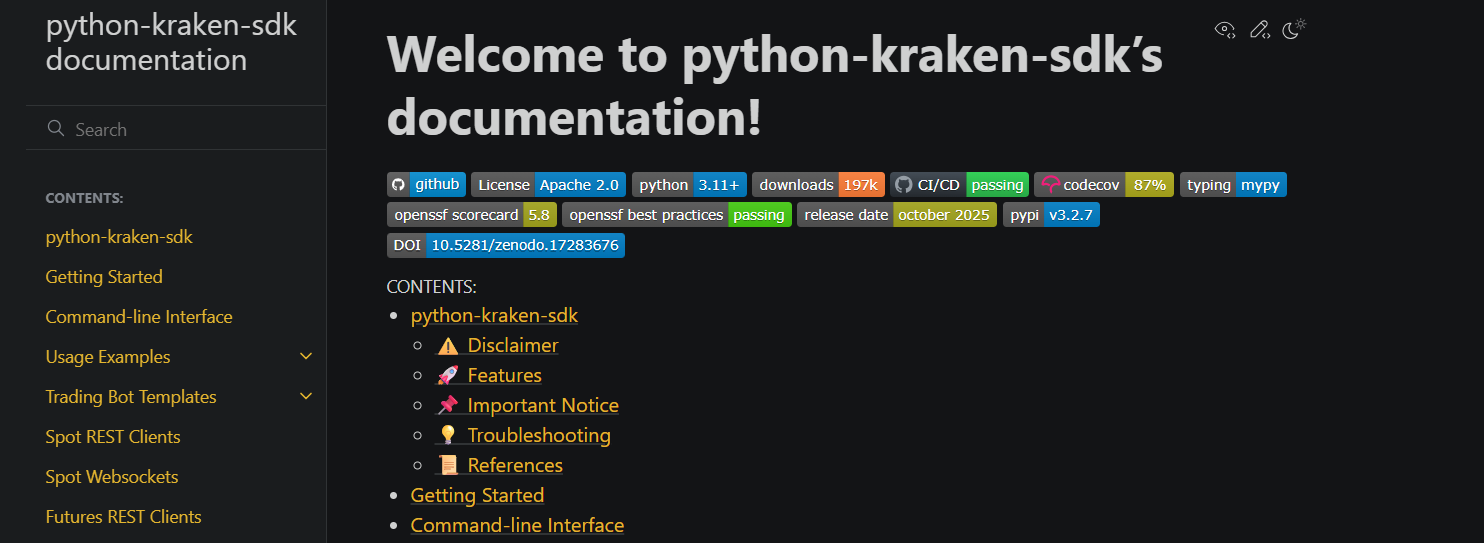
Kraken provides official Python and Node.js SDKs, with community SDKs for Go, Rust, Julia, and other languages:
# Python
pip install python-kraken-sdk

# Node.js
npm install @kraken-api/sdk
Official SDKs handle authentication, nonce management, and error parsing automatically. Use them unless you have specific requirements for custom HTTP handling.
Spot Trading with REST API
The Spot REST API provides comprehensive trading functionality through well-documented endpoints.
Market Data (Public)
Retrieve available trading pairs:
curl "https://api.kraken.com/0/public/AssetPairs"
Get ticker information:
curl "https://api.kraken.com/0/public/Ticker?pair=XBTUSD"
Kraken uses non-standard pair symbols—XBT instead of BTC for Bitcoin, XXBT in some legacy endpoints, ZUSD instead of USD. Always verify the asset codes using the AssetPairs endpoint before trading.
Fetch order book depth:
curl "https://api.kraken.com/0/public/Depth?pair=XBTUSD&count=10"
Account Balance (Private)
balance = kraken.private_request('Balance')
print(balance)
Response format uses asset codes as keys (ZUSD for USD, XXBT for Bitcoin):
{
  "error": [],
  "result": {
    "ZUSD": "1000.50",
    "XXBT": "0.2500"
  }
}
Placing Orders
Place a limit buy order:
order = kraken.private_request('AddOrder', {
    'pair': 'XBTUSD',
    'type': 'buy',
    'ordertype': 'limit',
    'price': '65000.00',
    'volume': '0.01',
    'oflags': 'post'  # Post-only flag
})

print(order)
Order types include:
market: Execute immediately at best available pricelimit: Execute at specified price or betterstop-loss: Trigger market order when price crosses thresholdtake-profit: Opposite of stop-losstrailing-stop: Dynamic stop that follows price movements
Order Management
List open orders:
open_orders = kraken.private_request('OpenOrders')
print(open_orders)
Cancel an order:
kraken.private_request('CancelOrder', {
    'txid': 'XXXXXX-XXXXXX-XXXXXX'
})
Cancel all orders (emergency stop):
kraken.private_request('CancelAll')
Trade History
Query executed trades:
trades = kraken.private_request('TradesHistory', {
    'start': '1704067200',  # Unix timestamp
    'end': '1706659200'
})
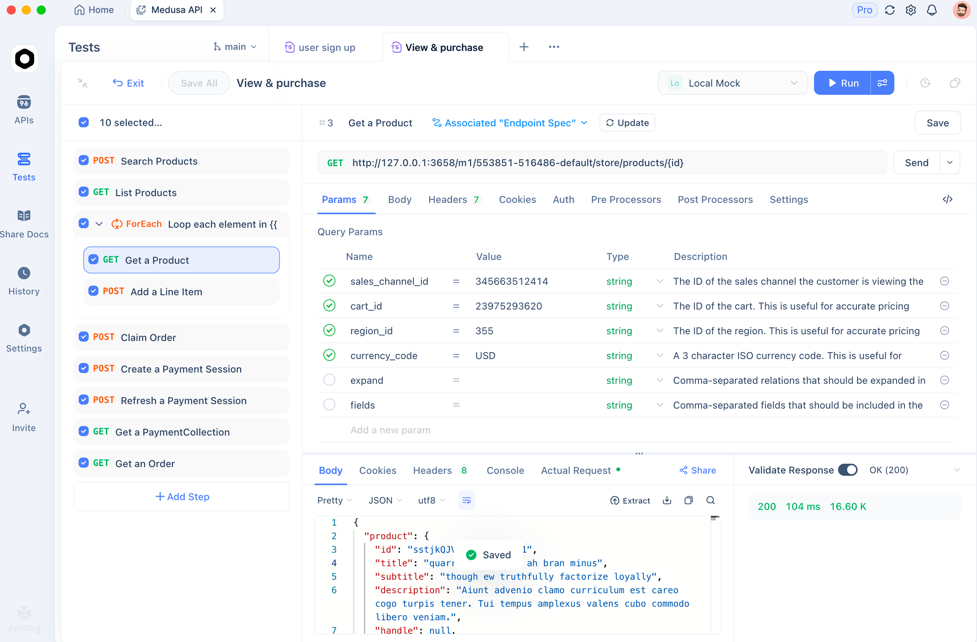
ProTip: Test all your API endpoints with Apidog.
Real-Time Data with WebSocket
REST polling introduces unacceptable latency for algorithmic trading. Kraken's WebSocket API streams real-time order book updates, trades, and account events.
Connecting to Public WebSocket
const WebSocket = require('ws');

const ws = new WebSocket('wss://ws.kraken.com');

ws.on('open', () => {
  console.log('Connected to Kraken public WebSocket');

  // Subscribe to ticker for BTC/USD
  ws.send(JSON.stringify({
    event: 'subscribe',
    pair: ['XBT/USD'],
    subscription: {
      name: 'ticker'
    }
  }));
});

ws.on('message', (data) => {
  const message = JSON.parse(data);

  // Ticker format: [channelID, tickerData, pair, channelName]
  if (Array.isArray(message) && message[2] === 'XBT/USD') {
    const [channelID, ticker, pair, channelName] = message;
    console.log(`BTC Price: Bid ${ticker.b[0]}, Ask ${ticker.a[0]}`);
  }
});

// Heartbeat every 30 seconds
setInterval(() => {
  ws.send(JSON.stringify({ event: 'ping' }));
}, 30000);
WebSocket subscriptions return data in array format with numeric channel IDs. Map these IDs to your subscriptions to route data correctly.
Order Book Streaming
Subscribe to Level 2 order book data:
ws.send(JSON.stringify({
  event: 'subscribe',
  pair: ['XBT/USD'],
  subscription: {
    name: 'book',
    depth: 25  // 25, 100, 500, or 1000 levels
  }
}));
The book feed sends snapshots followed by incremental updates. Maintain local order book state by applying deltas:
let orderBook = { asks: {}, bids: {} };

ws.on('message', (data) => {
  const message = JSON.parse(data);

  if (message[1] === 'as' || message[1] === 'bs') {
    // Snapshot: initialize order book
    const [channelID, type, asks, bids] = message;
    orderBook.asks = Object.fromEntries(asks.map(([price, volume]) => [price, volume]));
    orderBook.bids = Object.fromEntries(bids.map(([price, volume]) => [price, volume]));
  } else if (message[1] === 'a' || message[1] === 'b') {
    // Update: apply delta
    const [channelID, type, delta] = message;
    const side = type === 'a' ? 'asks' : 'bids';

    delta.forEach(([price, volume]) => {
      if (volume === '0.00000000') {
        delete orderBook[side][price];
      } else {
        orderBook[side][price] = volume;
      }
    });
  }
});
Private WebSocket Authentication
Obtain a WebSocket token via REST:
token_response = kraken.private_request('GetWebSocketsToken')
token = token_response['result']['token']
Connect to private WebSocket:
const privateWs = new WebSocket('wss://ws-auth.kraken.com');

privateWs.on('open', () => {
  // Authenticate
  privateWs.send(JSON.stringify({
    event: 'subscribe',
    subscription: {
      name: 'ownTrades',
      token: 'YOUR_WEBSOCKET_TOKEN'
    }
  }));
});

privateWs.on('message', (data) => {
  const message = JSON.parse(data);

  if (message[1] === 'ownTrades') {
    console.log('Your trade executed:', message[0]);
  }
});
Private WebSocket tokens expire after 15 minutes. Implement automatic token refresh and reconnection logic for production systems.
Futures Trading and Advanced Features
Kraken Futures provides separate infrastructure for derivatives trading with advanced order types and portfolio margining.
Futures Authentication
Futures use Bearer token authentication distinct from Spot HMAC:
import requests
import hmac
import hashlib
import base64
import json

class KrakenFuturesAuth:
    def __init__(self, api_key, api_secret):
        self.api_key = api_key
        self.api_secret = api_secret
        self.base_url = "https://futures.kraken.com/api/v3"

    def generate_signature(self, endpoint, method, body=None):
        nonce = str(int(time.time() * 1000))
        message = endpoint + method + nonce

        if body:
            message += json.dumps(body, separators=(',', ':'))

        signature = base64.b64encode(
            hmac.new(
                base64.b64decode(self.api_secret),
                message.encode(),
                hashlib.sha256
            ).digest()
        ).decode()

        return {
            'APIKey': self.api_key,
            'Nonce': nonce,
            'Authent': signature,
            'Content-Type': 'application/json'
        }

    def request(self, endpoint, method='GET', body=None):
        url = f"{self.base_url}{endpoint}"
        headers = self.generate_signature(endpoint, method, body)

        if method == 'GET':
            response = requests.get(url, headers=headers)
        else:
            response = requests.post(url, headers=headers, json=body)

        return response.json()

# Usage
futures = KrakenFuturesAuth('FUTURES_API_KEY', 'FUTURES_SECRET')
Futures Order Placement
Place a limit order on Bitcoin perpetual:
order = futures.request('/sendorder', 'POST', {
    'orderType': 'lmt',
    'side': 'buy',
    'size': 1,
    'limitPrice': 65000,
    'symbol': 'PI_XBTUSD'  # Perpetual Inverse BTC/USD
})
Futures symbols use different conventions:
PI_XBTUSD: Perpetual Inverse Bitcoin/USDPF_ETHUSD: Perpetual Linear Ethereum/USDFI_XBTUSD_250228: Fixed maturity futures expiring Feb 28, 2025
Batch Operations
Futures API supports batch order submission:
batch = futures.request('/batchorder', 'POST', {
    'batchOrder': [
        {
            'order': 'send',
            'order_tag': '1',
            'orderType': 'lmt',
            'symbol': 'PI_XBTUSD',
            'side': 'buy',
            'size': 1,
            'limitPrice': 64000
        },
        {
            'order': 'send',
            'order_tag': '2',
            'orderType': 'lmt',
            'symbol': 'PI_XBTUSD',
            'side': 'sell',
            'size': 1,
            'limitPrice': 66000
        }
    ]
})
Advanced Order Features
- Trailing Stops: Stop price adjusts with market movement
- Take Profit / Stop Loss: Bracket orders for risk management
- Post-Only: Ensures orders add liquidity (maker fees)
- Reduce-Only: Prevents position from increasing
Dead Man's Switch
Cancel all orders if connection is lost:
# Set 60-second timeout
kraken.private_request('CancelAllOrdersAfter', {
    'timeout': 60
})
This creates a server-side timer—if you don't send a heartbeat within 60 seconds, Kraken automatically cancels all open orders.
Conclusion
Kraken's API provides institutional-grade access to cryptocurrency markets through REST, WebSocket, and dedicated Futures interfaces. You authenticate with HMAC-SHA512 signatures, manage nonce sequences carefully, and scale from spot trading to leveraged futures. The tiered rate limits accommodate strategies from casual portfolio rebalancing to high-frequency market making.
Start with the sandbox environment to test authentication and order placement. Use separate API keys for each trading strategy to avoid nonce conflicts. Implement WebSocket connections for real-time data and dead man's switches for risk management. Monitor rate limit headers and implement exponential backoff for 429 errors.
When building crypto trading applications—whether testing Kraken endpoints, debugging authentication signatures, or managing multiple API integrations—streamline your development workflow with Apidog. It handles visual API testing, automated documentation generation, and team collaboration so you can focus on trading logic instead of wrestling with HMAC signatures.