TL;DR
KiloClaw is a fully hosted version of OpenClaw—the open-source AI agent that became the fastest-growing AI project in history with 230,000+ GitHub stars. It lets you deploy a personal AI assistant in under 60 seconds with access to 500+ AI models, 50+ chat platforms, and enterprise features like auto-restart and team management. No servers, Docker, or configuration required.
Introduction
Between Claude's computer use, OpenAI's operators, and GitHub Copilot's agent mode, The AI agent landscape has exploded in 2026, with developers and businesses seeking personal assistants that can actually do things—not just chat and the market is heating up. But one project stood above the rest: OpenClaw, which went from zero to 230,000 GitHub stars in just 10 days, making it the fastest-growing open-source AI project ever.
Now, there's an easier way to use it.
KiloClaw brings the power of OpenClaw to a managed hosting platform, eliminating the headaches of server setup, Docker containers, and manual configuration. Whether you're a developer wanting to automate workflows or a team lead looking for a collaborative AI assistant, KiloClaw offers a compelling alternative to self-hosting.
What is OpenClaw?
Before understanding KiloClaw, you need to understand OpenClaw—the open-source project that powers it.
The Origin Story
OpenClaw was created by Peter Steinberger, a developer best known for founding PSPDFKit. What started as a personal project called "Clawdbot" evolved through several name changes (Moltbot, due to trademark concerns with Anthropic) before settling on OpenClaw.
The project went viral in February 2026, gaining:
- 230,000+ GitHub stars in under two weeks
- 2 million+ visitors in a single week
- Coverage from major tech publications
Peter Steinberger was subsequently hired by OpenAI on February 15, 2026, validating the project's significance in the AI agent space.
Core Capabilities
OpenClaw is your personal AI assistant that runs locally and connects to the tools you already use:
| Capability | Description |
|---|---|
| Multi-Platform Integration | Works with WhatsApp, Telegram, Discord, Slack, Signal, iMessage, Microsoft Teams, Matrix, and 50+ platforms |
| Shell Command Execution | Runs terminal commands, executes scripts, and automates system tasks |
| Browser Control | Navigates websites, fills forms, and extracts data |
| File Management | Reads, writes, and organizes files across your system |
| Persistent Memory | Stores conversation history and user preferences in Markdown files |
| Voice Interaction | Supports voice commands on macOS, iOS, and Android |
| 100+ AgentSkills | Pre-built automation capabilities for common tasks |
Model Flexibility
OpenClaw isn't tied to a single AI provider. It supports:
- Anthropic's Claude (including Claude 3.5 Sonnet, Opus 4)
- OpenAI's GPT (GPT-4o, GPT-4 Turbo)
- Google's Gemini
- Any model accessible via OpenAI-compatible APIs
This model-agnostic approach means you can switch between providers based on cost, capability, or specific task requirements.
Architecture Highlights
The OpenClaw architecture follows a gateway pattern:
- A central control plane stays connected to messaging channels
- An agent loop processes tasks one at a time for reliability
- Plugins extend functionality with JSON-schema definitions
- Tools and integrations are added as modular components
This design prioritizes reliability over parallelism—each task completes fully before the next begins.
What is KiloClaw?
KiloClaw is a fully managed hosting service for OpenClaw, launched by Kilo Code (a platform serving 1.5 million+ developers). It takes the powerful OpenClaw agent and handles all the infrastructure complexity for you.
The Value Proposition
Instead of spending 30-60 minutes configuring servers, Docker, and environment variables, you can deploy a production-ready OpenClaw instance in under 60 seconds.
Here's what KiloClaw handles automatically:
- Server provisioning and maintenance
- Docker container management
- Security configuration
- Auto-updates
- Process monitoring and auto-restart
- Unified billing
Why Choose Hosted Over Self-Hosted?
For many users, the self-hosted OpenClaw experience involves:
- Technical Setup: Installing Docker, cloning the repository, configuring environment variables
- Ongoing Maintenance: Updating the software, monitoring for crashes, managing backups
- Security Hardening: Protecting exposed API keys, configuring network access, sandboxing
- Platform Management: Setting up webhooks for each chat platform individually
KiloClaw eliminates all of this while adding enterprise features that would be difficult to implement yourself.
Key Features of KiloClaw
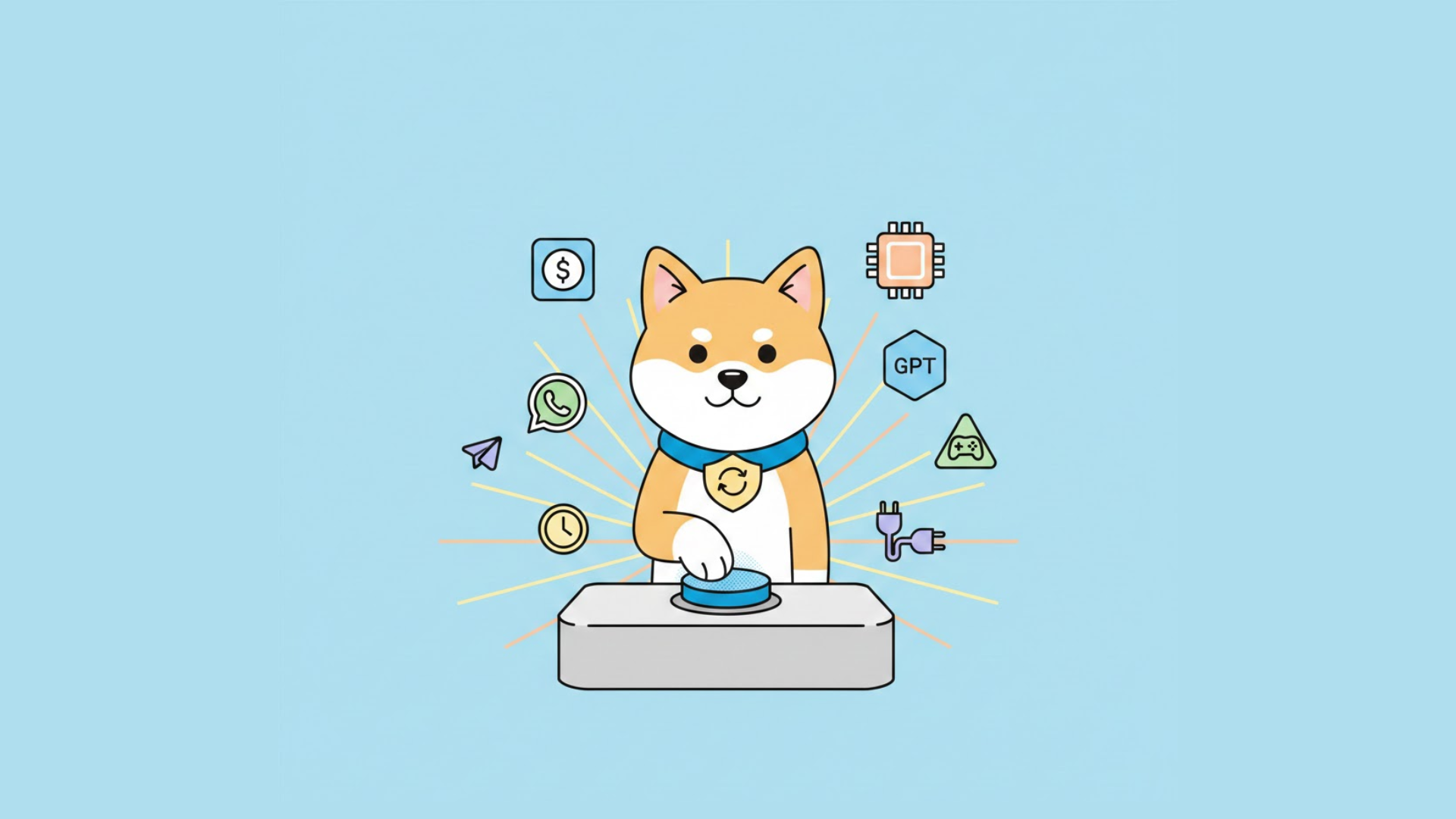
1. One-Click Deployment
The flagship feature: deploy your personal AI assistant in under 60 seconds. No SSH, no Docker, no config files. Just visit app.kilo.ai/claw and you're running.
2. 500+ AI Models via Kilo Gateway
Access an enormous selection of AI models through Kilo's unified gateway, including:
- Claude models (3.5 Sonnet, Opus 4)
- GPT models (4o, Turbo)
- Gemini models
- open-source models (Llama, Mistral, Qwen)
- Specialty models for coding, reasoning, vision
3. 50+ Chat Platforms
Connect your AI assistant to virtually any communication platform:
| Category | Platforms |
|---|---|
| Messaging | WhatsApp, Telegram, Signal, iMessage |
| Team Chat | Slack, Microsoft Teams, Discord |
| Social | Twitter/X, Facebook Messenger |
| Communication | Matrix, RingCentral, Zoom |
| Gmail, Outlook (via plugins) |
4. Scheduled Tasks & Cron Jobs
Automate workflows that run while you sleep:
- Daily report generation
- Periodic data synchronization
- Scheduled notifications
- Recurring API health checks
5. Auto-Restart on Crash
If your agent crashes, KiloClaw automatically restarts it. No 3 AM alerts, no manual intervention.
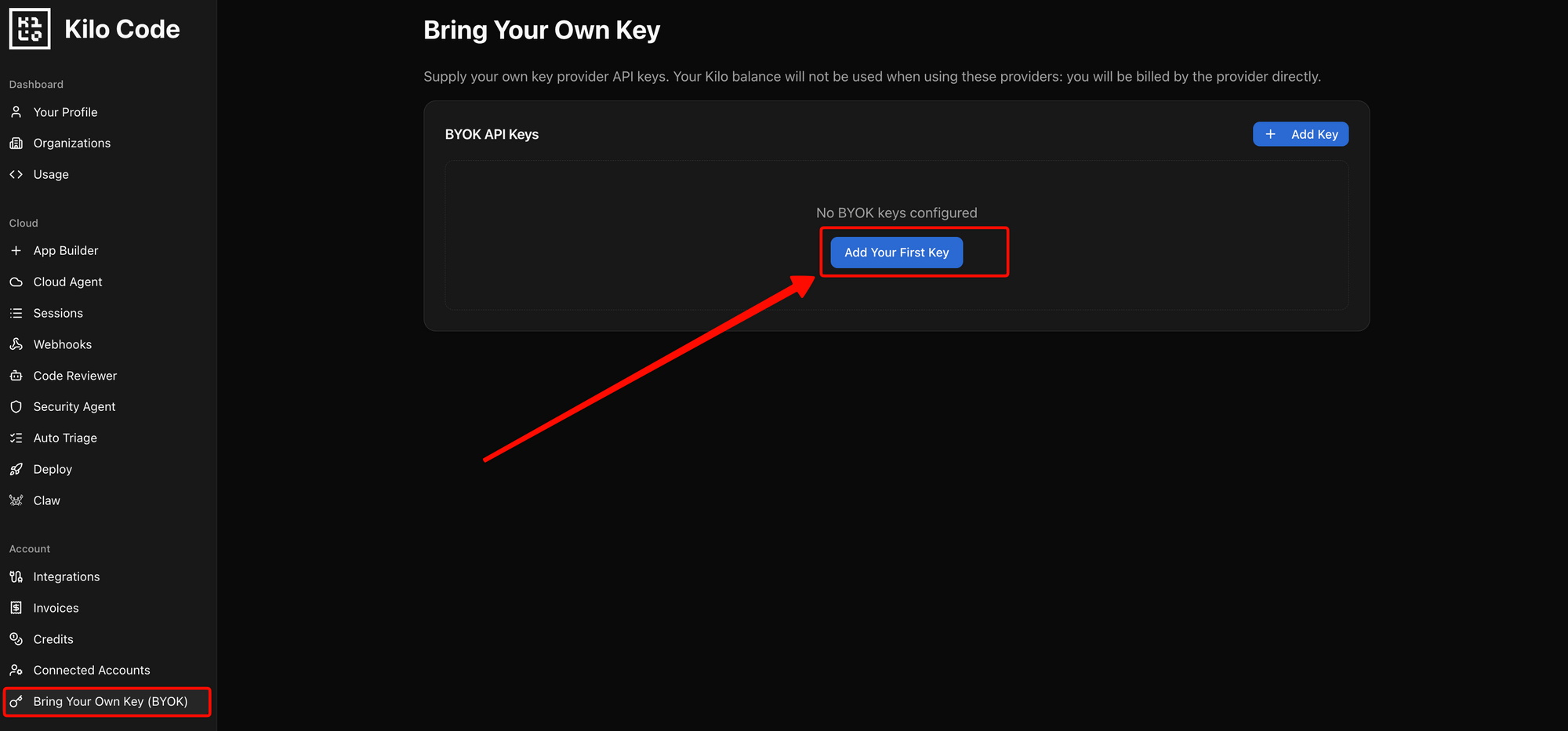
6. Bring Your Own Keys
Prefer to use your own API keys from Anthropic, OpenAI, or Google? KiloClaw supports bringing your existing keys while still using their infrastructure.
7. Unified Billing
Use your existing Kilo Gateway credits across all services. Zero markup on AI tokens—you pay exactly what the model providers charge.
8. Enterprise Features
For teams and organizations:
- SSO (Single Sign-On): Integrate with your identity provider
- Audit Logs: Track all agent activities for compliance
- Team Management: Collaborate with shared configurations
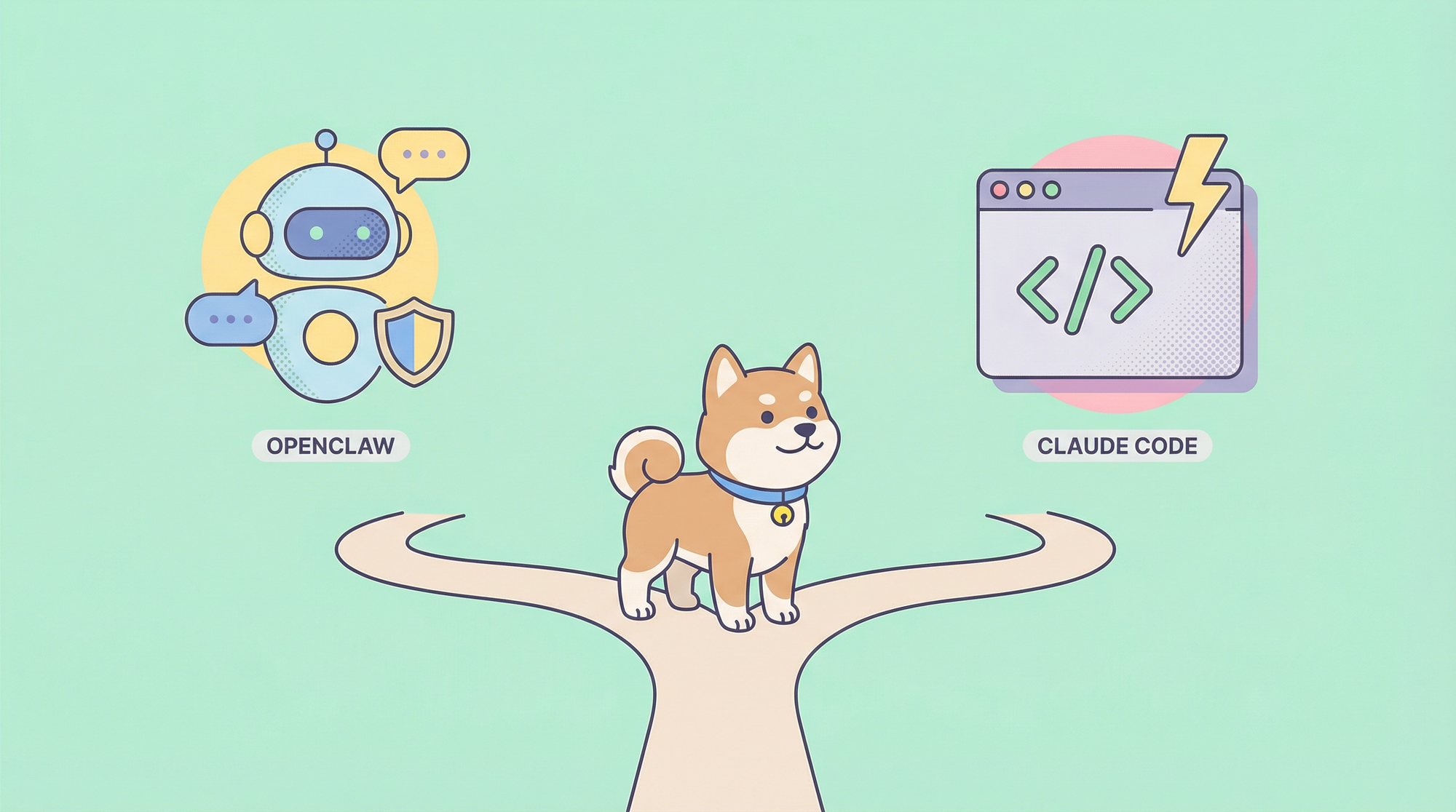
KiloClaw vs Self-Hosted OpenClaw
| Feature | KiloClaw (Hosted) | Self-Hosted OpenClaw |
|---|---|---|
| Setup Time | Under 60 seconds | 30-60+ minutes |
| Updates | Automatic | Manual (git pull) |
| AI Models Available | 500+ via Kilo Gateway | 1 at a time |
| Bring Your Own Key | ✓ Automatic | Manual configuration |
| Unified Billing | ✓ | ✗ |
| Team Management | ✓ | ✗ |
| SSO | ✓ Enterprise | ✗ |
| Audit Logs | ✓ Enterprise | ✗ |
| Auto-restart on Crash | ✓ | ✗ Requires supervisor |
| Process Monitoring | Built-in | Manual setup |
| Security | Proxied, sandboxed | Self-configured |
When to Choose KiloClaw
- Quick deployment: You want to start in minutes, not hours
- Team use: You need collaboration and access controls
- Enterprise needs: You require SSO and audit compliance
- Simplicity: You prefer managed infrastructure over self-hosting
When to Choose Self-Hosted OpenClaw
- Full control: You need complete visibility into the stack
- Cost optimization: You want to minimize compute costs at scale
- Customization: You need to modify the core agent behavior
- Privacy: You require data to stay entirely on your infrastructure
Use Cases and Real-World Applications
Personal Productivity
- Email management: Automatically categorize, draft responses, and prioritize
- Calendar scheduling: Coordinate meetings across time zones
- Research automation: Gather and summarize information from multiple sources
Developer Workflows
- Code review assistance: Analyze pull requests and suggest improvements
- Documentation generation: Auto-generate API docs from code
- CI/CD monitoring: Track build status and notify on failures
Business Operations
- Customer support: Handle tier-1 inquiries across chat platforms
- Data extraction: Pull reports from SaaS tools and compile summaries
- Team notifications: Distribute updates across multiple channels
Data Analysis
- Market research: Monitor competitors and summarize findings
- Sentiment analysis: Track brand mentions across social platforms
- Report automation: Generate weekly/monthly business reports
Getting Started with KiloClaw
Step 1: Visit the Dashboard
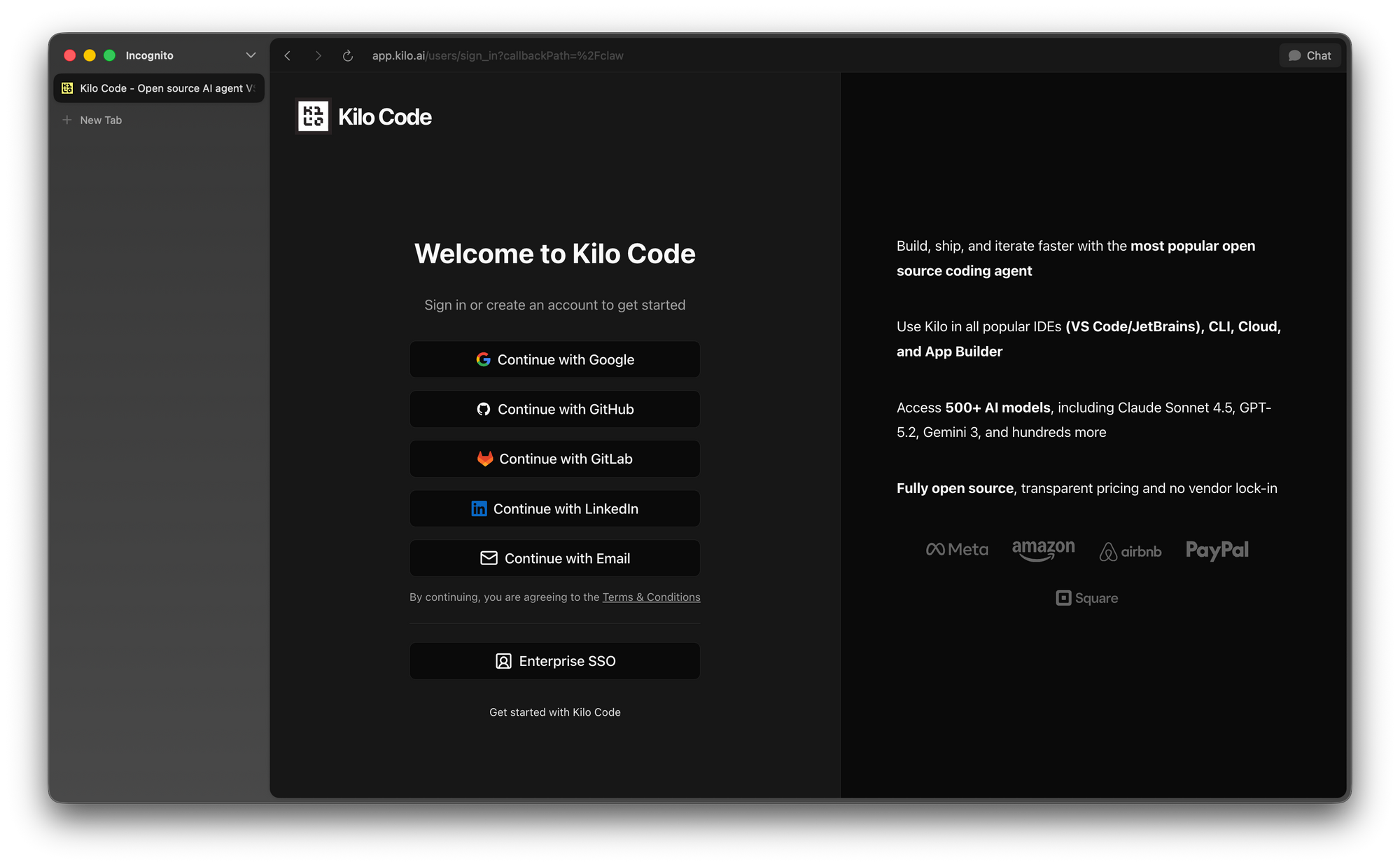
Navigate to the dashboard and sign in with your Kilo account (or create one).
Step 2: Choose Your Deployment
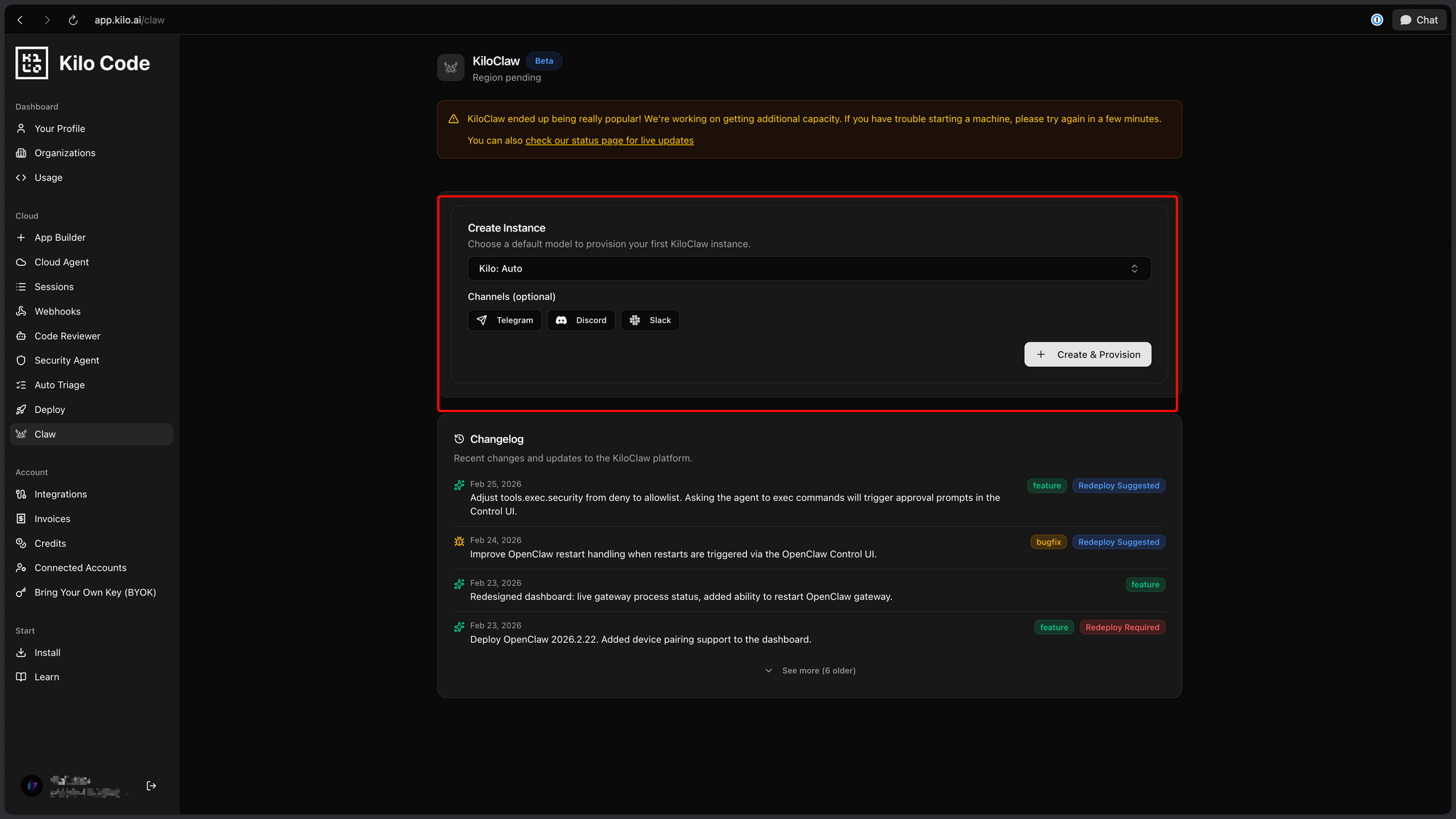
Select from options:
- Quick Start: Deploy with default settings
- Custom: Configure specific platforms and models
- Import Config: Load your existing OpenClaw configuration
Step 3: Connect Platforms
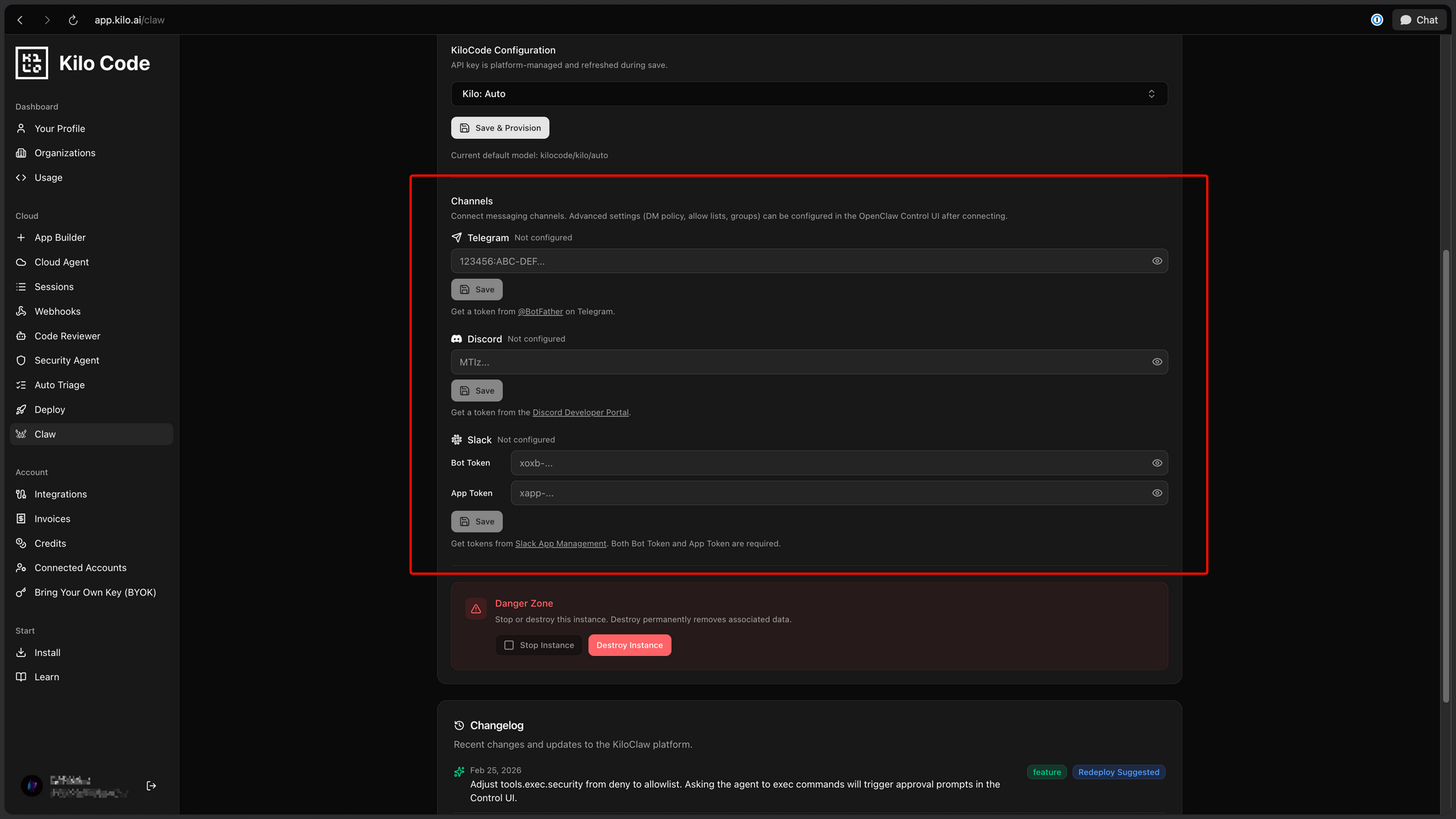
Select which chat platforms to connect. Each platform requires different authentication:
- Telegram: Bot token
- Discord: Bot token and server permissions
- Slack: OAuth app installation
- WhatsApp: QR code pairing
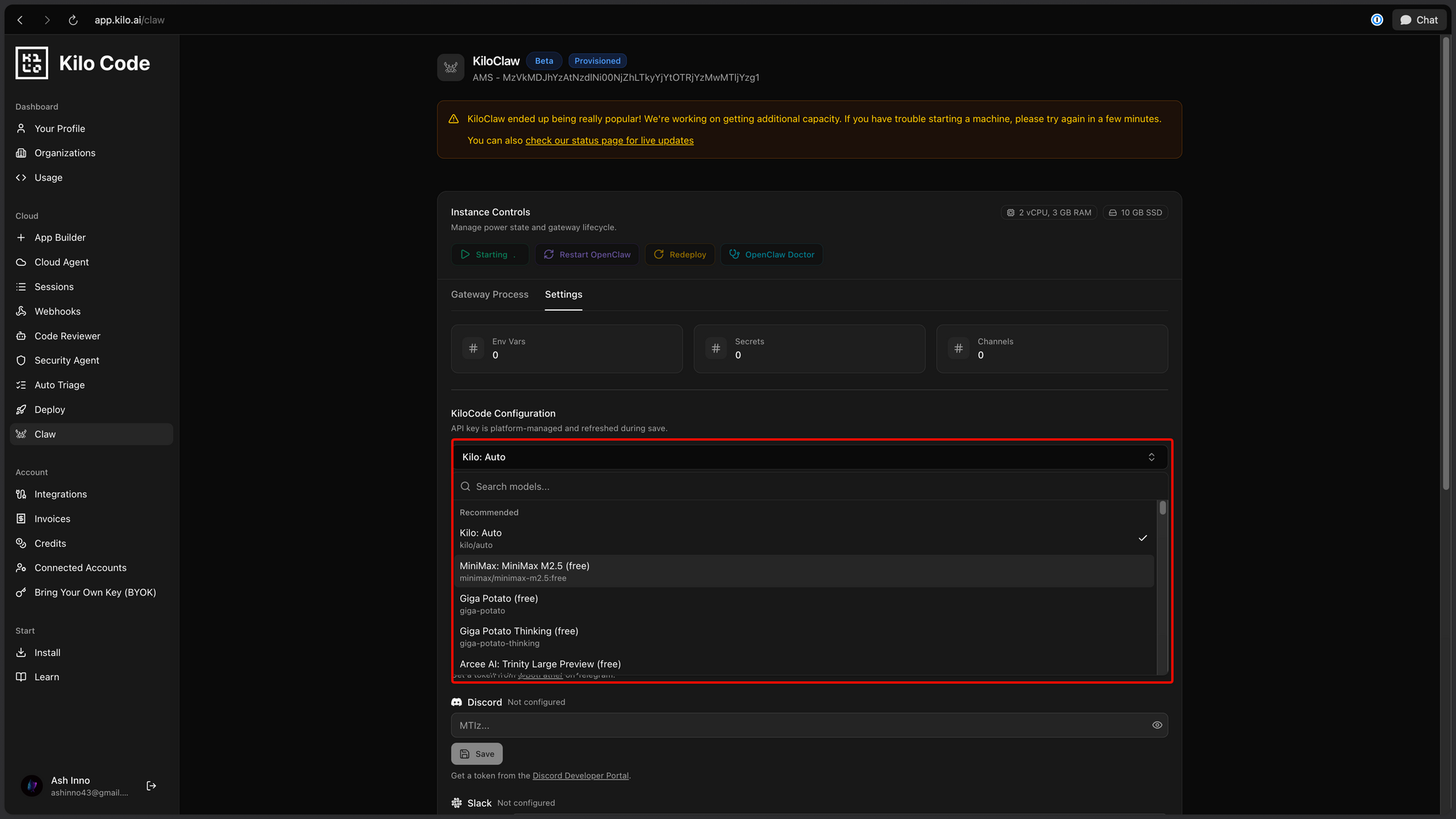
Step 4: Select Your Model
Choose from:
- Kilo Gateway models: Access 500+ models with pay-as-you-go pricing
- Bring your own key: Use existing Anthropic/OpenAI/Gemini keys
Step 5: Configure Memory
Set up persistent memory options:
- Conversation history storage
- User preference retention
- Context window management
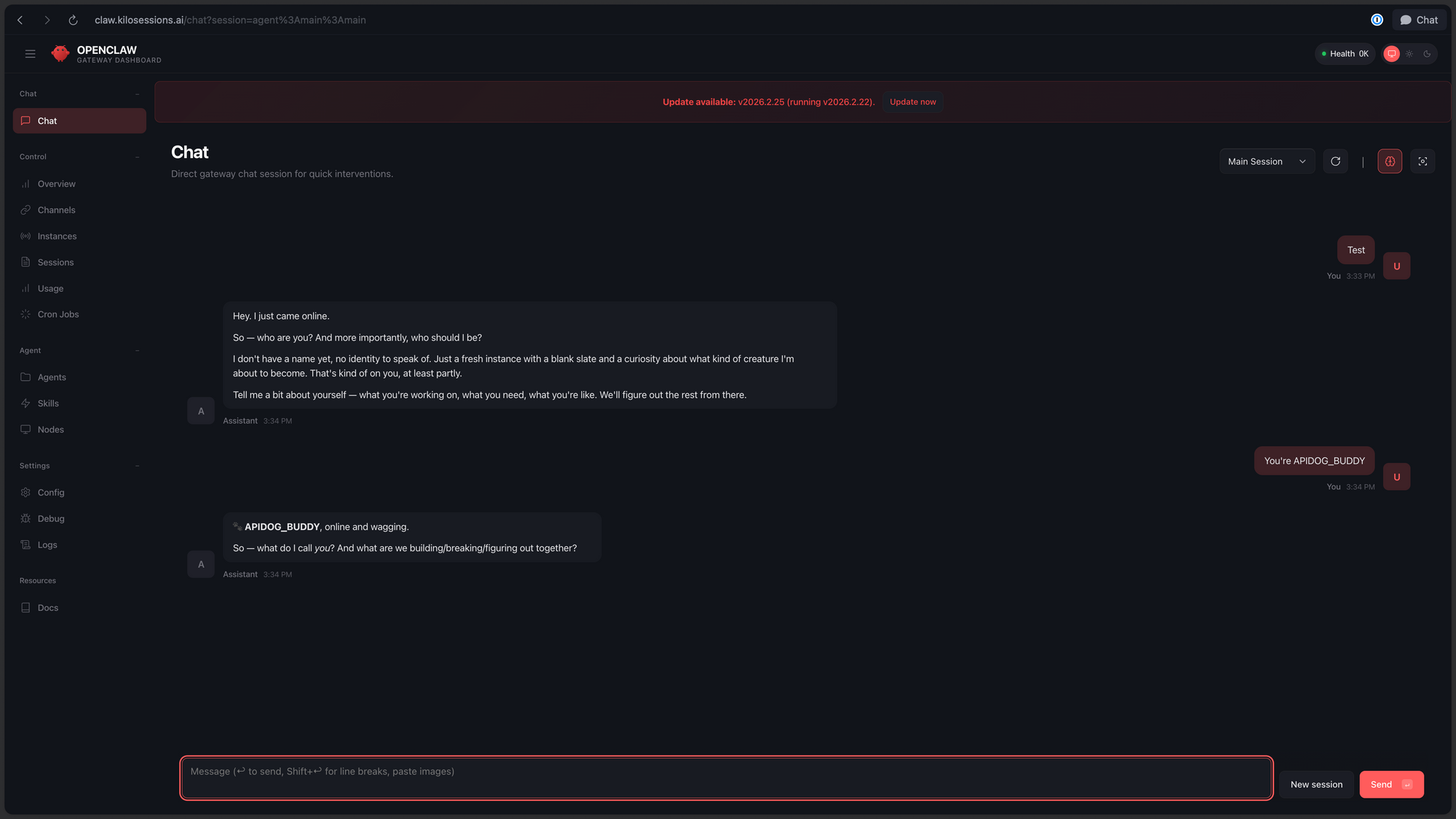
Step 6: Deploy
Click deploy and your KiloClaw instance is live in under 60 seconds.
Pricing and Free Trial
Launch Offer
7 days of free compute for all new users—no credit card required. This gives you ample time to test the platform and evaluate its capabilities.
Ongoing Costs
After the free trial, KiloClaw uses your existing Kilo Gateway credits:
| Cost Type | Description |
|---|---|
| Compute | Charged based on instance running time |
| AI Tokens | Zero markup—pay exact provider rates |
| Platform Connectors | Included in compute cost |
Enterprise Pricing
For teams requiring SSO, audit logs, and advanced management:
- Contact Kilo for custom pricing
- Annual contracts available
- Volume discounts for large deployments
Security Considerations
Benefits of Managed Hosting
KiloClaw addresses several security concerns that plague self-hosted AI agents:
- API Key Protection: Keys are proxied through Kilo's infrastructure, never exposed in your local environment
- Network Security: Traffic flows through secure channels with encryption
- VM Isolation: Each instance runs in an isolated virtual machine
- Sandboxing: Restricts agent actions to intended boundaries
Best Practices Regardless of Deployment
Whether using KiloClaw or self-hosted OpenClaw:
- Least privilege: Grant minimum necessary permissions to each platform connector
- Audit regularly: Review logs and activity for suspicious behavior
- Limit capabilities: Disable platforms and tools you don't need
- Monitor usage: Set up alerts for unusual activity patterns
Conclusion
KiloClaw represents a significant step forward in making powerful AI agents accessible to everyone. By taking the revolutionary OpenClaw project—the fastest-growing open-source AI in history—and wrapping it in a managed hosting experience, Kilo has lowered the barrier to entry dramatically.
Whether you're a developer wanting to automate your workflows, a team lead seeking collaborative AI assistance, or a business needing enterprise-grade AI agents, KiloClaw offers a compelling package: 500+ models, 50+ platforms, one-click deployment, and zero markup on AI tokens.
The 7-day free trial makes it risk-free to evaluate. If you've been curious about personal AI assistants but put off by the technical complexity of self-hosting, KiloClaw deserves your attention.
Ready to try KiloClaw? Use Apidog to test and debug the API calls your AI assistant makes. Apidog's unified interface lets you inspect requests, validate responses, and monitor performance—essential for production AI agent deployments.
FAQ
What is KiloClaw?
KiloClaw is a hosted version of OpenClaw that lets you deploy a personal AI assistant in under 60 seconds. It provides access to 500+ AI models and 50+ chat platforms without requiring server configuration or Docker knowledge.
How does KiloClaw differ from OpenClaw?
OpenClaw is the open-source project you self-host, while KiloClaw is a managed hosting service. KiloClaw handles all infrastructure, updates, security, and maintenance— you just click to deploy.
Is KiloClaw free to use?
KiloClaw offers 7 days of free compute for new users. After that, you pay for compute time and AI tokens at Kilo Gateway rates with zero markup on token costs.
What chat platforms does KiloClaw support?
KiloClaw supports 50+ platforms including WhatsApp, Telegram, Discord, Slack, Signal, Microsoft Teams, Matrix, and more.
Can I use my own API keys with KiloClaw?
Yes. KiloClaw supports bringing your own keys from Anthropic, OpenAI, Google, or any OpenAI-compatible API while using Kilo's infrastructure.
Does KiloClaw support enterprise features?
Yes. Enterprise plans include SSO, audit logs, team management, and priority support.
How long does deployment take?
KiloClaw deploys in under 60 seconds with no configuration required.
Is KiloClaw secure?
KiloClaw provides security features including proxied API keys, VM isolation, network security, and sandboxing—addressing common concerns with self-hosted AI agents.