

Developers constantly seek efficient ways to integrate advanced AI models into their applications, and Qwen Next emerges as a compelling option. This model, part of Alibaba's Qwen series, offers a sparse Mixture of Experts (MoE) architecture that activates only a fraction of its parameters during inference. As a result, you achieve faster processing times and lower costs without sacrificing performance.
Understanding Qwen Next's Core Architecture and Why It Matters for API Users
Qwen Next’s hybrid architecture combines gated mechanisms with advanced normalization, optimizing it for API-driven tasks. Its MoE layer routes inputs to 10 of 512 specialized experts per token, plus one shared expert, activating just 3 billion parameters. This sparsity reduces resource demands, enabling faster inference for Qwen API users.
Additionally, the model employs scaled dot-product attention with partial Rotary Position Embeddings (RoPE), preserving context in sequences up to 128K tokens. Zero-centered RMSNorm layers stabilize gradients, ensuring reliable outputs during high-volume API calls. The DeltaNet path, with a 3x expansion factor, uses L2 normalization, convolutional layers, and SiLU activations to support speculative decoding, generating multiple tokens simultaneously.
For developers, this means Next Integration into applications like document analysis tools is both efficient and scalable. The architecture’s modularity allows fine-tuning for domains like finance, making it adaptable via the Qwen API. Next, examine how these features translate to measurable performance.
Evaluating Performance Benchmarks for Qwen Next in API-Driven Applications
Developers integrating Qwen Next into API-driven workflows prioritize models that balance high performance with computational efficiency. Qwen3-Next-80B-A3B, with its sparse Mixture of Experts (MoE) architecture activating only 3 billion parameters during inference, excels in this domain. This section evaluates key benchmarks, highlighting how Qwen Next outperforms denser counterparts like Qwen3-32B while delivering superior inference speeds—critical for real-time API responses. By examining metrics across general knowledge, coding, reasoning, and long-context tasks, you gain insights into its suitability for scalable applications.
Pre-Training Efficiency and Base Model Performance
Qwen Next's pre-training demonstrates remarkable efficiency. Trained on a 15 trillion token subset of Qwen3's 36 trillion token corpus, the Qwen3-Next-80B-A3B-Base model consumes less than 80% of the GPU hours required by Qwen3-30B-A3B and only 9.3% of the compute cost of Qwen3-32B. Despite this, it activates just one-tenth of the non-embedding parameters used by Qwen3-32B-Base, yet surpasses it on most standard benchmarks and significantly outperforms Qwen3-30B-A3B.
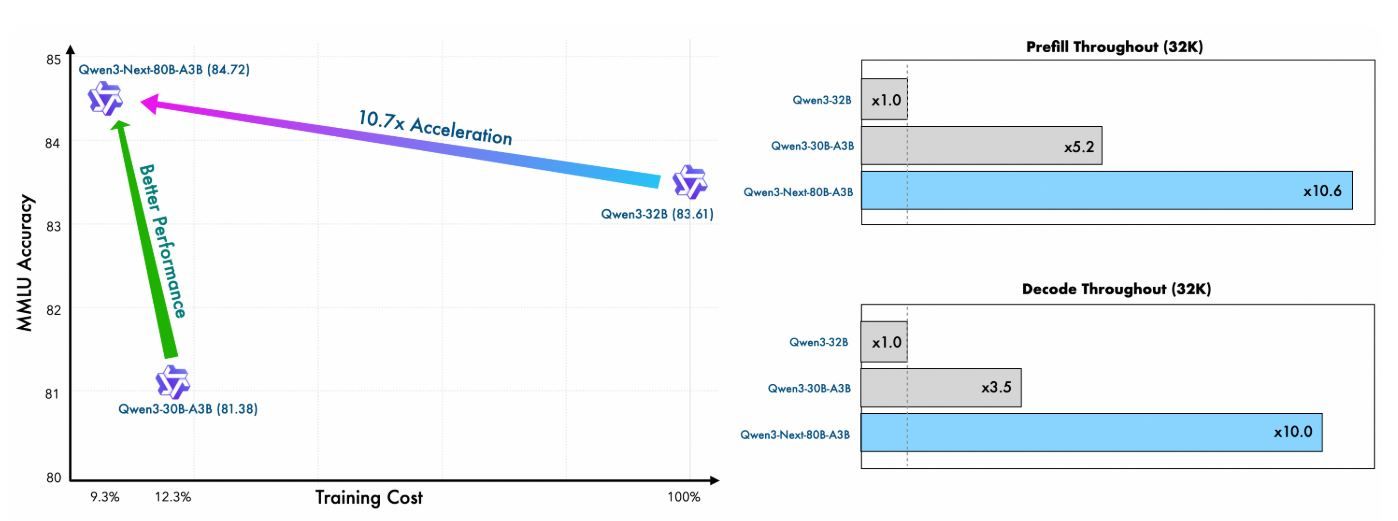
This efficiency stems from the hybrid architecture—combining Gated DeltaNet (75% of layers) with Gated Attention (25%)—which optimizes both training stability and inference throughput. For API users, this translates to lower deployment costs and faster prototyping, as the model achieves better perplexity and loss reduction with fewer resources.
Metric | Qwen3-Next-80B-A3B-Base | Qwen3-32B-Base | Qwen3-30B-A3B-Base |
|---|---|---|---|
Training GPU Hours (% of Qwen3-32B) | 9.3% | 100% | ~125% |
Active Parameters Ratio | 10% | 100% | 10% |
Benchmark Outperformance | Surpasses on most | Baseline | Significantly better |
These figures underscore Qwen Next's value in resource-constrained API environments, where training custom variants via fine-tuning remains feasible.
Inference Speed: Prefill and Decode Stages for API Latency
Inference speed directly impacts API response times, particularly in high-throughput scenarios like chat services or content generation. Qwen Next shines here, leveraging its ultra-sparse MoE (512 experts, routing 10 + 1 shared) and Multi-Token Prediction (MTP) for speculative decoding.
In the prefill stage (prompt processing), Qwen Next achieves nearly 7x higher throughput than Qwen3-32B at 4K context lengths. Beyond 32K tokens, this advantage exceeds 10x, making it ideal for long-document analysis APIs.
For the decode stage (token generation), throughput reaches nearly 4x at 4K contexts and over 10x at longer lengths. The MTP mechanism, optimized for multi-step consistency, boosts acceptance rates in speculative decoding, further accelerating real-world inference.
Context Length | Prefill Throughput (vs. Qwen3-32B) | Decode Throughput (vs. Qwen3-32B) |
|---|---|---|
4K Tokens | 7x Faster | 4x Faster |
>32K Tokens | >10x Faster | >10x Faster |
API developers benefit immensely: reduced latency enables sub-second responses in production, while power efficiency (from activating only 3.7% of parameters) lowers cloud costs. Frameworks like vLLM and SGLang amplify these gains, supporting up to 256K contexts with tensor parallelism.
Making Your First API Call with Qwen Next: A Step-by-Step Implementation
To harness Qwen Next’s capabilities, follow these clear, actionable steps to set up and execute Qwen API calls through Alibaba’s DashScope platform. This guide ensures you can integrate the model efficiently, whether for simple queries or complex Next Integration scenarios.
Step 1: Create an Alibaba Cloud Account and Access Model Studio
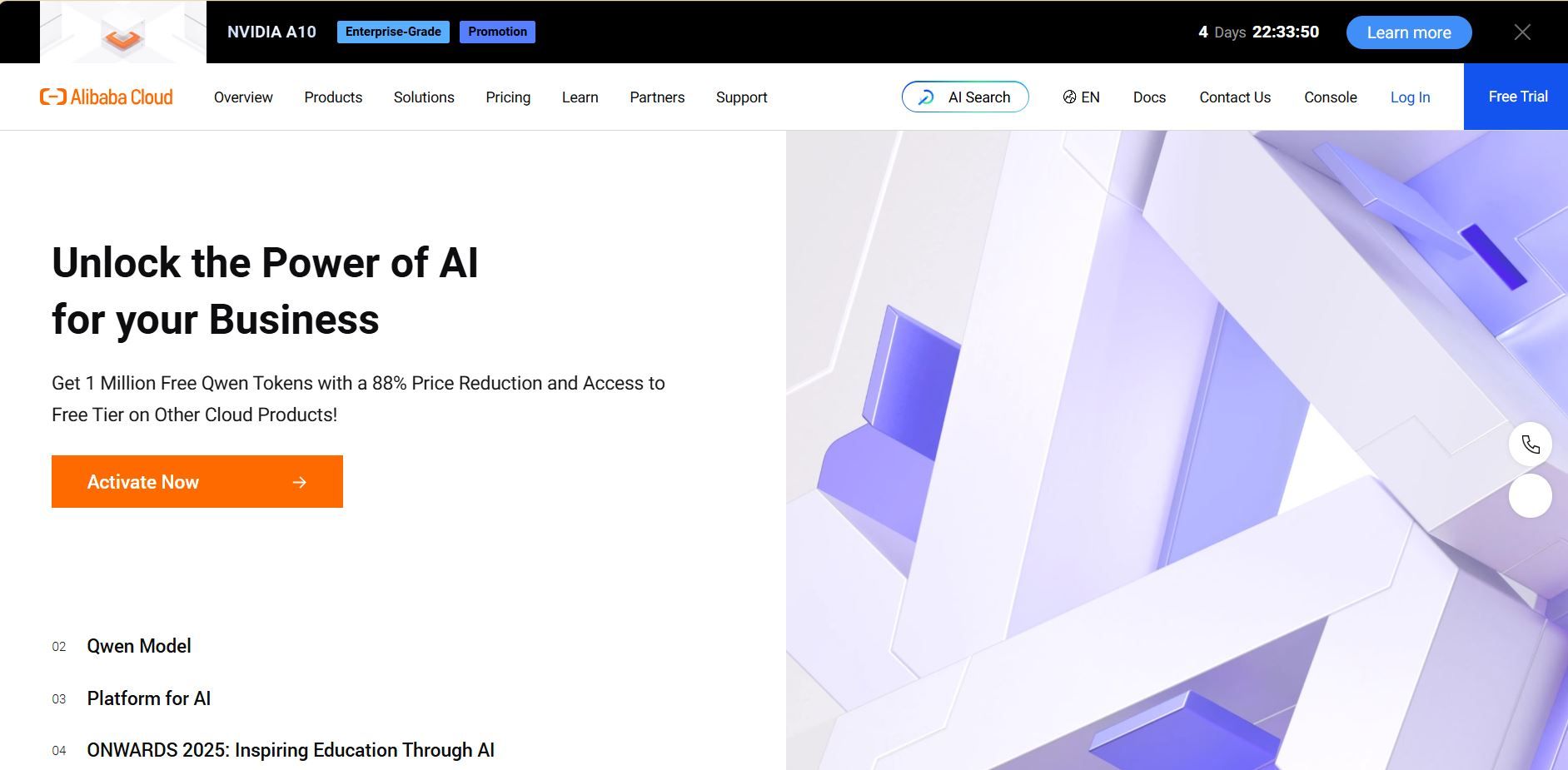
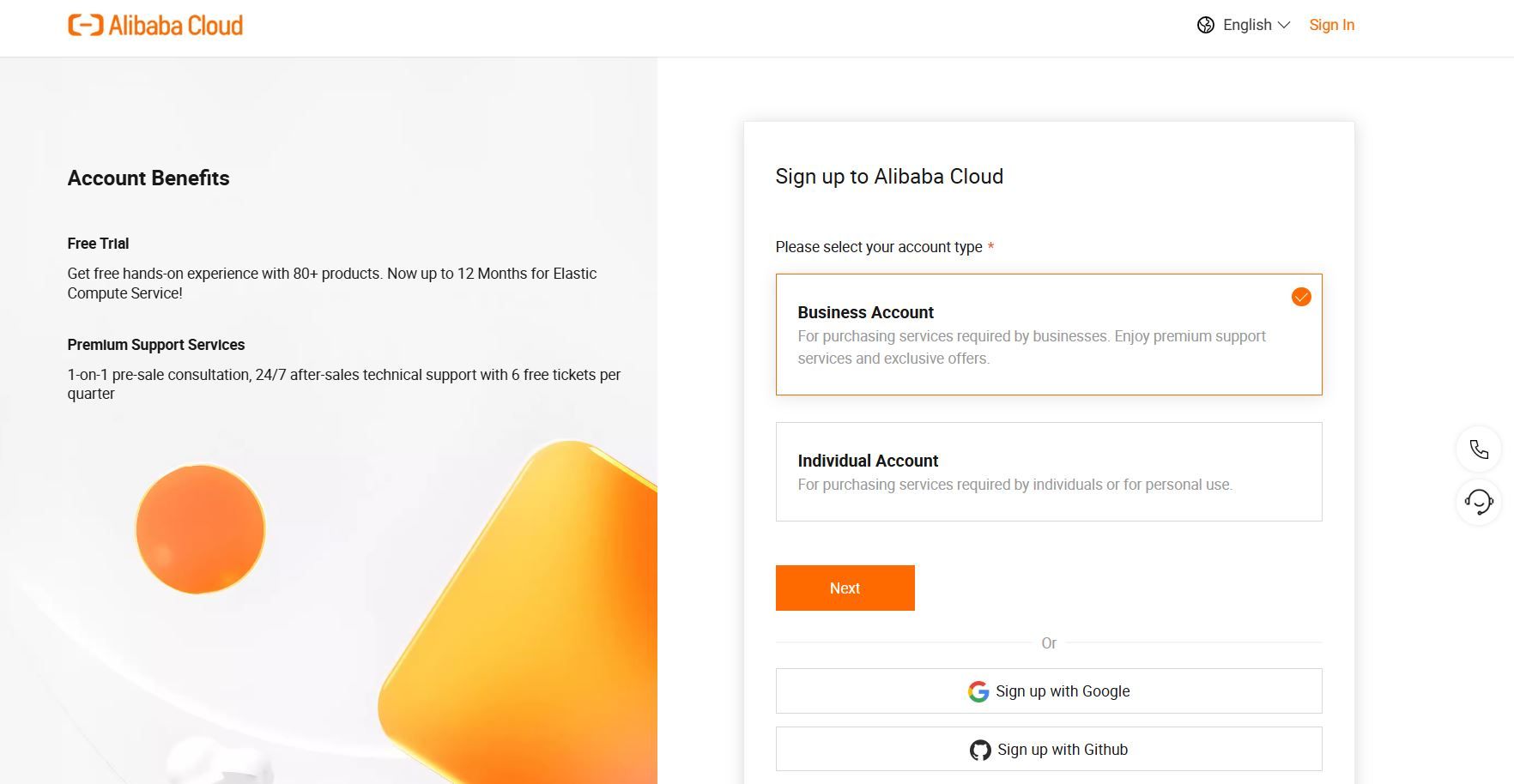
Begin by signing up for an Alibaba Cloud account at alibabacloud.com. After verifying your account, navigate to the Model Studio console within the DashScope platform. Select Qwen3-Next-80B-A3B from the model list, choosing the base, instruct, or thinking variant based on your use case—e.g., instruct for conversational tasks or thinking for complex reasoning.
Step 2: Generate and Secure Your API Key
In the DashScope dashboard, locate the “API Keys” section and generate a new key. This key authenticates your Qwen API requests. Note the rate limits: the free tier offers 1 million tokens monthly, sufficient for initial testing. Store the key securely in an environment variable to prevent exposure:
bash
export DASHSCOPE_API_KEY='your_key_here'This practice keeps your code portable and secure.
Step 3: Install the DashScope Python SDK
Install the DashScope SDK to simplify Qwen API interactions. Run the following command in your terminal:
bash
pip install dashscopeThe SDK handles serialization, retries, and error parsing, streamlining your integration process. Alternatively, use HTTP clients like requests for custom setups, but the SDK is recommended for ease.
Step 4: Configure the API Endpoint
For OpenAI-compatible clients, set the base URL to:
text
https://dashscope.aliyuncs.com/compatible-mode/v1For native DashScope calls, use:
text
https://dashscope.aliyuncs.com/api/v1/services/aigc/text-generation/generationInclude your API key in the request header as X-DashScope-API-Key. This configuration ensures proper routing to Qwen Next.
Step 5: Make Your First API Call
Craft a basic generation request using the instruct variant. Below is a Python script to query Qwen Next:
python
import os
from dashscope import Generation

os.environ['DASHSCOPE_API_KEY'] = 'your_api_key'

response = Generation.call(
    model='qwen3-next-80b-a3b-instruct',
    prompt='Explain the benefits of MoE architectures in LLMs.',
    max_tokens=200,
    temperature=0.7
)

if response.status_code == 200:
    print(response.output['text'])
else:
    print(f"Error: {response.message}")
This script sends a prompt, limits output to 200 tokens, and controls creativity with temperature=0.7. A 200 status code indicates success; otherwise, handle errors like quota limits (code 10402).
Step 6: Implement Streaming for Real-Time Responses
For applications requiring immediate feedback, use streaming:
python
from dashscope import Streaming

for response in Streaming.call(
    model='qwen3-next-80b-a3b-instruct',
    prompt='Generate a Python function for sentiment analysis.',
    max_tokens=500,
    incremental_output=True
):
    if response.status_code == 200:
        print(response.output['text_delta'], end='', flush=True)
    else:
        print(f"Error: {response.message}")
        break
This delivers token-by-token output, perfect for live chat interfaces in Next Integration.
Step 7: Add Function Calling for Agentic Workflows
Extend functionality with tool integration. Define a JSON schema for a tool, like weather retrieval:
python
tools = [{
    "type": "function",
    "function": {
        "name": "get_weather",
        "description": "Get current weather",
        "parameters": {
            "type": "object",
            "properties": {"city": {"type": "string"}}
        }
    }
}]

response = Generation.call(
    model='qwen3-next-80b-a3b-instruct',
    prompt='What\'s the weather in Beijing?',
    tools=tools,
    tool_choice='auto'
)
The Qwen API parses the prompt, triggering the tool call. Execute the function externally and feed results back.
Step 8: Test and Validate with Apidog
Use Apidog to test your API calls. Import the DashScope schema into a new Apidog project, add the endpoint, and include your API key in the header. Create a JSON body with your prompt, then run test cases to verify responses. Apidog generates metrics like latency and suggests edge cases, enhancing reliability.
Step 9: Monitor and Debug Responses
Check response codes for errors (e.g., 429 for rate limits). Log outputs anonymized for auditing. Use Apidog’s dashboards to track token usage and response times, ensuring your Qwen API calls remain within quotas.
These steps provide a robust foundation for integrating Qwen Next. Next, streamline your testing with Apidog.
Leveraging Function Calling in Qwen Next API for Agentic Workflows
Function calling extends Qwen Next's utility beyond text generation. Define tools in JSON schema, specifying names, descriptions, and parameters. For weather queries, outline a get_weather function with a city parameter.
In your API call, include the tools array and set tool_choice to 'auto'. The model analyzes the prompt, identifying intents and returning tool calls. Execute the function externally, feeding results back for final responses.
This pattern creates agentic systems, where Qwen Next orchestrates multiple tools. For instance, combine weather data with sentiment analysis for personalized recommendations. The Qwen API handles parsing efficiently, reducing custom code needs.
Optimize by validating schemas strictly. Ensure parameters match expected types to avoid runtime errors. As you integrate, test these calls thoroughly—tools like Apidog prove invaluable here, simulating responses without live API hits.
Integrating Apidog for Efficient Qwen API Testing and Documentation
This guide provides a comprehensive workflow for integrating Apidog with Qwen API (Alibaba Cloud's Qwen Next/3.0) for efficient testing, documentation, and API lifecycle management.
Phase 1: Initial Setup & Account Configuration
Step 1: Account Setup
1.1 Create Required Accounts
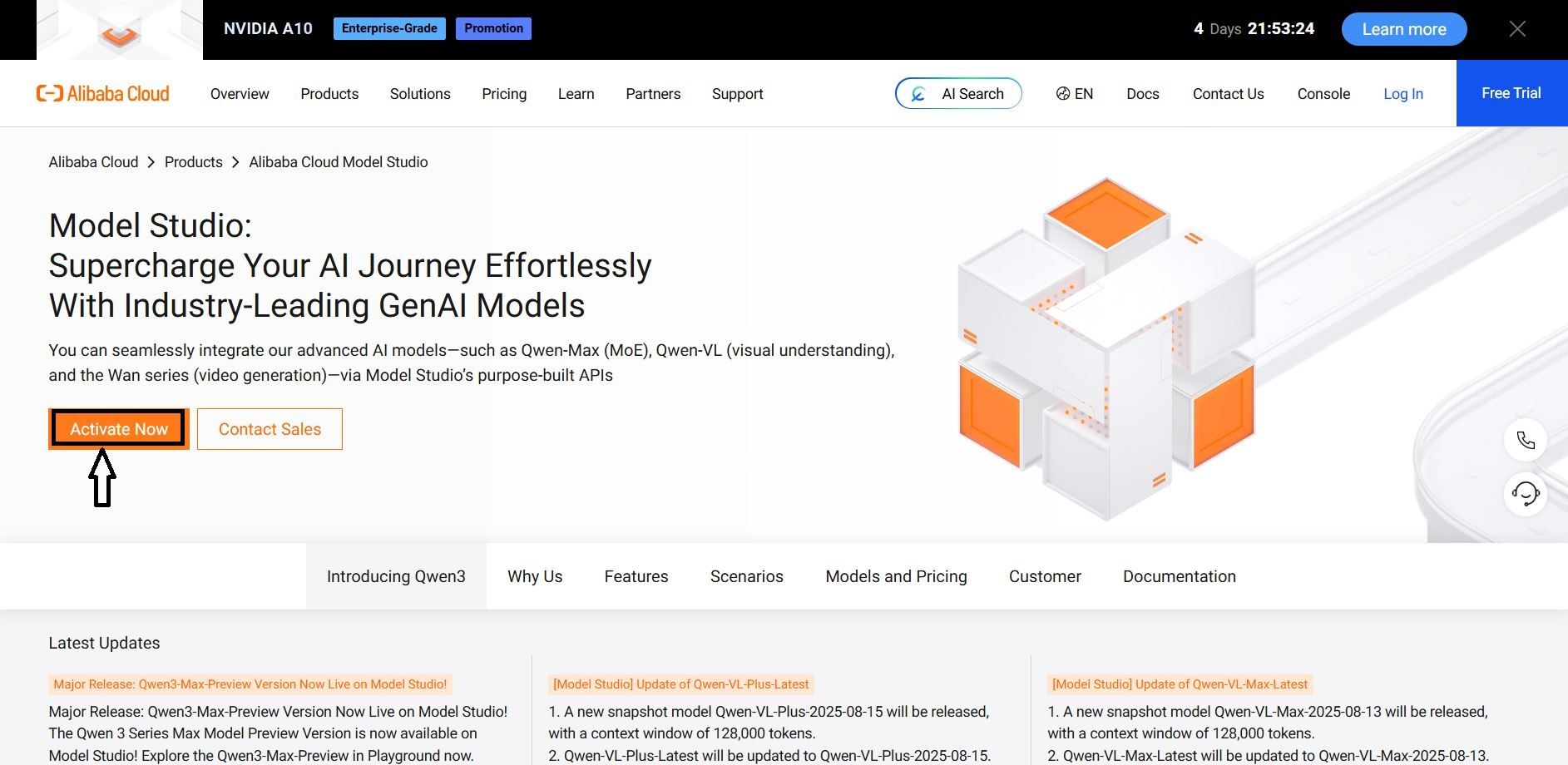
1. Alibaba Cloud Account
2. Visit: https://www.alibabacloud.com
3. Register & complete verification
4. Enable "Model Studio" service
5. Apidog Account
6. Visit: https://apidog.com
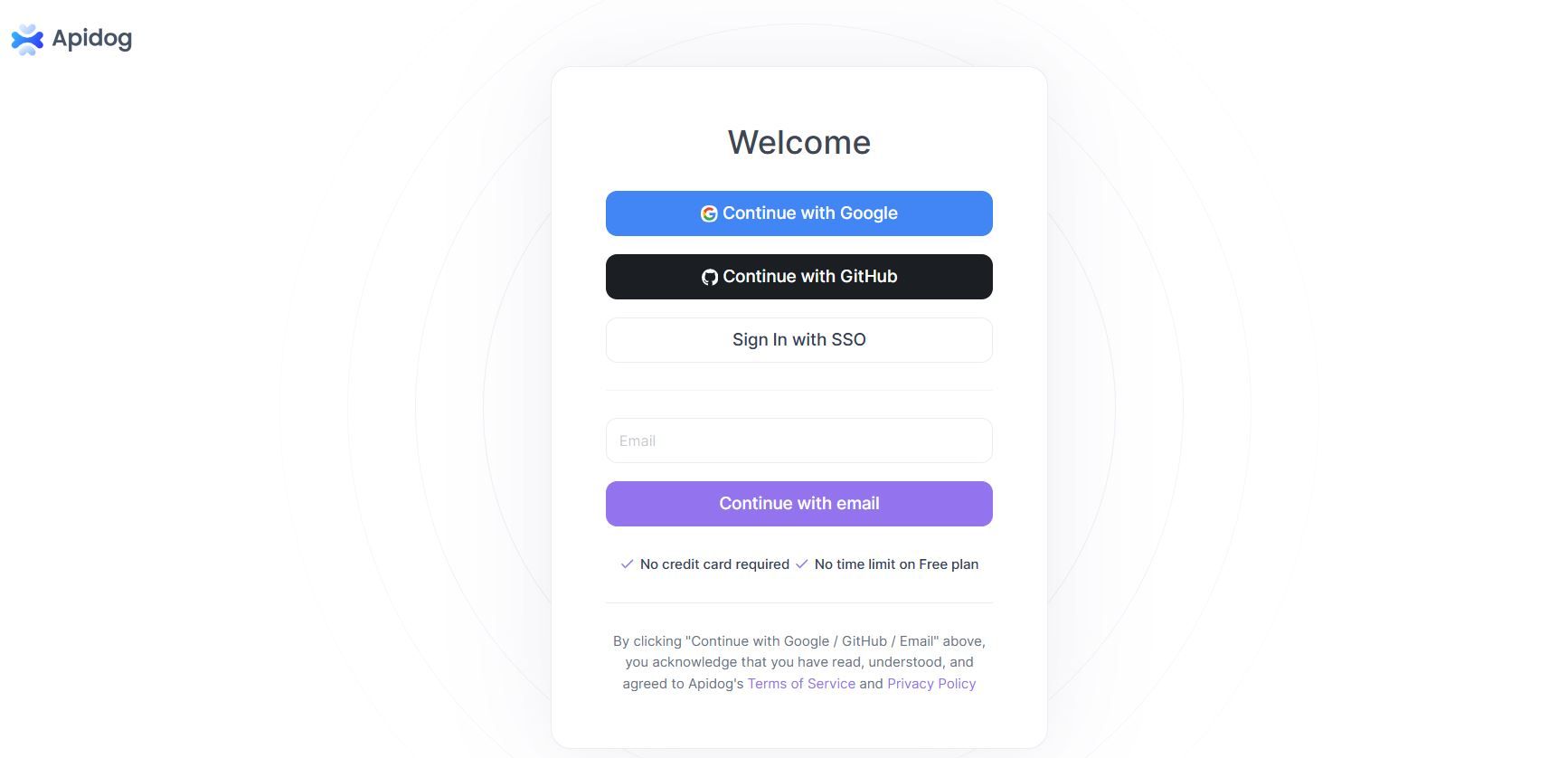
7. Sign up with email/Google/GitHub
1.2 Get Qwen API Credentials
1. Navigate to: Alibaba cloud Console → Model Studio → API Keys
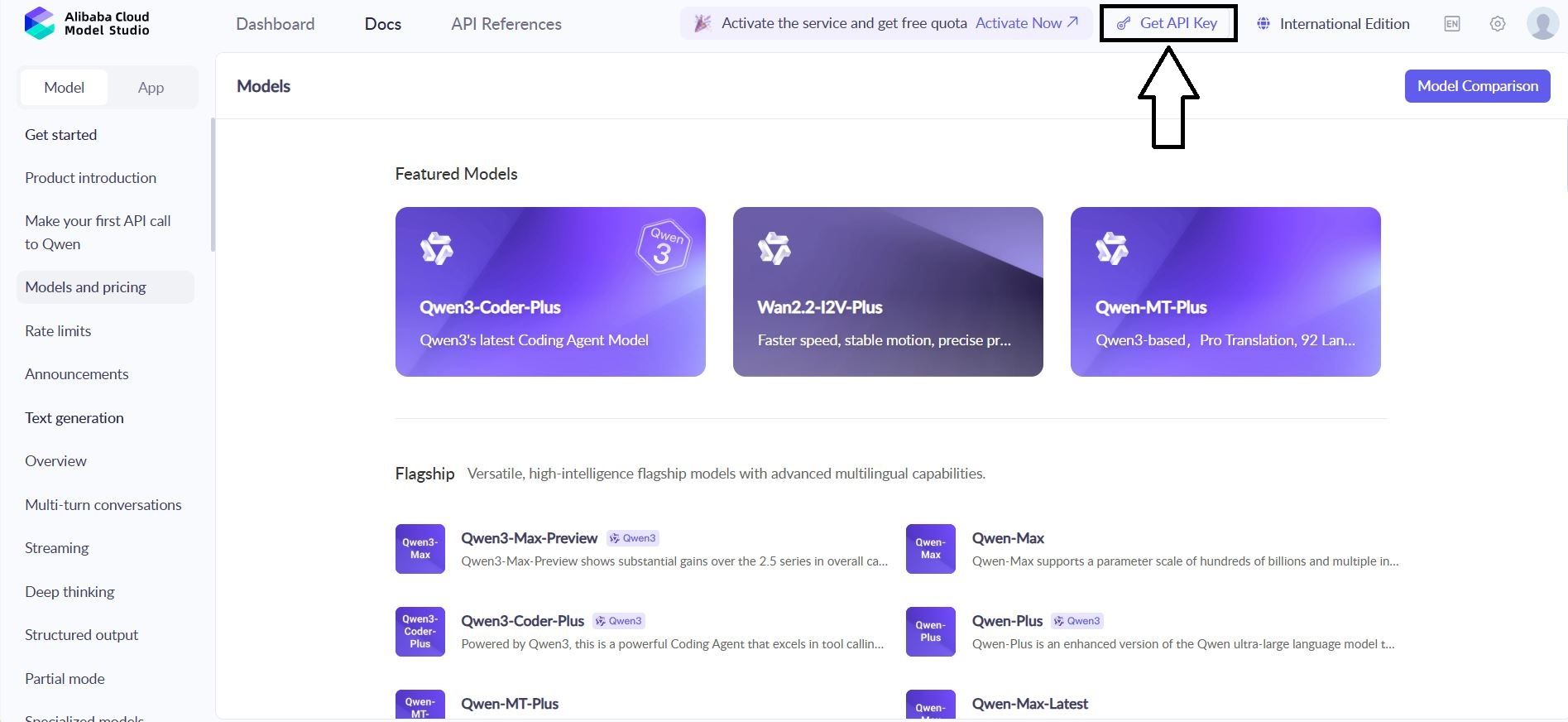
2. Create new key: qwen-testing-key
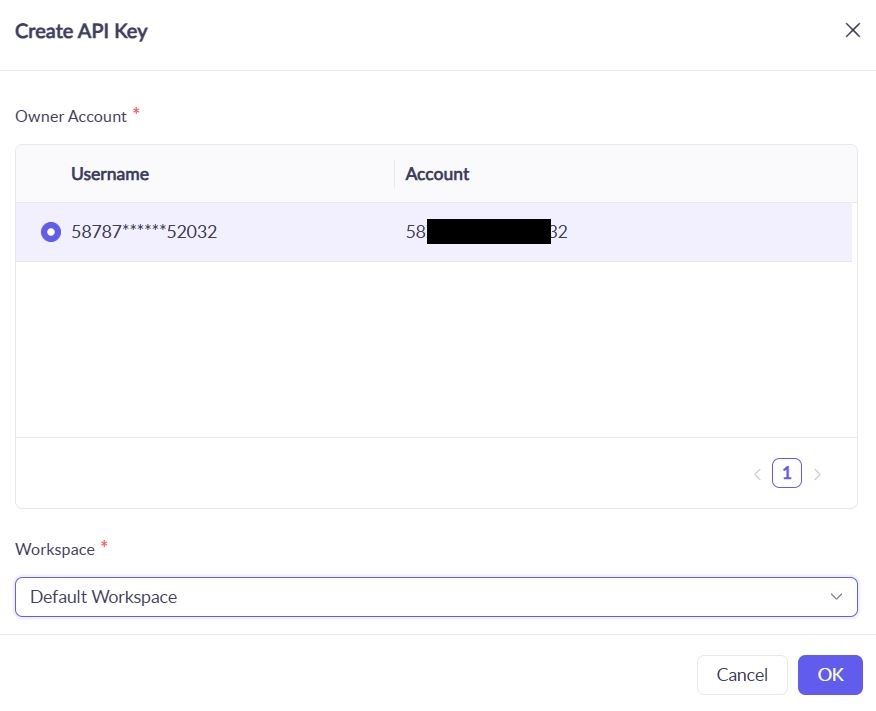
3. Save your key: sk-[your-actual-key-here]

1.3 Create Apidog Project
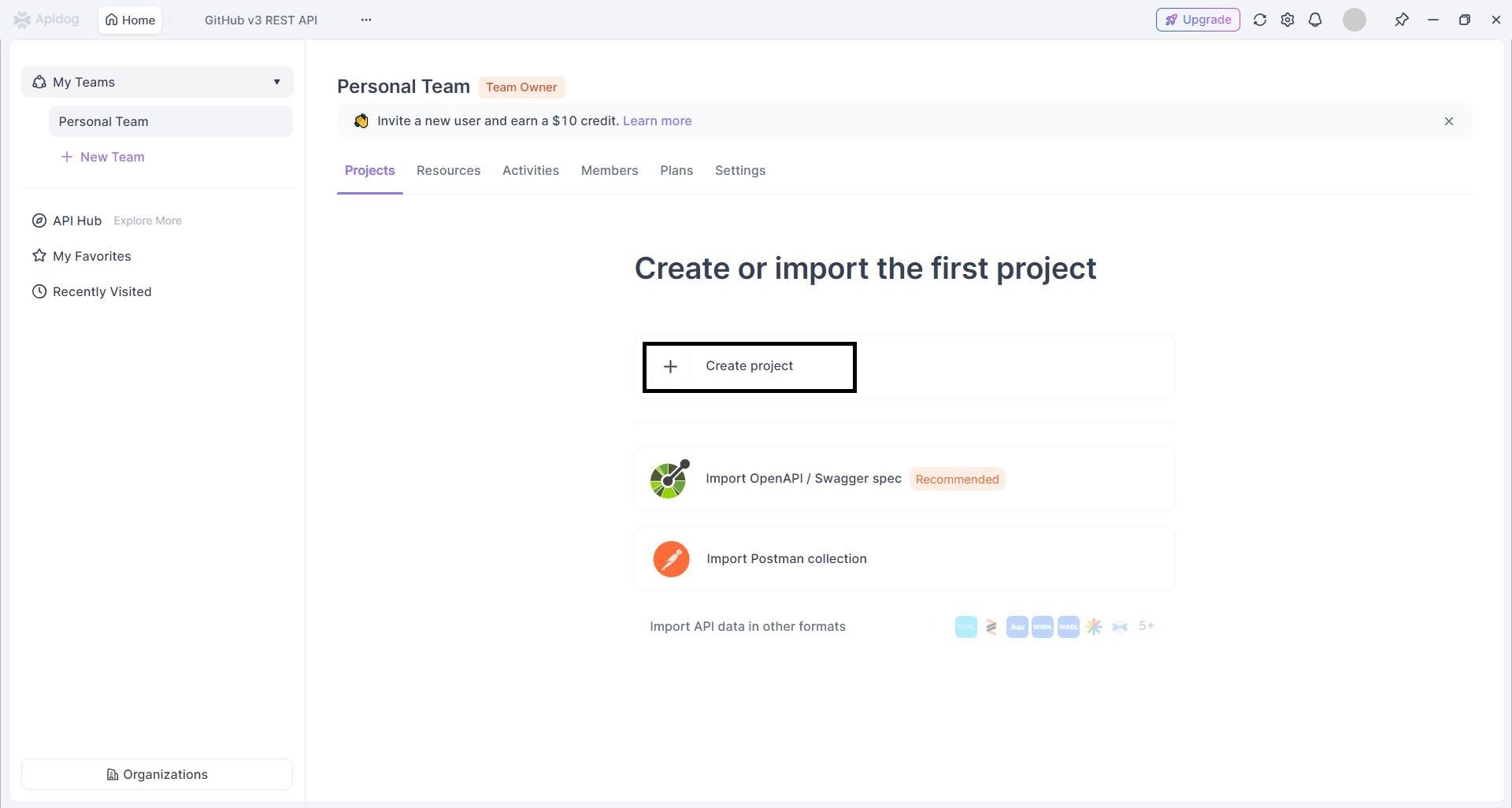
- Login to Apidog → Click "New Project"
2. Configure Project :
1. Project Name:Qwen API Integration
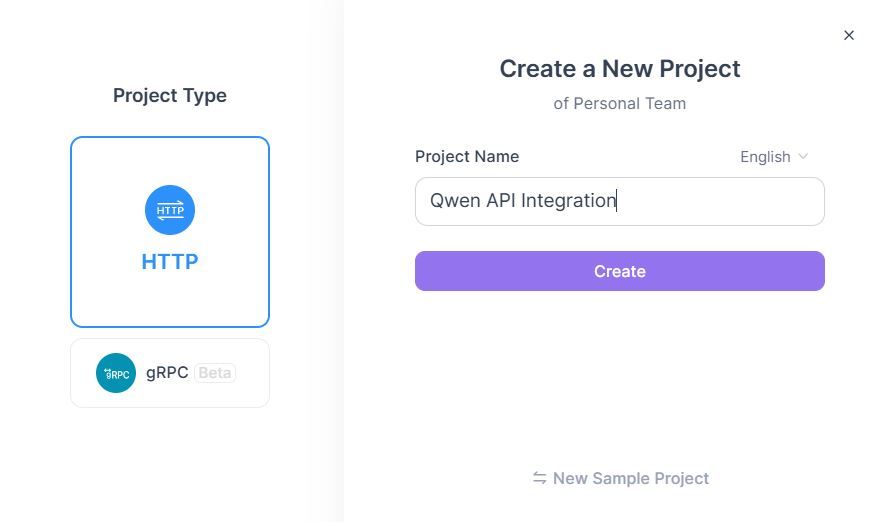
2. Description:Qwen Next API testing &documentation
Phase 2: API Import & Configuration
Step 2: Import Qwen API Specifications
Method A: Manual API Creation
- Add New API → "Create API Manually"
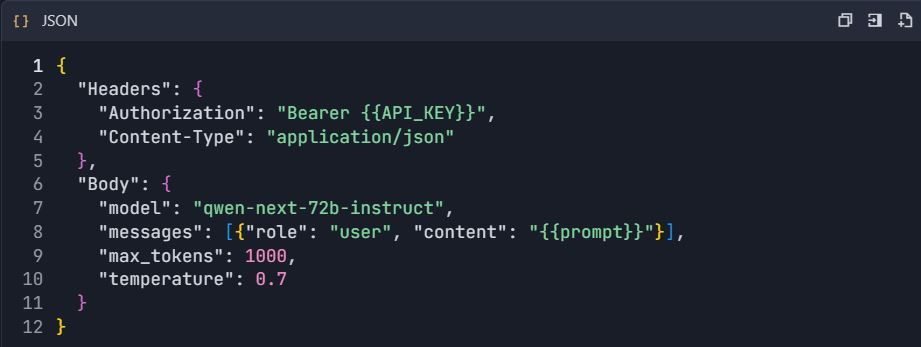
- Configure Qwen Chat Endpoint :

3. Set Request Configuration :
Method B: OpenAPI Import
- Download Qwen OpenAPI spec (if available)
- Go to Project → "Import" → "OpenAPI/Swagger"
- Upload spec file → "Import"
Phase 3: Environment & Authentication Setup
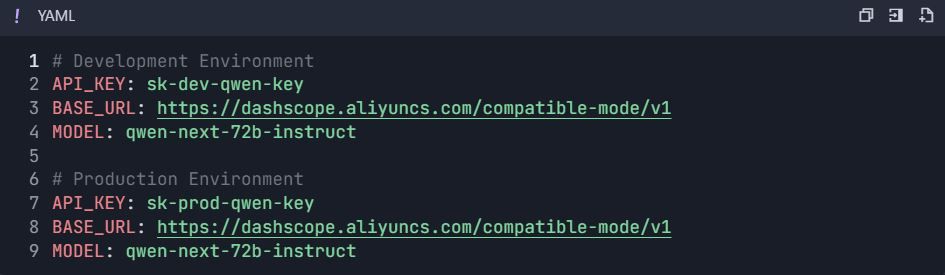
Step 3: Configure Environments
3.1 Create Environment Variables
- Go to Project Settings → "Environments"
- Create environments :
Phase 4: Comprehensive Testing Suite
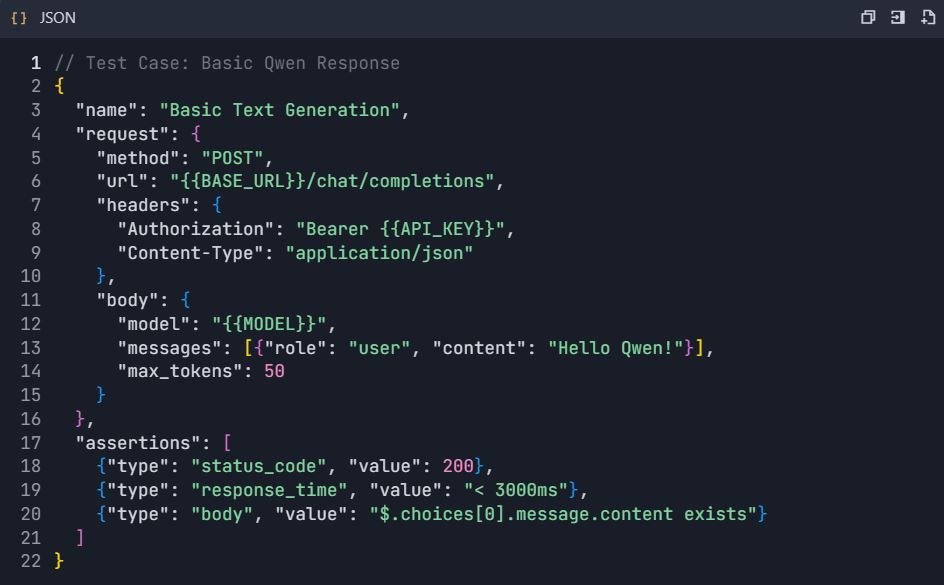
Step 4: Create Test Scenarios
4.1 Basic Text Generation Test
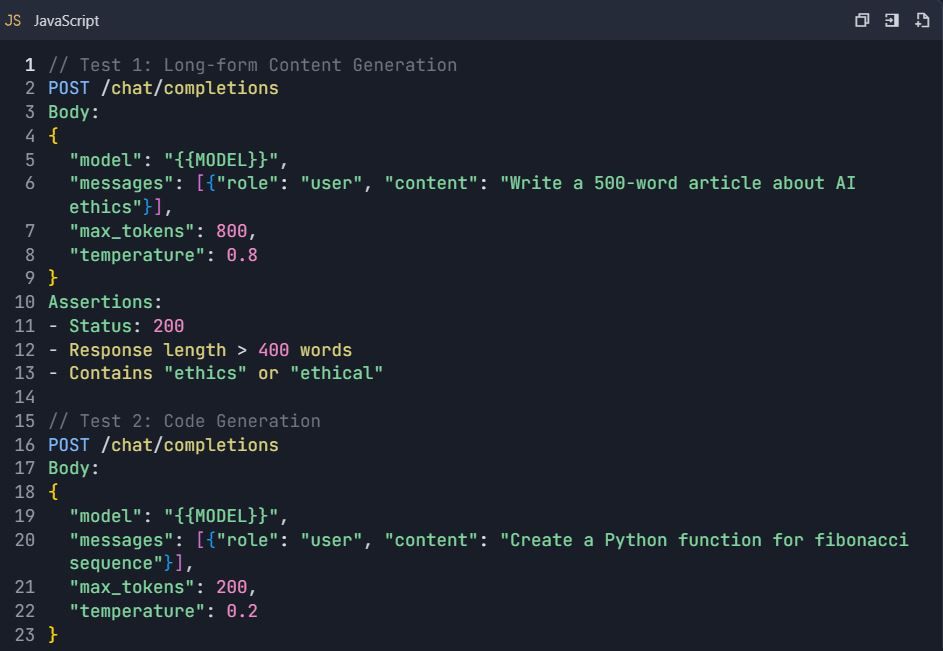
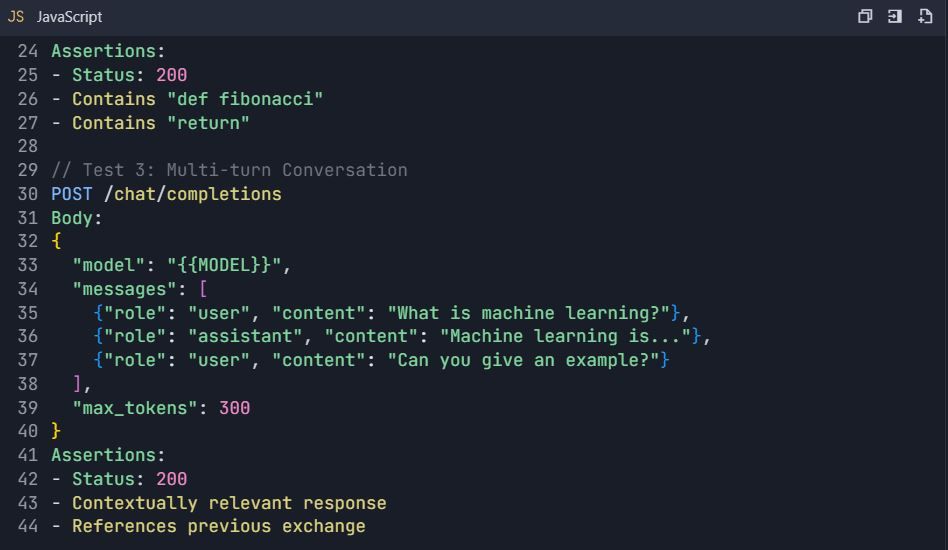
4.2 Advanced Testing Scenarios
Test Suite: Qwen API Comprehensive Testing
4.3 Error Handling Tests
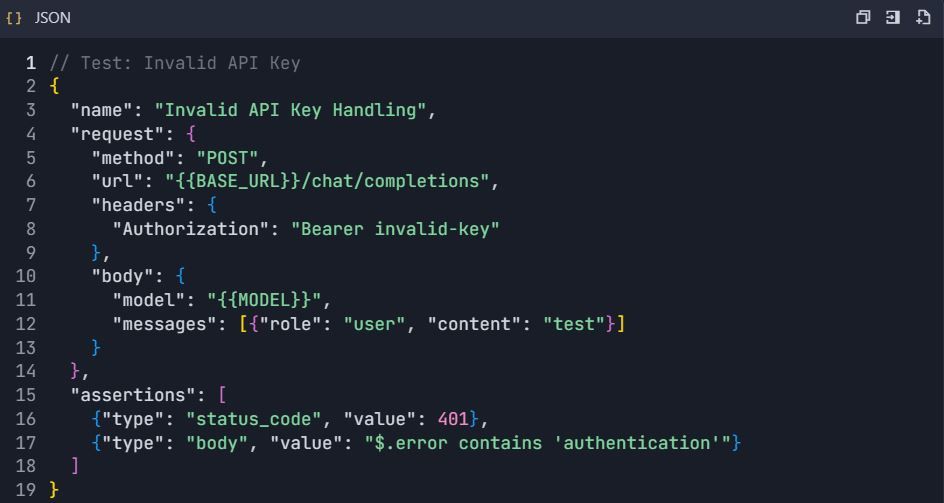
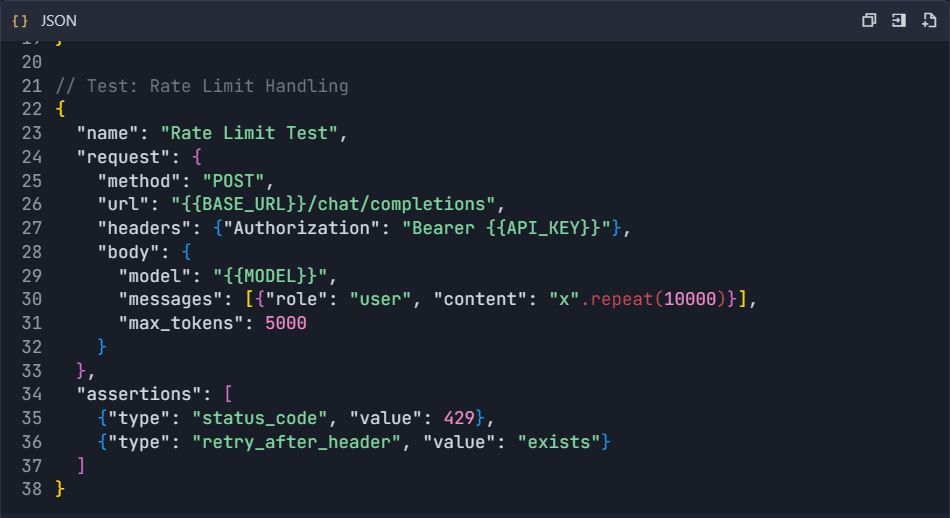
Phase 5: Documentation Generation
Step 5: Auto-Generate API Documentation 5.1 Create Documentation Structure
- Go to Project → "Documentation"
- Create sections :
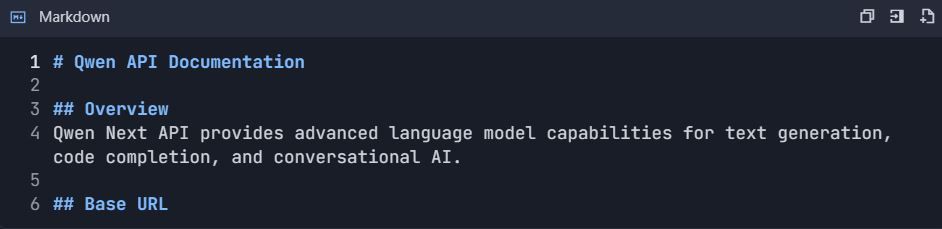
https://dashscope.aliyuncs.com/compatible-mode/v1

Authorization: Bearer sk-[your-api-key]

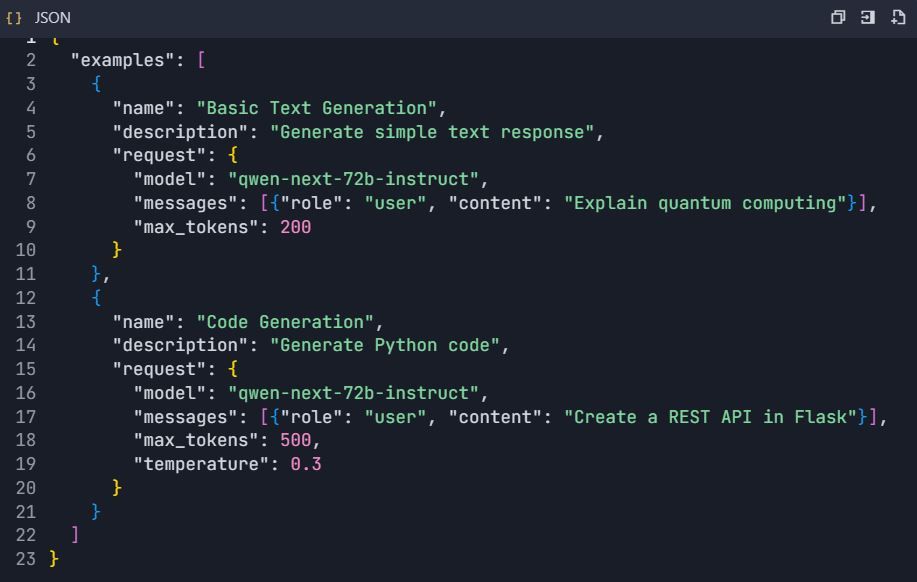
5.2 Interactive API Explorer
- Configure interactive examples:
Phase 6: Advanced Features & Automation
Step 6: Automated Testing Workflows 6.1 CI/CD Integration
GitHub Actions Workflow ( .github/workflows/qwen-tests.yml ):
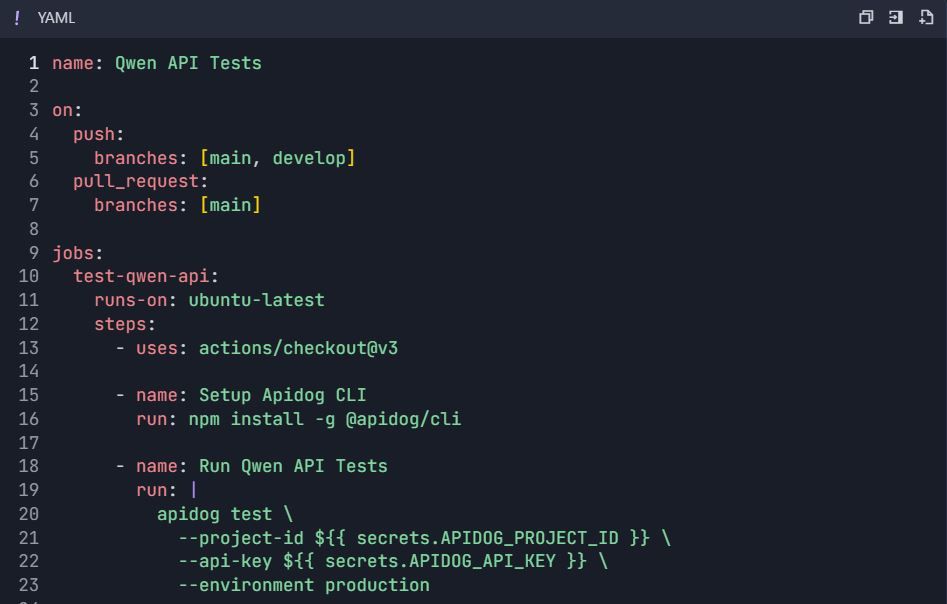
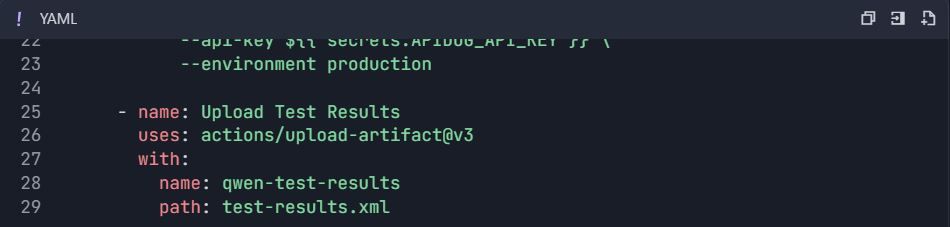
6.2 Performance Testing
- Create performance test suite:

2. Monitor metrics:
- Response time (p50, p95, p99)
- Throughput (requests/second)
- Error rate
- Token usage efficiency
6.3 Mock Server Setup
- Enable mock server:

2. Configure mock responses:
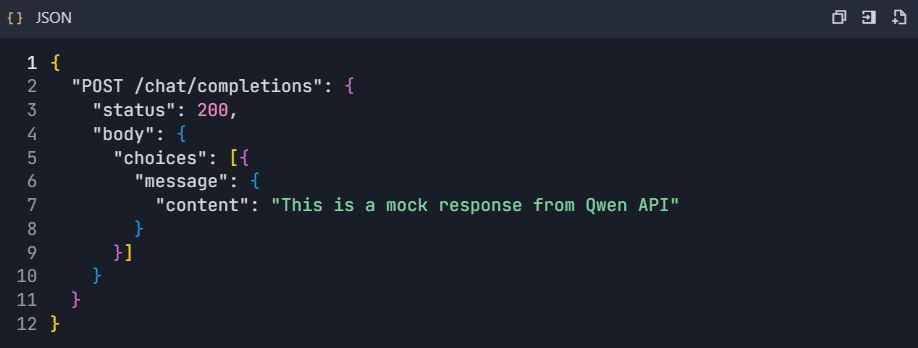
Phase 7: Monitoring & Analytics
Step 7: Usage Analytics Dashboard
7.1 Key Metrics to Track
- API Usage Statistics :
- Request count per endpoint
- Token consumption
- Response time trends
- Error rate analysis
2. Cost Monitoring :
- Daily token usage
- Estimated cost per request
- Budget alerts
7.2 Custom Dashboard Setup
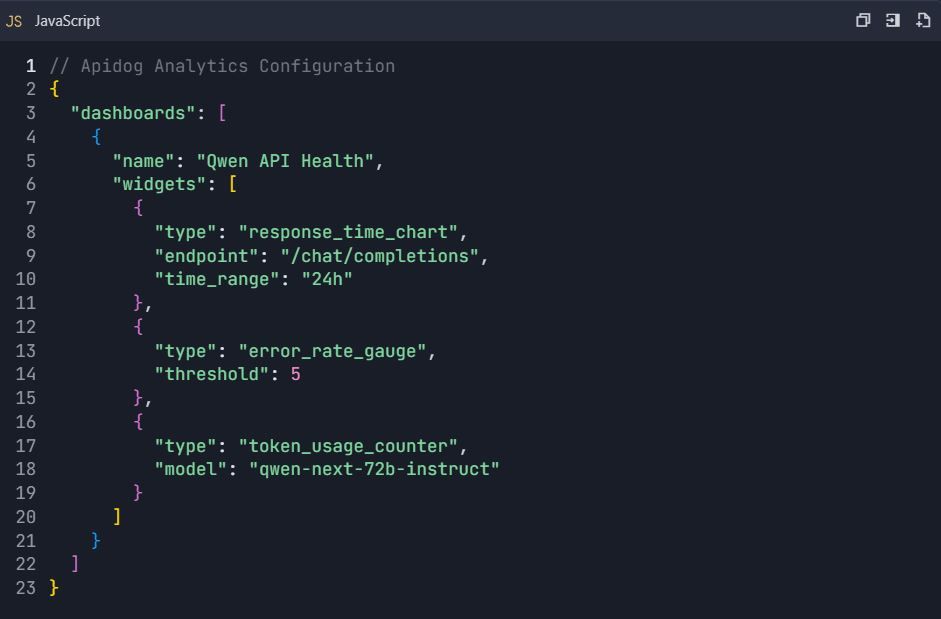
Phase 8: Team Collaboration & Version Control
Step 8: Team Workflow Setup
8.1 Team Roles Configuration

8.2 Version Control Integration
- Connect to Git repository:

2. Branching Strategy :

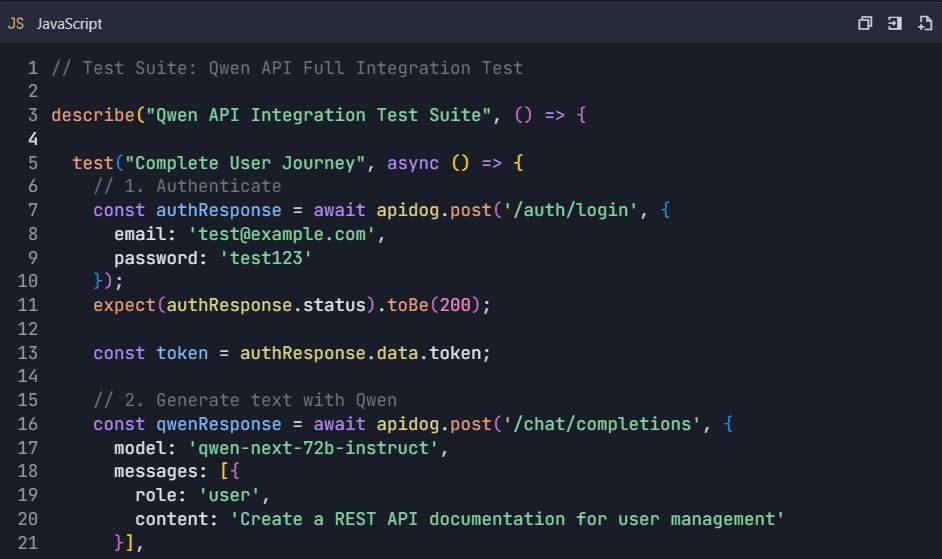
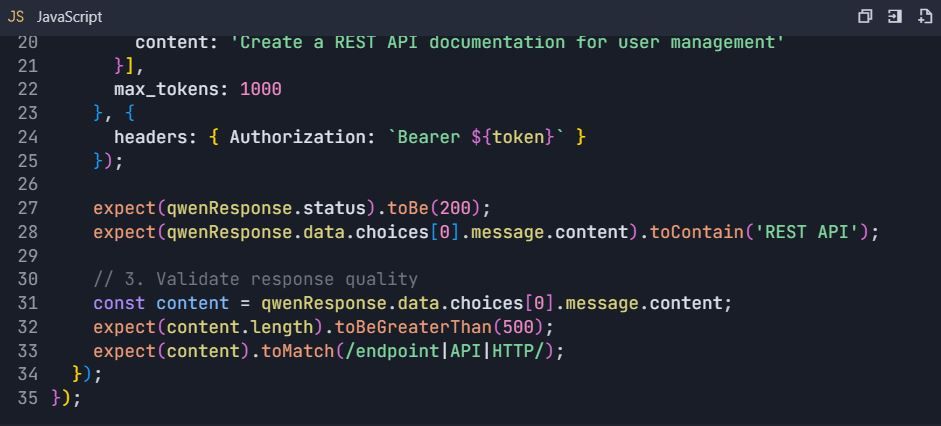
Complete Testing Workflow Example
End-to-End Testing Scenario
📋 Testing Commands:
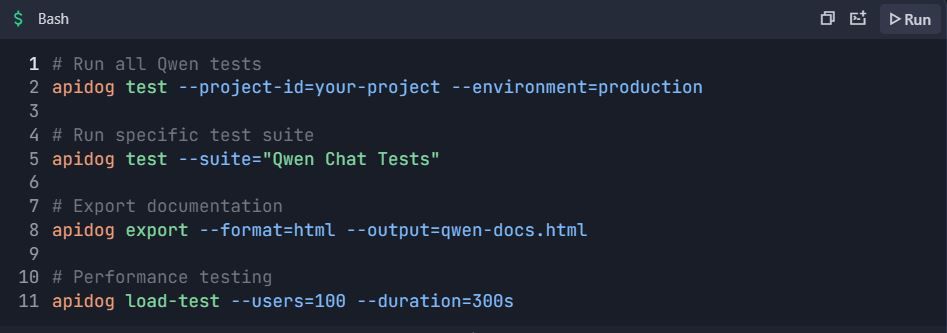
This comprehensive integration guide provides everything needed to efficiently test and document Qwen API using Apidog. The setup enables automated testing, performance monitoring, team collaboration, and continuous integration for robust API development.
Advanced Optimization Techniques for Qwen Next API in Production Environments
Batch processing maximizes efficiency in high-volume scenarios. DashScope allows up to 10 prompts per call, consolidating requests to minimize latency overhead. This suits applications like bulk summarization.
Monitor token usage closely, as charges tie to active parameters. Craft concise prompts to save costs, and use result_format='message' for parseable outputs, skipping extra processing.
Implement retries with exponential backoff to handle transients. A function wrapping the call attempts multiple times, sleeping progressively longer between tries. This ensures reliability under load.
For scalability, distribute across regions like Singapore or the US. Sanitize inputs to thwart prompt injections, validating against whitelists. Log anonymized responses for compliance.
In long-context cases, chunk data and chain calls. The thinking variant supports structured prompts for coherence over extended tokens. These strategies secure robust deployments.
Exploring Next Integration: Embedding Qwen Next in Web Applications
Next Integration refers to incorporating Qwen Next into Next.js frameworks, leveraging server-side rendering for AI features. Set up API routes in Next.js to proxy Qwen calls, hiding keys from clients.
In your API handler, use the DashScope SDK to process requests, returning streamed responses if needed. This setup enables dynamic content, like personalized pages generated on-the-fly.
Handle authentication server-side, using session management. For real-time updates, integrate WebSockets with streaming outputs. Test these with Apidog, simulating client requests.
Performance tuning involves caching frequent queries. Use Redis to store responses, reducing API hits. This combination powers interactive apps efficiently.
Multilingual and Long-Context Capabilities in Qwen Next API
Qwen Next supports 119 languages, making it versatile for global apps. Specify languages in prompts for accurate translations or generations. The API handles switches seamlessly, maintaining context.
For long contexts, extend up to 128K tokens by setting max_context_length. This excels in analyzing large documents. Chain-of-thought prompting enhances reasoning over volumes.
Benchmarking shows superior recall, ideal for search engines. Integrate with databases to feed contexts dynamically.
Security Best Practices for Qwen API Deployments
Protect keys with vaults like AWS Secrets Manager. Monitor usage for anomalies, setting alerts on spikes. Comply with regulations by anonymizing data.
Rate limiting client-side prevents abuse. Encrypt transmissions with HTTPS.
Monitoring and Scaling Qwen Next API Usage
DashScope dashboards track metrics like token consumption. Set budgets to avoid overruns. Scale by upgrading tiers for higher limits.
Auto-scaling infrastructure responds to traffic. Tools like Kubernetes manage containers hosting Next Integration.
Case Studies: Real-World Applications of Qwen Next via API
In e-commerce, Qwen Next powers recommendation engines, analyzing user histories for suggestions. API calls generate descriptions dynamically.
Healthcare apps use the thinking variant for diagnostic aids, processing reports with high accuracy.
Content platforms employ instruct models for automated writing, scaling production.
Future Prospects and Updates for Qwen Next
Alibaba continues evolving the series, with potential for more experts or finer routing. Stay updated via official channels like the QwenAI_Plus X account.
API enhancements may include better tooling support.
Harnessing Qwen Next for Innovative Solutions
Qwen Next via API offers unmatched efficiency. From setup to optimizations, you now possess the tools to implement effectively. Experiment with integrations, leveraging Apidog for smooth workflows.


