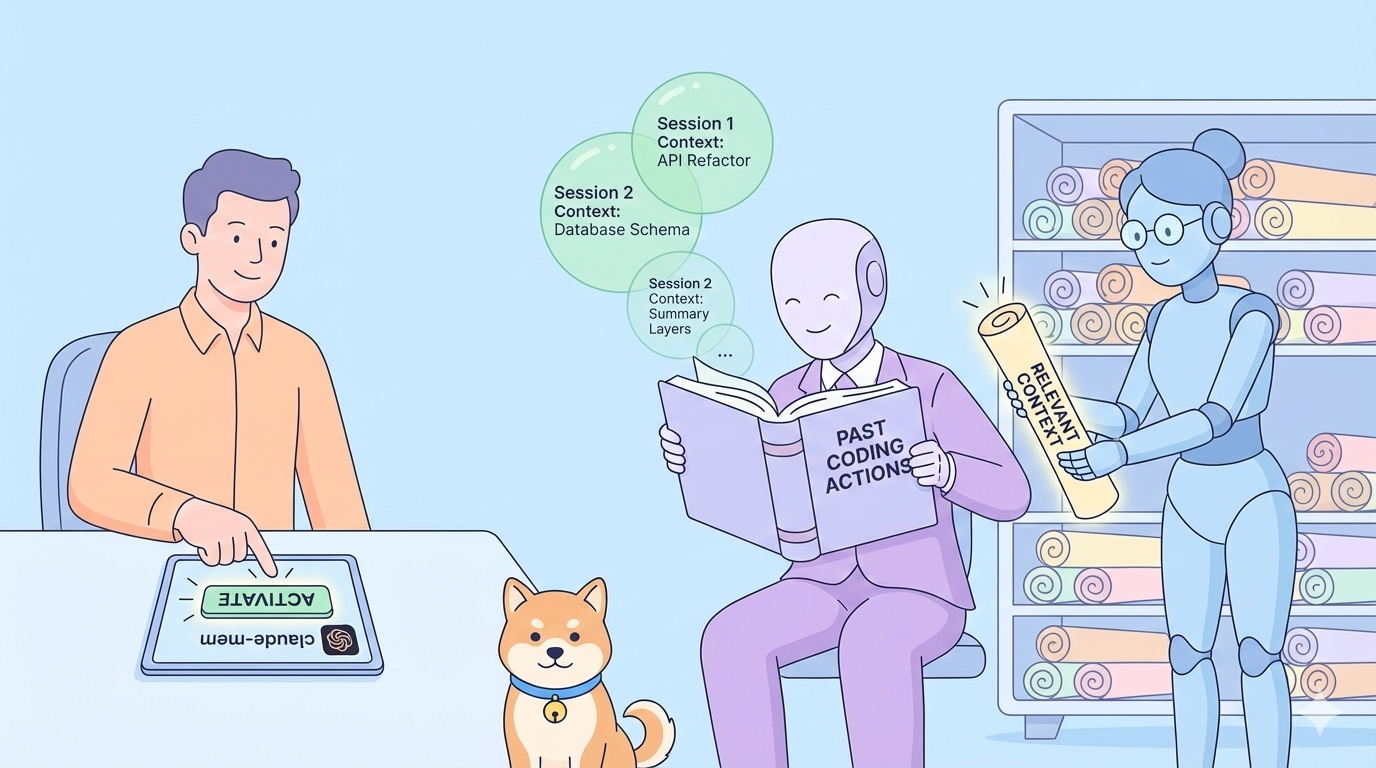
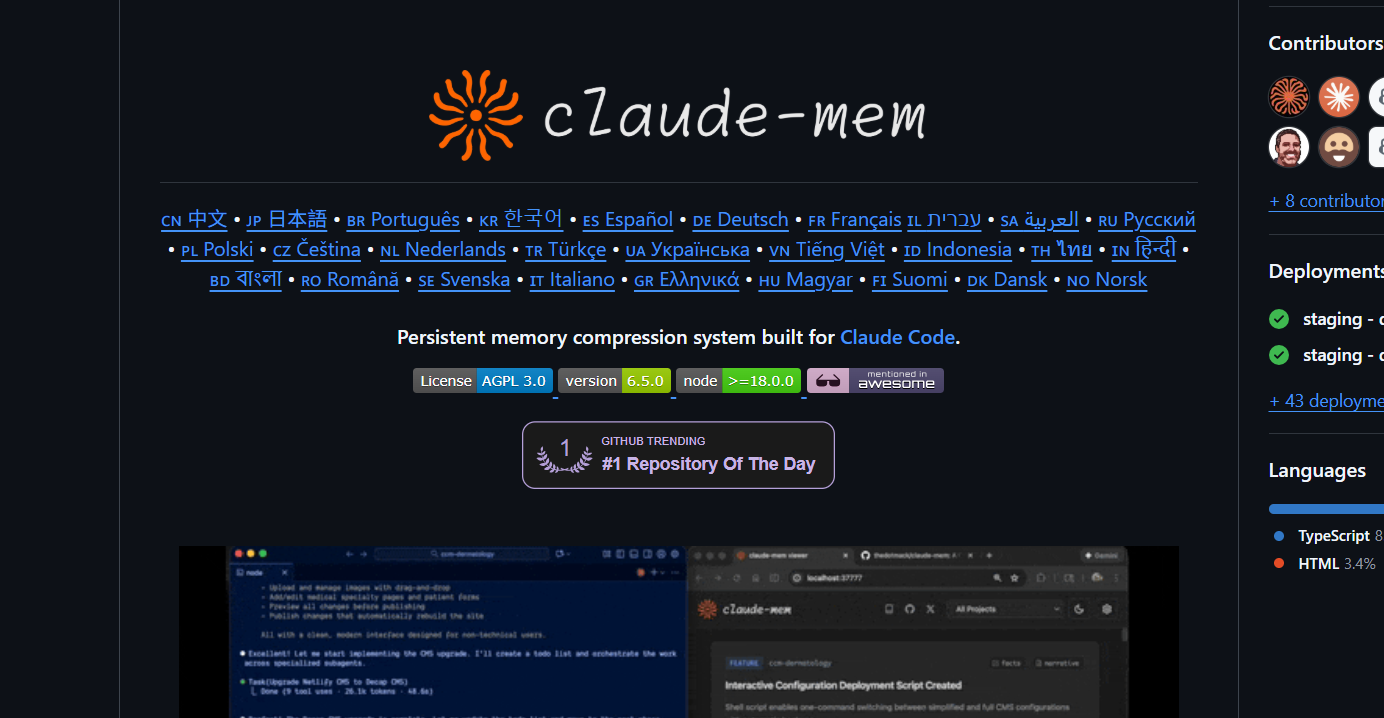
What if your AI assistant remembered every architectural decision, bug fix, and refactoring session across weeks of development? Claude-mem eliminates the friction of lost context by automatically capturing tool usage observations, compressing them into semantic summaries, and injecting relevant history into every new Claude Code session.
The Problem: Context Amnesia in AI-Assisted Development
Every Claude Code session starts as a blank slate. When you close your terminal or disconnect from a session, Claude forgets everything; your project structure, recent refactoring decisions, debugging discoveries, and architectural patterns. This forces you to repeatedly explain your codebase, burning tokens on redundant context and breaking workflow continuity.
Developers currently work around this by manually maintaining CLAUDE.md files, jotting notes in separate documents, or re-explaining project context at the start of every session. These approaches are brittle, time-consuming, and never capture the full richness of your development history. Claude-mem solves this by automatically observing every tool invocation, compressing the output into searchable semantic memories, and intelligently retrieving relevant context when you need it.
Want an integrated, All-in-One platform for your Developer Team to work together with maximum productivity?
Apidog delivers all your demands, and replaces Postman at a much more affordable price!
Understanding Claude-mem's Architecture
Claude-mem operates as a persistent memory compression system that hooks into Claude Code's lifecycle. It captures tool outputs—typically 1,000 to 10,000 tokens—and compresses them into roughly 500-token semantic observations using Claude's Agent SDK. These observations are categorized by type (decision, bugfix, feature, refactor, discovery, change) and tagged with relevant concepts and file references, then stored in a local SQLite database with full-text search capabilities.
The system uses five lifecycle hooks to capture context:
- SessionStart: Injects context from previous sessions when you begin
- UserPromptSubmit: Captures your queries for pattern recognition
- PostToolUse: Observes every tool execution and its output
- Stop: Generates session summaries when Claude finishes responding
- SessionEnd: Finalizes session storage and cleanup
This architecture enables progressive disclosure—a layered memory retrieval system that balances coverage with token efficiency. Instead of dumping your entire history into context, Claude-mem retrieves observations in layers, saving approximately 2,250 tokens per session compared to manual context management.
Installation and System Requirements
Claude-mem requires Node.js 18.0.0 or higher, the latest Claude Code with plugin support, and Bun as the JavaScript runtime and process manager (auto-installed if missing). SQLite 3 is bundled for persistent storage. The plugin works cross-platform on Windows, macOS, and Linux.
Quick Start Installation
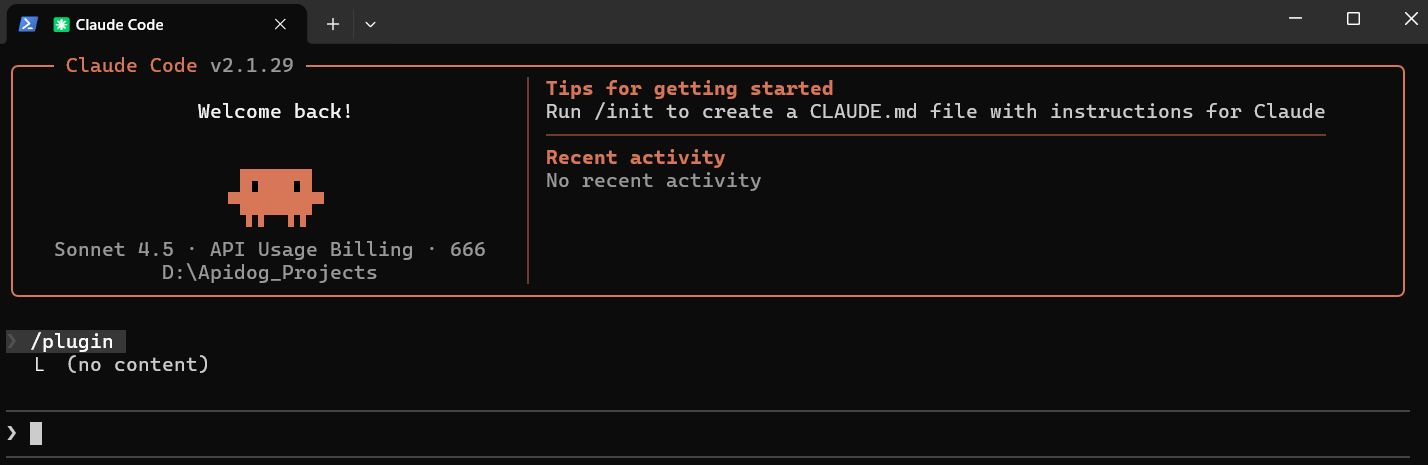
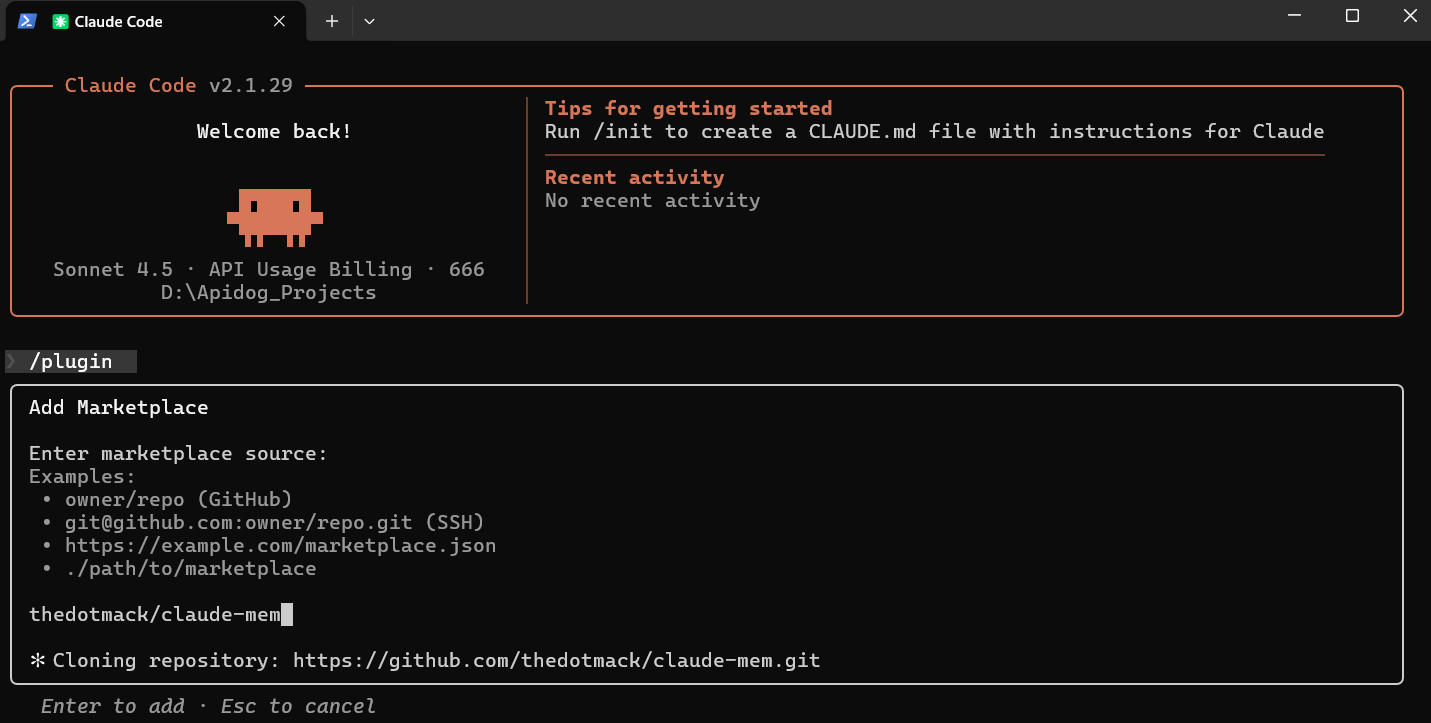
Install Claude-mem directly from the plugin marketplace with two commands:
/plugin marketplace add thedotmack/claude-mem
/plugin install claude-mem
Restart Claude Code after installation. The plugin automatically downloads prebuilt binaries, installs dependencies including Bun and SQLite, configures hooks for session lifecycle management, and auto-starts the worker service on your first session.
Advanced Installation from Source
For development or testing, clone and build from source on github:
git clone https://github.com/thedotmack/claude-mem.git
cd claude-mem
npm install
npm run build
npm run worker:start
This approach is useful if you need to modify the plugin or run beta features like Endless Mode.
Post-Installation Verification
After installation, verify everything is working:
- Check plugin installation:
cat plugin/hooks/hooks.json
- Verify the worker service is running:
curl http://localhost:37777/api/health
- View recent worker logs:
npm run worker:logs
Test context retrieval by starting a new Claude Code session. You should see context from previous sessions automatically loaded in the initial prompt.
Data Storage and Configuration
Claude-mem stores all data locally in ~/.claude-mem/:
- Database:
~/.claude-mem/claude-mem.db(SQLite with FTS5 search) - PID file:
~/.claude-mem/.worker.pid - Port file:
~/.claude-mem/.worker.port - Logs:
~/.claude-mem/logs/worker-YYYY-MM-DD.log - Settings:
~/.claude-mem/settings.json
Override the default data directory with an environment variable:
export CLAUDE_MEM_DATA_DIR=/custom/path
Configuration Options
Settings are managed in ~/.claude-mem/settings.json (auto-created on first run). Key configurations include:
CLAUDE_MEM_CONTEXT_OBSERVATIONS: Number of observations injected at session start (default: 50)CLAUDE_MEM_FOLDER_INDEX_ENABLED: Enable/disable auto-generated CLAUDE.md files in folders- Model selection for AI-powered compression
- Worker port and host settings
- Log level configuration
How Claude-mem Captures and Processes Context
When you use Claude Code with claude-mem enabled, the system captures every tool invocation automatically. Whether Claude reads a file, executes a bash command, searches with glob patterns, or edits code, claude-mem observes the input and output.
The worker service processes these observations and extracts:
- Title: Brief description of what happened
- Subtitle: Additional context
- Narrative: Detailed explanation of the activity
- Facts: Key learnings as bullet points
- Concepts: Relevant tags and categories for search
- Type: Classification (decision, bugfix, feature, refactor, discovery, change)
- Files: Which files were read or modified
This compression happens automatically without manual intervention. The raw tool output might be 5,000 tokens, but the semantic observation stored in the database is roughly 500 tokens—preserving meaning while eliminating noise.
Session Summaries
When Claude finishes responding (triggering the Stop hook), claude-mem automatically generates a session summary containing:
- Request: What you asked for
- Investigated: What Claude explored to answer
- Learned: Key discoveries and insights
- Completed: What was accomplished
- Next Steps: Recommended follow-up actions
These summaries are injected into future sessions alongside individual observations, providing both granular detail and high-level narrative context.
Using MCP Search Tools to Query Your Memory
Claude-mem exposes four MCP tools that follow a token-efficient 3-layer workflow pattern. This design retrieves context progressively, minimizing token usage while maximizing relevance.
The 3-Layer Workflow
search: Get a compact index with IDs (~50-100 tokens per result)timeline: Get chronological context around interesting resultsget_observations: Fetch full details ONLY for filtered IDs (~500-1,000 tokens per result)
This approach achieves approximately 10x token savings by filtering before fetching full details.
Available MCP Tools
search: Search the memory index with full-text queries. Filter by type, date, or project.timeline: Get chronological context around a specific observation or query. Useful for understanding what led to a particular decision or bug fix.get_observations: Fetch full observation details by IDs. Always batch multiple IDs in a single call to minimize overhead.__IMPORTANT: Workflow documentation that's always visible to Claude, explaining how to use the memory system effectively.
Example Usage Patterns
Find a specific bug fix:
// Step 1: Search for the bug
search(query="authentication bug", type="bugfix", limit=10)

// Step 2: Review index, identify relevant IDs (e.g., #123, #456)

// Step 3: Fetch full details for relevant observations
get_observations(ids=[123, 456])
Explore recent architectural decisions:
search(query="database schema", type="decision", limit=5)
Find everything related to a specific file:
search(query="worker-service.ts", limit=20)
Natural Language Queries
You can ask Claude naturally about your project history:
- "What did we decide about error handling?"
- "How did we implement authentication?"
- "What bugs did we fix in the API layer?"
- "Show me changes to the database schema"
Claude automatically invokes the appropriate MCP tools to retrieve relevant context, presenting findings with claude-mem:// URI citations that reference specific observations.
Folder Context Files and CLAUDE.md Auto-Generation
Claude-mem automatically generates CLAUDE.md files in project folders, creating activity timelines that complement the global memory database.
How Folder Context Works
When you work with files in a folder, claude-mem:
- Identifies unique folder paths from touched files
- Queries recent observations relevant to each folder
- Generates a formatted timeline of activity
- Writes it to CLAUDE.md in that folder (inside
<claude-mem-context>tags)
Each folder's CLAUDE.md contains a Recent Activity section showing observation IDs, timestamps, type indicators (bug fixes, features, discoveries), brief titles, and estimated token counts.
User Content Preservation
The auto-generated content is wrapped in <claude-mem-context> tags. Any content you write outside these tags is preserved when the file regenerates. This lets you:
- Add your own documentation above or below the generated section
- Write folder-specific instructions for Claude
- Include architectural notes or conventions
Example CLAUDE.md structure:
# Authentication Module

This folder contains all authentication-related code.
Follow the established patterns for new auth providers.

<claude-mem-context>
# Recent Activity

| ID | Time | Type | Title | Tokens |
|----|------|------|-------|--------|
| #1234 | 4:30 PM | 🔵 | Implemented user authentication | ~250 |
| #1235 | 4:45 PM | 🔴 | Fixed login redirect bug | ~180 |
</claude-mem-context>

## Manual Notes

- OAuth providers go in /providers/
- Session handling uses Redis
Privacy Controls and Security
Claude-mem provides granular privacy controls to prevent sensitive data from entering the memory system.
Private Content Tags
Wrap sensitive content in <private> tags to exclude it from storage:
<private>
API_KEY=sk-live-abc123xyz789
DATABASE_PASSWORD=supersecret456
</private>
The edge processing ensures private content never reaches the database. This is critical for API keys, credentials, and proprietary logic.
Dual-Tag Privacy System
Claude-mem uses a dual-tag approach:
<private>: User-controlled privacy for sensitive content<claude-mem-context>: System-level tags prevent recursive observation storage
Web Viewer UI and Real-Time Monitoring
Claude-mem runs a web viewer at http://localhost:37777 for real-time memory stream visualization. The interface shows:
- Live observation stream with emoji indicators for importance
- Session timeline with chronological markers
- Search interface for querying memories
- Settings panel for configuration adjustments
- Version switching between stable and beta channels
This UI is optional for basic usage but invaluable for understanding what claude-mem captures and how it organizes your development history.
Beta Features: Endless Mode
The beta channel offers Endless Mode, a biomimetic memory architecture for extended sessions. Instead of hitting context limits after 50 tool uses, Endless Mode promises roughly 1,000 uses—a 20x increase. It achieves this by compressing tool outputs in real-time, reducing tokens by about 95% and changing scaling from O(N²) quadratic to O(N) linear.
Trade-off: Observation generation adds 60-90 seconds per tool invocation. For deep, thoughtful coding sessions spanning days or weeks, this latency might be acceptable. For rapid-fire tool usage, it could be prohibitive.
Enable beta features from the web viewer UI at http://localhost:37777 → Settings → Version Channel.
Troubleshooting Common Issues
Worker Service Not Starting
If the worker fails to start on port 37777:
- Check if the port is already occupied:
lsof -i :37777
- Configure an alternative port:
export CLAUDE_MEM_WORKER_PORT=8080
- Manually start the worker:
bun plugin/scripts/worker-service.cjs
Memory Not Being Saved
If Claude doesn't remember previous sessions:
- Verify the worker is running:
npm run worker:status
- Check the database file exists:
ls -la ~/.claude-mem/claude-mem.db
- Review worker logs for errors:
npm run worker:logs
Context Injection Issues
If too much or too little context appears at session start:
Adjust the observation limit:
export CLAUDE_MEM_CONTEXT_OBSERVATIONS=10  # Reduce
export CLAUDE_MEM_CONTEXT_OBSERVATIONS=100 # Increase
Empty CLAUDE.md Files
If claude-mem creates empty CLAUDE.md files throughout your project, this is a known issue in v9.0.5. Current workarounds include manually deleting created directories, adding patterns to .gitignore, or waiting for the fix in a subsequent release.
Claude Desktop Integration
Claude-mem works with Claude Desktop through MCP server configuration. Add the mcp-search server to your Claude Desktop config, point to the MCP server script in the claude-mem installation, and restart Claude Desktop.
Once configured, ask naturally about past work:
- "What did we do last session?"
- "Did we fix this bug before?"
- "How did we implement authentication?"
Use the web viewer at localhost:37777 to verify memories are being captured and check Claude Desktop logs if the connection fails.
Manual Worker Management Commands
From the claude-mem directory, you can manage the worker service:
npm run worker:start    # Start worker service
npm run worker:stop     # Stop worker service
npm run worker:restart  # Restart worker service
npm run worker:logs     # View worker logs
npm run worker:status   # Check worker status
Conclusion
Claude-mem transforms Claude Code from a stateless assistant into a persistent development partner that accumulates knowledge about your codebase over time. By automatically capturing tool usage, compressing observations into searchable memories, and intelligently retrieving relevant context, it eliminates the repetitive context-building that slows down AI-assisted development.
The system's progressive disclosure architecture—layered retrieval with MCP tools, folder-based CLAUDE.md files, and privacy controls—provides approximately 10x token efficiency compared to manual context management while maintaining complete data locality and security.
When building APIs or working with external services in your Claude-mem enhanced workflow, streamline your testing with Apidog. It offers visual API testing, automatic documentation generation, and collaborative debugging that complements your persistent memory setup.