
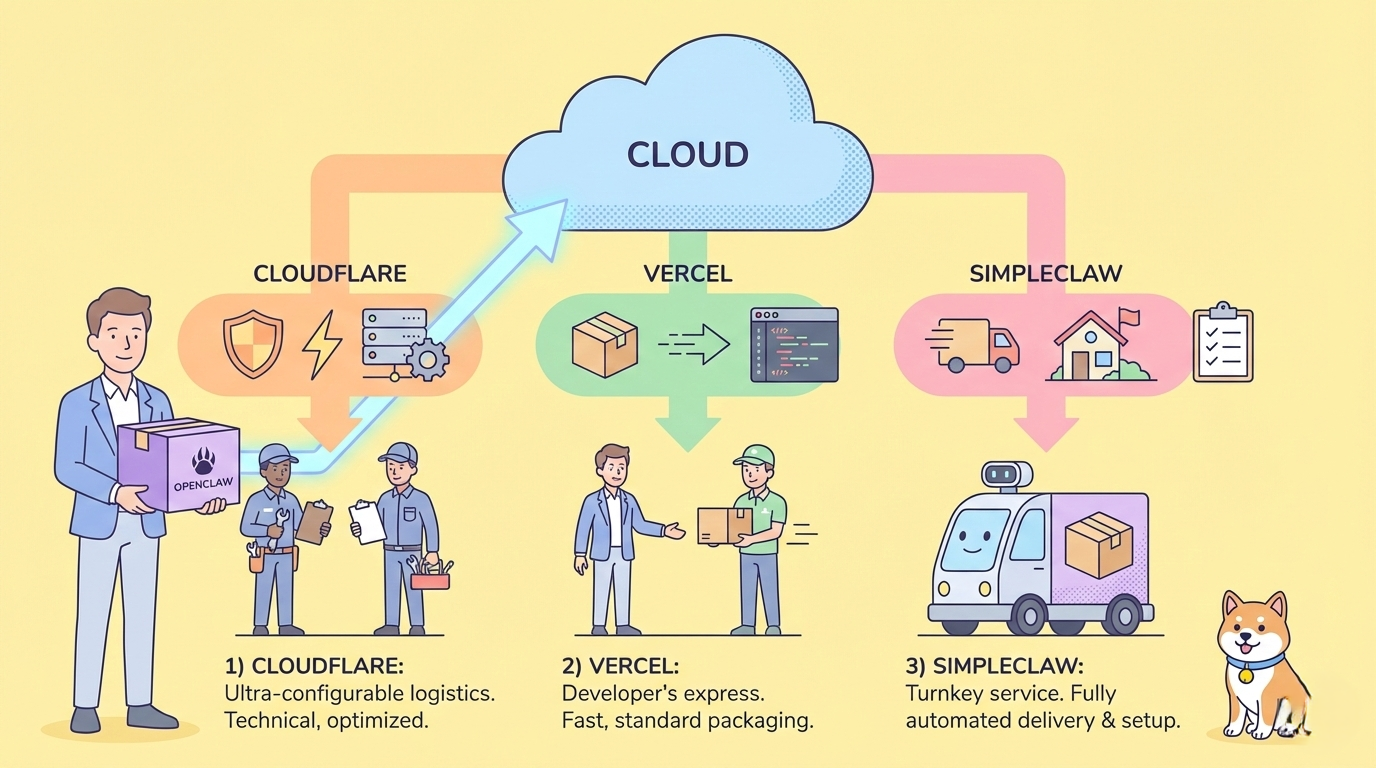
OpenClaw stands out as an open-source, autonomous AI agent that executes real actions across your digital life. Originally launched as Clawdbot, briefly renamed Moltbot, and now solidified as OpenClaw, the project enables proactive automation via messaging platforms such as Telegram, WhatsApp, Discord, Slack, and more. The core OpenClaw daemon runs persistently, connects large language models (typically Claude from Anthropic or compatible alternatives), and grants the agent controlled access to files, commands, browsers, and APIs.
Cloud platforms eliminate the need for dedicated local hardware like Mac Minis. Cloudflare delivers edge security and low-latency Workers. Vercel streamlines serverless deployments with automatic scaling. SimpleClaw removes nearly all configuration through one-click provisioning. Each approach keeps your OpenClaw instance private, responsive, and operational around the clock.
Prerequisites Before Deploying OpenClaw Anywhere
Prepare these elements regardless of the target platform:
- GitHub account with the official OpenClaw repository forked or cloned (github.com/openclaw/openclaw or the maintained fork at moltbot/moltbot depending on the latest redirect).
- API key from a supported model provider: Anthropic (recommended for Claude), OpenAI, Grok, or local Ollama/LM Studio endpoints.
- Bot tokens for at least one messaging platform (Telegram BotFather token works reliably for initial tests).
- Node.js 18+ and npm/yarn/pnpm installed locally for any build steps.
- Apidog desktop or web client open import OpenAPI specs from OpenClaw docs or manually create collections for gateway endpoints.
- Basic understanding of environment variables and JSON configuration.
Run these commands locally first to validate:
git clone https://github.com/openclaw/openclaw.git
cd openclaw
npm install
Review the README.md for the latest OpenClaw runtime flags.
Why Choose Cloudflare Vercel or SimpleClaw for OpenClaw Deployment
Local OpenClaw runs great on laptops or desktops, but power cycles and network instability disrupt 24/7 availability. Cloud options address this:
Cloudflare provides durable objects, R2 object storage for persistence, and Workers AI for edge inference when possible. Costs stay minimal often $3–$8 monthly for moderate usage.
Vercel suits developers familiar with Next.js-style projects. Serverless functions handle the OpenClaw gateway efficiently, while edge caching speeds up responses.
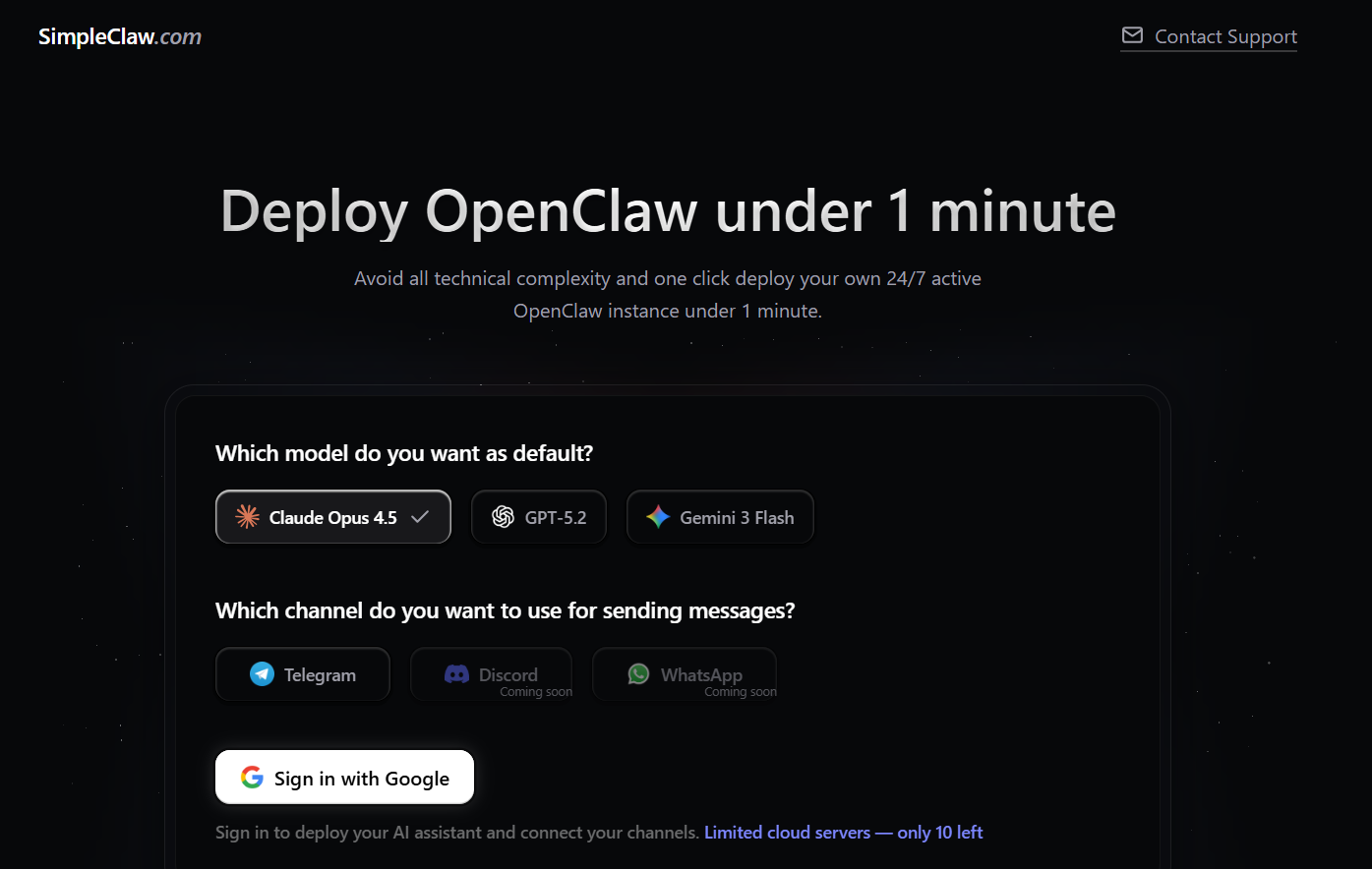
SimpleClaw targets users who want zero server management. It provisions pre-configured VMs, installs OpenClaw, and exposes secure endpoints instantly.
All three maintain strong isolation compared to running on personal machines.
How to Deploy OpenClaw on Cloudflare Step by Step
Cloudflare leverages Workers and the community-maintained Moltworker template (adapted for OpenClaw) to host the agent runtime securely.
Account and Billing Setup
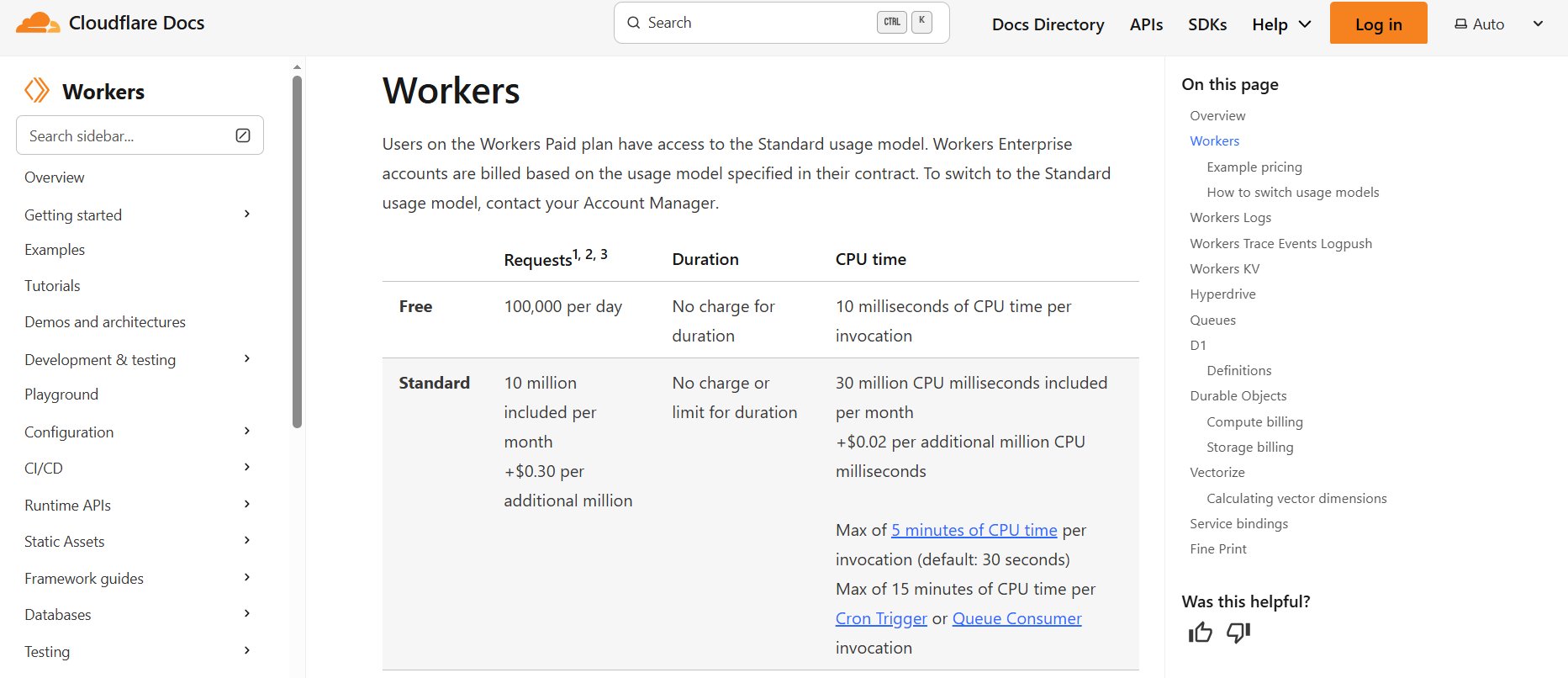
Log into the Cloudflare dashboard. Enable Workers Paid plan (includes free tier credits). Activate R2 for file/object persistence.
Fork or Use Moltworker Repository
Visit the Moltworker GitHub repo (search "cloudflare moltworker openclaw"). Fork it or create a new Worker from the template. Many tutorials reference one-click GitHub deployment for OpenClaw variants.
Connect GitHub and Deploy
In Workers & Pages > Create > Deploy from Git Repository. Authorize GitHub, select your forked repo.
Set production branch (main/master).
Configure build: Preset "None" or "Node.js", build command npm run build if the repo includes it.
Configure Bindings and Environment Variables
Add these secrets:
ANTHROPIC_API_KEY(or equivalent for other providers)TELEGRAM_BOT_TOKEN/WHATSAPP_*tokensOPENCLAW_GATEWAY_SECRETfor authentication
Bind R2 bucket for long-term memory and file access.
Enable Durable Objects if the deployment uses them for state.
Deploy and Secure
Trigger deployment. Cloudflare assigns a *.workers.dev subdomain.
Add Cloudflare Access policies: Require email or OAuth login to protect the OpenClaw dashboard.
Use Apidog to POST test messages to /api/gateway endpoint and verify model responses.
Optimization and Monitoring
Enable Workers analytics. Set usage limits to control spend. Monitor for cold starts Workers minimize them effectively.
This method achieves high reliability with global edge distribution.
How to Deploy OpenClaw on Vercel Step by Step
Vercel excels when you adapt OpenClaw as a serverless Node.js application.
Project Preparation
In your cloned OpenClaw directory, ensure serverless compatibility. Focus on the gateway and agent runtime folders. Add a vercel.json if missing:
{
  "version": 2,
  "builds": [{ "src": "index.js", "use": "@vercel/node" }],
  "routes": [{ "src": "/(.*)", "dest": "index.js" }]
}
Import to Vercel
Push changes to GitHub.
Vercel dashboard > New Project > Import Git Repository. Select the repo.
Environment Variables
Add keys under Settings > Environment Variables:
- Model APIs
- Messaging tokens
- Any persistence config (use Vercel Blob or connect external storage).
Build and Deploy
Vercel detects Node.js automatically. Deploy.
Custom domain optional use the .vercel.app URL initially.
Integrations and Testing
Hook up messaging webhooks to the Vercel endpoint.
In Apidog, create a new API project, add the base URL, and test chat completions or action calls.
Scaling Considerations
Vercel auto-scales functions. Monitor logs for timeout issues extend if needed via configuration.
Vercel deployment suits rapid iteration and frontend-linked experiences.
How to Deploy OpenClaw on SimpleClaw Step by Step
SimpleClaw simplifies everything with managed hosting.
Access SimpleClaw Platform
Navigate to simpleclaw.com. Create an account.
Select Server and Plan
Choose from available cloud servers (inventory limited check frequently). Plans start low-cost for basic OpenClaw usage.
Connect Messaging Provider
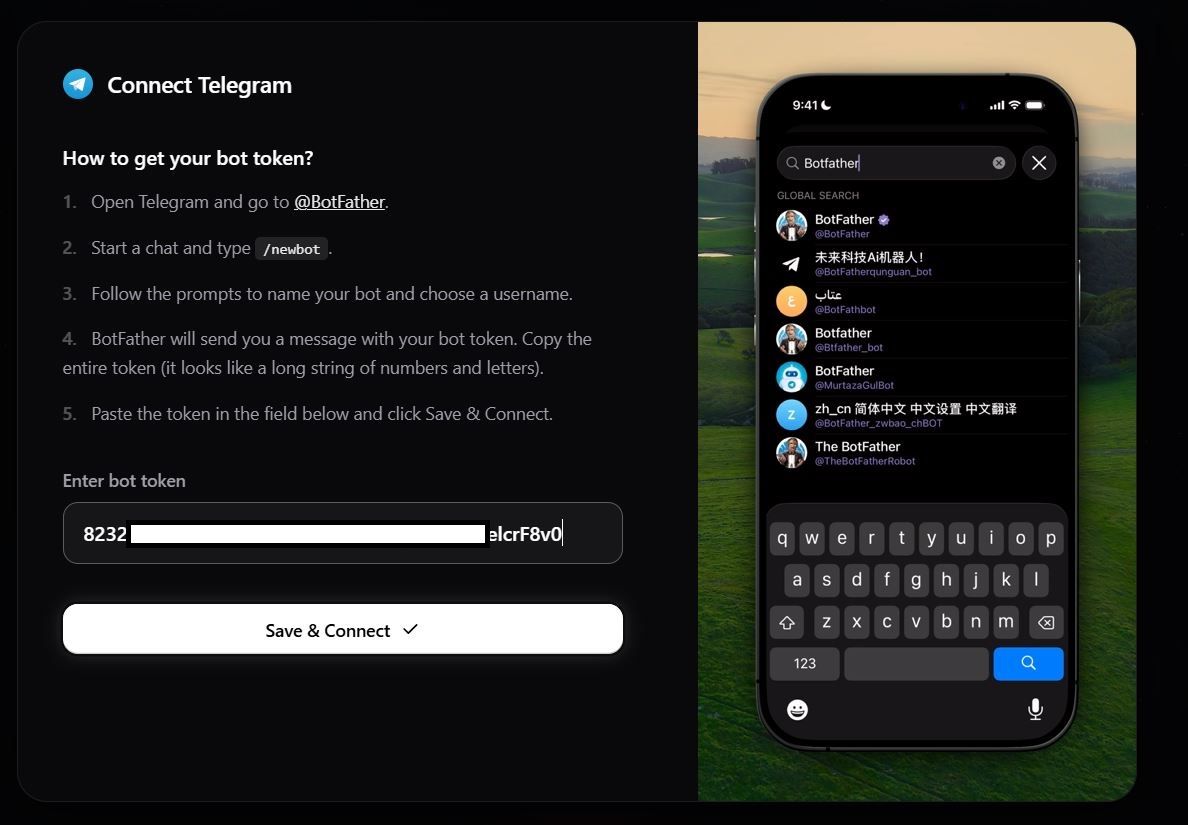
Select Telegram or WhatsApp. Paste your bot token. SimpleClaw auto-validates.
Choose AI Model
Input Anthropic key or select alternatives. Configure basic preferences.
One-Click Deploy
Click Deploy. The platform provisions VM, installs OpenClaw, sets up environment, and starts the agent in under 60 seconds.
Access and Customize
Receive dashboard URL. Log in, verify connectivity.
Extend with Apidog by exporting webhook specs and testing custom skills.
SimpleClaw handles SSH, updates, and backups automatically.
Advanced Testing Optimization and Security for OpenClaw
Post-deployment tasks ensure robustness:
- Send varied test commands via connected apps. Observe action execution.
- Monitor platform logs for errors in model calls or permissions.
- Use Apidog extensively: Mock failing APIs, simulate high load, document endpoints.
- Add OpenClaw skills from community hubs for email, calendar, or browser control.
- Implement rate limiting on gateways to prevent abuse.
- Regularly rotate API keys and review granted permissions OpenClaw agents can execute powerful actions.
Common pitfalls include token expiration, insufficient RAM (aim for ≥8 GB on VMs), and over-permissive file access. Isolate OpenClaw instances strictly.
Comparing Cloudflare Vercel and SimpleClaw for OpenClaw
Cloudflare wins on cost and security for technical users.
Vercel offers developer-friendly workflows and fast deploys.
SimpleClaw provides the quickest path for non-experts.
Experiment across platforms migrate configurations easily since core OpenClaw settings remain consistent.
Final Thoughts on Running OpenClaw in Production
Deploying OpenClaw on Cloudflare, Vercel, or SimpleClaw transforms it into a reliable 24/7 AI companion without hardware overhead. Cloudflare emphasizes edge performance and protection. Vercel streamlines modern web practices. SimpleClaw removes barriers entirely.
With Apidog facilitating clean API interactions, focus shifts to creative automations rather than troubleshooting. Start small, monitor closely, and scale as your agent proves value. Your personalized, action-oriented AI awaits deploy OpenClaw today.