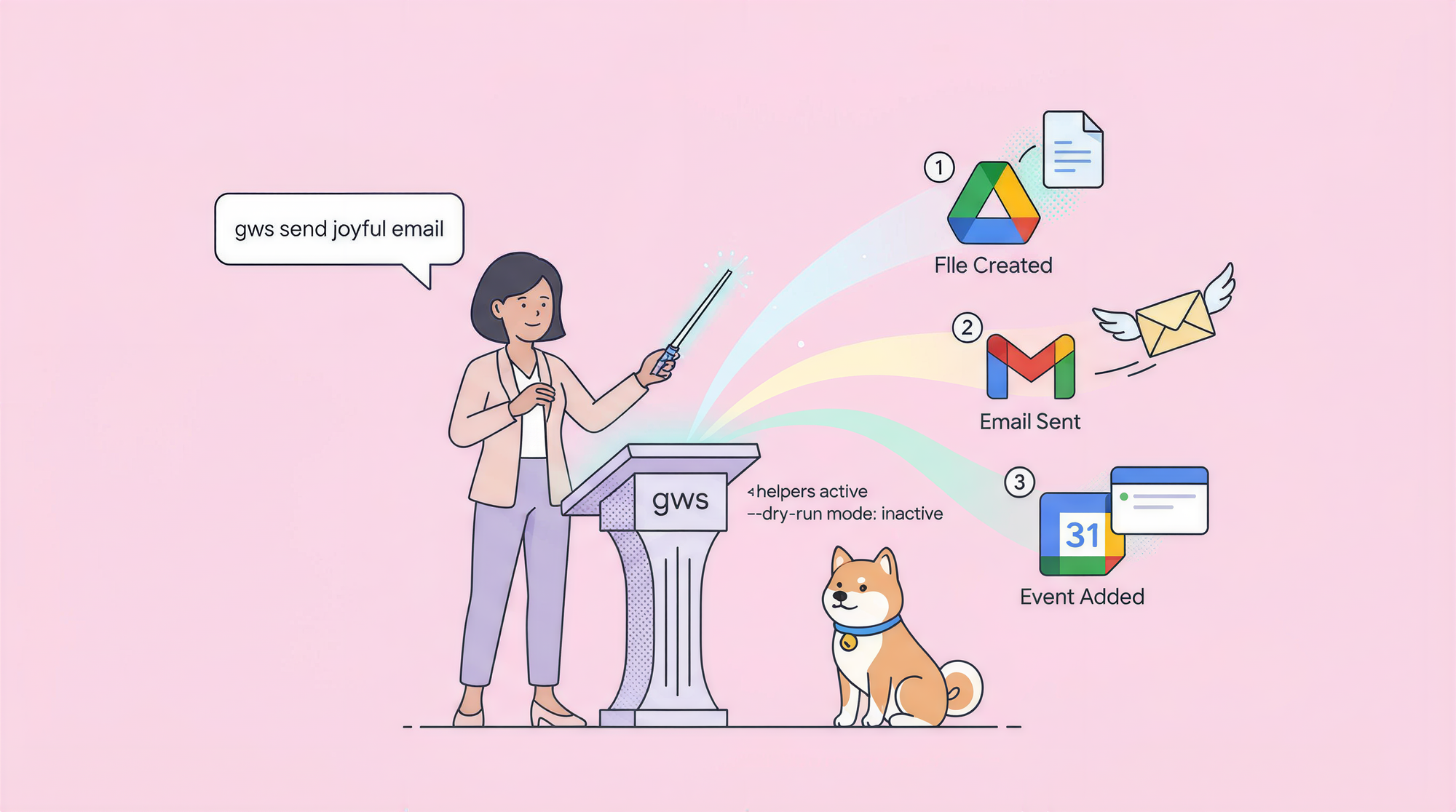
Google Workspace CLI (invoked as gws) is an open-source, dynamic command-line tool that gives humans and AI agents unified access to Drive, Gmail, Calendar, Sheets, Docs, Chat, Admin, and every Google Workspace API—built directly from Google's live Discovery Service so commands stay current without updates. Install Google Workspace CLI globally via npm, authenticate once with OAuth, and connect to agents like Claude Code or Cursor with included skills. No boilerplate OAuth flows or separate SDKs needed.
What is Google Workspace CLI and why does it matter?Here's a problem every developer, admin, and AI agent user runs into: you want to automate or query Google Workspace services (Drive files, send Gmail, create Calendar events, append to Sheets, edit Docs, post in Chat), but you end up writing custom curl scripts, fighting OAuth scopes, handling pagination manually, or stitching together multiple SDKs that go stale.
This happens because Google's Workspace APIs are powerful but fragmented each service has its own endpoints, auth flows, and quirks. Traditional tools force you to maintain boilerplate code that breaks on API changes.
Google Workspace CLI solves this. Released in early 2026 by the Google team (announced by Addy Osmani), it's a single, Rust-powered CLI that dynamically discovers every Workspace API method at runtime using Google's Discovery Service. You get instant access to new endpoints without waiting for tool updates.
The result: your scripts, agents, and daily terminal work stay accurate and up-to-date. Google Workspace CLI outputs clean JSON, supports dry-runs, pagination helpers, and includes 40+ human-friendly shortcuts (prefixed with +) like gws gmail +send or gws calendar +agenda.
Google Workspace CLI also ships with ready-to-install agent skills, so tools like Claude Code, Cursor, OpenClaw, or Gemini CLI can autonomously manage your Workspaceno custom tool definitions required.
If you're building or testing API integrations alongside Workspace automation, Apidog handles the verification side. It's a free API client for sending requests, inspecting responses, managing environments, and running test suites. Together, Google Workspace CLI gives live access to your data, and Apidog confirms every call behaves as expected.
Installing Google Workspace CLIThe only requirement is Node.js 18 or later. Check your version with:
node --versionRun without installingThe fastest way to try Google Workspace CLI is with npx (pulls the latest each time):
npx @googleworkspace/cli --help
npx @googleworkspace/cli drive files list --params '{"pageSize":1}'
Fine for quick tests or one-off scripts.
Install globallyFor regular use, install globally so the gws command is always available:
npm install -g @googleworkspace/cli
gws --version
Google Workspace CLI bundles prebuilt binaries, so startup is fast no need to compile Rust locally. You can also grab binaries from GitHub Releases, use Homebrew (brew install googleworkspace/cli), or run via Nix if preferred.
Setting up Google Workspace CLI for your AI coding agentThe gws auth setup command handles project creation, API enabling, and initial OAuth in one guided flow. Run:
gws auth setupIt opens your browser, creates a Google Cloud project if needed, enables required APIs, and saves credentials securely in your OS keyring (AES-256-GCM encrypted).
Target a specific agent or install skillsAfter setup, install the bundled agent skills:
npx skills add https://github.com/googleworkspace/cliOr run agent-specific installers (e.g., for Claude Code or Cursor). Restart your agent so it discovers Google Workspace CLI commands automatically.
Project-level vs. global setupBy default, setup applies globally. For project-only config:
gws auth setup --projectAuthenticationRe-authenticate or switch accounts anytime:
gws auth loginCheck current user and scopes:
gws auth whoamiLog out when needed:
gws auth logoutFor headless/CI use, export credentials:
gws auth export --unmasked > creds.json
export GOOGLE_WORKSPACE_CLI_CREDENTIALS_FILE=/path/to/creds.json
Or reuse gcloud tokens: export GOOGLE_WORKSPACE_CLI_TOKEN=$(gcloud auth print-access-token).
TelemetryDisable anonymous usage collection:
export GOOGLE_WORKSPACE_CLI_NO_TELEMETRY=1Using core commands in Google Workspace CLI (Drive, Gmail, Calendar, Sheets, Docs, Chat)Google Workspace CLI discovers commands dynamically no fixed list. Run gws --help to see available services.
Drive files and foldersList recent files:
gws drive files list --params '{"pageSize":10, "q":"name contains report"}'Upload with helper:
gws drive +upload ./budget.xlsx --name "2026 Budget"GmailSend email:
gws gmail +send --to colleague@example.com --subject "Update" --body "See attached." --attach ./file.pdfReply or triage inbox:
gws gmail +reply --message-id <ID> --body "Thanks!"
gws gmail +triageCalendarCreate event:
gws calendar +insert --summary "Sprint Planning" --start "2026-03-20T10:00" --end "2026-03-20T11:00" --attendees "team@example.com"Show today's agenda:
gws calendar +agenda --todaySheetsAppend row:
gws sheets +append --spreadsheetId <ID> --range "Sheet1!A:C" --values "Task X,Done,2026-03-16"DocsInsert text:
gws docs +write --documentId <ID> --text "New section added via Google Workspace CLI"ChatPost message:
gws chat +send --space <SPACE_ID> --text "Deployment complete 🚀"Use --dry-run on any command to preview the exact API call without executing. Add --page-all for full pagination as NDJSON.
Advanced configuration and global options in Google Workspace CLIPersist settings with env vars or .env file:
export GOOGLE_WORKSPACE_CLI_DEFAULT_PARAMS='{"prettyPrint":true}'Adjust timeouts, output format (--json, --yaml), or force file-based keyring. View config:
gws configIntegrating Google Workspace CLI with AI agents and promptsOnce skills are installed, agents call Google Workspace CLI natively.
The "use gws" patternIn prompts: "List my recent Drive files using Google Workspace CLI" or "Send a follow-up email via Google Workspace CLI".
Auto-invoke ruleAdd to your agent's instructions (e.g., CLAUDE.md or Cursor rules):
"Whenever the task involves Gmail, Drive, Calendar, Sheets, Docs, or Chat, use Google Workspace CLI commands automatically before responding. Resolve the service and method first."
Agents return file paths or JSON results, keeping context lean.
Pair it with Apidog for complete API confidenceGoogle Workspace CLI makes Workspace APIs accessible instantly, but when debugging payloads, scopes, or responses, you need visibility.
Apidog is a free API client that lets you send requests, inspect raw responses, set up environments with OAuth tokens, and automate assertions.
Real workflows:
- Agent suggests appending to a Sheet → Test the exact Sheets.values.append payload in Apidog first.
- Troubleshoot Gmail send scopes → Build and run the request visually.
- Store service account keys or user tokens as variables → Switch accounts and validate behavior.
Google Workspace CLI + Apidog delivers live data access plus verified, repeatable API testing.
FAQDoes Google Workspace CLI send my data externally?No calls go directly to Google APIs. Your content never leaves your Google account.
Which services does Google Workspace CLI support?Every Workspace API discovered dynamically: Drive, Gmail, Calendar, Sheets, Docs, Chat, Admin, Script, and more.
How current are the commands?Google Workspace CLI queries the live Discovery Service new methods appear automatically.
Does it require an API key?Uses standard Google OAuth or service accounts—no separate key beyond auth credentials.
Which agents and editors does Google Workspace CLI support?Claude Code, Cursor, OpenClaw, Gemini CLI, VS Code extensions—any MCP or Agent Skills-compatible tool.
What's the difference between raw commands and + helpers?Raw = exact Discovery methods (e.g., drive.files.list). + helpers = shortcuts for common tasks (e.g., +upload, +send).
Can I use Google Workspace CLI without an AI agent?Yes perfect for scripts, automation, or daily terminal use.
Additional resources
- Google Workspace CLI GitHub repository → https://github.com/googleworkspace/cli
- Full README & docs → https://github.com/googleworkspace/cli/blob/main/README.md
- Agent skills folder → https://github.com/googleworkspace/cli/tree/main/skills
- Google Workspace API reference → https://developers.google.com/workspace
- Quotas dashboard → https://console.cloud.google.com/apis/api
- Apidog free API client → https://apidog.com