Would you like to write a test case that is so clear and simple that even your product manager can understand it? That's the magic of Gherkin! If you haven’t tried it, then you’re missing out on one of the most effective ways to bridge the gap between business requirements and automated testing. Learning how to use Gherkin for testing isn’t just about learning a syntax, rather it’s about learning a language that your entire team can speak.
This guide will walk you through everything you need to know about how to use Gherkin for testing, from its basic syntax to advanced features, with a special focus on API testing and how modern tools like Apidog can turn your test scenarios into executable test cases without the usual headaches.
What is Gherkin and Why Should You Care?
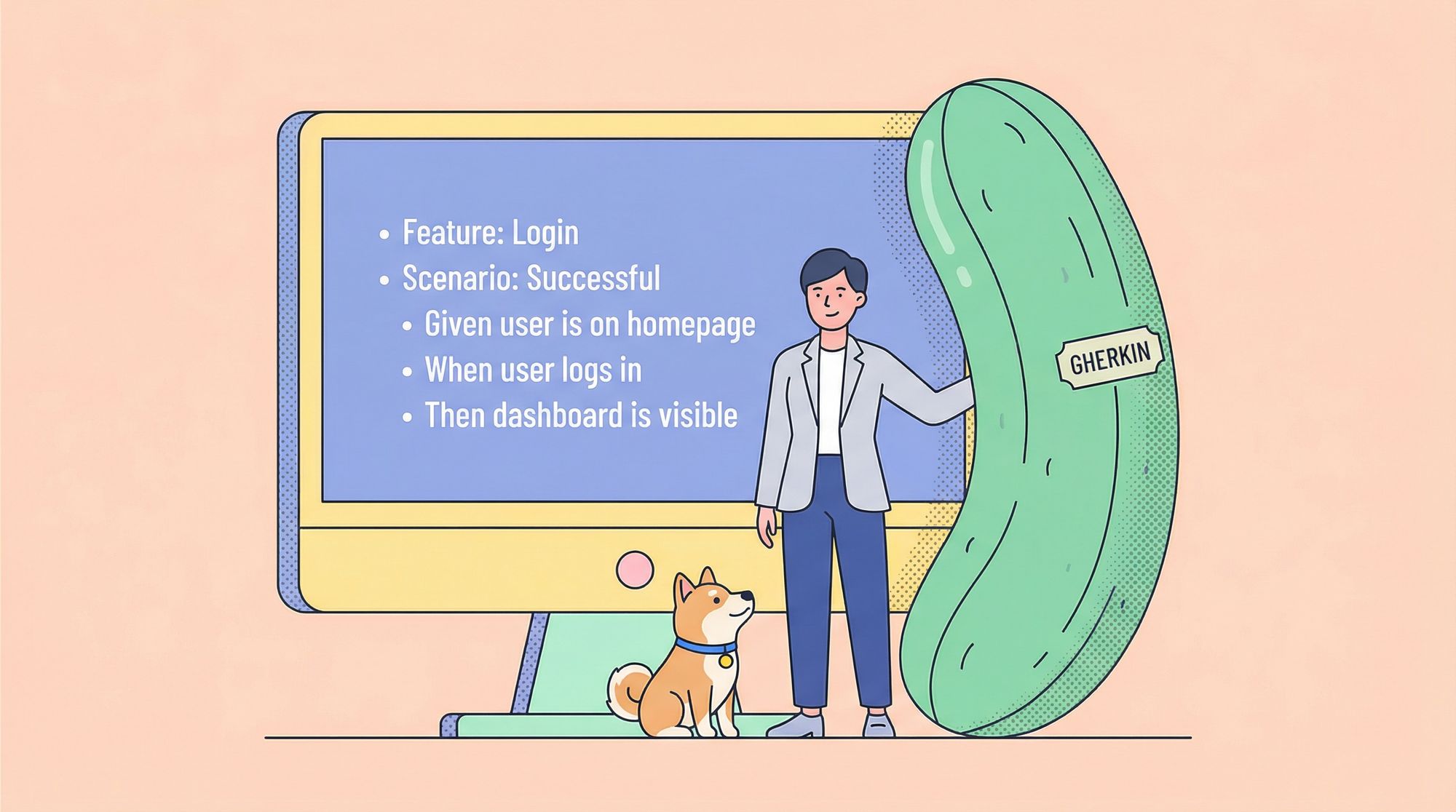
Gherkin is a business-readable, domain-specific language designed for behavior description. It uses a simple syntax of keywords to define software behaviors in a way that’s understandable to both technical and non-technical stakeholders. When you master how to use Gherkin for testing, you create living documentation that serves three purposes: requirements specification, test case design, and automated test execution.
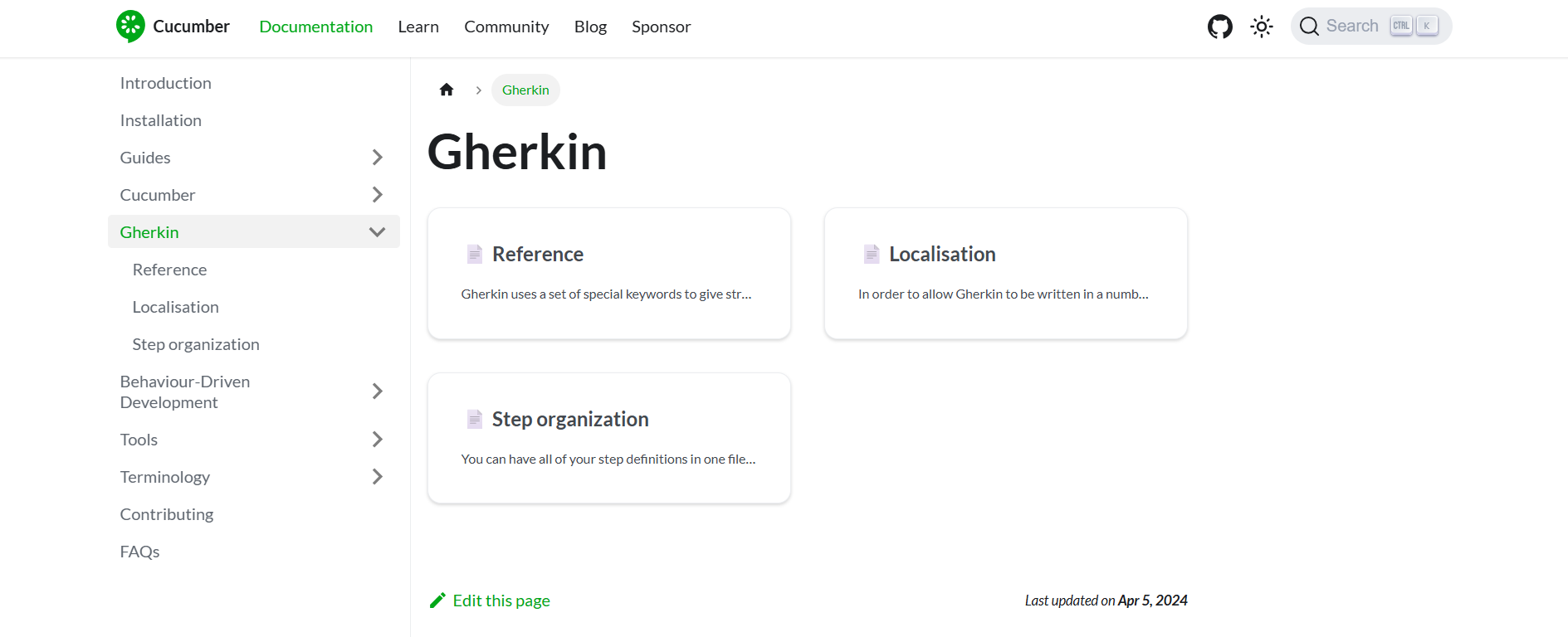
Born from the Behavior-Driven Development (BDD) movement, Gherkin solves a fundamental problem: traditional test cases are either too technical for business stakeholders or too vague for developers. Gherkin finds the sweet spot. Its greatest strength is that it forces clarity. If you can’t describe a feature in Given-When-Then format, you probably don’t understand it well enough to test it.
The language is implementation-agnostic. The same Gherkin scenario can drive Selenium tests for a web UI, RestAssured tests for an API, or Appium tests for a mobile app. This flexibility makes learning how to use Gherkin for testing a career-spanning investment.
Gherkin Syntax: The Foundation of Readable Tests
Understanding how to use Gherkin for testing starts with mastering its syntax. Gherkin files use the .feature extension and consist of a few core keywords:
Primary Keywords
- Feature: Describes the high-level capability being tested
- Scenario: Describes a specific example of the feature
- Given: Sets up the initial state (preconditions)
- When: Describes the action being taken
- Then: Defines the expected outcome
- And/But: Used to extend any of the above keywords
Here’s the simplest possible example:
Feature: User login
  As a registered user
  I want to log in to my account
  So that I can access my dashboard

  Scenario: Successful login with valid credentials
    Given I am on the login page
    When I enter "test@example.com" as username
    And I enter "ValidPass123" as password
    And I click the login button
    Then I should be redirected to the dashboard
    And I should see a welcome message
Notice how this reads like plain English. That’s the point. When you’re learning how to use Gherkin for testing, your first goal is clarity, not cleverness.
Writing Your First API Test with Gherkin
While Gherkin originated for UI testing, it’s exceptionally powerful for API testing. The structure maps perfectly to HTTP requests and responses. Let’s look at a practical example of how to use Gherkin for testing an API endpoint:
Feature: User management API
  As an API client
  I want to manage user accounts
  So that I can integrate with the user system

  Scenario: Create a new user successfully
    Given the API endpoint "/api/users"
    And I have valid authentication credentials
    When I send a POST request with:
      | field    | value            |
      | email    | test@example.com |
      | password | ValidPass123     |
      | role     | customer         |
    Then the response status should be 201
    And the response should contain "userId"
    And a new user should exist in the database

  Scenario: Attempt to create user with invalid email
    Given the API endpoint "/api/users"
    And I have valid authentication credentials
    When I send a POST request with:
      | field    | value         |
      | email    | invalid-email |
      | password | ValidPass123  |
    Then the response status should be 400
    And the response should contain "Invalid email format"
This example shows how to use Gherkin for testing APIs with data tables for request payloads. The Given-When-Then structure maps directly to API testing concepts: setup, action, and assertion.
Advanced Gherkin Features for Complex Scenarios
Once you’ve mastered the basics, these advanced features will make your Gherkin features more maintainable and powerful.
Background: Avoiding Repetition
The Background keyword runs before each scenario in a feature file, eliminating duplicate setup steps.
Feature: Shopping cart API

  Background:
    Given I have a valid authentication token
    And the API endpoint "/api/cart"

  Scenario: Add item to empty cart
    When I send a POST request with item "123" and quantity "1"
    Then the cart should contain 1 item

  Scenario: Add duplicate item to cart
    Given the cart already contains item "123" with quantity "2"
    When I send a POST request with item "123" and quantity "1"
    Then the cart should contain item "123" with quantity "3"
When you’re exploring how to use Gherkin for testing at scale, Background is essential for DRY (Don’t Repeat Yourself) principles.
Scenario Outlines: Data-Driven Testing
Scenario Outlines let you run the same scenario with multiple data sets, making how to use Gherkin for testing far more efficient:
Scenario Outline: Login with various credentials
  Given I am on the login page
  When I enter "<username>" as username
  And I enter "<password>" as password
  And I click the login button
  Then I should see "<expected_result>"

  Examples:
    | username          | password     | expected_result         |
    | test@example.com  | ValidPass123 | Welcome to dashboard    |
    | invalid@email.com | ValidPass123 | Invalid credentials     |
    | test@example.com  | wrongpass    | Invalid credentials     |
    |                   | ValidPass123 | Username is required    |
    | test@example.com  |              | Password is required    |
This single scenario outline executes five distinct tests. When learning how to use Gherkin for testing, this is your secret weapon for comprehensive coverage without maintenance nightmares.
Tags: Organizing Your Test Suite
Tags help you categorize and filter scenarios:
@regression @login
Scenario: Successful login
  Given I am on the login page
  When I enter valid credentials
  Then I should be logged in

@smoke @api @critical
Scenario: API health check
  Given the API endpoint "/health"
  When I send a GET request
  Then the response status should be 200
Tags enable selective execution: run only @smoke tests for quick validation, or @regression for full coverage.
Behavior-Driven Development (BDD) and Gherkin
Understanding how to use Gherkin for testing means understanding its birthplace: BDD. BDD is a collaborative approach where developers, testers, and business stakeholders define requirements together using Gherkin scenarios.
The workflow looks like this:
- Discovery: The team gathers to discuss a new feature, asking questions and capturing examples
- Formulation: Real-world examples are written as Gherkin scenarios
- Automation: Developers implement step definitions that make scenarios executable
- Validation: Automated scenarios run as regression tests
The magic happens in discovery. When a product owner says, “Users should be able to reset their password,” the team asks: “What happens if the reset token expires?” This conversation becomes a Gherkin scenario before any code is written.
BDD ensures that how to use Gherkin for testing aligns with delivering business value, not just technical verification.

Gherkin Test Scripts: From Scenarios to Execution
A Gherkin scenario is just text until you connect it to code. Step definitions bridge this gap. Here’s how how to use Gherkin for testing becomes executable:
// Cucumber.js step definition for the login scenario
const { Given, When, Then } = require('@cucumber/cucumber');
const { expect } = require('chai');
const apiClient = require('./api-client');

Given('I have valid authentication credentials', async function() {
  this.authToken = await apiClient.getAuthToken('test@example.com', 'ValidPass123');
});

When('I send a POST request with:', async function(dataTable) {
  const requestData = dataTable.rowsHash();
  this.response = await apiClient.post('/api/users', requestData, this.authToken);
});

Then('the response status should be {int}', function(statusCode) {
  expect(this.response.status).to.equal(statusCode);
});
Each Gherkin step maps to a function. The function executes the actual test logic using your chosen automation framework. This separation of concerns is why how to use Gherkin for testing remains maintainable—the business logic in Gherkin rarely changes while the implementation code can be refactored freely.
How Apidog Automates API Testing
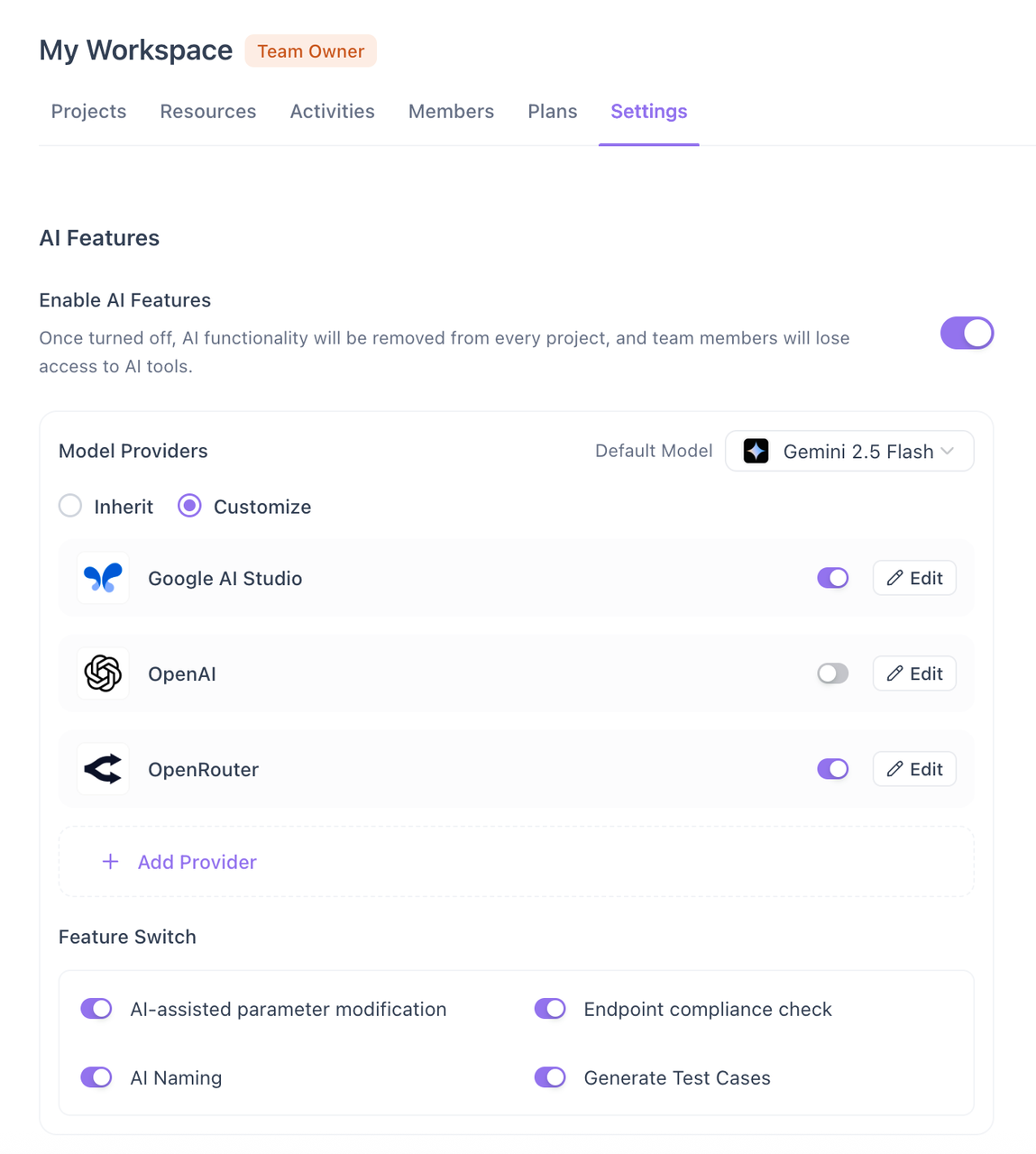
Manual API testing is a time sink—crafting requests, managing authentication, validating responses, and documenting results for every endpoint quickly becomes unsustainable. Apidog eliminates this burden through AI-powered automation that transforms your API specification into a complete test suite in minutes.
Simply import your OpenAPI spec and Apidog’s AI (connected to your own Claude, OpenAI, or Gemini key) automatically generates comprehensive test cases across positive, negative, boundary, and security scenarios. Each test includes pre-configured payloads, expected status codes, and response assertions. You review and refine rather than write from scratch, shifting from test author to test curator.
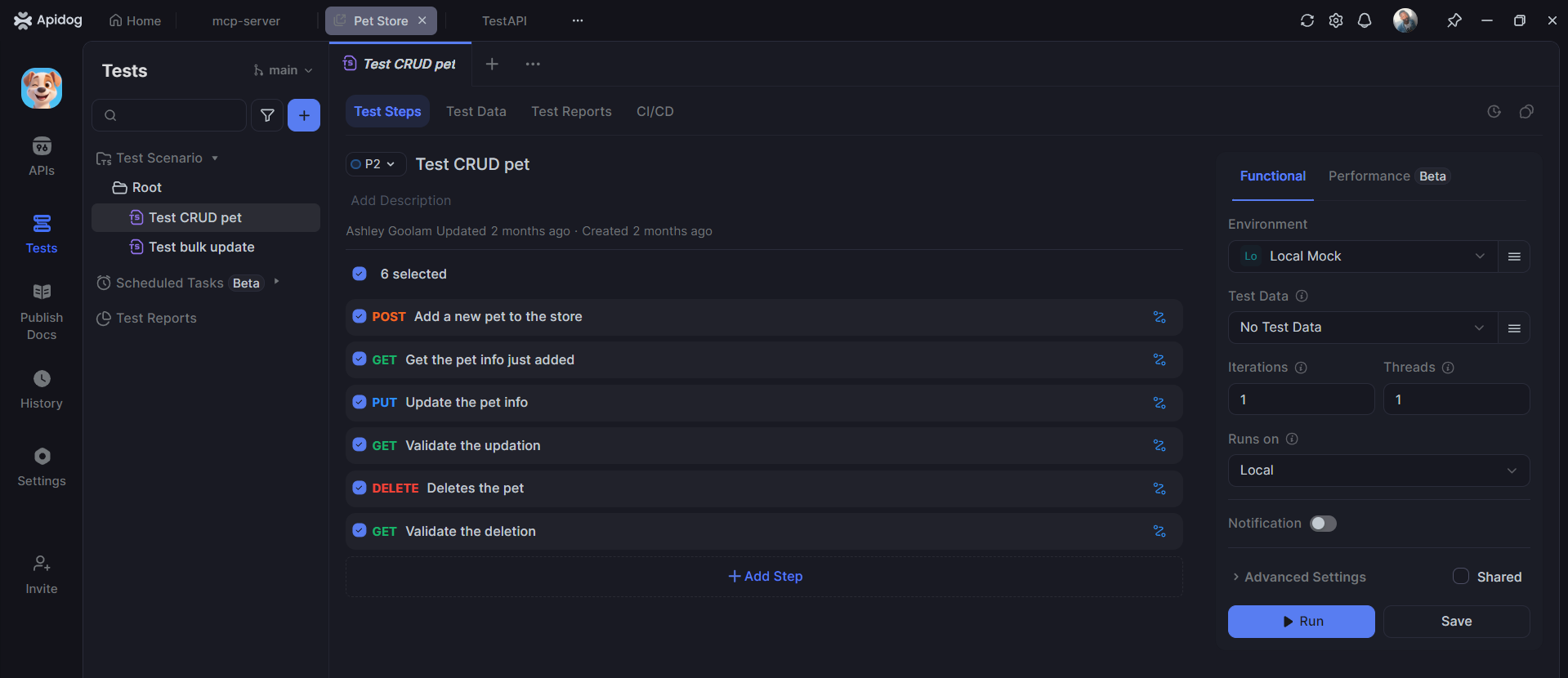
Execution happens through a unified visual interface—no code required. Run tests individually or in bulk with one click, and Apidog handles authentication, data management, environment switching, and real-time validation automatically. Integration with CI/CD pipelines means your entire suite runs on every build, catching regressions instantly. What once took days of manual effort now takes minutes, freeing your team to focus on strategic quality decisions instead of repetitive tasks.
Best Practices for Writing Effective Gherkin Tests
Mastering how to use Gherkin for testing means following these proven practices:
- Write for Humans First: If a non-technical stakeholder can’t understand your scenario, rewrite it. Avoid technical jargon in Gherkin steps.
- Keep Scenarios Independent: Each scenario should set up its own data and clean up after itself. Dependencies create fragile test suites.
- Use Declarative Over Imperative: Write what you’re testing, not how. “When I create a user” is better than “When I click the new user button and fill in the form and click submit.”
- Limit Scenario Length: If a scenario has more than 7-8 steps, it’s probably testing too much. Split it into multiple focused scenarios.
- Tag Strategically: Use tags for organization (@smoke, @regression, @api), not for metadata that belongs in the scenario description.
- Maintain Step Reusability: Write generic steps like “I send a POST request to {string}” rather than “I send a POST request to /api/users”. Reusable steps reduce maintenance dramatically.
Frequently Asked Questions
Q1: Do I need to know programming to write Gherkin tests?
Ans: Not anymore. While traditional Gherkin required developers to code step definitions, modern tools like Apidog have changed the game. Apidog’s AI can generate Gherkin-style scenarios from your API specifications automatically, and its visual interface lets you execute them without writing a single line of code. You still need domain knowledge to review and refine the scenarios, but the technical barrier has essentially disappeared for API testing.
Q2: Can Apidog really generate Gherkin scenarios automatically?
Ans: Yes, but with a small clarification. Apidog uses AI (connected to your own Claude, OpenAI, or Gemini key) to analyze your OpenAPI specification and generate structured test cases. While it doesn’t have a one-click “Export to Gherkin” button, you can prompt the AI to format those test cases into Given/When/Then syntax. The generated output maps perfectly to Gherkin structure because the AI already knows your endpoints, methods, request schemas, and expected responses from your spec.
Q3: What makes a good OpenAPI spec for generating Gherkin scenarios?
Ans: The richer your spec, the better your Gherkin. Include clear operation descriptions, detailed field constraints (min/max length, patterns, enums), example values, and descriptive error responses. Apidog’s AI uses these details to create more precise scenarios—turning a simple “email: string” into specific test cases for valid format, missing email, invalid format, and maximum length violations.
Q4: How does Gherkin differ from traditional API test cases in tools like Postman?
Ans: Traditional API test cases are often imperative (“Set header X, send POST to Y, assert status Z”). Gherkin is declarative—it describes behavior in business language (“Given a valid user, when I register, then I should receive a confirmation”). Apidog bridges both worlds by letting you generate the business-readable Gherkin while providing the technical execution engine underneath. You get clarity without sacrificing automation.
Q5: What if the AI-generated Gherkin scenarios don’t match my team’s style?
Ans: That’s where prompting becomes powerful. You can instruct Apidog’s AI with specific guidelines: “Use strict Gherkin syntax,” “Combine common Given steps into a Background section,” or “Generate Scenario Outlines with Examples tables.” The AI adapts its output based on your instructions, and you can always edit the results before finalizing. Think of it as a senior tester drafting scenarios for you to review and polish.
Conclusion
Mastering how to use Gherkin for testing creates a shared language that makes quality a team sport. When tests read like plain English, everyone participates—from developers to product owners. But the real breakthrough happens when you pair that clarity with intelligent automation.
Apidog eliminates the tedious manual work that has traditionally made API testing a bottleneck. By generating comprehensive test cases from your API specifications and executing them automatically, it transforms testing from a chore into a strategic advantage. You get the readability of Gherkin and the power of full automation without writing step definitions or maintenance code.
Start by importing your OpenAPI spec and generating your first AI-driven test suite. In minutes, you’ll have executable tests that provide confidence at every development stage—proving that quality isn’t just about finding bugs, but about building a process where quality becomes inevitable.