Writing an OpenAPI specification from scratch can take a lot of time, especially when your API is already live and running. Many teams inherit projects with little or no documentation, or they work with APIs that were built fast during early development. In these cases, the most practical way to create documentation is to generate an OpenAPI spec directly from your existing API requests.
This guide explains why this approach works, what tools can help, and how you can turn actual requests into a clean, reusable OpenAPI spec that your team can trust.
Method 1: The "Code-First" Approach
This method works if you can add annotations or libraries directly to your backend application code.
How It Works?
You install a library in your web framework that inspects your code your routes, controllers, and models and generates an OpenAPI specification on the fly.
Popular Libraries:
- Node.js (Express):
swagger-jsdocortsoa(TypeScript OpenAPI) - Python (FastAPI/Flask): FastAPI has this built-in! Flask can use
flasggerorflask-restx. - Java (Spring Boot):
springdoc-openapi - .NET:
Swashbuckle
Example with FastAPI (Python):
from fastapi import FastAPI
from pydantic import BaseModel

app = FastAPI()

class Item(BaseModel):
    name: str
    price: float

@app.post("/items/", response_model=Item)
async def create_item(item: Item):
    """
    Create a new item in the database.
    - **name**: The item's name
    - **price**: The item's price in USD
    """
    return item

# This code automatically generates a full OpenAPI spec at /docs or /openapi.json
Pros:
- Always accurate: The spec is derived directly from the running code.
- Low maintenance: Update the code, and the spec updates automatically.
Cons:
- Requires code access: You can't use this for third-party or legacy APIs you don't control.
- Can clutter code: Extensive OpenAPI annotations can make business logic harder to read.
Method 2: The "Traffic Analysis" Approach
This is a clever "outside-in" approach. You capture real HTTP traffic between clients and your API, then analyze it to infer the specification.
How It Works?
You use a tool that acts as a proxy or network sniffer. All API traffic is routed through it. The tool analyzes the requests and responses URLs, methods, headers, bodies and builds up a model of your API.
Popular Tools:
- Akita Software: Automatically observes API traffic to create and monitor specs.
- Creating a HAR file: You can use your browser's Developer Tools (Network tab) to record a session with your API and export as a HAR (HTTP Archive) file. Some tools can convert this to OpenAPI.
Process:
- Configure your app or client to route traffic through the proxy tool.
- Execute your main API workflows (login, create data, fetch data, etc.).
- The tool observes patterns and generates a preliminary OpenAPI spec.
Pros:
- Great for legacy/black-box APIs: Works without any code changes or cooperation from the server.
- Based on real usage: Captures the endpoints and data shapes that are actually used.
Cons:
- May be incomplete: Only generates specs for the endpoints you happened to call during recording.
- Can miss nuances: Might not correctly infer all constraints, optional fields, or error responses.
- Setup overhead: Requires intercepting network traffic, which can be tricky in some environments.
Method 3: The "Request Collection" Approach
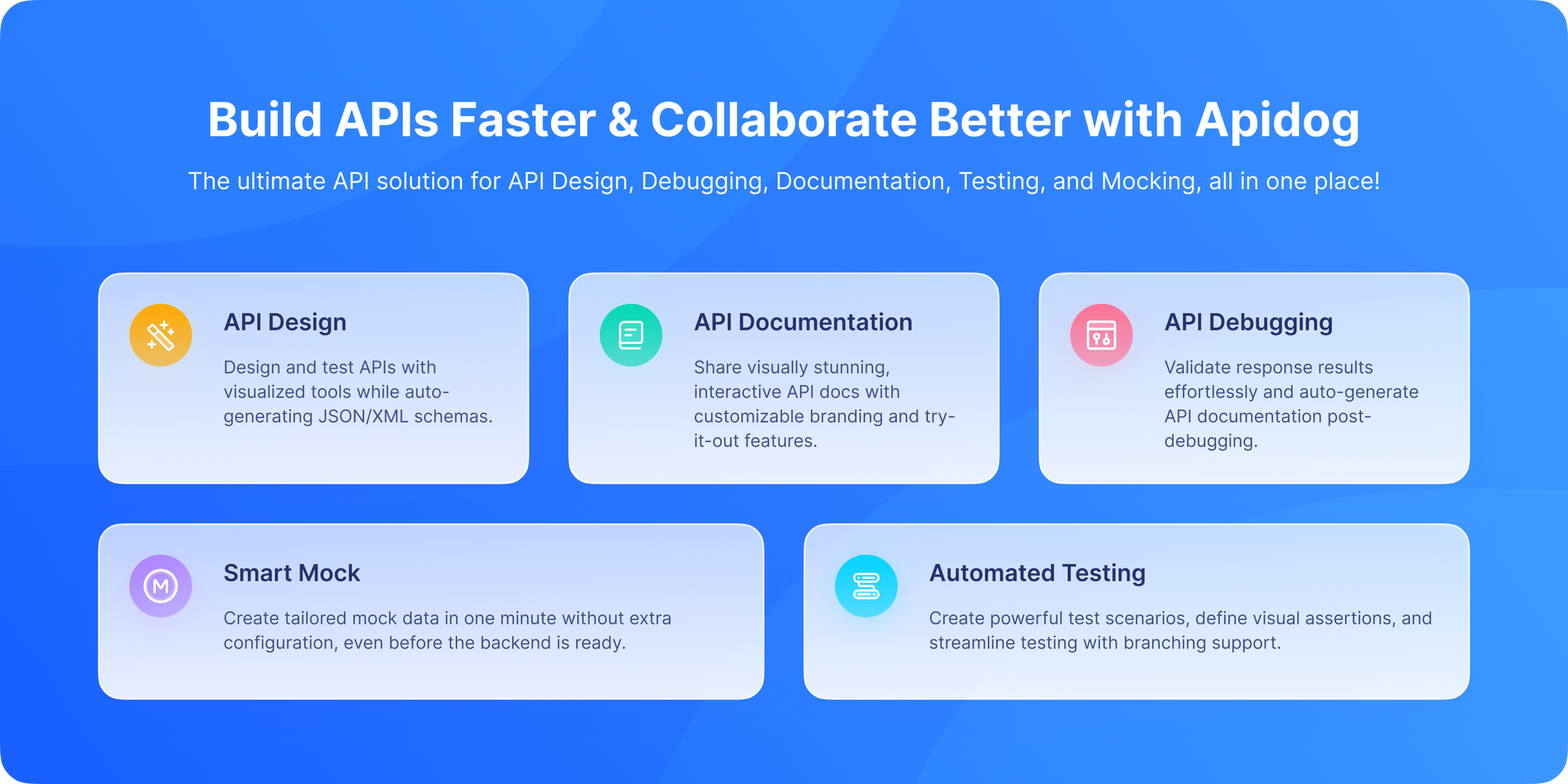
This is often the most practical and efficient method for developers and teams. You use an advanced API client that doesn't just send requests but also understands API design. You build a collection of your requests, and the tool helps you structure and export them as a clean OpenAPI specs.
This is where Apidog power excels. It's built for this workflow.
How It Works with Apidog?
1. Send Requests as You Normally Would: Don't change your workflow. Use Apidog to test and debug your existing API endpoints. As you send GET, POST, PUT, and DELETE requests, Apidog captures all the details.
2. Let Apidog Build the Model: Behind the scenes, as you work, Apidog starts to understand your API's structure. It sees the endpoints, parameters, request bodies, and response schemas.
3. Organize into a Document: Apidog can turn the request into an API doc in real-time. Your ad-hoc requests become a structured, navigable API documentation page within the tool. You can add descriptions, group endpoints into folders, and clean up the auto-inferred details.
4. Export the Spec: Once your collection is accurate and well-described, you export it. And then users can export the OpenAPI specs in the standard YAML or JSON format with a single click. This spec is ready to be used with Swagger UI, imported into other tools, or committed to your repository.
Pros:
- Natural workflow: Fits into how developers already work (testing APIs).
- High control: You curate and refine the spec as you build the collection.
- Comprehensive: You can ensure all endpoints, error responses, and authentication methods are documented.
- Collaborative: Teams can work together on the same request collection.
Cons:
- Requires manual effort: You need to ensure you've covered all endpoints. It's not fully automatic from traffic.
Method 4: The Manual Crafting Approach
Sometimes, you need to build the spec by hand in an editor like Swagger Editor or Stoplight Studio. This is often done in tandem with the methods above.
- Use Your Request Collection as Reference: Have your Postman collection, cURL commands, or Apidog project open on a second screen.
- Build the Spec Step-by-Step: For each endpoint in your references, manually translate it into OpenAPI YAML/JSON. This forces you to think deeply about each parameter and response.
- Validate with Examples: Use the editor's preview to ensure your spec matches the actual API behavior.
Pros:
- Deep understanding: You'll know every detail of your spec.
- Highest precision: You can document subtleties that automated tools might miss.
Cons:
- Very time-consuming: The most labor-intensive method.
- Error-prone: Easy to make typos or forget endpoints.
Best Practices for Generating OpenAPI Specs from Requests
Regardless of your method, follow these principles:
- Start Small: Pick one core endpoint (like
GET /users). Generate or document it fully, then expand. - Validate Early and Often: Use the OpenAPI spec to generate a mock server immediately. Does it behave like your real API? This catches discrepancies fast.
- Iterate and Refine: Your first generated spec will be rough. Treat it as a draft. Add descriptions, examples, and tighten up schema definitions.
- Include Error Responses: This is often missed. Ensure your spec documents 4xx and 5xx error response formats.
- Don't Forget Authentication: Document how your API is secured (API Key, OAuth2, etc.) in the
securitySchemessection.
Conclusion: Your Blueprint Awaits
Generating an OpenAPI specification from existing requests is not just possible, but a practical necessity for bringing order to mature API projects. Whether you choose a code-first library, a traffic-sniffing tool, or a powerful API client like Apidog, you're investing in clarity, automation, and collaboration.
The method you choose depends on your context: control over the codebase, time constraints, and team workflow. But the goal is the same: to transform the implicit knowledge contained in your request logs, cURL commands, and tribal understanding into an explicit, machine-readable contract that can drive your API forward.
Stop letting your API's complexity live in the shadows. Start with the requests you already have, use the right tools, and build that essential OpenAPI blueprint. Your future self and everyone who needs to use your API will thank you.