AI is rapidly transforming software development, but the real breakthrough comes from combining specialized AI tools. For API developers, backend engineers, and technical leads, orchestrating different AI models—each with unique strengths—can dramatically improve productivity and code quality.
In this guide, you’ll learn how to connect Anthropic's Claude Code and Google Gemini Pro using the open-source Model Context Protocol (MCP) server. You'll discover why pairing these two models is a smart move, get step-by-step integration instructions, and see real-world use cases that deliver tangible value to modern developer teams.
💡 Looking for an API platform that goes beyond testing? Apidog generates beautiful API documentation, supports seamless team collaboration, and can replace Postman at a more affordable price. Explore how Apidog elevates your entire workflow!
Why Integrate Claude Code with Gemini Pro? Unlock Collaborative AI for Developers
Connecting two AI models is more than a technical trick—it's a way to create a smarter, more reliable workflow. Here’s why this integration matters for developer-focused teams:
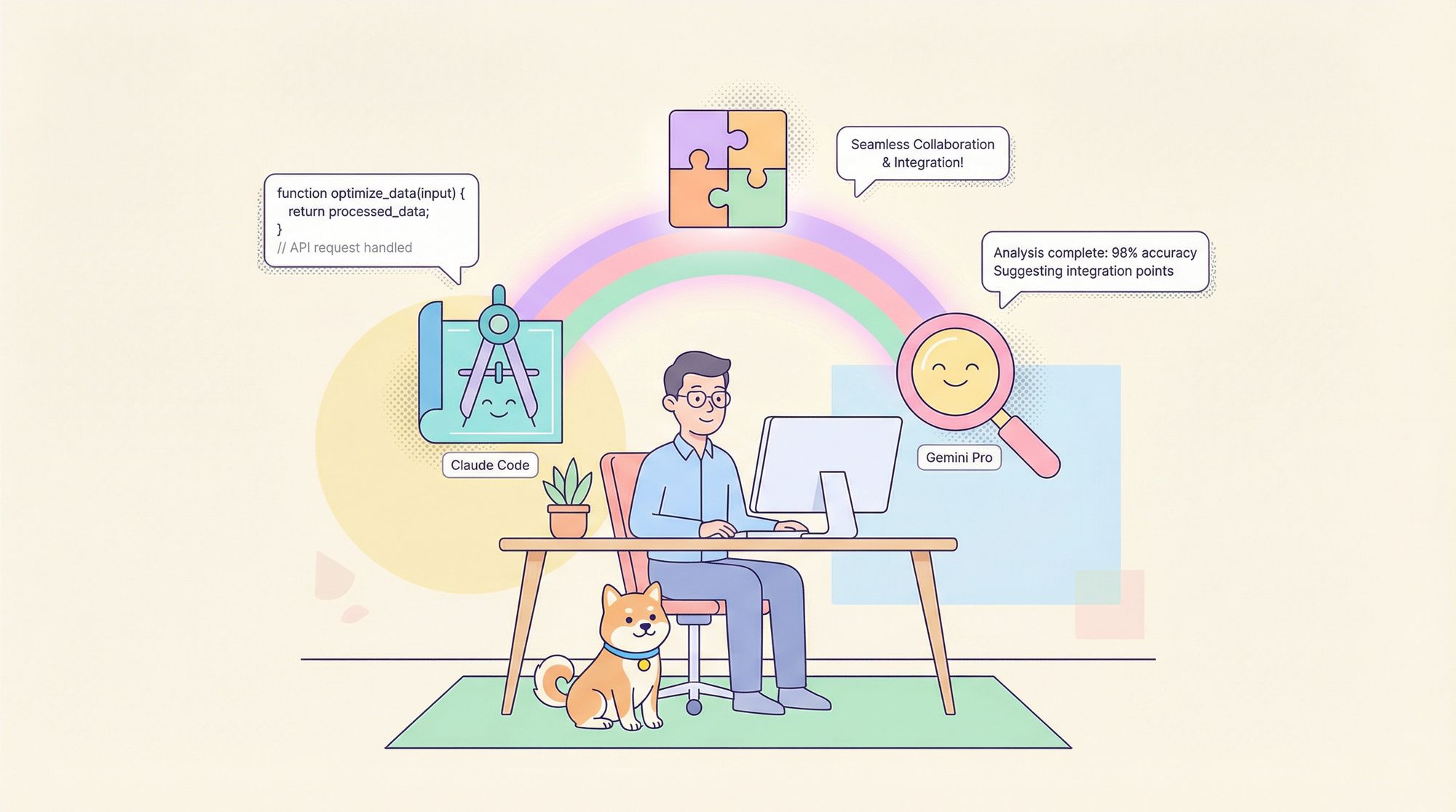
Claude Code: The Architect of Conversations and Code Structure
- Initiates Tasks & Clarifies Intent: Claude excels at breaking down user requests into actionable steps.
- Structured Code Generation: Provides clear, well-organized initial code drafts.
- Natural Dialogue: Maintains context-rich, conversational flow for iterative development.
Analogy: Claude is your project manager and lead architect—setting direction, framing problems, and guiding the conversation.
Gemini Pro: The Deep-Dive Engineering Consultant
- Massive Context Window: Processes entire codebases, documentation, and project histories in one go.
- In-Depth Analysis: Identifies subtle bugs, security flaws, and optimization opportunities that others might miss.
- Comprehensive Feedback: Offers holistic reviews and advanced suggestions.
Think of Gemini as the senior engineer—brought in for deep reviews, architecture critique, or tough debugging.
The Real Benefit: Smarter, More Reliable Coding Workflows
By pairing Claude and Gemini Pro via an MCP server, you get:
- Stronger Code Quality: Claude drafts, Gemini reviews—catching what the other might miss.
- Faster Problem Solving: Instantly consult two AI "opinions" for complex bugs or design choices.
- Efficient Division of Labor: Assign tasks to the most capable AI, automating both code generation and deep review.
- Conversational Iteration: Claude interprets Gemini’s technical feedback, making it actionable inside your ongoing chat.
How MCP Server Enables Seamless AI Collaboration
The Model Context Protocol (MCP) is the bridge that lets different AI assistants work together. Here’s how it works for API and backend teams:
- Protocol-Based Communication: MCP standardizes how tools exchange tasks and context.
- Local Gemini MCP Server: Acts as a relay between the Claude desktop app and Gemini Pro API.
- Task Delegation: Claude can hand off complex or context-heavy requests to Gemini via the MCP server.
- Integrated Results: Gemini’s detailed output is returned to Claude, who summarizes and presents it in your conversation.
Workflow Example:
- You Ask Claude: "Review this module for security issues."
- Claude Delegates via MCP: Sends your code and request to the MCP server.
- MCP Calls Gemini: Passes the task, using your secure Gemini API key.
- Gemini Analyzes: Provides a detailed vulnerability report and remediation tips.
- Claude Reports Back: Delivers Gemini’s insights in a clear, actionable summary.
This all happens in seconds—giving you the power of two expert assistants, seamlessly.
Step-by-Step Guide: Integrate Claude Code and Gemini Pro with MCP
Ready to try this workflow for your team? Here’s how to set up the integration.
1. Get Your Gemini API Key
- Go to Google AI Studio and sign in.
- Create or select your project.
- Find the API Keys section.
- Generate a new API key and store it securely—you’ll need it for MCP server configuration.
2. Install the Gemini MCP Server
Most open-source Gemini MCP servers are Node.js-based. Here’s the general process:
git clone <repository_url>
cd <repository_folder_name>
npm install
Tip: Replace <repository_url> and <repository_folder_name> with the actual repo details.
3. Configure the Claude Desktop Application
- Locate the config file:
- Windows:
%APPDATA%\Claude\claude_desktop_config.json - macOS:
~/Library/Application Support/Claude/claude_desktop_config.json - Linux:
~/.config/Claude/claude_desktop_config.json
- Windows:
- Edit the config: Add a new section for the MCP server, specifying the path to the server’s script and your Gemini API key.
{
  "mcpServers": {
    "gemini": {
      "command": [
        "node",
        "/path/to/your/cloned/repository/main.js"
      ],
      "env": {
        "GEMINI_API_KEY": "your_gemini_api_key"
      }
    }
  }
}
- Restart Claude Desktop to apply changes.
4. Test the Integration
- In a Claude conversation, type:
@gemini --versionor@gemini --help - If you get a response, you’re connected! Claude can now delegate tasks to Gemini via the MCP server.
Real-World Use Cases: How API and Backend Teams Benefit
Leverage the strengths of both models for critical tasks:
Deep Code Review & Refactoring
Prompt Example:
@gemini Please review this Python function for bugs, performance, and refactoring opportunities. Here is the code: [...]
Benefits:
- Gemini analyzes for edge cases, inefficiencies, and idiomatic improvements.
- Claude summarizes recommendations and guides next steps.
Automated Unit Test Generation
Prompt Example:
@gemini Generate comprehensive pytest unit tests for this function, covering edge cases and failure modes. Here is the code: [...]
Benefits:
- Gemini produces a full test suite, increasing coverage and reliability.
- Saves hours of manual test writing.
Debugging Complex Errors
Prompt Example:
@gemini Analyze this stack trace and code. Explain the root cause and suggest a fix: [...]
Benefits:
- Gemini’s context window helps it correlate code, stack traces, and state.
- Claude presents the explanation in a developer-friendly format.
The Future of Developer Productivity: Modular AI Collaboration
Integrating Claude Code and Gemini Pro with MCP isn’t just a technical upgrade—it’s a new way to approach software development. For API-focused teams, this modular AI approach means:
- Better code, faster delivery: Specialist AI models handle their strengths.
- Higher confidence: Automated reviews and testing catch problems early.
- Scalable workflows: Easily swap or add new AI tools as needs evolve.
Apidog embraces this philosophy—offering developers beautiful documentation, collaborative API design, and a streamlined, cost-effective toolset that adapts to your workflow.