Developers and AI professionals are always searching for ways to leverage the latest in large language models. Google’s quiet “shadow release” of Gemini 3.0 has opened up early, behind-the-scenes access to its advanced capabilities—without a major announcement. This update is already transforming how teams experiment with AI for code generation, simulation, and more.
For those building AI-powered applications, efficient API integration and testing are vital. That’s where Apidog comes in. Apidog streamlines API testing, mocking, and collaboration—making it easier to work with models like Gemini 3.0, even before official API documentation is available.
What Is Gemini 3.0? Key Features & Improvements
Gemini 3.0 is Google’s latest multimodal AI model, engineered to process text, images, code, and video with enhanced accuracy and speed over previous versions. Here’s what sets Gemini 3.0 apart for technical users:
- Advanced Reasoning: Solves complex, multi-step problems in a single pass (“one-shot” performance).
- Expanded Parameters: The Pro variant potentially exceeds 1 trillion parameters, delivering deeper context and faster responses.
- Multimodal Input: Handles text, images, code, and video within a single interface.
- Creative Generation: Produces sophisticated HTML/CSS—including animations and responsive designs—thanks to improved tokenization and attention mechanisms.
- Lower Latency: Optimized for real-time applications and interactive AI experiences.
These features are particularly relevant for backend engineers and API developers seeking to build or test next-generation AI applications.
Understanding Google’s Shadow Release Strategy
Google uses “shadow releases” to deploy new models in production without public fanfare. With Gemini 3.0, the update was masked as “Gemini 2.5 Pro” within the Gemini mobile app’s Canvas mode. When users select this setting, their prompts are actually routed to Gemini 3.0 Pro on the backend—a fact confirmed by output characteristics and backend traffic analysis.
Why Shadow Release?
- Risk Mitigation: Limits exposure, helping Google manage server load and catch bugs before a full rollout.
- A/B Testing: Allows direct comparison of Gemini 3.0 outputs versus previous models in live environments.
- Telemetry Gathering: Collects real-world performance data (accuracy, latency, system load) from mobile users.
On a technical level, enabling Canvas mode causes the app to reroute API requests to Gemini 3.0 servers, maintaining a seamless user experience while upgrading model performance. This approach, however, means users may not realize they’re interacting with pre-release technology, raising transparency considerations.
Reports on platforms like X trace the start of this rollout to around November 13, 2025, when users began noticing significant improvements in model outputs—such as more robust code generation and creative design features. As anticipation builds, the developer community expects an official announcement soon.
How to Access Gemini 3.0 Right Now (Step-by-Step)
You don’t need to wait for a formal launch—developers can access Gemini 3.0 today. Here’s how:
-
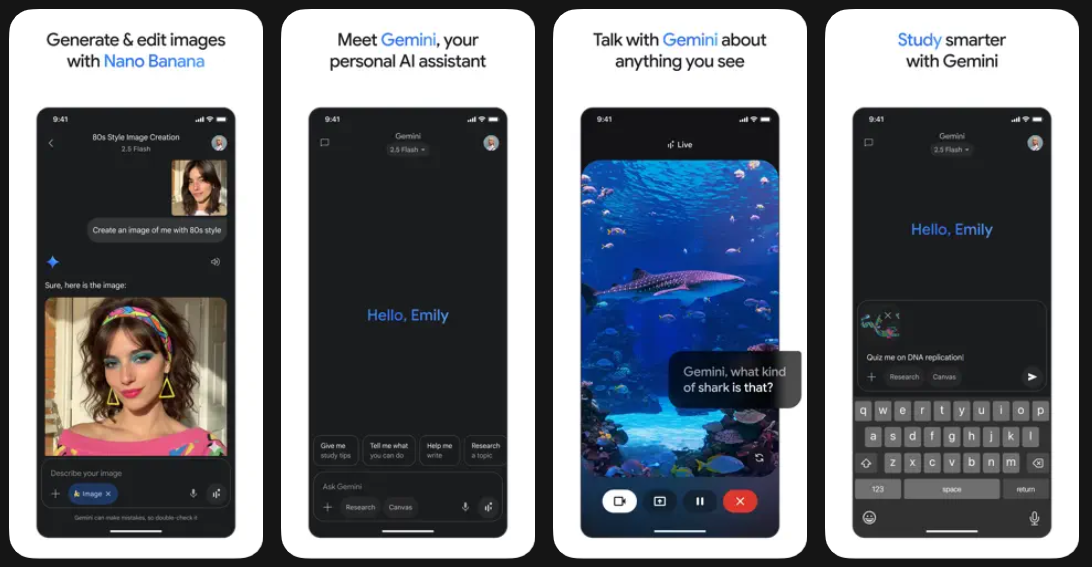
Download or Update the Gemini App
- Available on Android and iOS app stores.
-
Enable Canvas Mode
- Open the app, go to the settings menu, and activate Canvas mode for interactive, visual prompts.
-
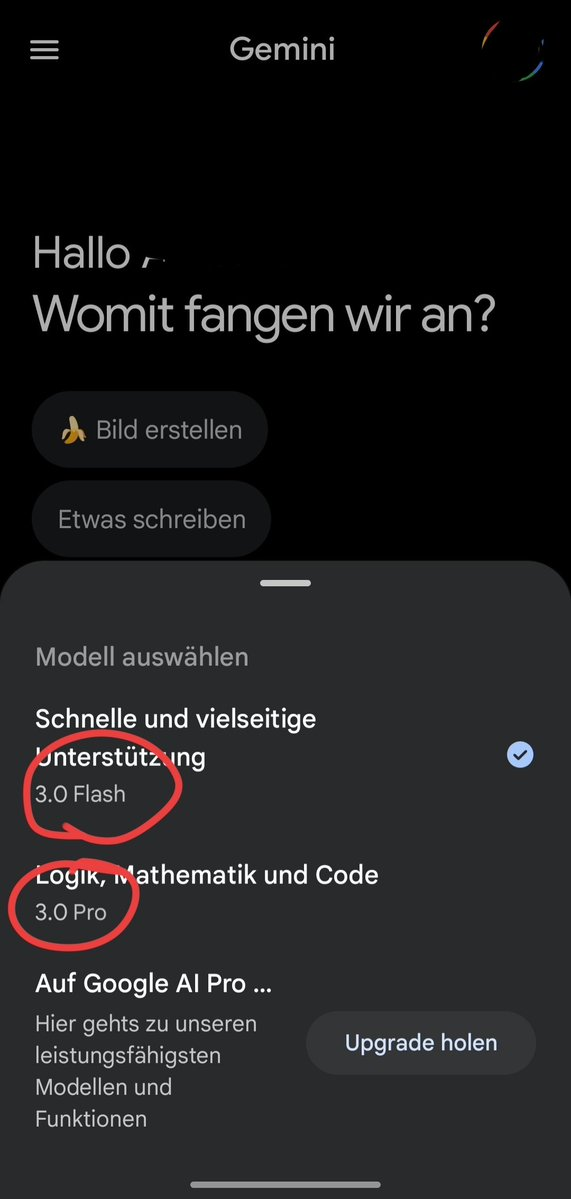
Select the Correct Model
- Start a new conversation.
- Choose “Gemini 2.5 Pro” from the model dropdown. (Despite the label, this triggers Gemini 3.0 Pro during the shadow release.)
- For lightweight tasks, “Gemini 2.0 Flash” may also route to an updated backend.
-
Test for Gemini 3.0 Features
- Enter a demanding prompt, such as generating a complex web page or animated simulation.
- Look for output qualities unique to Gemini 3.0: smooth animations, responsive design, and creative layouts.
-
Alternative: Web Browser Access
- If limitations appear, try using share links posted by early testers in the community for browser access to advanced features.
Integrating with Developer Workflows
For teams building or testing AI-driven APIs, tools like Apidog are invaluable. Apidog lets you:
- Mock Gemini endpoints for local testing.
- Validate and document AI API responses before production integration.
- Collaborate across teams for faster iteration and safer deployment.
This approach helps ensure a smooth transition when official Gemini 3.0 APIs become available.
Real-World Examples: Gemini 3.0 in Action
1. Advanced Webpage Generation with Tailwind CSS & Animations
A developer asked Gemini 3.0 to create a “neobrutalist webpage” with extreme creativity, elaborate scroll animations, vivid colors, and responsive Tailwind CSS. The model generated a bold, visually striking site titled “UNHINGED,” featuring animated transitions and responsive layouts—tasks that previously required significant manual coding.
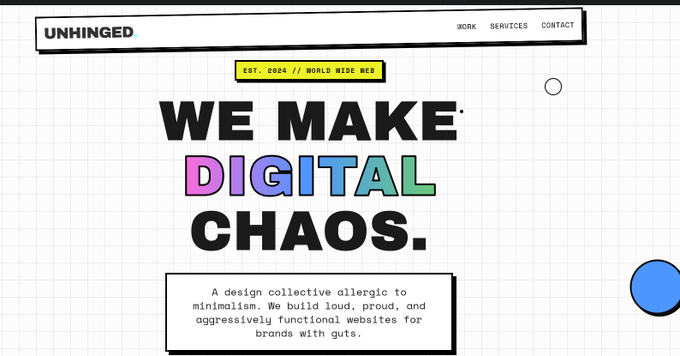

Key Takeaway: Earlier models like Gemini 2.5 produced static, less interactive results. Gemini 3.0’s output is dynamic and production-ready—saving development time and enabling design innovation.
2. Interactive 3D Physics Simulations
Another user prompted Gemini 3.0 to generate a physics simulation. The model produced a functional 2D version, then seamlessly expanded to 3D with realistic gravity and momentum. Built-in touch controls allowed for interactive outcomes, and the code was production-ready, using libraries like Three.js.
Comparison: Competing models, like Claude Sonnet 4.5, struggled with consistency or required multiple iterations to achieve similar results.
Impact on Developers & the Broader AI Ecosystem
Gemini 3.0’s shadow launch is already shifting developer workflows:
- Faster Prototyping: More reliable, creative code outputs accelerate prototyping and iteration.
- Deeper Research: Enhanced reasoning enables exploration of emergent AI behaviors, including non-deterministic simulations.
- Competitive Pressure: Google’s approach is pushing the entire ecosystem toward faster, higher-quality releases.
- API Management: Robust solutions like Apidog help teams manage change—enabling safe experimentation and rapid integration with evolving AI models.
Ethical considerations around transparency remain, as shadow releases can obscure data usage. Still, the technical benefits—speed, creativity, and productivity—are significant for engineering teams.
What’s Next? Preparing for the Official Gemini 3.0 Rollout
An official release of Gemini 3.0 is expected soon, likely with expanded API access and deeper integration into Google’s AI platforms. For now, developers who leverage the shadow release are positioned to lead in adopting and integrating this next-gen model.
To stay ahead, consider incorporating Apidog into your workflow. It provides a robust foundation for API orchestration, testing, and documentation—so you’re ready as soon as Gemini 3.0’s APIs become widely available.