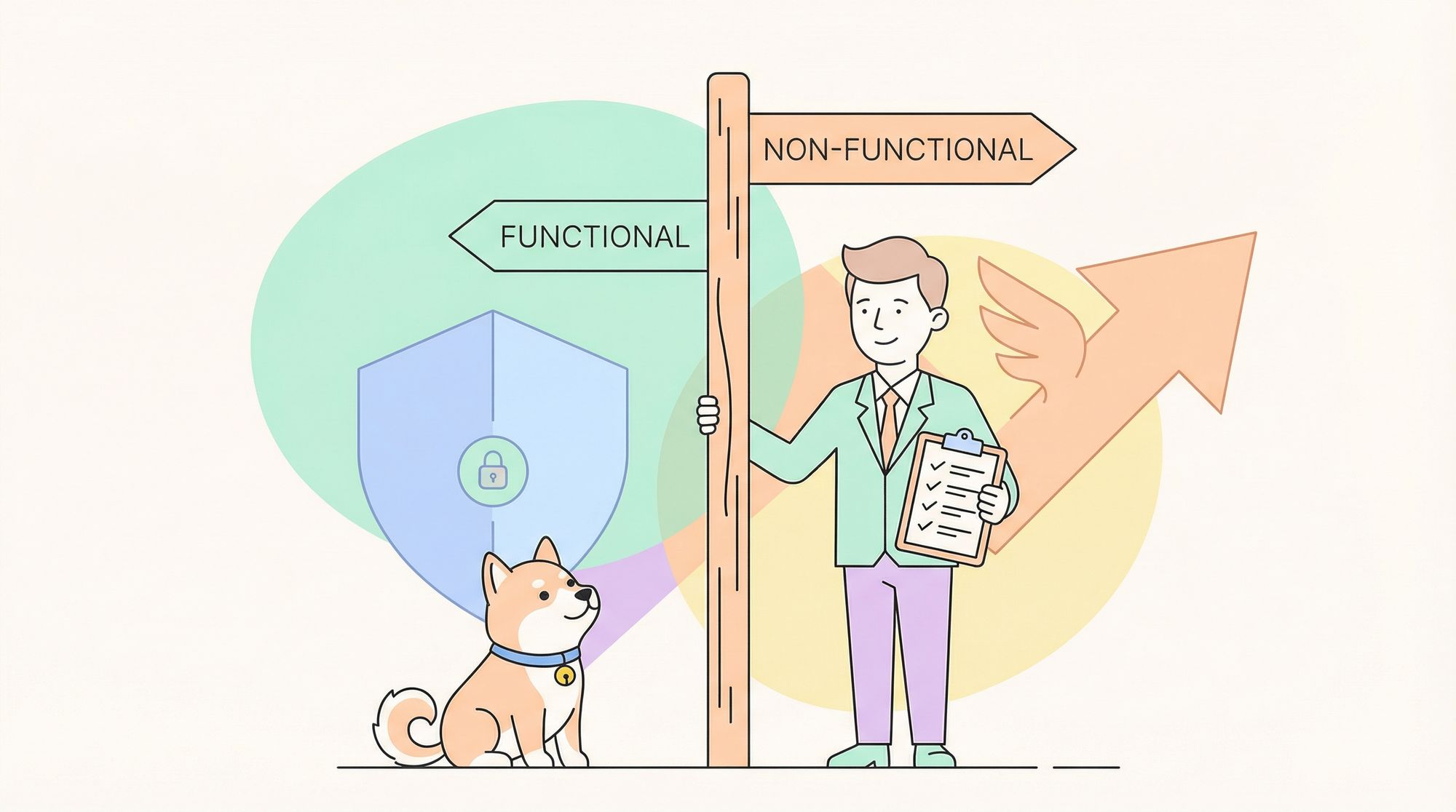
If you’ve ever found yourself wondering whether testing a login button falls under functional testing or performance testing, you’re not alone. The distinction between Functional vs Non-functional Testing trips up even experienced QA teams, and the confusion costs time. Teams run functional test after functional test, then discover their application crashes under a modest user load—a problem non-functional testing would have caught early.
Understanding Functional vs Non-functional Testing isn’t about memorizing definitions. It’s about knowing which questions to ask at each stage of development and which tools give you confidence that your software both works correctly and works well. This guide will give you that clarity, plus practical techniques to balance both testing types without bloating your timeline.
What is Functional Testing: The Core of "Does It Work?"
Functional testing answers the most fundamental question: does the software do what it’s supposed to do? It validates that each feature, button, API endpoint, and workflow behaves according to requirements. When you verify that entering a valid username and password grants access, or that clicking “Add to Cart” actually adds an item, you’re performing functional testing.
The scope is narrow and specific: given a defined input, does the system produce the expected output? It cares about correctness, not speed, aesthetics, or scalability. Functional testing treats the application as a black box—you don’t need to know how the code works, only that it works.
Common functional testing includes:
- Unit testing individual functions
- Integration testing API endpoints
- System testing complete user journeys
- Regression testing existing features after changes
- Acceptance testing against business requirements
If functional testing were a restaurant review, it would answer: “Did I get the dish I ordered, prepared correctly?” It wouldn’t comment on how long the meal took or whether the dining room temperature was comfortable.
What is Non-functional Testing: The Art of "Does It Work Well?"
Non-functional testing evaluates how the system performs rather than what it does. It asks: is it fast enough? Secure enough? Can it handle 10,000 concurrent users? Will it recover from a server crash? These qualities define user experience as much as functionality, but they’re invisible until they fail.
While functional testing proves you built the right thing, non-functional testing proves you built it right. A login button that works perfectly for one user but takes 30 seconds under load is functionally correct but practically unusable.
Key non-functional testing types include:
- Performance Testing: Response times, throughput, resource usage
- Load Testing: Behavior under expected user volumes
- Stress Testing: Breaking points and recovery
- Security Testing: Vulnerability detection and penetration resistance
- Usability Testing: User experience and accessibility
- Reliability Testing: Uptime and fault tolerance
- Scalability Testing: Growth capacity
If non-functional testing were a restaurant review, it would discuss: “Was the food delivered quickly? Was the restaurant too noisy? Did the staff handle the dinner rush gracefully?” These factors determine whether you’ll return, regardless of food quality.
Functional vs Non-functional Testing: The Critical Differences
The Functional vs Non-functional Testing debate becomes clearer when you understand their fundamental distinctions:
| Dimension | Functional Testing | Non-functional Testing |
|---|---|---|
| Focus | What the system does | How the system performs |
| Requirement Source | Business requirements, user stories | Performance budgets, security policies, UX standards |
| Pass/Fail Criteria | Clear and binary (works/doesn’t work) | Measured against thresholds (under 2 seconds) |
| Test Data | Specific inputs for each scenario | Realistic production-like data volumes |
| Who Performs | QA testers, BAs, product owners | Performance engineers, security specialists |
| When to Test | Throughout development, especially after features complete | After functional stability, closer to release |
| Tools | Postman, Selenium, Cypress | JMeter, LoadRunner, OWASP ZAP |
| Automation | High (regression tests) | Moderate (requires specialized setup) |
The Functional vs Non-functional Testing relationship is complementary, not competitive. You need both. A perfectly functional application that’s insecure or unusable under load delivers zero value.
Essential Functional Testing Techniques That Catch Real Bugs
Effective functional testing uses systematic techniques, not random clicking. Master these approaches to improve coverage and efficiency:
1. Equivalence Partitioning
Group inputs into classes that should behave identically. For a password field requiring 8-20 characters, test one value from each partition:
- Valid: 10 characters
- Too short: 7 characters
- Too long: 21 characters
This reduces test cases from hundreds to three while maintaining confidence.
2. Boundary Value Analysis
Test values at partition edges. The password example above needs:
- Minimum valid: 8 characters
- Maximum valid: 20 characters
- Just below minimum: 7 characters
- Just above maximum: 21 characters
Most bugs live at boundaries, making this technique disproportionately effective.
3. Decision Table Testing
Map business rules with multiple conditions to their expected outcomes. An e-commerce discount system might combine: user type (new/existing), cart value (high/low), and promotion period (active/inactive). A decision table ensures you test all 2³ = 8 combinations, preventing logic gaps.
4. State Transition Testing
Test how the system moves between states. An order can transition from Pending → Confirmed → Shipped → Delivered. State transition testing verifies valid paths and blocks invalid ones (e.g., Shipped → Pending should be impossible).
5. End-to-End Use Case Testing
Validate complete user workflows. A use case like “User registers, searches product, adds to cart, checks out, receives confirmation” spans multiple features. Functional testing of individual components misses integration bugs that only appear in the full flow.
Critical Non-functional Testing Techniques for Production Readiness
Non-functional testing requires different mindsets and tools. Here’s how to approach each type:
Performance Testing
Measure response times under normal load. Establish performance budgets: “95% of requests under 200ms.” Use tools like JMeter or k6 to simulate realistic traffic and identify bottlenecks in database queries or external API calls.
Load Testing
Test expected peak capacity. If your application should handle 5,000 concurrent users, load testing confirms it actually can. Ramp up gradually and monitor resource utilization—CPU, memory, database connections—to find scalability limits.
Stress Testing
Push beyond expected limits until failure. Stress testing reveals how the system degrades: does it slow down gracefully or crash catastrophically? Critical for understanding recovery procedures and circuit breaker behavior.
Security Testing
Scan for OWASP Top 10 vulnerabilities using tools like ZAP or Burp Suite. Test authentication bypass, SQL injection, XSS, and improper access controls. Security testing is non-negotiable for any application handling user data.
Usability Testing
Validate that real users can complete tasks efficiently. Conduct moderated sessions where users attempt core workflows while you observe. Measure task completion rate, time-on-task, and error rate. Beautiful code means nothing if users can’t navigate your interface.
Best Practices for Balancing Functional vs Non-functional Testing
Striking the right balance between Functional vs Non-functional Testing keeps quality high without slowing development. Follow these proven practices:
- Define Quality Gates Early: Establish clear criteria for both testing types before development starts. Functional: “All critical user stories have passing tests.” Non-functional: “API response time p95 < 500ms under 2x expected load.” These gates prevent last-minute scrambles.
- Shift Non-functional Testing Left: Don’t wait until the end. Run performance tests on every major feature merge using lightweight tools. Catch performance degradation early when it’s easier to fix.
- Automate the Right Tests: Automate functional regression tests and baseline performance benchmarks. Don’t automate exploratory UX testing or complex security penetration tests that require human creativity.
- Use Production Metrics: Instrument your application to capture real user performance data. If your load tests show 200ms response times but users experience 2 seconds, your tests are unrealistic. Production telemetry grounds non-functional testing in reality.
- Allocate Time Proportionally: Spend 60-70% of testing effort on functional testing (ensuring correctness) and 30-40% on non-functional testing (ensuring quality). Adjust based on your domain—financial apps need more security testing; streaming services need more performance testing.
How Apidog Streamlines Both Functional and Non-functional API Testing
Managing Functional vs Non-functional Testing for APIs traditionally means switching between multiple tools: Postman for functional tests, JMeter for load tests, custom scripts for security checks. Apidog consolidates this into one platform.
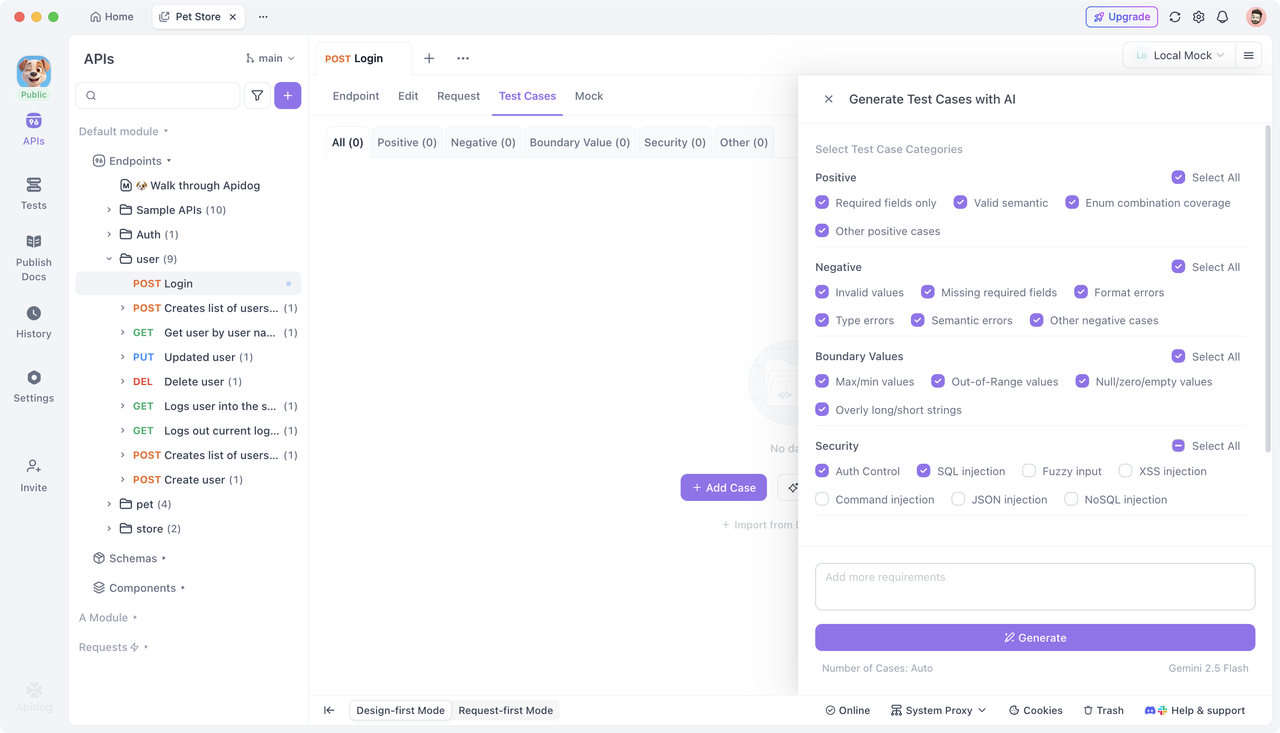
For functional testing, Apidog generates comprehensive test cases automatically from your API specification. It creates positive tests, negative tests with invalid data, and boundary tests for every parameter. The visual test case editor lets you add assertions, extract variables, and chain API calls for end-to-end workflows. You maintain one test suite that covers all functional scenarios.
For non-functional testing, Apidog’s performance testing features let you simulate concurrent users hitting your API endpoints. You define load profiles (ramp-up time, concurrent threads, test duration) and monitor response times, throughput, and error rates in real-time. The same test cases used for functional validation become load test scenarios, ensuring consistency.
Apidog also integrates security testing by automatically scanning for common vulnerabilities in your API design—missing authentication, weak password policies, injection risks. It generates test cases that probe these weaknesses, giving you a head start on security validation.
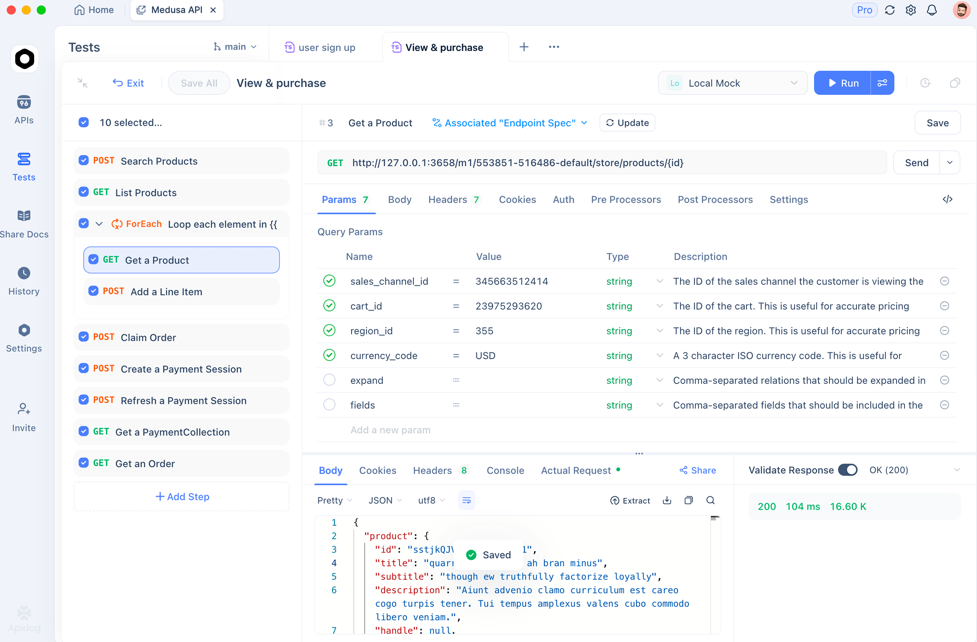
The platform’s reporting dashboard aggregates both functional and non-functional results, showing you at a glance whether your API is both correct and performant. This unified view eliminates the tool-switching overhead that makes balancing Functional vs Non-functional Testing so challenging.
Frequently Asked Questions
Q1: Can non-functional testing be done before functional testing is complete?
Ans: Not effectively. Non-functional testing requires stable functionality as a baseline. Testing performance on code that still has bugs produces meaningless results—you can’t tell if slow response times are due to performance issues or broken logic. Complete critical functional tests first, then layer in non-functional testing.
Q2: How do we decide which non-functional tests are most important?
Ans: Prioritize based on business risk and user impact. For an e-commerce site, performance during peak sales is critical. For a healthcare app, security and reliability are paramount. Map your top three business risks to non-functional testing types and focus your effort there.
Q3: What’s the minimum non-functional testing a startup should do?
Ans: At minimum, run baseline performance tests on login and checkout flows, scan for OWASP Top 10 vulnerabilities, and test mobile responsiveness. These catch show-stopping issues without heavy investment. As you scale, add more sophisticated load and security testing.
Q4: How does Apidog help with testing microservices specifically?
Ans: Microservices create complex interaction patterns. Apidog imports all service specifications and generates integration tests that validate service-to-service calls. Its performance testing can target specific services or orchestrate calls across the entire mesh, identifying which service becomes the bottleneck under load.
Q5: Should non-functional requirements be user stories?
Ans: Yes, treat them as first-class requirements. Write user stories like: “As a user, I expect the search page to load in under 2 seconds, even during peak traffic, so I can find products quickly.” This makes performance and scalability visible in your backlog and ensures they’re tested before release.
Conclusion
The Functional vs Non-functional Testing split isn’t a philosophical debate—it’s a practical framework for delivering complete quality. Functional testing proves your software does the right things. Non-functional testing proves it does them well enough to succeed in the real world.
Both are non-negotiable. A functionally perfect application that’s slow, insecure, or unreliable fails users just as badly as one that’s buggy. The key is balance: define clear quality gates for both types, automate strategically, and use integrated tools like Apidog to reduce overhead.
Start by auditing your current testing mix. Are you spending all your time on functional tests while performance and security lag behind? Adjust your approach using the techniques and practices in this guide. Quality isn’t about testing everything—it’s about testing what matters, both inside and outside the box.