You need efficient tools to generate high-quality images from text prompts in modern applications. The Z-Image API addresses this demand directly. Developers access a powerful text-to-image model through a no-cost interface that delivers photorealistic results quickly. This API leverages the open-source Z-Image-Turbo model from Alibaba's Tongyi-MAI team, which operates under the Apache 2.0 license. You benefit from sub-second inference on suitable hardware, making it ideal for real-time features in web apps, mobile tools, or automated workflows.
Next, you explore the open-source foundation of Z-Image-Turbo. Then, you gain insights into API access methods and confirm its free pricing structure. Finally, you implement practical integrations. These steps equip you to deploy image generation capabilities effectively.
Understanding the Z-Image-Turbo Open-Source Model
You start with the core technology behind the Z-Image API: the Z-Image-Turbo model. Alibaba's Tongyi-MAI team releases this 6-billion-parameter model as fully open-source under Apache 2.0. This license permits commercial use, modifications, and distributions without restrictions, which accelerates adoption in production environments.
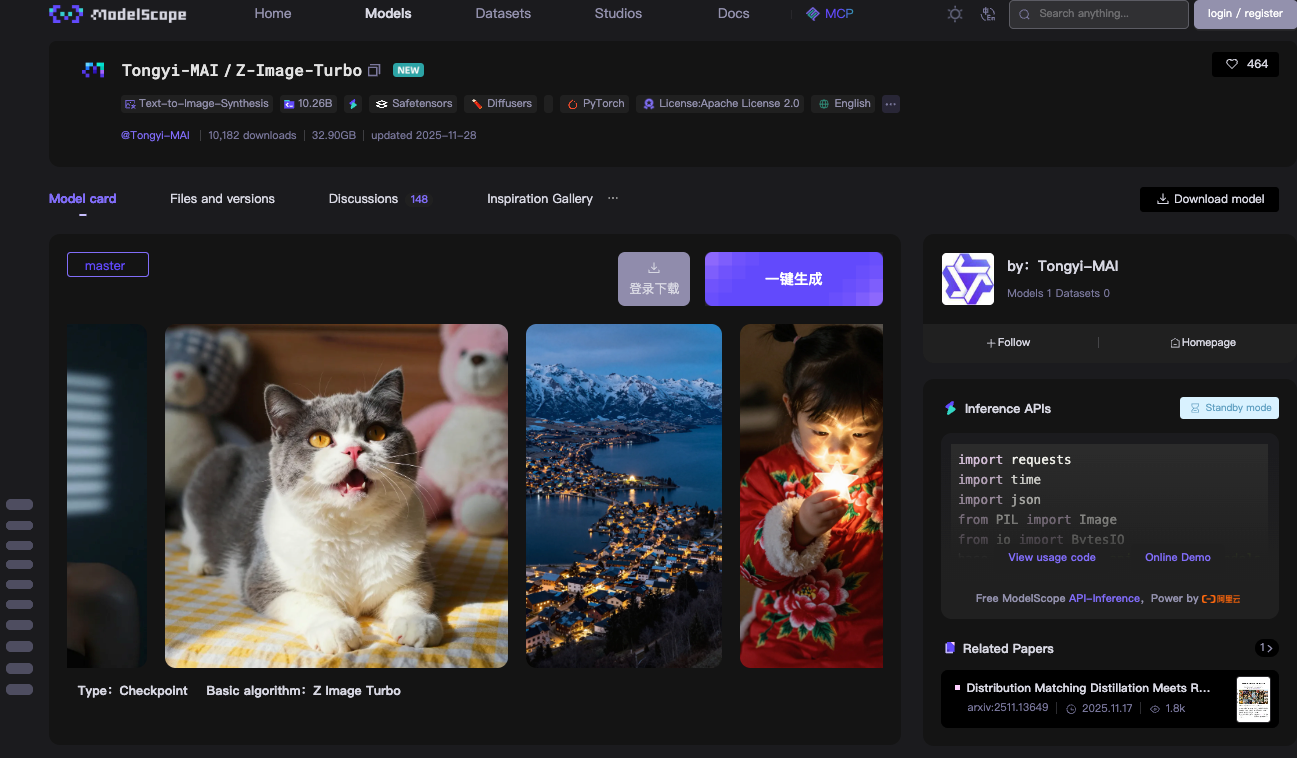
Z-Image-Turbo builds on a Scalable Single-Stream Diffusion Transformer (S3-DiT) architecture. Traditional dual-stream models separate text and image processing, which wastes parameters. However, S3-DiT concatenates text tokens, visual semantic tokens, and image VAE tokens into one unified stream. This design maximizes efficiency. As a result, the model fits within 16GB VRAM on consumer GPUs like NVIDIA RTX 40-series cards. You achieve this without sacrificing output quality.
The model excels in photorealistic image synthesis. It generates detailed scenes, portraits, and landscapes from descriptive prompts. For instance, a prompt like "a serene mountain lake at dusk with bilingual signage in English and Chinese" produces crisp, context-aware visuals. Z-Image-Turbo handles complex instructions well, thanks to its integrated Prompt Enhancer. This component refines inputs for better adherence, reducing artifacts common in earlier diffusion models.
Inference speed defines Z-Image-Turbo's edge. It requires only 8 Number of Function Evaluations (NFEs), equivalent to 9 inference steps in practice. On enterprise H800 GPUs, you see sub-second latency—often under 500ms per image. Consumer setups achieve 2-5 seconds, depending on hardware. This efficiency stems from distillation techniques like Decoupled-DMD and DMDR, which compress the base Z-Image model while preserving performance.
You download the model weights from ModelScope or Hugging Face repositories. The master branch includes checkpoint files totaling about 24GB. PyTorch compatibility ensures broad integration. For local testing, you install dependencies via pip: torch, torchvision, and modelscope>=1.18.0. A basic pipeline script loads the model and generates an image in under 10 lines of code.
Consider this example for local inference:
from modelscope.pipelines import pipeline
from modelscope.utils.constant import Tasks
import torch

device = "cuda" if torch.cuda.is_available() else "cpu"
pipe = pipeline(Tasks.text_to_image_synthesis, model="Tongyi-MAI/Z-Image-Turbo", device=device)

output = pipe({
    "text": "A photorealistic golden retriever playing in a sunlit park, 1024x1024",
    "width": 1024,
    "height": 1024,
    "num_inference_steps": 9
})

output["output_imgs"][0].save("generated_image.png")
This code initializes the pipeline, processes the prompt, and saves the result. You notice the num_inference_steps: 9 parameter— it triggers the 8-step distillation for optimal speed. Guidance scale remains at 0.0, as Turbo variants skip classifier-free guidance to maintain velocity.
Benchmarks confirm Z-Image-Turbo's competitiveness. On Alibaba's AI Arena, it scores high in Elo-based human preference evaluations, outperforming many open-source peers in photorealism and text fidelity. Compared to models like Stable Diffusion 3, it uses fewer steps and less memory, yet delivers comparable detail.
However, limitations exist. The model prioritizes speed over extreme resolutions; pushing beyond 1536x1536 may introduce blurring without fine-tuning. It also lacks native image-to-image editing in the Turbo variant—that falls to the forthcoming Z-Image-Edit release. Still, for text-to-image tasks, Z-Image-Turbo provides a solid, accessible foundation.
You extend this model via the Z-Image API, which hosts it on ModelScope's infrastructure. This shift from local to cloud eliminates setup burdens. Consequently, you focus on application logic rather than hardware optimization.
Accessing the Free Z-Image API: Step-by-Step Setup
You transition smoothly to API integration. The Z-Image API operates through ModelScope's inference service, which hosts Z-Image-Turbo for remote calls. This setup requires minimal configuration, yet delivers enterprise-grade reliability.
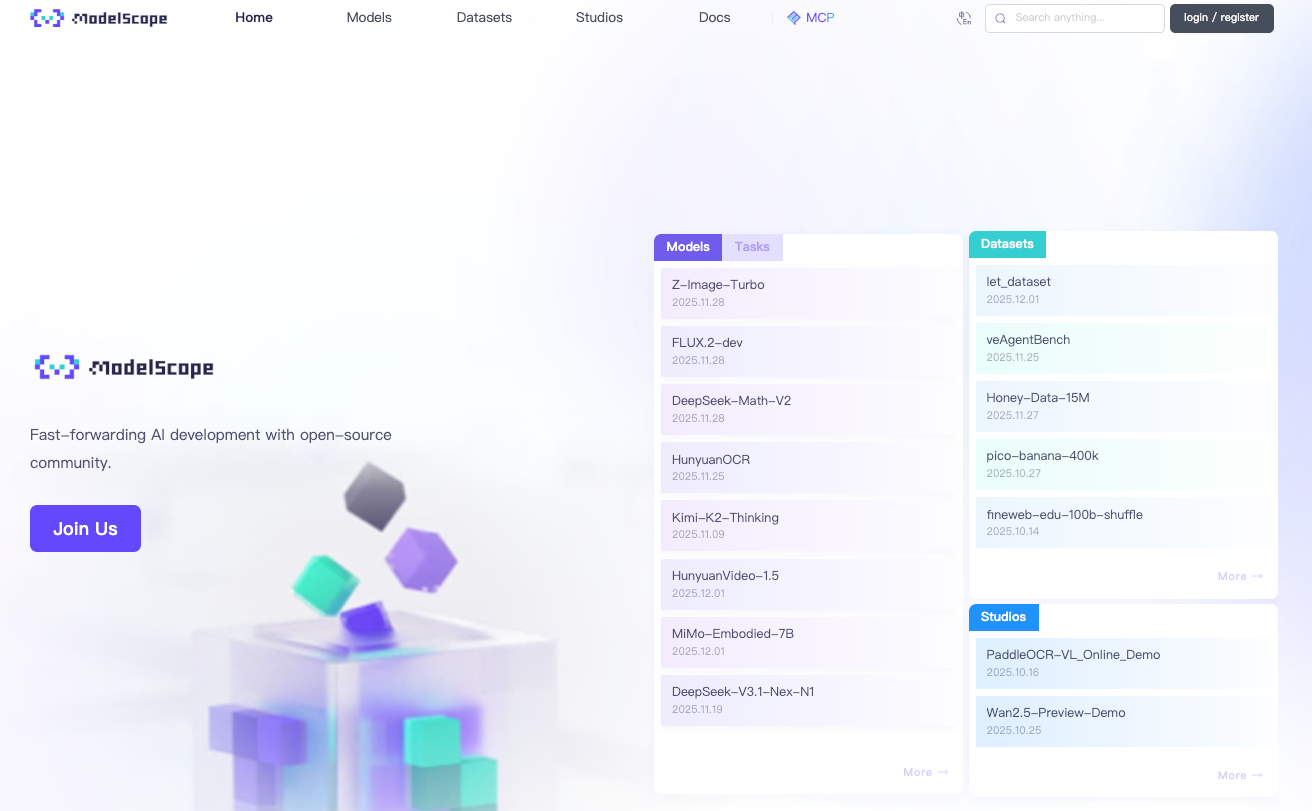
First, you register on the ModelScope platform. Create an account with your email or GitHub credentials. Once logged in, navigate to the API section under your profile. Generate a ModelScope Token—this acts as your Bearer authentication key. Store it securely, as all requests mandate it in the Authorization header.
The API endpoint centers on asynchronous processing, which suits high-throughput needs. You submit generation tasks via POST to https://api-inference.modelscope.cn/v1/images/generations. Responses return a task_id immediately. Then, you poll https://api-inference.modelscope.cn/v1/tasks/{task_id} every 5-10 seconds until completion. This design prevents timeouts on long generations, though Z-Image-Turbo's speed keeps waits brief—typically 5-15 seconds end-to-end.
Key headers include:
Authorization: Bearer {your_token}Content-Type: application/jsonX-ModelScope-Async-Mode: true(for submission)X-ModelScope-Task-Type: image_generation(for status checks)
The request body specifies parameters like model ID, prompt, dimensions, and steps. You set "model": "Tongyi-MAI/Z-Image-Turbo" to target this variant. Default dimensions are 1024x1024, but you adjust height and width for custom aspect ratios. Keep guidance_scale: 0.0 and num_inference_steps: 9 for best results.
A complete curl example illustrates the process:
# Step 1: Submit task
curl -X POST "https://api-inference.modelscope.cn/v1/images/generations" \
  -H "Authorization: Bearer YOUR_TOKEN" \
  -H "Content-Type: application/json" \
  -H "X-ModelScope-Async-Mode: true" \
  -d '{
    "model": "Tongyi-MAI/Z-Image-Turbo",
    "prompt": "A futuristic cityscape at night with neon signs in Chinese and English",
    "height": 1024,
    "width": 1024,
    "num_inference_steps": 9,
    "guidance_scale": 0.0
  }'

# Extract task_id from response, e.g., {"task_id": "abc123"}

# Step 2: Poll status
curl -X GET "https://api-inference.modelscope.cn/v1/tasks/abc123" \
  -H "Authorization: Bearer YOUR_TOKEN" \
  -H "X-ModelScope-Task-Type: image_generation"
On success, the status response includes "task_status": "SUCCEED" and an output_images array with a downloadable URL. You fetch the image via GET, saving it as PNG or JPEG.
For synchronous alternatives, ModelScope offers an online demo at modelscope.cn/aigc/imageGeneration. Select Z-Image-Turbo as the default model. Quick Mode generates images without parameters, while Advanced Mode exposes full controls. This interface serves prototyping, but you prefer the API for automation.
Error handling proves essential. Common codes include 401 (invalid token), 429 (rate limits), and 500 (server issues). Implement retries with exponential backoff in production code. Rate limits hover around 10-20 requests per minute for free tiers, though exact quotas vary by account.
You integrate this API into diverse environments. Python developers use requests for HTTP calls, as shown earlier. Node.js users leverage axios for promises-based polling. Even serverless functions on AWS Lambda or Vercel deploy easily, given the lightweight payloads.
Apidog enhances this access phase. Import the API spec into Apidog, which auto-generates documentation and test cases. You simulate responses, chain requests for polling, and export collections for team sharing. This platform reduces debugging time, letting you focus on prompt engineering.
Through these steps, you establish a reliable connection to the Z-Image API. Now, you examine its pricing to confirm cost-effectiveness.
Pricing and Quotas for the Z-Image API
You confirm affordability next. The Z-Image API incurs no charges for inference. ModelScope provides unlimited free compute for Z-Image-Turbo calls, as announced in their official X post. This zero-cost model includes hosting, bandwidth, and GPU resources— a rarity among AI services.
However, quotas apply to prevent abuse. Free accounts face soft limits: approximately 50-100 generations per hour, resetting periodically. You monitor usage via the ModelScope dashboard. Exceeding limits triggers temporary throttling, but you upgrade to pro tiers for higher volumes if needed. Pro plans start at low fees, but the free tier suffices for most developers and hobbyists.
Best Practices for Optimizing Z-Image API Performance
You refine your usage with targeted strategies. First, select optimal parameters. Stick to 1024x1024 for balance; upscale post-generation if needed. Limit steps to 9—higher values slow inference without gains.
Hardware acceleration boosts local hybrids. Enable Flash Attention in Diffusers: pipe.transformer.set_attention_backend("flash"). This cuts memory by 20-30% on Ampere GPUs.
Prompt engineering elevates quality. Structure inputs as "subject + action + environment + style." Test variations in Apidog's mock mode to iterate quickly.
Security practices protect integrations. Never expose tokens in client-side code; use server proxies. Validate inputs to prevent injection attacks.
Monitoring tools track metrics. Log generation times, success rates, and token usage. Tools like Prometheus integrate easily for dashboards.
Conclusion
You now command the Z-Image API fully. From grasping Z-Image-Turbo's open-source architecture to executing API calls and optimizing workflows, this guide arms you for success. The free pricing model democratizes advanced image generation, while tools like Apidog streamline development.
Implement these techniques in your next project. Experiment with prompts, scale integrations, and contribute to the ecosystem. As AI evolves, Z-Image-Turbo positions you at the forefront of efficient, creative tools.