The Facebook/Meta Ad Library API that we are referring to as the Facebook Ad Library API, is a publicly available interface that gives developers access to ads published on Facebook, Instagram, and other Meta-owned platforms (e.g. Whatsapp and threads). It is through this API that you can search ads by a keyword, page ID, country, or ad type, and retrieve metadata such as ad creatives, spend ranges, impressions, publisher platforms, and many more.
This API is particularly useful for transparency research, marketing audits, competitive analysis, ad creative analysis, or building tools around social media ad data. Whether you want to monitor active ads, study political or social-issue ads (SIEP ads), or analyze marketing strategies, the Facebook Ad Library API offers a powerful door into ad data.
Want an integrated, All-in-One platform for your Developer Team to work together with maximum productivity?
Apidog delivers all your demands, and replaces Postman at a much more affordable price!
Why Use the Facebook Ad Library API and What Does It Let You Do?
Some of the key capabilities of the Facebook Ad Library API:
- Search by keywords, page IDs, country, ad type — you can narrow down ads by what they contain, who placed them, where they run, and what kind of campaign they are.
- Filter by status: active/inactive, spend ranges, impressions — helpful when you only want currently running ads or those above/below certain spend thresholds.
- Retrieve ad metadata — including fields like
page_name,ad_snapshot_url,spend,impressions,publisher_platforms(Facebook/Instagram), and more. - Support for long-term and broad data coverage — for example, globally for SIEP ads, and for many regions for general ads (subject to Meta’s region policies as of 2025)
- Free access to public data — no upfront cost for retrieving public ad data, as long as you have the proper access setup.
In short — the API gives a structured, programmable way to explore and collect ad data at scale.
Step-by-Step Guide: How to Get Started with the Facebook Ad Library API
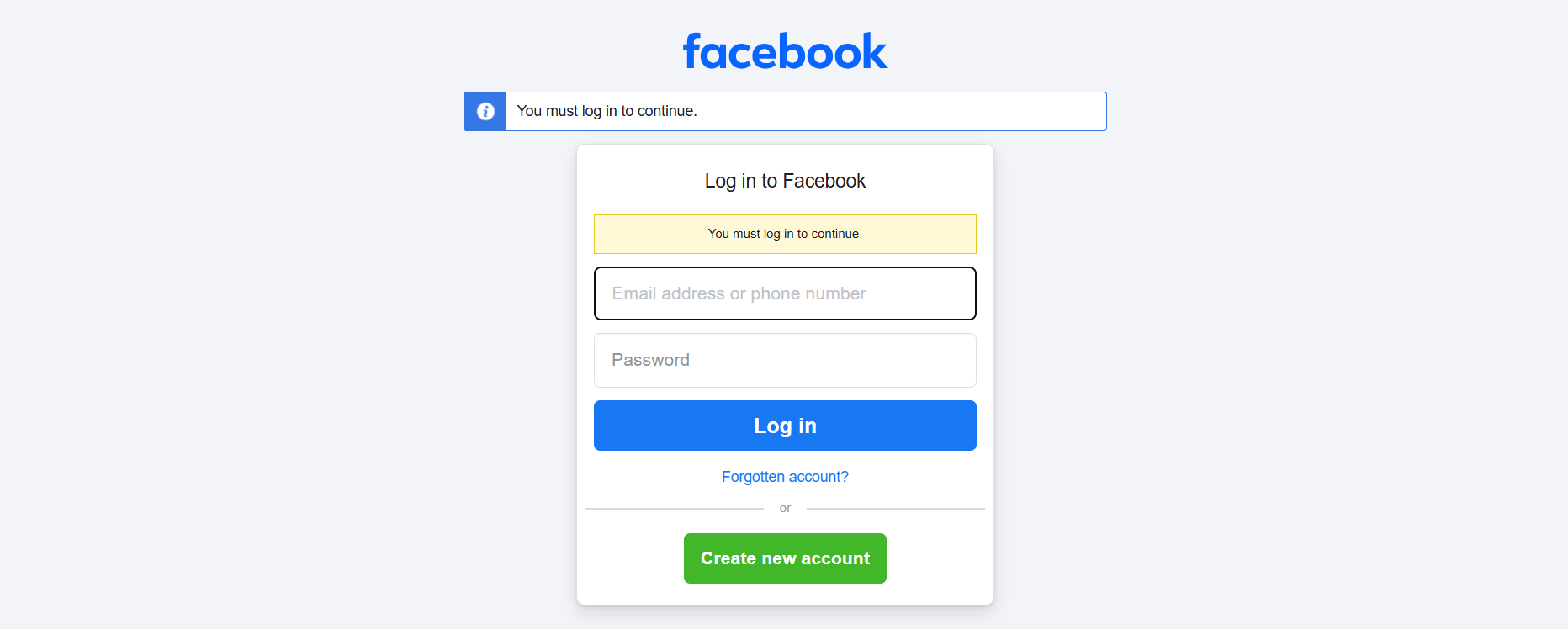
Step 1: Verify Your Facebook/Meta Account & Identity
- Log into/create your Facebook account (personal or business).
- Ensure your account is verified (Meta sometimes requires identity verification for API access). (Account verification)
- This step is important especially if you plan to request access to ad-library data through an app.
Step 2: Register a Meta Developer App
- Visit Meta for Developers → “Get Started” and login to the platform. (Click here)
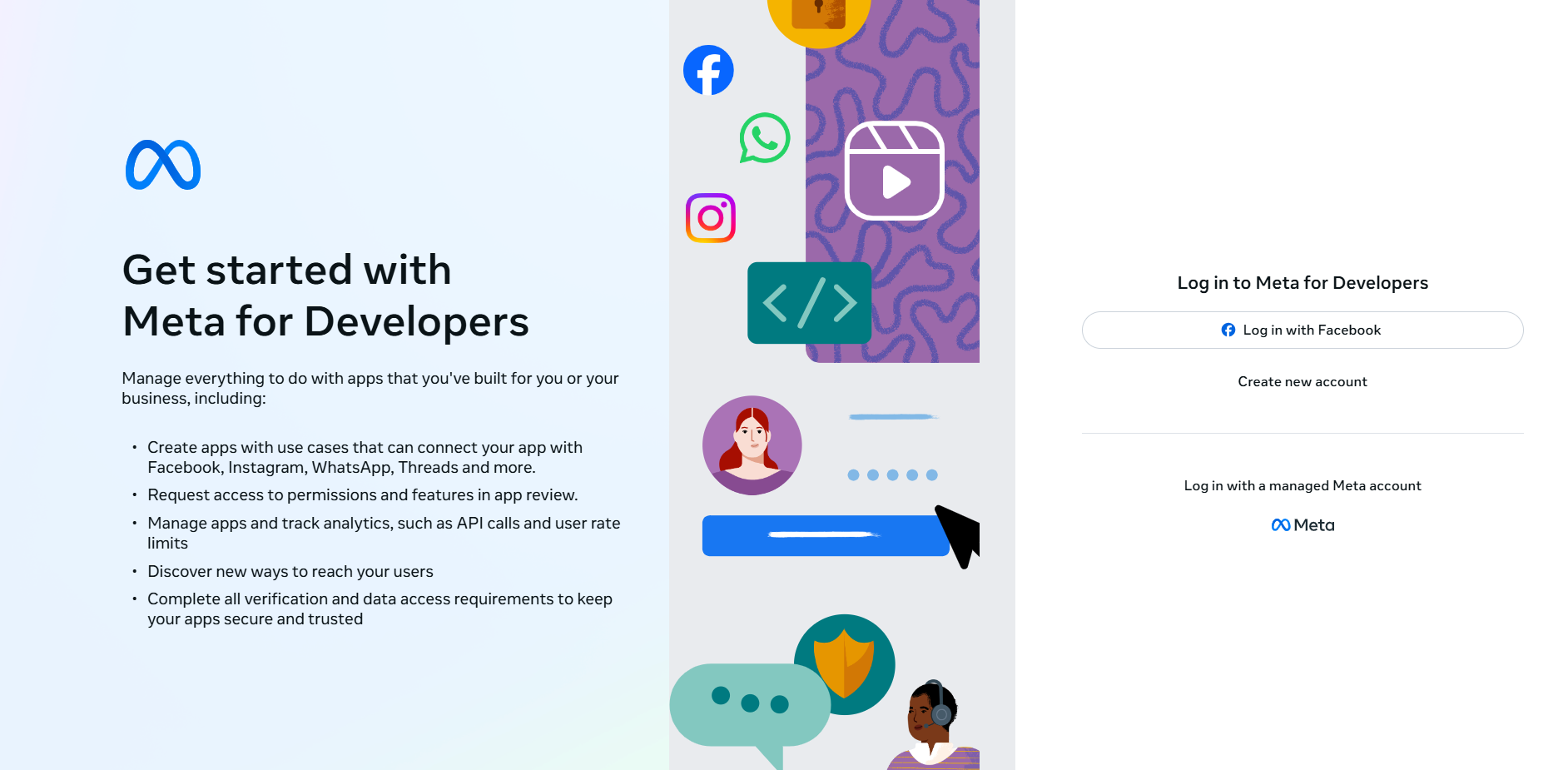
- Create a new App: choose “Other” or a generic type if you are not advertising.

- Select that you want access to Marketing APIs / Ad-Library.
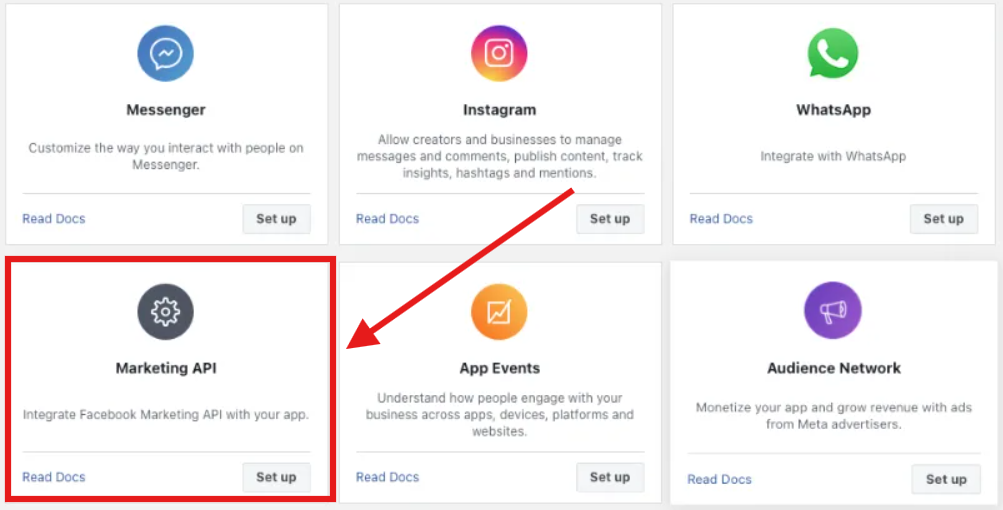
- Initially, the app will be in Development mode — this is sufficient for basic testing and small-scale usage.
Step 3: Generate an Access Token
- Use the Graph API Explorer or Meta’s tools to generate a user access token.
- Ensure the token has necessary permissions (e.g.
ads_read, possiblyads_archiveor others depending on Meta’s requirements). (Facebook for Developers)
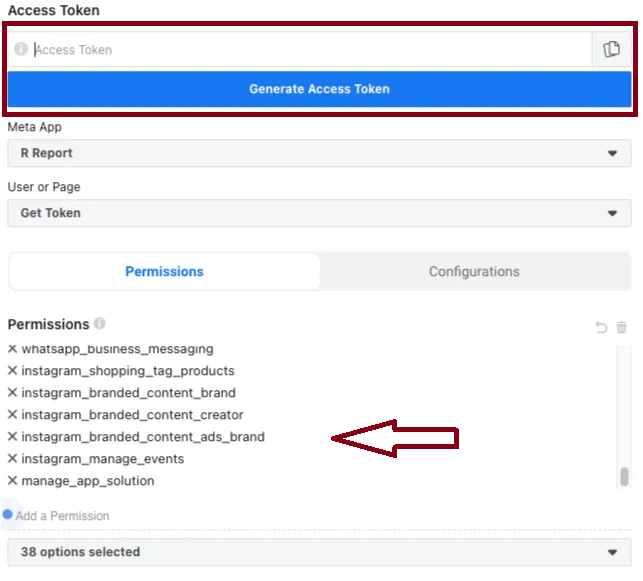
Note: access tokens expire; you may need to extend them or generate long-lived tokens depending on your usage.
Step 4: Make Your First API Call
You can query the /ads_archive endpoint (the root of the Ad Library API). Use the latest API version (e.g. v23.0 or newer). (Facebook for Developers)
Example: using curl
curl -G \
  -d "search_terms=skincare" \
  -d "ad_reached_countries=['US']" \
  -d "ad_active_status=ACTIVE" \
  -d "fields=page_name,ad_snapshot_url,spend,impressions,publisher_platforms" \
  -d "access_token=YOUR_ACCESS_TOKEN" \
  "https://graph.facebook.com/v23.0/ads_archive"
Example: using JavaScript (fetch)
const response = await fetch(
  `https://graph.facebook.com/v23.0/ads_archive?` +
  `search_terms=skincare&ad_reached_countries=['US']&ad_active_status=ACTIVE` +
  `&fields=page_name,spend,impressions,publisher_platforms` +
  `&access_token=YOUR_ACCESS_TOKEN`
);
const data = await response.json();
console.log(data);
The JSON response will include an array of ad objects, each with metadata like page_name, ad_snapshot_url, spend ranges, impressions range, publisher platforms, and potentially more fields.
Step 5: Handling Pagination & Large Results
Because the Ad Library may return many results, the API uses pagination. Be prepared to loop through subsequent pages — examine the response for paging or cursor tokens and iterate accordingly. Developers often build loops in code to aggregate large result sets.
Step 6: Use Cases — What You Can Do with This Data?
Here are common use cases:
- Competitive analysis — retrieve ads from a competitor’s Facebook Page (via page ID) to study their creatives, spend estimates, or targeting reach.
- Trend monitoring & research — track what kinds of ads are active by keyword, region, media type, or ad type (e.g. political, housing, social issues).
- Marketing intelligence dashboards — aggregate data (spend ranges, impressions, ad frequency) and visualize over time or across regions.
- Ad creative analysis / inspiration — fetch and archive ad creatives (image/video URLs) for product inspiration or compliance audits.
- Academic / transparency research — use ad data for studies on political advertising, social issue campaigns, or market trends.
These use cases highlight the value of having structured, programmatic access to ad data.
Testing the Facebook Ad Library API with Apidog
Use Apidog as a testing ground for the Facebook Ad Library API. Here's how to get started with testing your APIs in Apidog:
1. In Apidog create a new API endpoint: set method to GET, URL to https://graph.facebook.com/v23.0/ads_archive.
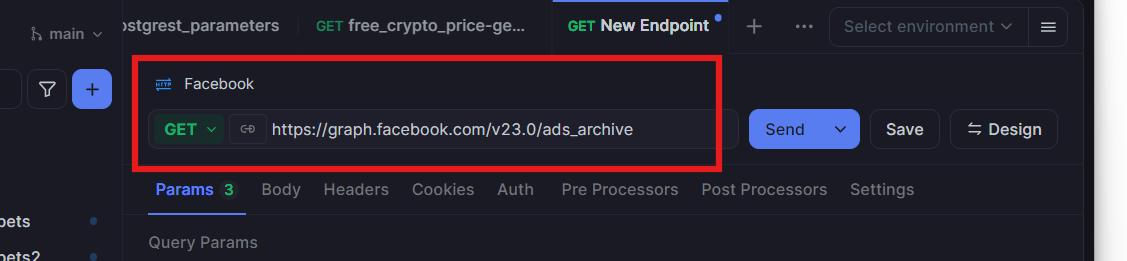
2. Under query parameters, add parameters like search_terms, ad_reached_countries, fields, and access_token.
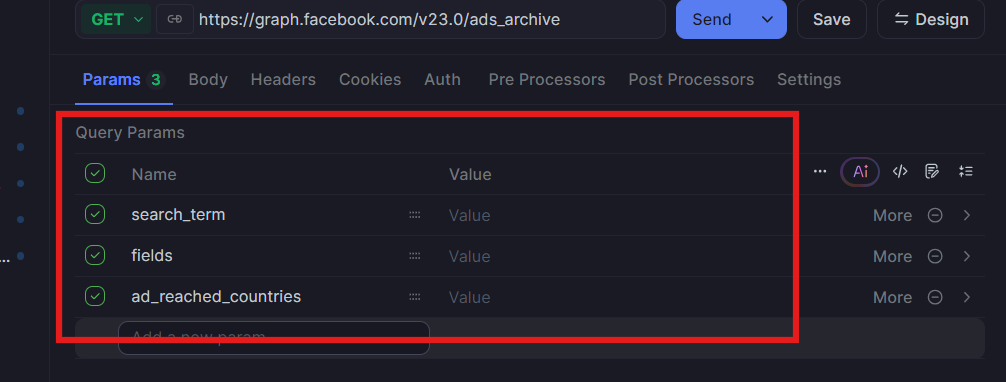
3. Hit “Send” — Apidog will fetch the data and show you the JSON response in structured form.
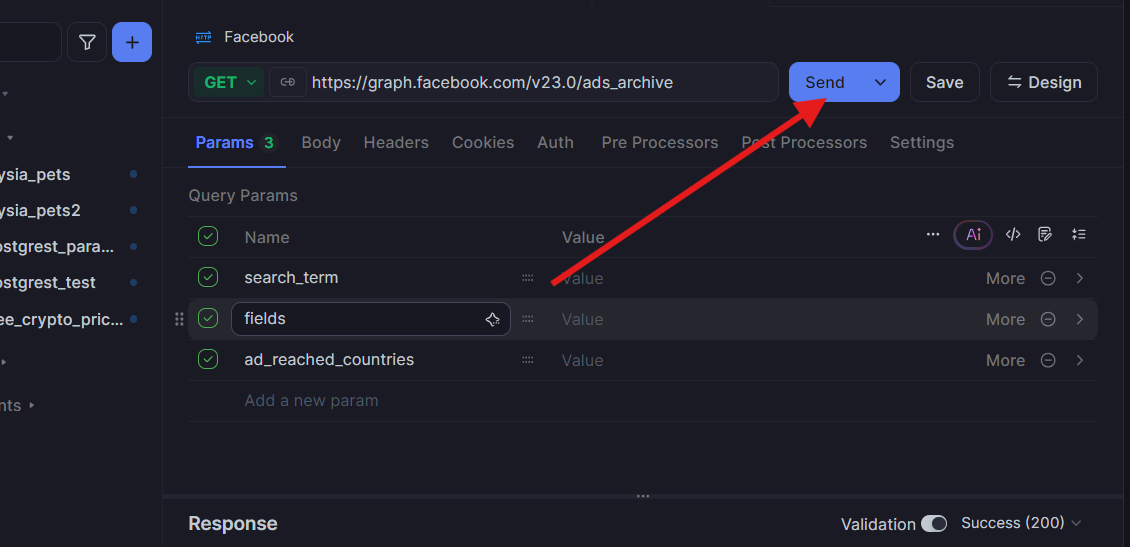
4. You can experiment with multiple parameter combinations, test pagination, and even save example responses for documentation or analysis.
This approach is especially useful for quick ad-data exploration, testing search queries, and building integrations without writing full code.
Frequently Asked Questions
Q1. Do I need a special Ad account or business account to use the Facebook Ad Library API?
No — a verified Meta account is usually sufficient. However, you must register a Meta Developer App and obtain an access token with the appropriate permissions (e.g. ads_read, ads_archive). Some users need to complete identity verification for full access.
Q2. Can I get data for any ad (not just political or social-issue ads)?
Yes — the API supports general ads (not only SIEP). You can use ad_type=all (or omit the filter) depending on region and ad availability.
Q3. How many ads can I retrieve in a single request?
By default, the API returns a limited number of ads per request (pagination). To retrieve more, you need to iterate through pages using the paging cursor provided in the response.
Q4. Can I access ad creatives (images, videos) via the API?
You get ad_snapshot_url or similar fields that link to the ad’s creative preview. However, Meta doesn’t always provide direct media files — fetching actual images or videos might require additional steps.
Q5. Is there a way to automate data retrieval and avoid token expiration issues?
Yes — you can generate long-lived tokens in the Meta developer tools or set up a backend system that periodically refreshes tokens. For large-scale data retrieval, combining token-management with pagination loops is common. Always store tokens securely.
Conclusion
The Facebook (Meta) Ad Library API provides a powerful, structured gateway to ad data — enabling developers, marketers, researchers, and analysts to programmatically search, collect, and analyze ad campaigns across Meta’s platforms. Using it, you can build dashboards, run competitive analysis, perform transparency research, or aggregate ad creatives at scale.
By setting up a Meta developer app, obtaining a proper access token, and making requests to the /ads_archive endpoint — optionally testing through tools like Apidog — you can unlock a wealth of ad-library data. While there are limitations (permissions, rate-limits, pagination, media retrieval), the benefits often outweigh the work.
For anyone needing public ad data from Facebook/Meta — the Ad Library API is a valuable, official, and flexible option.
Want an integrated, All-in-One platform for your Developer Team to work together with maximum productivity?
Apidog delivers all your demands, and replaces Postman at a much more affordable price!