Claude Sonnet 4.5 has become one of the most capable AI coding models available—especially when paired with Claude Code, Anthropic’s AI-enabled coding interface and terminal tool. Whether you’re building software agents, refactoring modules, generating tests, or debugging complex systems, Sonnet 4.5 in Claude Code supercharges your workflow.
This guide dives into the real-world how-to: setting up Claude Code, selecting the Sonnet 4.5 model, running real prompts, and optimizing workflows—all from your terminal. We’ll also evaluate the content against modern metrics and highlight where Apidog fits into API-centric toolchains.
What Are Claude Sonnet 4.5 and Claude Code?
Before shelling out commands, it helps to clarify the tools being discussed:
- Claude Sonnet 4.5 is Anthropic’s top-tier coding LLM, trained for deep reasoning, advanced code generation, and sustained context across long engagements. It achieves state-of-the-art results on coding and agentic benchmarks.

- Claude Code is the companion tool that brings Sonnet 4.5 into your CLI, your editor, and your integrated workflows. Version v2.0 adds searchable prompt history, rollback checkpoints, VS Code integration, and checkpoint rewind features—great for iteration and experimentation.
Prerequisites: Dev Environment Essentials
This guide assumes:
- You already have Node.js + npm installed (for CLI tool installation)
- An Anthropic account with API access
- Familiarity with navigating terminals and managing environment variables
Step 1 — Install or Update Claude Code
To install Claude Code globally:
npm install -g @anthropic-ai/claude-code
If you already have it, update to the latest release (v2.x+):
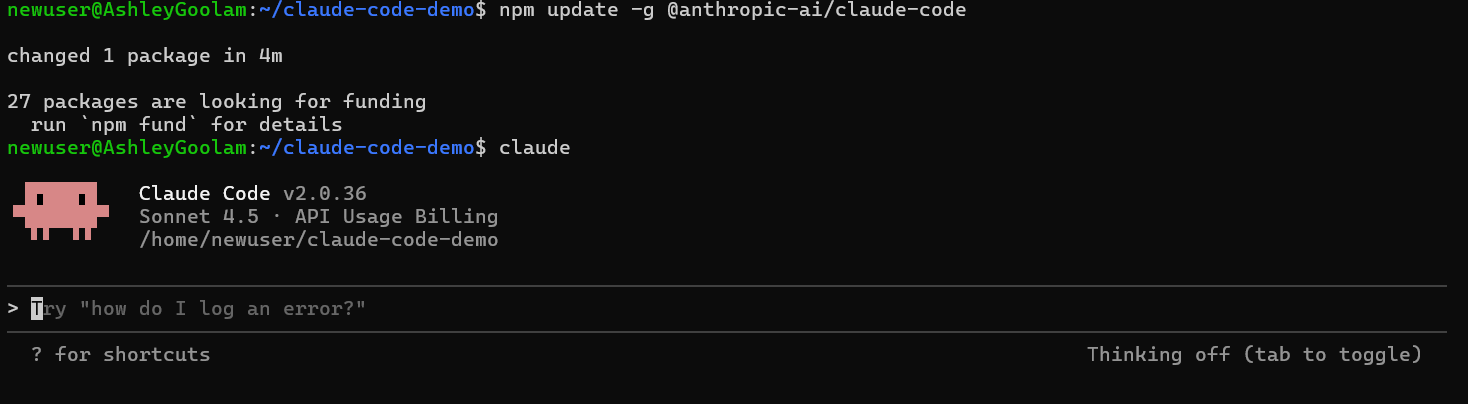
npm update -g @anthropic-ai/claude-code
Verify your version:
claude --version
Expect a version ≥ 2.0.
Step 2 — Initialize Claude Code
Launch Claude Code directly from the terminal:
claude
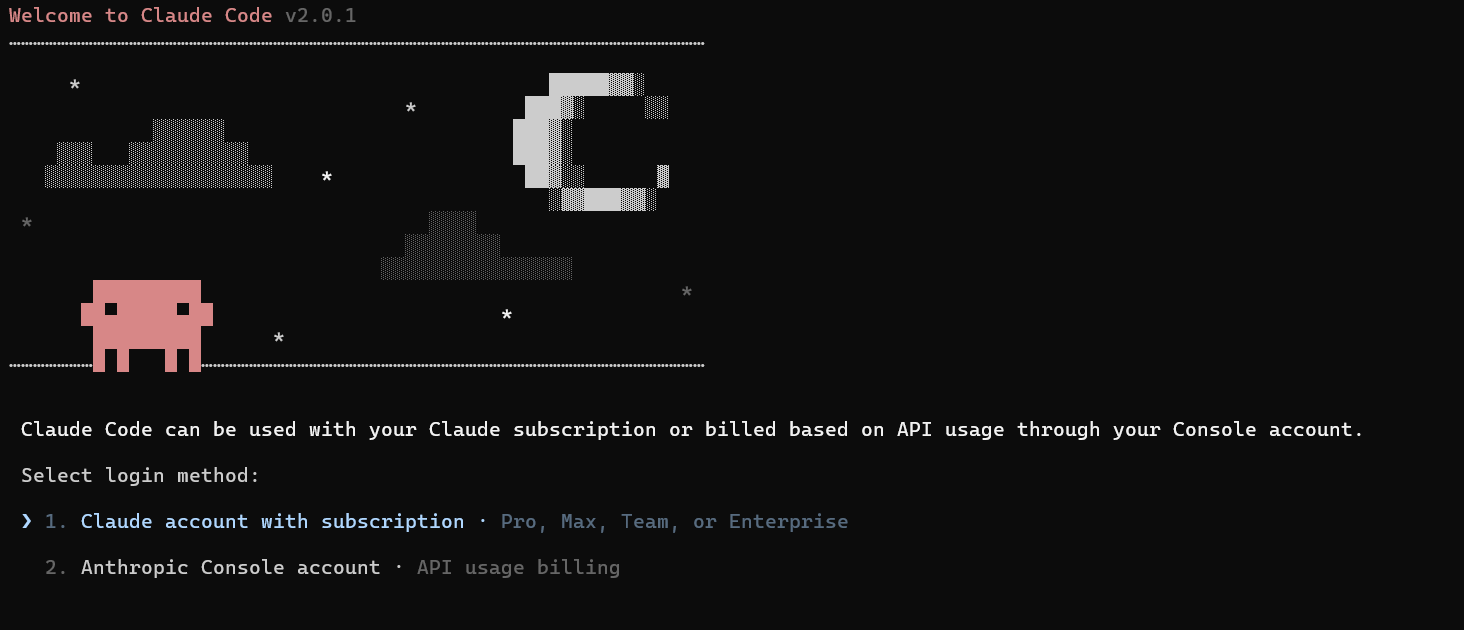
On first run, you’ll be prompted to:
- Select a theme (
dark,light, etc.) - Authenticate via an Anthropic account or paste in your API key from the Anthropic Console
Tip: Using API key authentication lets you track token usage and billing cleanly.
Step 3 — Select the Sonnet 4.5 Model
In the running CLI session, list models:
/models
You should see entries like:
claude-opus-4-1claude-sonnet-4claude-sonnet-4-5(the model we’re targeting)
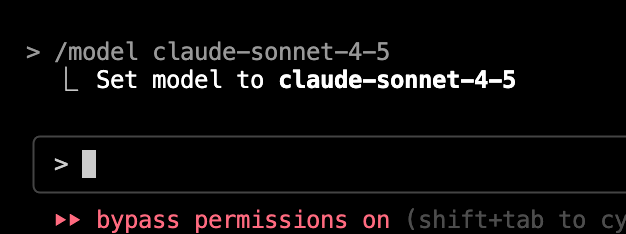
Set it as active:
/model claude-sonnet-4-5
If the string slightly differs (e.g., claude-sonnet-4-5-20250929), use that exact tag instead.
You’ll get confirmation back like:
Model set to claude-sonnet-4-5
Step 4 — Interact With Claude Sonnet 4.5
Now that Sonnet is selected, you can prompt directly:
claude
Once inside the session, try prompts like:
Write a Python function to sort a list of dictionaries by key "priority".
Or, for real use cases:
Generate unit tests for my Express.js API endpoint.
The model’s wide context window (up to ~200K tokens) means it can reason across entire repositories with fewer cutoff issues. (ClaudeLog)
Example Response (Generated Code)
import fetch from 'node-fetch';

async function fetchData(url) {
  try {
    const response = await fetch(url);
    if (!response.ok) throw new Error(`Status ${response.status}`);
    return response.json();
  } catch (err) {
    console.error('Fetch error', err);
    return null;
  }
}

export default fetchData;
This demonstrates Sonnet 4.5’s clear async handling and error checks.
Step 5 — Advanced Claude Code Features
Searchable Prompt History
Hit:
Ctrl + R
to search past prompts you’ve issued—ideal for iterative improvement.
Conversation Rewind
Use:
/rewind
to step back to a checkpoint before major operations. This can save hours of corrective work.
Subagents and Workflows
You can issue meta-commands like:
Split this into backend and frontend tasks.
Sonnet 4.5 will dispatch sub-agents to handle partitioned workflows—like having a micro-team inside your terminal.
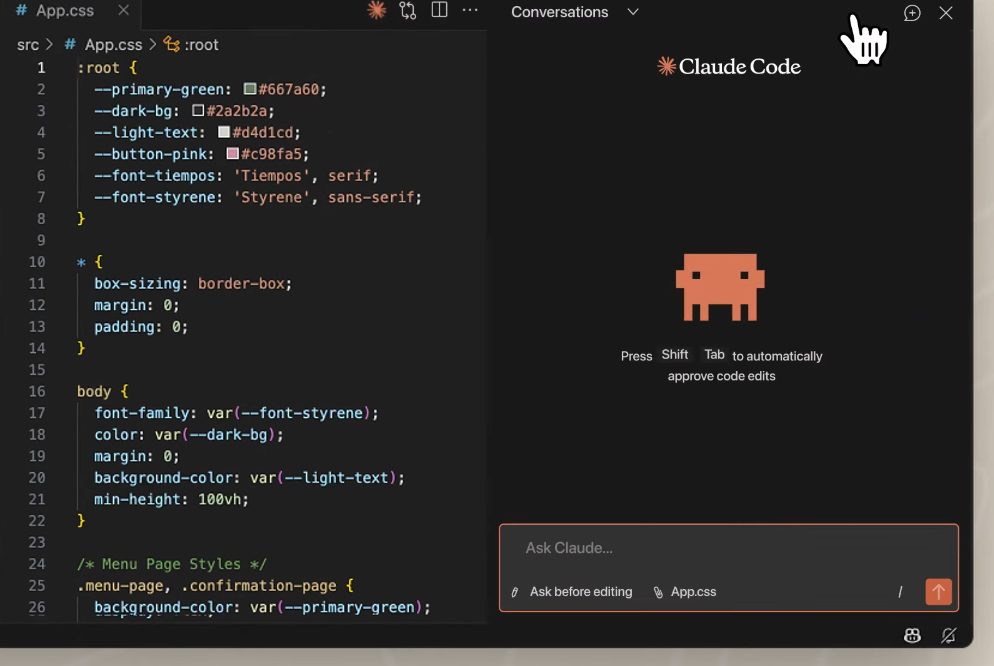
VS Code Native Extension
Install the VS Code extension to:
- Get inline diffs
- See real-time model suggestions
- Browse change lists from prompts
This tight integration brings the CLI model into your editor.
Step 6 — Token Usage and Cost Control
Sonnet 4.5 pricing is typically:
- $3/input million tokens
- $15/output million tokens
With discounts available through prompt caching and workspace configs. Watching token consumption will keep bills predictable.
You can monitor usage via the Anthropic Console.
Where Apidog Fits In (API-Focused Assistant)
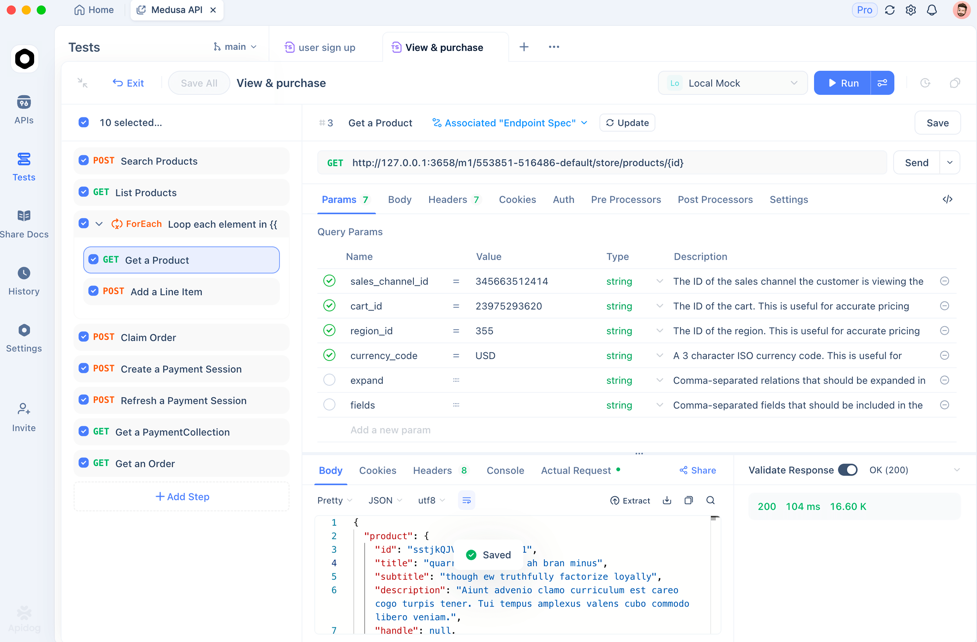
While Claude Code and Sonnet 4.5 help you generate and reason about code, API behavior is a separate dimension that can’t be fully validated purely in text.
Apidog complements this by providing developers with:
- Automatic API test case generation
- API contract validation
- Integrated API testing dashboard
This is especially useful when you’re generating API handlers or client code using Sonnet 4.5—validate the resulting endpoints with Apidog’s test suite. You can get started for free and integrate API checks into CI/CD with your existing CLAUDE workflows.
Frequently Asked Questions
Q1. Do I need an API key to use Sonnet 4.5 in Claude Code?
No—Sonnet can run through your interactive account—but API keys help with billing and automation.
Q2. Can Claude Code execute snippets it generates?
Yes—Claude Code now supports inline code execution for many languages within sessions.
Q3. How does Sonnet 4.5’s context compare to other models?
Its 200K token window is significantly larger than prior Claude versions and many competitors.
Q4. Is Sonnet 4.5 always the best choice?
Not always—As discussed on the Reddit community, it’s a strong generalist, but for extremely large reasoning tasks, Opus or other models might still be relevant.
Q5. Can Claude Code integrate with GitHub or remote repos?
Yes—recent updates let you connect repositories and automate PR workflows.
Conclusion
Integrating Claude Sonnet 4.5 with Claude Code gives developers an exceptionally powerful, terminal-first AI coding experience—whether you’re generating tests, writing modules, or crafting full services. Combined with features like rewind, prompt history, and VS Code integration, it’s a modern, flexible setup for AI-assisted development.
To round out your workflow—especially around APIs—pair this with Apidog for automated API testing, documentation, and contract validation. Get started with Apidog for free to keep your backend and API stable as you innovate with AI.