
Modern workflows increasingly rely on intelligent automation for document processing, whether you’re building ingestion pipelines, automating analysis, generating structured artifacts, or transforming binary formats. Instead of writing brittle scripts or ad-hoc pipelines, Claude Code Skills provide reusable, structured, and context-aware capabilities that let Claude handle document formats consistently and efficiently.
In this guide, we’ll dive deep into what Claude skills are, how to install and activate them across Claude platforms, and then explore the document processing skills curated in the Awesome Claude Skills repository, explaining how they work, how to integrate them, and when to use them in real development workflows.
What Are Claude Code Skills?
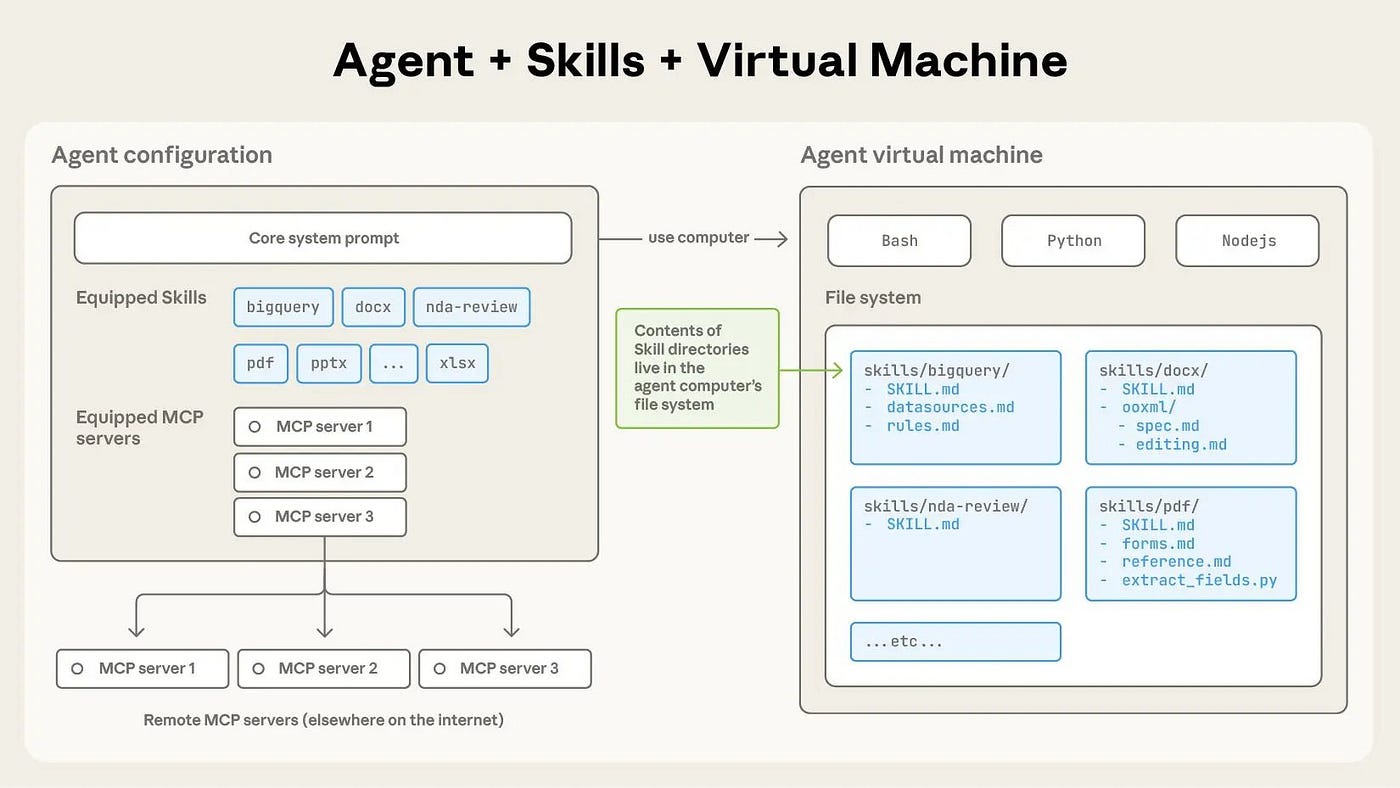
Claude Code Skills are modular, reusable workflows defined by a SKILL.md file that teach Claude how to perform specific tasks repeatably and reliably. Instead of rewriting a long prompt every time, you use skills to inject structured instructions into Claude’s reasoning process. Skills are:
- Portable across platforms (Claude.ai, Claude Code CLI, API)
- Context-aware (loaded only when relevant)
- Efficient (metadata loaded first, detailed instructions loaded later)
- Composable (multiple skills can be active simultaneously)
In practice, skills enable Claude to handle complex file formats like Word documents, PDFs, slides, and spreadsheets with precision—helping developers build document automation into their applications, code pipelines, or assistant workflows.
How to Add Claude Skills
Claude supports skills in three main environments. Here’s how to install and activate them.
In Claude.ai
- Open Claude.ai and go to Settings → Capabilities
- Enable Skills
- Browse available skills or upload custom ones
- Once installed, Claude automatically loads relevant skills when you ask a matching task
In Claude Code (CLI)
To use skills inside Claude Code:
mkdir -p ~/.config/claude-code/skills/
cp -r /path/to/skill-dir ~/.config/claude-code/skills/
Then start Claude Code:
claude
Claude Code detects available skills and selectively applies them based on your prompt content.

Via Claude API
Using skills through the API lets you automate document tasks from your applications or backend workflows:
import anthropic

client = anthropic.Anthropic(api_key="YOUR_API_KEY")

response = client.messages.create(
    model="claude-3-5-sonnet-20241022",
    skills=["docx","pdf","pptx","xlsx"],
    messages=[{"role": "user", "content": "Extract all tables from this PDF"}]
)
This instructs Claude to activate the appropriate document processing skill(s) during the conversation.
Claude Code Skills for Document Processing
From the Awesome Claude Skills community and official sources, there are several high-impact skills related to document processing:
- docx – Word document creation, editing, and analysis
- pdf – PDF manipulation, extraction, merging, forms
- pptx – PowerPoint presentation handling
- xlsx – Spreadsheet creation and data analysis
- Markdown to EPUB Converter – Convert markdown to professional ebooks
Let’s break down each of these in depth.
1. docx: Word Document Creation & Editing
What It Does
The docx skill enables Claude to:
- Create new
.docxfiles from structured input - Edit existing Word documents
- Extract text with formatting and metadata
- Preserve tracked changes and comments
- Generate templates and structured sections
Why It Matters
Word documents are ubiquitous in enterprise workflows: reports, proposals, legal agreements, specifications, meeting minutes, and more. Using an AI skill for .docx tasks helps developers avoid fragile scripting and instead rely on a structured workflow that respects formatting, comments, and change history.
How to Use docx Skill
CLI Example
- Copy the skill folder:
- Ask Claude Code:
cp -r awesome-claude-skills/docx ~/.config/claude-code/skills/
Using the docx skill, generate a technical design document outline with section headers and placeholders.
Claude loads the docx skill and produces a properly structured docx output.
Integration Use Cases
- Automated report generation in CI workflows
- Regeneration of documented APIs after code changes
- Content pipelines that produce contract or spec outputs from structured data
2. pdf: PDF Manipulation & Extraction
What It Does
The pdf skill is one of the most powerful parts of the document stack. It lets Claude:
- Extract raw text and cleanly separate tables
- Annotate and merge PDFs
- Handle form fields and fill data
- Split or combine documents
- Extract metadata and structural elements (GitHub)
Why It Matters
PDFs are hard to parse reliably due to their binary nature and varied internal structures. A dedicated skill lets Claude operate at a higher semantic level: you get structured results instead of fragile text dumps.
Practical Workflows
Automated Data Extraction
Extract all table data from attached PDF forms and output as CSV-ready text.
This command triggers the PDF skill to parse content and return structured tabular data—ideal for analytics pipelines or database ingestion.
Workflows Enabled
- Invoice or financial report ingestion
- Academic paper data extraction
- Compliance document analysis
- OCR workflows with text + form extraction
3. pptx: Presentation Creation & Editing
What It Does
The pptx skill lets Claude:
- Automate creation of slide decks
- Edit layouts, text, and placeholders
- Manipulate charts and templates
- Add speaker notes or annotations
Why It Matters
Automating slide generation is a common need when your codebase or script must produce polished presentations—e.g., quarterly reviews, onboarding decks, training materials.
Practical Integration
- Ask Claude Code:
Use the pptx skill to generate a product roadmap presentation with:
- Title slide
- Goals
- Milestones
- Timeline chart
2. Claude produces a .pptx file with structured slides.
Use Cases
- Automated meeting slides
- Report visualizations from data pipelines
- Consistency across teams with branded templates
4. xlsx: Spreadsheets & Data Analysis
What It Does
The xlsx skill transforms Claude’s ability to:
- Create and edit
.xlsxfiles - Add formulas, tables, and formatting
- Analyze data and produce visualizations
- Extract data for programmatic use
Why It Matters
Spreadsheets are still the lingua franca of business data. This skill lets Claude become a data engineer’s ally in generating dashboards, reports, and structured summaries directly from code or prompts.
Practical Example
Use the xlsx skill to generate a quarterly sales spreadsheet with formulas and a pivot table summarizing revenue by region.
Claude returns a fully formatted spreadsheet with formulas embedded—saving hours of manual Excel scripting.
5. Markdown to EPUB Converter
This specialized skill lets Claude convert markdown documents into EPUB e-books, enabling delivery of structured content in a publication format. It’s less about raw data and more about producing professional deliverables.
Apidog: Complementing Claude Document Workflows
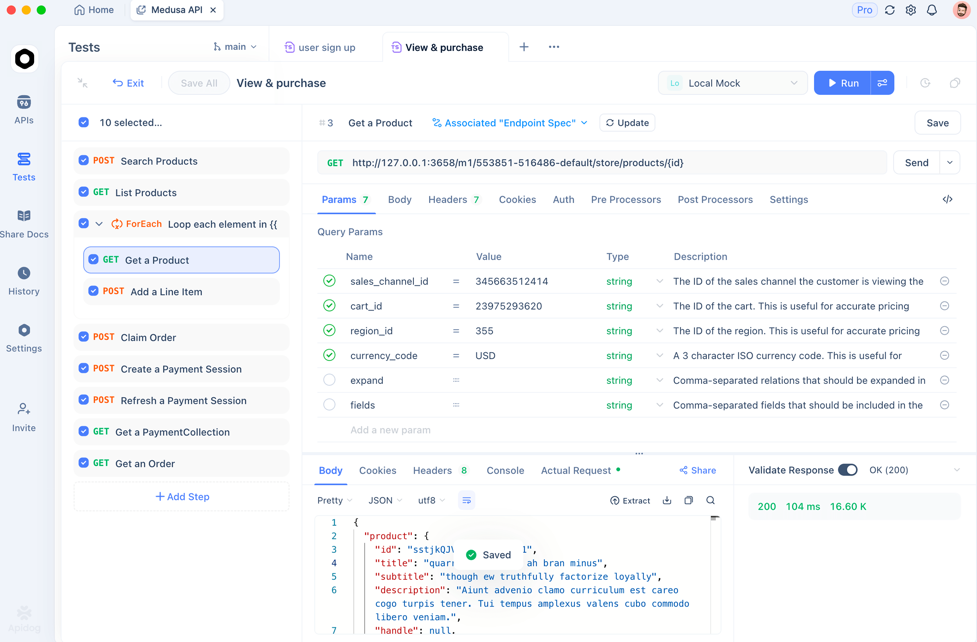
While Claude handles intelligent document processing, Apidog ensures your API endpoints and backends behave reliably when part of broader automation systems.
Developers can use Apidog to:
- Test backend services that provide document sources
- Generate API test cases for document ingestion workflows
- Verify API contract compliance before automation runs
- Integrate into CI/CD pipelines for regression safety
Apidog is free to start and fits seamlessly into workflows where Claude combined with document skills forms part of production systems.
Frequently Asked Questions
Q1. What are Claude Code skills for document processing?
They are structured workflows that teach Claude how to handle complex file formats—like Word, PDF, PowerPoint, and Excel—repeatably and reliably.
Q2. Do I need to install skills manually?
Yes, you can install them in Claude.ai, manually in Claude Code, or reference them via API.
Q3. Can these skills handle large datasets?
Yes—especially the xlsx and pdf skills, which are designed to manipulate large data sets and extract structure.
Q4. Are skills automatically activated?
Claude selects and loads skills contextually when your prompt matches their domain.
Q5. Can I create my own document processing skills?
Absolutely—using the template structure (SKILL.md with YAML frontmatter and scripts).
Conclusion
Claude Code Skills for document processing unlock powerful automation for .docx, .pdf, .pptx, and .xlsx workflows—making Claude a reliable backend partner for tasks that used to require brittle scripting or external tools.
Whether you’re analyzing large reports, extracting structured text and tables, generating corporate slide decks, or building integrated data pipelines, these skills let Claude operate at a level suited for production use. Coupled with Apidog for backend API testing and integration reliability, you can build end-to-end document automation workflows with confidence.