Stay ahead in AI-powered development—explore how Claude Skills and Claude Code Skills can automate and standardize your workflows, save time on repetitive tasks, and supercharge productivity for technical teams.
💡 Looking for a better API testing platform that generates stunning API Documentation, streamlines team collaboration for maximum productivity, and offers more value than Postman? Try Apidog—built for developers who demand efficiency.
What Are Claude Skills & Claude Code Skills?
Claude Skills are modular, self-contained components introduced by Anthropic to let you package instructions, scripts, and resources for repeatable, specialized tasks. Think of them as reusable blueprints—whether you’re generating reports, automating compliance, or integrating with tools like Notion or Canva, Skills let you invoke expert-level workflows instantly within Claude’s ecosystem.
Claude Code Skills extend this power to the terminal. They’re tailored for code-centric tasks—like automated linting, architecture diagram generation, or running code refactors—by leveraging secure sandboxes and features like the Code Execution Tool and Model Context Protocol (MCP).
Key Benefits for Developers:
- Consistency: Standardize processes—no more lengthy, repeated prompts.
- Speed: Automate tasks like code audits, document generation, or design handoffs.
- Security: Isolated execution prevents risky operations.
- Portability: Skills work across Claude’s chat, API, and terminal-based Claude Code.
- Composability: Combine multiple skills—e.g., brand guidelines + financial reporting—for custom outputs.
Why Should API & Backend Teams Care?
For API developers, backend engineers, and QA leads, Claude Skills mean less manual repetition and faster onboarding. You can:
- Automate documentation and compliance tasks.
- Standardize code reviews or testing pipelines.
- Integrate with design (Figma), finance (Stripe), or other APIs via conversational triggers.
- Reduce errors and ensure uniform output across your team.
Teams on paid Anthropic plans have reported productivity gains of 35–50% by leveraging Skills for iterative improvements and secure, repeatable code operations.
How to Create and Use Claude Skills: A Step-by-Step Guide
Getting Started:
You’ll need a Claude Pro plan (or higher) and “code execution and file creation” enabled.
1. Start Skill Creation in Claude Chat
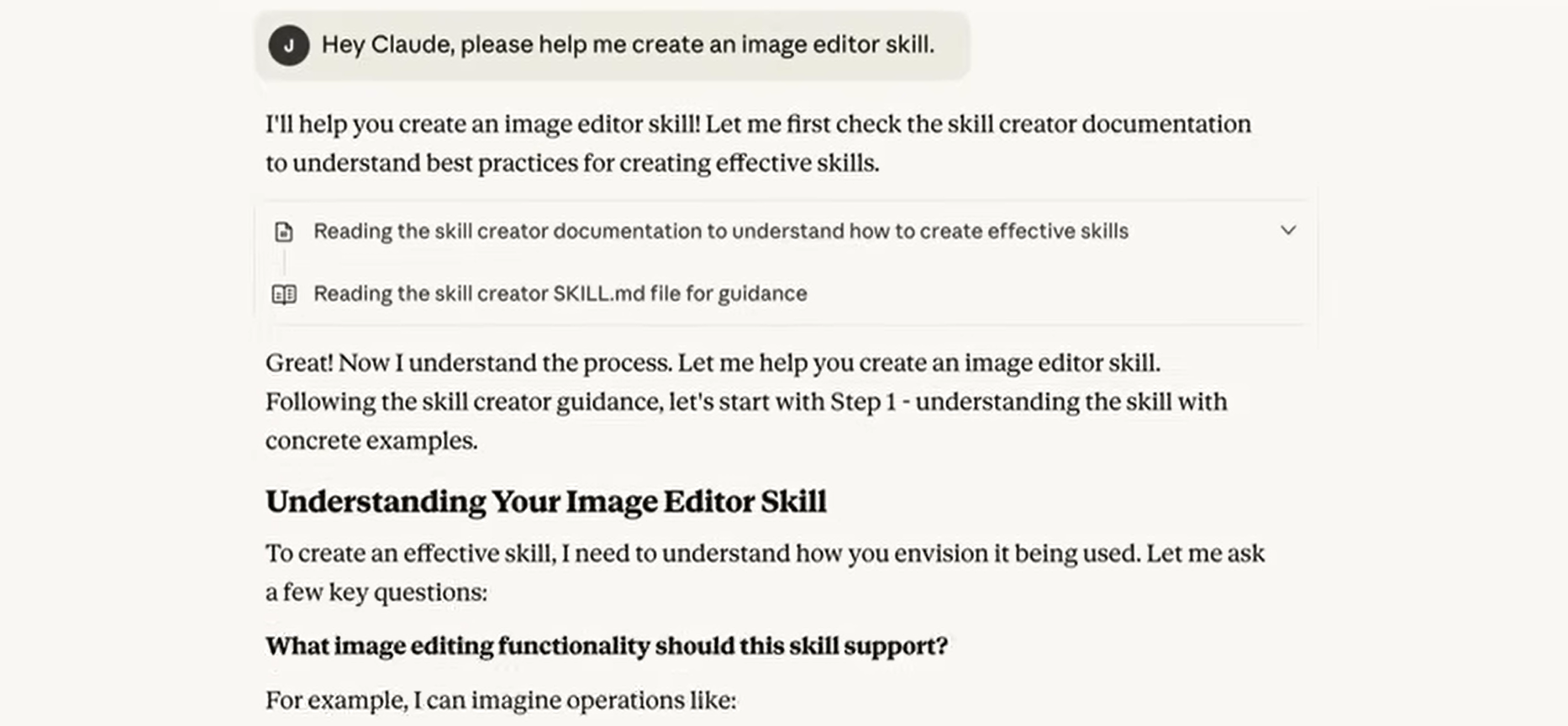
Open Claude.ai and prompt:
Hi, help me create an image editor skill.
Claude will outline the skill structure, generate scripts (e.g., using Python’s Pillow for image processing), and create a draft folder.
2. Refine Your Skill
Iterate with requests:
- “Add standard rotations and cropping to center.”
- “Support PNG and JPG formats.”
Claude updates the README and scripts. Review changes in the chat preview.
3. Download & Upload the Skill
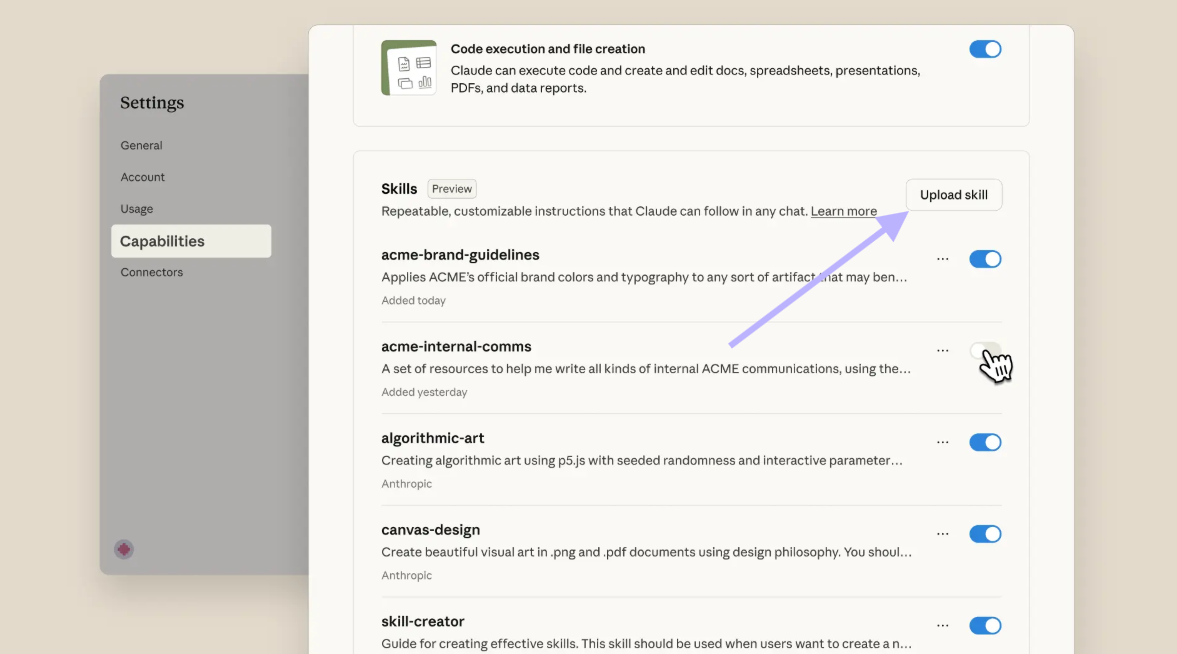
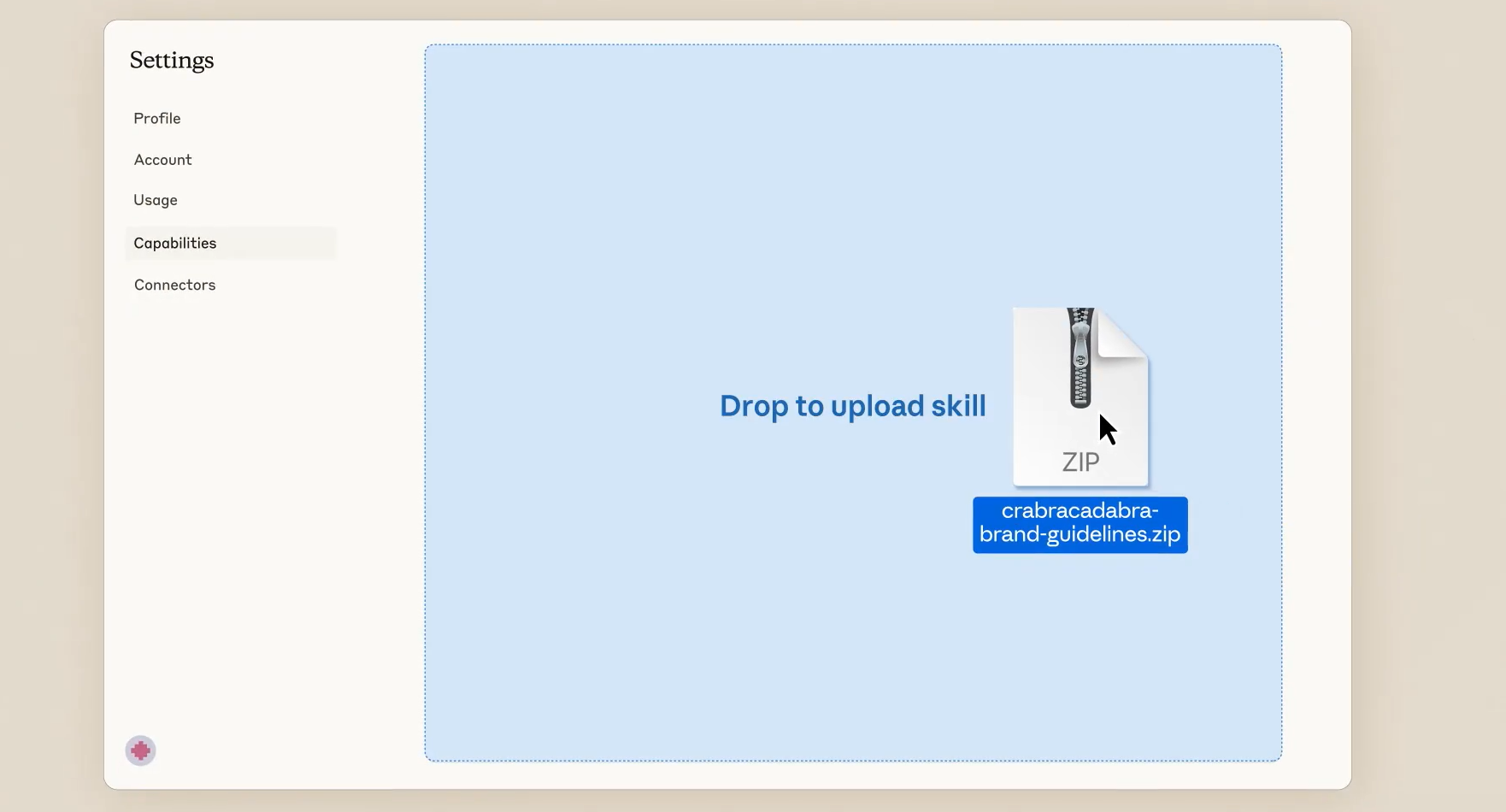
Once ready, Claude packages your Skill as a ZIP. In the left sidebar, go to “Capabilities”—or drag and drop the ZIP into the upload area. Claude validates and installs it.
4. Activate & Use Your Skill
Prompt:
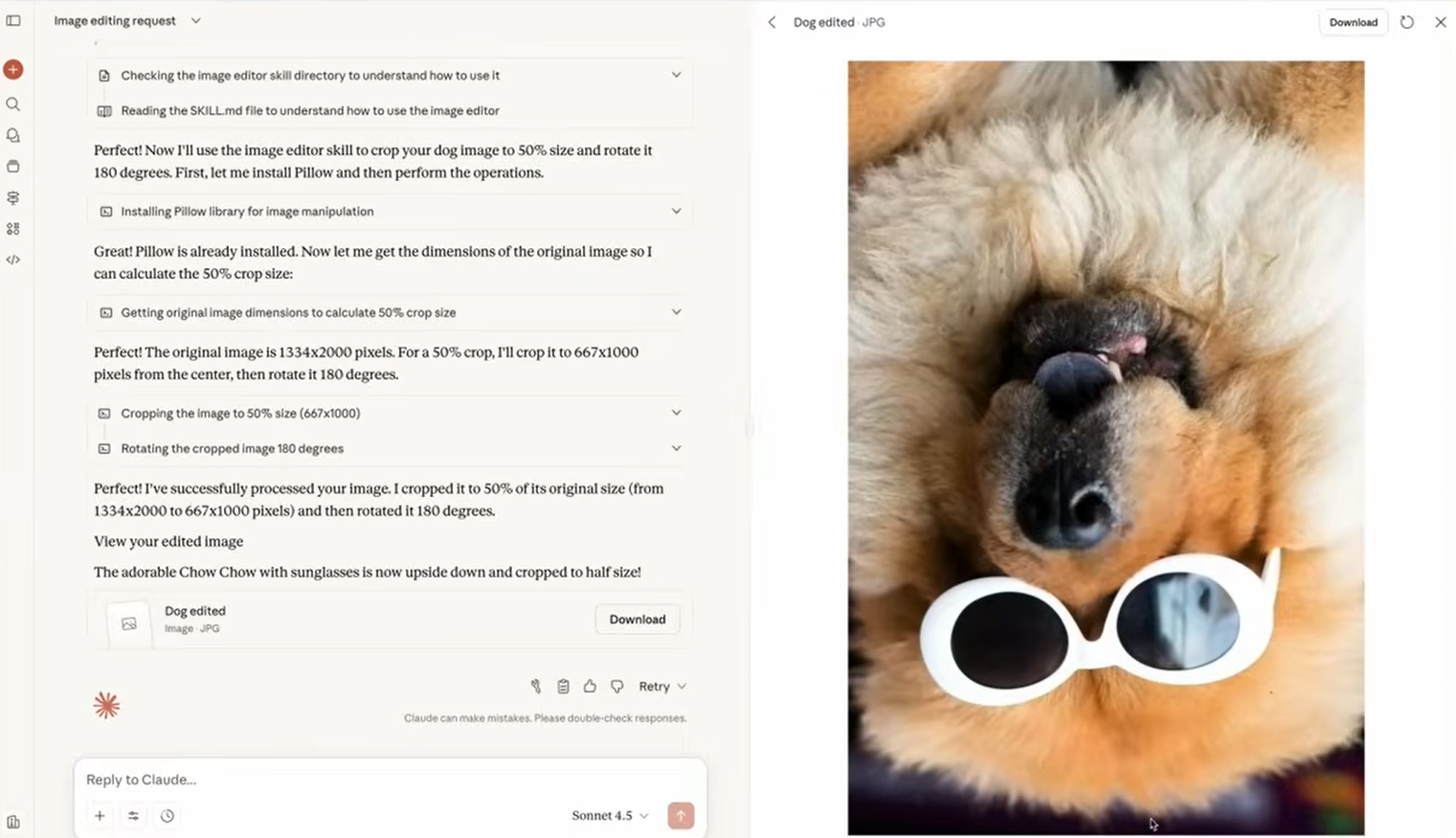
Use the new image editor skill to crop this image by 50% and rotate it 180 degrees.
Upload an image; Claude executes the skill and delivers the edited file with a step-by-step breakdown.
Total time: 10–15 minutes, no deep coding expertise required.
Using Claude Skills in the Terminal with Claude Code
For code-heavy workflows, Claude Code lets you apply and extend skills directly in your project environment.
1. Install Pre-Built Skills
- Launch Claude Code in your project folder.
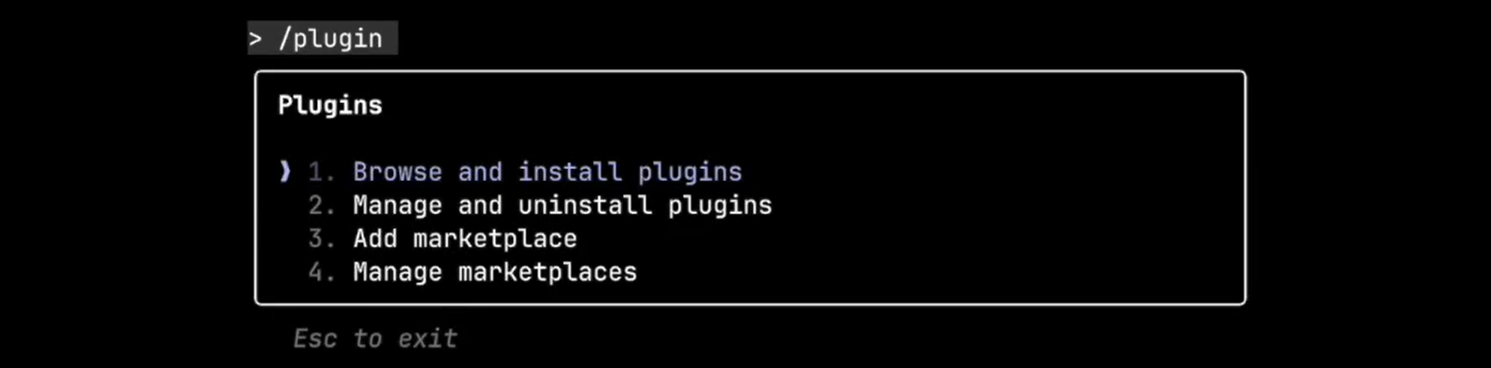
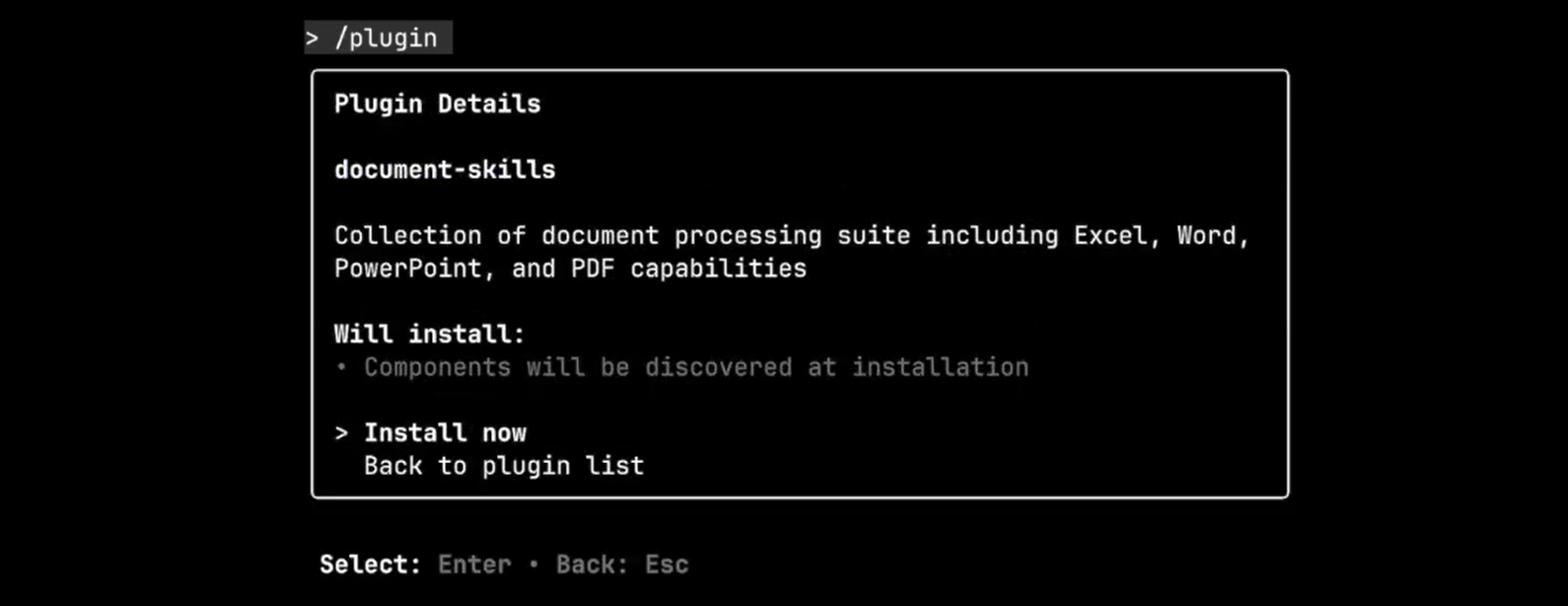
- Type
/pluginsto access extensions.
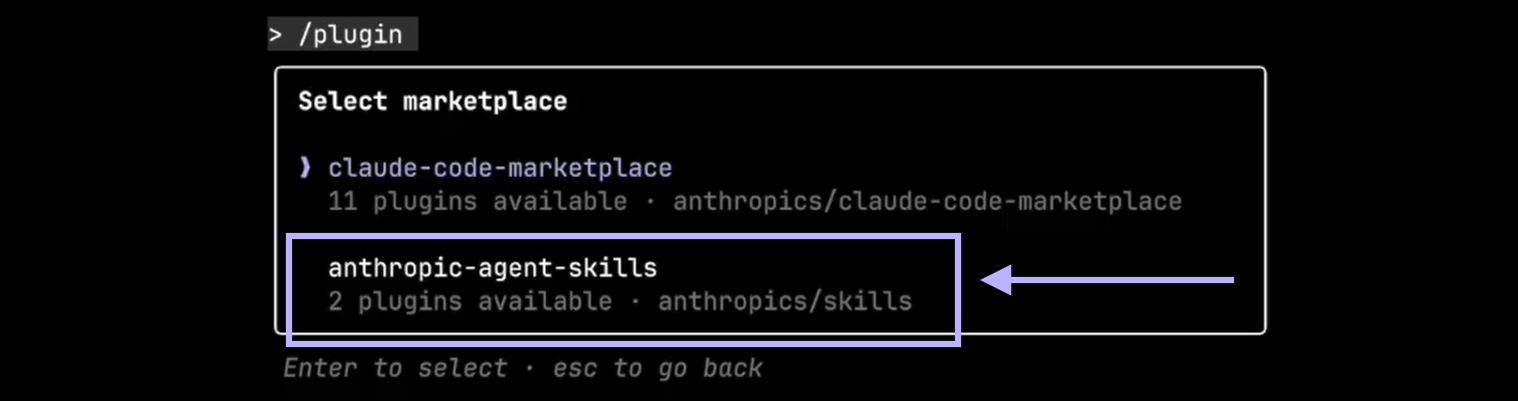
- Select “Anthropic Agent Skills,” choose “document-skills” (for file generation) or “example-skills.”
- Click “Install Now” to register the skills.
2. Use a Skill in Your Coding Session
Prompt:
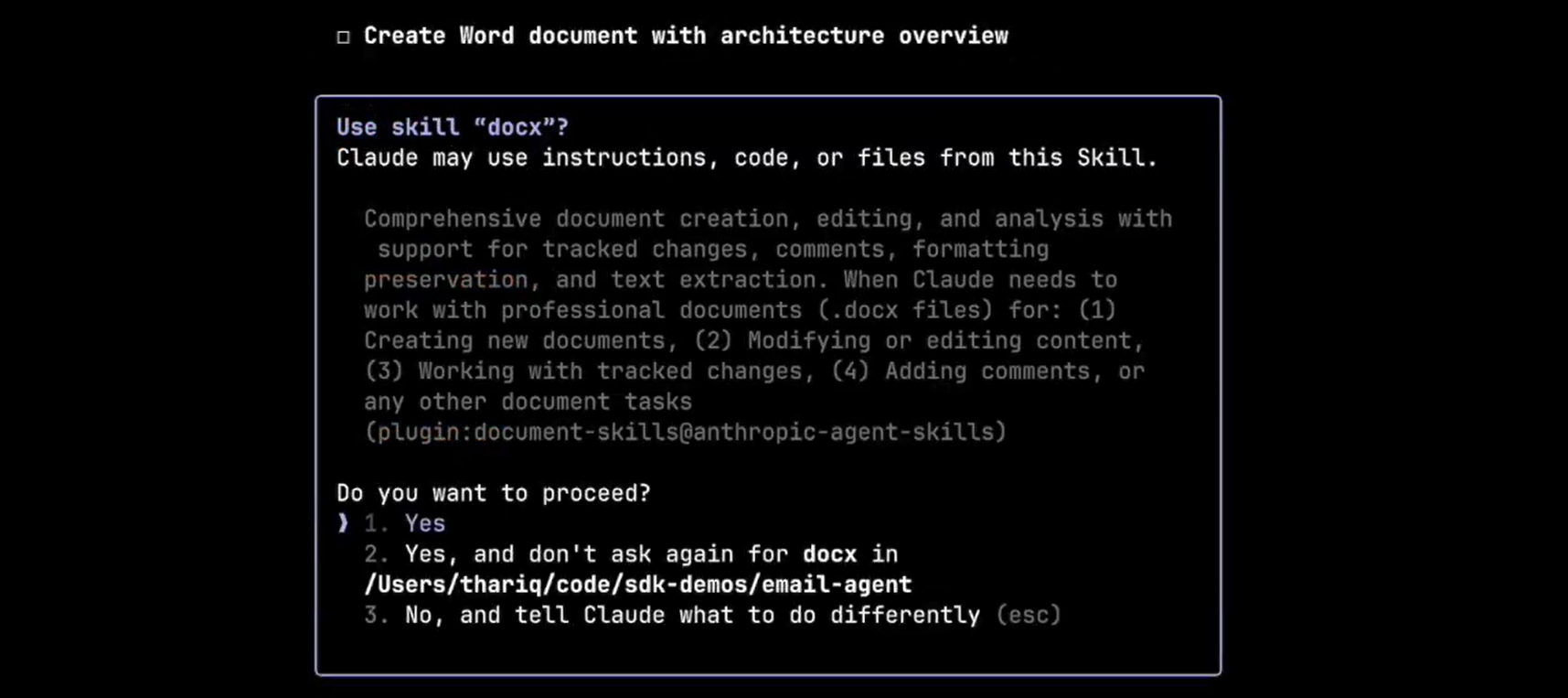
Can you make a Word document summarizing the architecture of this codebase?
Claude will analyze your files and invoke the appropriate skill (e.g., "docx" from document-skills), outputting a structured .docx report.
3. Customize & Reload
Edit skill folders (e.g., add templates or logic) and reload with /reload-skills. Claude Code Skills integrate with your repo for READMEs, test reports, and more.
Real-World Example: Automated Report Generation
Imagine a developer who needs regular summaries of code changes:
-
In Claude Chat:
Prompt:Help me create a report generation skill for summarizing code changes.
Claude assembles a skill with a Python script (using GitPython), README, and Markdown templates. -
Refine:
“Add commit stats and PR links.”
Download the ZIP, upload via Capabilities, and use:
Summarize repo changes since last week.
Claude fetches, processes, and outputs a detailed report. -
In Claude Code:
Install “document-skills,” prompt for a codebase summary, and receive a .docx with visuals and structured analysis.
This bridges the gap between AI chat and code workflows—automate what matters, wherever you work.
Claude Subagents vs. Claude Skills: Key Differences
- Claude Subagents: Ephemeral mini-agents that handle dynamic, one-off tasks (e.g., researching an API in parallel).
- Claude Skills: Persistent, reusable modules for standardized workflows (e.g., formatting, compliance, integration).
Tip: Use subagents for ad hoc division of labor, but rely on Skills for repeatability and reliability. They complement each other for maximum efficiency.
Access & Pricing for Claude Skills
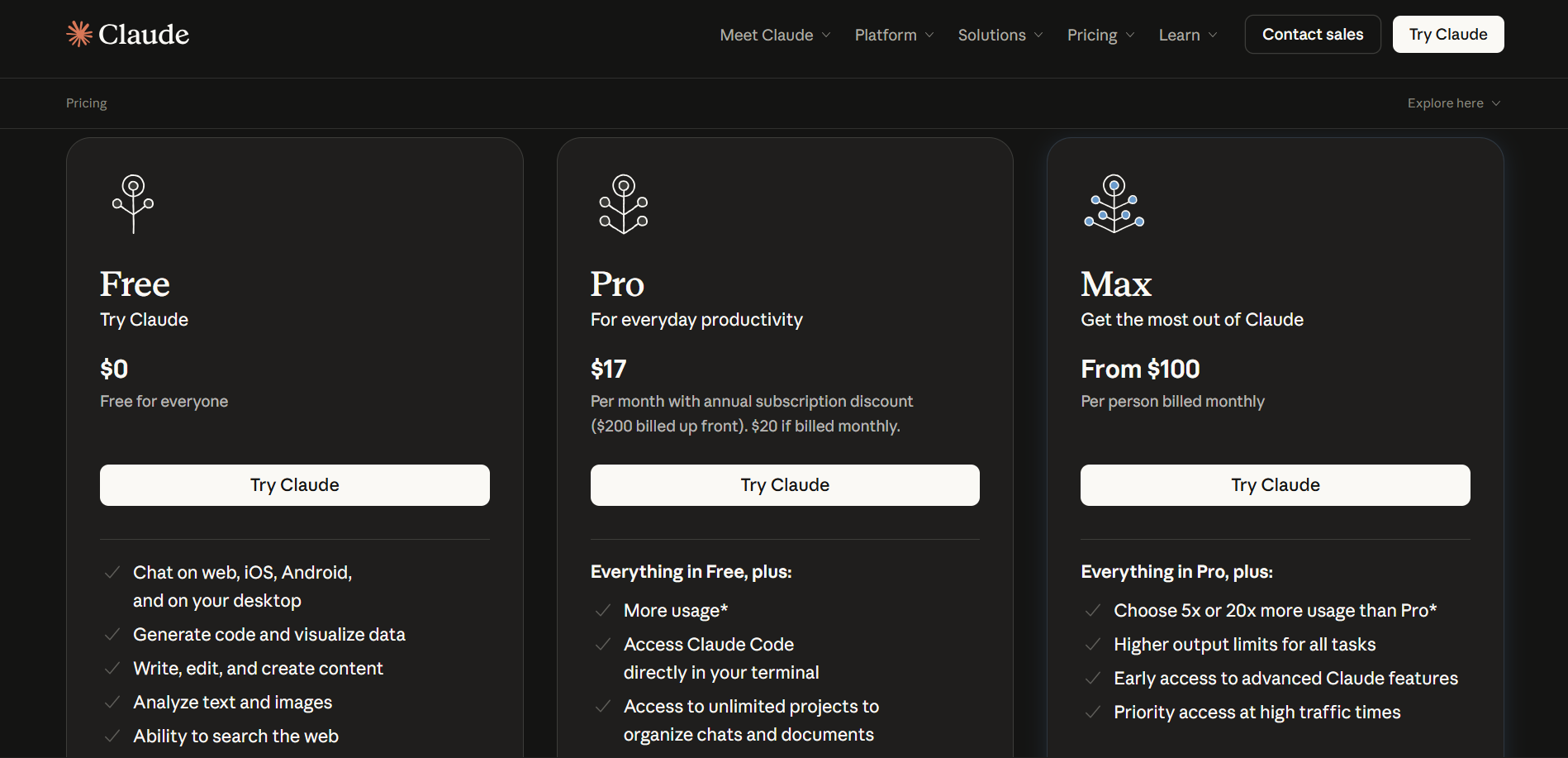
- Pro: $20/user/month—create and use custom Skills.
- Max/Team: $100+/user/month—advanced integrations, team sharing.
- Enterprise: Custom pricing—admin controls, large-scale deployment.
- Free: View pre-built Skills only; cannot create or execute custom ones.
Anthropic’s modular, tiered pricing ensures Skills scale with your needs and deliver ROI through time saved and errors prevented.
Conclusion: Transform Development with Claude Skills
Claude Skills allow API and backend teams to turn manual, error-prone work into automated, scalable solutions—directly within chat or code environments. From report generation to compliance automation, they make AI a practical, daily tool for developers.
Ready to streamline your workflow? Try integrating Skills into your next project. And if you need seamless API documentation, testing, or team collaboration, Apidog delivers everything your team needs in one place.
0