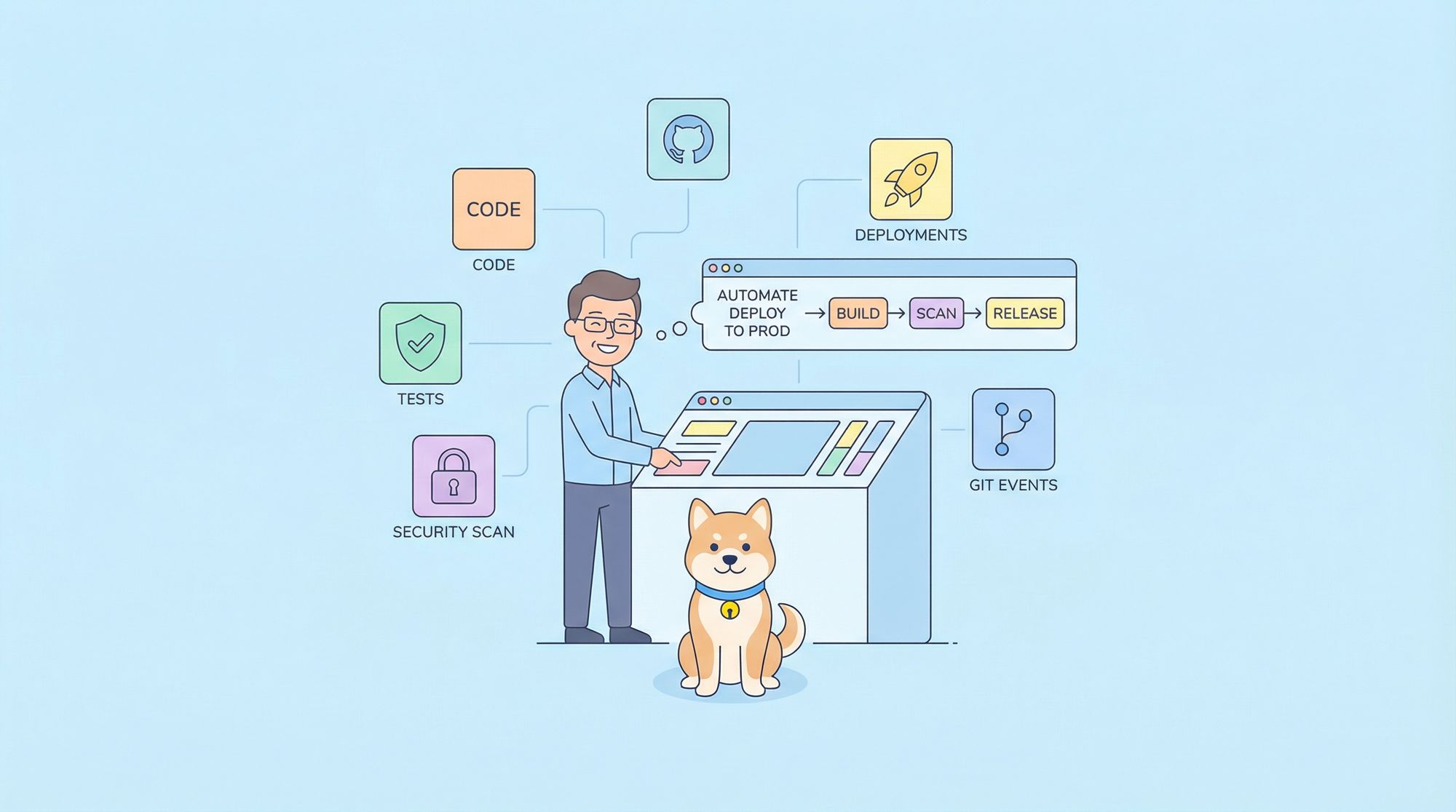
If you're tired of brittle test suites that break every time you refactor the UI, or flaky E2E tests that pass locally but fail in CI, Claude Code Skills offer a better way. These AI-powered workflows don't just write tests they execute them, debug failures, update broken selectors, and continuously adapt as your app evolves.
Testing web apps involves juggling unit tests, integration tests, component tests, E2E flows, and API contracts. Claude Code Skills automate all of it. You describe what users do, and Claude generates comprehensive test suites, runs them, fixes failures, and reports results. No brittle scripts. No manual maintenance. Just working tests.
What makes Claude Code Skills powerful for testing:
- Autonomous Execution: Writes, runs, debugs, and fixes tests without you retyping commands
- Framework Agnostic: Works seamlessly with Jest, Vitest, Playwright, Cypress, Puppeteer
- Intelligent Debugging: Analyzes test failures, suggests root causes, applies fixes
- UI-Aware: Detects DOM changes, updates broken locators, prevents selector fragility
- Full-Stack: Handles unit tests, mocks, E2E flows, and API validation in one session
Let's explore how to leverage Claude Code Skills for testing that scales.
Understanding Claude Code Skills for Testing
What Are Testing Skills?
Claude Code Skills are custom, reusable AI workflows that extend Claude Code's testing capabilities. Think of them as intelligent test runners that can:
- Execute complex multi-step test scenarios autonomously
- Make context-aware decisions about retry logic and timeouts
- Access files, run commands, analyze test output, and more
- Maintain state across test sessions
- Integrate with your existing testing frameworks and CI/CD tools
Unlike traditional test scripts that follow rigid logic, skills leverage Claude's reasoning to handle edge cases, suggest improvements, and adapt to changing conditions.
How Skills Work
Skills operate through several key mechanisms:
1. User-Invocable Commands
# Run a skill with a slash command
/run-unit-tests --coverage
/run-e2e-tests --env production
/fix-flaky-tests --retry 3
2. Allowed Tools
Skills specify which tools they can use:
Bash: Execute test commandsRead,Write,Edit: Manage test filesGlob,Grep: Search test patternsWebFetch: Retrieve test dataTask: Spawn sub-agents for complex test scenarios
3. Lifecycle Hooks
Skills can trigger actions at specific points:
SessionStart: When the skill beginsPreToolUse: Before running testsPostToolUse: After tests completeStop: When the skill ends
4. Planning Files
Skills maintain state using markdown files to track test progress, failures, and improvements.
Why Skills Excel at Web Testing
Traditional test scripts break easily when faced with unexpected conditions. Skills bring intelligence to testing:
- Contextual Understanding: Can read test output, understand failures, and suggest fixes
- Adaptive Behavior: Adjust to different frameworks, browsers, and environments
- Self-Documenting: Natural language instructions make test workflows transparent
- Error Recovery: Can diagnose flakiness and propose resilient patterns
- Continuous Improvement: Improve test coverage based on deployment patterns
Core Testing Capabilities
1. Dynamic Test Generation
Prompt: "Write E2E tests for a user checkout flow: add items, apply discount, pay, confirm order."
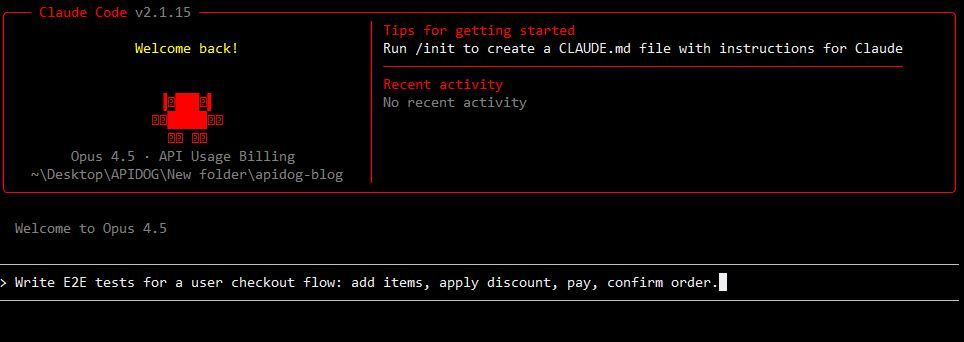
Claude generates:
// Complete Playwright spec with realistic assertions
// Cross-browser testing setup
// Screenshot capture on failures
// Performance assertions
Not scaffolding production-ready code.
2. Execution and Iteration
# In Claude Code session
> Run the checkout tests and fix any failures

# Claude does:
npm test -- checkout.spec.js
# Tests fail at payment step
# Claude analyzes the failure
# Updates mock endpoints
# Adds explicit waits
# Re-runs tests
# All green ✓
3. Framework Intelligence
React + Jest? Claude generates React Testing Library tests with fireEvent, waitFor, and screen queries.
Vue + Vitest? Uses mount, lifecycle hooks, and Vue-specific patterns.
Playwright? Generates cross-browser specs with resilient selectors.
Claude adapts to whatever framework your project uses.
4. Selector Resilience
When you refactor HTML, Claude knows:
// ❌ Brittle
getByXPath("//button[2]/span[1]")

// ✓ Resilient
getByRole('button', { name: /checkout/i })
getByTestId('checkout-button')
It suggests and applies resilient patterns automatically.
5. Mock and API Integration
Claude seamlessly combines:
- Frontend mocks (MSW) for isolated unit/integration tests
- API testing (Apidog) for contract validation
- Real backends for staging E2E tests
Single prompt: "Test the login flow. Mock the auth API. Verify the response matches the OpenAPI schema."
Testing Skill Anatomy
Directory Structure
Testing skills live in .claude/skills/ with this layout:
.claude/
├── skills/
│   ├── unit-tests/
│   │   ├── SKILL.md              # Skill manifest
│   │   ├── planning.md           # Test progress tracking
│   │   └── patterns/             # Test patterns
│   ├── e2e-tests/
│   │   ├── SKILL.md
│   │   └── scenarios/            # E2E scenarios
│   └── api-tests/
│       └── SKILL.md
└── skills.md                     # Index of all skills
The SKILL.md Manifest
Every skill starts with YAML frontmatter followed by markdown instructions:
---
name: e2e-testing
version: "1.0.0"
description: E2E testing for web applications
user-invocable: true
allowed-tools:
  - Bash
  - Read
  - Write
  - Grep
  - Glob
hooks:
  SessionStart:
    - matcher: command
      command: "echo '[E2E Tests] Starting browser automation tests...'"
  Stop:
    - matcher: command
      command: "echo '[E2E Tests] Test suite complete. Review results above.'"
---

# E2E Testing Skill

Comprehensive end-to-end testing for web applications using Playwright.

## Usage

```bash
/e2e-tests                    # Run all E2E tests
/e2e-tests --headed          # Run with visible browser
/e2e-tests --project chrome  # Run specific browser
/e2e-tests --grep login      # Run specific test
What This Skill Does
Test Execution
- Initialize Playwright
- Launch browsers (Chrome, Firefox, Safari)
- Run test specs
- Capture screenshots on failure
- Generate HTML reports
Failure Analysis
- Parse error messages
- Identify selector issues
- Detect timeout problems
- Suggest fixes for flaky tests
Report Generation
- Summarize test results
- List failed scenarios
- Provide remediation steps
- Save to
test-reports/{timestamp}.md
Instructions for Claude
When invoked:
- Check for
playwright.config.jsand test specs - Parse command-line arguments for filters
- Run Playwright with appropriate options
- Monitor test execution in real-time
- Analyze failures as they occur
- Suggest fixes (e.g., update selectors, add waits)
- Re-run failed tests with fixes
- Generate comprehensive report
- Exit with status code (0 = pass, 1 = failures)
---

## Building Your First Testing Skill

Let's build a practical skill: an E2E test runner that handles common browser automation scenarios.

### Step 1: Create the Skill Directory

```bash
mkdir -p .claude/skills/e2e-testing
Step 2: Write the Skill Manifest
Create .claude/skills/e2e-testing/SKILL.md:
---
name: e2e-testing
version: "1.0.0"
description: E2E browser automation testing
user-invocable: true
allowed-tools:
  - Bash
  - Read
  - Write
  - Grep
  - Glob
hooks:
  SessionStart:
    - matcher: command
      command: "echo '[E2E] Initializing Playwright tests...'"
  Stop:
    - matcher: command
      command: "echo '[E2E] Test execution complete'"
---

# E2E Testing Skill

Browser automation testing for web applications.

## Test Patterns

This skill supports these testing patterns:

**Navigation Tests**
* Load pages and verify redirects
* Check page titles and URLs
* Validate breadcrumb trails

**Form Interaction Tests**
* Fill input fields
* Submit forms
* Validate error messages
* Check field validation

**User Flow Tests**
* Complete user journeys (login → dashboard → logout)
* Multi-step workflows
* State persistence

**Cross-Browser Tests**
* Chrome, Firefox, Safari
* Responsive designs
* Mobile viewports

## Error Handling Rules

On test failure:

1. Check if it's a selector issue → Update selector
2. Check if it's a timing issue → Add explicit wait
3. Check if it's a mock issue → Verify MSW handlers
4. Check if it's an environment issue → Check env vars
5. If unresolved → Log detailed error and stop

## Instructions

When invoked:

1. **Detect configuration**
   * Check for `playwright.config.js`
   * Identify test directory structure
   * Parse command-line arguments

2. **Prepare environment**
   * Install browser binaries if needed
   * Load environment variables
   * Initialize MSW if using mocks

3. **Execute tests**
   * Run Playwright test command
   * Stream output to terminal
   * Monitor for failures in real-time

4. **Analyze failures**
   * Read test output and error logs
   * Identify failure type (selector, timeout, assertion)
   * Suggest specific fixes

5. **Apply fixes**
   * Update broken selectors
   * Add implicit waits where needed
   * Modify mock responses
   * Re-run failed tests

6. **Generate report**
   * Summarize total tests, passed, failed
   * List all failures with remediation
   * Create HTML report
   * Display in terminal

7. **Exit with appropriate status**
   * Exit 0 if all pass
   * Exit 1 if any fail
Step 3: Register the Skill
Add to .claude/skills.md:
# Available Testing Skills

## E2E Testing

### /e2e-tests
Browser automation testing for web applications.
- **Version**: 1.0.0
- **Usage**: `/e2e-tests [--headed] [--project browser]`
- **When to use**: Before deployment, after UI changes
- **Time to run**: 5-15 minutes depending on test count
Step 4: Test the Skill
# In Claude Code
/e2e-tests --headed
Claude will now execute E2E tests, managing browsers and analyzing failures.
Advanced Testing Patterns
Pattern 1: Multi-Framework Testing
Claude Code adapts test generation based on your framework:
## Auto-Detection & Framework-Specific Tests

If `package.json` contains:
- **React + Jest** → React Testing Library with `fireEvent`, `waitFor`, screen queries
- **Vue + Vitest** → Vue Test Utils with `mount`, lifecycle hooks, store subscriptions
- **Playwright** → Cross-browser E2E with resilient selectors
- **Cypress** → Command-based automation with cy.* API

Claude detects framework automatically and generates appropriate tests.
Example: Same prompt, different outputs:
# Prompt: "Test the login form"

# React Output:
# Uses: fireEvent.change(), screen.getByLabelText(), waitFor()

# Vue Output:
# Uses: mount(), wrapper.vm, store.commit()

# Playwright Output:
# Uses: page.getByLabel(), page.getByRole(), page.waitForURL()
Pattern 2: Smart Retry Logic for Flaky Tests
Claude Code intelligently diagnoses and fixes flaky tests:
## Intelligent Flakiness Handling

When a test fails intermittently:

1. **Analyze failure** → Read error logs
2. **Diagnose root cause**:
   - If selector-based → Update to resilient selector
   - If timing-based → Add explicit wait
   - If async-based → Increase timeout
   - If mock-based → Verify mock response
3. **Apply fix** → Modify test code
4. **Re-run** → Execute test 3 times
5. **Verify** → Confirm fix resolves flakiness
6. **Report** → Document pattern for future reference
Example output:
❌ Test failed: "element not found: #payment-button"
📊 Analysis: Selector is too specific (ID changed on refactor)
🔧 Fix: Changed from #payment-button → button[name="pay-now"]
✅ Re-run: Passed 3/3 times
✓ Flakiness resolved
Automating with CI/CD
E2E Test Pipeline
Set up comprehensive E2E testing in GitHub Actions:
# .github/workflows/e2e-tests.yml
name: E2E Tests

on:
  push:
    branches: [main, develop]
  pull_request:
    branches: [main]
  schedule:
    - cron: '0 2 * * *'  # Nightly tests

jobs:
  e2e:
    name: E2E Tests - ${{ matrix.browser }}
    runs-on: ubuntu-latest
    strategy:
      matrix:
        browser: [chromium, firefox, webkit]

    steps:
      - uses: actions/checkout@v4

      - uses: actions/setup-node@v4
        with:
          node-version: '20'
          cache: 'npm'

      - name: Install dependencies
        run: npm ci

      - name: Install Playwright browsers
        run: npx playwright install --with-deps ${{ matrix.browser }}

      - name: Build application
        run: npm run build

      - name: Run E2E tests
        run: npx playwright test --project=${{ matrix.browser }}

      - name: Upload test report
        if: always()
        uses: actions/upload-artifact@v4
        with:
          name: playwright-report-${{ matrix.browser }}
          path: playwright-report/
          retention-days: 30

      - name: Publish test results
        if: always()
        uses: EnricoMi/publish-unit-test-result-action@v2
        with:
          files: 'test-results/*.xml'
          check_name: E2E Tests (${{ matrix.browser }})
Pre-Commit Testing Hooks
Prevent broken tests from entering your repo:
# .husky/pre-commit
#!/bin/sh
. "$(dirname "$0")/_/husky.sh"

echo "Running pre-commit unit tests..."
npm test -- --bail --findRelatedTests

if [ $? -ne 0 ]; then
  echo "❌ Tests failed. Commit blocked."
  exit 1
fi

echo "✓ All tests passed"
Pre-Push Validation
Validate before pushing to remote:
# .git/hooks/pre-push
#!/bin/bash

BRANCH=$(git rev-parse --abbrev-ref HEAD)

if [ "$BRANCH" = "main" ]; then
  echo "Running full test suite before pushing to main..."
  npm test -- --coverage
  npx playwright test
elif [ "$BRANCH" = "develop" ]; then
  echo "Running E2E tests before pushing to develop..."
  npx playwright test
fi

if [ $? -ne 0 ]; then
  echo "❌ Validation failed. Push blocked."
  exit 1
fi

echo "✓ All validations passed"
Combining with Apidog
💡 Pro Tip: While Claude Code handles frontend testing, Apidog handles API testing. Together, they ensure end-to-end reliability.
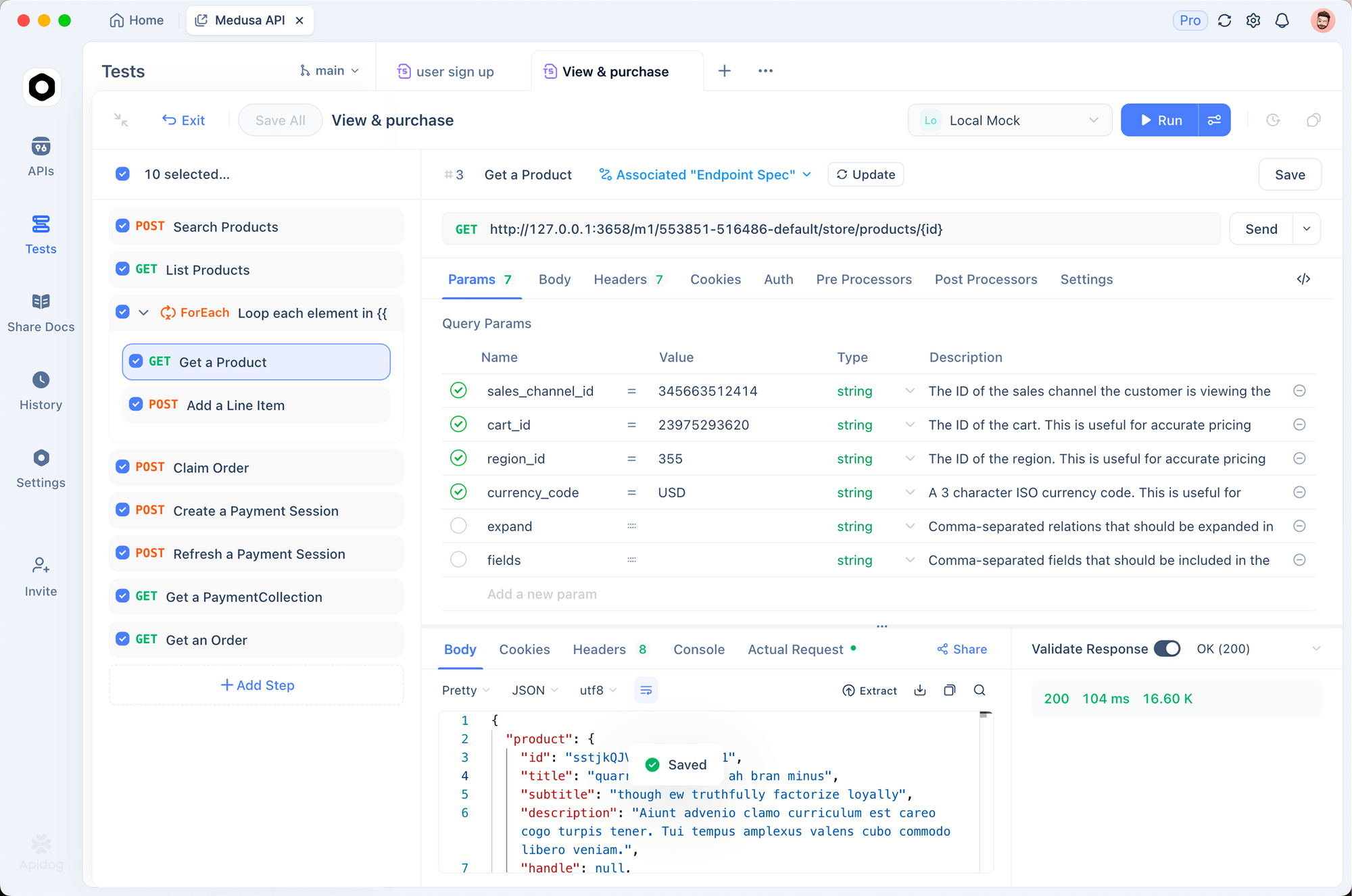
Prompt to Claude: "Before running E2E tests, validate all APIs pass in Apidog. If API tests fail, skip E2E and report which endpoints are broken."
// e2e/pre-test-checks.js
import { execSync } from 'child_process';

async function runPreTestChecks() {
  console.log('🔍 Validating APIs...');

  try {
    // Run Apidog CLI tests first
    execSync('apidog run --collection ./tests/api-collection.json --env ci', {
      stdio: 'inherit'
    });
    console.log('✓ API tests passed - proceeding to E2E');
  } catch (error) {
    console.error('✗ API tests failed - skipping E2E');
    process.exit(1);
  }

  console.log('🎭 Running E2E tests...');
  execSync('npx playwright test', { stdio: 'inherit' });
}

runPreTestChecks();
This creates a safety gate: if APIs are broken, E2E tests skip automatically.
Best Practices & Troubleshooting
Selector Resilience
Problem: Tests pass locally, fail in CI because DOM changes slightly.
Solution: Use resilient selectors.
// ❌ Brittle
const button = page.locator('button:nth-child(3)');

// ✓ Resilient
const button = page.getByRole('button', { name: /submit/i });
const button = page.getByTestId('submit-button');
Async Race Conditions
Problem: Test clicks button but page hasn't loaded yet.
Solution: Use explicit waits.
// ❌ Racy
await page.click('#submit');
await expect(page).toHaveURL(/dashboard/);

// ✓ Safe
await page.click('#submit');
await page.waitForURL(/dashboard/);
Environment Variables
Problem: Tests fail because API keys aren't available.
Solution: Use .env.test.
// tests/setup.js
import dotenv from 'dotenv';
dotenv.config({ path: '.env.test' });
Conclusion
Claude Code Skills transform testing from a chore into a superpower. You describe user journeys, and Claude generates comprehensive test suites, executes them, debugs failures, and fixes issues autonomously.
Combined with Apidog for API testing, you achieve full-stack coverage:
| Layer | Tool | Coverage |
|---|---|---|
| Frontend | Claude Code | User interactions, components, UI |
| APIs | Apidog | Schema validation, contracts, responses |
| Integration | Both | Frontend-API alignment, mock syncing |
Start today:
- Install Claude Code:
npm install -g @anthropic-ai/claude-code - Navigate to your project:
cd your-app - Launch:
claude
4. Describe what you want to test: "Create E2E tests for the checkout flow"
5. Watch Claude generate, run, and iterate
The combination of AI-powered test generation and intelligent debugging means fewer flaky tests, faster CI pipelines, and more confidence in every deployment. Stop maintaining brittle test scripts let Claude Code Skills do the heavy lifting while you focus on building features.
Ready to eliminate flaky tests? Install Claude Code and try Apidog free for API testing. Code smarter. Test faster. Deploy with confidence.