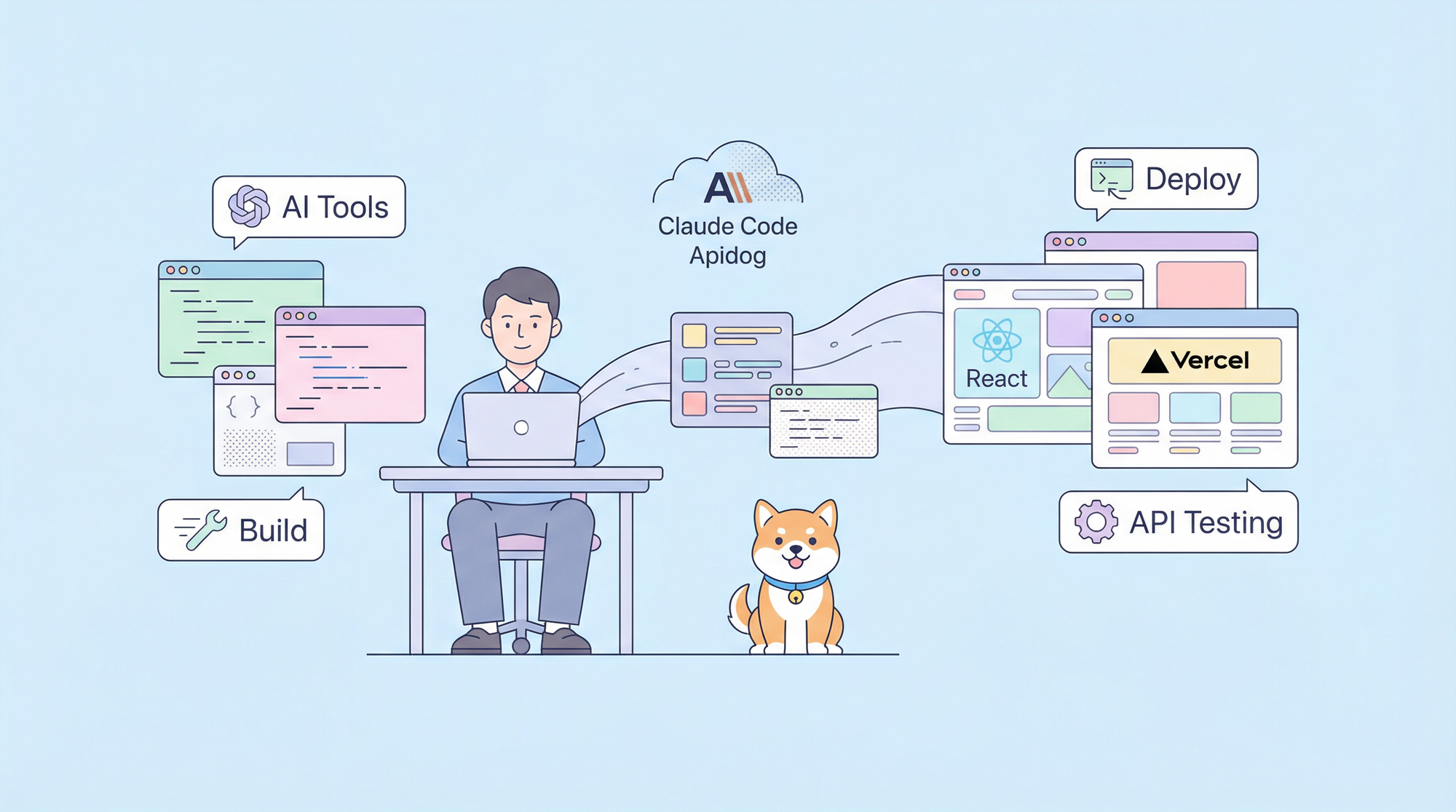
Developers constantly seek tools that streamline workflows and enforce best practices in web development. Claude Code emerges as a powerful extension for AI-assisted coding, allowing you to integrate specialized skills that automate tasks, optimize code, and ensure compliance with industry standards. Specifically, you harness Claude Code skills to elevate React applications deployed on Vercel, applying vercel-react-best-practices for performance tuning and web-design-guidelines for superior user interfaces. This approach not only accelerates development but also reduces errors through structured guidance.
Transitioning from basic setups, you first understand the core mechanics of Claude Code skills to apply them effectively in your projects.
What Are Claude Code Skills?
Claude Code skills function as modular extensions that augment the capabilities of the Claude AI model in coding environments. You create these skills by defining a SKILL.md file within a dedicated directory, such as ~/.claude/skills//. This file incorporates YAML frontmatter to specify the skill's name, description, and optional configurations like disable-model-invocation or allowed-tools. Following the frontmatter, markdown content outlines step-by-step instructions or reference knowledge that Claude follows during invocation.
For instance, you design a skill to explain code segments using analogies and diagrams, which proves invaluable in web development scenarios. Claude invokes skills either manually via commands like /skill-name [arguments] or automatically based on conversational relevance, drawing from the skill's description. This dual mechanism ensures flexibility—you trigger specific actions on demand or let Claude proactively apply relevant knowledge.
In web development contexts, these skills excel at automating repetitive tasks. You leverage them to generate visual outputs, such as interactive HTML representations of project structures, which aid in navigating complex React hierarchies. Additionally, skills support subagent execution in isolated contexts, allowing you to fork processes for intensive operations without disrupting the main workflow. This feature becomes particularly useful when researching React best practices or validating Vercel deployment configurations.
Furthermore, Claude Code skills integrate supporting files, including scripts in languages like Python, to produce dynamic results. You bundle these elements to create comprehensive tools, such as a codebase visualizer that scans file structures and outputs collapsible trees with metadata on file types like .tsx or .js. Such visualizations clarify component relationships in React apps, facilitating quicker debugging and optimization.
Transitioning to practical integration, you explore how Vercel's ecosystem complements Claude Code for enhanced web development efficiency.
Integrating Vercel Skills with Claude Code
Vercel introduces an open skills ecosystem that aligns seamlessly with Claude Code, enabling you to install and manage agent skills via a CLI tool. You execute commands like npx skills add to incorporate skills from repositories such as vercel-labs/agent-skills. This ecosystem supports various AI agents, including claude-code, ensuring broad compatibility for web development tasks.
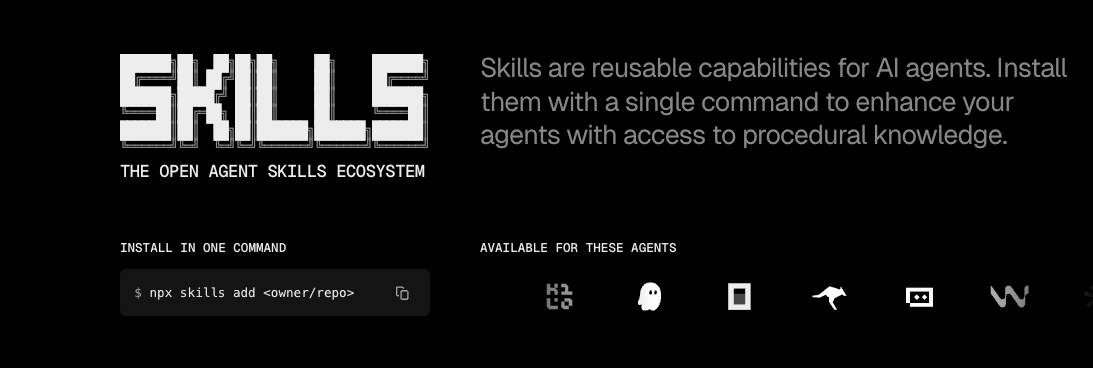
Once installed, these skills become automatically available to Claude. The agent detects user inputs and applies the appropriate skill, streamlining processes like code reviews or deployments. For example, you request a performance audit on a React component, and Claude employs the vercel-react-best-practices skill to suggest optimizations. This integration transforms Claude Code into a versatile assistant for Vercel-hosted projects.
Moreover, the skills.sh directory provides a public leaderboard and categorized discovery, allowing you to browse popular skills by usage stats. You select skills tailored to web development, such as those focusing on React and UI guidelines, to build a customized toolkit. This openness encourages community contributions, expanding the ecosystem beyond Vercel's offerings.
As you proceed, you examine specific skills like vercel-react-best-practices, which directly addresses performance bottlenecks in React and Next.js applications.
Leveraging Vercel-React-Best-Practices Skill in Claude Code
The vercel-react-best-practices skill, sourced from vercel-labs/agent-skills, equips Claude Code with over 40 rules across eight categories to optimize React and Next.js performance. You prioritize these rules by impact, starting with critical areas like eliminating waterfalls and bundle size reduction.
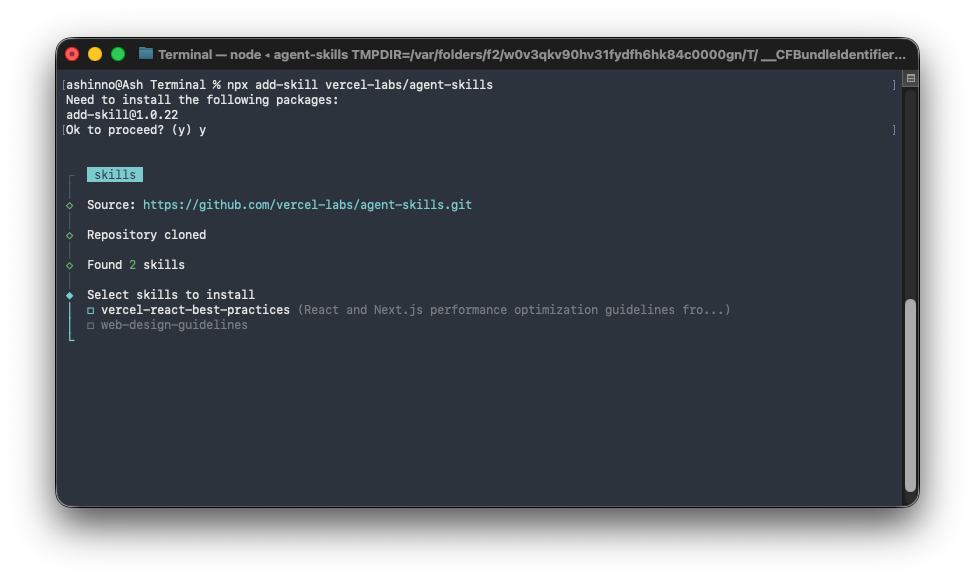
To begin, you install the skill using npx add-skill vercel-labs/agent-skills, making it accessible in your Claude environment.
When developing a React component, you invoke the skill by phrasing queries such as "Review this React code for best practices." Claude analyzes the code against categories like server-side performance, where it recommends techniques to minimize latency through efficient data fetching.
For instance, in eliminating waterfalls—a critical category—you apply strategies to parallelize data requests. Claude suggests using React's Suspense boundaries or Next.js's parallel routes to fetch data concurrently, preventing sequential delays. This active optimization reduces initial load times for Vercel-deployed apps, enhancing user experience.
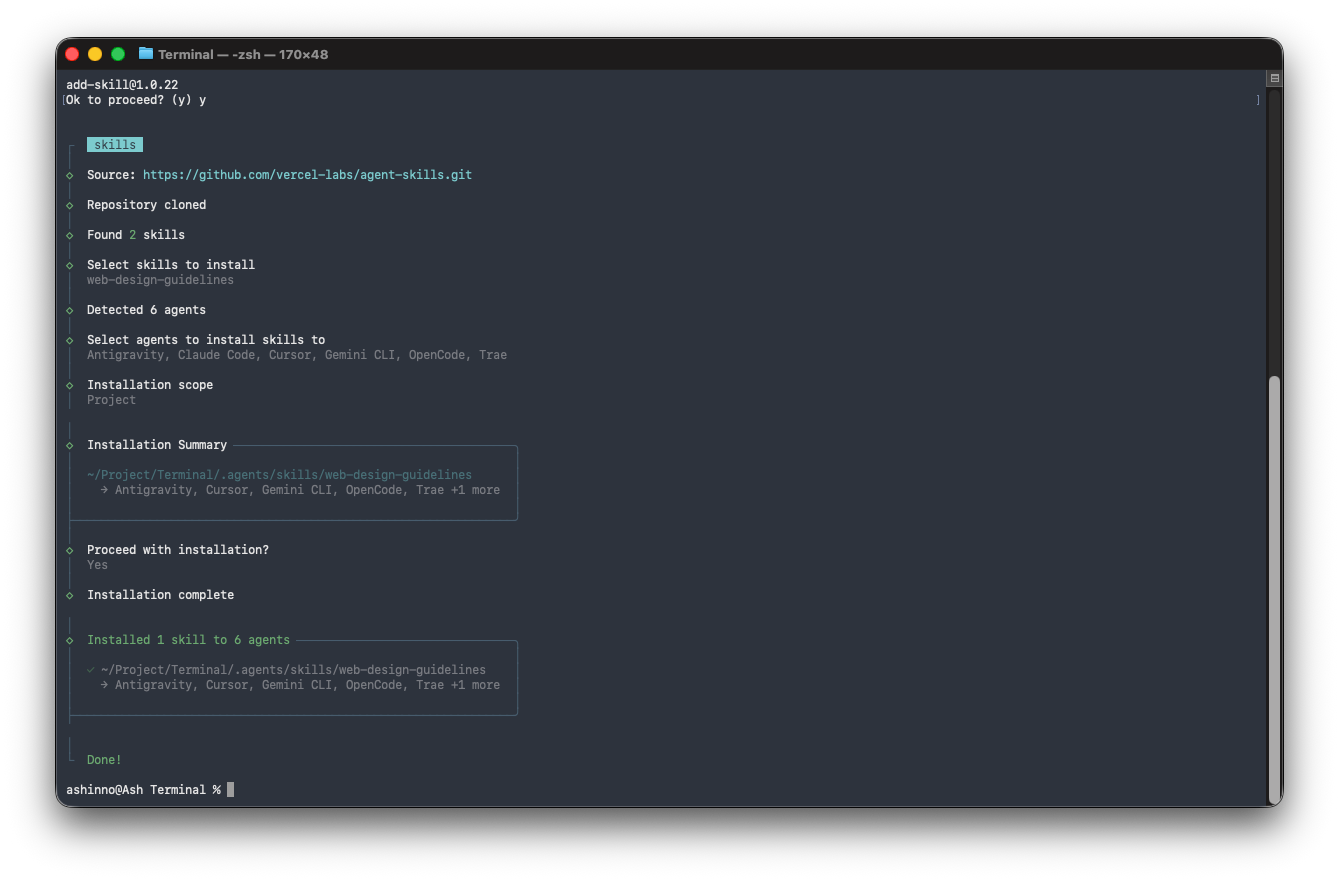
Additionally, for bundle size optimization, Claude enforces rules like tree-shaking unused imports and code-splitting dynamic components. You implement these by adjusting webpack configurations or leveraging Next.js's built-in optimizations, resulting in smaller payloads and faster deployments.
Transitioning to client-side data fetching, a medium-high priority, you utilize Claude to recommend caching mechanisms with libraries like SWR or TanStack Query. Claude provides code snippets, such as wrapping fetches in useSWR hooks, to handle revalidation and error states efficiently.
Moreover, in re-render optimization, Claude identifies unnecessary renders caused by prop drilling or context misuse. You refactor components to use memoization with React.memo or useCallback, as guided by the skill's instructions. This prevents performance degradation in large-scale React applications.
Furthermore, the skill covers rendering performance, advising on virtualization for long lists using react-window. Claude generates example code, integrating it into your project to manage DOM updates effectively.
In lower-priority areas like JavaScript micro-optimizations, you fine-tune loops and object manipulations, though Claude emphasizes applying these judiciously to avoid premature optimization.
By incorporating this skill, you systematically improve React code quality, ensuring Vercel deployments run smoothly. However, performance alone does not suffice; you also address design and accessibility through complementary skills.
 vercel-labs
Applying Web-Design-Guidelines Skill with Claude Code
The web-design-guidelines skill from vercel-labs/agent-skills audits UI code against over 100 best practices, spanning accessibility, performance, and UX. You invoke this skill in Claude Code for comprehensive reviews, ensuring your web interfaces meet modern standards.
After installation via the same CLI command, you trigger audits with prompts like "Check this UI for design guidelines." Claude categorizes feedback, starting with accessibility rules such as adding aria-labels to interactive elements and using semantic HTML for better screen reader compatibility.
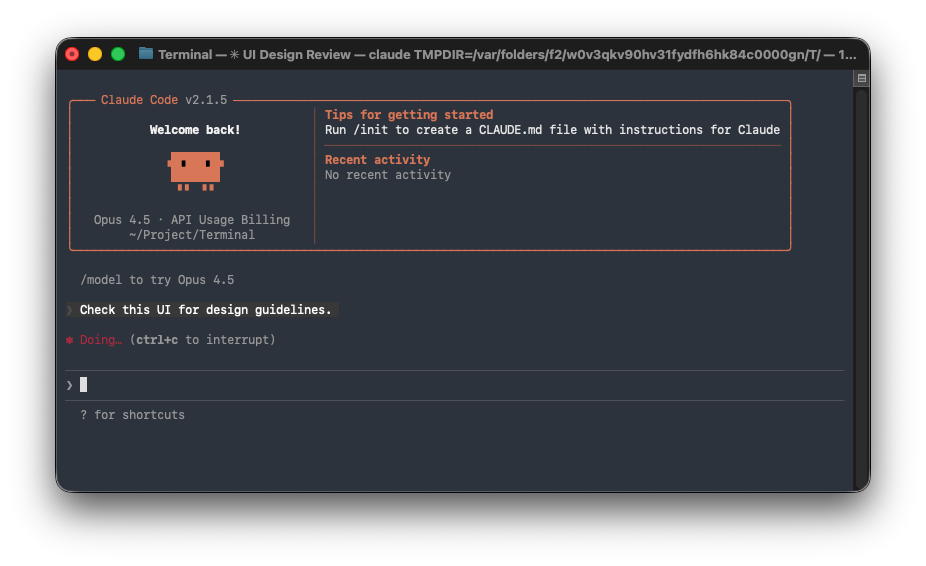
For focus states, Claude verifies visible indicators and recommends the :focus-visible pseudo-class to distinguish keyboard from mouse interactions. This enhances usability in React components, particularly forms and navigation menus.
In forms handling, the skill guides you to implement autocomplete attributes, client-side validation, and error messaging. Claude suggests using React Hook Form for efficient state management, integrating validation logic to prevent submission issues.
Animation guidelines emphasize respecting prefers-reduced-motion media queries and using compositor-friendly properties like transform and opacity. You apply these to create smooth transitions in React apps without causing performance hits on low-end devices.
Typography rules cover curly quotes, ellipsis truncation, and tabular numerals for consistent rendering. Claude audits your CSS, proposing utilities from libraries like Tailwind CSS to enforce these.
For images, the skill mandates explicit dimensions, lazy loading, and alt text. In Vercel contexts, you optimize with Next.js Image components, as Claude recommends, to leverage automatic resizing and format conversion.
Performance aspects include virtualization to avoid layout thrashing and preconnecting to external resources. Claude identifies bottlenecks in your code, suggesting improvements like using Intersection Observer for lazy components.
Navigation and state management rules ensure URLs reflect application state for deep-linking. You implement React Router with proper history handling, guided by the skill.
Dark mode support involves setting color-scheme meta tags and theme variables. Claude provides snippets for CSS variables, enabling seamless toggling in React contexts.
Touch interactions receive attention through touch-action properties and disabling tap highlights. For internationalization, Claude enforces use of Intl APIs for dates and numbers, ensuring locale-aware formatting.
By applying this skill, you elevate your web designs, making them inclusive and efficient. Nevertheless, real-world web dev often involves APIs, where Apidog integrates naturally.
Enhancing Workflows with Apidog in Claude Code Projects
Apidog serves as an essential companion to Claude Code skills in web development, offering tools for API lifecycle management. You download Apidog for free and use its visual OpenAPI designer to create specifications that align with your React components' data needs.
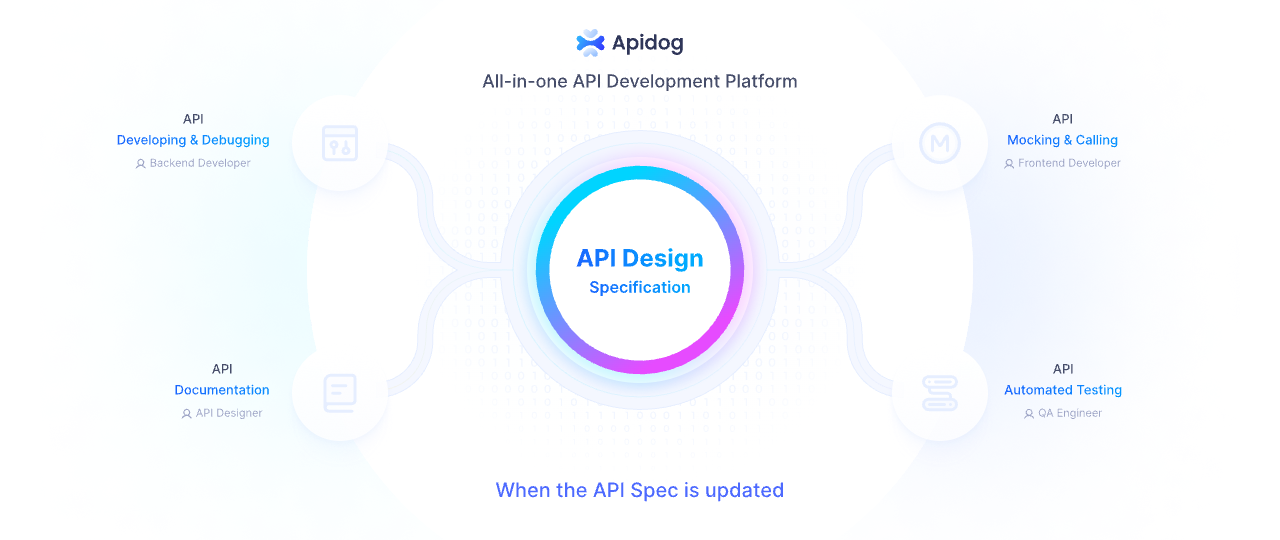
In debugging, Apidog acts as an HTTP client, validating responses against specs to catch discrepancies early. This proves vital when integrating APIs into Vercel-deployed React apps, as you simulate requests within Claude-assisted workflows.
Moreover, Apidog's automated testing converts specs into scenarios with loops and conditions, including database assertions. You orchestrate tests for API endpoints consumed by React, ensuring reliability before deployment.
The smart mock server generates realistic data from definitions, allowing frontend development to proceed without backend delays. In Claude Code sessions, you reference mocked APIs while applying vercel-react-best-practices, testing performance under simulated loads.
Interactive documentation from Apidog provides shareable sites, facilitating team collaboration on API contracts. This complements web-design-guidelines by ensuring UI elements like forms handle API errors gracefully.
Therefore, incorporating Apidog streamlines API-related tasks, amplifying the benefits of Claude Code skills in comprehensive web dev pipelines.
Step-by-Step Guide to Setting Up Claude Code Skills for Vercel-React Projects
You start by installing the Claude Code environment, ensuring access to the skills directory. Create a project-specific folder like .claude/skills/ for localized skills.
Next, add Vercel skills with npx skills add vercel-labs/agent-skills. Verify installation by listing available skills in Claude.
For a new React project, initialize with create-next-app and invoke /react-best-practices on the generated code. Claude suggests optimizations, such as parallel data fetching in app directories.
Iterate by applying feedback: refactor components, then re-audit with the skill. Similarly, use /web-design-guidelines to check accessibility.
Integrate Apidog by defining APIs in its editor, then mock them for React integration testing.
Deploy via vercel-deploy-claimable skill, which packages and uploads your project, returning preview URLs.
This structured setup minimizes setup time while maximizing output quality.
Conclusion
You now possess the knowledge to use Claude Code skills effectively for web development with Vercel and React. By integrating vercel-react-best-practices and web-design-guidelines, alongside Apidog for API excellence, you achieve robust, performant applications. Experiment with these tools to refine your processes further.