
Manually writing SKILL.md files for every custom Claude Code tool feels like writing package.json by hand in 2023—tedious, error-prone, and completely avoidable. Skills-Creator automates this process by turning natural language descriptions into production-ready skill definitions, complete with MCP server configuration and manifest generation. You describe what you want; it handles the boilerplate.
What Are Claude Code Skills and Why Does the Skills-Creator Change Everything?
Claude Code skills extend your AI assistant’s capabilities beyond code generation. A skill packages a tool, its parameters, and execution logic into a format Claude can discover and invoke. The Model Context Protocol (MCP) makes this possible, but writing SKILL.md files requires precise YAML frontmatter, parameter schemas, and usage examples—repeatedly.
Skills-Creator eliminates that repetition. It’s a meta-skill: a skill that builds skills. You provide a high-level description like “Create a skill that queries PostgreSQL databases and returns formatted results,” and it generates:
- A complete SKILL.md with proper frontmatter
- Parameter validation schemas
- Usage examples and return type definitions
- Optional manifest.json for publishing
For teams building internal tools, this means you can ship ten custom skills in the time it used to take to ship one. For solo developers, it means never again forgetting a required parameter field.
Want an integrated, All-in-One platform for your Developer Team to work together with maximum productivity?
Apidog delivers all your demands, and replaces Postman at a much more affordable price!
Prerequisites: Setting Up Your Development Environment
Before using Skills-Creator, you need Claude Code with MCP support and a directory structure for your skills.
Install Claude Code
If you haven’t already, install the Claude Code CLI:
npm install -g @anthropic-ai/claude-code
Verify installation:
claude --version
# Should show something like >= 2.0.70
Configure MCP in Claude Code
Create the configuration directory and file:
# macOS/Linux
mkdir -p ~/.config/claude-code
touch ~/.config/claude-code/config.json

# Windows
mkdir %APPDATA%\claude-code
echo {} > %APPDATA%\claude-code\config.json
Add the Skills-Creator server configuration:
{
  "mcpServers": {
    "skills-creator": {
      "command": "node",
      "args": ["/path/to/skills-creator/dist/index.js"],
      "env": {
        "SKILLS_OUTPUT_DIR": "~/claude-skills"
      }
    }
  }
}
Clone Skills-Creator Repository
git clone https://github.com/anthropics/skills.git
cd skills/skills/skill-creator
npm install
npm run build
This builds the skill to /path/to/skills-creator/dist/index.js. Use the absolute path in your config.json.
Set Up Skills Output Directory
mkdir -p ~/claude-skicks
The SKILLS_OUTPUT_DIR environment variable tells Skills-Creator where to write generated skills.
Building Your First Skill with Skills-Creator: Step-by-Step Walkthrough
Let’s build a skill that generates OpenAPI specs from TypeScript types—a common need for backend developers.
Step 1: Start Claude Code and Invoke Skills-Creator
claude
Once Claude loads, verify Skills-Creator is available:
/list-tools
You should see:
Available tools:
- skills-creator:generate-skill (Generate a new skill from description)
Step 2: Describe Your Skill
In the Claude prompt, type:
Use the skills-creator tool to generate a skill called "openapi-generator" that takes TypeScript interface definitions and generates OpenAPI 3.0 YAML specs. The skill should accept file paths or raw TypeScript code as input and return a valid OpenAPI spec with paths, schemas, and example responses.
Skills-Creator parses this description and extracts:
- Skill name:
openapi-generator - Input: TypeScript interfaces (files or raw code)
- Output: OpenAPI 3.0 YAML
- Features: paths, schemas, examples
Step 3: Review the Generated SKILL.md
After a few seconds, Skills-Creator writes ~/claude-skills/openapi-generator/SKILL.md:
---
name: openapi-generator
description: Generates OpenAPI 3.0 specifications from TypeScript interfaces
version: 1.0.0
author: Claude Skills Creator
mcp:
  transport: stdio
tools:
  generate-from-file:
    description: Generate OpenAPI spec from TypeScript file
    parameters:
      filePath:
        type: string
        description: Path to TypeScript file containing interfaces
        required: true
      includeExamples:
        type: boolean
        description: Include example values in schema
        default: true
  generate-from-code:
    description: Generate OpenAPI spec from raw TypeScript code
    parameters:
      code:
        type: string
        description: TypeScript interface definitions as string
        required: true
      title:
        type: string
        description: API title for the OpenAPI spec
        default: "Generated API"
---

# OpenAPI Generator Skill

This skill transforms TypeScript interfaces into OpenAPI 3.0 specifications.

## Usage Examples

### From File
```typescript
// Input: ~/project/src/types.ts
export interface User {
  id: number;
  name: string;
  email: string;
}

// Claude: Use openapi-generator with filePath "~/project/src/types.ts"
// Output: OpenAPI spec with User schema
From Code
// Claude: Use openapi-generator with code "export interface Product {...}" and title "Product API"
Return Format
The tool returns a YAML string containing:
openapi: "3.0.0"info: Title, version, descriptionpaths: Auto-generated CRUD pathscomponents.schemas: TypeScript interfaces as schemas
### Step 4: Generate the Manifest (Optional)

If you plan to publish the skill to a marketplace, ask Skills-Creator to generate a manifest:
Create a manifest for the openapi-generator skill with license MIT, keywords openapi, typescript, backend, and repository URL https://github.com/your-org/openapi-generator-skill
This creates `~/claude-skills/openapi-generator/manifest.json`:

```json
{
  "name": "openapi-generator",
  "version": "1.0.0",
  "description": "Generates OpenAPI 3.0 specs from TypeScript",
  "license": "MIT",
  "keywords": ["openapi", "typescript", "backend"],
  "repository": {
    "type": "git",
    "url": "https://github.com/your-org/openapi-generator-skill"
  },
  "mcp": {
    "transport": "stdio",
    "tools": [...]
  }
}
Understanding the Generated Files: SKILL.md and Manifest
Skills-Creator doesn’t just write YAML—it enforces best practices. Let’s dissect the generated SKILL.md structure.
The Frontmatter Block
---
name: openapi-generator
description: Generates OpenAPI 3.0 specifications from TypeScript interfaces
version: 1.0.0
author: Claude Skills Creator
mcp:
  transport: stdio
tools:
  generate-from-file:
    description: Generate OpenAPI spec from TypeScript file
    parameters:
      filePath:
        type: string
        description: Path to TypeScript file containing interfaces
        required: true
---
Key fields:
name: Must be kebab-case, unique per MCP serverdescription: Used by Claude to decide when to invoke the skillmcp.transport:stdiofor local,httpfor remote serverstools: Each tool becomes a callable function
Parameter schema:
type:string,number,boolean,array,objectrequired: Booleandefault: Optional default valuedescription: Critical for Claude’s parameter selection
The Markdown Body
The body documents usage patterns. Skills-Creator generates:
- Header:
# Skill Name - Overview: What the skill does
- Usage Examples: Code blocks showing Claude prompts
- Return Format: Expected output structure
This documentation is used by Claude Code when you run /help openapi-generator.
The Manifest.json
The manifest adds metadata for sharing:
{
  "name": "openapi-generator",
  "version": "1.0.0",
  "description": "...",
  "license": "MIT",
  "keywords": ["openapi", "typescript", "backend"],
  "repository": {
    "type": "git",
    "url": "https://github.com/your-org/openapi-generator-skill"
  },
  "mcp": { ... }
}
Why it matters: When you publish to a marketplace like SkillsMP, the manifest enables search and versioning.
Testing, Iterating, and Deploying Your Custom Skill
Step 1: Implement the Skill Logic
Skills-Creator generates only the definition. You must write the handler. Create ~/claude-skills/openapi-generator/index.ts:
import { z } from 'zod';
import { convertTypeScriptToOpenAPI } from './converter';

// Schema for tool parameters
const FileParams = z.object({
  filePath: z.string(),
  includeExamples: z.boolean().default(true)
});

const CodeParams = z.object({
  code: z.string(),
  title: z.string().default("Generated API")
});

// MCP Tool Handlers
export const tools = {
  'generate-from-file': async (params: unknown) => {
    const { filePath, includeExamples } = FileParams.parse(params);
    const fs = await import('fs');
    const code = fs.readFileSync(filePath, 'utf8');
    return convertTypeScriptToOpenAPI(code, { includeExamples });
  },

  'generate-from-code': async (params: unknown) => {
    const { code, title } = CodeParams.parse(params);
    return convertTypeScriptToOpenAPI(code, { title });
  }
};
The convertTypeScriptToOpenAPI function is where your business logic lives. Use libraries like ts-morph to parse TypeScript AST.
Step 2: Build the MCP Server
Create ~/claude-skills/openapi-generator/server.ts:
import { Server } from '@modelcontextprotocol/sdk/server/index.js';
import { StdioServerTransport } from '@modelcontextprotocol/sdk/server/stdio.js';
import { tools } from './index';

const server = new Server({
  name: 'openapi-generator',
  version: '1.0.0'
}, {
  tools: Object.keys(tools).map(name => ({
    name,
    description: `Tool: ${name}`,
    inputSchema: {} // Will be overridden by SKILL.md
  }))
});

server.setRequestHandler('tools/call', async (request) => {
  const tool = tools[request.params.name];
  if (!tool) throw new Error(`Unknown tool: ${request.params.name}`);

  const result = await tool(request.params.arguments);
  return { content: [{ type: 'text', text: result }] };
});

const transport = new StdioServerTransport();
await server.connect(transport);
console.error('OpenAPI Generator MCP server running');
Step 3: Update Claude Code Config
Point Claude Code to your skill’s server:
{
  "mcpServers": {
    "openapi-generator": {
      "command": "node",
      "args": ["~/claude-skills/openapi-generator/dist/server.js"]
    }
  }
}
Step 4: Test in Claude Code
claude
/list-tools
You should see openapi-generator:generate-from-file and openapi-generator:generate-from-code.
Run a test:
Use openapi-generator to create an OpenAPI spec from the file ~/project/src/models/User.ts
If it works, you’ll see YAML output. If not, check the MCP logs in Claude Code’s output panel.
Step 5: Iterate with Skills-Creator
If you need to add a tool (e.g., generate-from-database), don’t edit SKILL.md manually. Run:
Use skills-creator to add a new tool called generate-from-database to the openapi-generator skill. It should accept a database connection string and table name, then generate CRUD paths.
Skills-Creator will:
- Read the existing SKILL.md
- Add the new tool definition
- Update the manifest version
- Write a migration guide in the markdown body
Building Skills That Build Skills
Meta-Skill Chaining
You can build a skill that uses Skills-Creator internally. For example, a skill-bootstrapper that scaffolds new skills based on templates.
// server/api/bootstrap-skill.post.ts
export default defineEventHandler(async (event) => {
  const { name, template } = await readBody(event);

  // Call Skills-Creator programmatically
  await $fetch('http://localhost:3001/generate-skill', {
    method: 'POST',
    body: {
      name,
      description: `Bootstrap ${template} skill`,
      template
    }
  });

  return { success: true, skillPath: `~/claude-skills/${name}` };
});
Version Management
Track skill versions in Git:
cd ~/claude-skills
git init
git add openapi-generator/
git commit -m "Initial openapi-generator skill"
When Skills-Creator updates a skill, it increments the version in the manifest. Commit each version for rollback.
Testing Skills Programmatically
// test/skill.test.ts
import { describe, it, expect } from 'vitest';
import { tools } from '../openapi-generator/index';

describe('openapi-generator', () => {
  it('should generate spec from file', async () => {
    const result = await tools['generate-from-file']({
      filePath: './test/fixtures/User.ts',
      includeExamples: true
    });

    expect(result).toContain('openapi: 3.0.0');
    expect(result).toContain('User');
  });
});
Run tests before deploying skill updates.
Publishing Your Skill
To a Private Registry
Package your skill as an npm package:
// package.json
{
  "name": "@your-org/openapi-generator-skill",
  "version": "1.0.0",
  "main": "dist/server.js",
  "bin": { "openapi-generator-skill": "./bin/start.js" }
}
Your team installs it:
npm install -g @your-org/openapi-generator-skill
Update Claude Code config:
{
  "mcpServers": {
    "openapi-generator": {
      "command": "openapi-generator-skill"
    }
  }
}
To SkillsMP Marketplace
- Create an account at skillsmp.com
- Run
skills-mp publish ~/claude-skills/openapi-generator - The CLI reads manifest.json and uploads your skill
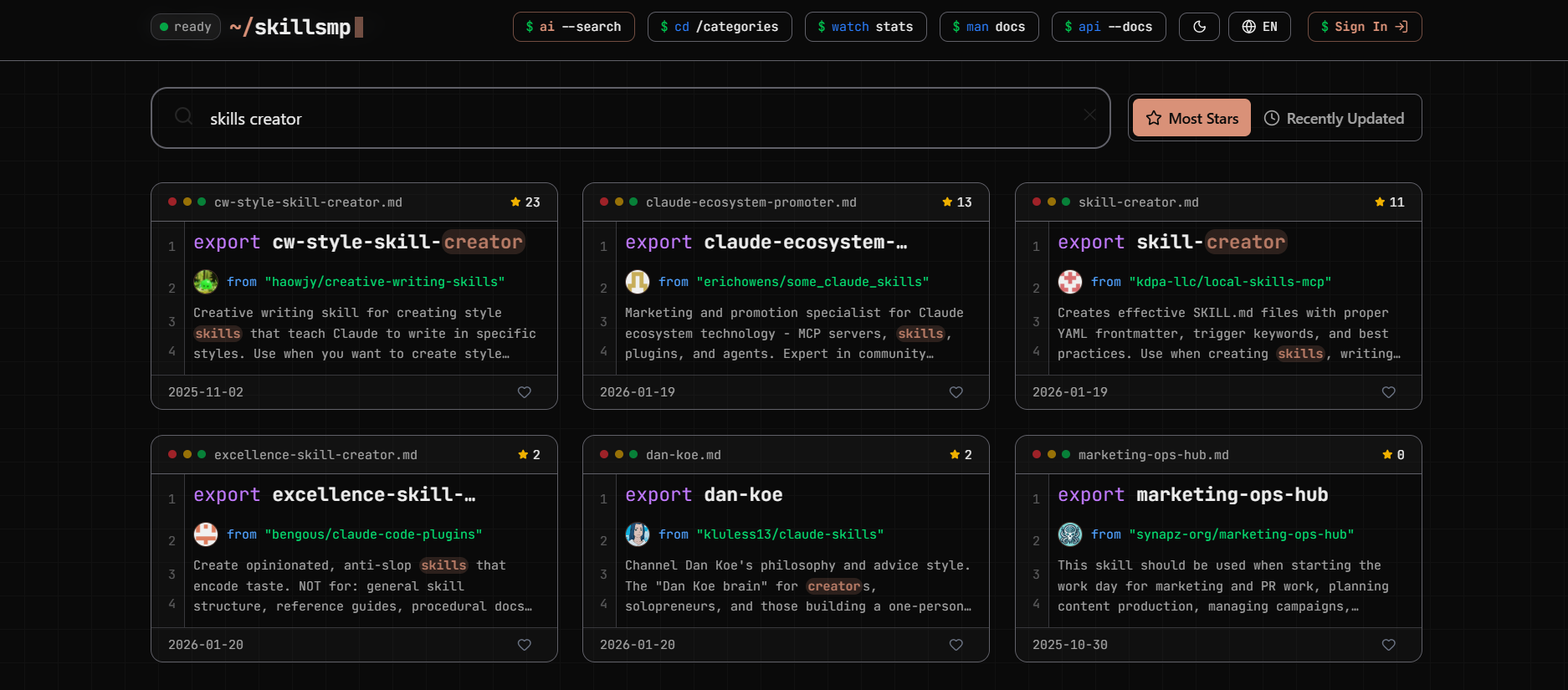
Users can then install via:
skills-mp install openapi-generator
Conclusion
Skills-Creator transforms skill development from manual configuration to automated generation. You describe intent, it produces boilerplate. You focus on business logic, it handles MCP protocol compliance. For teams building custom Claude Code integrations, this cuts development time by 80% and ensures consistency across skill definitions. Start with a simple skill today, then chain Skills-Creator into your automation pipelines to scale agent capabilities across your entire stack.
When those skills interact with your APIs, validate them with Apidog to guarantee reliable agent-tool contracts.