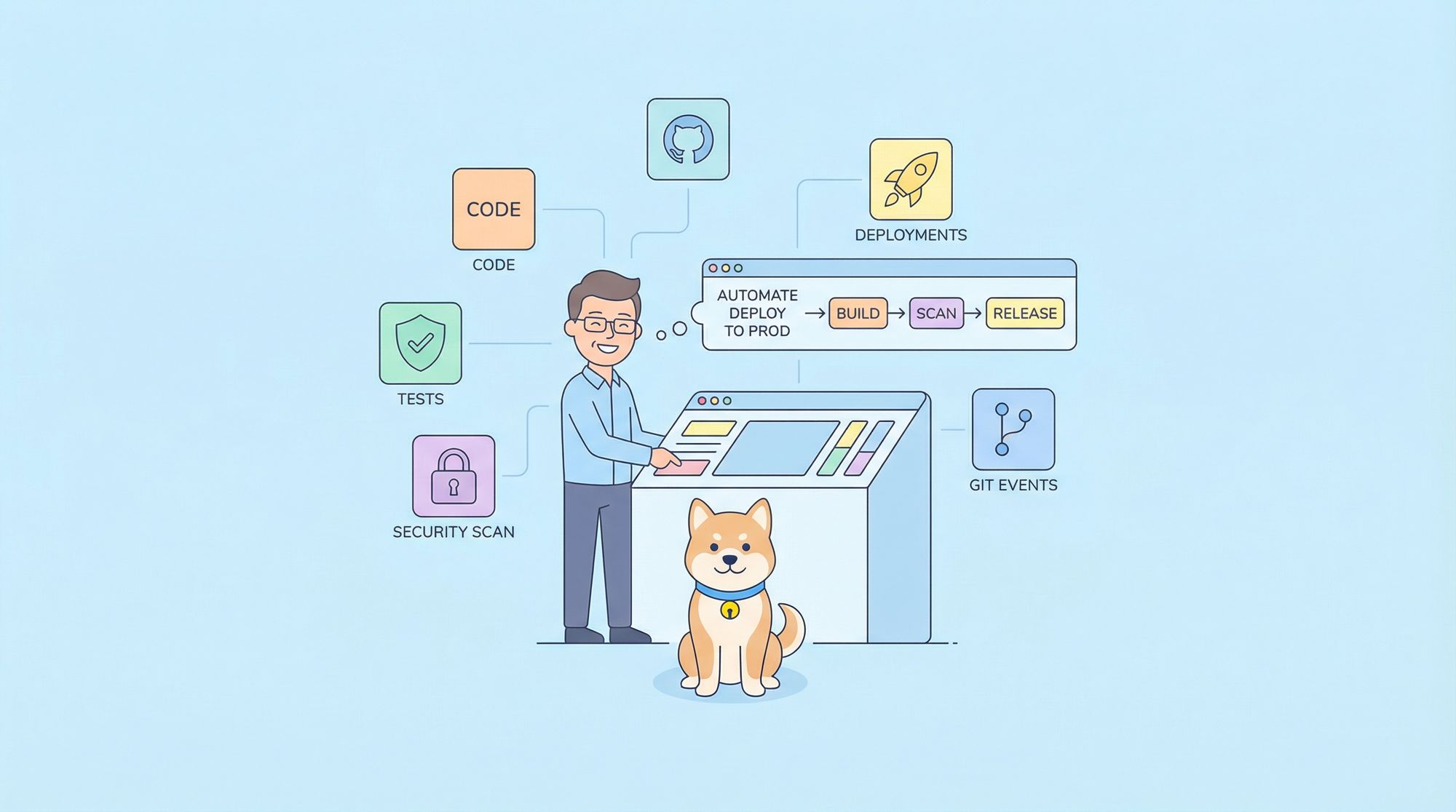
If you've ever inherited documentation that's incomplete, inconsistent, and outdated, you know the problem: teams create docs with good intentions, but without rigorous review, clarity erodes. API parameters go undocumented. Error responses lack guidance. Examples break silently. Terminology drifts across files.
Claude Code Skills solve this systematically. These AI-powered workflows review your entire documentation repository, identify gaps and inconsistencies, and apply fixes directly. You describe what needs reviewing, and Claude generates a structured audit, applies improvements, and validates completeness all from your terminal.
Technical documentation spans API specs, user guides, deployment guides, and release notes. Claude Code automates reviewing all of it. For API documentation specifically, combine it with Apidog for visual validation and completeness scoring.
Understanding Claude Code Skills for Documentation
What Are Documentation Skills?
Claude Code Skills are custom, reusable AI workflows that extend Claude Code's documentation capabilities. Think of them as intelligent documentation auditors that can:
- Read your entire documentation repository and understand context
- Cross-reference specs against implementations and guides
- Identify missing sections, unclear language, and inconsistencies
- Suggest specific improvements with file locations and line numbers
- Apply fixes directly to your files and validate changes
Unlike traditional linters that check syntax, skills leverage Claude's reasoning to understand semantic issues vague descriptions, missing error documentation, inconsistent examples.
How Skills Work
Skills operate through several mechanisms:
1. User-Invocable Commands
# Run a skill with a slash command
/review-docs --completeness
/check-consistency --terminology
/validate-api-specs
/update-broken-examples
2. Allowed Tools
Skills specify which tools they can use:
Bash: Run validation commandsRead,Write,Edit: Manage documentation filesGlob,Grep: Search across docsWebFetch: Retrieve external referencesTask: Spawn sub-tasks for complex reviews
3. Planning Files
Skills maintain state using markdown files to track review progress, identified issues, and applied fixes.
Why Skills Excel at Documentation Review
Traditional documentation review is manual and inconsistent. Skills bring intelligence and scale:
- Holistic Understanding: Reviews all files, captures cross-file patterns
- Consistent Standards: Applies same quality criteria to every file
- Contextual Suggestions: Understands why something is wrong, not just that it is
- Automation: Can review continuously as documentation evolves
- Speed: Analyzes hundreds of pages in minutes vs. hours of manual review
Core Documentation Review Capabilities
1. Completeness Analysis
Prompt: "Audit the API documentation for completeness. Check each endpoint for: parameters, request examples, all error responses, and rate limiting."
Claude generates:
Missing from POST /users endpoint:
- [ ] Request body parameter descriptions
- [ ] Error response documentation (400, 401, 409)
- [ ] Rate limiting information
- [ ] Security/authentication requirements
2. Consistency Detection
Prompt: "Review /docs/ for terminology consistency. Flag any terms that appear multiple times with different meanings."
Claude identifies:
Inconsistent terminology found:
- "API key" vs "access token" vs "auth token" (use one)
- "endpoint" vs "route" vs "method" (use one)
- "user object" vs "user resource" (use one)
3. Cross-Reference Validation
Prompt: "Compare the OpenAPI spec in /api/openapi.yaml against documentation in /docs/api/. Flag any endpoints in code not documented or documented but not in code."
Claude detects:
Discrepancies found:
- POST /api/webhooks documented but not in openapi.yaml
- PATCH /api/users exists in code but missing from docs
- Response schema changed but example not updated
4. Clarity Assessment
Prompt: "Review for clarity. Flag vague descriptions, undefined terms, and ambiguous instructions."
Claude identifies:
Clarity issues:
- Line 45: "Set config to appropriate values" - what values?
- Line 120: "user object" used without schema definition
- Line 200: "required fields" - which ones?
5. Example Validation
Prompt: "Review all code examples. Test them against current API schema. Flag broken or outdated examples."
Claude updates:
Updated examples:
- curl example: Response format changed, updated payload
- Python example: Using deprecated parameter, fixed
- JavaScript example: Missing error handling, added
Documentation Skill Anatomy
Directory Structure
Documentation skills live in .claude/skills/ with this layout:
.claude/
├── skills/
│   ├── docs-completeness/
│   │   ├── SKILL.md              # Skill manifest
│   │   ├── planning.md           # Review progress
│   │   └── criteria.md           # Quality checklist
│   ├── api-validation/
│   │   ├── SKILL.md
│   │   └── schemas/              # API schemas
│   └── consistency-check/
│       └── SKILL.md
└── skills.md                     # Index of all skills
The SKILL.md Manifest
Every documentation skill starts with YAML frontmatter:
---
name: docs-completeness
version: "1.0.0"
description: Review documentation for completeness and clarity
user-invocable: true
allowed-tools:
  - Read
  - Write
  - Grep
  - Glob
  - Edit
hooks:
  SessionStart:
    - matcher: command
      command: "echo '[Docs Review] Starting documentation audit...'"
  Stop:
    - matcher: command
      command: "echo '[Docs Review] Audit complete. Review findings above.'"
---

# Documentation Completeness Skill

Reviews technical documentation for completeness and clarity.

## Usage

```bash
/docs-completeness                # Full repository audit
/docs-completeness --api-only    # API docs only
/docs-completeness --section api/endpoints.md  # Specific file
Instructions for Claude
When invoked:
- Scope detection → Determine target files or full repository
- Completeness analysis → Check each section against checklist
- Issue collection → Gather all issues with locations
- Prioritization → Sort by impact (missing vs. unclear vs. inconsistent)
- Report generation → Output structured findings
- Fix suggestions → Offer specific improvements
- Validation → Verify fixes before applying
Crafting Your First Documentation Skill
Dive in hands-on: We'll construct a handy tool to audit API docs for gaps, ensuring they're comprehensive and dev-ready. Think of it as your personal doc enforcer.
Step 1: Set Up the Skill Folder
Bootstrap the structure with a simple command Claude's skills live in a dedicated spot for easy discovery.
Bash
mkdir -p .claude/skills/api-docs-reviewStep 2: Write the Skill Manifest
Create .claude/skills/api-docs-review/SKILL.md:
---
name: api-docs-review
version: "1.0.0"
description: Review API documentation for completeness
user-invocable: true
allowed-tools:
  - Read
  - Write
  - Grep
  - Edit
---

# API Documentation Review Skill

Audits API documentation for completeness, clarity, and accuracy.

## Review Criteria

Each endpoint must have:

**Basic Information**
* Clear description of what the endpoint does
* HTTP method and path
* Authentication requirements

**Request Documentation**
* All path parameters with types and descriptions
* All query parameters with defaults and constraints
* Request body schema (for POST/PUT/PATCH)
* Content-Type header requirements
* Example request (curl or language-specific)

**Response Documentation**
* Success response (200/201) with schema and example
* All error responses (400, 401, 403, 404, 409, 429, 500) with examples
* Rate limiting information
* Response headers (if relevant)

**Additional**
* Related endpoints or guides
* Version history if applicable
* Deprecation warnings (if deprecated)

## Instructions

When invoked:

1. **Scan endpoint files** in /docs/api/
2. **Check each endpoint** against review criteria
3. **Log missing items** with specific file/line references
4. **Identify clarity issues** (vague descriptions, undefined terms)
5. **Flag consistency issues** (terminology drift, format differences)
6. **Generate checklist** of fixes needed
7. **Offer to apply fixes** with examples

Report format:
ENDPOINT: POST /api/users File: docs/api/users.md Status: 65% Complete
Missing:
- [ ] Error response documentation (400, 401, 409)
- [ ] Rate limiting information
- [ ] Request body schema definition
Issues:
- Line 45: "user object" undefined - add link to schema
- Line 60: Example outdated - response format changed
Fixes available: Yes (ask to apply)
Step 3: Register the Skill
Add to .claude/skills.md:
# Available Documentation Skills

## API Documentation

### /api-docs-review
Audit API documentation for completeness against standard criteria.
- **Version**: 1.0.0
- **Usage**: `/api-docs-review [--file PATH] [--endpoint NAME]`
- **When to use**: Before API release, after code changes
- **Time**: 5-10 minutes for medium-sized API
Step 4: Test the Skill
# In Claude Code
/api-docs-review
Claude will now audit your API documentation systematically.
Advanced Documentation Patterns
Pattern 1: Versioned Documentation Tracking
Skills can track documentation quality across versions:
## Version History

### v2.0.0 [2026-01-22]
Completeness: 95% ✅
- All endpoints documented
- Error responses complete
- Examples updated
- Deprecated /v1 endpoints marked

### v1.0.0 [2025-12-01]
Completeness: 70%
- Missing error documentation
- Outdated examples
- No deprecation warnings
Claude detects improvements over time.
Pattern 2: API Spec Validation Against Code
Skills can validate OpenAPI specs match implementation:
## Spec Validation

Compare /api/openapi.yaml against code:

1. **Scan implementation** for all routes
2. **Check OpenAPI spec** for each route
3. **Flag missing** endpoints
4. **Verify parameters** match implementation
5. **Update examples** to match current schema

Result: Spec 100% in sync with code
Automating with CI/CD
Documentation Validation Pipeline
Set up automated checks on every documentation update:
# .github/workflows/docs-check.yml
name: Documentation Check

on:
  push:
    paths:
      - 'docs/**'
      - 'api/openapi.yaml'
  pull_request:
    paths:
      - 'docs/**'
      - 'api/openapi.yaml'

jobs:
  validate-docs:
    runs-on: ubuntu-latest
    steps:
      - uses: actions/checkout@v4

      - uses: actions/setup-node@v4
        with:
          node-version: '20'
          cache: 'npm'

      - name: Install Apidog CLI
        run: npm install -g apidog-cli

      - name: Validate OpenAPI Spec
        run: |
          apidog lint api/openapi.yaml
          apidog check-completeness api/openapi.yaml --min-score 85

      - name: Check for broken links
        run: |
          npm install -g markdown-link-check
          find docs -name "*.md" -exec markdown-link-check {} \;

      - name: Verify examples are valid
        run: |
          # Test curl examples work
          bash scripts/test-curl-examples.sh

      - name: Comment on PR
        if: failure()
        uses: actions/github-script@v7
        with:
          script: |
            github.rest.issues.createComment({
              issue_number: context.issue.number,
              owner: context.repo.owner,
              repo: context.repo.repo,
              body: '❌ Documentation validation failed. Review the workflow logs.'
            })
Real-World Scenario: API Documentation Completeness
Let's audit a realistic API documentation set for completeness and apply improvements.
The Scenario
You have REST API documentation that's 6 months old. It's partially complete but missing error documentation, unclear in places, and has outdated examples.
The Audit
Prompt to Claude: "Audit the documentation in /docs/api/. For each endpoint, check: description, request parameters, response example, and all error responses. Prioritize fixes by impact."
AUDIT RESULTS
=============

CRITICAL (Missing error docs):
├── POST /api/users - Missing 400, 401, 409 error responses
├── POST /api/auth/login - Missing 429 (rate limit) response
└── DELETE /api/resources/{id} - Missing 403 (forbidden) response

HIGH (Clarity issues):
├── users.md:45 - "user object" undefined
├── auth.md:60 - "Set expiration to appropriate value" - too vague
└── resources.md:30 - Missing description of pagination cursor format

MEDIUM (Outdated examples):
├── products.md:120 - cURL example returns old format
├── orders.md:80 - Python SDK example uses deprecated parameter
└── webhooks.md:60 - Node.js example missing error handling

CONSISTENCY:
├── "API key" vs "access token" - 5 instances inconsistent
├── Request body format - 3 different styles across endpoints
└── Error response schema - 2 variations instead of 1

Priority fixes: 15 total
Estimated effort: 2-3 hours manual, 15 minutes with Claude Code
The Improvements
Applying fixes systematically:
Before - POST /api/users (Incomplete):
## Create User

POST /api/users

Creates a new user.

**Parameters:**
- name: User's name
- email: User's email

**Response:**
```json
{
  "id": "usr_123",
  "name": "Alice",
  "email": "alice@example.com"
}
**After - POST /api/users (Complete):**
```markdown
## Create User

`POST /api/users`

Creates a new user account with the provided details. The email must be unique.

### Authentication

Requires API key in `Authorization` header: `Bearer YOUR_API_KEY`

### Request Parameters

| Parameter | Type | Required | Description |
|-----------|------|----------|-------------|
| `name` | string | Yes | Full name (2-100 characters) |
| `email` | string | Yes | Valid email (must be unique) |
| `role` | string | No | Role: `admin`, `developer`, `viewer`. Default: `viewer` |

### Request Example

```bash
curl -X POST https://api.example.com/v1/users \
  -H "Authorization: Bearer sk_live_abc123" \
  -H "Content-Type: application/json" \
  -d '{
    "name": "Alice Smith",
    "email": "alice@example.com",
    "role": "developer"
  }'
Response (201 Created)
{
  "id": "usr_abc123",
  "name": "Alice Smith",
  "email": "alice@example.com",
  "role": "developer",
  "created_at": "2026-01-22T10:30:00Z"
}
Error Responses
400 Bad Request - Invalid input
{
  "error": "validation_error",
  "message": "Invalid email format",
  "field": "email",
  "request_id": "req_xyz789"
}
401 Unauthorized - Missing/invalid API key
{
  "error": "unauthorized",
  "message": "Invalid API key",
  "request_id": "req_xyz789"
}
409 Conflict - Email already exists
{
  "error": "conflict",
  "message": "User with this email already exists",
  "request_id": "req_xyz789"
}
429 Too Many Requests - Rate limited
{
  "error": "rate_limited",
  "message": "Too many requests. Try again in 60 seconds.",
  "retry_after": 60,
  "request_id": "req_xyz789"
}
Rate Limiting
100 requests per minute per API key. See Rate Limits.
**Improvements applied:**
- Added authentication requirements
- Documented all parameters with constraints
- Complete success + all error responses
- Production-ready cURL example
- Rate limiting information
- Consistent formatting
Integrating Claude with Apidog for Superior API Documentation
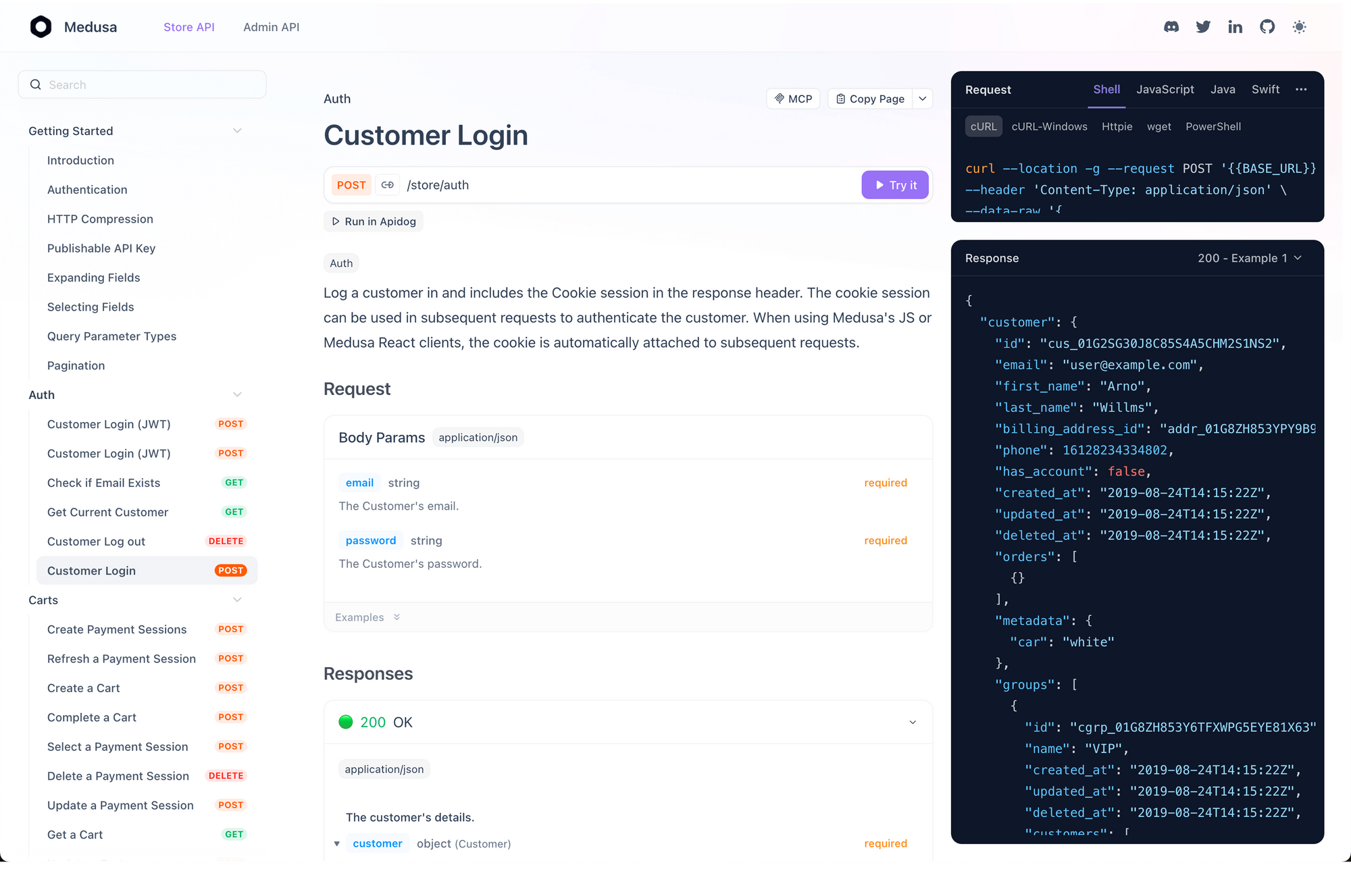
💡 Pro Tip: Leverage Claude for insightful reviews of narrative docs, while Apidog ensures your API specs are rock-solid and auto-fills gaps with practical examples.
Suggested Prompt for Claude:"Examine /docs/api/ for overall clarity and engagement. Next, cross-check the /api/openapi.yaml file's completeness using Apidog. Highlight any inconsistencies or missing elements, so I can address them directly in Apidog before proceeding."
Bash
# Step 1: Initial Prose Review via Claude
> /docs-completeness  # Outputs suggestions for clearer language and structure

# Step 2: API Spec Validation in Apidog
apidog check-completeness api/openapi.yaml  # Flags issues like incomplete schemas or missing responses

# Step 3: Auto-Generate Content with Apidog's AI
# (Via Apidog UI: Settings → AI → Auto-generate descriptions, examples, and summaries)

# Step 4: Final Harmony Check with Claude
> /consistency-check  # Ensures docs and spec are perfectly aligned
This creates a workflow where Apidog handles structured spec validation and Claude Code handles prose quality.
Best Practices for Documentation Review
Know Your Audience
Tailor documentation depth to readers:
| Audience | Style | Example |
|---|---|---|
| Developers | Code examples in multiple languages | cURL, Python, JS |
| DevOps | Deployment steps, configuration | Kubernetes YAML examples |
| Product teams | High-level workflows, diagrams | Feature flows with screenshots |
| Support | Troubleshooting, common issues | "Error 429 means..." |
Prioritize Clarity
Write in active voice, structure for scanning:
❌ Before: "The request is submitted via POST. The response will contain the user."
✅ After: "Submit a POST request to create a user. The API returns the new user."
Always Include Examples
Abstract concepts need anchoring. Every API endpoint needs:
# ✅ Copy-paste ready
curl -X GET https://api.example.com/v1/users/usr_123 \
  -H "Authorization: Bearer YOUR_API_KEY"
Common Pitfalls
| Pitfall | Solution |
|---|---|
| Jargon overload | Define terms on first use |
| Outdated examples | Test in CI/CD |
| Missing error docs | Document all error codes |
| Inconsistent formatting | Use templates |
| Broken links | Check in CI/CD |
Conclusion
Claude Code Skills transform technical documentation review from a tedious manual process into an intelligent, automated workflow. You describe what needs reviewing, and Claude audits your entire documentation repository, identifies gaps and inconsistencies, and applies fixes all while maintaining quality standards.
Combined with Apidog for API specification validation, you achieve comprehensive documentation coverage.