Claude Skills have emerged as a robust extension mechanism that lets you teach Claude repeatable, context-rich tasks across creative, design, document, and development workflows. Skills go beyond simple prompts by packaging instructions, assets, and optionally scripts that the Claude model dynamically loads only when relevant, saving tokens and improving task precision.
This article teaches you how to use Claude Code Skills for design-related tasks, explains what each design skill does in depth, how to integrate them into your workflow, and how to leverage them across Claude platforms (Claude.ai, Claude Code CLI, and the Claude API).
What Are Claude Skills?
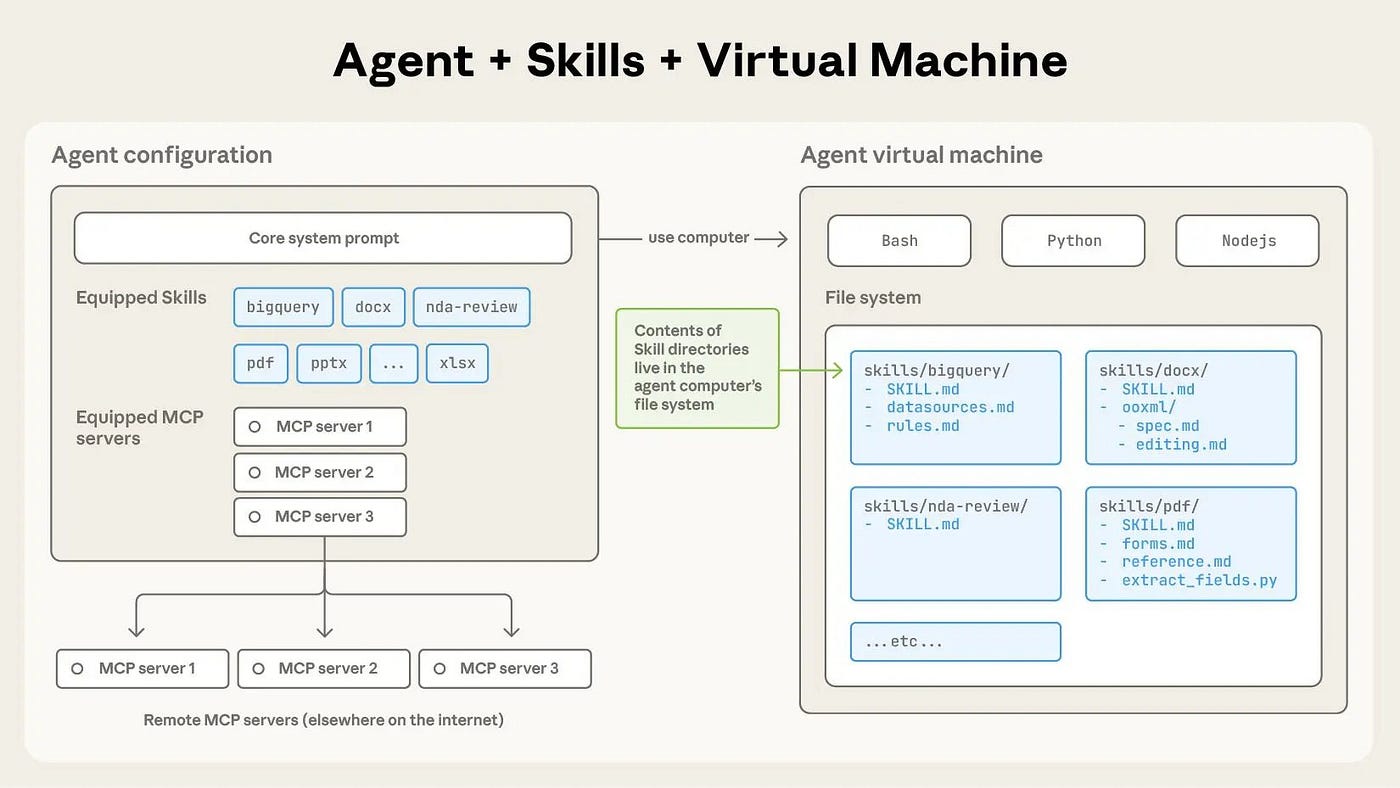
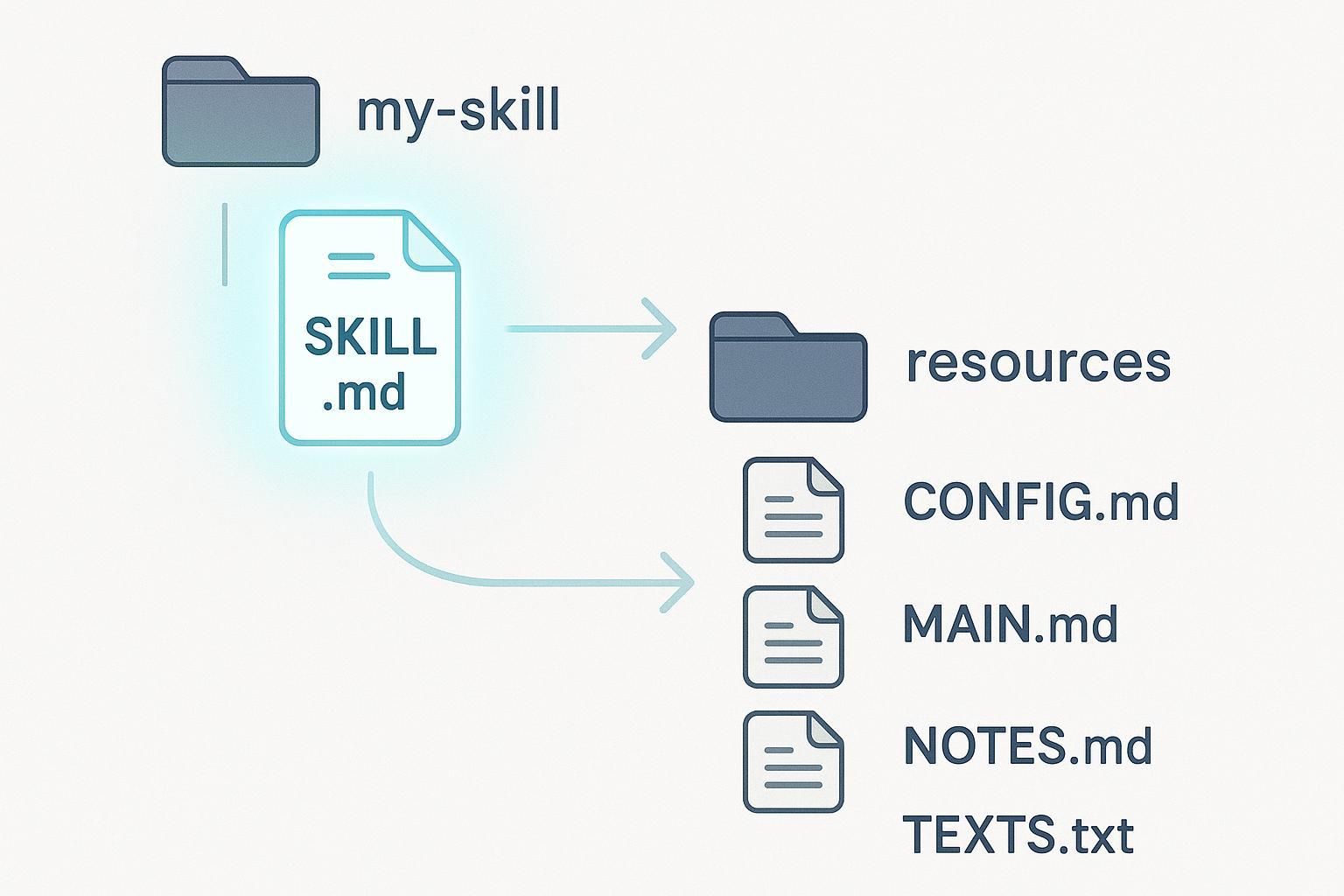
Claude Skills are packaged instruction sets that guide Claude’s behavior on repeatable tasks. They consist of a SKILL.md file (with YAML frontmatter) plus optional templates, code, or scripts. Claude examines skill metadata first — light token cost — to determine relevance, then loads deeper instructions only when needed. Skills are portable across Claude.ai, Claude Code, and the Claude API.
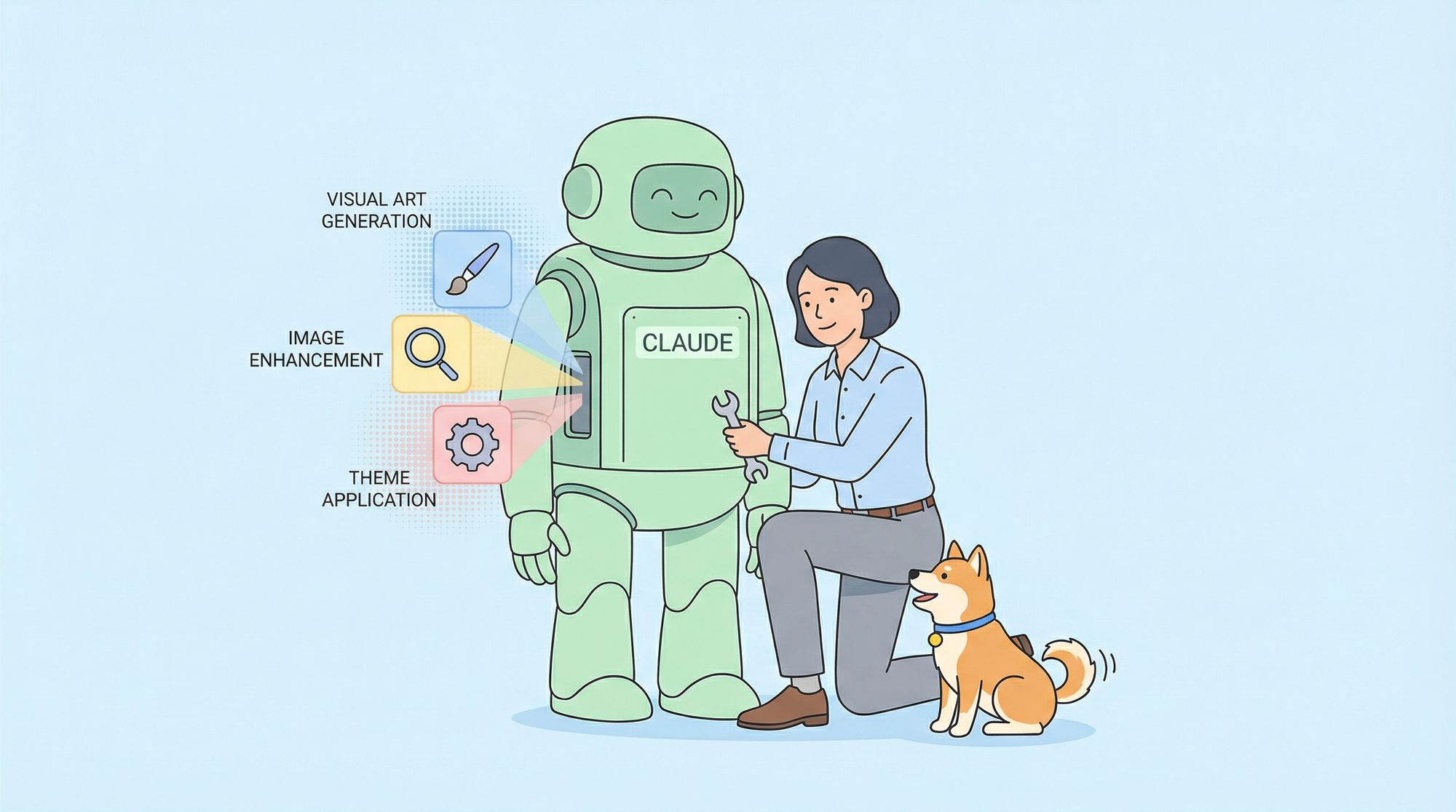
In practical terms, skills let you teach Claude how to do things like generate visual art, apply consistent themes, enhance images, or perform other specialized design-related tasks without reinventing prompts every time.
How to Add Skills to Claude
Claude.ai
- Open Claude.ai.
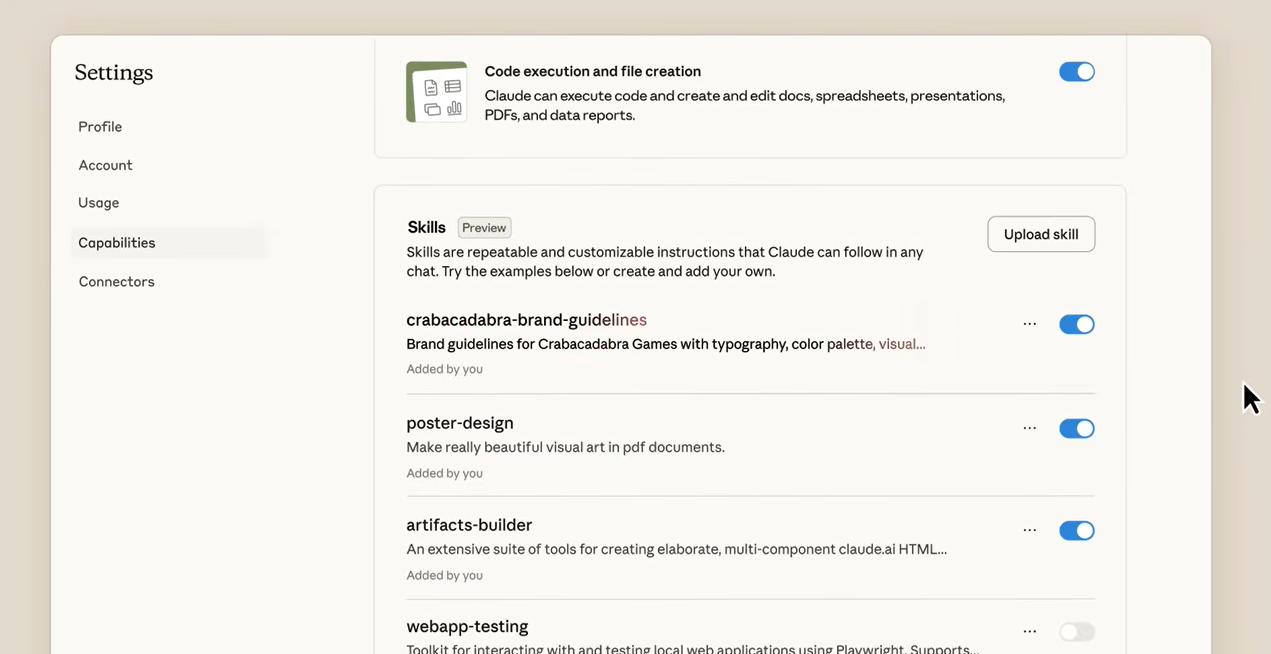
- Go to Settings → Capabilities.
- Enable Skills.
- Search or upload a skill folder (
SKILL.mdand assets). - Claude will automatically activate relevant skills when your prompt matches task descriptions.
Claude Code CLI
To install skills locally:
mkdir -p ~/.config/claude-code/skills/
cp -r awesome-claude-skills/canvas-design ~/.config/claude-code/skills/
After copying the skill into your skill directory, start Claude Code:
claude
Claude Code will load relevant skills contextually when the content of your prompt matches a skill’s description.
Claude API
When calling Claude via the API, specify which skills to activate:
import anthropic

client = anthropic.Anthropic(api_key="YOUR_API_KEY")
response = client.messages.create(
    model="claude-3-5-sonnet-20241022",
    skills=["canvas-design"],
    messages=[{"role":"user","content":"Design a poster for Hackathon 2026"}]
)
This triggers the Canvas Design skill to influence how Claude generates the visual output.
Design-Focused Claude Skills
Below are the key design-related skills from the Awesome Claude Skills repository, explained in depth — what they are, why they matter, and how to use them.
1. Canvas Design
Purpose: Generates high-quality visual art pieces (e.g., posters, illustrations) in PNG/PDF formats using clearly articulated design principles.
How It Helps Designers:
- Replaces manual generation of visual assets with AI-guided workflows.
- Encourages consistency using design philosophy embedded in skill instructions.
Usage Workflow:
- Clone the skill locally.
- In Claude Code or Claude.ai prompt: “Generate a poster for our new product launch with a minimal art deco theme.”
- Claude responds with a layout plus image output guided by the skill rules.
- Export the PNG or PDF for downstream use (presentations, websites).
Why It Matters: Saves hours of repetitive design specification with a reproducible asset creation mechanism.
2. Theme Factory
Purpose: Applies professional typography and color themes to multiple artifact types — slides, documents, HTML pages.
Core Value: Ensures visual cohesion across presentations, marketing collateral, and prototypes.
Example Integration:
- Prompt: “Apply a modern tech theme to these three slides.”
- Theme Factory automatically selects appropriate font pairings and color palettes.
- Output is a polished artifact ready for review or delivery.
Design Impact: Instead of manually picking and testing themes, designers rely on pre-curated, professionally vetted palettes. (Skills.pub)
3. Image Enhancer
Purpose: Improves raw images or screenshots objectively — resolution, sharpness, clarity — without changing semantic content.
How It Fits Design Work:
- Polishes screenshots for documentation, portfolios, or versioned designs.
- Enhances prototypes for client delivery.
Practical Use Case:
Prompt: "Enhance attached UX wireframe images with sharpened lines and improved resolution."
Claude responds with improved versions that look more professional.
Why It Matters: Saves manual photo editing tasks and preserves image fidelity.
4. Slack GIF Creator
Purpose: Generates animated GIFs optimized for Slack’s constraints (size, duration).
Unique Advantage:
- Skill understands Slack’s size limits and compression requirements and produces compliant animations.
Example Workflow: - Prompt: “Create a Slack GIF showing a product feature walkthrough.”
- Claude produces an animation sequence using pre-defined animation primitives.
- GIF is Slack-optimized — no extra manual resizing.
Design Payoff: In team communications or demos, you get high-quality, context-specific animation quickly.
Design-Adjacent but Useful Skills
Although not strictly UI design skills, these still support visual work:
1. Frontend Design
Purpose: Instructs Claude on avoid generic aesthetics (“AI slop”) and generate purposeful, polished UI code (React, Tailwind, CSS).
Why It Matters:
- Use when prototyping interfaces.
- You can tell Claude: “Create a responsive dashboard layout using Tailwind.”
Claude leverages the skill to output high-quality stylistic UI code. (Awesome Skills)
2. Algorithmic Art
Purpose: Produces generative art using code (e.g., p5.js) with seeded randomness and flow fields.
Design Workflows:
- Great for background patterns, visual explorations, and creative coding tasks.
- Prompt: “Generate generative art with a retro palette.”
Claude uses the skill’s logic to output code and visuals.
Apidog: Boost Your API-Driven Design Workflows
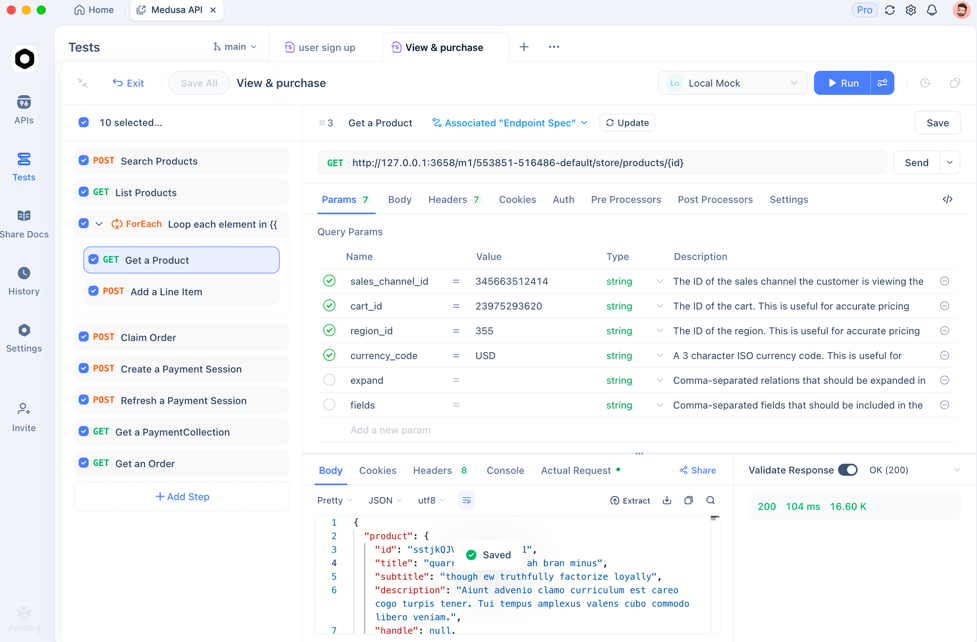
For developers working with design workflows that interact with APIs — such as generating content dynamically or integrating external design tools — Apidog is a complementary tool worth integrating.
- API testing: validate backend endpoints used for asset generation pipelines.
- Generate API test cases: produce exhaustive test scenarios based on design workflows.
- API Contract testing: ensure frontend and AI-generated assets align with backend specs.
Start with Apidog for free to make sure your design endpoints behave reliably in production workflows — crucial when automating design tasks programmatically.
Frequently Asked Questions
Q1. Can I use Claude Skills without code execution enabled?
No — to use skills effectively, code execution support must be enabled in Claude.ai or through Claude Code.
Q2. Are skills loaded automatically?
Yes — Claude scans metadata and loads relevant skills contextually when your task matches a skill’s description.
Q3. Do skills work across platforms?
Yes, Skills work in Claude.ai, Claude Code CLI, and via Claude API.
Q4. Can I combine skills?
Skills are composable — multiple relevant skills can be active for complex workflows (e.g., Theme Factory + Canvas Design).
Q5. Do skills require programming to use?
For using skills: no. For creating skills: you need familiarity with SKILL.md structure and optionally scripts.
Conclusion
Claude Code Skills are powerful AI-driven building blocks that let you automate and perfect design workflows with precision and repeatability. From generating visual assets to applying consistent design themes and producing professional GIFs, these skills let you offload repetitive tasks while preserving creative control. Combine them with automated API testing using Apidog to ensure end-to-end reliability in your design automation workflows.