Are you looking for an AI code assistant that accelerates coding, debugging, and prototyping across languages? Claude Code stands out as a powerful terminal-based AI code helper, helping developers and engineers write, refactor, and optimize code efficiently. Whether you're building APIs, developing frontend interfaces, or tackling complex backend logic, Claude Code offers real-time support and context-aware suggestions to streamline your workflow.
For API-centric teams, having the right toolkit is essential. Apidog complements your stack by generating beautiful API documentation, boosting team productivity, and replacing Postman with a more affordable, integrated platform. Discover how Claude Code and Apidog together can boost engineering productivity and quality.
Why Claude Code is a Game-Changer for Developers
Claude Code operates directly in your terminal, providing conversational AI assistance tailored to your project files. Here's what makes it indispensable for modern development:
- Context-Aware Code Assistance: Generates, debugs, and refactors code with full awareness of your codebase and project structure.
- Language Versatility: Supports HTML, JavaScript, Java, Python, and more—ideal for full-stack and backend engineers.
- Large Context Window: Handles up to 200,000 tokens, keeping long sessions coherent, which is crucial for complex projects.
- Simple Setup: Install via npm (
npm install -g @anthropic-ai/claude-code), launch withclaudein your project folder, and start prompting. - Flexible Access: Free for basic use, with affordable pro plans for professional teams.
With Claude Code, developers can accelerate prototyping, troubleshoot issues interactively, and gain actionable explanations for every suggestion.
Generating and Formatting HTML with Claude Code
Building clean, accessible HTML can be tedious—especially for dashboard layouts or documentation pages. Claude Code simplifies this by suggesting semantic markup and responsive structure.
Example Prompt:
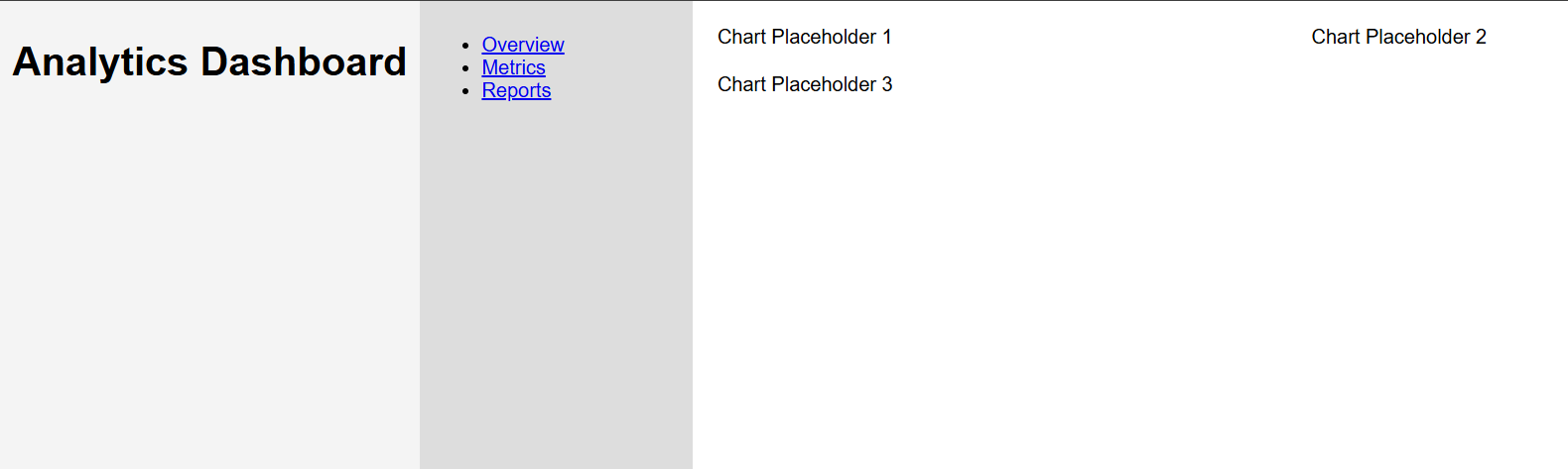
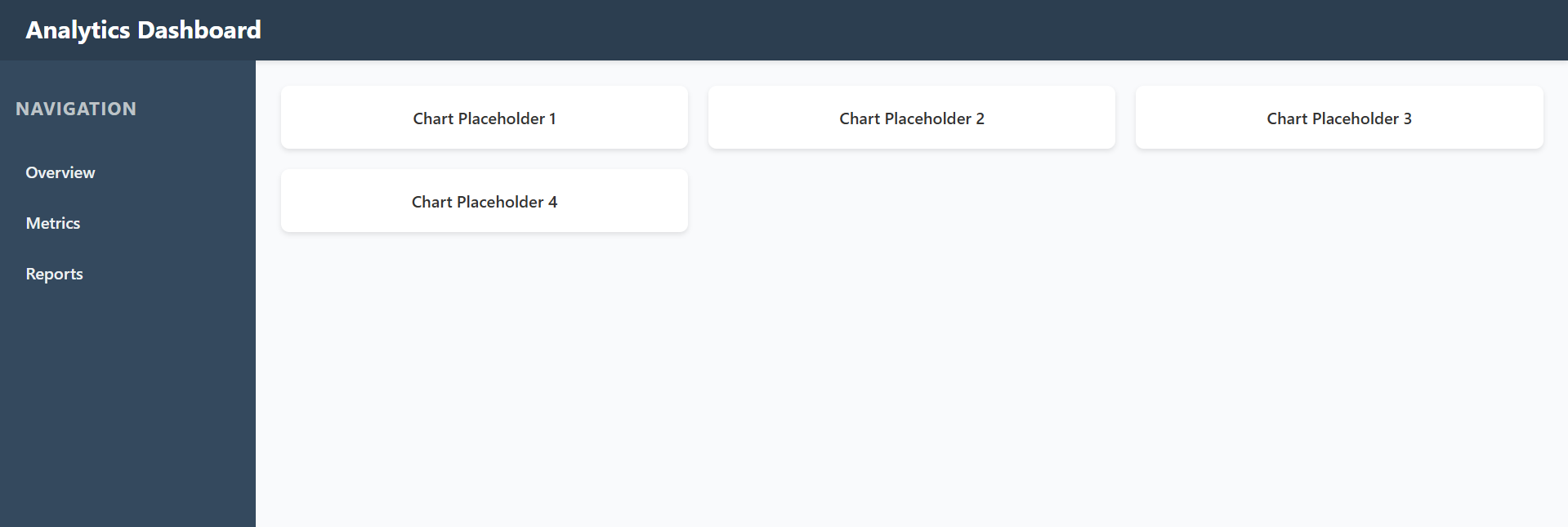
"Generate an HTML template for a data dashboard with a header, sidebar navigation, and a responsive main grid. Add placeholders for three charts."
Claude Code Output:
<!DOCTYPE html>
<html lang="en">
<head>
    <meta charset="UTF-8">
    <meta name="viewport" content="width=device-width, initial-scale=1.0">
    <title>Dashboard</title>
    <style>
        body { font-family: Arial, sans-serif; margin: 0; display: flex; height: 100vh; }
        header { background: #f4f4f4; padding: 10px; text-align: center; }
        nav { width: 200px; background: #ddd; padding: 10px; }
        main { flex: 1; padding: 20px; overflow-y: auto; }
        .grid { display: grid; grid-template-columns: repeat(auto-fit, minmax(300px, 1fr)); gap: 20px; }
    </style>
</head>
<body>
    <header>
        <h1>Analytics Dashboard</h1>
    </header>
    <nav>
        <ul>
            <li><a href="#overview">Overview</a></li>
            <li><a href="#metrics">Metrics</a></li>
            <li><a href="#reports">Reports</a></li>
        </ul>
    </nav>
    <main>
        <div class="grid">
            <div>Chart Placeholder 1</div>
            <div>Chart Placeholder 2</div>
            <div>Chart Placeholder 3</div>
        </div>
    </main>
</body>
</html>
This sample is production-ready and easily customizable. Edit the prompt to match your brand style or add advanced components as needed.
Supercharging JavaScript Development
Frontend engineers often spend time debugging async code, handling API calls, or managing dynamic UIs. Claude Code provides code snippets and practical explanations to streamline these tasks.
Example Prompt:
"Write a JavaScript function to fetch user data from an API, display it in a table, and handle loading and error states."
Claude Code Output:
async function fetchAndDisplayUsers() {
    const tableBody = document.getElementById('userTable');
    const loadingDiv = document.getElementById('loading');

    try {
        loadingDiv.style.display = 'block';  // Show loading
        const response = await fetch('https://api.example.com/users');
        if (!response.ok) throw new Error('Failed to fetch users');
        const users = await response.json();

        tableBody.innerHTML = '';  // Clear table
        users.forEach(user => {
            const row = tableBody.insertRow();
            row.insertCell(0).textContent = user.id;
            row.insertCell(1).textContent = user.name;
            row.insertCell(2).textContent = user.email;
        });
    } catch (error) {
        console.error('Error:', error);
        tableBody.innerHTML = '<tr><td colspan="3">Error loading users</td></tr>';
    } finally {
        loadingDiv.style.display = 'none';  // Hide loading
    }
}

// Usage: Call on page load
document.addEventListener('DOMContentLoaded', fetchAndDisplayUsers);
Claude Code not only generates the code, but can help debug and optimize it interactively—ideal for frontend and API integration work.
Accelerating Java Backend Development
For backend and API engineers, Claude Code assists in writing robust, maintainable Java code, including service layers, repositories, and error handling.
Example Prompt:
"Create a Java class for a UserRepository using Spring Data JPA, with findById and save methods, including error handling."
Claude Code Output:
import org.springframework.data.jpa.repository.JpaRepository;
import org.springframework.stereotype.Repository;
import org.springframework.transaction.annotation.Transactional;

@Repository
public interface UserRepository extends JpaRepository<User, Long> {

    @Transactional(readOnly = true)
    default User findByIdWithErrorHandling(Long id) {
        return findById(id).orElseThrow(() -> new UserNotFoundException("User not found with id: " + id));
    }

    @Transactional
    default User saveWithValidation(User user) {
        if (user.getEmail() == null || user.getEmail().isEmpty()) {
            throw new IllegalArgumentException("Email is required");
        }
        return save(user);
    }
}

// Supporting entity (assumed)
@Entity
public class User {
    @Id
    @GeneratedValue(strategy = GenerationType.IDENTITY)
    private Long id;
    private String name;
    private String email;
    // Getters and setters omitted for brevity
}
This approach ensures best practices and reduces boilerplate, letting you focus on API design and business logic.
Streamlined Python Automation and Data Analysis
Python's simplicity and flexibility make it perfect for scripting, data processing, and automation. Claude Code helps generate, explain, and refine Python code for engineering and analytics tasks.
Example Prompt:
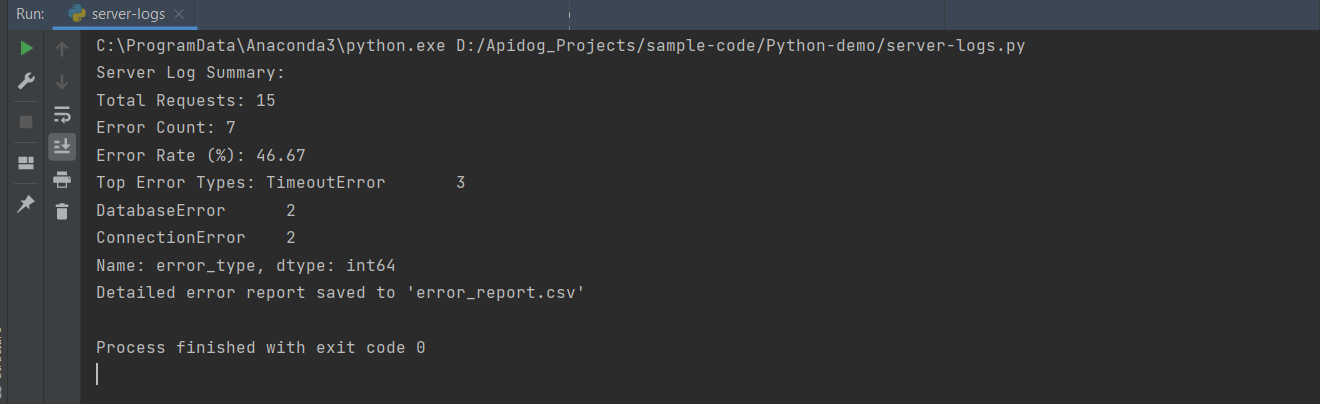
"Write a Python script using pandas to analyze server logs from a CSV, calculate error rates, and output a summary report."
Claude Code Output:
import pandas as pd

# Load log data
logs = pd.read_csv('server_logs.csv')

# Filter errors
errors = logs[logs['status'] == 'ERROR']

# Calculate rates
total_requests = len(logs)
error_rate = (len(errors) / total_requests) * 100

# Summary report
summary = {
    'Total Requests': total_requests,
    'Error Count': len(errors),
    'Error Rate (%)': round(error_rate, 2),
    'Top Error Types': errors['error_type'].value_counts().head()
}

print("Server Log Summary:")
for key, value in summary.items():
    print(f"{key}: {value}")

# Save detailed report
errors.to_csv('error_report.csv', index=False)
print("Detailed error report saved to 'error_report.csv'")
For network simulation or graph analysis, simply prompt Claude Code for scripts using networkx and visualization with matplotlib—it delivers ready-to-run solutions.
Essential Prompts for Developers and API Teams
Claude Code shines with clear, context-rich prompts. Try these examples to maximize its value:
- API Development: "Explain how to implement a RESTful API endpoint in Express.js with authentication middleware."
- Debugging: "Debug this Python NumPy array operation that's causing a shape mismatch error."
- Optimization: "Refactor this Java method to use streams for better performance on large datasets."
- DevOps: "Create a Docker Compose file for a microservices setup with PostgreSQL and Redis."
You’ll receive not just code, but rationale and step-by-step explanations—perfect for learning and team collaboration.
Best Practices for Using Claude Code Effectively
- Provide specific, detailed prompts (language, framework, constraints).
- Use file uploads for complex or multi-file projects.
- Iterate: follow up with requests like “Add unit tests” or “Optimize for scalability.”
- Integrate with runtime environments for hands-on testing.
- Keep Claude Code updated for the latest model improvements.
Integrating Claude Code and Apidog in Your Workflow
Combining Claude Code’s contextual AI code generation with Apidog’s API design and collaboration tools gives engineering teams an edge. Apidog helps teams document, test, and manage APIs collaboratively—at a significantly lower cost than Postman (compare here). Claude Code boosts coding speed and quality, while Apidog streamlines your end-to-end API lifecycle.