Claude Code writes your API endpoints. Apidog tests them. This powerful duo transforms how developers approach API building, combining AI-assisted coding with robust testing capabilities. As teams seek faster iterations without sacrificing quality, tools like these address common pain points in backend development.
The Claude Code Moment: Why It's Trending Now
Developers constantly search for ways to accelerate coding tasks, and Claude Code emerges as a game-changer in this space. Anthropic's Claude Code, a command-line interface tool powered by the Claude Sonnet and Opus models, integrates directly into your terminal. It automates debugging, refactoring, and code generation, understanding your entire codebase through natural language interactions. Unlike traditional IDE plugins, Claude Code acts as an agentic assistant, meaning it proactively suggests improvements and executes complex tasks based on context.
This tool gains traction amid the rise of AI in software engineering. Recent surveys from platforms like Stack Overflow indicate that over 70% of developers now incorporate AI tools into their workflows, with coding assistants leading the charge. Claude Code stands out because it resides in the terminal, avoiding the overhead of browser-based interfaces. Moreover, its ability to handle multi-step processes—such as generating API endpoints from specifications—resonates with teams facing tight deadlines.
However, the real momentum builds from its compatibility with protocols like Model Context Protocol (MCP), which allows seamless connections to external services. Developers report up to 50% reductions in development time for routine tasks, according to user testimonials on Reddit and GitHub. As open-source contributions grow, Claude Code trends on forums where engineers discuss shifting from manual coding to AI-orchestrated development. This shift not only boosts efficiency but also reduces errors in API implementations, setting the stage for integrations with tools like Apidog.
Transitioning to practical applications, Claude Code's popularity stems from real-world successes. For instance, in API development, it generates boilerplate code for RESTful services, complete with error handling and validation. Yet, trends show that pairing it with specialized API platforms amplifies its impact. Apidog, an all-in-one API tool, complements this by providing testing and documentation features that Claude Code alone lacks. Together, they form a trending stack for modern backend workflows, as evidenced by increasing mentions in dev blogs and conferences.
Setting Up Claude Code and Apidog Integration
You begin the workflow by configuring Claude Code and Apidog, ensuring they communicate effectively. First, obtain an Anthropic API key from the Anthropic Console.
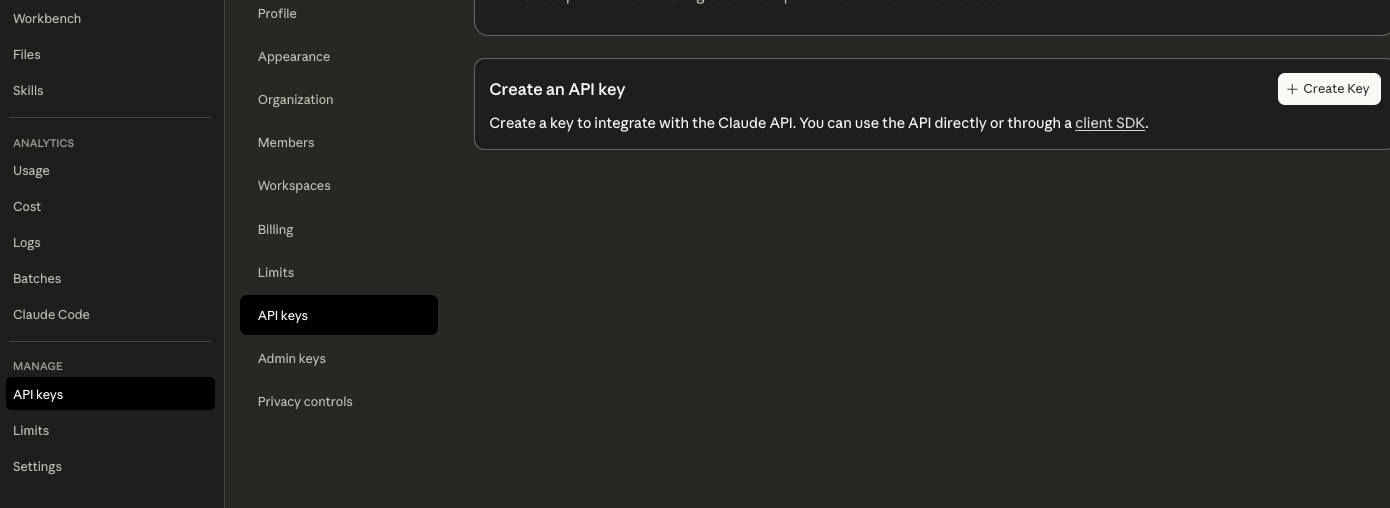
Store this key as an environment variable named ANTHROPIC_API_KEY in a .env file within your project root. This step secures access without exposing credentials in version control—add .env to your .gitignore file immediately.
Next, install Claude Code via npm or your preferred package manager. Run npm install -g claude-code to make it globally available. Once installed, create a .claude directory in your project's root: mkdir -p .claude/{agents,commands,hooks,skills}. This structure organizes custom configurations. Add a CLAUDE.md file here to document your project's tech stack, coding style, and any custom commands. For example, specify that you're using Node.js with Express for APIs, which helps Claude Code tailor its suggestions.
To integrate with Apidog, focus on the Model Context Protocol (MCP). Apidog provides an MCP server that bridges API specifications to Claude Code. Start by creating an Apidog account at apidog.com. Generate an access token in your account settings under API Access Token. Name it something descriptive, like "Claude-Code-Integration," and set it to never expire for ongoing use.
Configure this in your ~/.claude.json file. Add an entry under "mcpServers" like this:
{
  "mcpServers": {
    "apidog": {
      "type": "stdio",
      "command": "npx",
      "args": [
        "apidog-mcp-server@latest",
        "--project-id=YOUR_PROJECT_ID"
      ],
      "env": {
        "APIDOG_ACCESS_TOKEN": "YOUR_ACCESS_TOKEN"
      }
    }
  }
}
Replace YOUR_PROJECT_ID and YOUR_ACCESS_TOKEN with your actual values. Restart Claude Code to apply changes. Verify the connection by running a simple command in your terminal, such as claude status, which should confirm the MCP server links successfully.
Additionally, enable Language Server Protocol (LSP) support for better code intelligence. Install typescript-language-server globally if using TypeScript: npm install -g typescript-language-server. Reference it in .claude/settings.json to enhance autocompletions during API building.
For Apidog-specific setup, create a new project in the platform. Import any existing OpenAPI specifications or start fresh. Apidog's browser-based interface allows you to define request parameters, response schemas, and mock servers effortlessly. This setup ensures Claude Code pulls the latest specs via MCP, preventing drift between design and implementation.
Step-by-Step: Building a REST API with Claude Code
You construct a REST API using Claude Code by following a structured, AI-guided process. Begin with defining your database schema. Prompt Claude Code in your terminal: "Generate a PostgreSQL schema for an e-commerce database with users, products, and orders tables." Claude Code responds with DDL scripts, including fields like user_id (INTEGER, PRIMARY KEY), email (VARCHAR, UNIQUE), and relationships such as foreign keys linking orders to users.
Subsequently, generate mock data to populate this schema. Issue a command like: "Create 50 mock user records and 200 order entries using Faker, ensuring realistic data and constraint compliance." Claude Code outputs SQL insert statements or ORM seed functions, respecting uniqueness and data types. This step tests the schema's integrity early, catching potential issues before implementation.
Moving forward, build the data-access layer. Specify your stack: "Using Node.js with Prisma, create models and repositories for CRUD operations on users and orders." Claude Code generates Prisma schema files, repository classes with methods like getUserById or createOrder, and migration scripts. It optimizes queries with joins for related entities, ensuring efficient data retrieval.
Next, create the REST API layer. Prompt: "Build Express routes for full CRUD on users and products, including authentication middleware." Claude Code produces a server skeleton with endpoints like GET /users, POST /users, and nested routes such as GET /users/:id/orders. It wires these to the repositories, incorporating query parameters for filtering and sorting.
To enhance robustness, implement validation and error handling. Command: "Add Joi validation for all inputs, standard HTTP error responses, and pagination." Claude Code integrates validation schemas, try-catch blocks for exceptions, and response shaping with JSON envelopes including metadata. For example, it ensures 400 Bad Request for invalid emails and 404 Not Found for missing resources.
Finally, generate documentation. Ask: "Produce OpenAPI specs from these routes, with examples and descriptions." Claude Code outputs a YAML or JSON file ready for tools like Swagger UI. It also scaffolds run scripts, test suites using Jest, and deployment configurations.
Throughout this process, Claude Code references your Apidog specs via MCP, ensuring generated code aligns with predefined parameters and responses. For instance, if Apidog defines a required "email" field as string, Claude Code enforces it in validation. This step-by-step method reduces manual effort, with Claude Code handling boilerplate while you focus on business logic.
Expanding on examples, consider a user registration endpoint. Claude Code generates:
const joi = require('joi');

const userSchema = joi.object({
  email: joi.string().email().required(),
  password: joi.string().min(8).required()
});

app.post('/users', async (req, res) => {
  const { error } = userSchema.validate(req.body);
  if (error) return res.status(400).json({ message: error.details[0].message });

  try {
    const user = await userRepository.create(req.body);
    res.status(201).json(user);
  } catch (err) {
    res.status(500).json({ message: 'Server error' });
  }
});
This code exemplifies active voice in action—Claude Code creates, validates, and responds directly. Moreover, it scales to complex APIs, handling authentication with JWT or relationships via includes in queries.
However, monitor for edge cases. Claude Code excels at standard CRUD but may require refinements for custom logic, like integrating payment gateways. Iterate by prompting adjustments: "Refactor this endpoint to include Stripe payment processing." This iterative building keeps the API evolving efficiently.
Testing the API with Apidog's Visual Test Builder
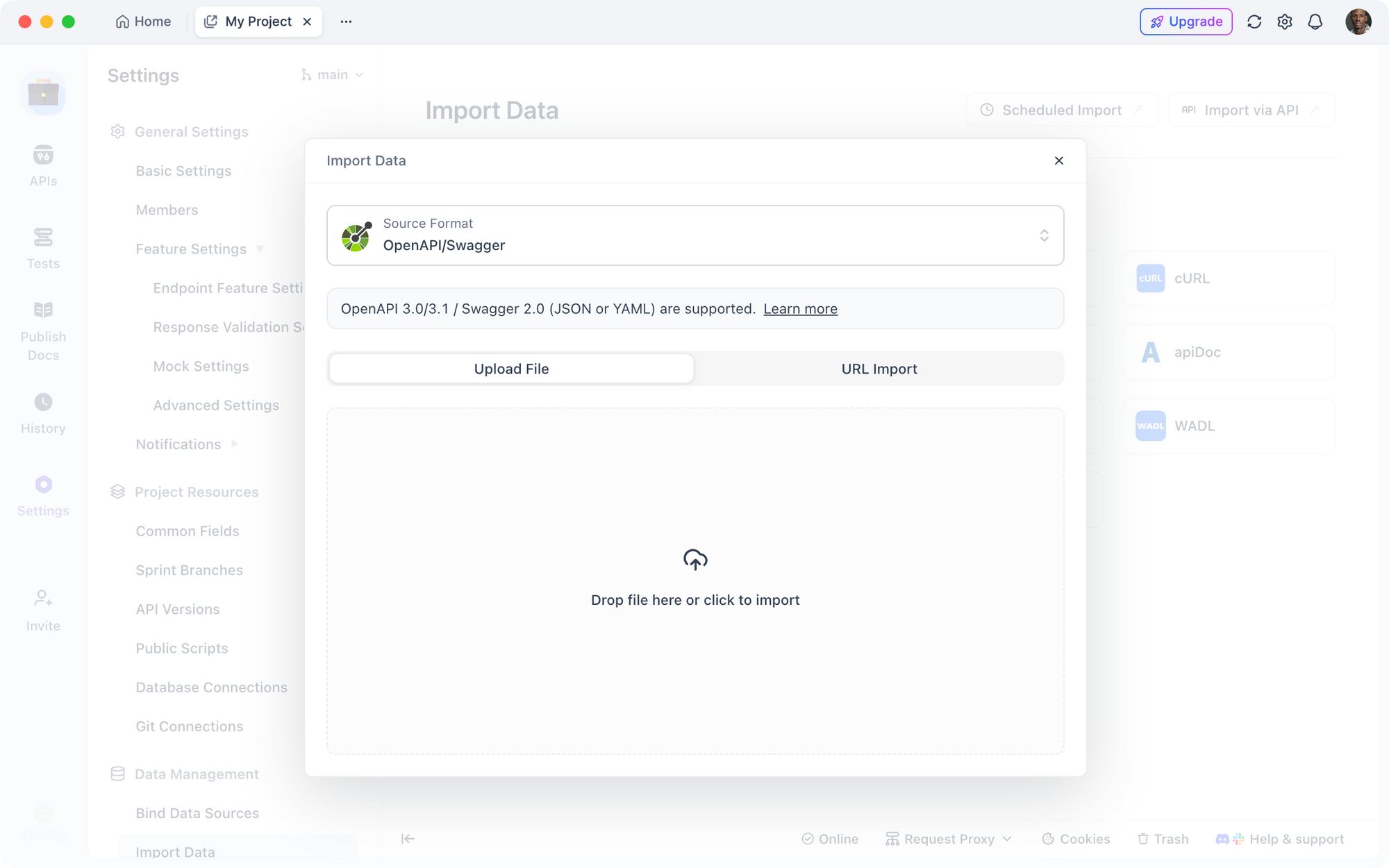
You test the API endpoints generated by Claude Code using Apidog's visual test builder, which simplifies verification without writing extensive scripts. Start by importing the OpenAPI spec from Claude Code into Apidog. Create a new project,
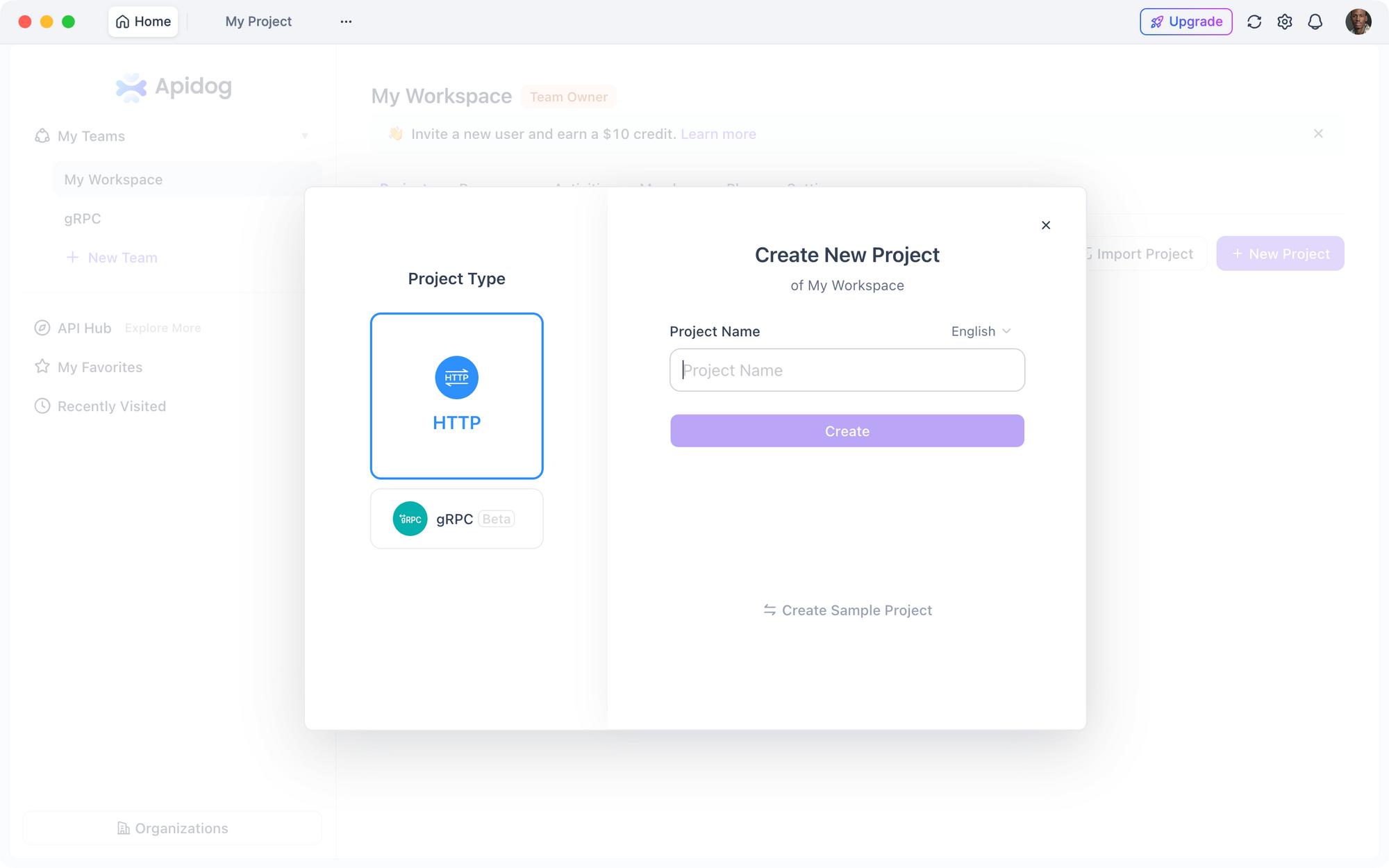
Click "Import," and upload the YAML file. Apidog automatically populates collections with all routes, parameters, and expected responses.
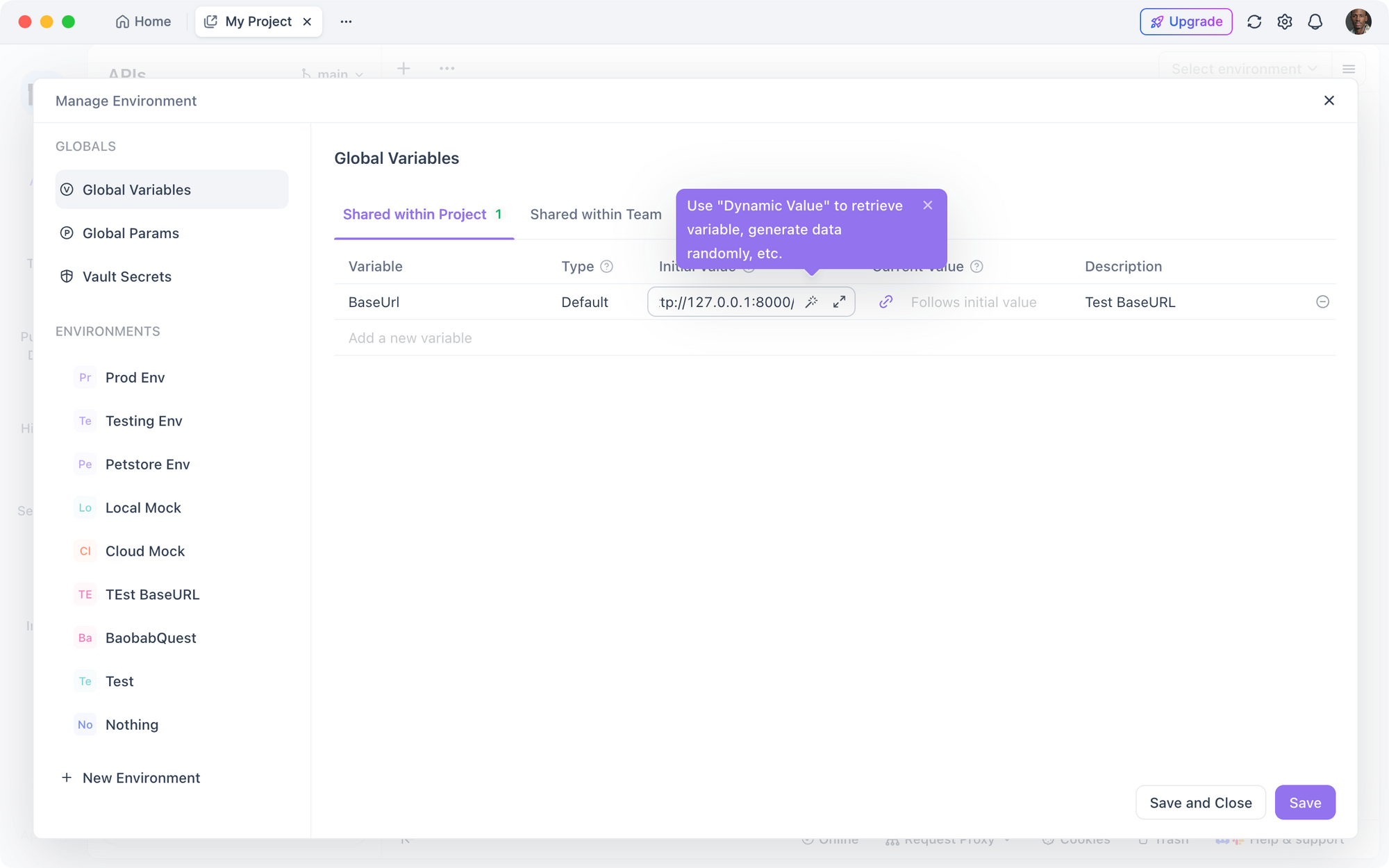
Configure environments next. Set up a "Development" environment with the base URL (e.g., http://127.0.0.1:8000/api/) and any authentication tokens. Apidog supports variables for dynamic values, such as API keys or user IDs, making tests reusable across stages.
Build tests visually. Select an endpoint like POST /users, add body data via the JSON editor, and include assertions.
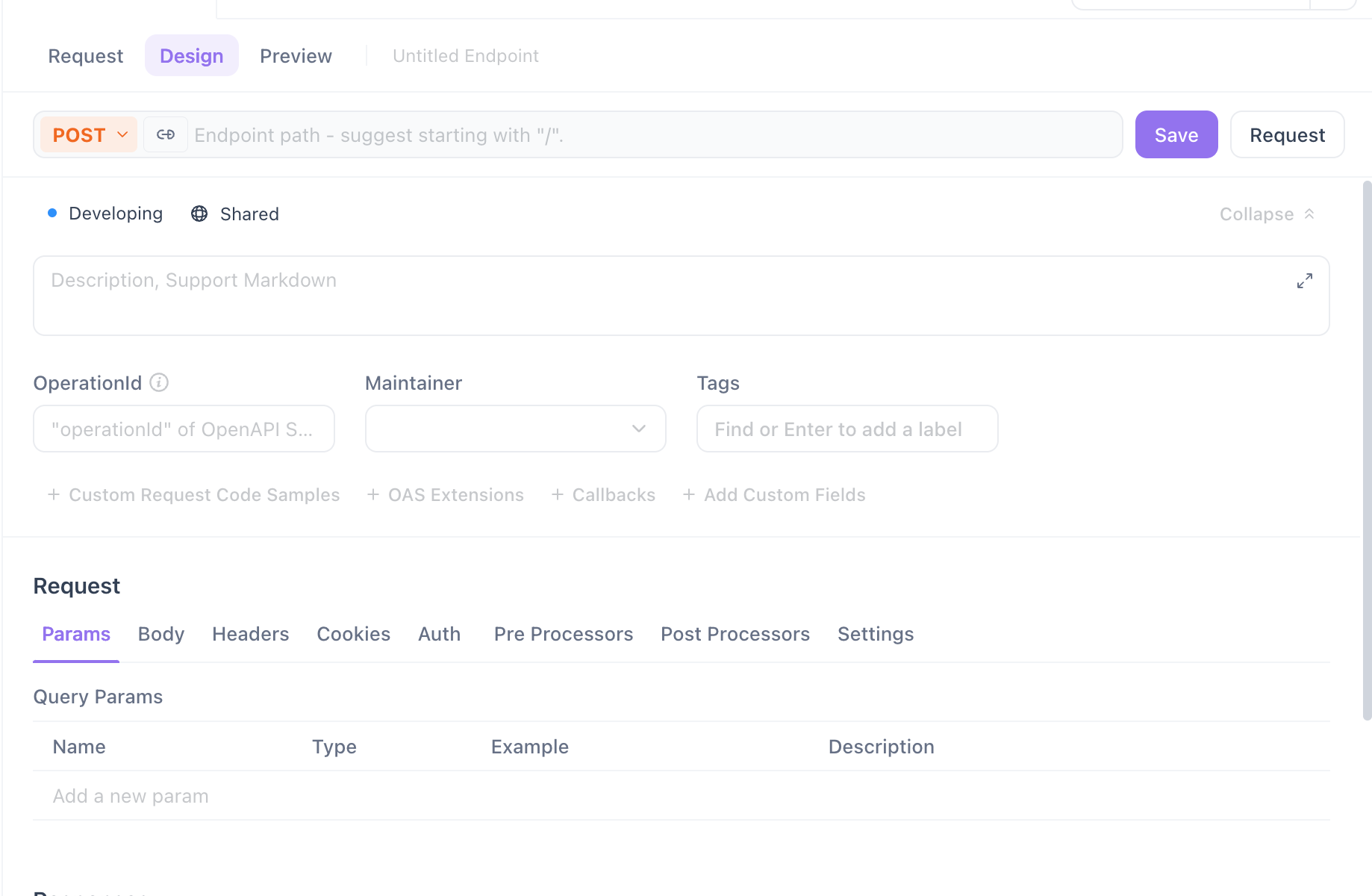
For example, assert "response.status == 201" and "response.body.id exists." Apidog's drag-and-drop interface lets you chain requests—use the response from a login endpoint to authenticate subsequent calls.
Run individual tests or entire collections. Apidog displays results with pass/fail indicators, detailed logs, and response previews. If a test fails, inspect headers, bodies, and timings to diagnose issues. For instance, if validation fails, Apidog highlights mismatches against the schema.
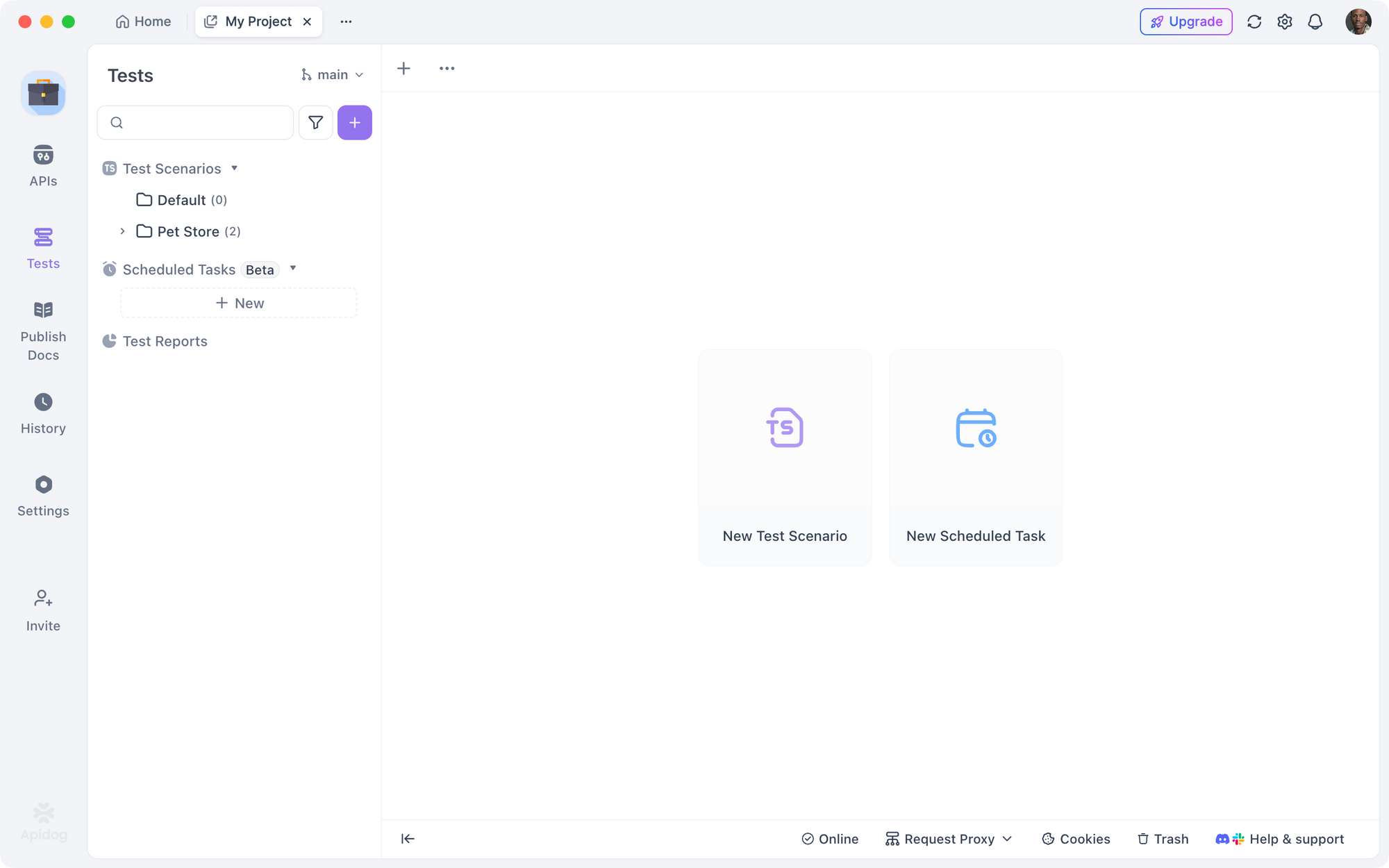
Moreover, leverage mock servers. Apidog generates mocks from your specs, allowing frontend teams to develop against simulated APIs while you refine the backend. Switch between real and mock environments seamlessly.
Visual elements enhance usability. Apidog's builder includes timelines for request sequences, dependency graphs, and coverage reports showing tested paths. This ensures comprehensive testing, covering happy paths, errors, and edge cases like invalid inputs or rate limits.
Integrate with Claude Code by feeding test failures back as prompts: "Fix this endpoint based on failed test: 400 error on missing password." This loop tightens quality. Apidog also exports reports in PDF or HTML for team reviews, fostering collaboration.
In practice, testing a GET /orders endpoint involves querying with parameters like ?userId=1&status=pending. Apidog verifies pagination, ensuring "response.body.length <= 10" and links to next pages. This visual approach accelerates debugging, with users reporting 40% faster test cycles compared to tools like Postman.
However, combine visual tests with scripted ones for depth. Apidog supports JavaScript for custom assertions, bridging to automated setups.
Automated Testing in CI/CD with Apidog and Claude Code
You automate testing by embedding Apidog into your CI/CD pipelines, ensuring every Claude Code-generated change undergoes rigorous checks. Begin with version control—commit your API code and Apidog collections to Git. Use GitHub Actions or Jenkins for pipelines.
Configure a workflow file, such as .github/workflows/api-tests.yml:
name: API Tests

on: [push, pull_request]

jobs:
  test:
    runs-on: ubuntu-latest
    steps:
      - uses: actions/checkout@v2
      - name: Install Dependencies
        run: npm install
      - name: Start Server
        run: npm start &
      - name: Run Apidog Tests
        uses: apidog/action@v1
        with:
          collection-id: YOUR_COLLECTION_ID
          api-key: ${{ secrets.APIDOG_API_KEY }}
This starts your API server, then executes Apidog tests via their CLI or GitHub Action. Apidog pulls collections and runs them against the running instance, failing the build on errors.
Integrate Claude Code for pre-commit hooks. Use its hooks feature in .claude/hooks to run lints or unit tests before pushes. Prompt Claude Code to generate these: "Create a pre-commit hook that runs Apidog smoke tests."
For continuous deployment, add deployment steps after tests pass. Use tools like Vercel or Heroku, where Apidog verifies production endpoints post-deploy.
Benefits include catching regressions early. Apidog's automated reports integrate with Slack or email notifications, alerting teams to failures. Moreover, scale tests with parallel execution for large APIs.
Challenges arise in stateful tests—use Apidog's environment resets or Claude Code to seed test data. This automation ensures reliability, with teams achieving 90% test coverage effortlessly.
What Works Well and What Still Needs Human Oversight
Claude Code excels at generating boilerplate and standard patterns, such as CRUD endpoints and validations, reducing development time significantly. Apidog shines in testing and documentation, providing visual tools that catch issues Claude Code might overlook. Together, they handle 80% of routine API tasks autonomously.
However, human oversight remains essential for complex logic, like custom algorithms or security implementations. Claude Code may generate insecure code if not prompted explicitly for best practices. Similarly, Apidog tests require manual assertion design for nuanced scenarios.
What works: Rapid prototyping, spec synchronization via MCP, and automated CI/CD integration. Limitations include AI hallucinations in edge cases and dependency on clear prompts.
To mitigate, review generated code thoroughly and iterate prompts. This hybrid approach maximizes strengths while minimizing risks, making the workflow ideal for modern API development.
In summary, building APIs with Claude Code and Apidog streamlines processes from conception to deployment. Developers leverage AI for speed and tools for quality, transforming how teams deliver robust services.