TL;DR
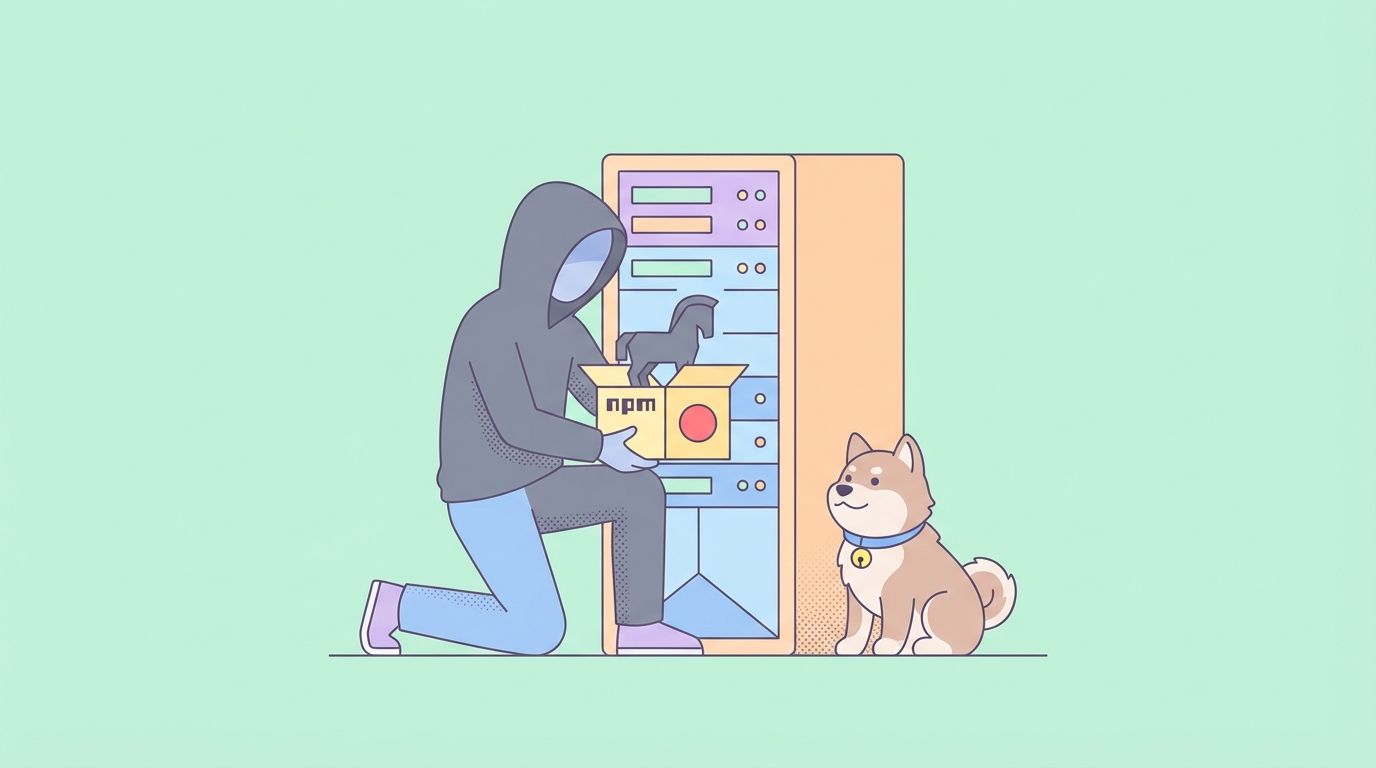
On March 30–31, 2026, axios versions 1.14.1 and 0.30.4 were compromised on npm with a malicious dependency that drops a remote access trojan (RAT) on infected machines. Both versions have been unpublished. The safe version is 1.14.0. If you installed axios@1.14.1 or 0.30.4, treat the machine as compromised and rotate all credentials immediately.
What axios is and why this matters
axios has 100 million weekly downloads on npm. It's the HTTP client in countless frontend frameworks, backend Node.js services, and enterprise applications. When a package this foundational gets compromised, the blast radius is enormous — developers who ran npm install in a narrow time window on March 30–31 pulled malware onto their machines without knowing it.
This isn't a hypothetical supply chain risk. It happened, it was confirmed, and the payload was serious: a multi-stage remote access trojan capable of executing arbitrary commands, exfiltrating system data, and persisting on infected machines.
If your team uses axios, and you use Apidog to design and test your HTTP client integrations, read this before your next deploy.
Timeline of the attack
March 30, 2026 — 23:59:12 UTC: A malicious package called plain-crypto-js@4.2.1 is published to npm by an account using nrwise@proton.me. An earlier clean version (4.2.0) had been published 18 hours prior as a convincing typosquat of the legitimate crypto-js library.
March 31, 2026 — 00:05:41 UTC: Socket's automated malware detection flags plain-crypto-js@4.2.1 as malicious — six minutes after it was published.
March 31, 2026 — shortly after midnight: axios@1.14.1 is published to npm, pulling in plain-crypto-js@4.2.1 as a dependency. The release does not appear in the axios GitHub repository's official tags. The most recent legitimate tag remains v1.14.0.
March 31, 2026 — morning: The GitHub issue #10604 is opened publicly reporting both axios@1.14.1 and axios@0.30.4 as compromised. Axios maintainers confirm they initially cannot revoke the attacker's access — the compromised account has higher npm permissions than the legitimate maintainers.
March 31, 2026: Both axios@1.14.1 and axios@0.30.4 are unpublished from npm. Axios maintainers begin revoking tokens, tightening publish controls, and investigating how a long-lived npm token was exploited to gain unauthorized publish access.
How the attack worked
The attack exploited a gap in axios's publishing workflow: a long-lived npm token that had been used alongside trusted publishing. The attacker — likely after compromising a maintainer's credentials — used this token to publish a new version outside the normal release process.
The new version introduced plain-crypto-js@4.2.1 as a dependency. The package name was designed to look like a legitimate cryptography utility; the earlier clean 4.2.0 version established a brief history to reduce suspicion.
Inside plain-crypto-js@4.2.1, Socket's analysis found a multi-stage payload:
- Stage 1 — Execution: The package runs code at install time (via npm lifecycle scripts) to drop a secondary payload.
- Stage 2 — RAT deployment: The payload installs a remote access trojan that opens a persistent backdoor.
- Stage 3 — Exfiltration: The RAT is capable of executing arbitrary shell commands sent from a C2 server, reading environment variables and secrets from the filesystem, and sending system data out over the network.
The RAT persists across reboots, meaning machines that installed the compromised version remain at risk even after the npm package is removed unless the RAT is explicitly hunted and removed.
Am I affected?
You are potentially affected if:
- You ran
npm install axiosornpm install(with axios inpackage.json) between approximately March 30, 23:59 UTC and March 31, 2026 midday UTC. - Your
node_modules/axios/package.jsonshows version1.14.1or0.30.4. - Your
package-lock.jsonoryarn.lockresolves axios to1.14.1or0.30.4.
Check immediately:
# Check installed version
npm list axios

# Check lock file
grep '"axios"' package-lock.json | head -5

# Check for plain-crypto-js presence
npm list plain-crypto-js
ls node_modules/plain-crypto-js 2>/dev/null && echo "INFECTED" || echo "Not found"
If plain-crypto-js is present in your node_modules, you ran the malicious version.
What to do right now
1. Update axios immediately
npm install axios@1.14.0
# or pin to latest safe
npm install axios@latest
Verify:
npm list axios
# Should show 1.14.0 or higher (once a clean 1.14.x is published)
2. If you installed the compromised version
Do not treat this as a routine dependency update. Treat the machine as compromised:
- Rotate all secrets accessible from that machine: API keys, database credentials, SSH keys, cloud provider tokens,
.envvariables. - Check your environment variables — the RAT specifically targets secrets in process environment and filesystem.
- Audit outbound network connections from the affected period — look for connections to unknown IPs.
- Scan for persistence — check cron jobs, startup scripts, and systemd services added around the compromise window.
- Re-image the machine if it's a CI runner or production server that had the compromised version installed. If it's a developer laptop, treat credentials as burned and rotate everything before considering it clean.
3. Audit your CI/CD pipelines
If your build pipeline ran npm install during the window, your CI environment may have been compromised. Check:
# Check build logs for the affected timeframe
# Look for axios@1.14.1 in any install output

# Verify current CI node_modules are clean
npm list axios plain-crypto-js
Rotate any secrets your CI pipeline has access to: deployment keys, cloud provider credentials, registry tokens.
4. Verify your lock file
Lock files (package-lock.json, yarn.lock) should pin exact versions. If your lock file has 1.14.1, regenerate it:
# Remove and regenerate
rm package-lock.json
npm install
Check the new lock file resolves axios to a safe version before committing.
Using Apidog to audit your axios API calls
If you use axios as your HTTP client for calling APIs, Apidog can help you verify that your integration is still sending the right requests after the dependency update.
After updating to axios@1.14.0, import your existing API endpoints into Apidog and run a quick regression check to confirm behavior hasn't changed. This is especially useful if you're worried that the malicious version may have tampered with request or response payloads — Apidog's response assertions let you validate exact field values, headers, and status codes:
// Apidog post-response assertion
pm.test("Response is clean — no injected fields", () => {
    const body = pm.response.json();
    pm.expect(body).to.not.have.property('__injected');
    pm.expect(pm.response.headers.get('X-Injected-Header')).to.be.null;
});
Running your full test suite against the updated axios version in Apidog gives you a documented clean baseline before you push to production.
Try Apidog free to set up HTTP client regression tests.
Why supply chain attacks on npm are hard to stop
The axios attack is not an anomaly. It's a pattern:
- event-stream (2018): A malicious maintainer added a payload targeting bitcoin wallets. 8 million weekly downloads.
- ua-parser-js (2021): Compromised to drop a cryptominer and password stealer.
- node-ipc (2022): Maintainer intentionally added destructive code targeting Russian/Belarusian IPs.
- xz utils (2024): A two-year social engineering campaign to backdoor a core Linux compression library.
- axios (2026): Compromised maintainer credentials used to publish a RAT via a malicious dependency.
The common thread: trust in the publishing account, not in the code. npm's model grants publish access to maintainers, and if a maintainer's credentials are compromised, the attacker inherits that trust.
Mitigations that actually help:
| Measure | What it does |
|---|---|
Lock files (package-lock.json) |
Pins exact versions, prevents silent upgrades |
npm audit in CI |
Flags known vulnerabilities before deploy |
| Socket.dev / Snyk | Behavioral analysis — flags suspicious packages even before CVEs exist |
| Two-factor auth on npm | Makes credential compromise harder |
npm publish with short-lived tokens |
Limits the window of exposure if a token leaks |
| Read lock files in PRs | Catch unexpected dependency changes in code review |
The axios team has since acknowledged that long-lived npm tokens were part of the problem and is moving to tighter publish controls. But the fix needs to come from the ecosystem, not just individual packages.
Indicators of Compromise (IOCs)
Per Socket's analysis:
- Malicious packages:
plain-crypto-js@4.2.1,axios@1.14.1,axios@0.30.4 - Publisher email:
nrwise@proton.me - Behavior: Network connections at npm install time, RAT persistence, environment variable exfiltration
- Safe axios versions: 1.14.0 and below (except 0.30.4), 1.13.x, 1.12.x
If you suspect infection, file a report with npm security at security@npmjs.com and preserve logs.
Conclusion
The axios 1.14.1 compromise is a reminder that dependency security isn't a one-time audit — it's a continuous process. Lock your versions, run behavioral analysis tools like Socket in your CI, rotate credentials when anything looks off, and keep your lock files under review in code review.
If you need to rebuild confidence in your API integration after updating axios, Apidog gives you the test scenarios, assertions, and mocking tools to verify your HTTP client behavior before you ship.
FAQ
Which axios versions are compromised?axios@1.14.1 and axios@0.30.4. Both have been unpublished from npm. The safe version is 1.14.0 (or any version in the 1.13.x, 1.12.x lines).
What does the malicious axios payload do?It pulls in plain-crypto-js@4.2.1, which deploys a multi-stage payload including a remote access trojan (RAT). The RAT can execute arbitrary commands from a remote C2 server, exfiltrate environment variables and secrets, and persist across reboots.
How do I know if I installed the compromised version?Run npm list axios — if it shows 1.14.1 or 0.30.4, you're affected. Also check npm list plain-crypto-js — if that package is present, the malicious code ran on your machine.
Is it enough to just update axios?No. Updating removes the malicious dependency going forward, but the RAT may already be installed and persisting on the machine. If you installed the compromised version, rotate all secrets and audit the machine for persistence mechanisms.
How did the attacker publish to npm without being a maintainer?The attacker likely compromised a maintainer's credentials and exploited a long-lived npm token that had publish access. The axios team is investigating and tightening publish controls.
What's the difference between this and a regular vulnerability?A vulnerability is a flaw in legitimate code. A supply chain attack introduces malicious code through a trusted publishing channel. The compromised code was never in the axios GitHub repository — it was injected directly into the npm publish.
How can I protect my projects from future supply chain attacks?Use lock files, run npm audit in CI, add a tool like Socket.dev for behavioral analysis, enable 2FA on npm accounts, use short-lived publish tokens, and audit your lock file diffs in code review.