Hello Apidog Users,
November at Apidog brings powerful enhancements to make your API development workflow smarter and more collaborative — powerful AI-assisted test case generation, smoother debugging, expanded OpenAPI/Swagger compatibility, and better teamwork across environments and variables. Below is everything new in Apidog this month👇
⭐ New Updates
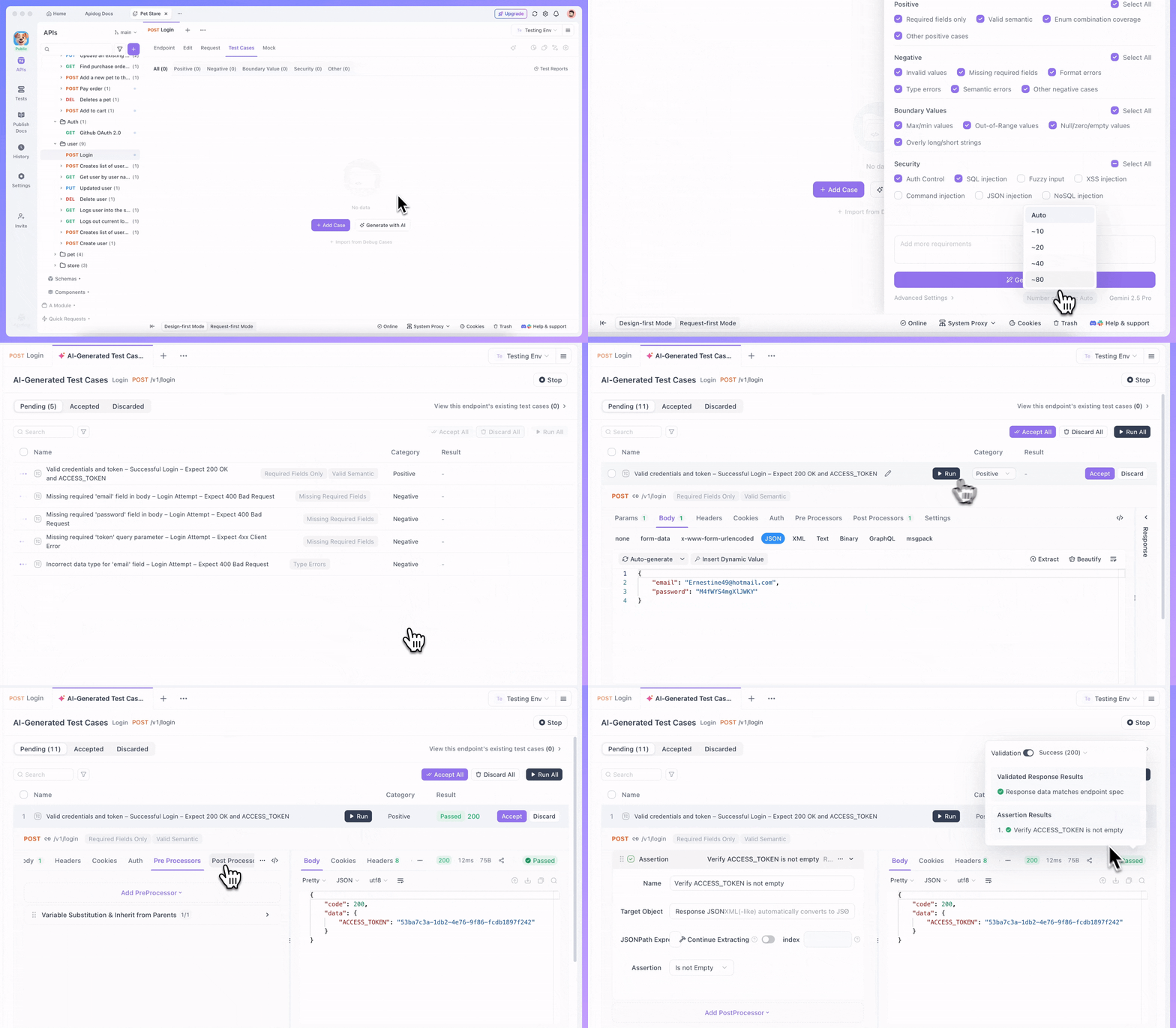
🤖 Smarter API Test Cases Generation by AI: AI-powered testing just got a major upgrade! When generating endpoint test cases with AI, you can now:
- Preview a list of test cases with descriptions before generating full details, giving you control over what gets created.
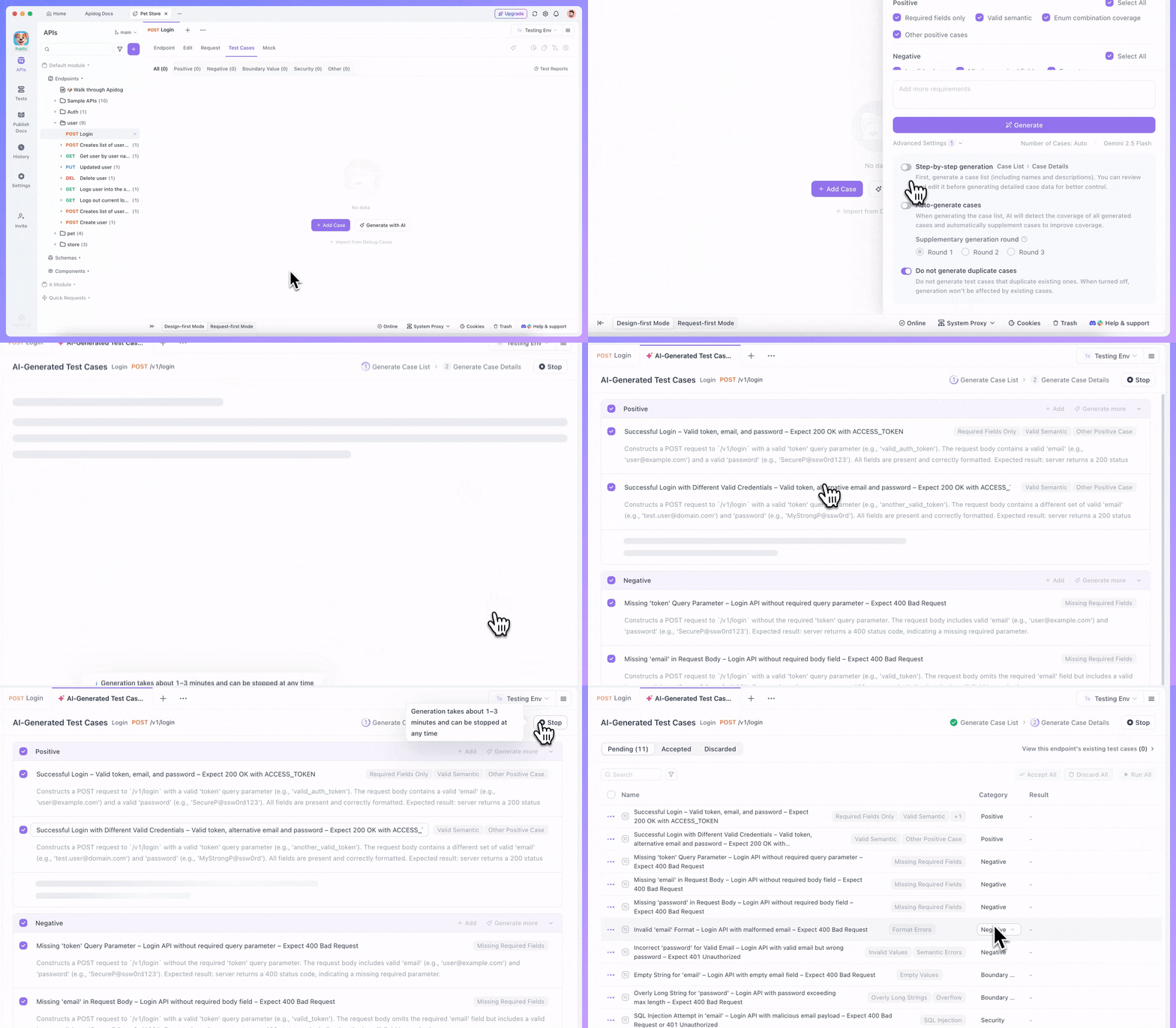
- Generate additional test cases based on your existing ones for comprehensive coverage.
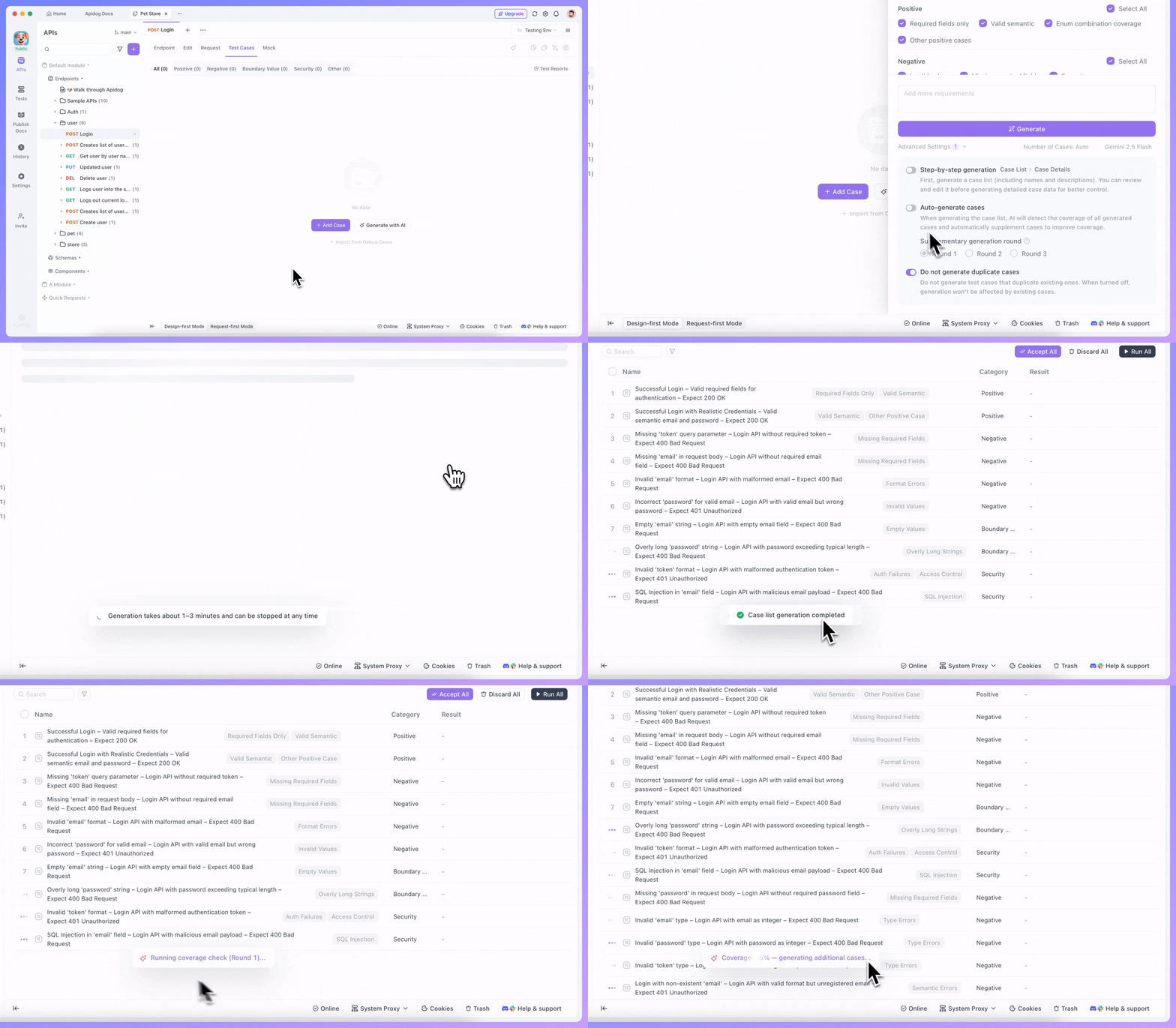
- Simultaneously generate assertions, custom scripts, and other pre/post processors alongside test cases for complete test scenarios.
🌐 Status Code Ranges Support: API design now supports status code ranges as defined in OpenAPI/Swagger specs, including 2XX, 4XX, 5XX, and default. Design more flexible and standards-compliant APIs with ease.
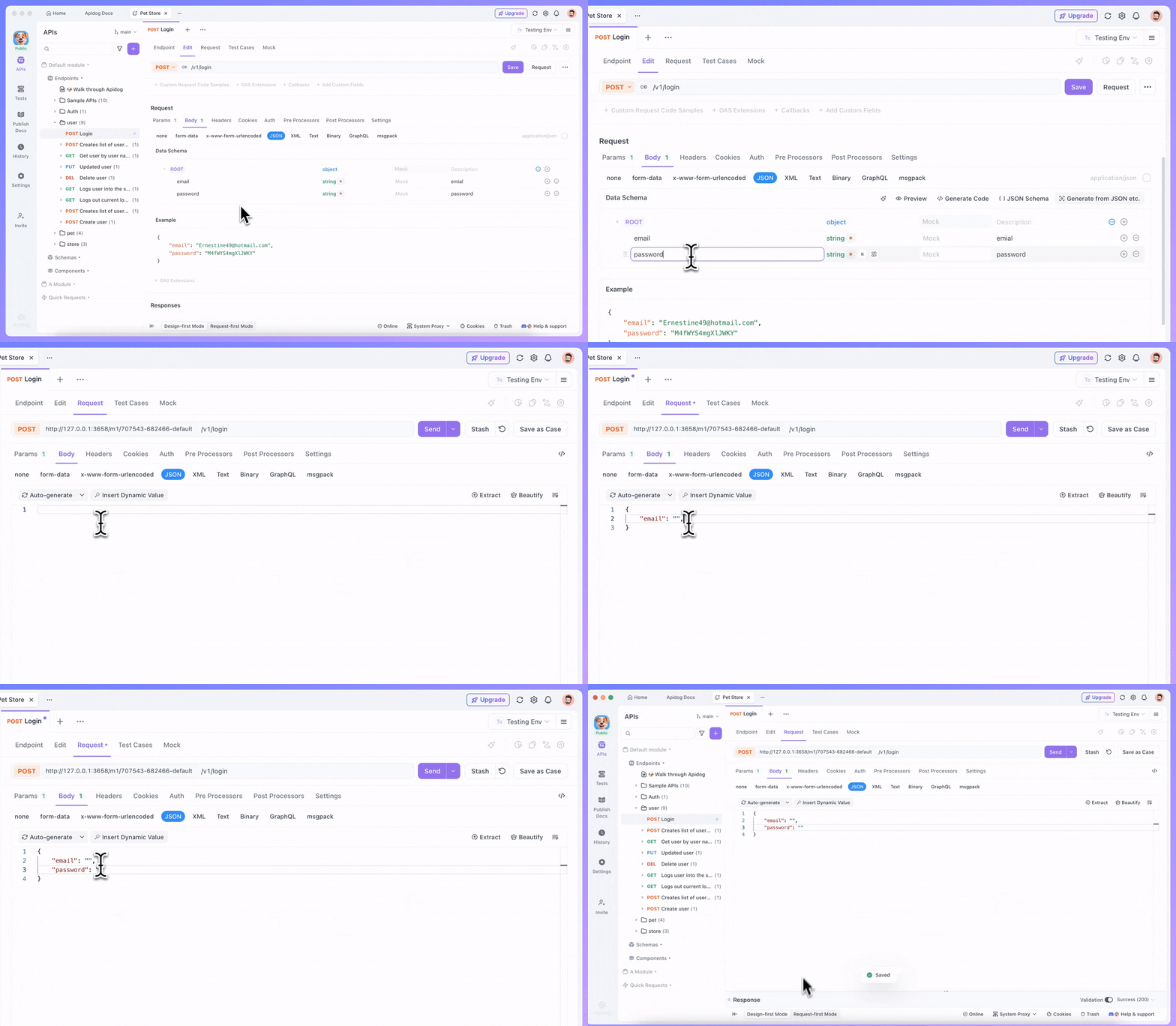
🎯 Intelligent JSON Body Auto-Completion: Speed up your debugging workflow! When the request body schema is defined in your API specification, Apidog now provides smart auto-completion for JSON body input during endpoint debugging. Less typing, fewer errors, higher efficiency.
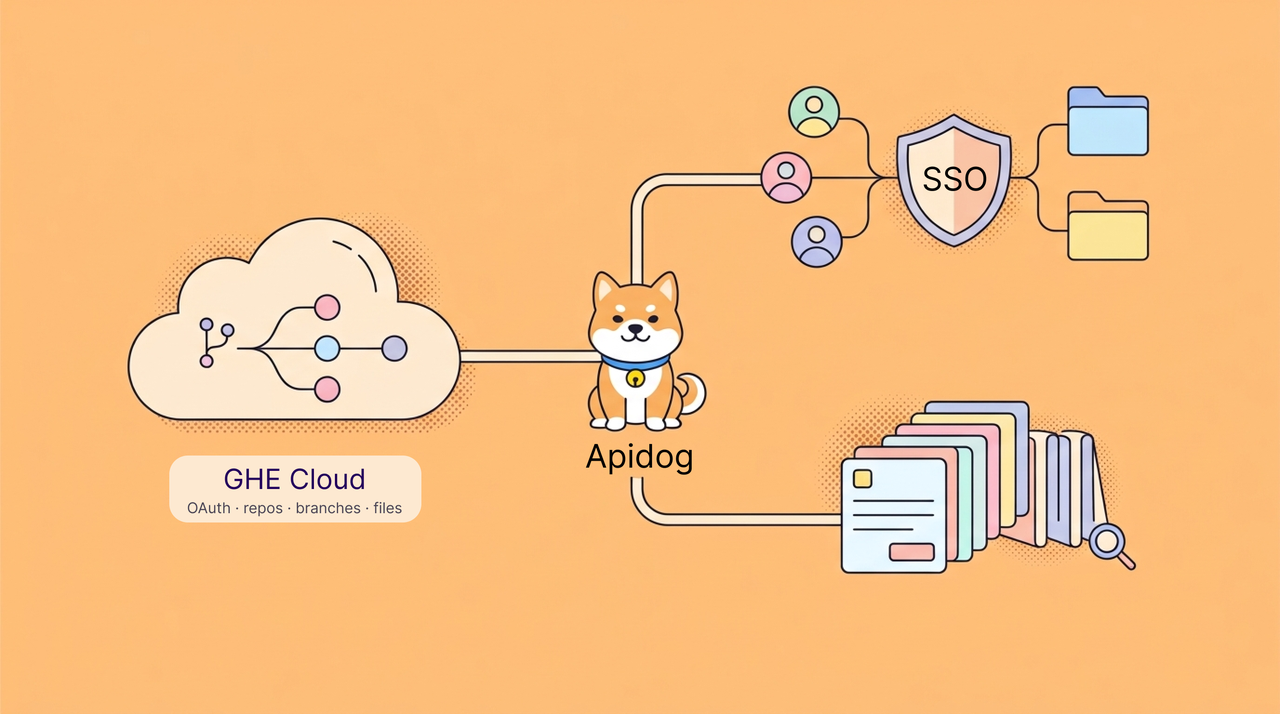
🔐 OAuth 2.0 Tokens Saved Locally: After obtaining an OAuth 2.0 token, you can now store it as a current value of the variable. This keeps your token private and ensures it won’t be shared with other team members. You can also manage separate OAuth 2.0 tokens for different environments, making it easy to use the right token in each context.
🔧 Enhanced gRPC Error Handling: When a gRPC endpoint returns an error, Metadata and Trailer information will still be displayed normally.
📦 Response Components Compatible with OpenAPI Specifications: You can now add both descriptions and headers to response components.
🤝 Real-Time Global Variables Collaboration: Global variables now support multi-user online collaboration with real-time automatic updates. Work seamlessly with your team without worrying about variable conflicts or outdated values.
🔔 Environment Names in Webhook Notifications: When running test scenarios with Apidog CLI specifying a run environment, Webhook notifications now include the environment name for better context and traceability.
⚡️ Organization-Wide AI Access: Once an organization enables the AI feature, all teams within the organization can use it directly—no additional configuration needed.
🛡️ Improved Private Environment Handling: When a test scenario is run with a private environment selected, other team members will now see a helpful "Select an environment" reminder instead of the confusing "Environment has been deleted" message.
🌿Enhancements for OpenAPI/Swagger Imports & Exports:
- Added full support for importing and exporting response components in OpenAPI/Swagger specs.
- Fixed an issue where, during OpenAPI/Swagger specs import, the option
Keep the existing endpoint folder unchangedforWhen the same endpoint is in different foldersdid not work. - Fixed an issue where, when importing OpenAPI/Swagger specs, the security requirements of the root were not imported correctly and were mistakenly configured as
No Auth. - Resolved a problem where, when exporting OpenAPI/Swagger specs, if multiple
form-dataparameters are all configured with acontent-type, only the last one'scontent-typewas exported correctly.
🐞 Bug Fixes & Improvements:
- Corrected the
Import "e.g." in Postman as endpoint debug casesoption that wasn't functioning during Postman Collections import. - Expanded Git branch display limit—no more seeing only 30 branches when configuring Git repository connections.
- Fixed error message display issues when fetching secrets from third-party vault providers failed.
✨ Recommended Readings
Discover best practices and advanced features to level up your API development:
- Apidog Workflow Best Practices
- How to Use Modules in Apidog to Organize APIs Effectively
- How to Use Discriminator to Match Different Parameter Structures by Type When Designing APIs in Apidog
🌟 Looking Ahead
December is already in development with exciting new features focused on deeper automation, improved collaboration, and an even smoother developer experience. Your feedback continues to shape our roadmap—we love hearing from you!
💬 Join the Conversation!
Connect with fellow API developers and the Apidog team:
- Join our Discord community for real-time discussions and support
- Participate in our Slack community for technical conversations
- Share your tips, tricks, and success stories with the community
P.S. Explore the complete details of all these updates in the Apidog Changelog! 🚀
Happy API Building!
Best Regards,
The Apidog Team