You've just set up a critical API test suite. It runs every hour, checking that your payment gateway, user authentication, and data endpoints are all working perfectly. But here's the problem: when a test fails at 2 AM, nobody knows until morning. By then, your service might have been broken for hours, and customers are already complaining.
What if your API tests could tap you on the shoulder the moment something goes wrong? What if test results didn't live in a siloed dashboard but appeared right where your team is already talking in Slack?
This isn't a hypothetical scenario. It's a solved problem with the right tool. Apidog is the all-in-one API platform that not only lets you build powerful automated tests, but also seamlessly integrates those test results directly into your Slack workspace.
Now, let's explore exactly how Apidog turns Slack into your API's mission control center.
The Problem: The Silent API Failure
Modern applications depend on a complex web of APIs. When one fails, it can create a cascade of problems. Traditional API testing tools create a dangerous gap:
- Tests run automatically (great!).
- Something fails (inevitable).
- The failure sits in a dashboard that nobody is staring at 24/7 (the problem).
- Hours pass before someone manually checks the report.
- Damage is done.
The solution is proactive notification. The moment a test fails, the right people need to know immediately. And there's no better place for immediate team awareness than Slack.
Why Slack + API Testing is a Game-Changer
Before we dive into the "how," let's talk about the "why." Integrating API testing with Slack isn't just a nice-to-have; it fundamentally changes your team's operational awareness.
- Immediate Incident Response: Test failure notifications in Slack mean the on-call engineer can start investigating within minutes, not hours.
- Team Transparency: Everyone in the channel sees the health of your APIs. Frontend developers know if the backend is having issues before they start debugging their own code.
- Reduced Context Switching: No need to leave Slack to check test statuses. The information comes to you.
- Historical Context: Slack becomes a searchable log of when APIs have been unstable, perfect for retrospectives.
- Celebrating Success: Green test notifications build confidence and reinforce good deployment practices.
Introducing Apidog: More Than Just an API Client
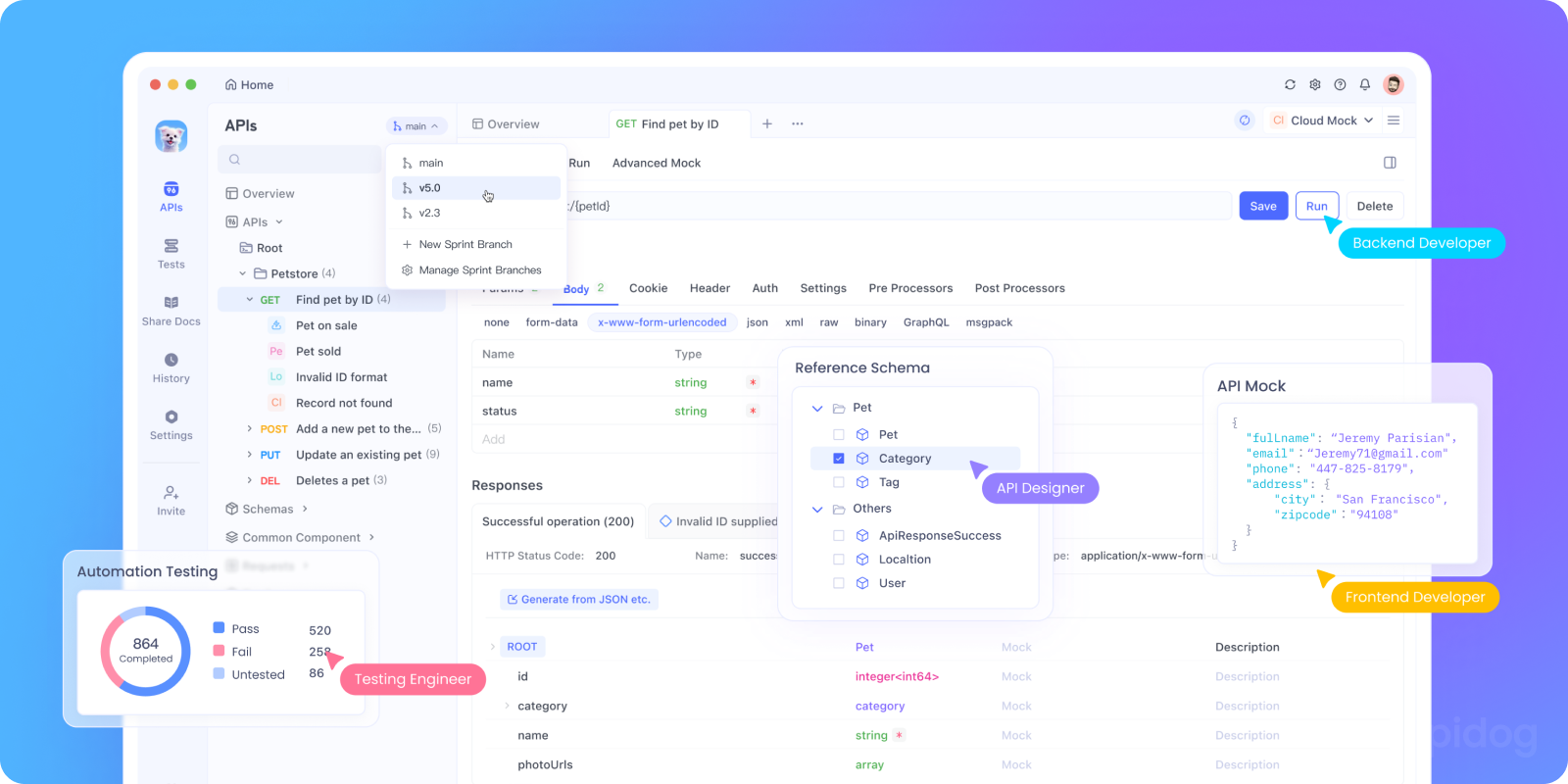
Apidog is an integrated API collaboration platform. It combines the functionality of tools like Postman (testing), Swagger (documentation), and Mock servers into one unified environment. One of its most powerful enterprise features is its robust automated testing and notification system.
With Apidog, you can:
- Design your API endpoints
- Create comprehensive test scenarios
- Automate test execution on schedules or via CI/CD
- Send results directly to Slack (and other channels)
How Apidog Connects API Testing with Slack
Apidog provides native notification integration with Slack, allowing teams to receive automated messages when tests run, fail, or succeed.
This turns API testing from a passive activity into an active, visible part of your development process.
Automated API Tests in Apidog: The Foundation

To understand Slack integration, we first need to understand automated tests in Apidog.
What Are Automated Tests in Apidog?
Automated tests in Apidog allow you to:
- Validate API responses automatically
- Run tests repeatedly
- Detect regressions early
These tests form the backbone of reliable API delivery.
Why Automation Matters for Slack Notifications
Once tests are automated:
- They can run on schedules
- They can run on demand
- They can trigger notifications
Slack becomes the reporting layer for your API quality.
Step 1: Building Your Test Scenarios in Apidog
The foundation of any good notification system is reliable tests. Apidog makes test creation intuitive.
According to Apidog's documentation on creating a test scenario, you can build complex test flows that mimic real user behavior. This isn't just checking if an endpoint returns 200; you can:
- Chain multiple requests together (e.g., login → get profile → update settings)
- Extract data from one response and use it in the next request
- Add assertions to validate response status codes, body content, headers, and performance
- Use environments to switch between staging, production, and development
Imagine creating a "User Journey" test scenario that:
- Registers a new test user (
POST /api/register) - Logs in with those credentials (
POST /api/login), saving the authentication token - Fetches the user profile (
GET /api/me) using that token - Updates the profile (
PATCH /api/me) - Logs out (
POST /api/logout)
This end-to-end scenario gives you much higher confidence than isolated endpoint checks.
Step 2: Automating Test Execution
Once your test scenarios are built, you need them to run automatically. Apidog's guide on automated tests explains you can schedule tests to run at specific intervals (every hour, daily, etc.) or trigger them via Apidog's CLI in your CI/CD pipeline (like GitHub Actions, Jenkins, or GitLab CI).
This means your API tests can run:
- After every deployment to ensure you didn't break anything
- Hourly/Daily for ongoing monitoring
- On-demand whenever you need a health check
Step 3: The Magic Connecting to Slack
This is where the integration shines. Apidog's notification system, detailed in their guide on integrating with Slack, allows you to pipe the results of these automated test runs directly into a Slack channel.
How to Set Up the Integration
The process is straightforward:
- In Apidog, go to Notification Settings.
- Select Slack as a notification channel.
- Create a Slack Incoming Webhook in your Slack workspace (Slack provides a simple URL for this).
- Paste the Webhook URL into Apidog.
- Configure what events you want to be notified about:
- Test scenario execution results (success/failure)
- Test scenario execution errors
- API monitoring alerts
6. Choose which Slack channel receives the notifications.
Once configured, every time your automated test runs, Apidog will send a detailed message to your chosen Slack channel.
Conclusion: API Quality as a Team Conversation
Integrating Apidog with Slack does more than just send alerts it bridges the gap between the technical reality of your APIs and the daily consciousness of your team. It transforms API testing from a solitary, retrospective activity into a collaborative, real-time pulse on your product's health.
In today's development environment, where APIs are the backbone of digital experiences, this kind of integrated visibility isn't just convenient; it's critical for maintaining reliability, trust, and rapid response.
By bringing test results into Slack, you're not just monitoring APIs; you're fostering a culture where everyone is informed, empowered, and aligned on the quality of the services you build together.
Ready to stop wondering if your APIs are working and start knowing instantly, as a team? Download Apidog for free and connect it to your Slack workspace today. Turn your most important communication channel into your most powerful API monitoring tool.