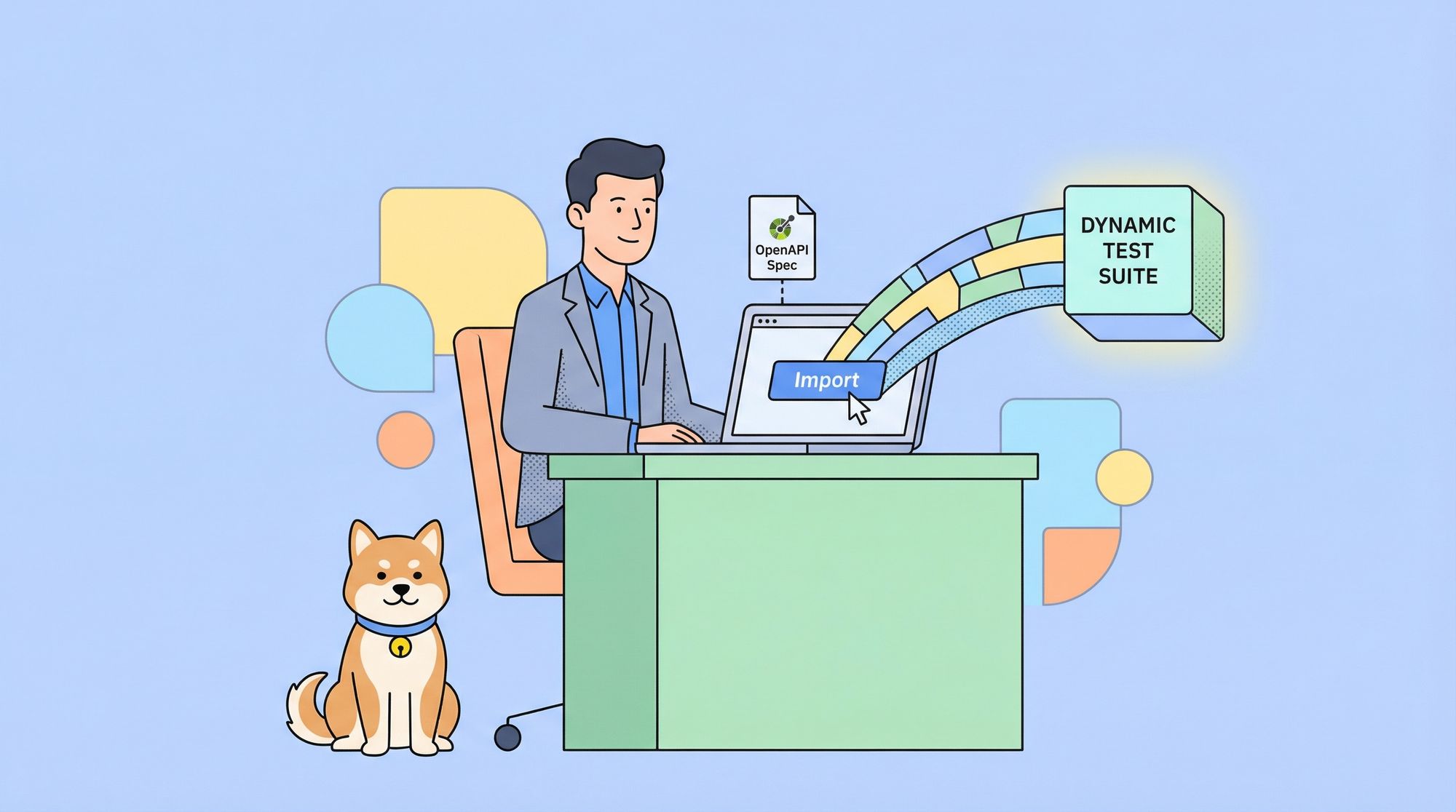
You've just finished designing a beautiful, comprehensive OpenAPI specification for your new API. It documents every endpoint, parameter, and response. It's a work of art. But now comes the daunting part: you need to test all of it. Manually creating test cases for dozens of endpoints feels like starting from scratch. You find yourself copying paths from your spec into a testing tool, one by one, wondering if there's a better way.
What if you could transform that OpenAPI spec your single source of truth into a complete, ready-to-run test suite with just a few clicks? What if you could bypass the tedious manual setup and jump straight to validating that your API works as designed?
This isn't a hypothetical. With the right tool, you can automate this entire process. Apidog is designed to bridge the gap between API design and API testing seamlessly. Its powerful import and AI features can turn your static OpenAPI document into a dynamic, living test suite in minutes.
Now, let's walk through the exact, step-by-step process of generating comprehensive API test collections directly from your OpenAPI specs using Apidog.
Step-by-Step Guide: From OpenAPI Spec to Test Collection in Apidog
Step 1: Import Your OpenAPI Specs into Apidog

The foundation of the process is getting your API design into Apidog. This is a straightforward import, not a manual recreation.
How to do it:
- In your Apidog project, navigate to the Settings or look for the "Import" option.
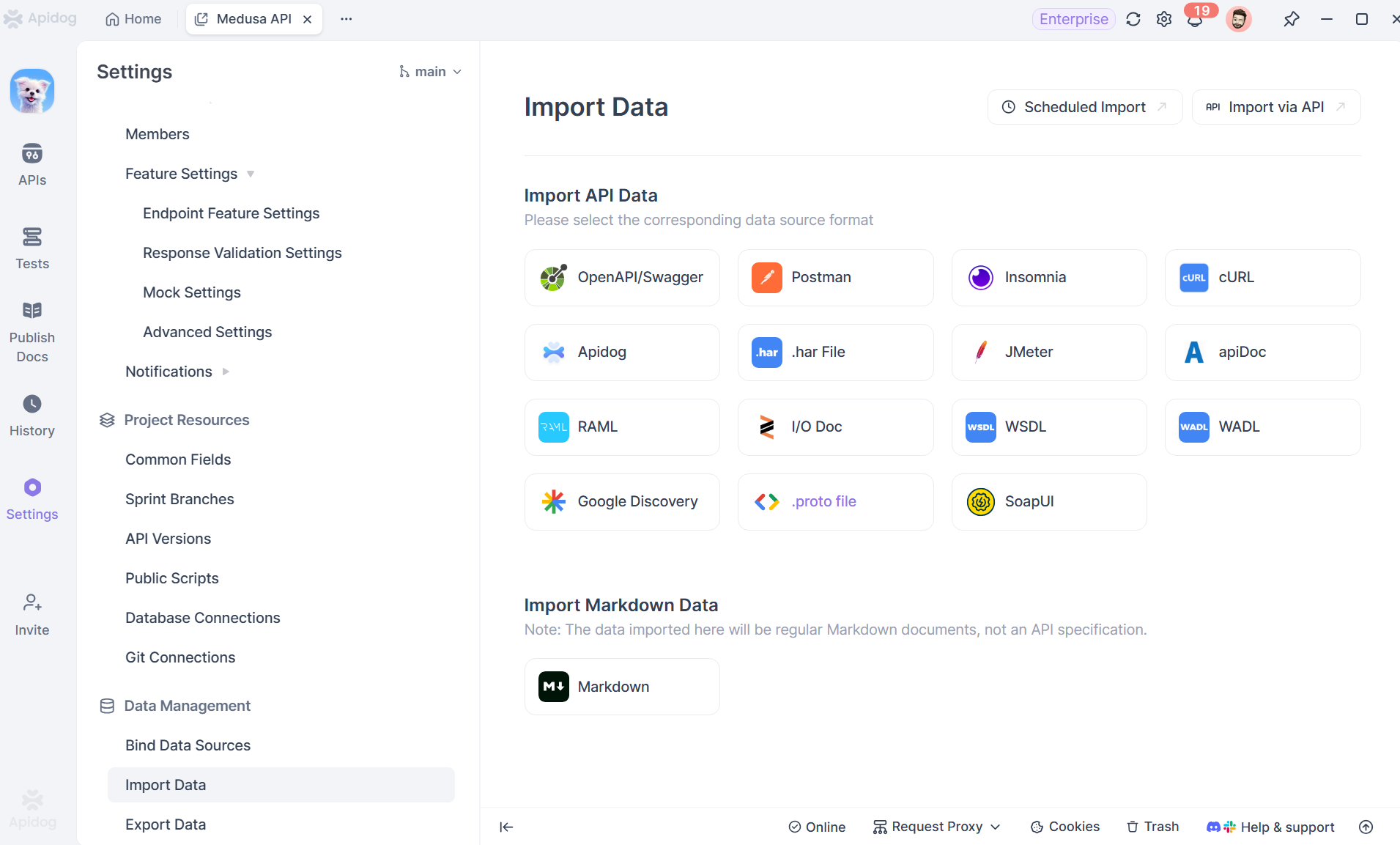
2. Apidog supports multiple import methods:
- Direct File Upload: Drag and drop your
openapi.yamloropenapi.jsonfile. - URL Import: Provide a URL where your raw OpenAPI spec is hosted (e.g., a link to your spec in GitHub or your internal documentation portal).
- Manual Entry: You can also paste the raw JSON/YAML content directly.
3. Apidog will parse the spec and instantly create a complete API project structure within its interface. You'll see all your endpoints organized, with their methods, parameters, and request/response models pre-populated.
What this gives you: Instantly, you have a fully navigable, interactive representation of your API within Apidog. You can click on any endpoint and see its details. This is already miles ahead of a static document, but we're just getting started.
Step 2: Understand How Apidog Structures API Tests
Before generating test collections, it helps to understand how Apidog thinks about testing.
In Apidog:
- Each API endpoint can have multiple test cases
- Test cases belong to test collections
- Test collections can be organized logically (by module, feature, or service)
Because everything is derived from the OpenAPI spec, the structure already makes sense before you write a single test.
Step 3: Generate API Test Collections Using AI
This is where the magic happens. With your API structure now living inside Apidog, you can command it to generate a comprehensive test suite.
How to do it:
- Navigate to the "Test Cases" section within any endpoint documentation page.
- Click on "Generate with AI". Apidog often surfaces this as a prominent button when you have an API with no existing tests.
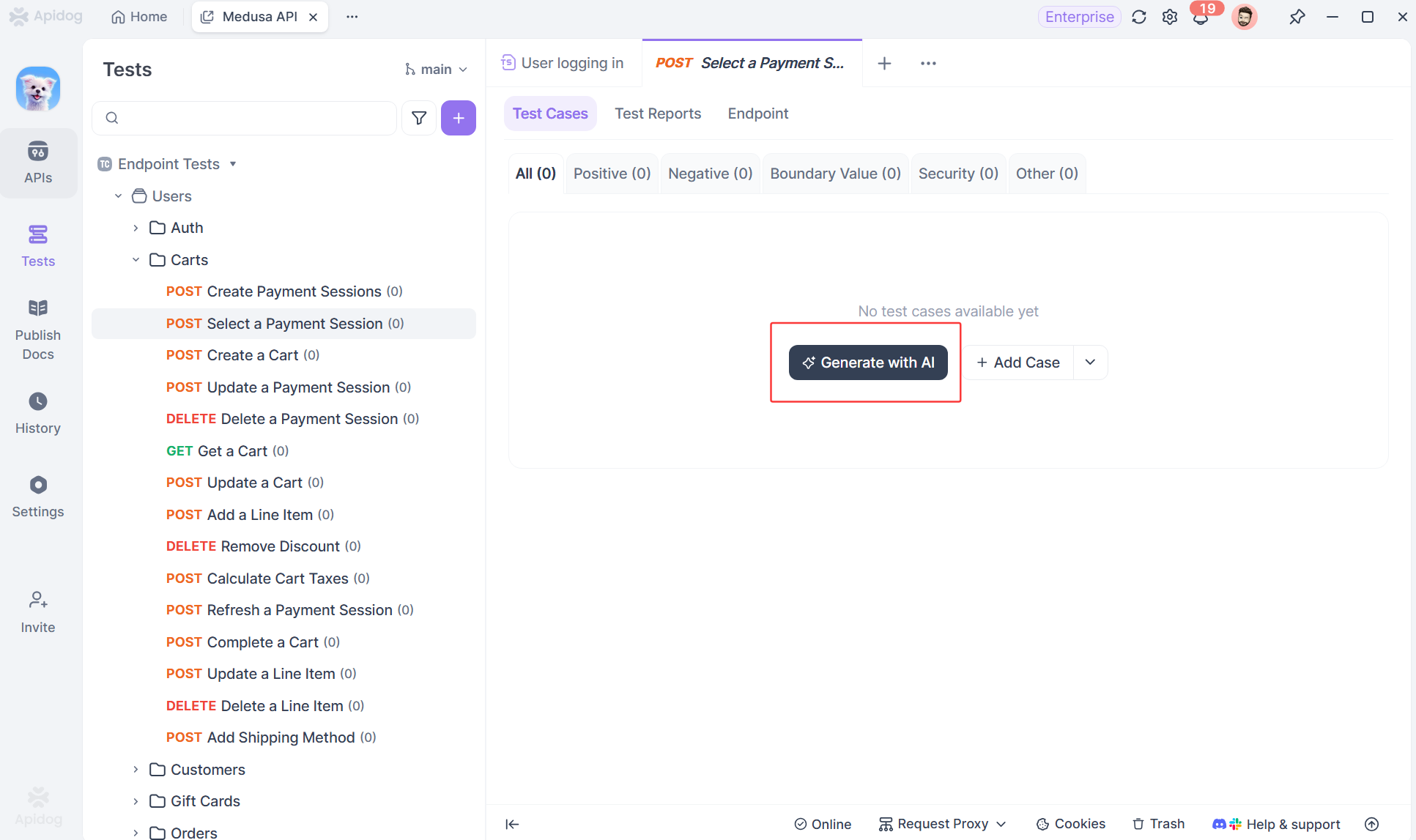
3. Apidog's AI will analyze your entire imported endpoint structure. It doesn't just create one test per endpoint. It thinks like a tester:
- Happy Path Tests: It will generate tests for successful operations (e.g.,
GET /users/1returns200 OK). - Error Condition Tests: It automatically creates tests for error cases defined in your spec, like sending invalid data to trigger a
400 Bad Requestor testing authentication failure for a401 Unauthorizedendpoint. - Parameter Validation: It will create cases to test required fields, enum values, and data type constraints you defined in your OpenAPI schema.
- Edge Cases: Based on common testing patterns, it might suggest tests for empty lists, pagination limits, or unusual input combinations.
4. The AI presents you with a proposed list of test cases. You can review them, edit the names, and select which ones to add to your collection with a single click.
What this gives you: In under a minute, you go from zero to a robust test collection covering positive flows, negative flows, and validation logic. Each generated test case is a fully configured request within Apidog, ready to be run.
Step 4: Review and Customize Generated Test Collections
While AI does most of the heavy lifting, Apidog still gives you full control.
After generating test collections, you can:
- Review request parameters
- Adjust test data
- Add assertions
- Rename test cases
- Organize collections logically
This combination of automation + manual refinement is what makes Apidog practical for real projects.
Step 5: Keep API Tests in Sync with OpenAPI Specs
One of the biggest challenges in API testing is drift.
APIs evolve.
Schemas change.
Tests fall behind.
Because Apidog ties test collections directly to OpenAPI specs, updates are much easier to manage.
When the spec changes:
- You can regenerate test cases
- Update affected endpoints
- Maintain alignment between API and tests
This drastically reduces maintenance overhead.
What do These API Test Collections Look Like?
Let's make this concrete. Imagine you imported a simple OpenAPI spec for a User API with:
GET /usersPOST /usersGET /users/{id}PUT /users/{id}
Apidog's AI wouldn't just create four tests. It might generate a test collection like this:
Collection: User API Validation
Test: Get all users - Success
Checks that GET /users returns 200 OK with an array.
Test: Create user - Success
Sends a valid POST /users request with example data from your spec and asserts on 201 Created and the response schema.
Test: Create user - Missing required field
Sends a POST /users request missing the email field and asserts the response is 400 Bad Request.
Test: Get single user - Success
Uses a dynamic variable from the "Create user" test to call GET /users/{{userId}} and assert on 200 OK.
Test: Get single user - Not Found
Calls GET /users/99999 and asserts it returns 404 Not Found.
Test: Update user - Authentication Required
Sends a PUT /users/{id} without an Authorization header and asserts 401 Unauthorized.
This is a logical test suite, not just a request library. The AI understands relationships and sequences.
Best Practices After API Test Collection Generation
Your work isn't done when you click "generate," but the heavy lifting is. Here's how to perfect your new test suite:
- Review and Refine: Look through the generated tests. The AI is smart, but you know your business logic. Add assertions for specific data values or custom headers.
- Configure Environments: Set up different environments in Apidog (e.g.,
Development,Staging,Production) with their respective base URLs. Attach your test collection to these environments. - Add Test Data Management: For
POSTtests, you might want to use more realistic or varied test data. Apidog lets you easily edit request bodies. - Set Up Assertions: While the AI will add basic status code assertions, you should strengthen them. Add assertions for response time, specific JSON schema validation, or that certain headers are present.
- Create Flows and Chains: Link tests together. Use the output of the
POST /userstest (the new user's ID) as the input for theGET /users/{id}andPUT /users/{id}tests. Apidog's variable extraction makes this visual and easy.
Integrating API Test into Your CI/CD Pipeline
The true value of an automated test suite is realized when it runs automatically. Apidog allows you to export your test collections or run them via CLI, making integration into your CI/CD pipeline (like Jenkins, GitHub Actions, or GitLab CI) straightforward.
Imagine this workflow in your pipeline:
- A developer pushes code that changes the API.
- Your CI system pulls the latest OpenAPI spec from the repository.
- It runs the Apidog test suite against the newly deployed staging environment.
- If any test fails, indicating a deviation from the spec, the build can be flagged or failed, preventing bugs from reaching production.
This closes the loop, making your OpenAPI spec the enforceable contract that drives both development and quality assurance.
Why Schema-Driven API Testing Scales Better
As APIs grow, manual testing doesn’t scale well.
Schema-driven testing with Apidog:
- Scales with API complexity
- Adapts to version changes
- Reduces maintenance cost
- Improves team collaboration
This is especially important for teams working on large or evolving APIs.
Conclusion: Stop Building Tests, Start Generating Them
The old workflow design, then manually build tests is inefficient and error-prone. Apidog reimagines this process by using your OpenAPI specification as the engine for test generation.
By importing your OpenAPI specs and then using Apidog's AI to generate test collections, you achieve something powerful: you make your API contract executable. You ensure that your tests are comprehensive, aligned with your design, and maintained as a single source of truth evolves.
This isn't just about saving time (though it saves a tremendous amount). It's about increasing the quality and reliability of your APIs by embedding validation into the very fabric of your development lifecycle.
Stop treating your OpenAPI spec as just documentation. Start using it as the foundation of your quality assurance. Download Apidog for free today, import your spec, and let AI build your first test suite in minutes. Experience the shift from manual, repetitive setup to intelligent, automated assurance.